
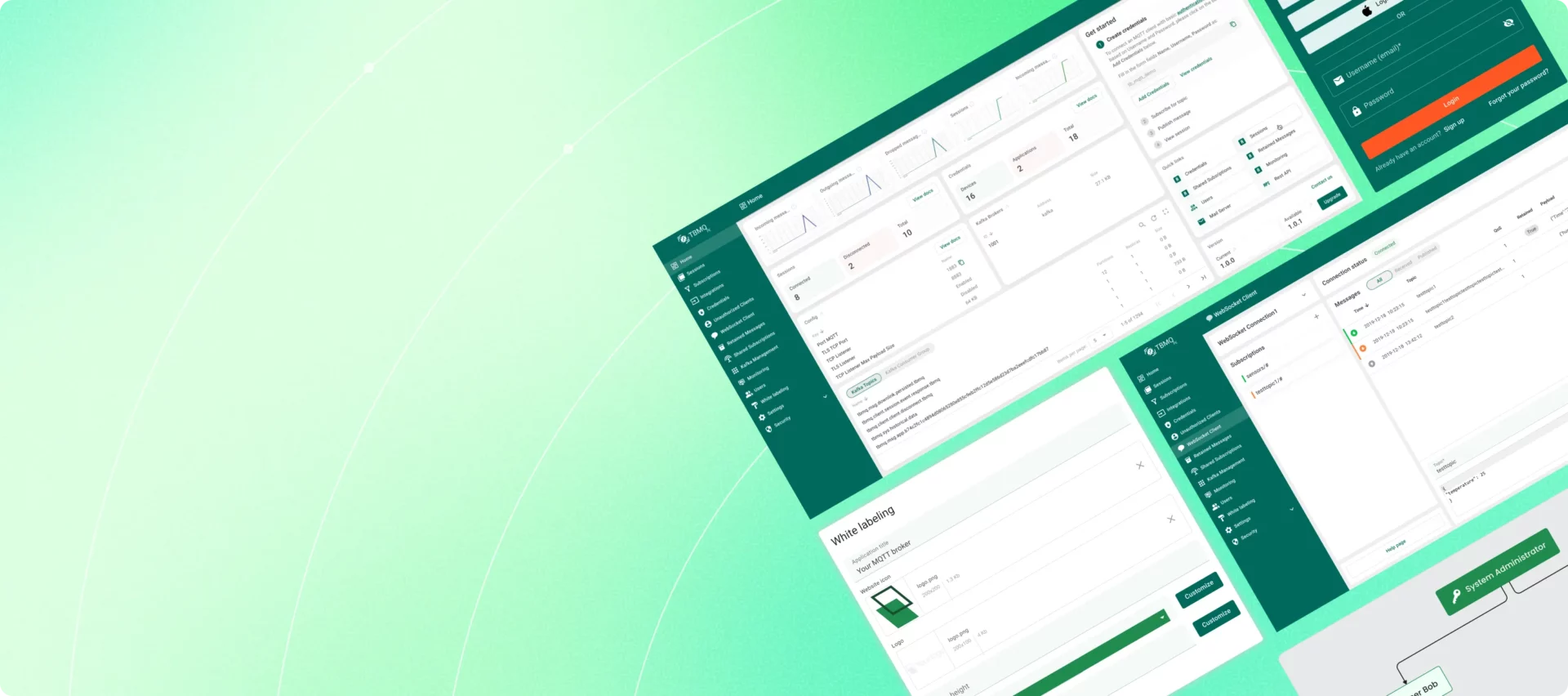

We’re excited to introduce TBMQ Professional Edition (TBMQ PE) – the next step in the evolution of our MQTT broker. TBMQ PE is built on top of TBMQ’s proven, production-ready core and adds advanced features for security, observability, integration, and professional support. Starting with this release, the existing open-source version will be known as TBMQ Community Edition (TBMQ CE).
TBMQ CE remains fully open-source and actively maintained. For existing users, TBMQ PE will feel immediately familiar, extending the platform with enterprise-focused capabilities and operational tooling designed to meet higher reliability and compliance requirements – without changing the core behavior you already trust.
TBMQ CE vs TBMQ PE: Which Edition Is Right for You?
Here’s how the two editions align in terms of core features, security, extensibility, and support. See the full comparison table here.
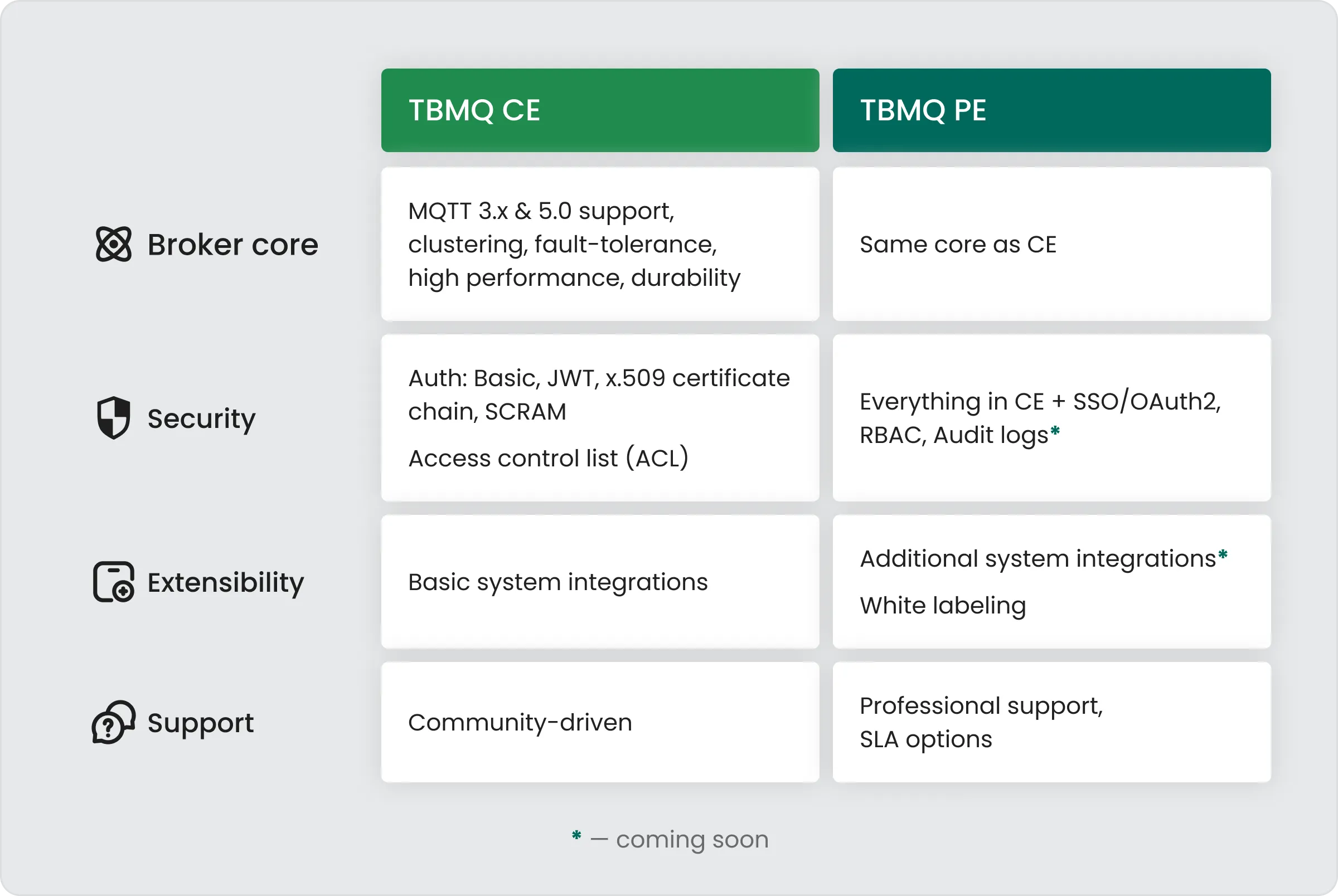
Experience TBMQ Professional Edition with enterprise-grade reliability, security, and performance – available for upgrade from TBMQ CE.
When we built TBMQ CE, our goal was simple: create the most reliable and performant open-source MQTT broker possible. We engineered the core for long-term durability, high throughput, and scalability – fully expecting that many of you would deploy it in demanding, production-critical environments where reliability cannot be compromised.
As TBMQ adoption accelerated, we saw a clear pattern: organizations were using TBMQ at scales and in operational contexts that required more than what an open-source edition should provide on its own. Teams needed stronger security controls, deeper operational insight, advanced integrations, and guaranteed support. These needs didn’t come from theory – they came directly from real deployments, real customers, and real production requirements.
TBMQ Professional Edition is our response to those needs. It provides a dedicated, enterprise-focused offering designed to support mission-critical workloads and ensure the sustainable development of advanced features, operational tooling, and service-level guarantees.
Both editions share the same battle-tested core – delivering the performance, scalability, fault-tolerance, and full MQTT 3.x/5.0 feature set that TBMQ is known for.
TBMQ Community Edition (CE) remains fully open-source, production-ready, and actively maintained. It is ideal for teams whose operational, security, and compliance needs are straightforward and who prefer the freedom of an open-source deployment.
TBMQ Professional Edition (PE) builds on the CE core with capabilities designed specifically for complex or regulated environments, including:
- Stronger Security Options – Enhanced controls supporting higher compliance and governance requirements.
- Deeper Visibility – Advanced monitoring, metrics, and dashboards for complete operational insight.
- Extended Integrations – Ready-made connectors that streamline adoption inside enterprise ecosystems.
- Professional Support – Direct access to the TBMQ team with guaranteed response times and optional SLAs.
CE is the best way to start and run many workloads; PE is for teams that need extra visibility, security, and guarantees on top of the same proven core.
What You Get with TBMQ Professional Edition
TBMQ PE launches with the following features, and many more are already on the roadmap for upcoming releases.
Single Sign-On (SSO)
As MQTT usage grows across teams and environments, managing separate user accounts becomes difficult and time-consuming. TBMQ Professional Edition solves this by introducing Single Sign-On (SSO), allowing you to connect TBMQ to your existing identity provider through OAuth 2.0 and OpenID Connect (OIDC).
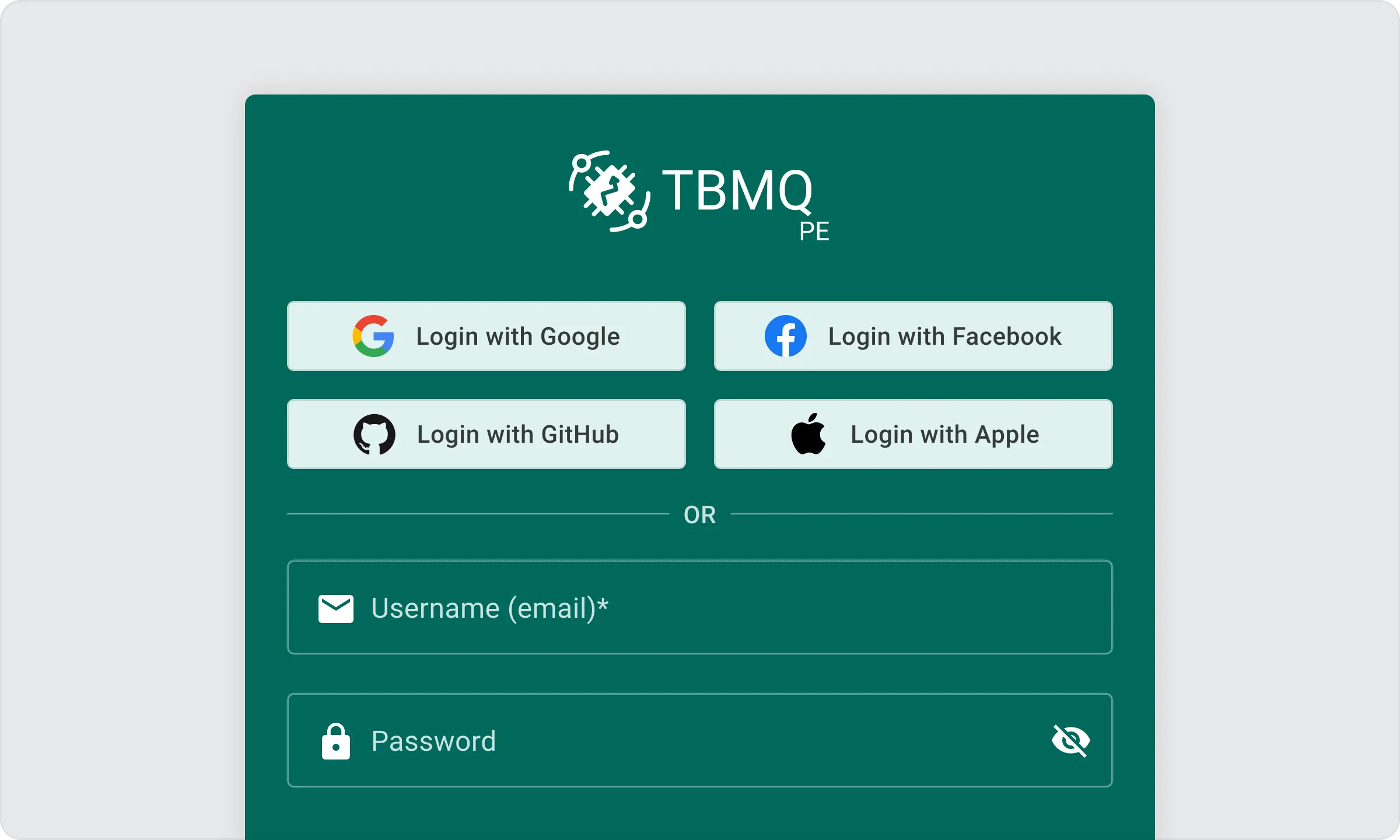
With SSO enabled, administrators no longer need to create or maintain local TBMQ accounts. Users authenticate using the same corporate identity they rely on for other internal systems, making onboarding simpler and access management more consistent across the organization.
SSO also strengthens security by inheriting the authentication policies and controls defined by your identity provider. This ensures that TBMQ aligns with your organization’s established identity standards without adding separate account management overhead.
For teams using centralized identity management, SSO integrates TBMQ seamlessly into existing workflows and significantly streamlines day-to-day administration.
Check out our Single Sign-On (SSO) / OAuth2 guide.
Role-Based Access Control (RBAC)
As organizations grow, not every team member needs full administrative access to the MQTT broker. TBMQ Professional Edition introduces Role-Based Access Control (RBAC) to bring structure, safety, and clarity to user permissions. With RBAC, administrators can assign predefined roles that determine what a user is allowed to see or do inside TBMQ.
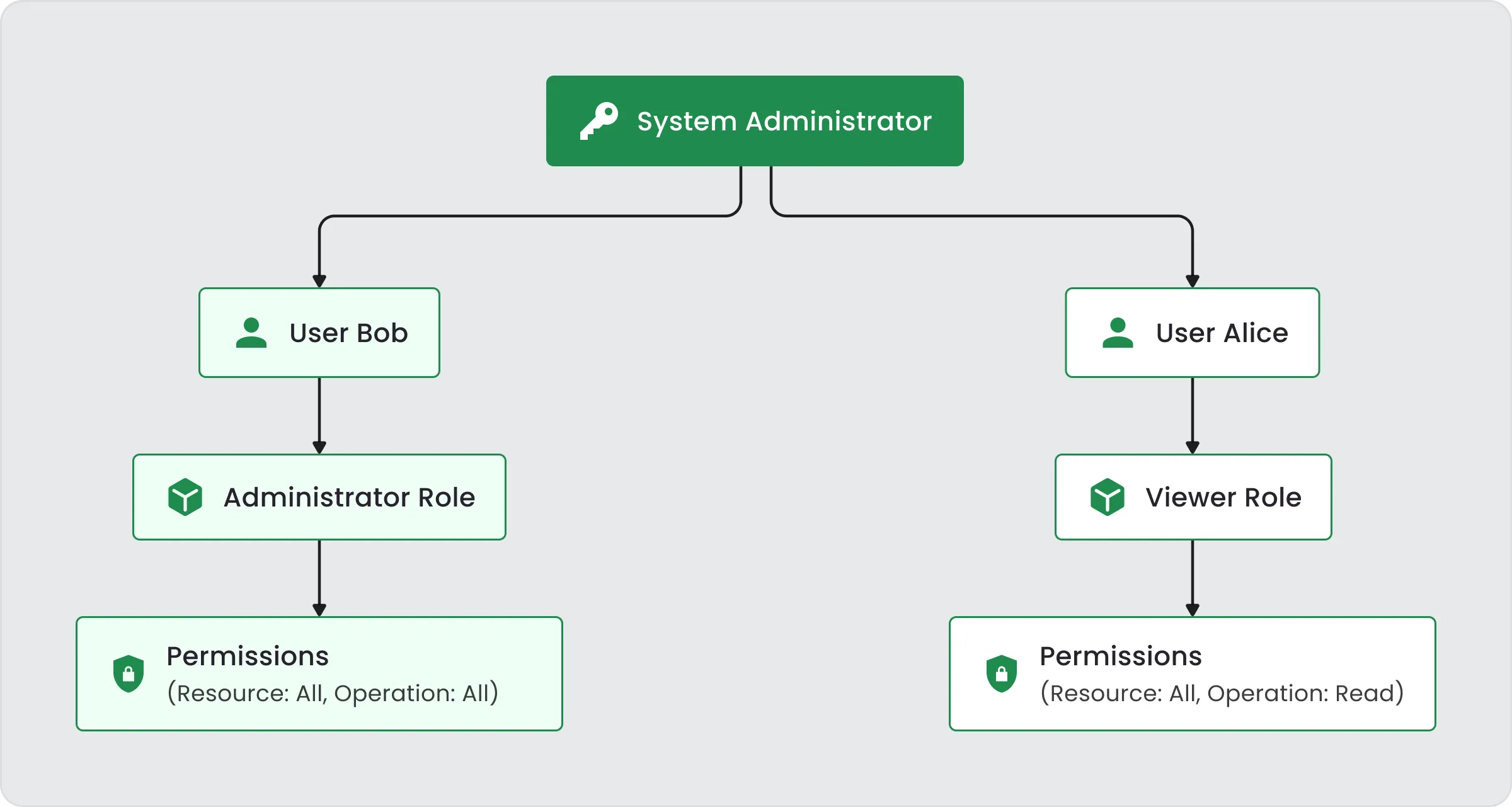
TBMQ PE includes two built-in roles:
- Admin – Full access to all broker configuration and operational capabilities.
- Viewer – Read-only access to broker data, metrics, and client activity, without the ability to modify settings or perform administrative actions.
RBAC helps ensure that users have only the level of access appropriate for their responsibilities. It improves security by limiting sensitive operations to authorized personnel, simplifies user management by avoiding granular permission setups, and supports compliance requirements through clear separation of duties.
Typical usage is straightforward: grant Admin access to team members responsible for maintaining or configuring the broker, and assign Viewer access to operations, support, or monitoring teams who need visibility without the risk of accidental changes.
Check out our RBAC guide.
White Labeling
TBMQ Professional Edition includes White Labeling, allowing you to adapt the TBMQ UI to your brand or product identity. This is especially valuable for companies delivering IoT platforms or customer-facing solutions where visual consistency matters.
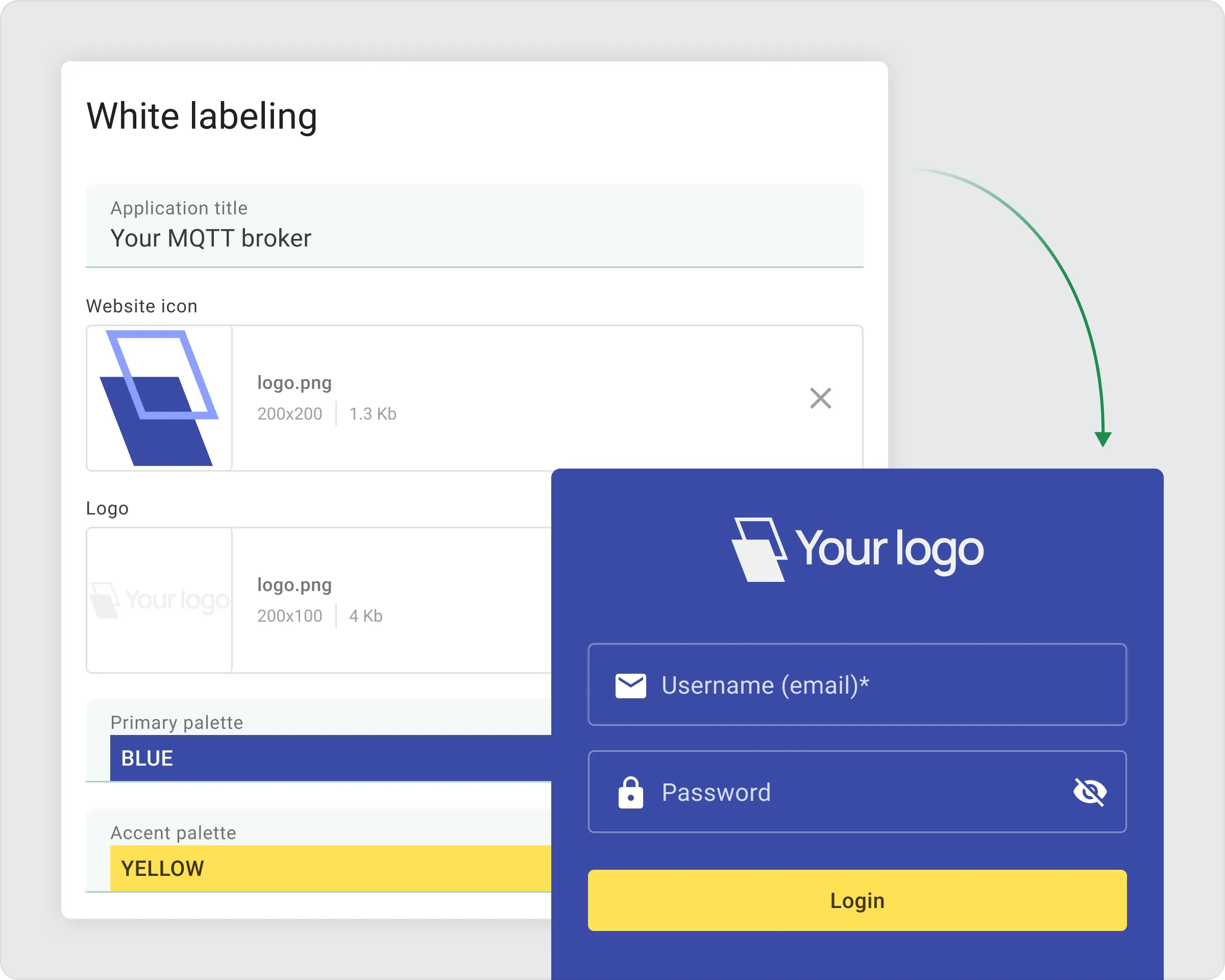
You can easily customize the interface by setting a branded application title, uploading your logo, adjusting its size, and replacing the default favicon. TBMQ PE also lets you define your own primary and accent color palettes, giving the UI a look and feel that matches your design guidelines.
For deeper customization, the Advanced CSS option allows full control over UI elements – icons, backgrounds, fonts, buttons, scrollbars, and more – enabling highly personalized themes.
The Login page can also be branded with your domain, custom visuals, and colors, ensuring a unified experience from the very first interaction.
White labeling in TBMQ PE makes it simple to create a polished and consistent interface tailored to your organization or your customers.
Check out our White labeling guide.
Schedule a live walkthrough with our engineering team and explore the full capabilities tailored to your use case.
Book a Live DemoRoadmap
The first release of TBMQ Professional Edition is only the beginning. We’re actively expanding PE with new capabilities that strengthen security, observability, and integration with existing enterprise systems. Upcoming releases will focus on:
- Additional system integrations beyond the current HTTP, MQTT, and Kafka options available in CE
- Audit logs for tracking user activity and configuration changes
- Expanded security features for tighter access control and operational safety
- Advanced monitoring, including deeper visibility into message flow, client behavior, and system performance
Licensing, Support, and How to Get It
TBMQ Professional Edition is available through both Self-managed Subscription and Perpetual License models, offering organizations total flexibility in how they budget and operate their infrastructure. Instead of fixed tiers, we offer a transparent, consumption-based calculator that lets you pay only for the exact capacity you need.
You can customize your license by selecting:
- The exact number of Sessions and Throughput (msg/sec) required for your workload.
- The number of Production and Development instances to support your High Availability (HA) and CI/CD requirements.
- Optional Add-ons, such as White Labeling for custom corporate branding.
Getting started is seamless: configure your requirements on the TBMQ pricing page, then proceed to the ThingsBoard Licensing Server to activate your license. If you do not have an account, the system will guide you through the creation process during activation.
Expert Support tailored to your Scale
Our support model scales alongside your deployment. Support levels are automatically determined by your configuration:
- Community Support: Standard for configurations with a total monthly value under $300.
- Direct Help Desk: Included for all configurations exceeding $300 per month.
- Priority Help Desk: Available as a dedicated add-on for organizations requiring prioritized response times and direct access to our expert support queue.
Users with Help Desk access are integrated into the ThingsBoard Support Portal. Our team provides expert assistance with installation, migration using recommended deployment methods, configuration optimization, and troubleshooting of out-of-the-box features. For organizations with the most demanding operational requirements, optional 24/7 support SLAs are also available as part of our managed services.
This modular licensing and support structure ensures that whether you are a startup or a global enterprise, you can deploy TBMQ PE with total confidence in your production environment.
Visit the TBMQ pricing page to configure your license. Use our interactive calculator to select the exact sessions, throughput, and instances you need to fit your specific deployment requirements.
Final Words
The launch of TBMQ Professional Edition marks an important milestone in the evolution of our MQTT platform.
Whether you’re building your first MQTT-based solution or operating mission-critical infrastructure at scale, TBMQ provides a solid, high-performance foundation – with the option to go further through enhanced security, observability, customization, and professional support.
To explore TBMQ PE, review the available licensing options, and activate your license through the ThingsBoard Licensing Server. We’re excited to see what you build with the new capabilities and look forward to continuing this journey together.
If this sounds like the direction your MQTT infrastructure is heading, get in touch and let’s see how TBMQ PE can fit into your stack.
Contact us