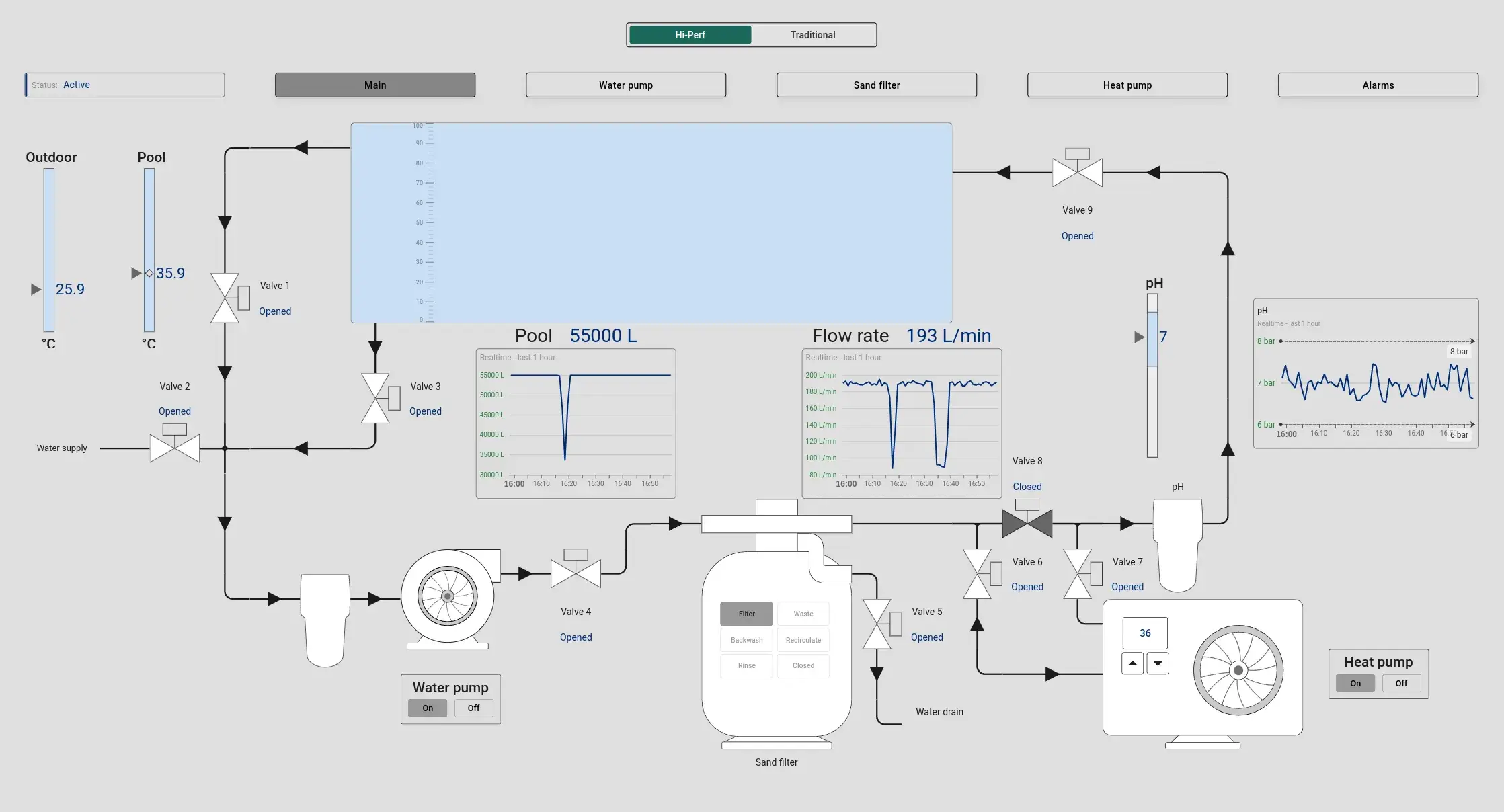
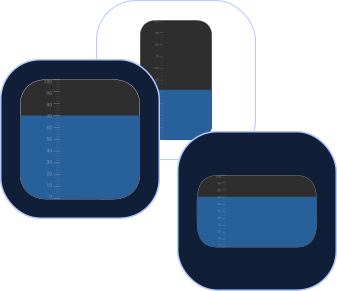
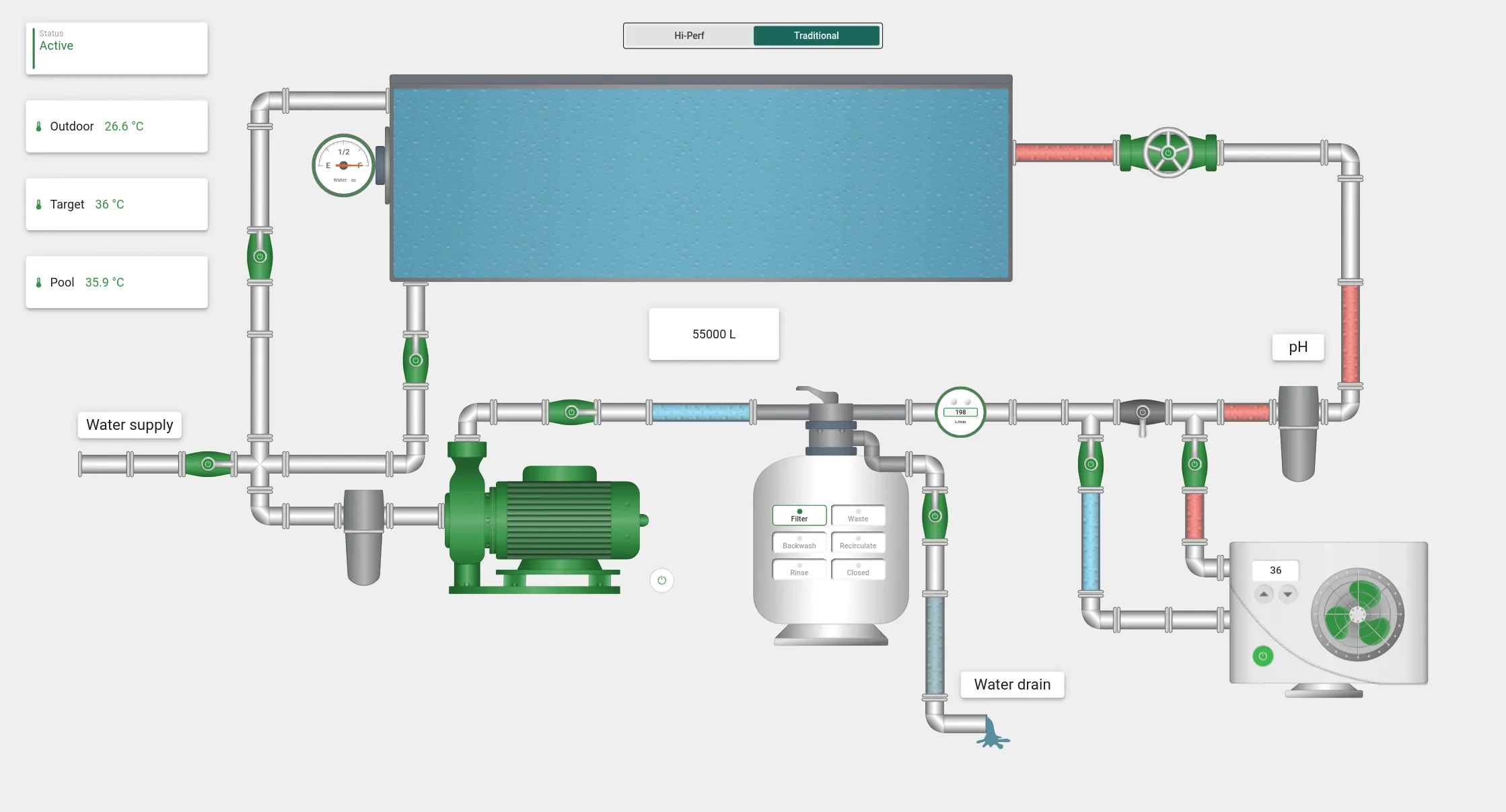
This interactive state allows operators to monitor the pool's water level, temperature, and equipment operation. In real time, users can heat the pool, drain it, or fill it with water. By interacting with the on-screen widgets for water level, temperature, the filter sensor, and the pH filter, operators can access and control readings directly from a single dashboard.
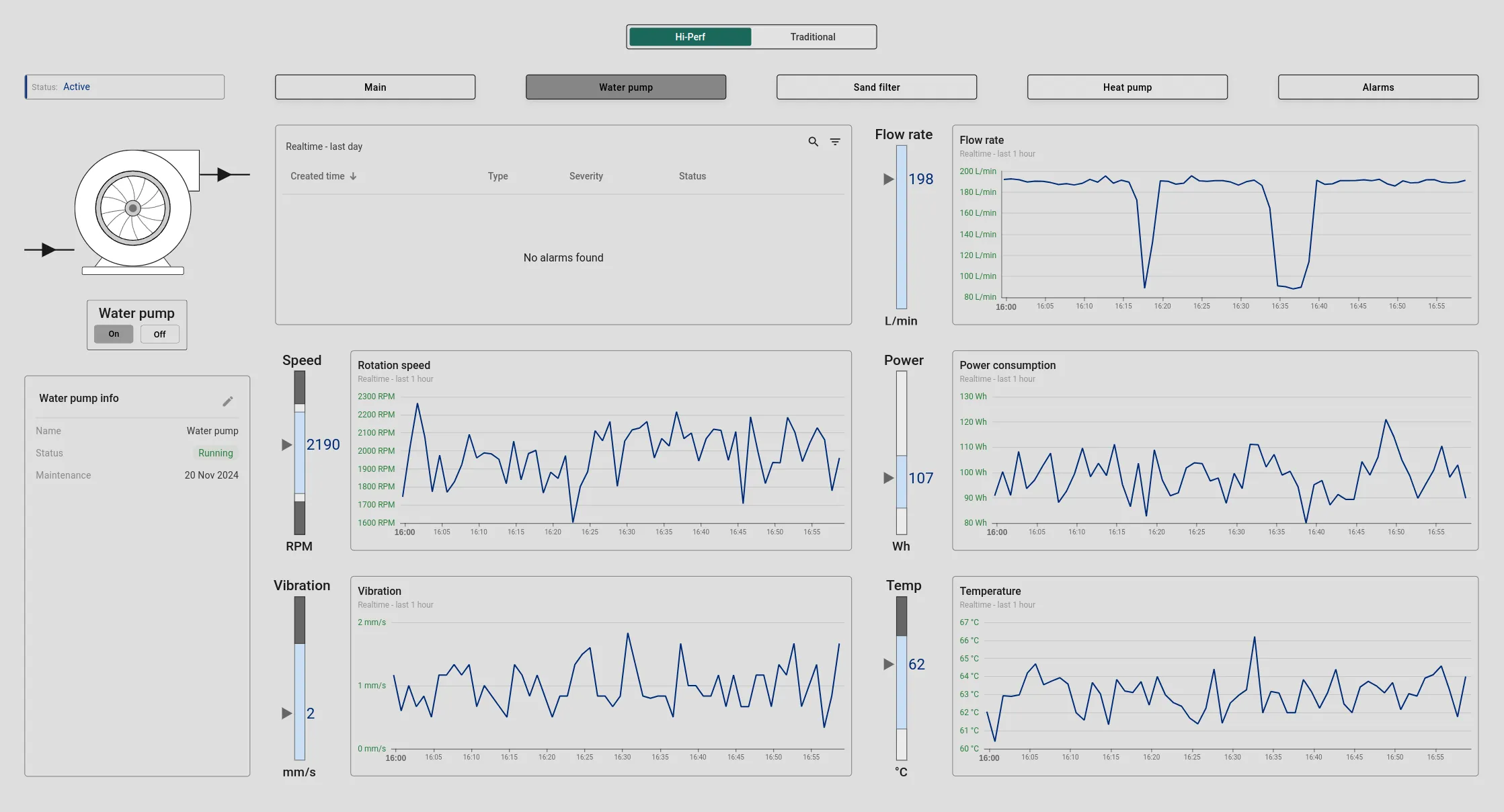
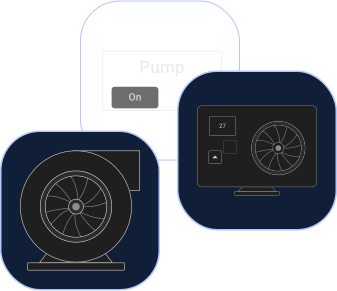
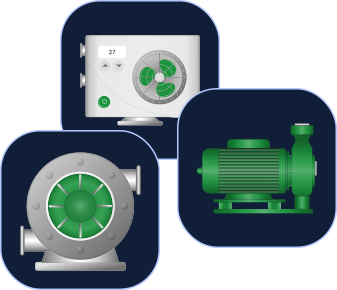
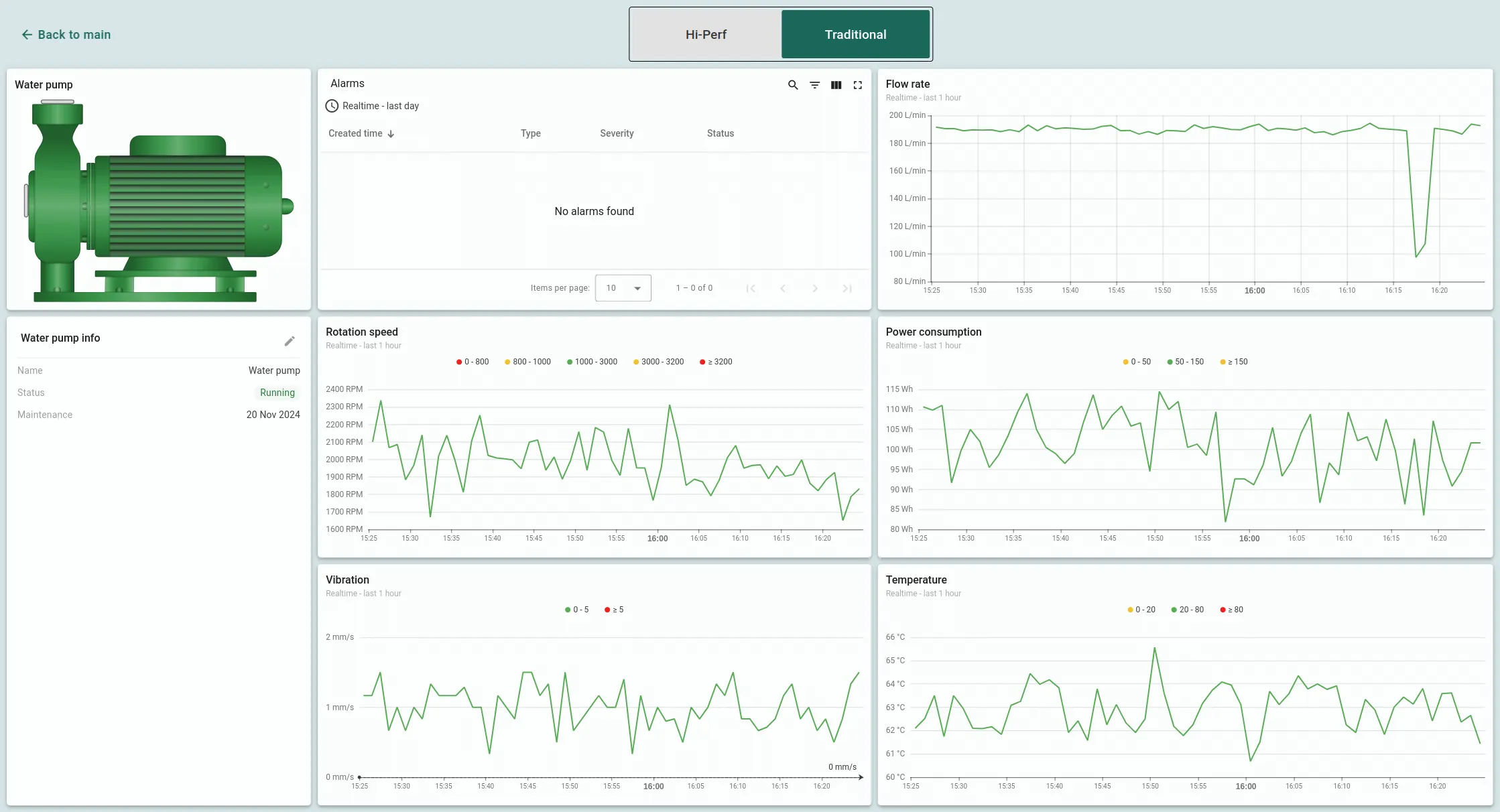
This feature enables real-time monitoring of critical parameters like flow rate, temperature, rotation speed, vibration, and power consumption. It also provides information on the pump's status and last maintenance. An alarm widget is integrated for rapid response to any issues, ensuring that any malfunctions can be quickly addressed and resolved.
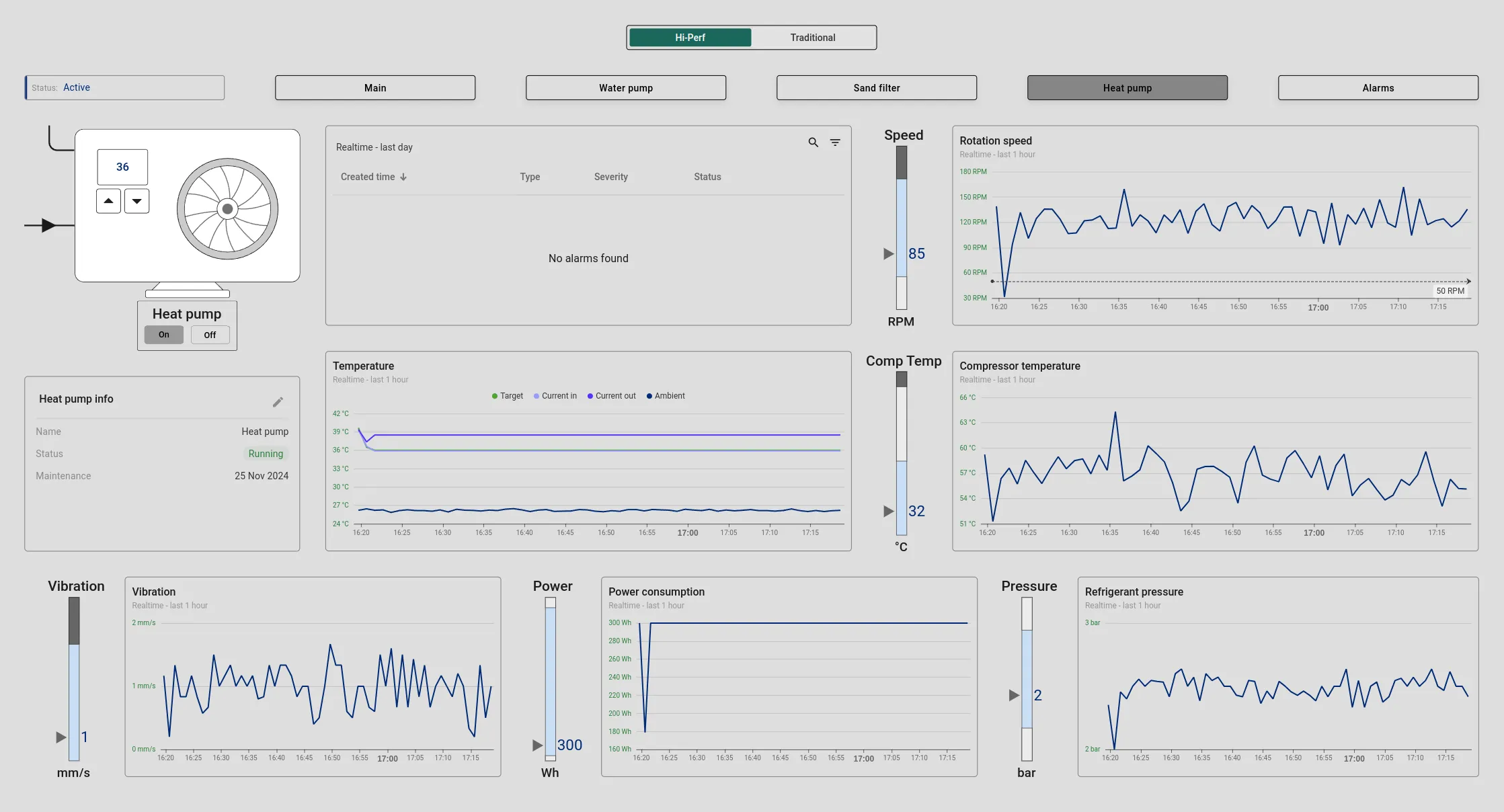
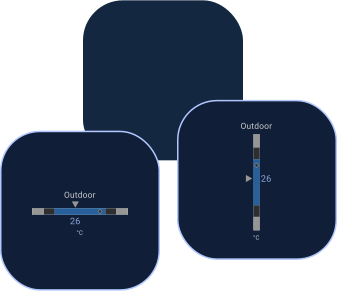
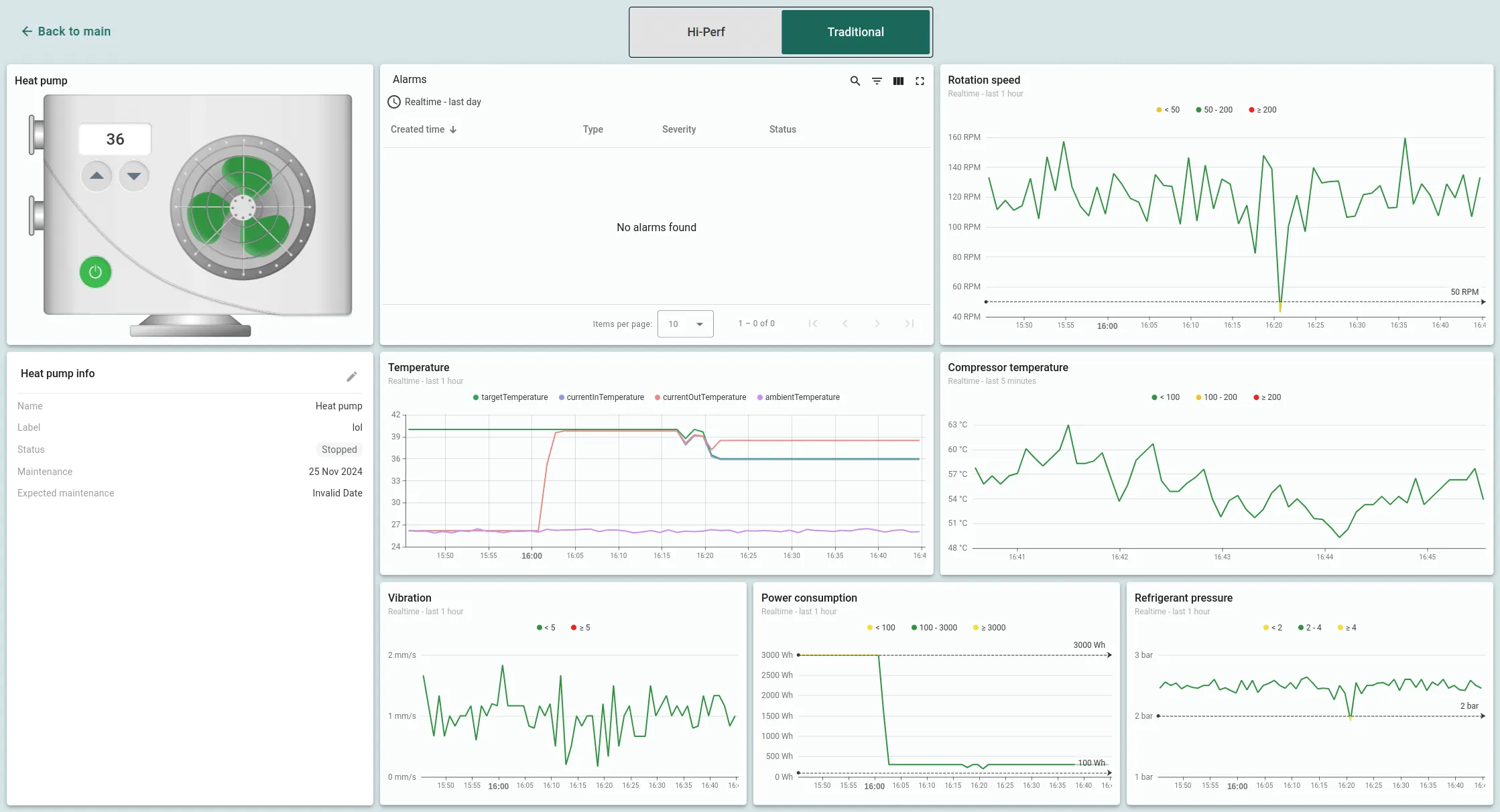
This screen offers a comprehensive view of the heat pump's performance, including indicators like temperature, rotation speed, vibration, refrigerant pressure, and power consumption. Key data, such as inlet and outlet water temperatures, the desired pool water temperature, and the ambient air temperature, are displayed. Based on these inputs, the heat pump will automatically switch on or off. Operators can adjust the pool water temperature directly from the heat pump widget and also view information about the filter's status and the last maintenance date. An alarm widget ensures that any malfunctions are quickly addressed in real time.
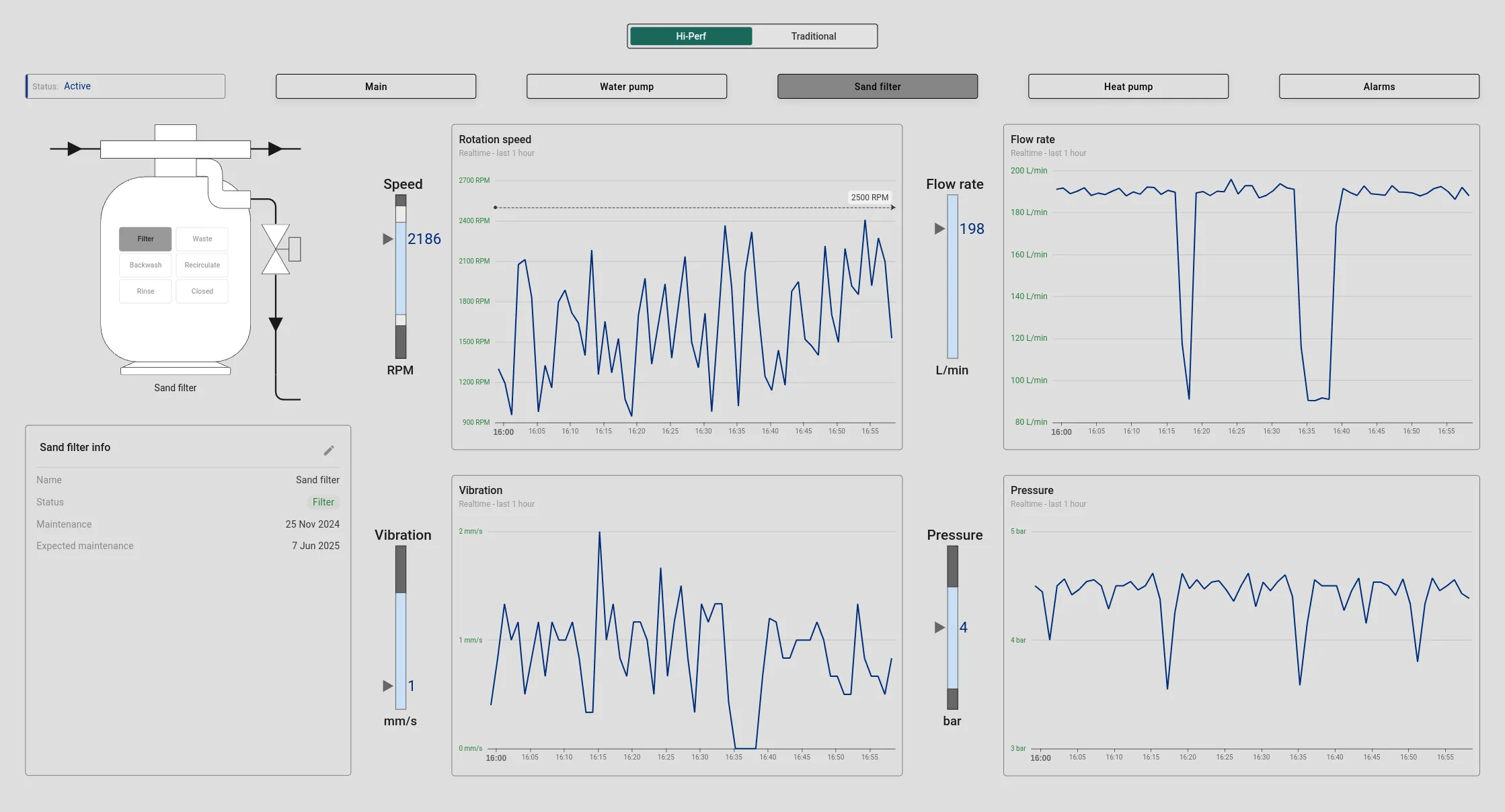
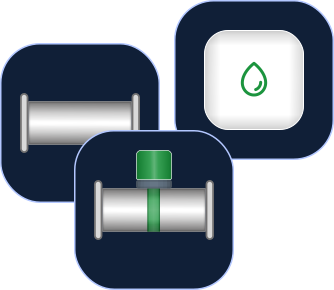
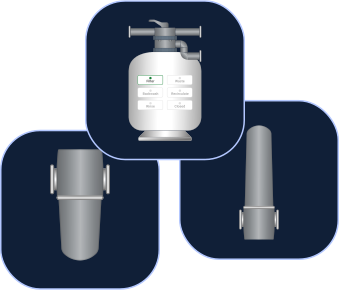
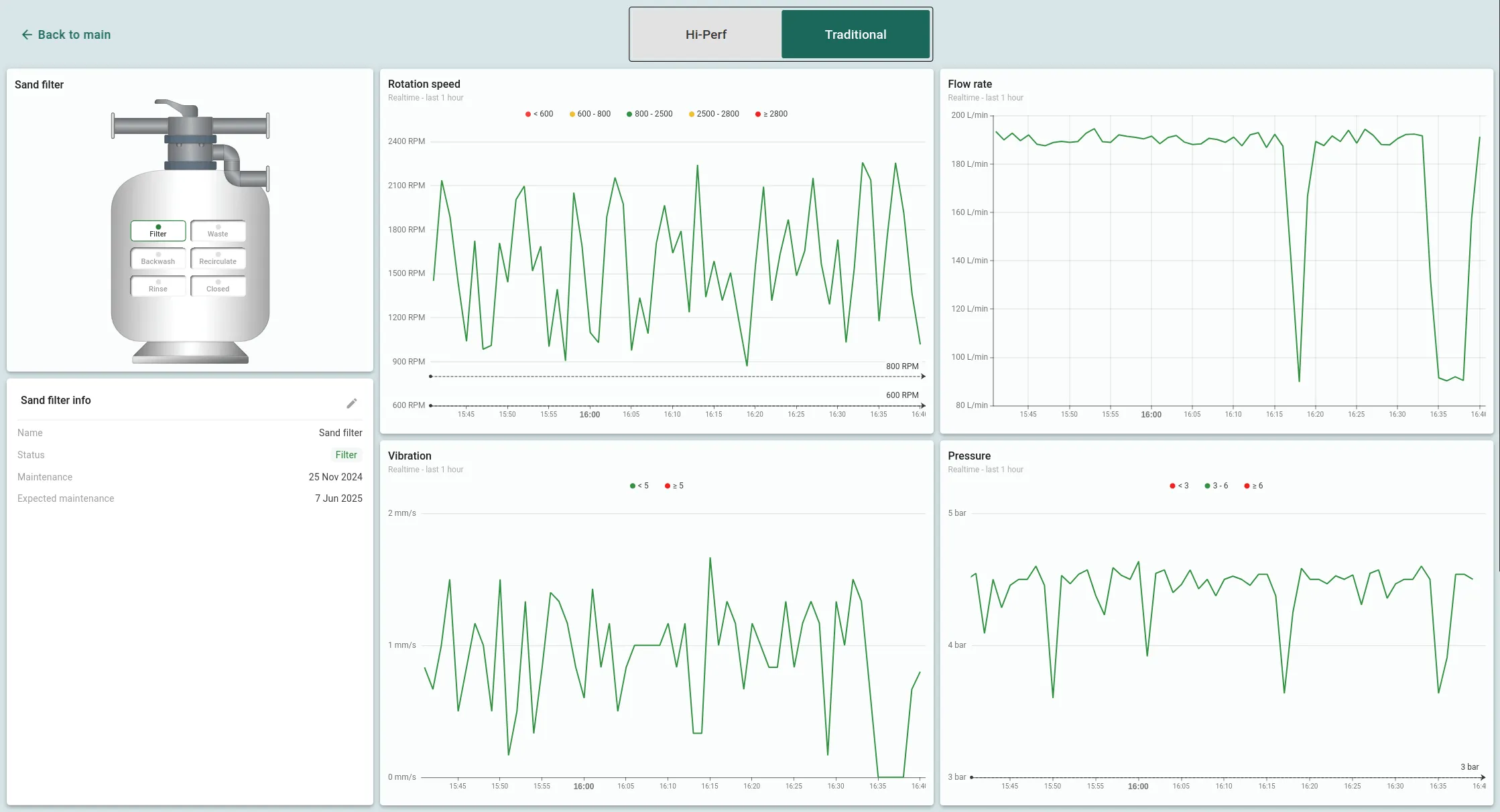
The sand filter state provides detailed monitoring of flow rate, pressure, rotation speed, and vibration. It also displays the filter's current mode, last maintenance date, and next scheduled service. Operators can easily switch filter modes directly from the widget, for example, from filtration to water draining (waste mode) with a simple click on the mode display.
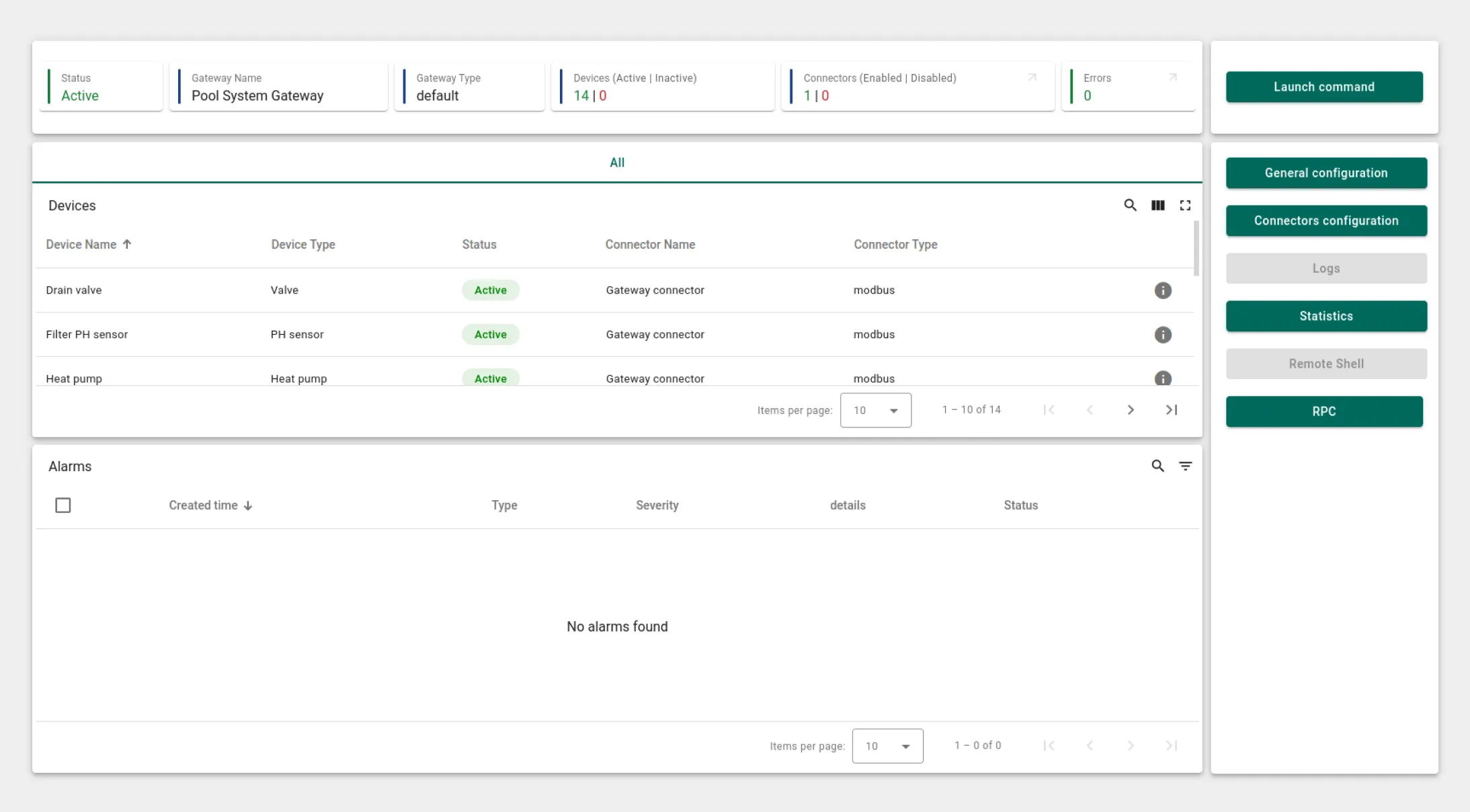
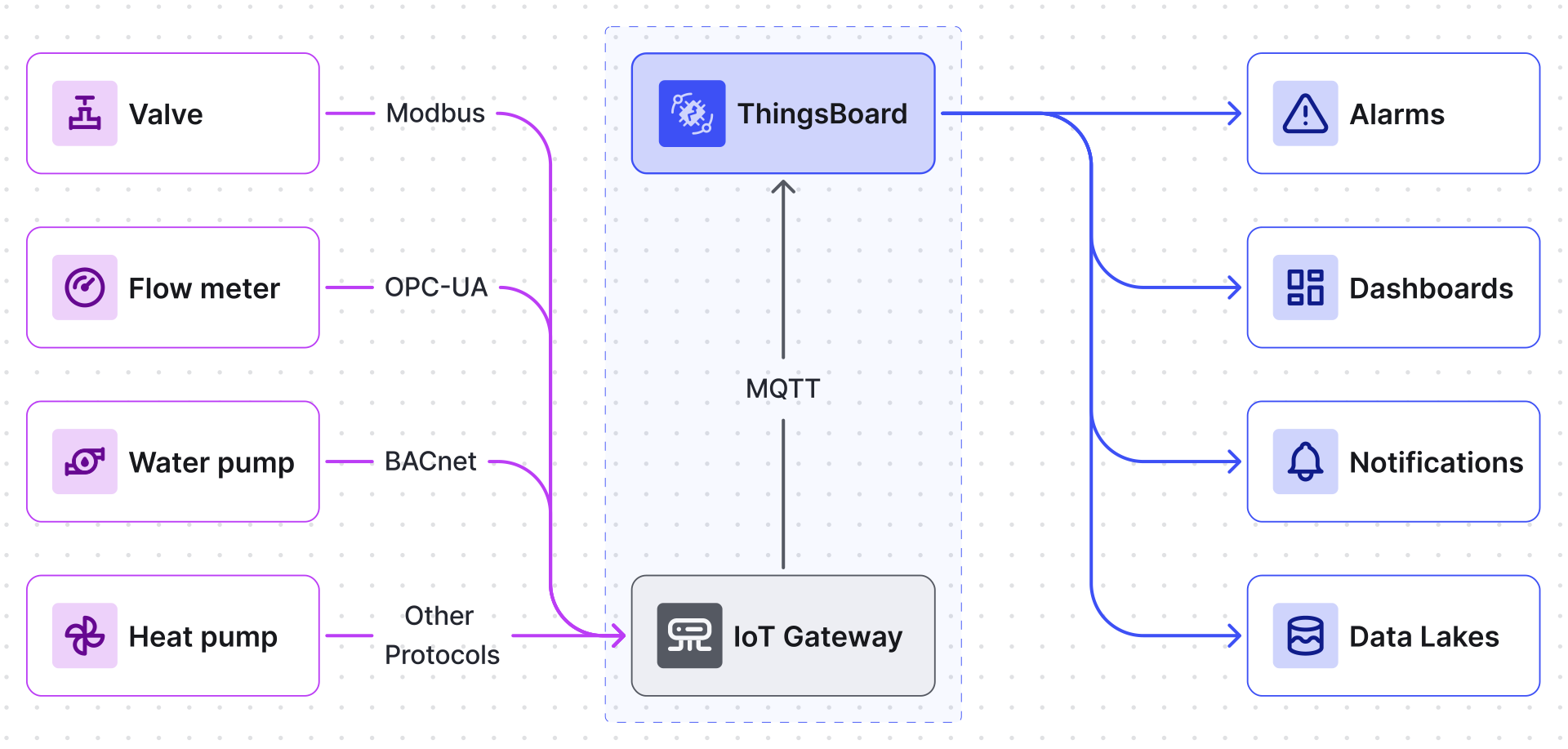
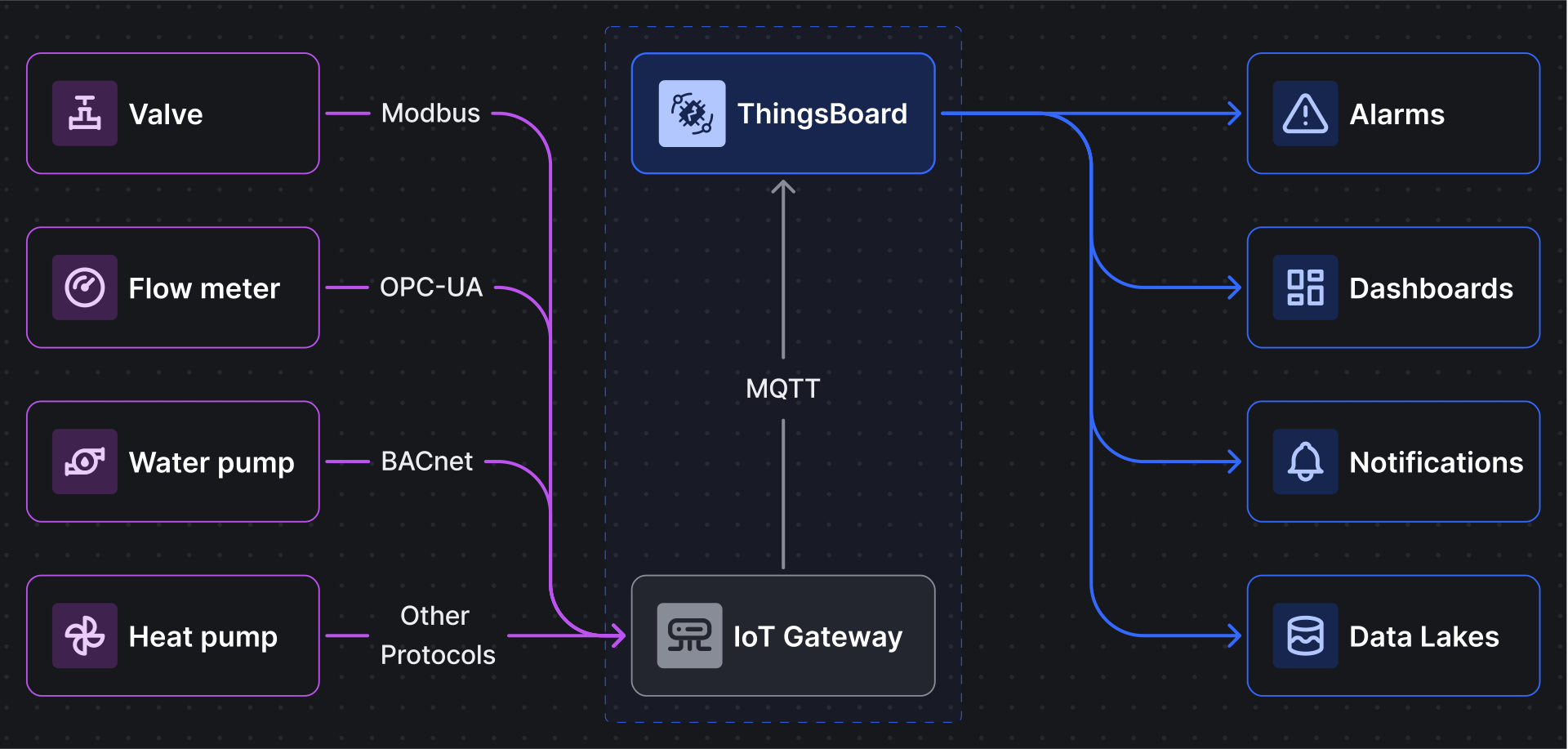
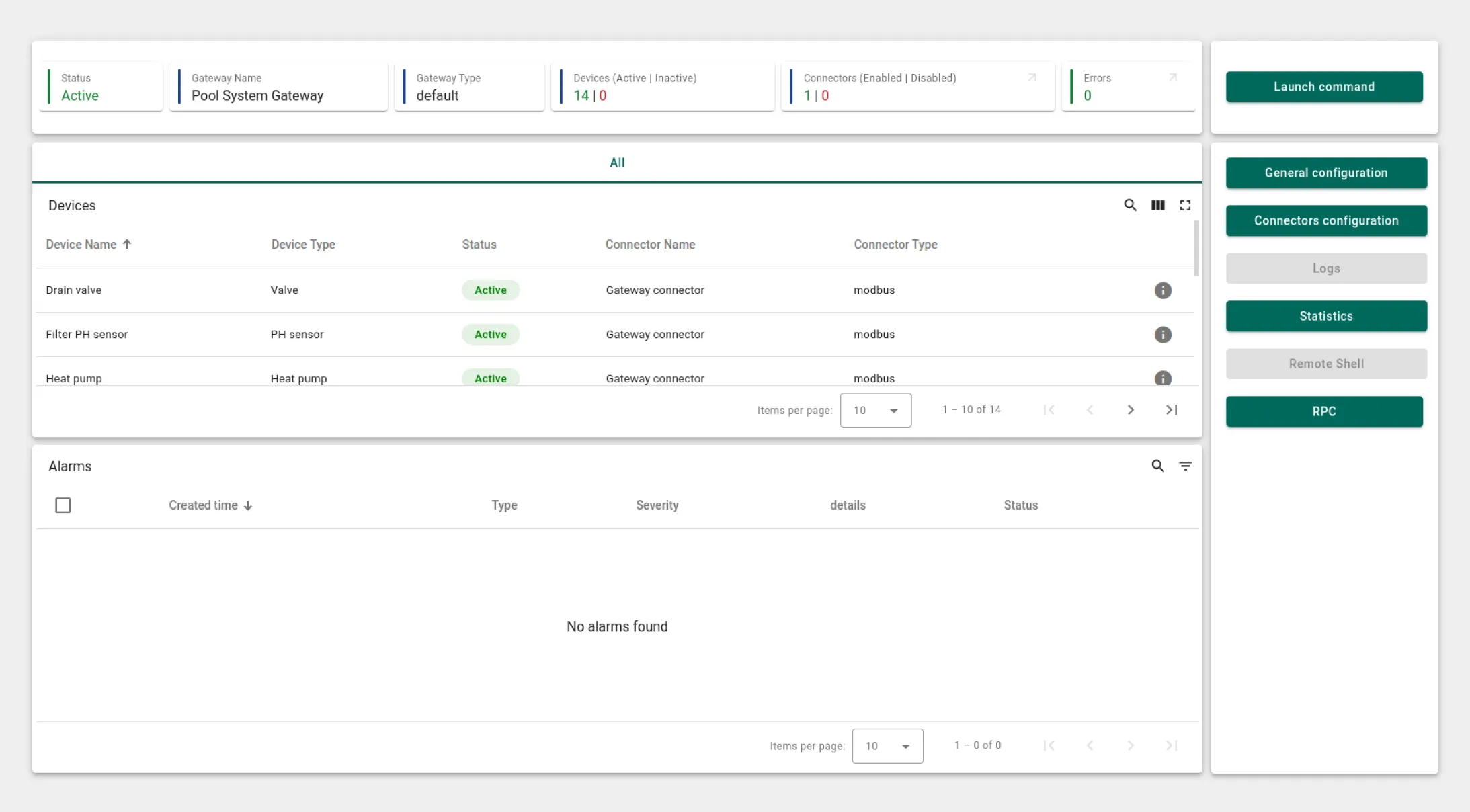
An essential component of this solution is the Gateway, which integrates all devices using an emulator. To simulate the entire swimming pool system, a Modbus emulator is employed, combining 14 individual devices. These devices operate as a unified system, communicating seamlessly via the Modbus protocol. For real-time monitoring of device data received from Modbus servers, the ThingsBoard IoT Gateway dashboard provides a clear view of the status and data from all connected devices, allowing operators to monitor and manage the system effortlessly.
Swimming pool SCADA system state
This interactive state allows operators to monitor the pool's water level, temperature, and equipment operation. In real time, users can heat the pool, drain it, or fill it with water. By interacting with the on-screen widgets for water level, temperature, the filter sensor, and the pH filter, operators can access and control readings directly from a single dashboard.
Water pump state
This feature enables real-time monitoring of critical parameters like flow rate, temperature, rotation speed, vibration, and power consumption. It also provides information on the pump's status and last maintenance. An alarm widget is integrated for rapid response to any issues, ensuring that any malfunctions can be quickly addressed and resolved.
Heat pump state
This screen offers a comprehensive view of the heat pump's performance, including indicators like temperature, rotation speed, vibration, refrigerant pressure, and power consumption. Key data, such as inlet and outlet water temperatures, the desired pool water temperature, and the ambient air temperature, are displayed. Based on these inputs, the heat pump will automatically switch on or off. Operators can adjust the pool water temperature directly from the heat pump widget and also view information about the filter's status and the last maintenance date. An alarm widget ensures that any malfunctions are quickly addressed in real time.
Sand filter state
The sand filter state provides detailed monitoring of flow rate, pressure, rotation speed, and vibration. It also displays the filter's current mode, last maintenance date, and next scheduled service. Operators can easily switch filter modes directly from the widget, for example, from filtration to water draining (waste mode) with a simple click on the mode display.
Gateway
An essential component of this solution is the Gateway, which integrates all devices using an emulator. To simulate the entire swimming pool system, a Modbus emulator is employed, combining 14 individual devices. These devices operate as a unified system, communicating seamlessly via the Modbus protocol. For real-time monitoring of device data received from Modbus servers, the ThingsBoard IoT Gateway dashboard provides a clear view of the status and data from all connected devices, allowing operators to monitor and manage the system effortlessly.




'/%3e%3cg%20clip-path='url(%23a)'%3e%3cpath%20stroke='%23d1d1d1'%20stroke-width='3.6'%20d='M80%2063.865v41.4c0%2010.273-8.328%2018.6-18.6%2018.6H20'/%3e%3c/g%3e%3crect%20width='158.5'%20height='158.5'%20x='177.75'%20y='1.25'%20fill='%23101f37'%20stroke='%23b3c7ff'%20stroke-width='1.5'%20rx='39.25'/%3e%3cg%20clip-path='url(%23b)'%3e%3cpath%20fill='%23101f37'%20d='M197%2020.5h120v120H197z'/%3e%3cpath%20stroke='%23d1d1d1'%20stroke-width='3.6'%20d='M317%2080.5h-51a9%209%200%200%200-9%209v51m-60-60h51a9%209%200%200%201%209%209v51m60-60h-51a9%209%200%200%201-9-9v-51m-60%2060h51a9%209%200%200%200%209-9v-51'/%3e%3cpath%20fill='%23d1d1d1'%20d='M249.199%2080.5h15.6s-7.8%200-7.8%208.4c0-8.4-7.8-8.4-7.8-8.4m0%200h15.6s-7.8%200-7.8-8.4c0%208.4-7.8%208.4-7.8%208.4'/%3e%3cpath%20stroke='%23d1d1d1'%20stroke-width='1.2'%20d='M264.799%2080.5h-15.6m15.6%200s-7.8%200-7.8%208.4c0-8.4-7.8-8.4-7.8-8.4m15.6%200s-7.8%200-7.8-8.4c0%208.4-7.8%208.4-7.8%208.4'/%3e%3c/g%3e%3crect%20width='158.5'%20height='158.5'%20x='77.75'%20y='131.25'%20fill='%23101f37'%20stroke='%23b3c7ff'%20stroke-width='1.5'%20rx='39.25'/%3e%3cpath%20fill='%23101f37'%20d='M217%20150.5v120H97v-120z'/%3e%3cpath%20fill='%23d1d1d1'%20d='m139.602%20210.5%2034.8-17.4v34.8z'/%3e%3cpath%20stroke='%23d1d1d1'%20stroke-width='3.6'%20d='M217%20210.5H97'/%3e%3cdefs%3e%3cclipPath%20id='a'%3e%3cpath%20fill='%23fff'%20d='M140%2063.865H20v120h120z'/%3e%3c/clipPath%3e%3cclipPath%20id='b'%3e%3cpath%20fill='%23fff'%20d='M197%2020.5h120v120H197z'/%3e%3c/clipPath%3e%3c/defs%3e%3c/svg%3e)











'/%3e%3ccircle%20cx='12'%20cy='12'%20r='11.25'%20fill='%23f4f8fe'%20stroke='%233d50f5'%20stroke-width='1.5'%20transform='matrix(1%200%200%20-1%20139.5%20322)'/%3e%3c/svg%3e)
'/%3e%3ccircle%20cx='12'%20cy='12'%20r='11.25'%20fill='%23141517'%20stroke='%23b3c7ff'%20stroke-width='1.5'%20transform='matrix(1%200%200%20-1%20139.5%20322)'/%3e%3c/svg%3e)


'/%3e%3ccircle%20cx='12'%20cy='12'%20r='11.25'%20fill='%23f4f8fe'%20stroke='%233d50f5'%20stroke-width='1.5'%20transform='matrix(1%200%200%20-1%20139.5%20322)'/%3e%3c/svg%3e)
'/%3e%3ccircle%20cx='12'%20cy='12'%20r='11.25'%20fill='%23141517'%20stroke='%23b3c7ff'%20stroke-width='1.5'%20transform='matrix(1%200%200%20-1%20139.5%20322)'/%3e%3c/svg%3e)

