Provides a detailed profile for each resident, including health metrics such as heart rate, body temperature, and panic button status, allowing caregivers to quickly assess each resident's current health condition.
Allows administrators to set customized alarm rules for resident health parameters like heart rate and body temperature. Major and critical thresholds can be configured to trigger appropriate alerts in case of abnormalities.
Displays active alarms for residents, such as panic button presses or irregular vital signs, with real-time updates on each alert's status and severity, enabling quick response by caregivers.
Provides settings to adjust alarm thresholds for environmental factors in rooms, such as temperature, humidity, air quality, and window or door status. This ensures rooms remain within safe and comfortable conditions for residents.
Lists all residents with essential information such as age, gender, assigned room, and floor, allowing caregivers to locate and access each resident’s data efficiently.
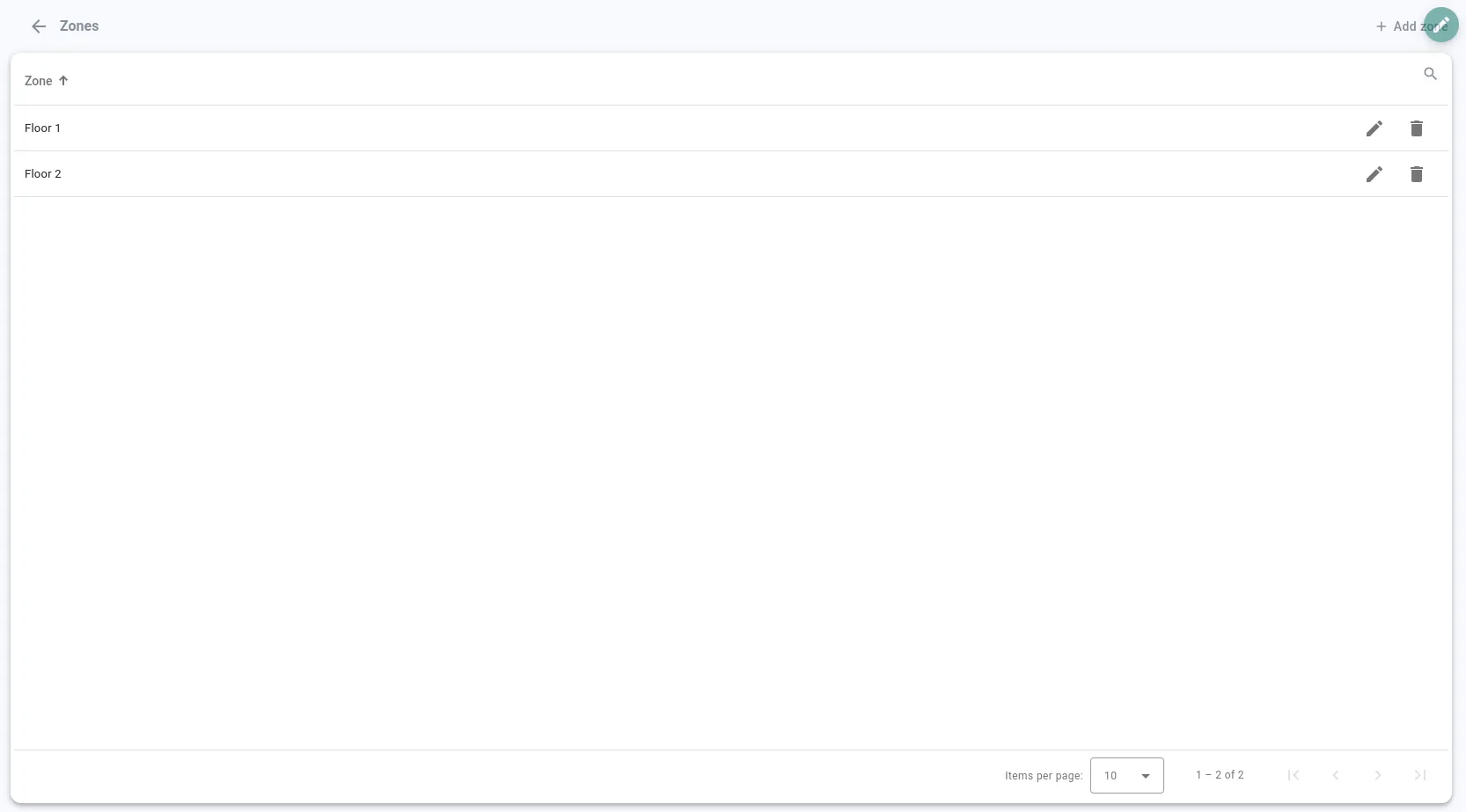
Enables administrators to organize the facility into zones or floors, allowing for easy navigation and monitoring of different areas within the facility.
Shows the layout of each floor with room labels and device icons, allowing caregivers and administrators to identify the location of sensors and devices quickly for effective monitoring.
Allows the addition of new devices like sensors or gateways to specific rooms, supporting scalability and enabling administrators to expand monitoring capabilities as needed.
Provides a tool to edit room details and positions within the facility layout, enabling accurate mapping and customization of room assignments.
Resident overview
Provides a detailed profile for each resident, including health metrics such as heart rate, body temperature, and panic button status, allowing caregivers to quickly assess each resident's current health condition.

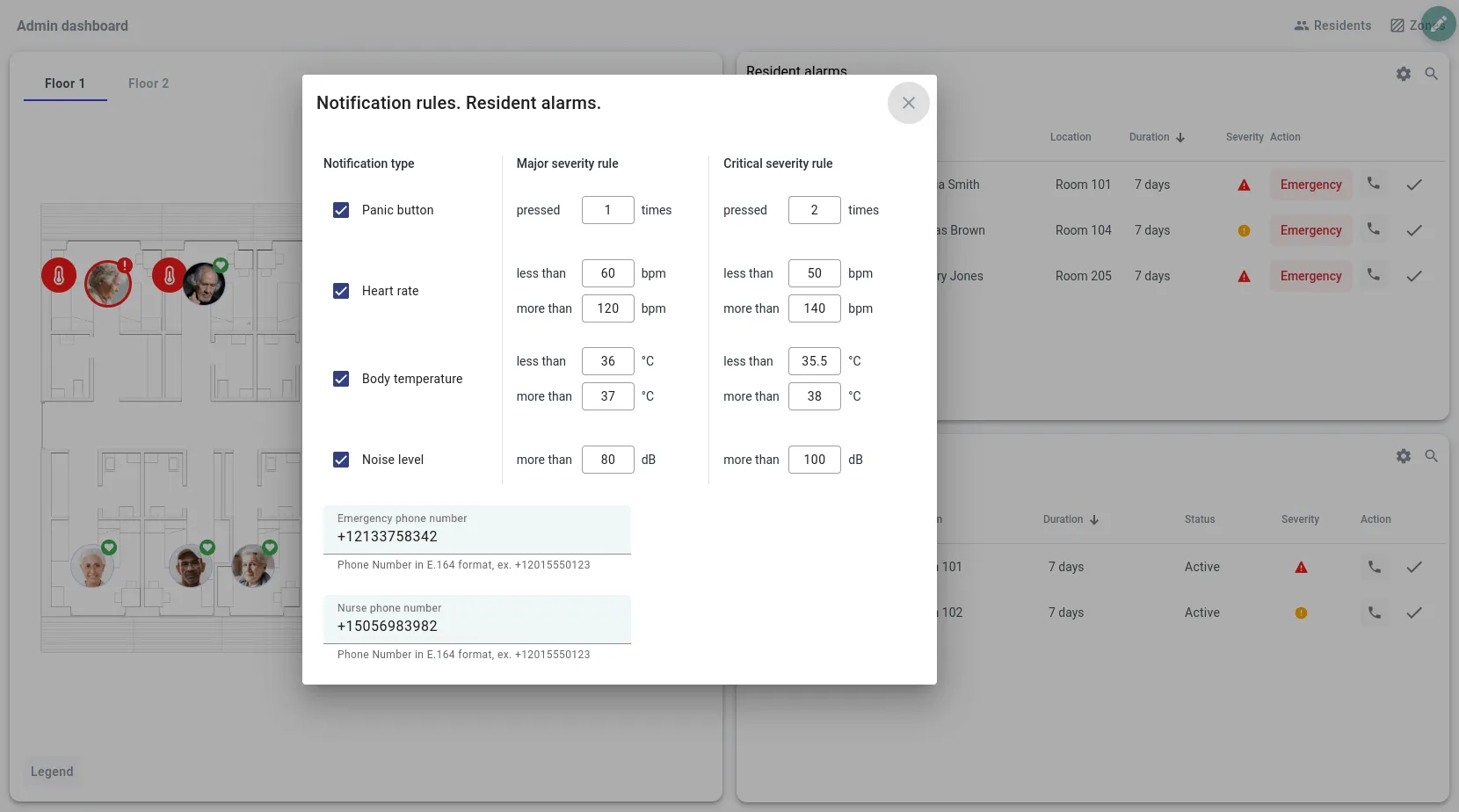
Resident alarm configuration
Allows administrators to set customized alarm rules for resident health parameters like heart rate and body temperature. Major and critical thresholds can be configured to trigger appropriate alerts in case of abnormalities.
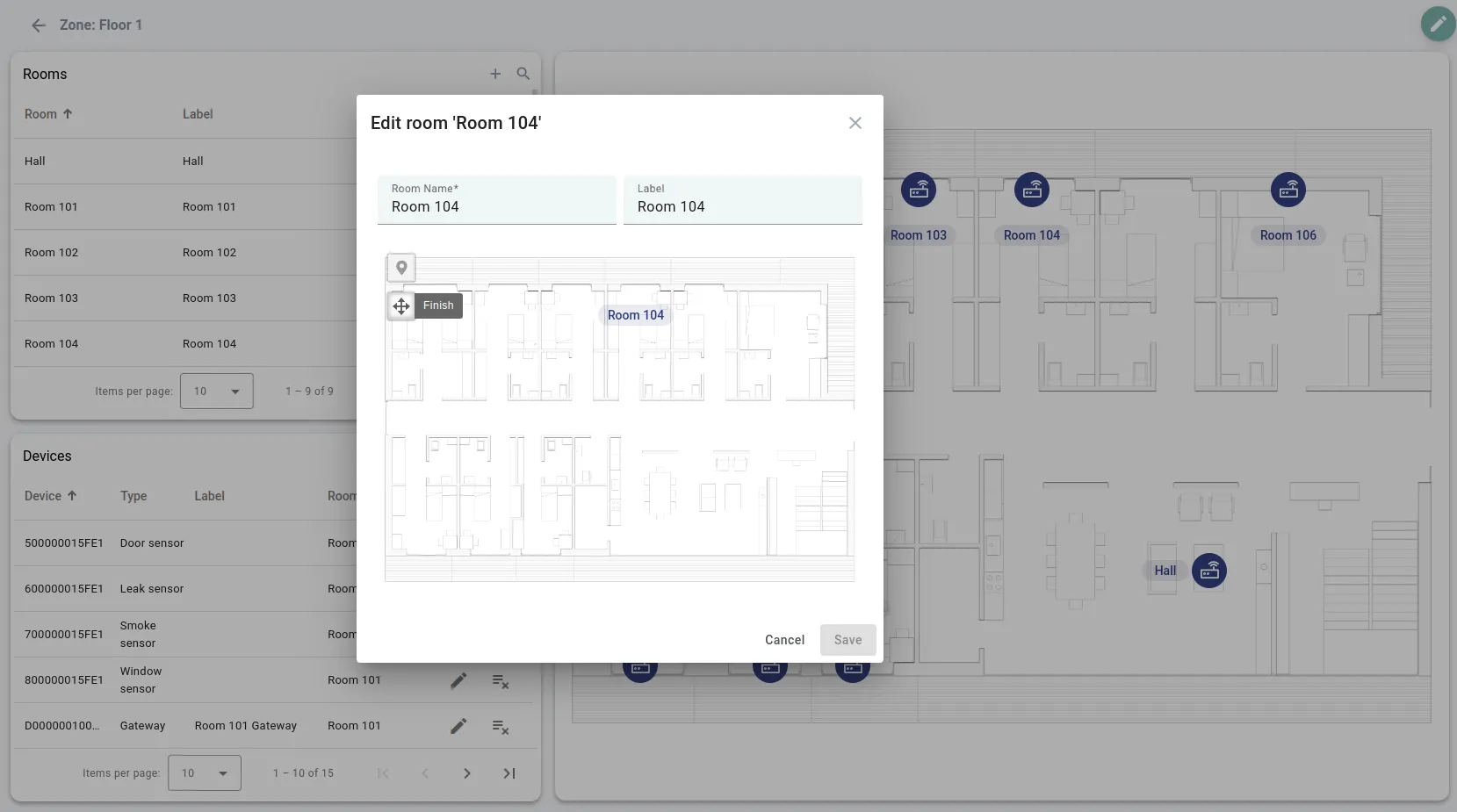
Real-time resident alarms
Displays active alarms for residents, such as panic button presses or irregular vital signs, with real-time updates on each alert's status and severity, enabling quick response by caregivers.
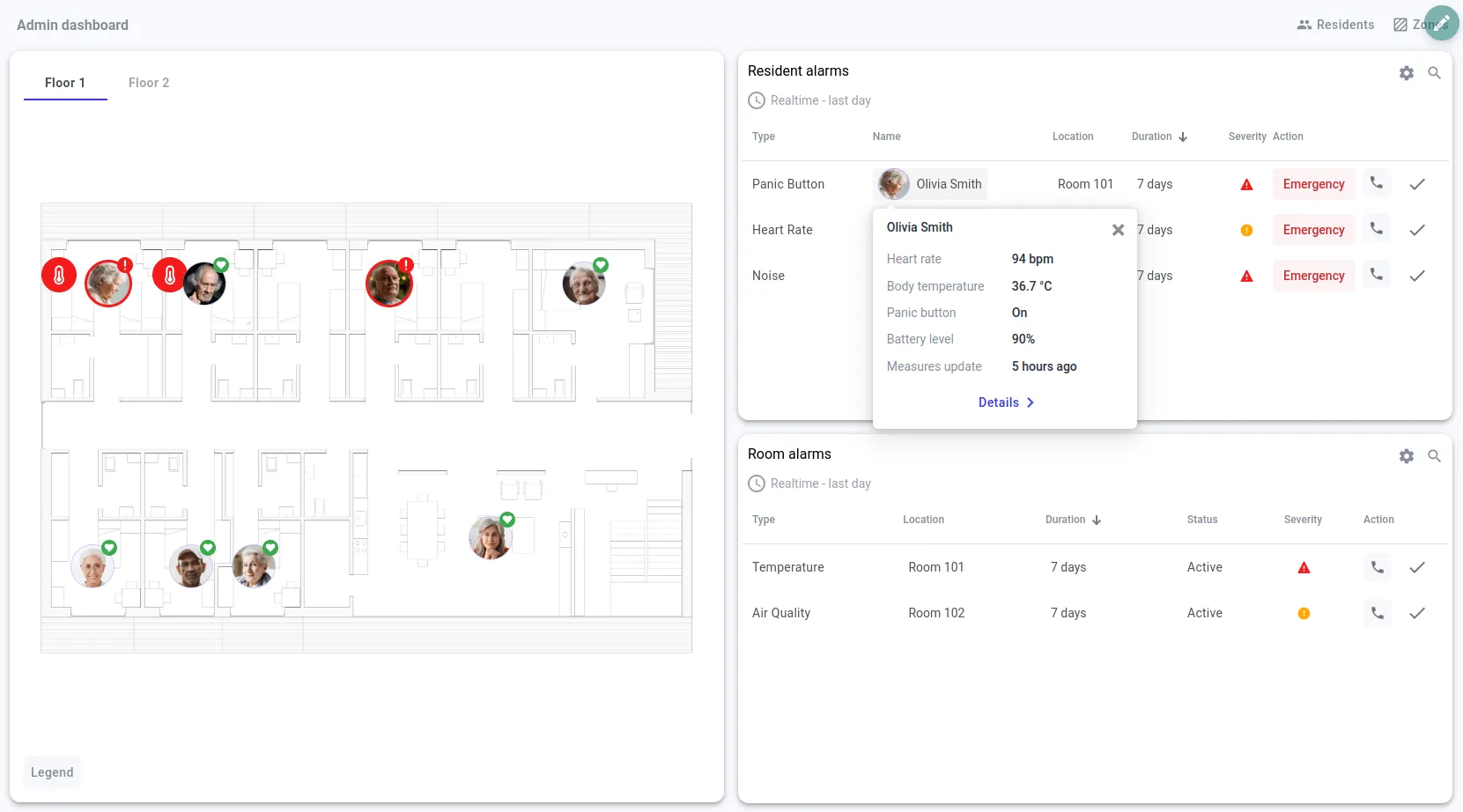
Room alarm configuration
Provides settings to adjust alarm thresholds for environmental factors in rooms, such as temperature, humidity, air quality, and window or door status. This ensures rooms remain within safe and comfortable conditions for residents.
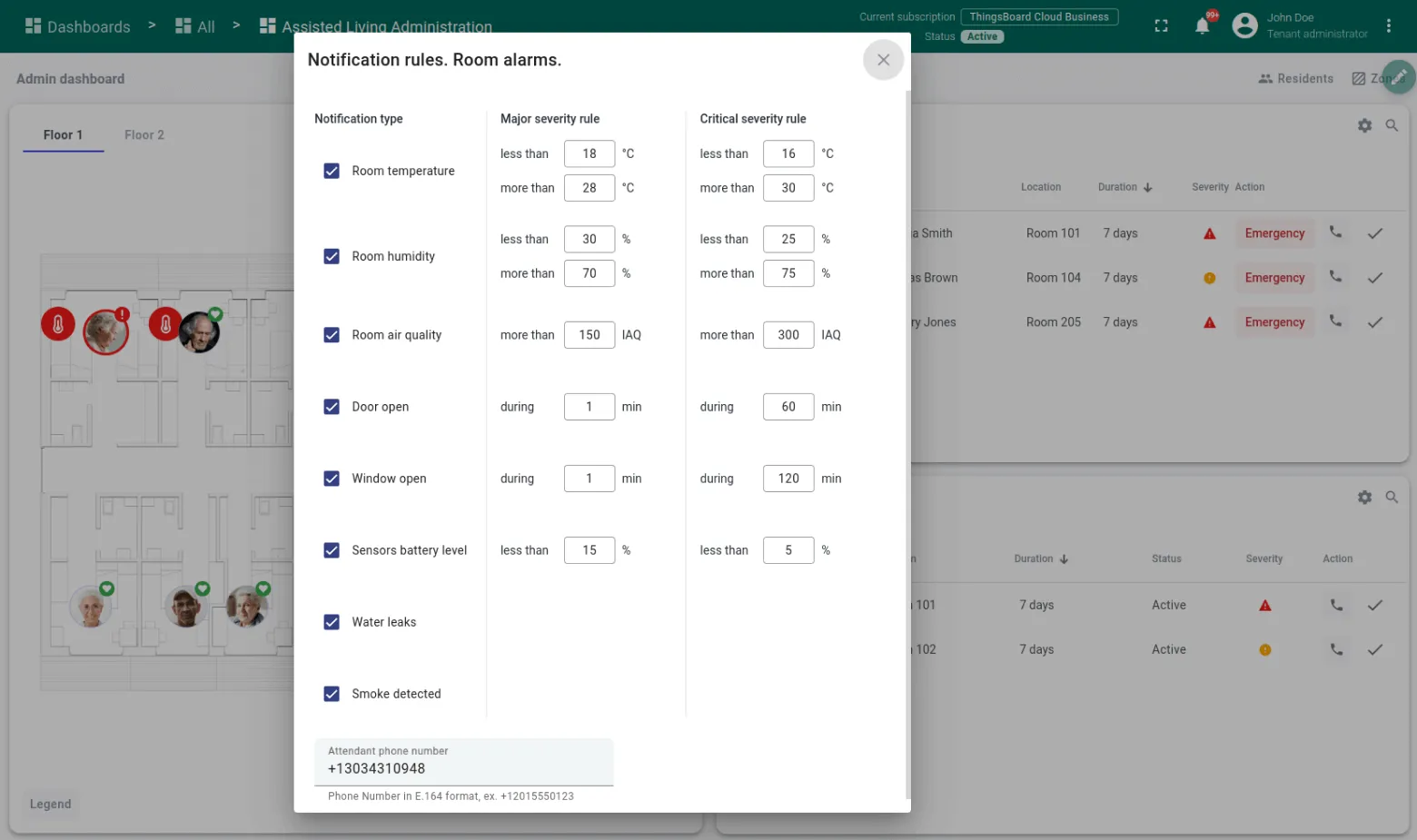
Resident list management
Lists all residents with essential information such as age, gender, assigned room, and floor, allowing caregivers to locate and access each resident’s data efficiently.
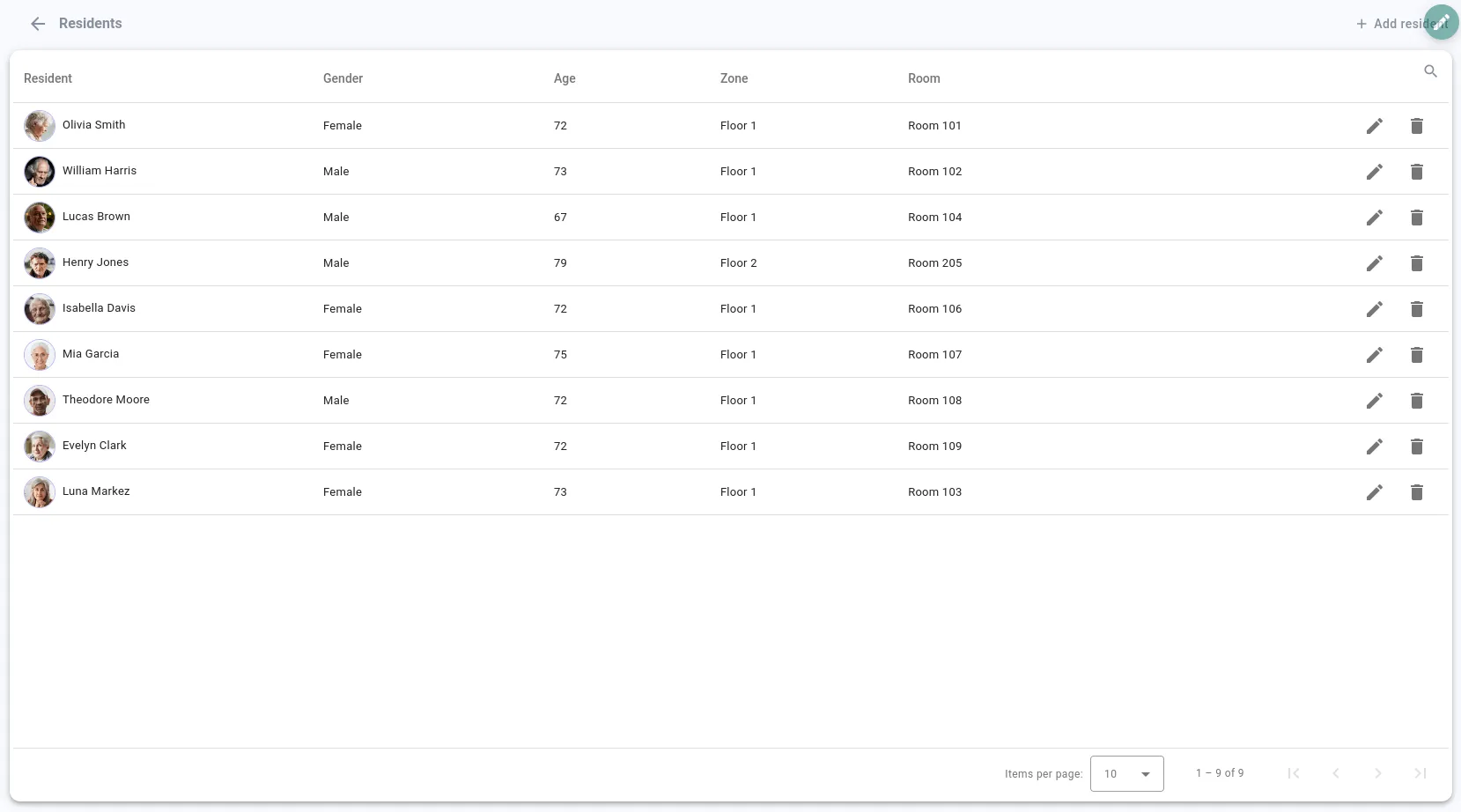
Zone and floor management
Enables administrators to organize the facility into zones or floors, allowing for easy navigation and monitoring of different areas within the facility.
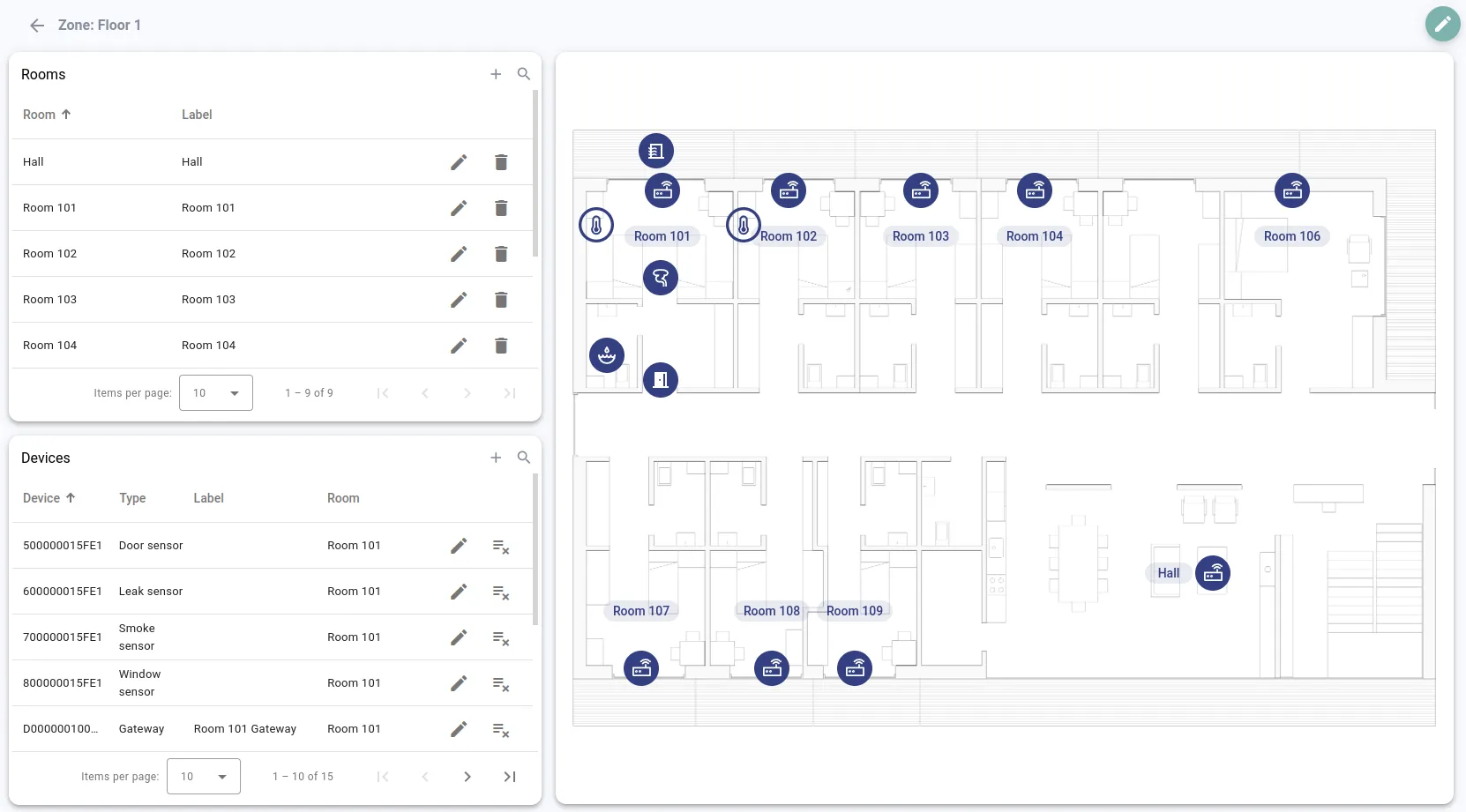
Room and device layout
Shows the layout of each floor with room labels and device icons, allowing caregivers and administrators to identify the location of sensors and devices quickly for effective monitoring.
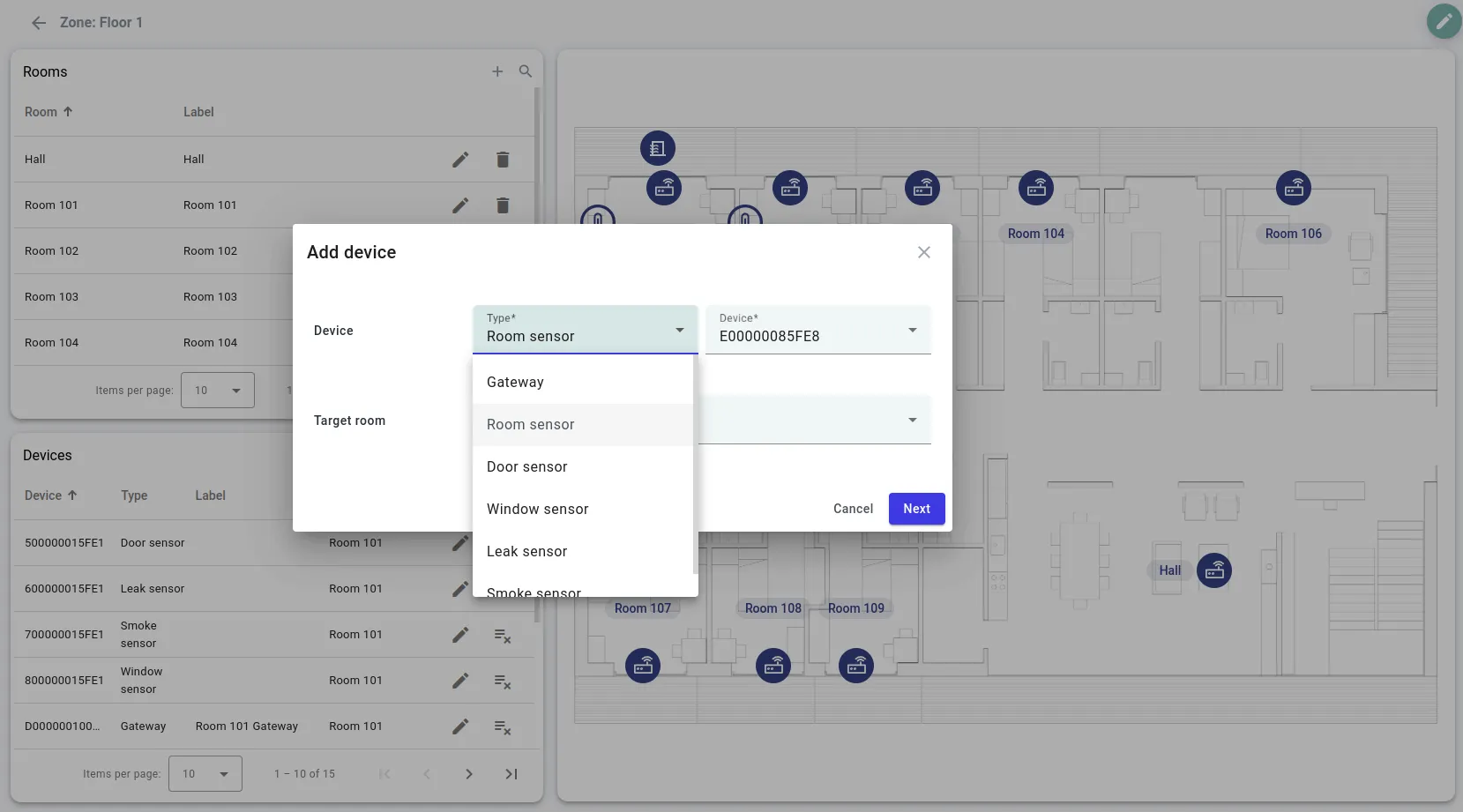
Device addition
Allows the addition of new devices like sensors or gateways to specific rooms, supporting scalability and enabling administrators to expand monitoring capabilities as needed.
Room configuration
Provides a tool to edit room details and positions within the facility layout, enabling accurate mapping and customization of room assignments.





'/%3e%3ccircle%20cx='12'%20cy='12'%20r='11.25'%20fill='%23f4f8fe'%20stroke='%233d50f5'%20stroke-width='1.5'%20transform='matrix(1%200%200%20-1%20139.5%20322)'/%3e%3c/svg%3e)
'/%3e%3ccircle%20cx='12'%20cy='12'%20r='11.25'%20fill='%23141517'%20stroke='%23b3c7ff'%20stroke-width='1.5'%20transform='matrix(1%200%200%20-1%20139.5%20322)'/%3e%3c/svg%3e)


'/%3e%3ccircle%20cx='12'%20cy='12'%20r='11.25'%20fill='%23f4f8fe'%20stroke='%233d50f5'%20stroke-width='1.5'%20transform='matrix(1%200%200%20-1%20139.5%20322)'/%3e%3c/svg%3e)
'/%3e%3ccircle%20cx='12'%20cy='12'%20r='11.25'%20fill='%23141517'%20stroke='%23b3c7ff'%20stroke-width='1.5'%20transform='matrix(1%200%200%20-1%20139.5%20322)'/%3e%3c/svg%3e)


