Build, Deploy, Evolve: ThingsBoard CLI for AI-Driven IoT Development

On this page
A few months ago we delivered AI Solution Creator which turns prompts into an IoT prototype in 10 minutes.
Today, we’re moving the bar further — from building the first version of a solution to evolving it, shipping it across environments, and treating your tenant as code you fully own.
Meet ThingsBoard CLI — a new command-line tool that works with Claude Code to build IoT solutions from scratch, evolve anything already running in your tenant, and ship the same configuration to every environment you care about. Available today for ThingsBoard 4.3.1.2+ and ThingsBoard Cloud.
Try ThingsBoard CLI
What You Can Do With It
Open a terminal. Create a folder for your project and run tb init inside it. Open that folder with Claude Code. From there, three things become possible.
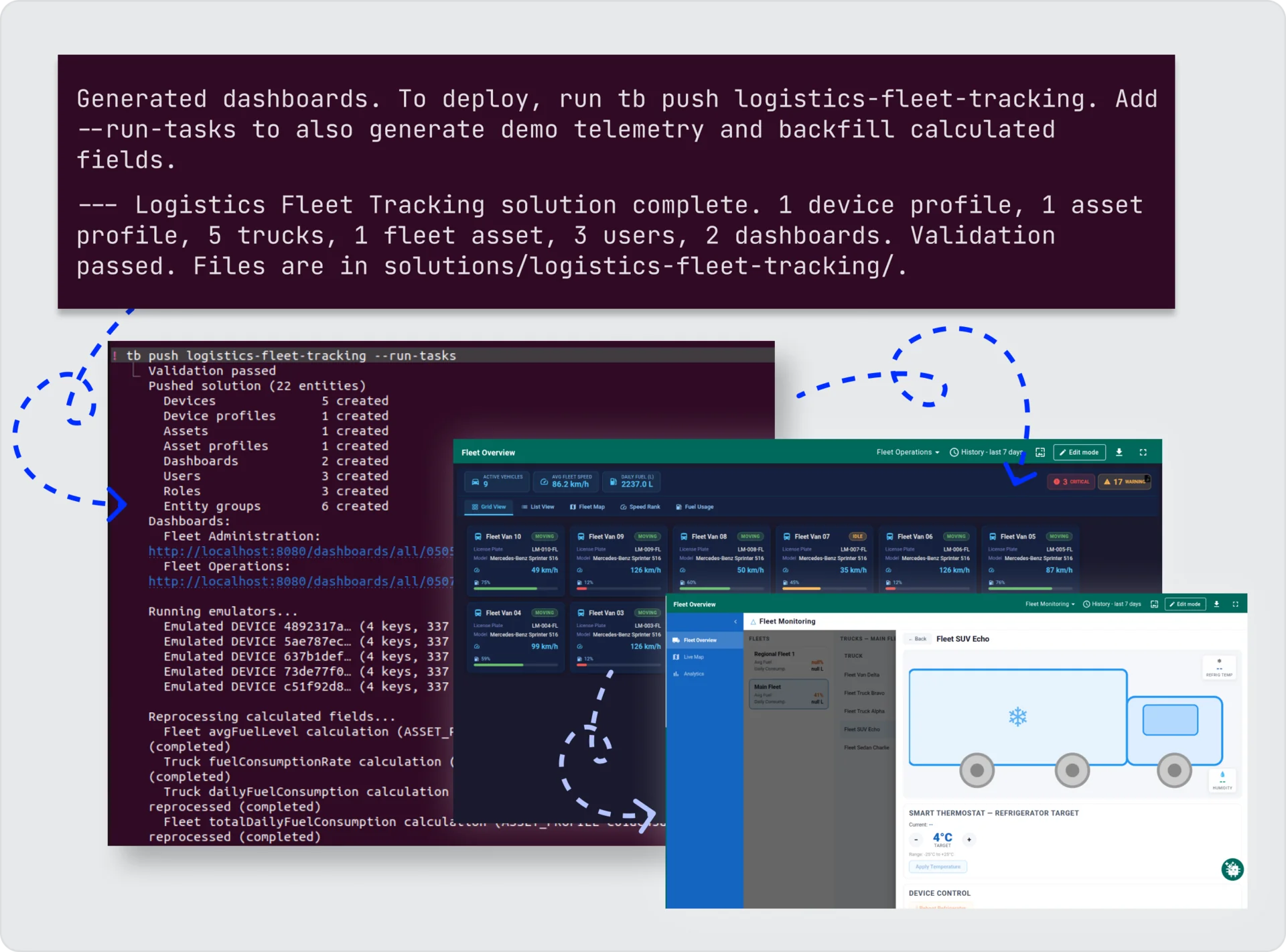
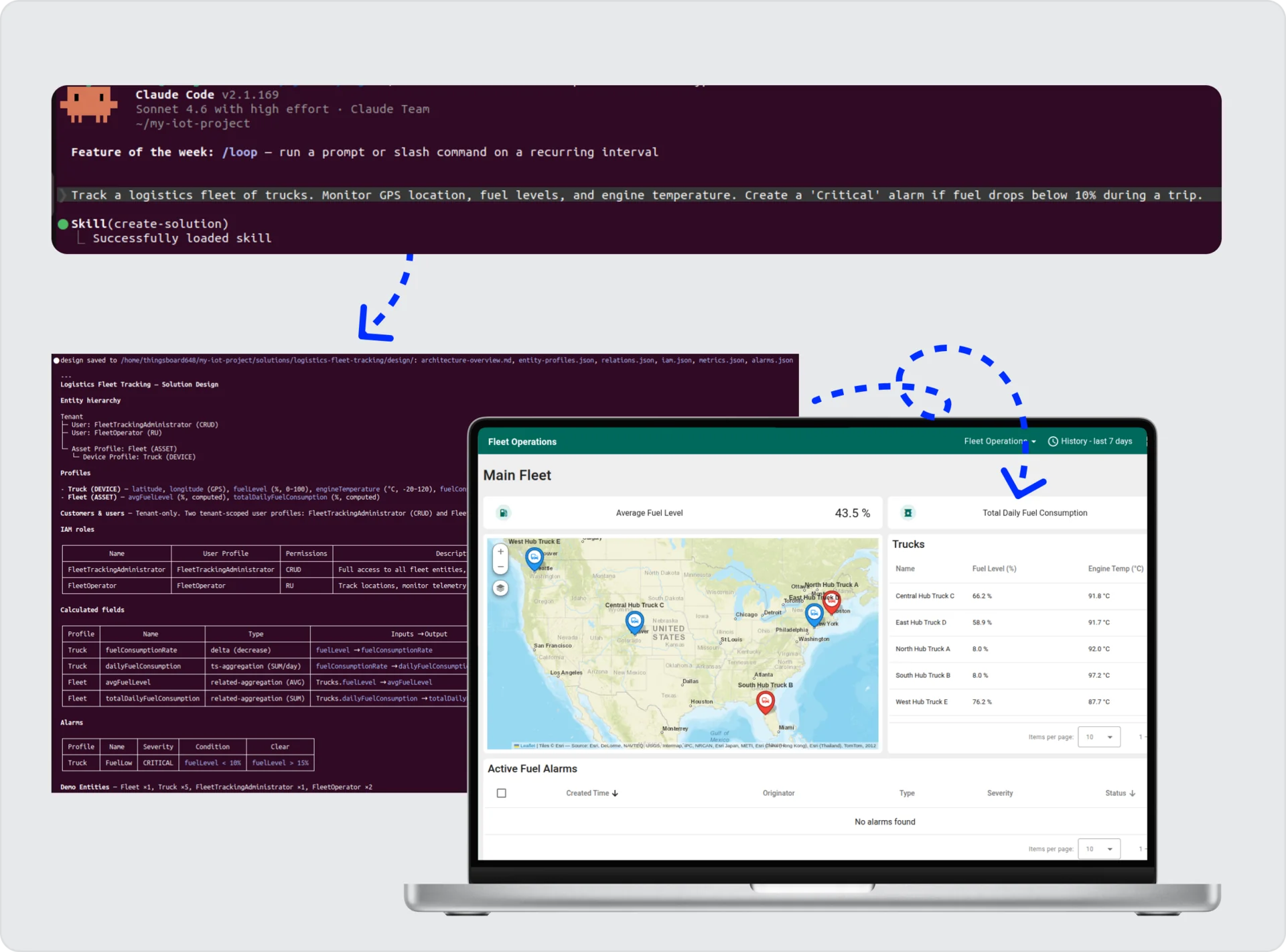
Build something new. Describe what you need — “Create a smart house with temperature, humidity, and motion sensors per room”. Claude designs the full architecture: entities, profiles, dashboards with 20+ widget types, alarm rules, calculated fields, and demo emulators that generate realistic telemetry. One tb push and it’s live.
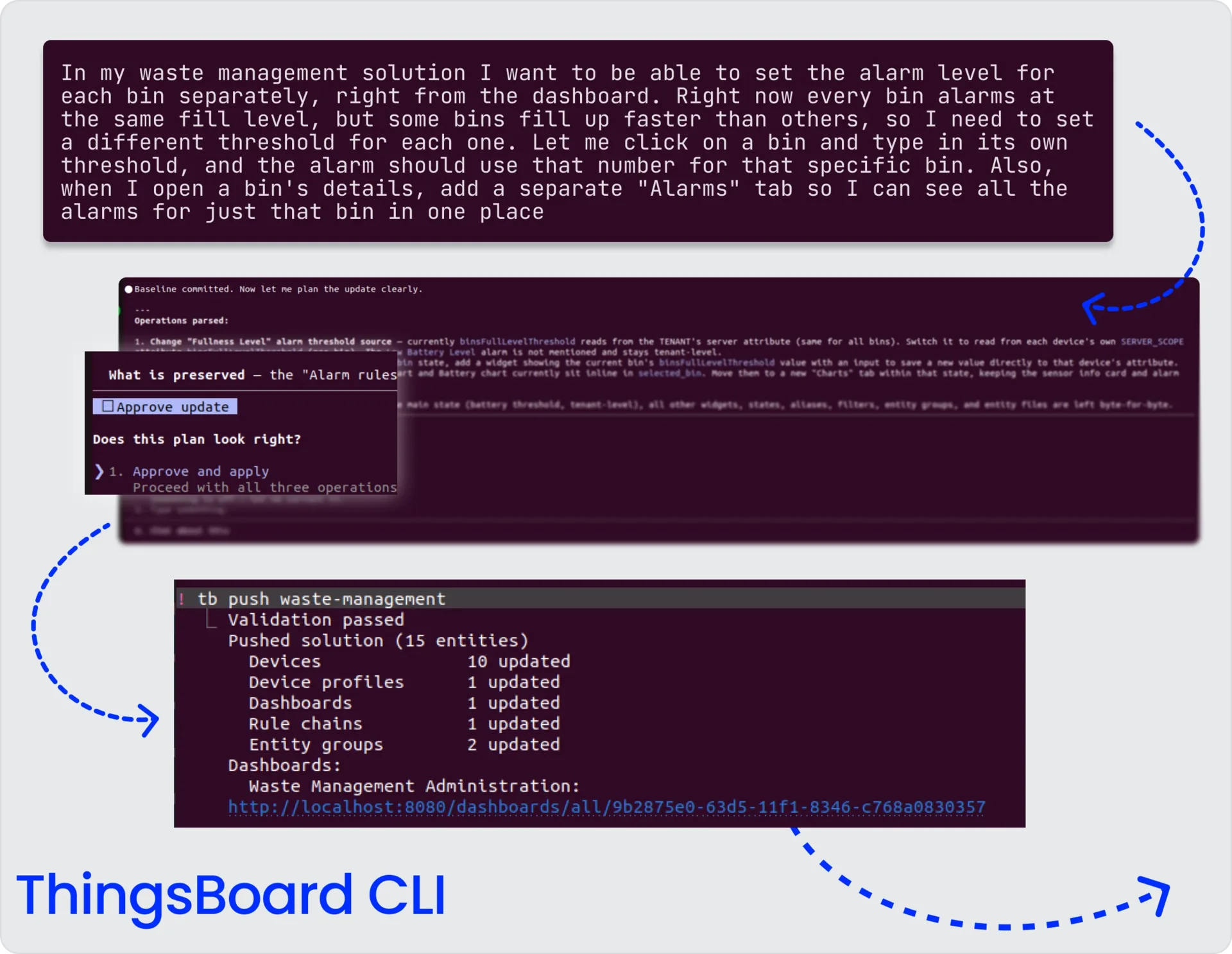
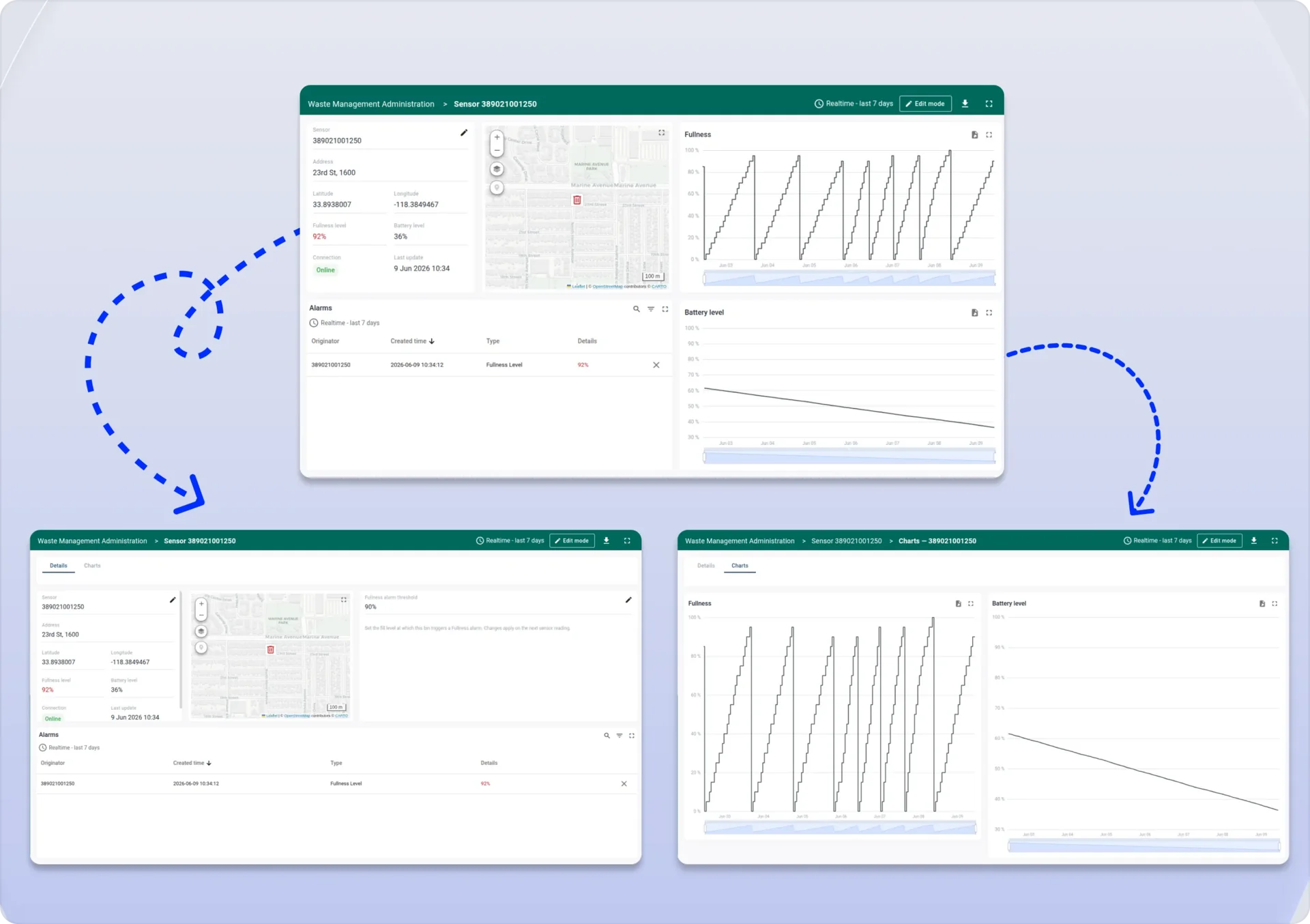
Evolve something that already exists. This is the part most IoT tooling skips. If you have entities running in ThingsBoard — built by hand, by AI Solution Creator, by another team — tb pull -i opens an interactive picker. Select what you want under CLI control. From that moment, describe changes in plain English — “add a humidity sensor per room”, “raise the high-temperature threshold” — and Claude edits only what changed, leaving the rest untouched.
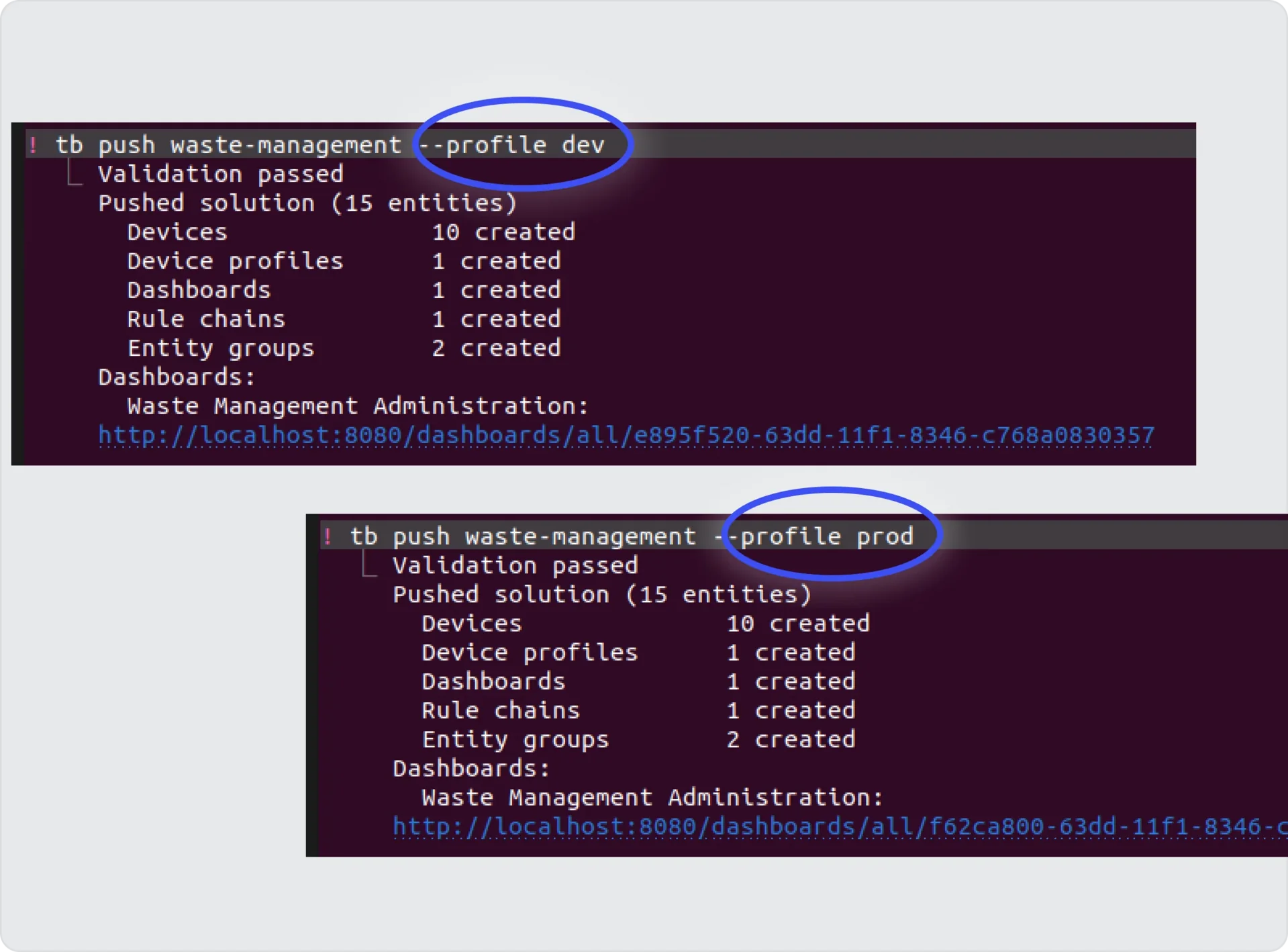
Deliver it anywhere. The same project files can be pushed to dev, staging, and prod under different profiles: tb push smart-building --profile prod. Same files. Different targets. Pushes are idempotent — push the same solution a hundred times and nothing duplicates. Configuration drift becomes a memory.
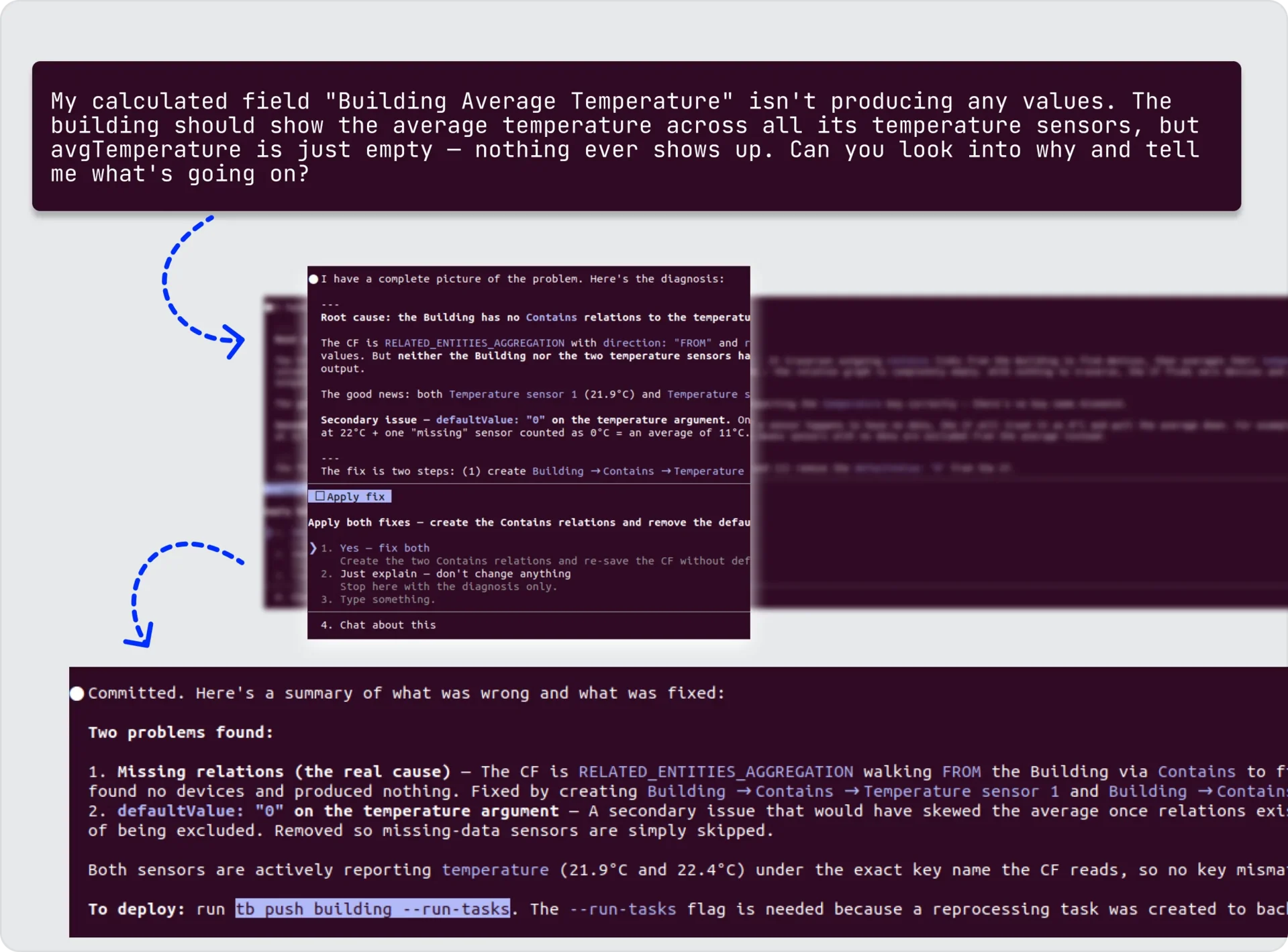
Fix something that’s broken. If something in your tenant isn’t behaving the way you expect — a calculated field producing no values, an alarm that never triggers, a dashboard widget showing empty data — just describe what’s wrong. Claude inspects the relevant entities, diagnoses the root cause, proposes a fix, and asks for your approval before applying it.
What Makes It Different
- Modify existing entities. Bring anything that’s already in your tenant under CLI control with
tb pull -i, then describe changes in plain English. Claude edits only what changed and leaves the rest untouched. - Versioned configuration. Your IoT setup lives in git. Every state is restorable — switch between versions whenever you need to, without rebuilds.
- Multi-environment from one source. Dev, staging, prod — different profiles, same files. Promote with one command. No drift.
- Safe by default.
tb validateruns a dry-run against any target environment, catching issues before they reach a real server. Claude shows you a plan and waits for approval before applying anything. - Works without Claude too. A scripting mode (
tb device save,tb dashboard save, and so on) handles CI pipelines, bulk imports, and automation where conversation isn’t the right interface.
What It Looks Like in Practice
After installing the CLI and initializing a project (covered in the Install ThingsBoard CLI guide), open the project with Claude Code and describe what you need:
“Build a smart greenhouse monitoring solution. Three greenhouses with temperature, humidity, soil moisture, and CO2 sensors. Greenhouse operators see only their own data; the farm manager sees everything. Alert if temperature exceeds 32°C or soil moisture drops below 30%.”
Claude designs the solution, pausing for your review at each step. When you confirm, one command deploys it: tb push smart-greenhouse --run-tasks.
Open the ThingsBoard UI — your solution is live, with demo data flowing. Need a change? Describe it to Claude and re-push. Ready for production? Run tb push smart-greenhouse --profile prod.
Pro-Tips
- Front-load context. The more detail you give Claude in your first prompt — domain, hierarchy, roles, alarms that matter — the better the first design.
- Review the design before you approve it. Claude pauses to ask questions — which entities to group, what threshold should trigger an alarm, who gets to see what. They’re not filler; your answers are what make the result fit your case. Read the plan it lays out and answer what it asks, and the design comes back right the first time. This matters just as much for a one-line change to a calculated field or alarm rule as it does for a whole solution — a quick “yes, that’s right” beats re-doing it later.
- Keep solutions up to date after UI updates. When someone changes entities directly in the ThingsBoard UI, those changes won’t appear in your local files automatically. Run
tb pullfirst to bring those updates into the project before making further changes — otherwise the nexttb pushwill overwrite the UI edits.
Where This Fits in the ThingsBoard AI Stack
If you prefer working inside the ThingsBoard UI, you already have a full set of AI tools there — AI Solution Creator, AI Assistants, and AI Models for use in rule chains. ThingsBoard CLI adds a different surface for the same kind of work: a terminal-based, file-first, version-controlled approach for teams that want their IoT setup to live alongside the rest of their codebase.
Pick the surface that fits how you work — and combine them freely.
Try ThingsBoard CLI
Managing your IoT setup doesn’t have to mean clicking through the UI. With ThingsBoard CLI, building the first version, shipping it to production, and evolving it for the next five years all happen the same way — as a conversation with Claude, as files on disk, as one tb push. Available today for ThingsBoard 4.3.1.2+ and ThingsBoard Cloud.