Configure alarm details dashboards in ThingsBoard Mobile Application
Configure an alarm details dashboard to open when a user taps an alarm on the alarms screen. The dashboard is set per alarm rule inside the device profile.
Configure alarm details dashboard
Section titled “Configure alarm details dashboard”- Go to Device profiles in the left main menu.
- Click the device profile you want to modify.
- In the device profile details panel, navigate to the Alarm rules tab.
- Click the Edit (pencil) button.
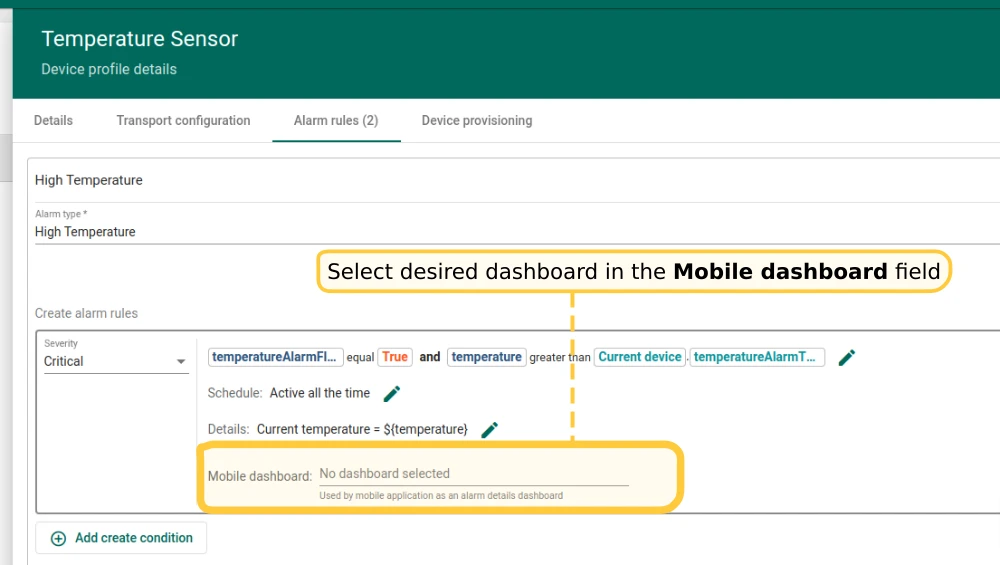
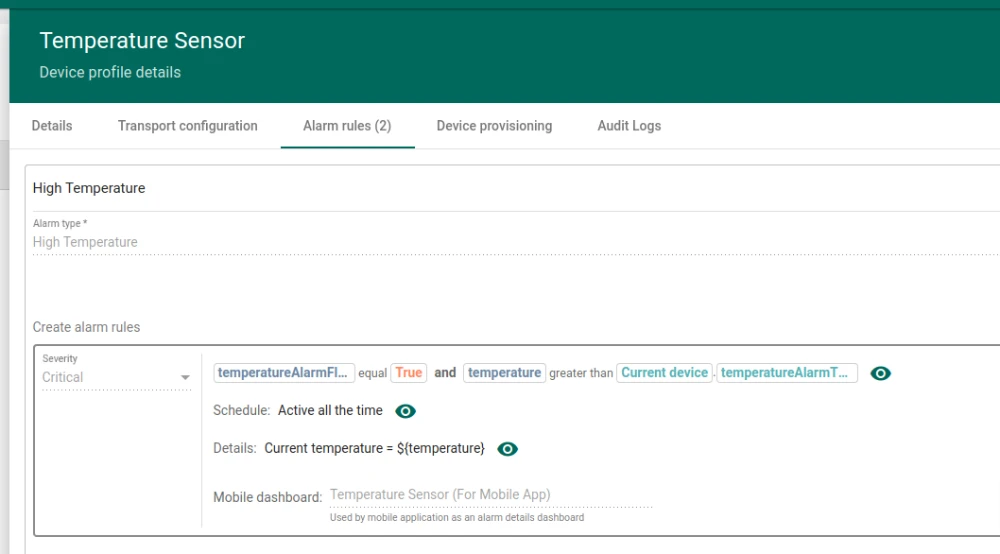
- In the Create alarm rule form, select the desired dashboard in the Mobile dashboard field.
- Click Apply changes.
Verify configuration
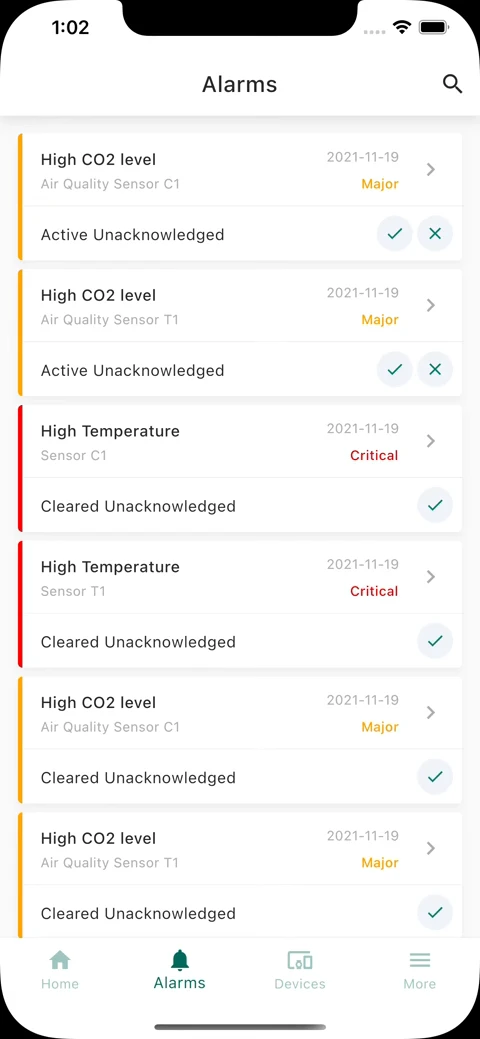
Section titled “Verify configuration”Open the mobile app, navigate to the alarms list, and tap an alarm whose type has the dashboard configured.
Was this helpful?
Thank you for your feedback!