Install with Python (pip)
Install ThingsBoard IoT Gateway as a Python package using pip on Ubuntu or Debian-based systems.
Prerequisites
Section titled “Prerequisites”- Python 3.10 or higher is installed.
sudoaccess on the target machine.
Installation
Section titled “Installation”Install required system libraries and the venv module.
Terminal window sudo apt updatesudo apt install -y python3-dev python3-pip python3-venv libglib2.0-dev wgetCreate and activate a virtual environment.
Terminal window python3 -m venv ~/tb-gateway-envsource ~/tb-gateway-env/bin/activateInstall ThingsBoard Gateway inside the virtual environment.
Terminal window pip install --upgrade pippip install thingsboard-gatewayDownload and unpack the example configuration.
Terminal window wget https://github.com/thingsboard/thingsboard-gateway/releases/latest/download/configs.tar.gzsudo mkdir /etc/thingsboard-gatewaysudo mkdir /var/log/thingsboard-gatewaysudo tar -xvzf configs.tar.gz -C /etc/thingsboard-gatewaySet folder permissions. Replace
YOUR_USERwith the user that will run the Gateway.Terminal window sudo chown YOUR_USER:YOUR_USER -R /var/log/thingsboard-gatewaysudo chown YOUR_USER:YOUR_USER -R /etc/thingsboard-gatewayCreate a Gateway device in ThingsBoard.
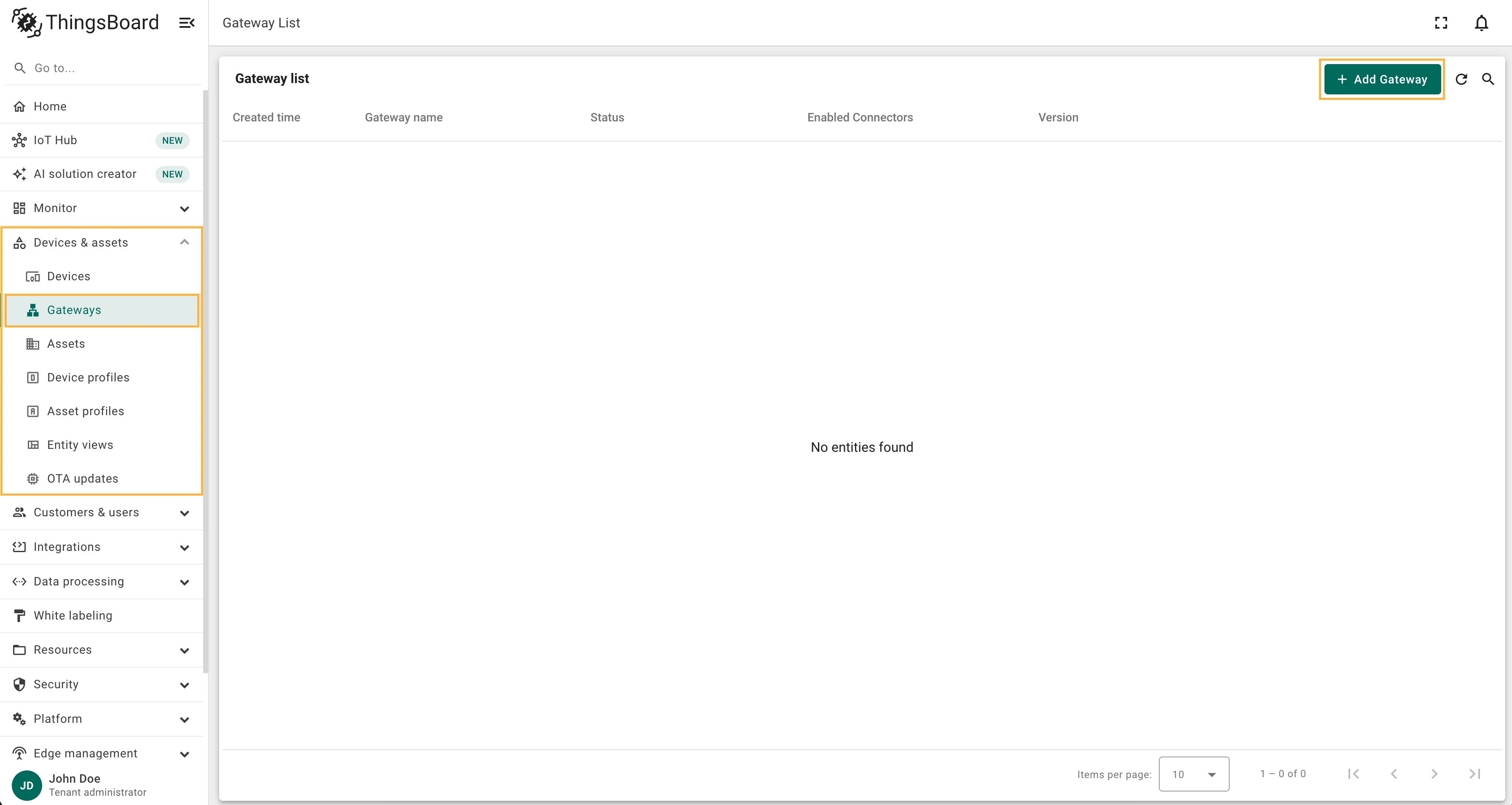
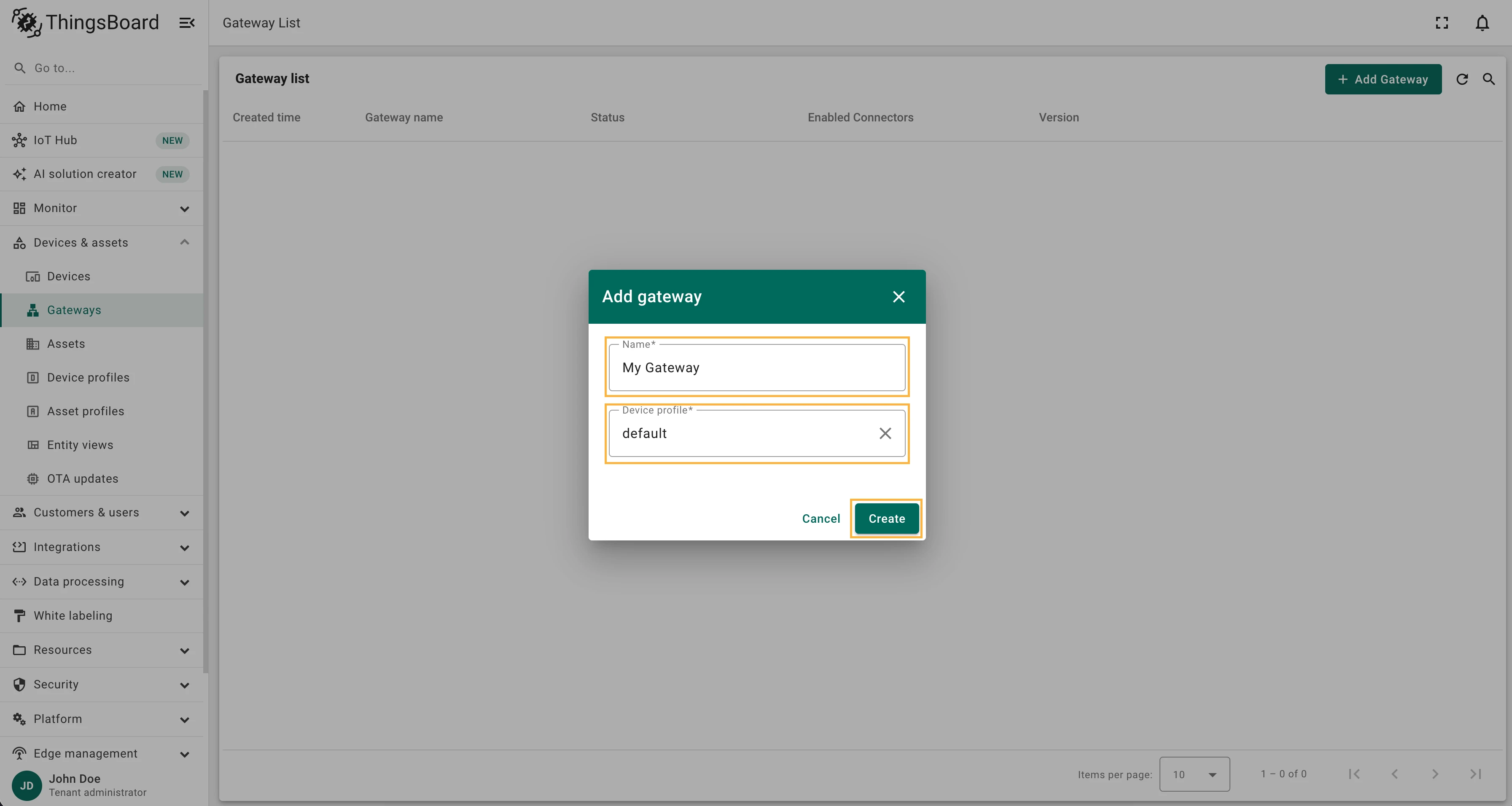
Go to Devices & assets > Gateways and click the + icon in the upper-right corner. Enter a name (e.g.,
My Gateway), select the default device profile, and click Create.Configure the Gateway credentials.
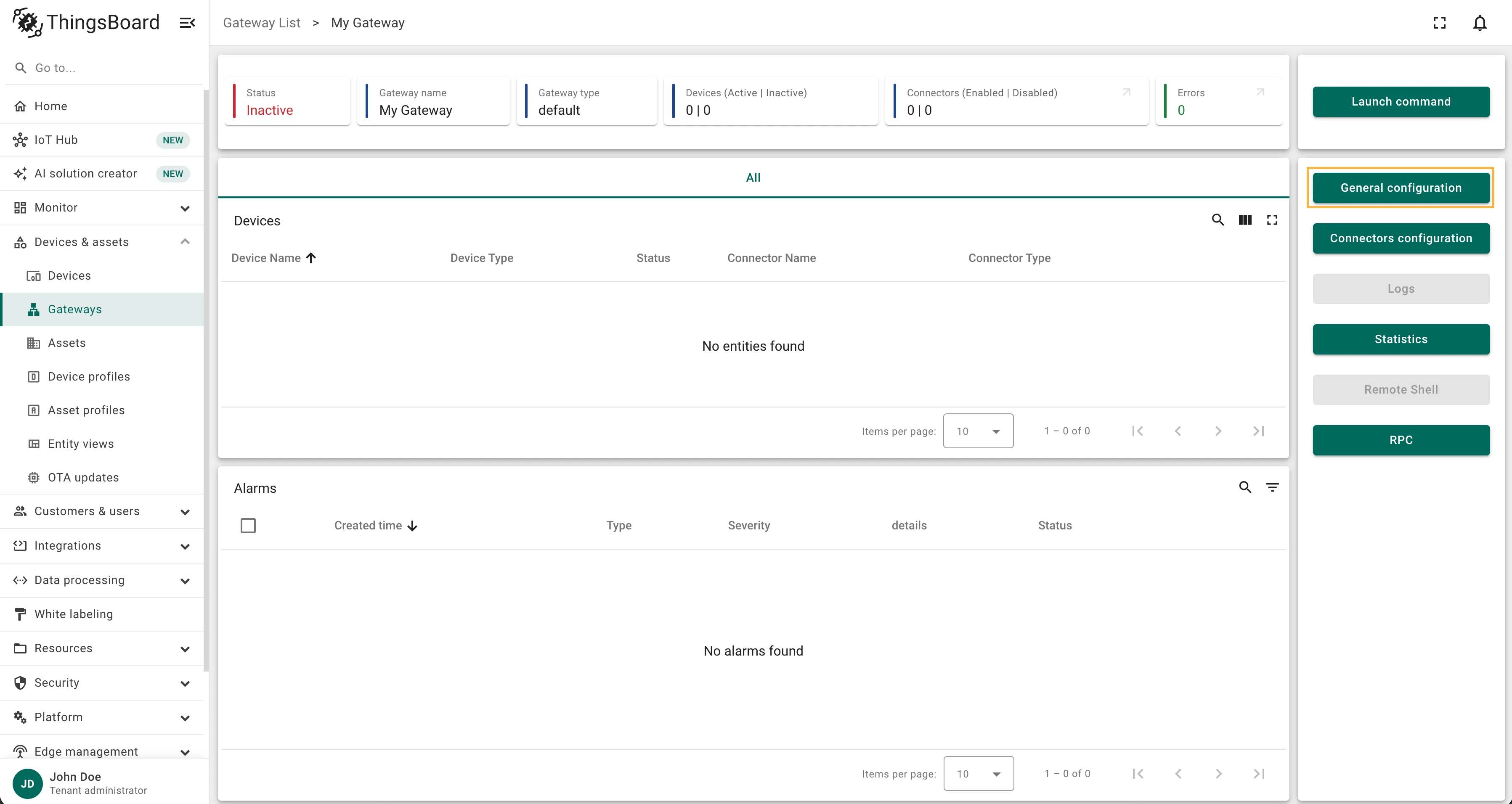
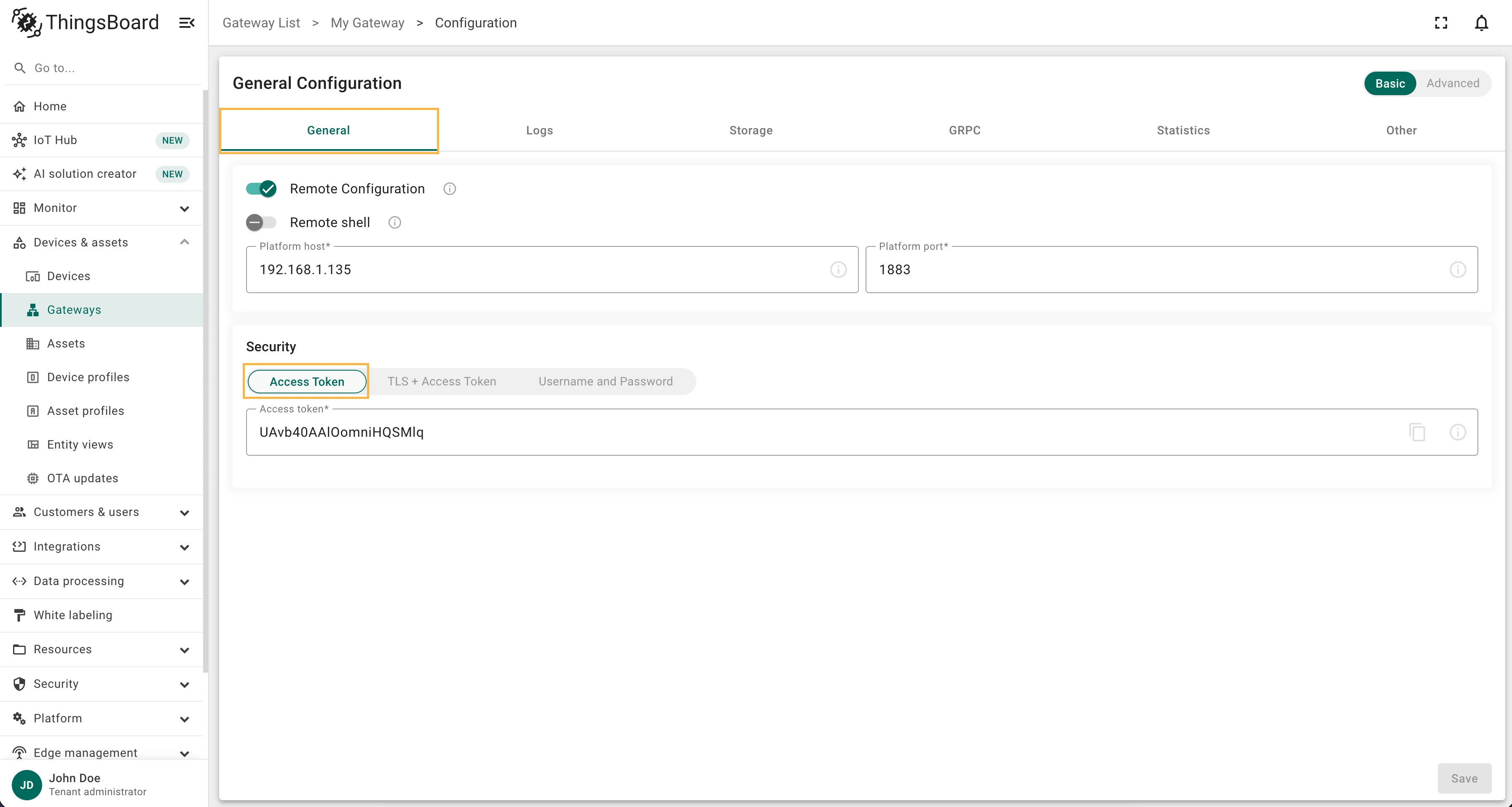
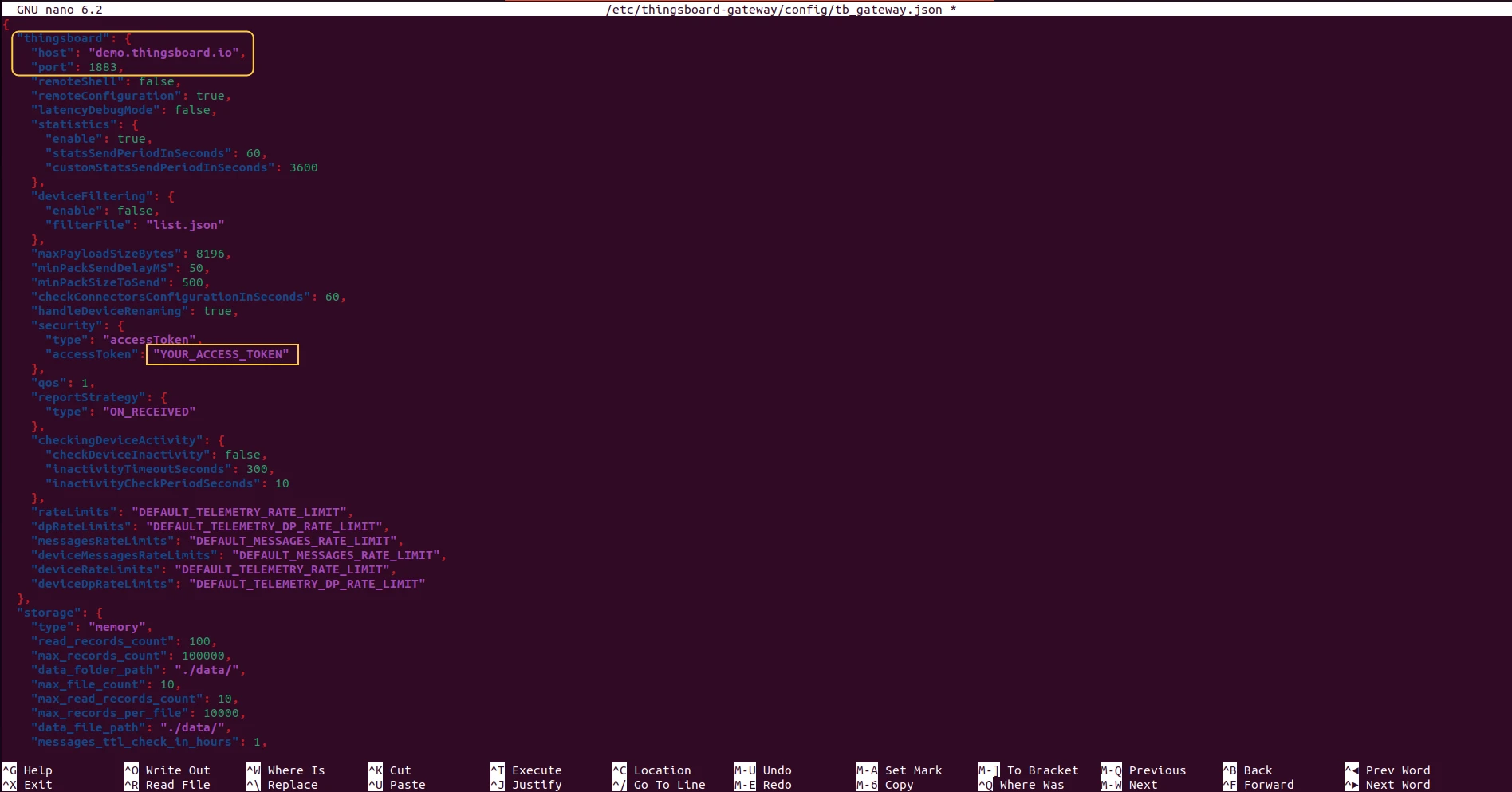
Click the General configuration button on the Gateway device page and copy the Access token from the General tab. Then open the Gateway configuration file and paste the token, replacing the host and port with your ThingsBoard instance address:
Terminal window nano /etc/thingsboard-gateway/config/tb_gateway.jsonConfigure the log file path.
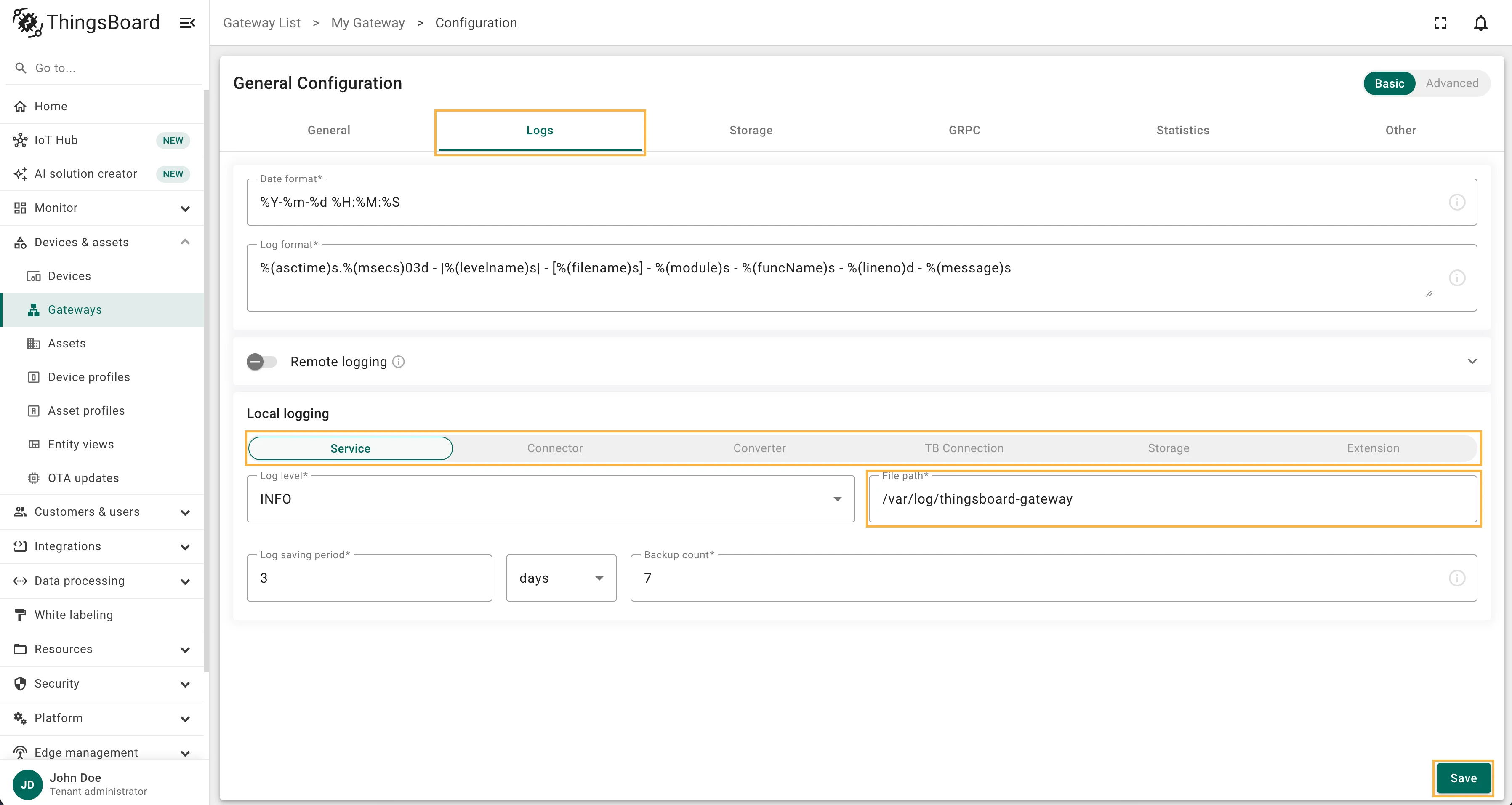
Click General configuration again, navigate to the Logs tab, and set the File path to
/var/log/thingsboard-gatewayfor each entry in the Local logging section. Click Save.Start the Gateway and verify.
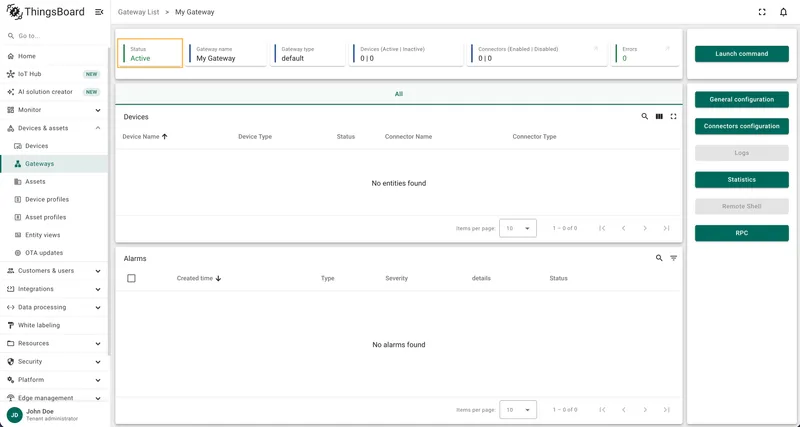
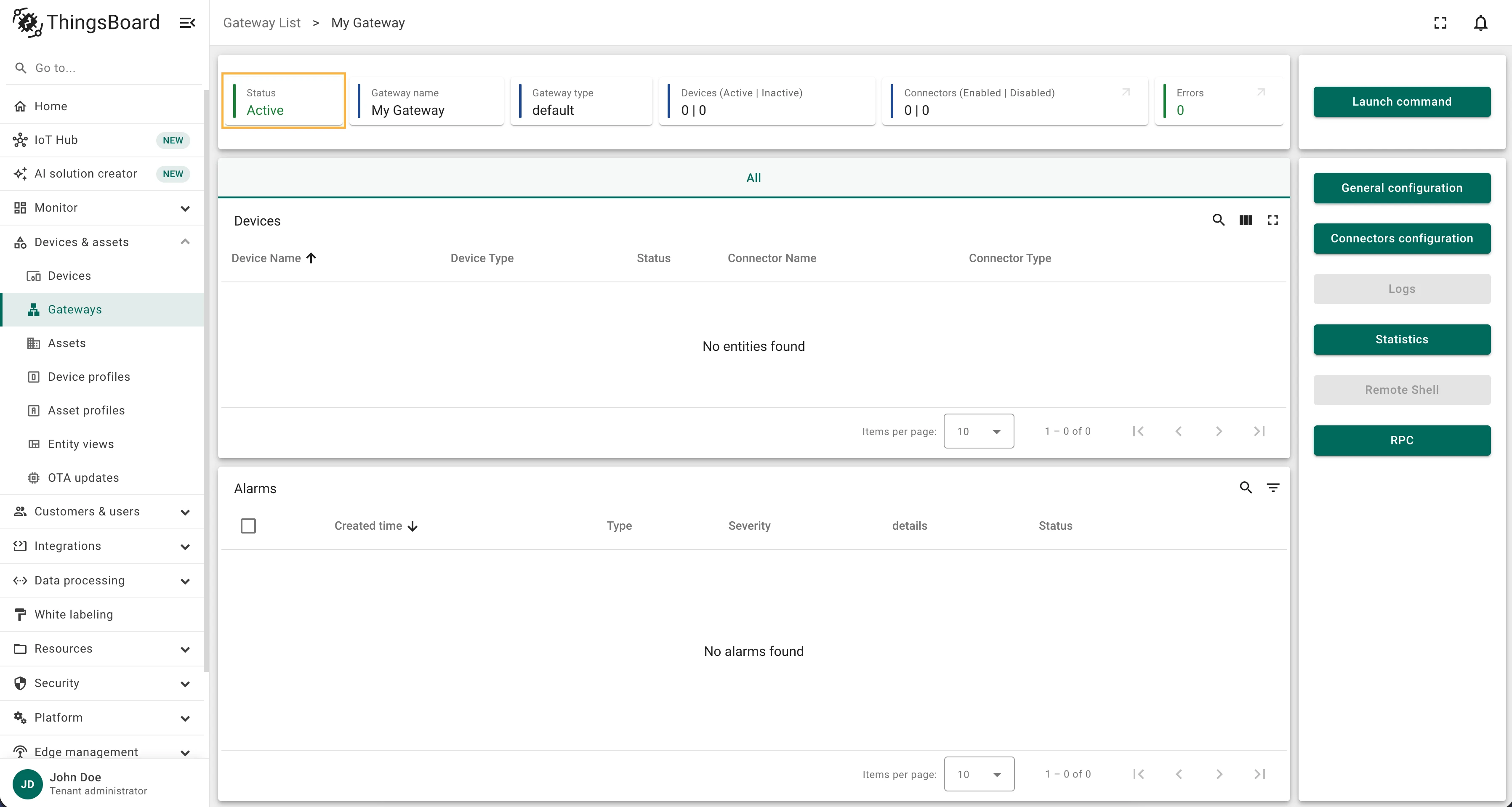
Terminal window thingsboard-gatewayIf everything is configured correctly, the Gateway device status changes to Active in ThingsBoard.
Was this helpful?