Install with Docker Compose (Linux / macOS)
Install and run ThingsBoard IoT Gateway using Docker Compose on Linux or macOS.
Prerequisites
Section titled “Prerequisites”- Docker Compose is installed.
- A running ThingsBoard instance. Use ThingsBoard Cloud or install ThingsBoard locally — see the installation guide.
Installation
Section titled “Installation”Create a Gateway device and download the
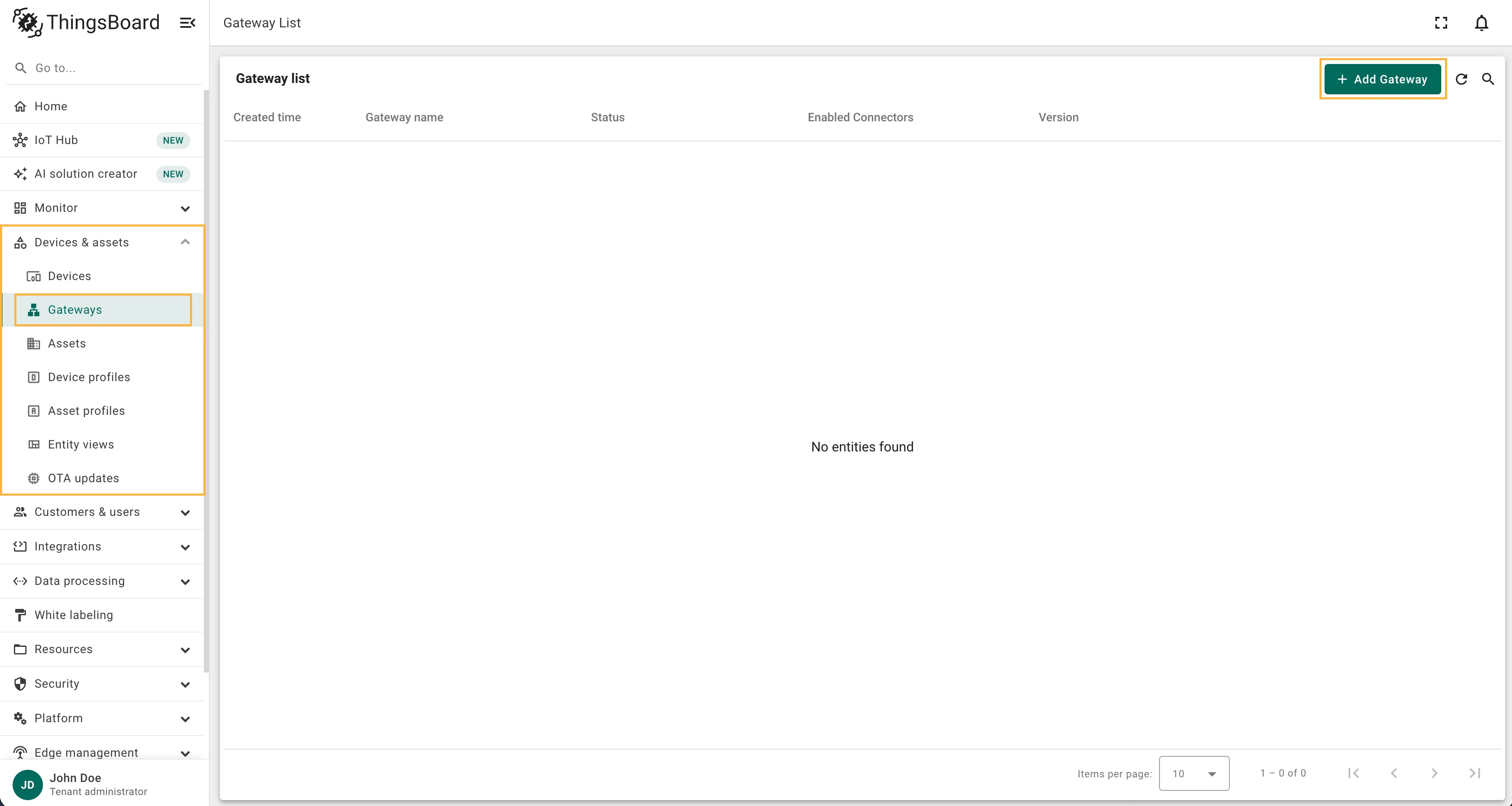
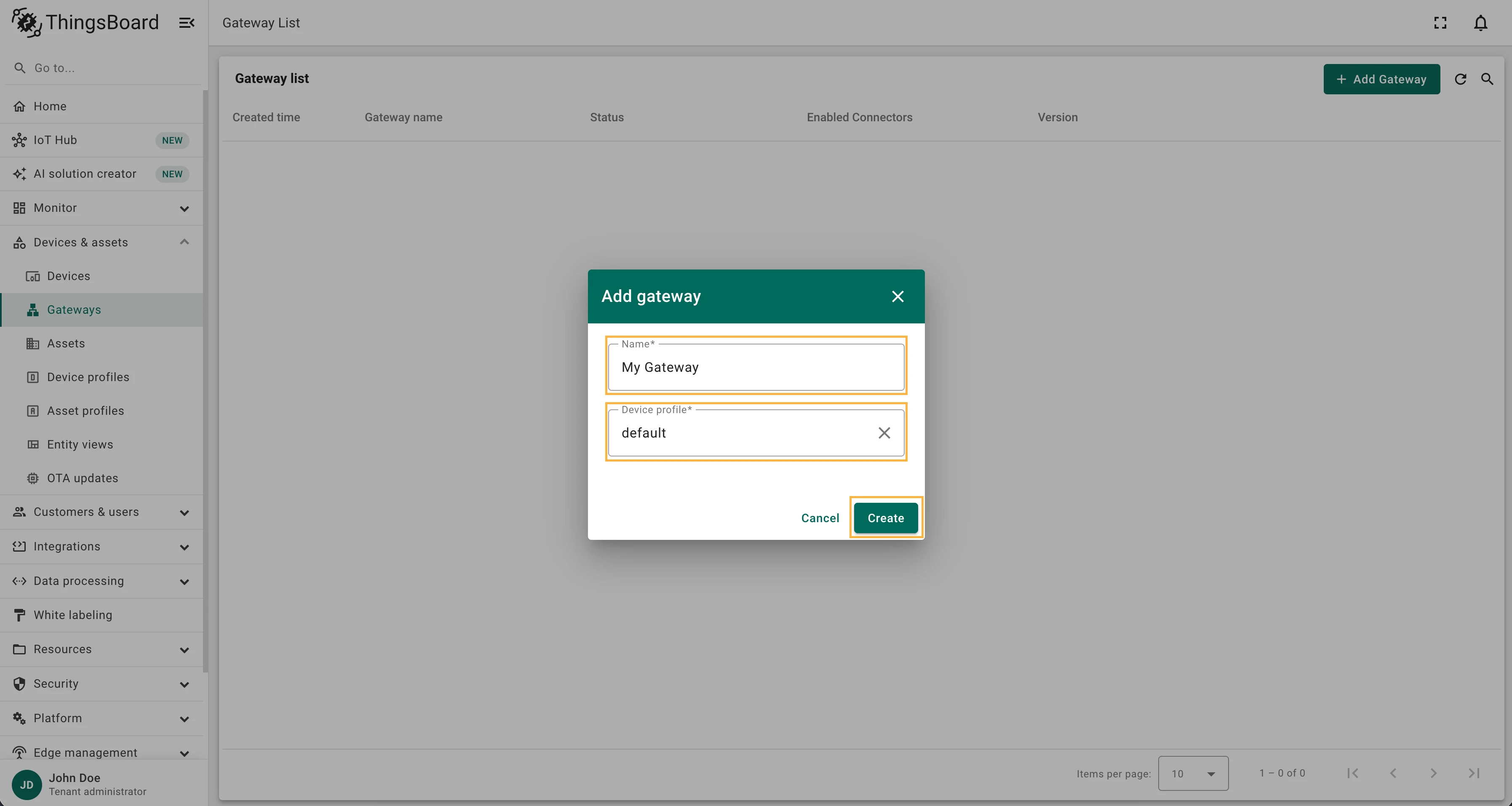
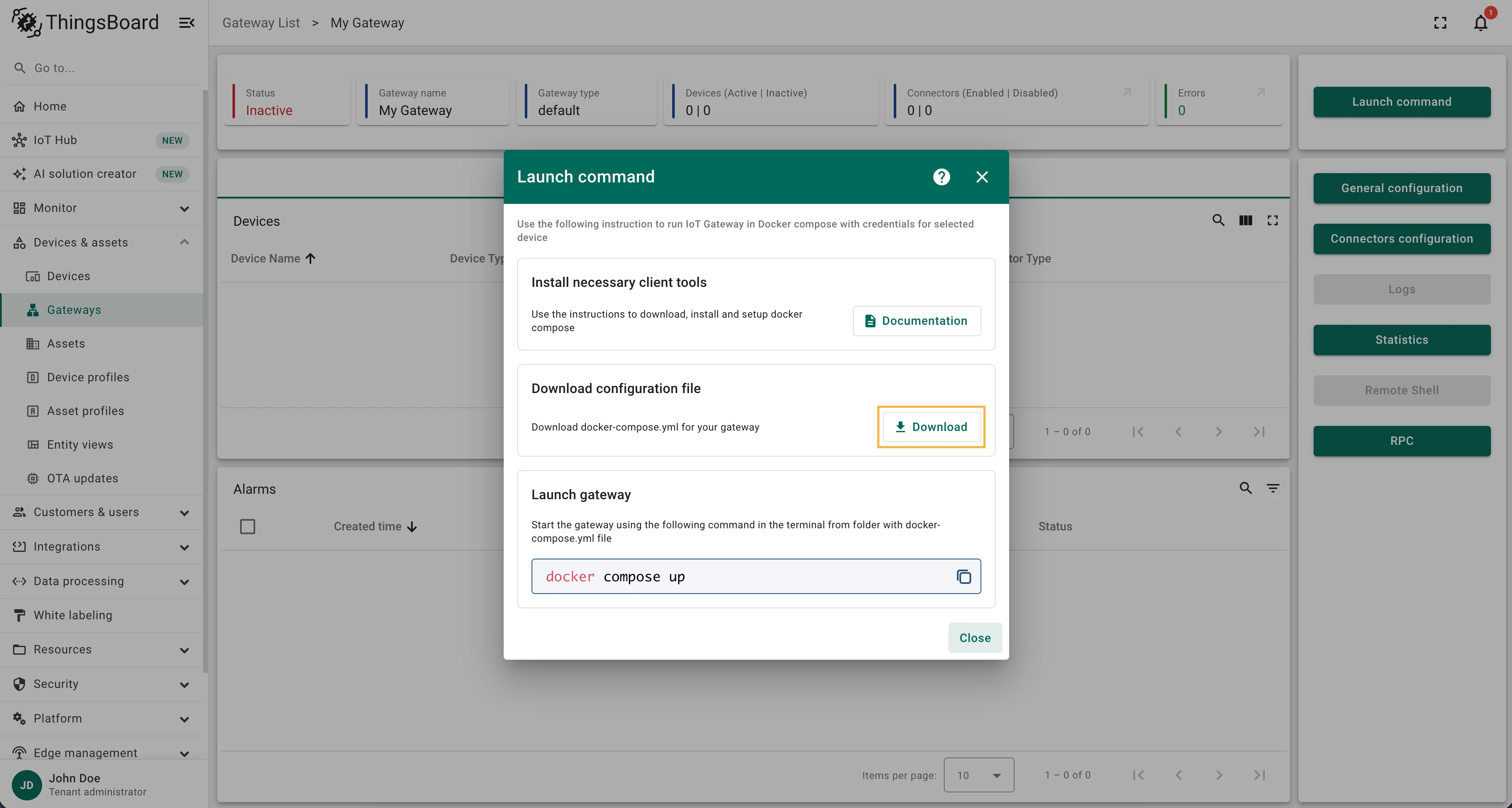
docker-compose.ymlfile.In ThingsBoard, go to Devices & assets > Gateways and click the + icon in the upper-right corner. Enter a name, select the default device profile, and click Create. In the Launch command window that opens, click Download to save the
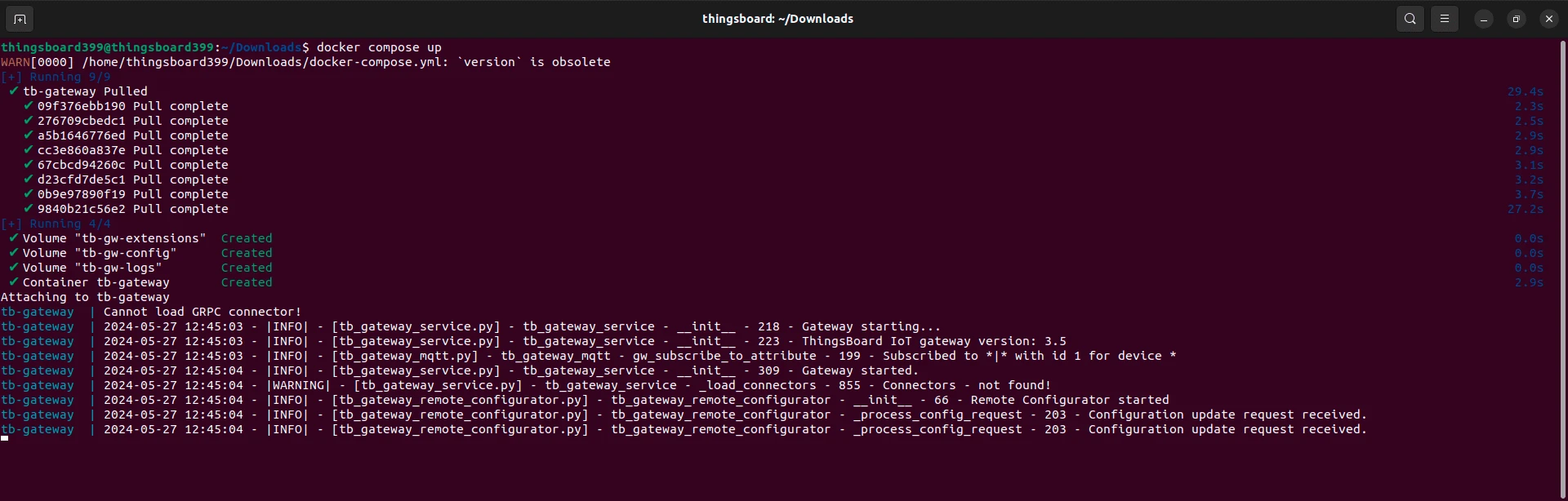
docker-compose.ymlfile.Start the Gateway. From the directory containing the downloaded
docker-compose.ymlfile, run:Terminal window docker compose up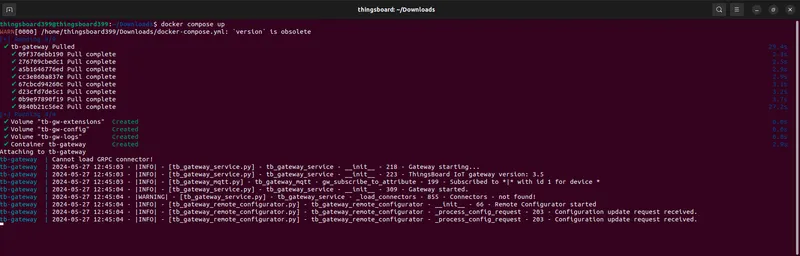
Running in the background
Section titled “Running in the background”To run the Gateway in detached (background) mode:
docker compose up -dTo view the Gateway logs after detaching:
docker logs -f tb-gatewayUpgrading
Section titled “Upgrading”To update the Gateway to the latest image:
docker compose downdocker pull thingsboard/tb-gatewaydocker compose up -dFor a full upgrade guide, see Upgrade instructions.
Was this helpful?
Thank you for your feedback!