
Bulk provisioning
TBMQ provides a bulk import tool that lets system administrators manage large numbers of MQTT client credentials using a CSV file.
The import implements an upsert pattern: the system identifies existing credentials by Name. If a match is found, the entry is updated; otherwise, a new one is created.
CSV file format
Section titled “CSV file format”Each line in the CSV file corresponds to one credential record. The file must contain at least two columns: Name and either Username or Client ID.
Example CSV:
| Name | Client type | Client ID | Username | Password | Sub auth rule patterns | Pub auth rule patterns | Description |
|---|---|---|---|---|---|---|---|
| Sensor_Device | DEVICE | sensor-01 | mqtt-user-01 | secretPass | sensors/1/data;sensors/all/data | sensors/1/cmd | Demo device client |
| Application_Manager | APPLICATION | app-mgr-01 | alerts/.* |
How the broker processes this file:
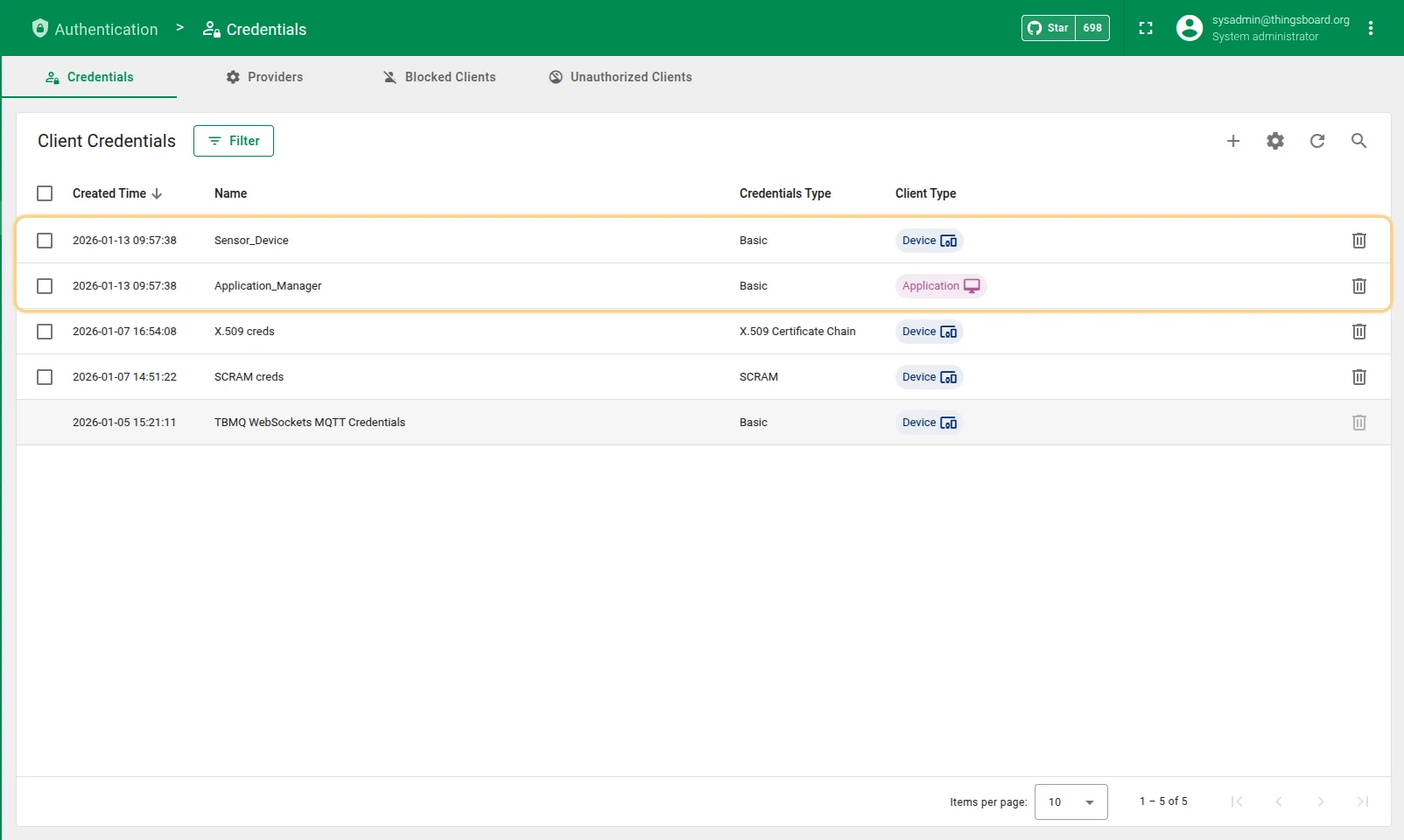
Sensor_Device — creates a new DEVICE credential using client ID sensor-01, username mqtt-user-01, and the description Demo device client.
The plain-text password is encoded on import. Subscribe and publish topic patterns are parsed using ; as the delimiter.
Application_Manager — creates a new APPLICATION credential with client ID app-mgr-01.
Username, password, and description are null because those cells are empty.
The subscribe auth rule pattern is null, which forbids all subscriptions.
The publish auth rule is set to alerts/.*.
Import steps
Section titled “Import steps”-
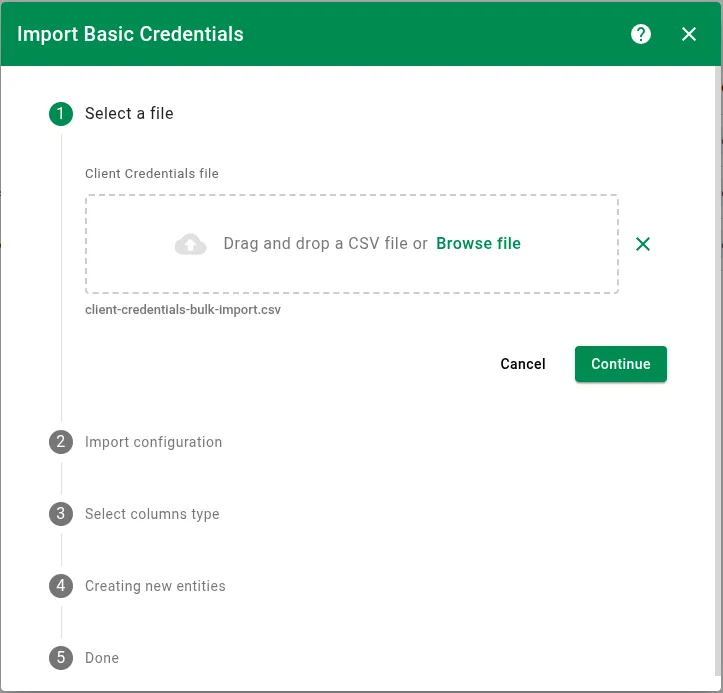
Select a file
Upload your prepared CSV file.
-
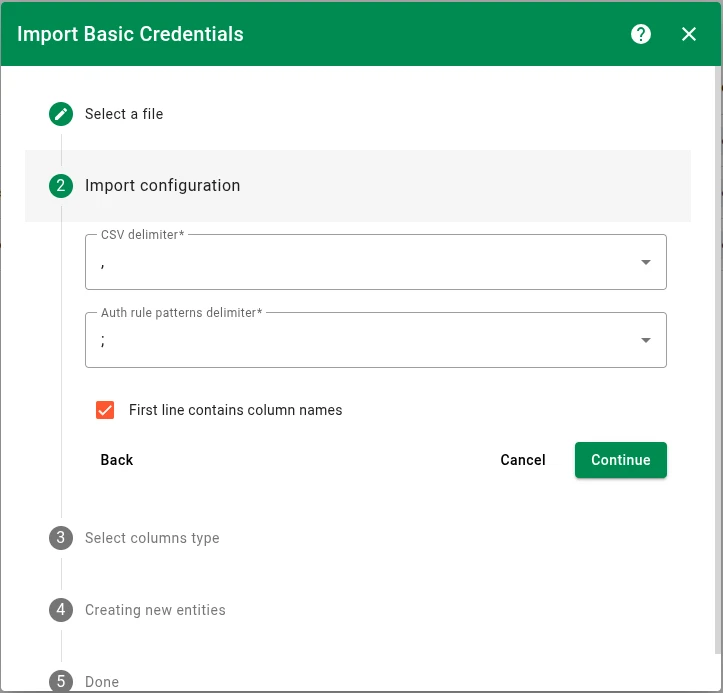
Import configuration
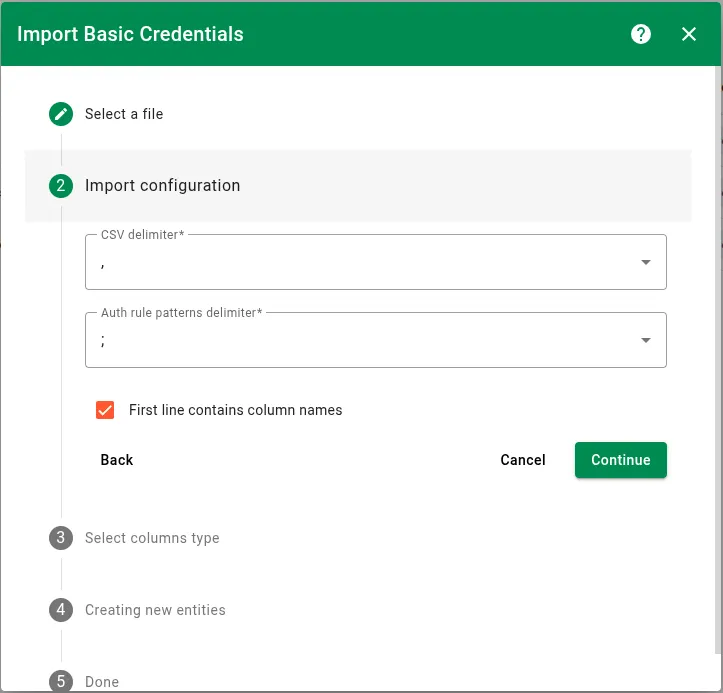
Configure how the system reads the file:
- CSV delimiter — the character separating values (
,,;,|, orTAB). - Auth rule patterns delimiter — the delimiter used to split multiple topic patterns within a single cell. Must differ from the CSV delimiter.
- First line contains column names — when enabled, the first row is used for automatic column mapping in the next step.
- CSV delimiter — the character separating values (
-
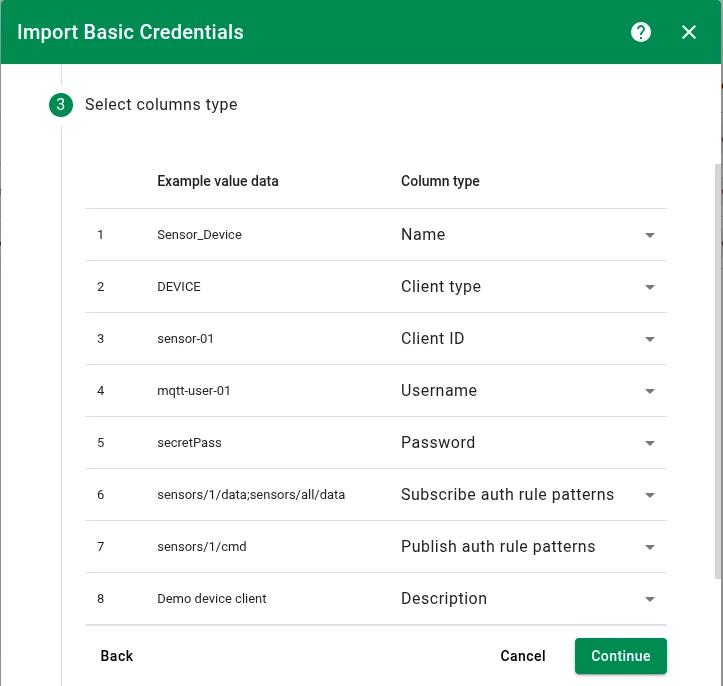
Map columns
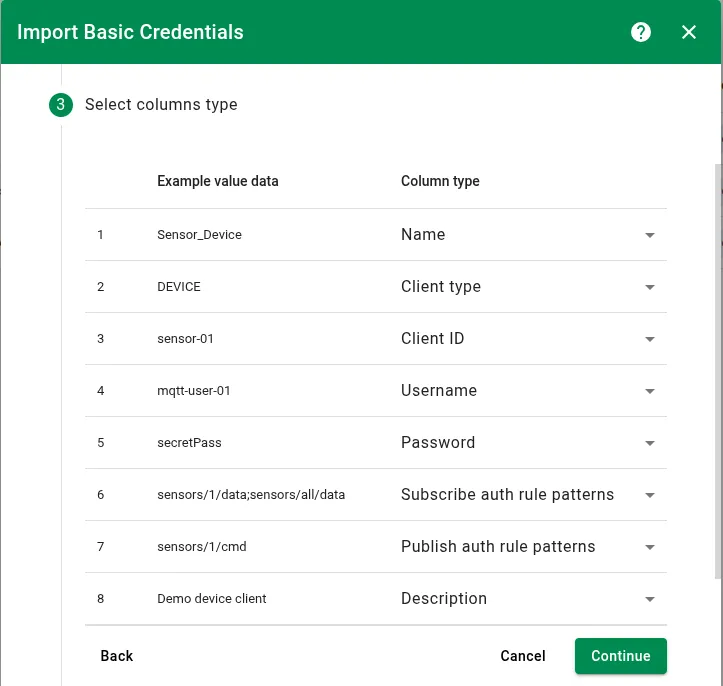
Map each CSV column to a credential field:
- Name — required for identification and upsert logic.
- Client type —
DEVICEorAPPLICATION. Defaults toDEVICEif not mapped. - Client ID — the unique MQTT client identifier.
- Username — the MQTT username.
- Password — the MQTT password, encoded during import.
- Subscribe auth rule patterns — list of allowed subscribe topics.
- Publish auth rule patterns — list of allowed publish topics.
- Description — optional description.
-
Processing
The system processes the file line by line using your column mapping.
-
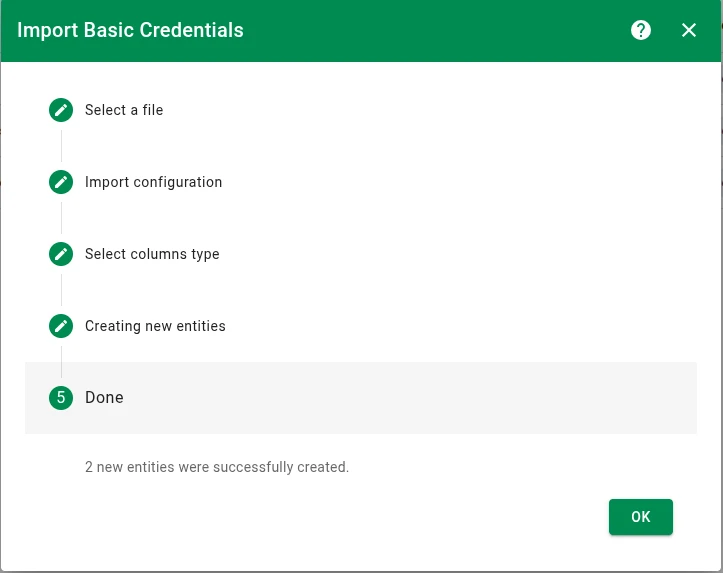
Results
A summary shows the number of created entries, updated entries, and errors.
Data handling rules
Section titled “Data handling rules”- To update a field: Provide a new value in the corresponding CSV column — see the password policy below for exceptions.
- To preserve existing data: Do not map the column, or leave the cell empty — with the exception of authorization rule patterns, which follow their own policy below.
Password policy
Section titled “Password policy”Existing passwords are protected during bulk import:
- If a credential already has a password, it cannot be changed or cleared via bulk import.
- A password can only be set if the credential is newly created or if the existing credential has no password.
Authorization rule patterns policy
Section titled “Authorization rule patterns policy”The system interprets mapped versus unmapped authorization columns differently:
New credentials:
| Column state | Result |
|---|---|
| Column mapped, cell empty | Authorization rule set to null — forbids all topics |
| Column not mapped | Authorization rule set to .* — allows all topics |
Existing credentials:
| Column state | Result |
|---|---|
| Column mapped, cell empty | Authorization rule updated to null — revokes all permissions |
| Column not mapped | Authorization rule preserved — existing permissions unchanged |
Was this helpful?