
HTTP authentication
The HTTP authentication provider allows TBMQ to delegate client authentication to an external HTTP service. This is particularly useful for integrating TBMQ with existing identity management systems, custom databases, or legacy authentication services.
How it works
Section titled “How it works”When an MQTT client attempts to connect, TBMQ suspends the connection and sends an HTTP request to the configured external service. This request contains the client’s credentials, such as username, password, and client ID.
The external service validates these credentials and returns a response indicating whether the connection should be accepted. Furthermore, the external service can dynamically assign the Client Type and Authorization Rules in its JSON response. If the service returns 200 OK but omits these fields or returns an empty body, TBMQ falls back to the default values configured in the provider.
Configure provider
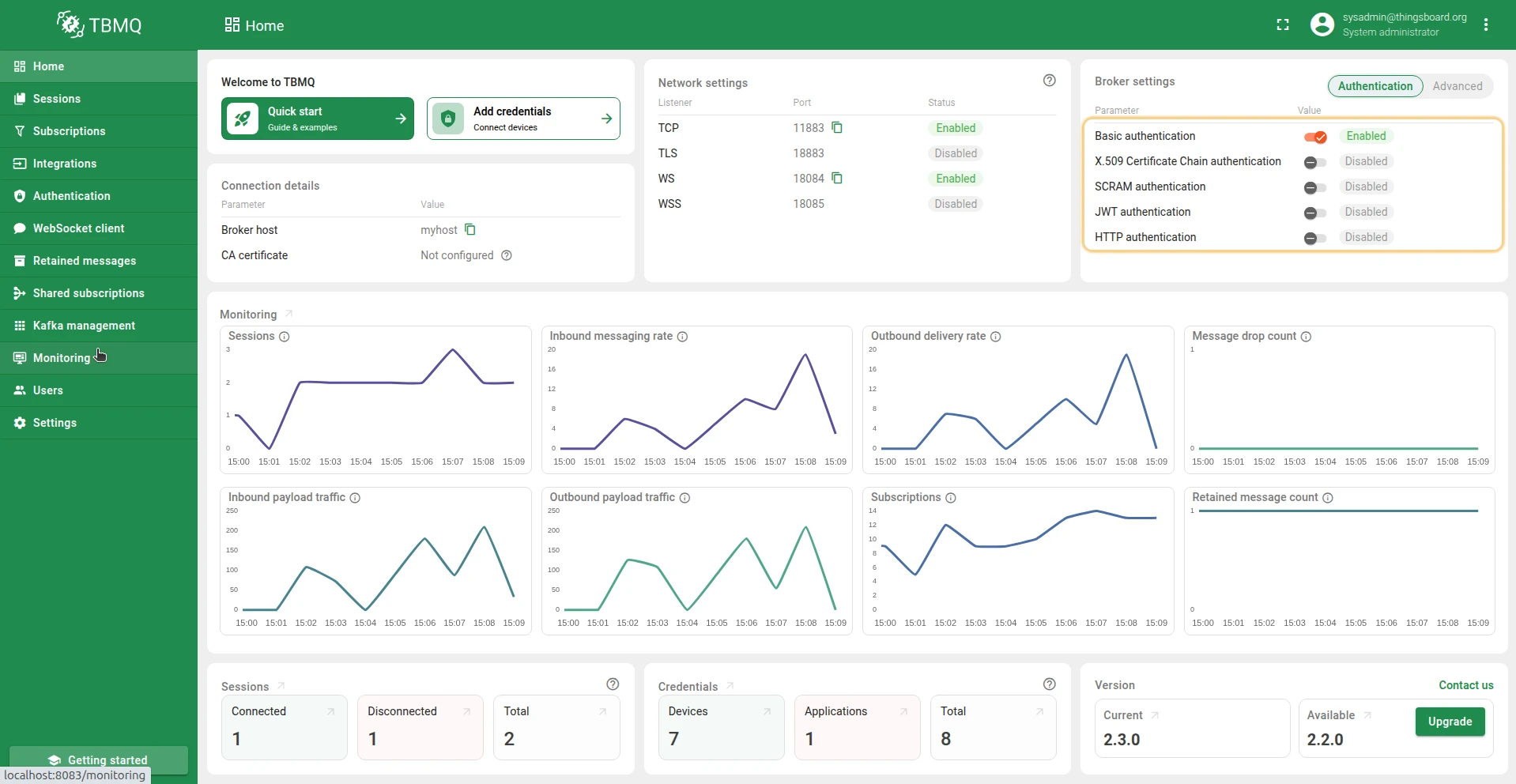
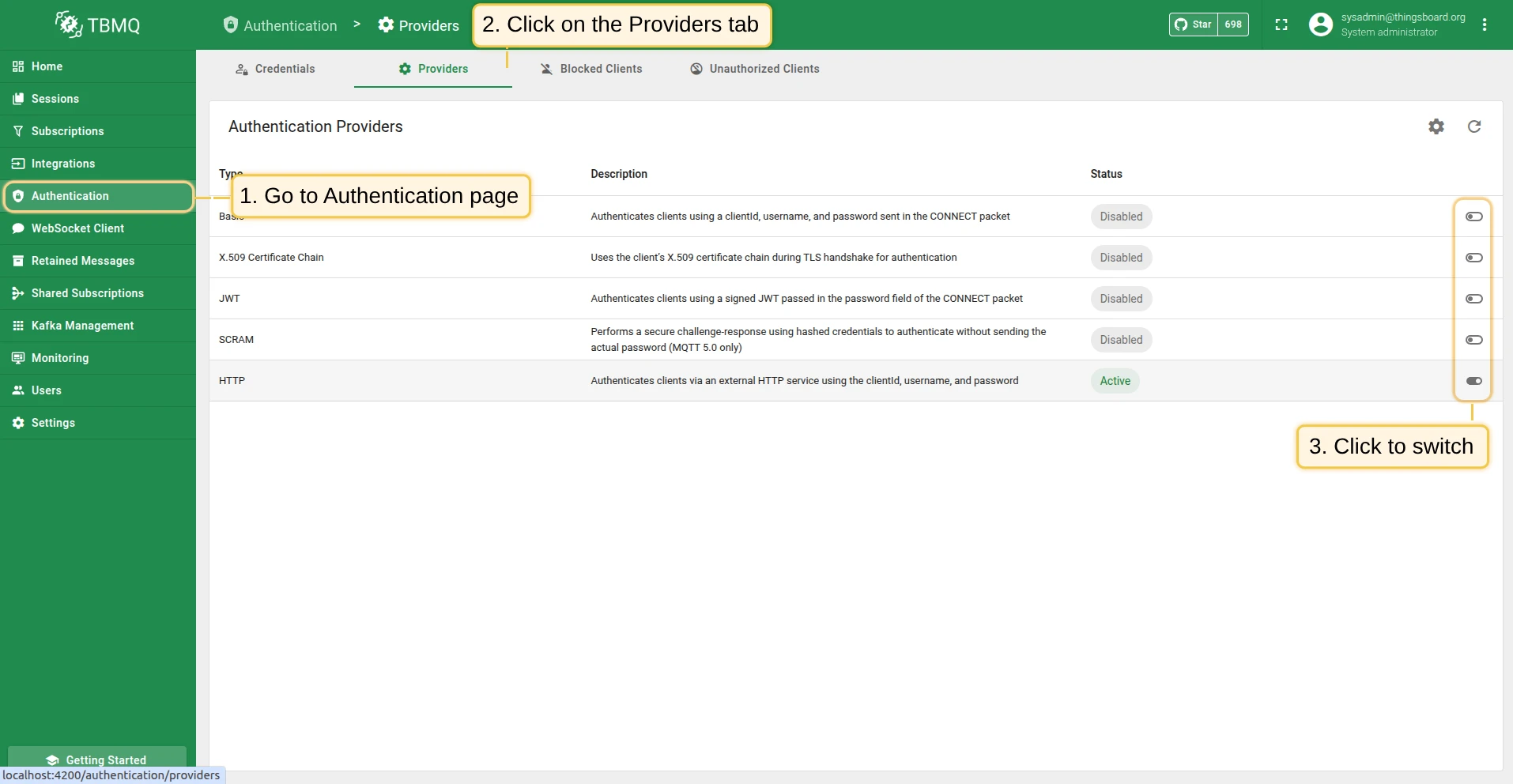
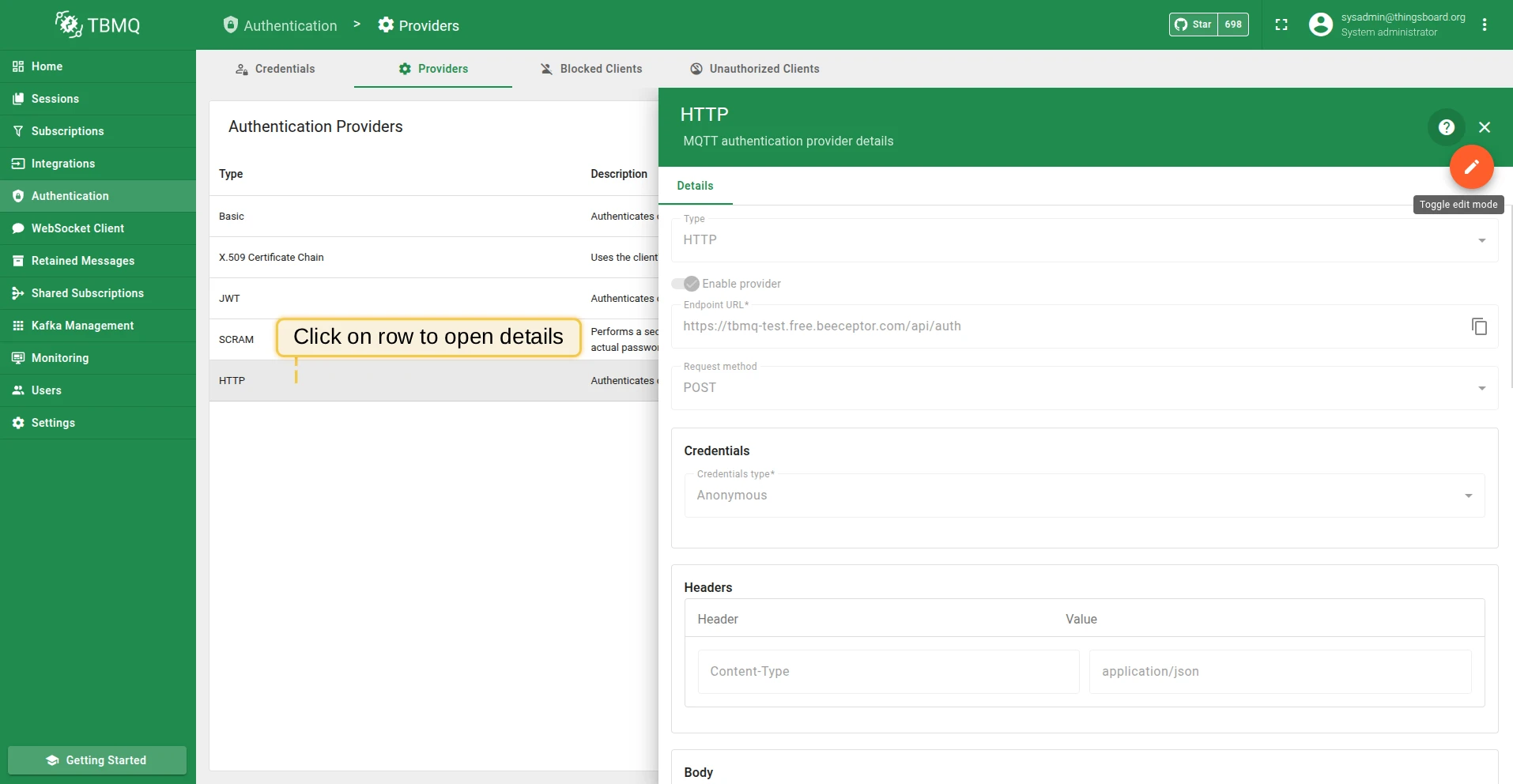
Section titled “Configure provider”HTTP authentication is configured through the TBMQ user interface. This section explains how to configure the endpoint, define the request structure, and set up default authorization rules.
Request configuration
Section titled “Request configuration”The core of this provider is the Endpoint URL and Request Method. TBMQ supports both GET and POST methods.
- Endpoint URL: The full URL of the external authentication service.
- Request method: The HTTP method used to send the request:
- POST: The Request Body JSON is sent as the payload.
- GET: The keys and values in the Request Body JSON are transformed into URL query parameters (e.g.,
?clientId=...&username=...) appended to the Endpoint URL.
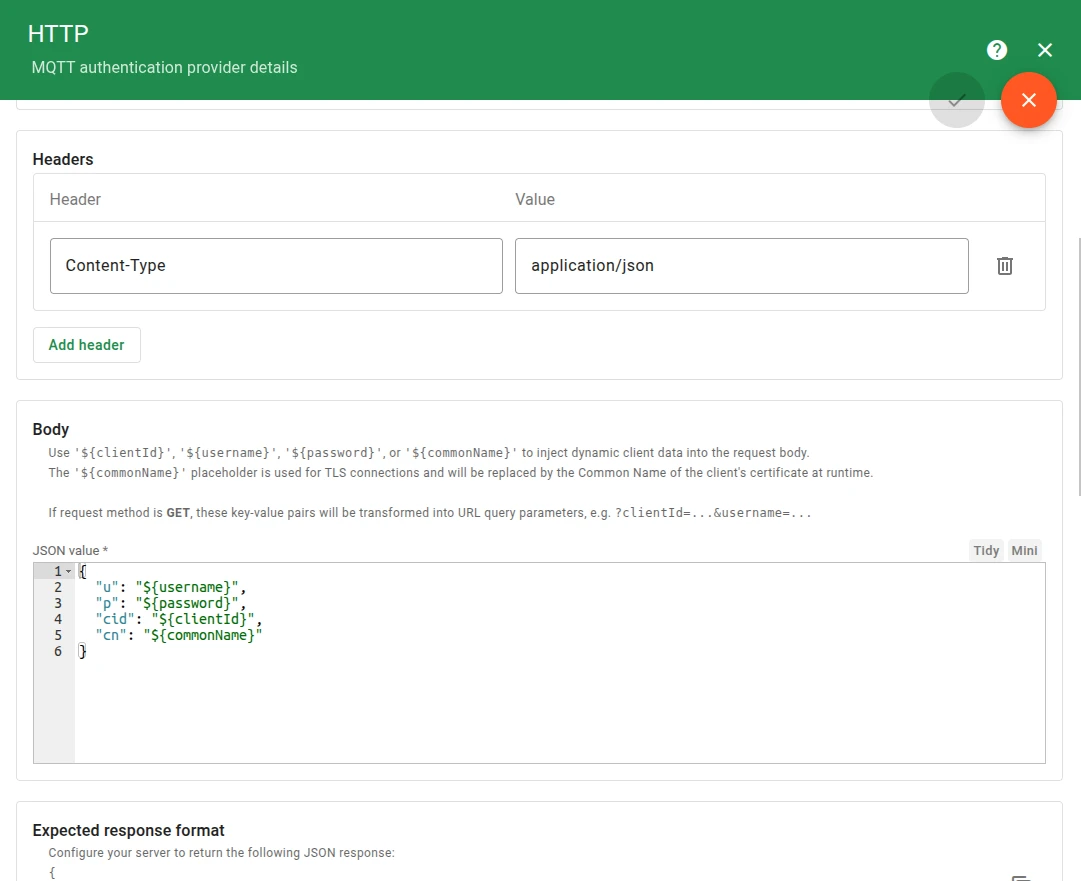
You can configure custom Headers (e.g., Content-Type, Authorization) to be included in the HTTP request.
For the request Body, you can define a JSON object that supports dynamic placeholders:
${clientId}— The client ID provided by the MQTT client.${username}— The username provided by the MQTT client.${password}— The password provided by the MQTT client.${commonName}— Available if the connection is established through a TLS listener; replaced by the Common Name (CN) of the client’s TLS certificate at runtime.
{ "u": "${username}", "p": "${password}", "cid": "${clientId}", "cn": "${commonName}"}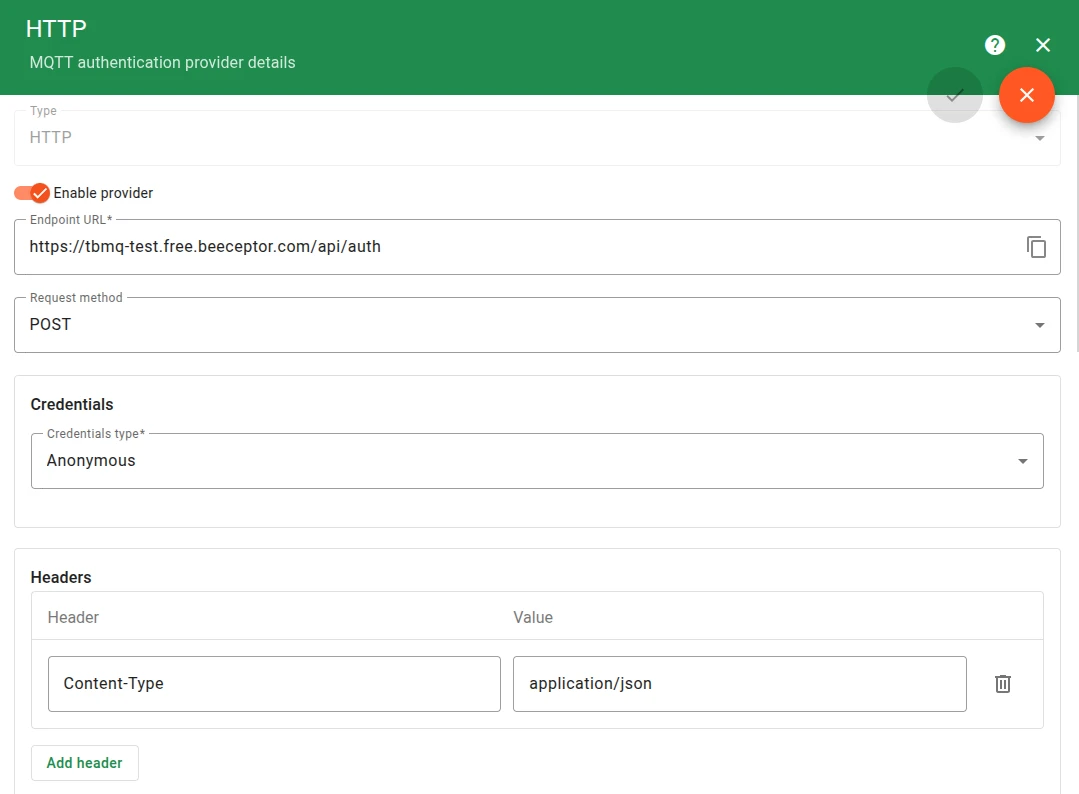
Response handling
Section titled “Response handling”To get the full benefit of the HTTP provider, your external server should return a JSON response specifying the authentication result and optional permissions. TBMQ interprets the response according to the following rules.
Expected HTTP service response JSON structure:
{ "result": "success", "clientType": "DEVICE", "authRules": { "pub": ["telemetry/.*", "alerts/.*"], "sub": ["commands/.*"] }}- result: Determines the authentication verdict.
- success: Client is authenticated.
- failure: Authentication failed (access denied).
- skipped: Authentication is skipped; TBMQ will attempt the next configured provider.
- Fallback logic: If this field is missing, it defaults to success; if the value is unrecognized, it is treated as skipped.
- Case-sensitivity: Values are case-insensitive (e.g.,
SUCCESSis treated assuccess).
- clientType: Defines the client category as
applicationordevice.- Fallback logic: If the key is missing, the value is unrecognized, or the response body is empty, the Default client type from the configuration is applied.
- Case-sensitivity: Values are case-insensitive (e.g.,
DEVICEis treated asdevice).
- authRules: A JSON object containing pub and sub arrays of regex topic patterns.
- Fallback logic: If the authRules object is missing or unparsable, the Default authorization rules from the configuration are applied.
- Explicit restriction: If the pub or sub lists are explicitly provided as
nullor an empty array ([]), the respective action is strictly forbidden.
HTTP status code handling
Section titled “HTTP status code handling”The broker’s processing logic is dependent on the HTTP status code returned by your service:
- Successful responses (2xx): Only
2xxstatus codes trigger the JSON body parsing described above. - Empty 2xx responses: If the server returns a
2xxstatus but the response body is empty or null, the client is automatically authenticated and assigned the default client type and authorization rules configured in the UI. - Other responses (3xx, 4xx, 5xx): Any response outside the
2xxrange is automatically treated as skipped, and TBMQ will move to the next authentication provider in the chain.
Authorization defaults
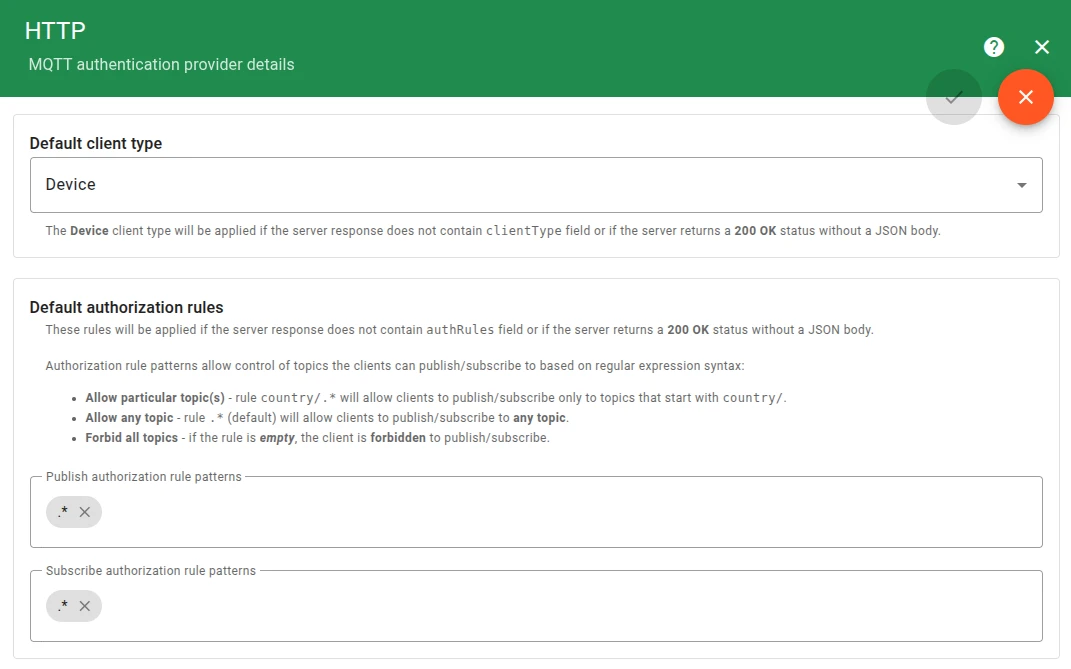
Section titled “Authorization defaults”If your external server returns a bare 200 OK without a JSON body, or omits specific fields, TBMQ applies the default configurations defined in this section.
- Default Client Type: Applied if the server response does not contain a valid clientType field or if the response body is empty.
- Default Authorization Rules: Applied if the server response does not contain the authRules field or if the JSON is unparsable. Note that if the server explicitly sends empty arrays for pub or sub, these defaults are not used; instead, the client is forbidden from those actions.
External endpoint credentials
Section titled “External endpoint credentials”TBMQ supports authenticated connections to the external HTTP service. Configure the Credentials field to select how TBMQ authenticates itself when calling the endpoint:
- Anonymous — No authentication. The request is sent without any credentials.
- Basic — HTTP Basic Authentication. TBMQ includes a
usernameandpasswordin theAuthorizationheader. - PEM — Mutual TLS (mTLS). TBMQ presents a client certificate (PEM format) when connecting to the external service.
Advanced settings
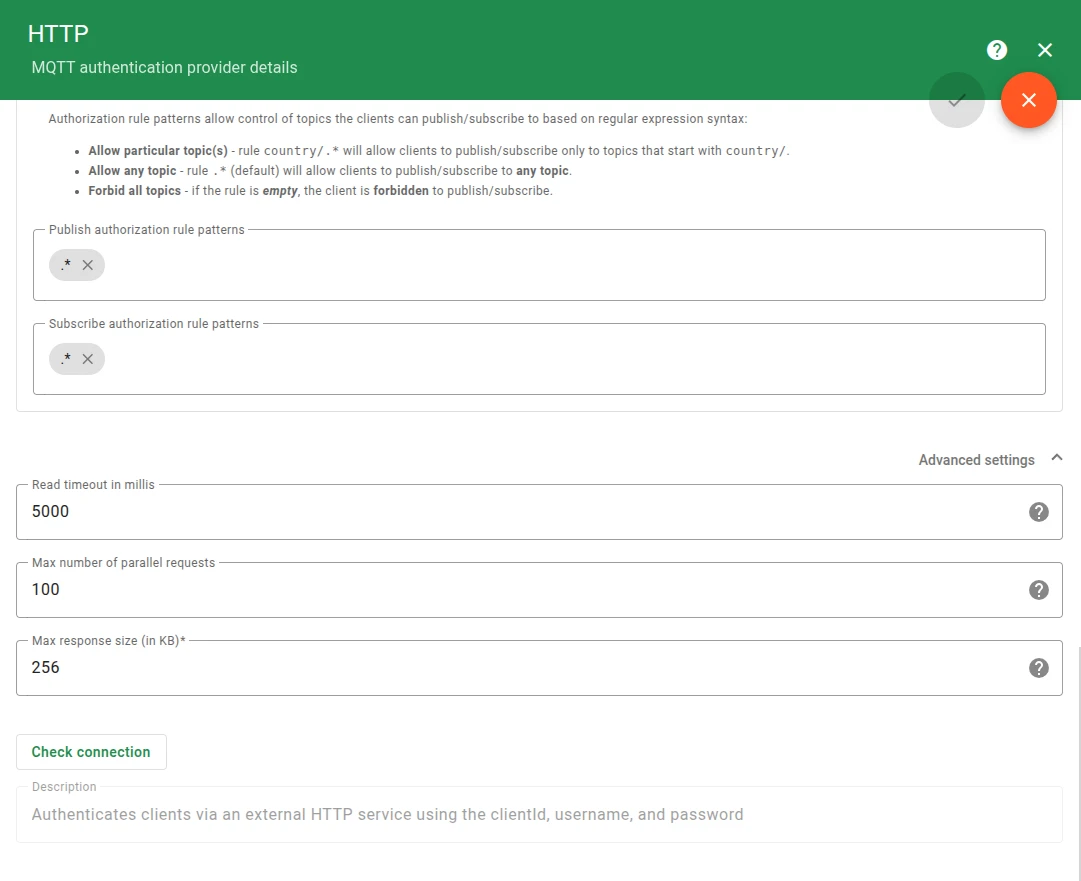
Section titled “Advanced settings”The Advanced settings section allows you to fine-tune the performance and reliability of the HTTP auth provider:
- Read timeout: The maximum time (in milliseconds) TBMQ waits for a response from the external server before failing authentication.
- Max parallel requests count: The maximum number of concurrent authentication requests TBMQ will make to protect the external server.
- Max response size: The maximum size (in KB) of the response body accepted from the server.
Example
Section titled “Example”This example uses Beeceptor to simulate an authentication server that dynamically assigns permissions.
Configure HTTP server
Section titled “Configure HTTP server”- Go to Beeceptor and create a new endpoint.
- Create a Mocking Rule with method
POST, match value/api/auth, response status200, response headersContent-Type: application/json, and response body:
{ "result": "success", "clientType": "application", "authRules": { "pub": [], "sub": ["sensors/.*"] }}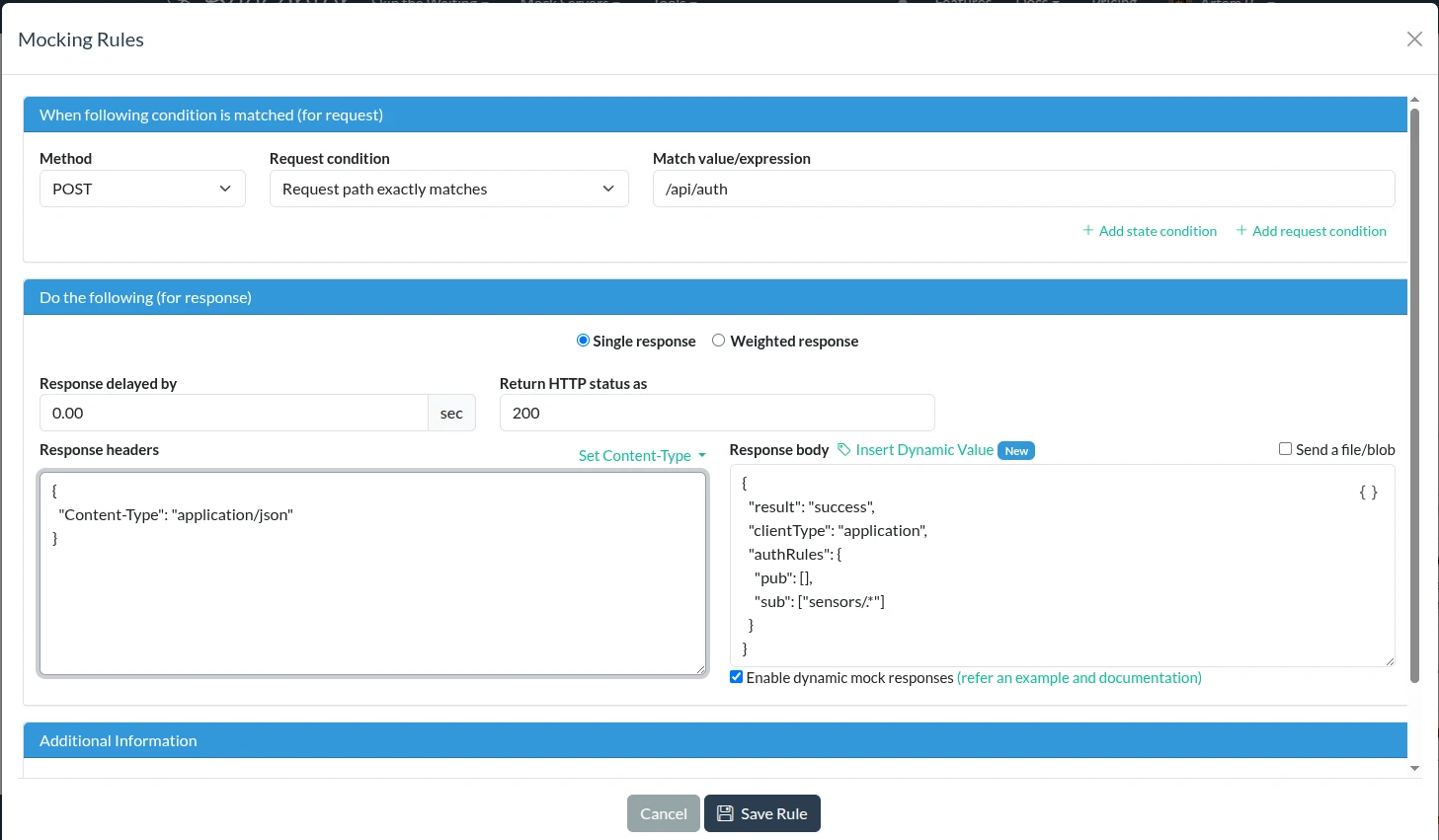
Configure TBMQ
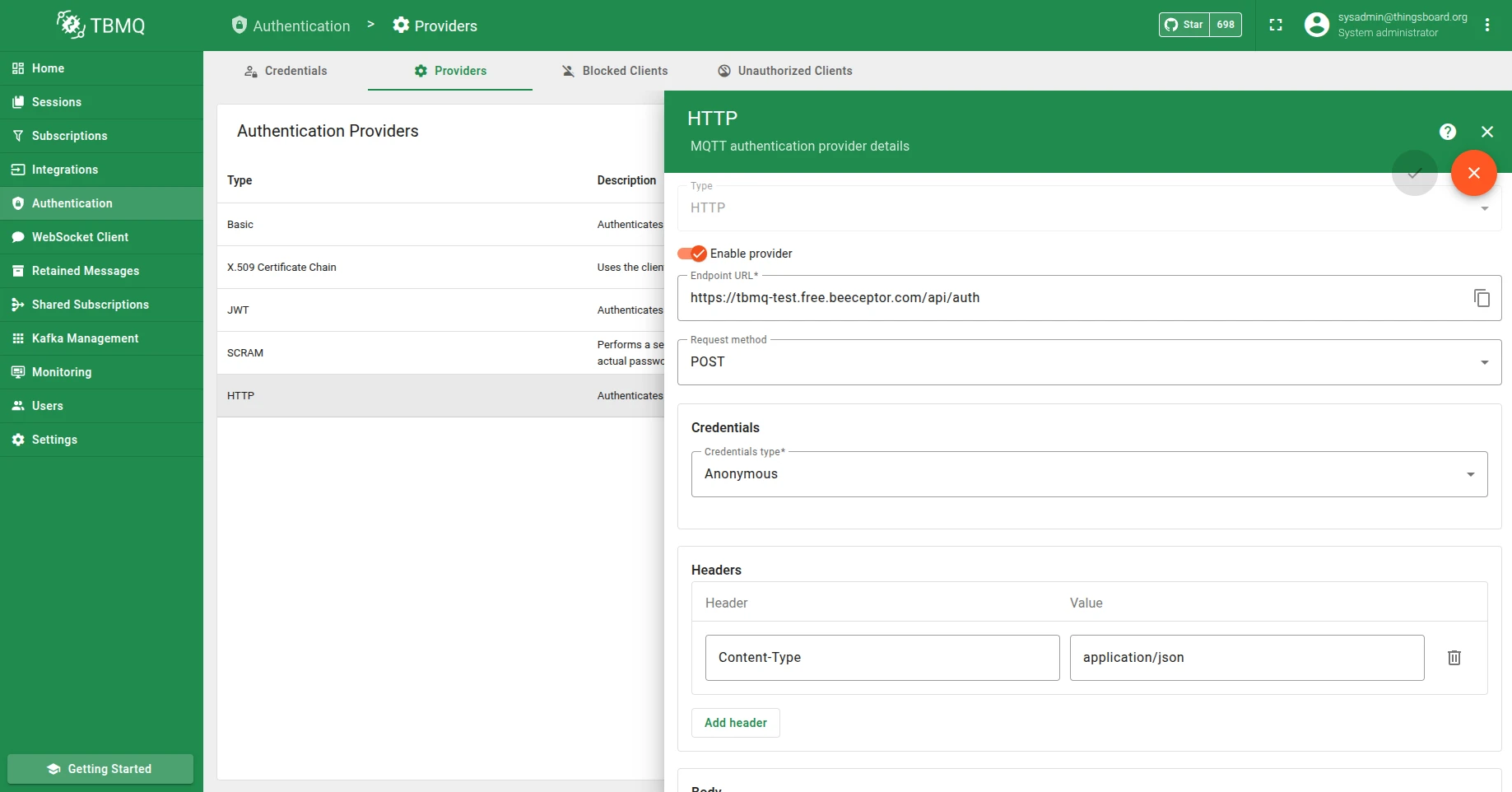
Section titled “Configure TBMQ”- Go to the Authentication Providers page and open HTTP provider details.
- Set Endpoint URL to your HTTP service URL (e.g.,
https://tbmq-test.free.beeceptor.com/api/auth). - Set Request method to
POST. - Make sure Headers are set to
Content-Type: application/json.
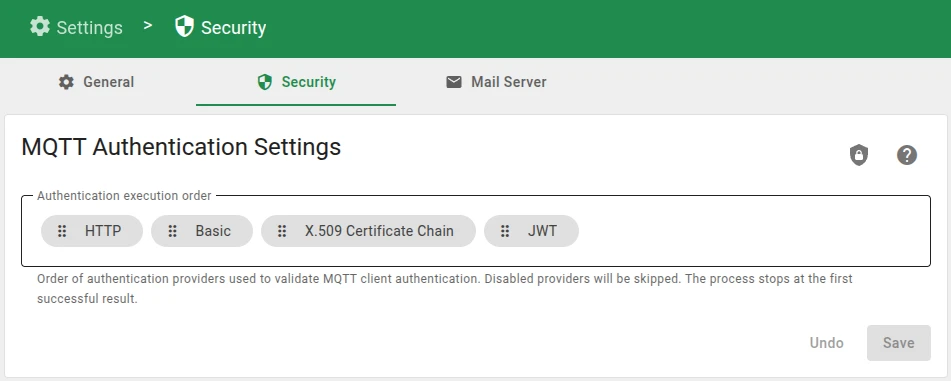
Authentication providers are processed sequentially. To ensure the HTTP provider handles the connection request, navigate to MQTT Authentication Settings and move HTTP to the top of the Authentication execution order or deactivate other authentication providers. If other providers are positioned higher and successfully validate the client, the HTTP request will not be triggered.
Connect a client
Section titled “Connect a client”To validate the configuration, perform connection tests using standard MQTT tools. For convenience, use the Check connectivity tool within the TBMQ interface to automatically generate the required subscribe and publish commands.
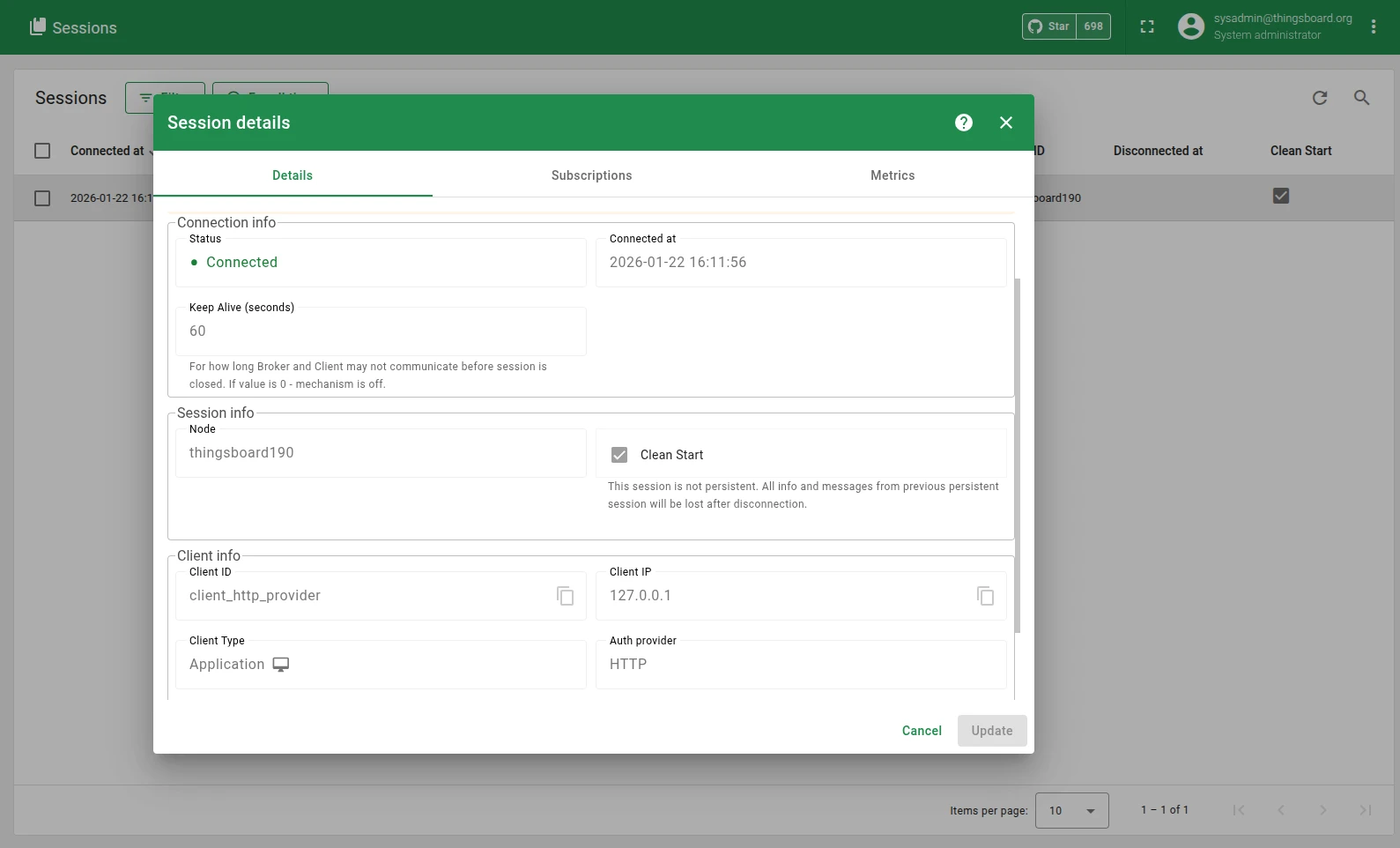
The client connects successfully, and TBMQ receives the JSON response from the authentication service that sets the client type APPLICATION and authorization rules.
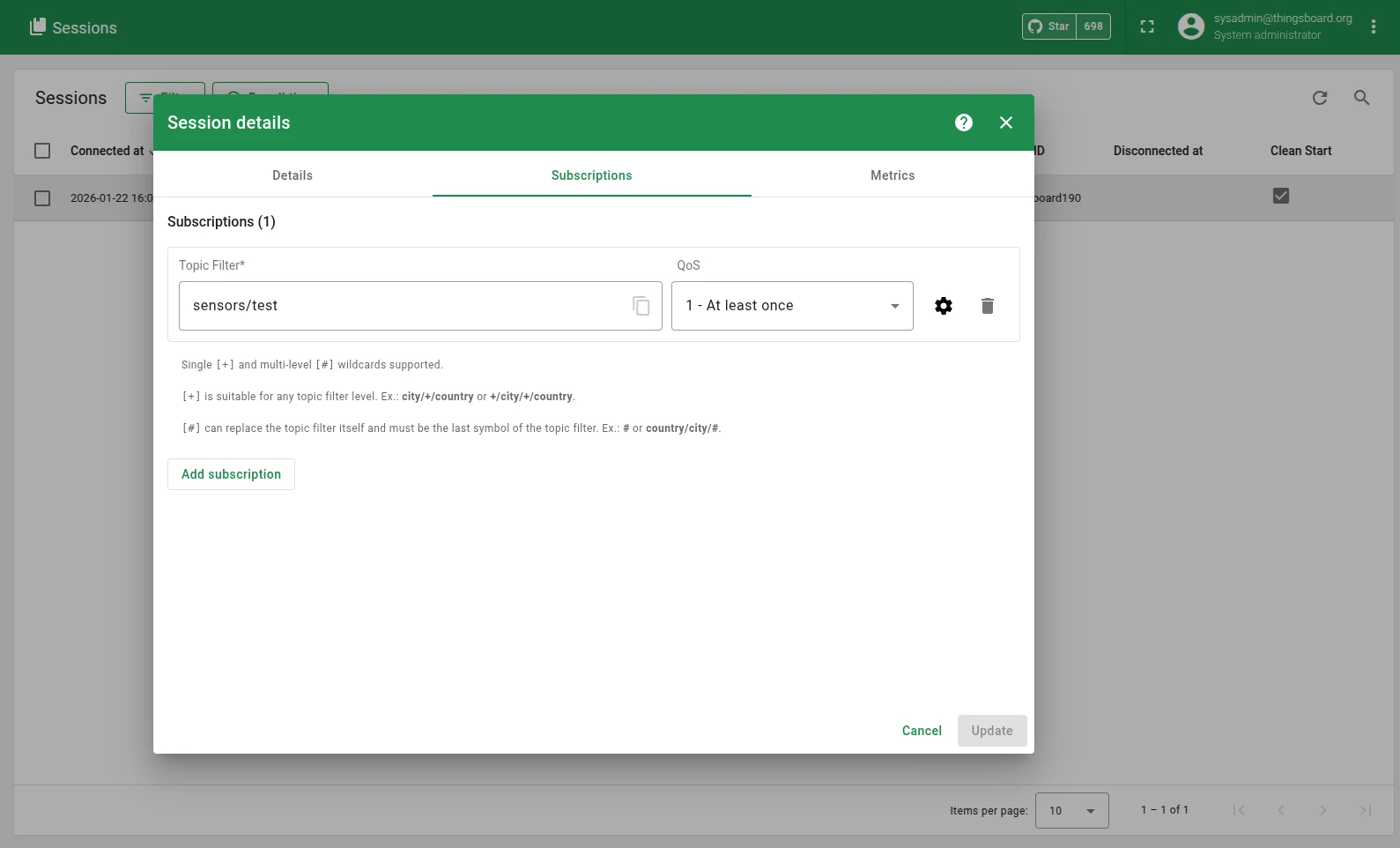
Based on the authRules, the client is forbidden from publishing to any topics and allowed to subscribe to topics matching the sensors/.* pattern.



Was this helpful?