
- Install solution template
- Key application areas
- System components
- Devices
- Dashboard
- Alarms
- Rule chains
- Conclusion

The Solution Templates are available in ThingsBoard Cloud. Solution templates for ThingsBoard PE introduced starting from version 3.3.1PE.
An Assisted Living solution template for monitoring resident health and facility safety has been implemented based on ThingsBoard.
The solution is designed for senior housing, nursing homes, and care facilities where staff need real-time visibility into residents’ vital signs, indoor location, and critical safety events.
The template combines wearable devices (BLE/LoRa wristbands), environmental room sensors, and gateways to collect telemetry, detect abnormal conditions, and trigger alarms such as panic button presses, abnormal heart rate/temperature, smoke, water leaks, or open doors/windows. It also provides administrative tools to manage facility layout (floors/zones/rooms) and assign devices to residents and rooms.
Install solution template
To understand how the Assisted Living solution works, start by installing the solution template.
You will need access to ThingsBoard Professional Edition. The easiest way is to use the ThingsBoard Cloud. Alternatively, you can install ThingsBoard using the Professional Edition installation guide.
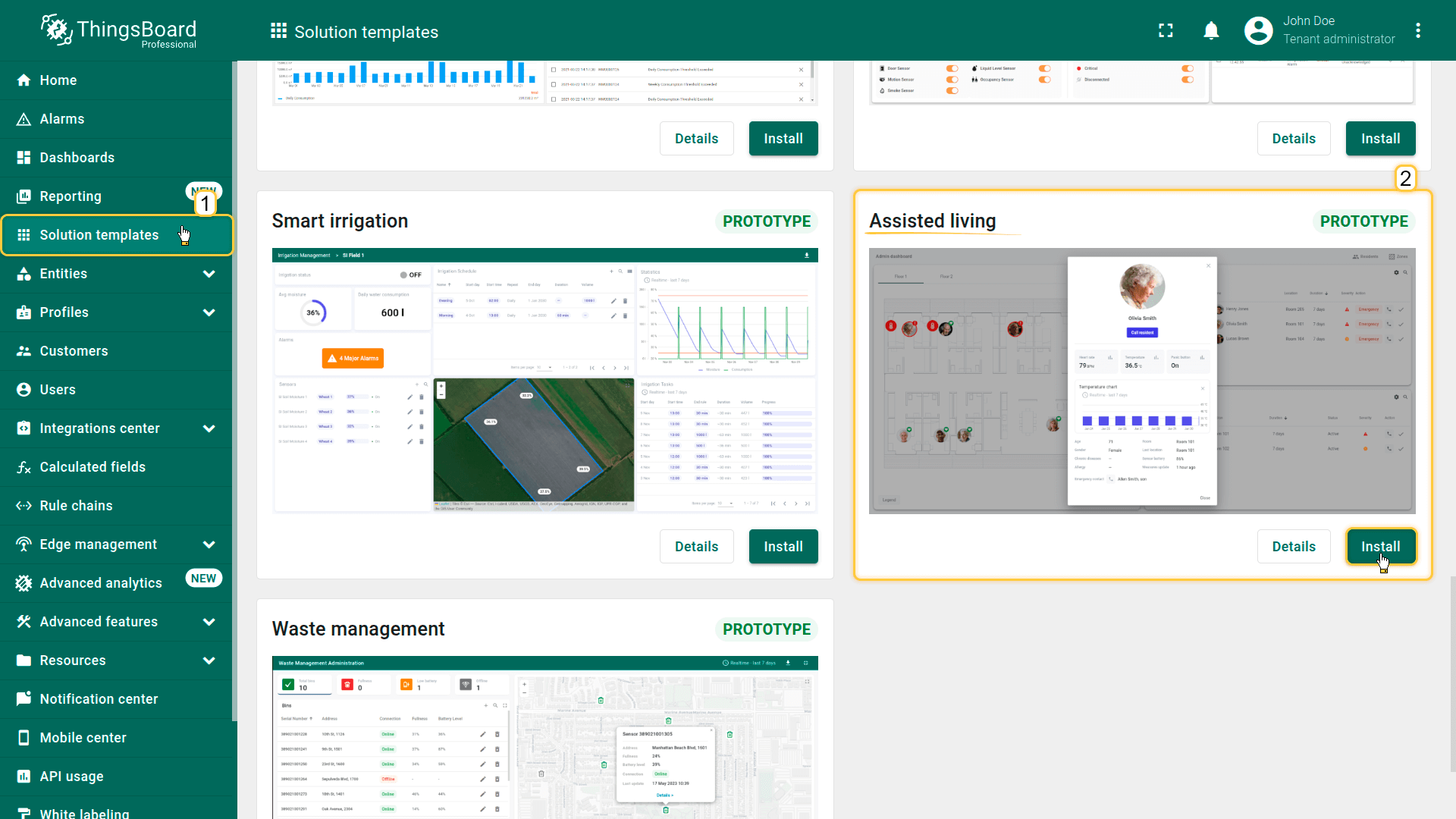
- Go to the Solution templates page.
- Find Assisted living and click Install.
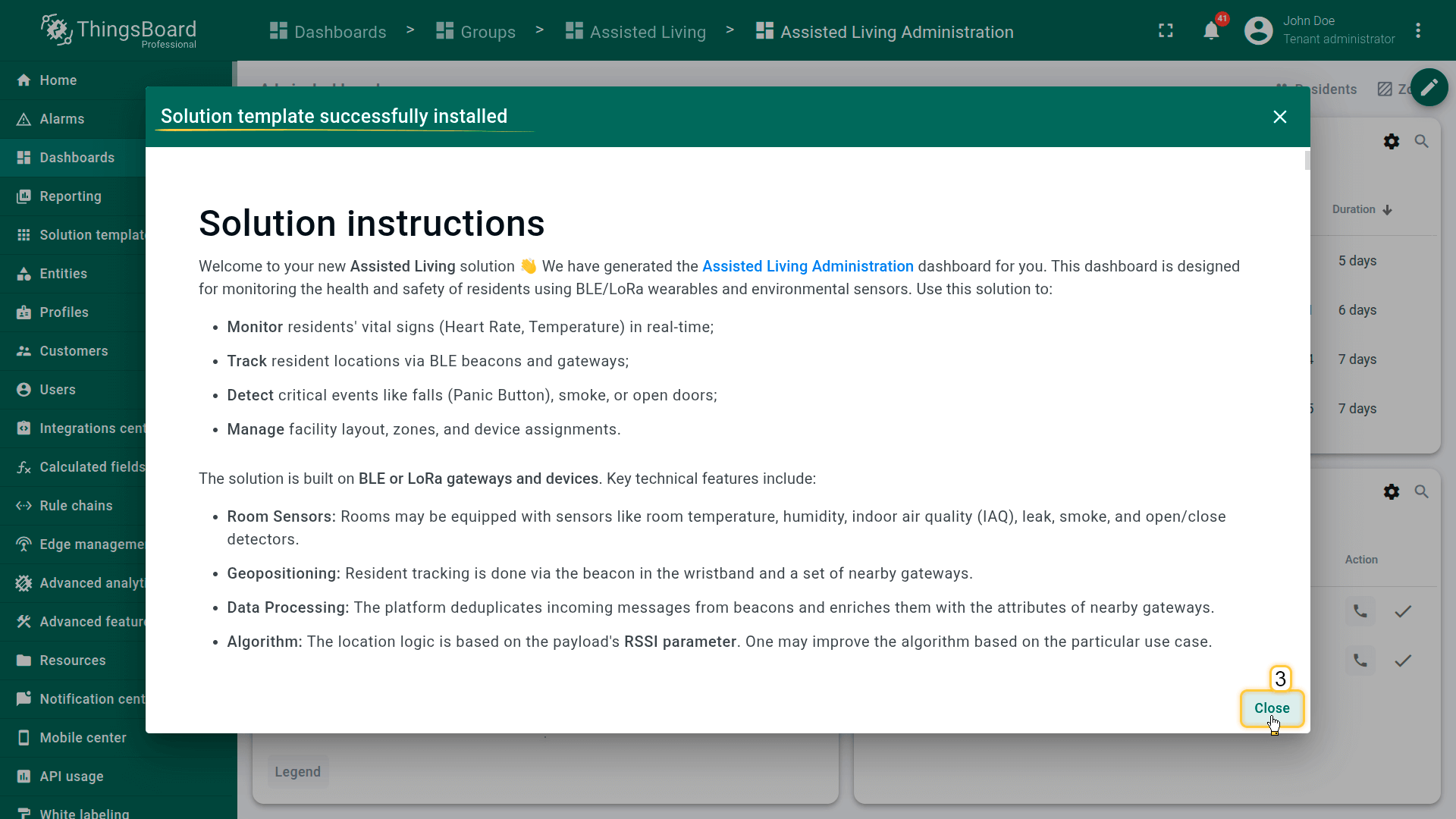
- Follow the provided configuration instructions.
- Once the installation is complete, click Close.
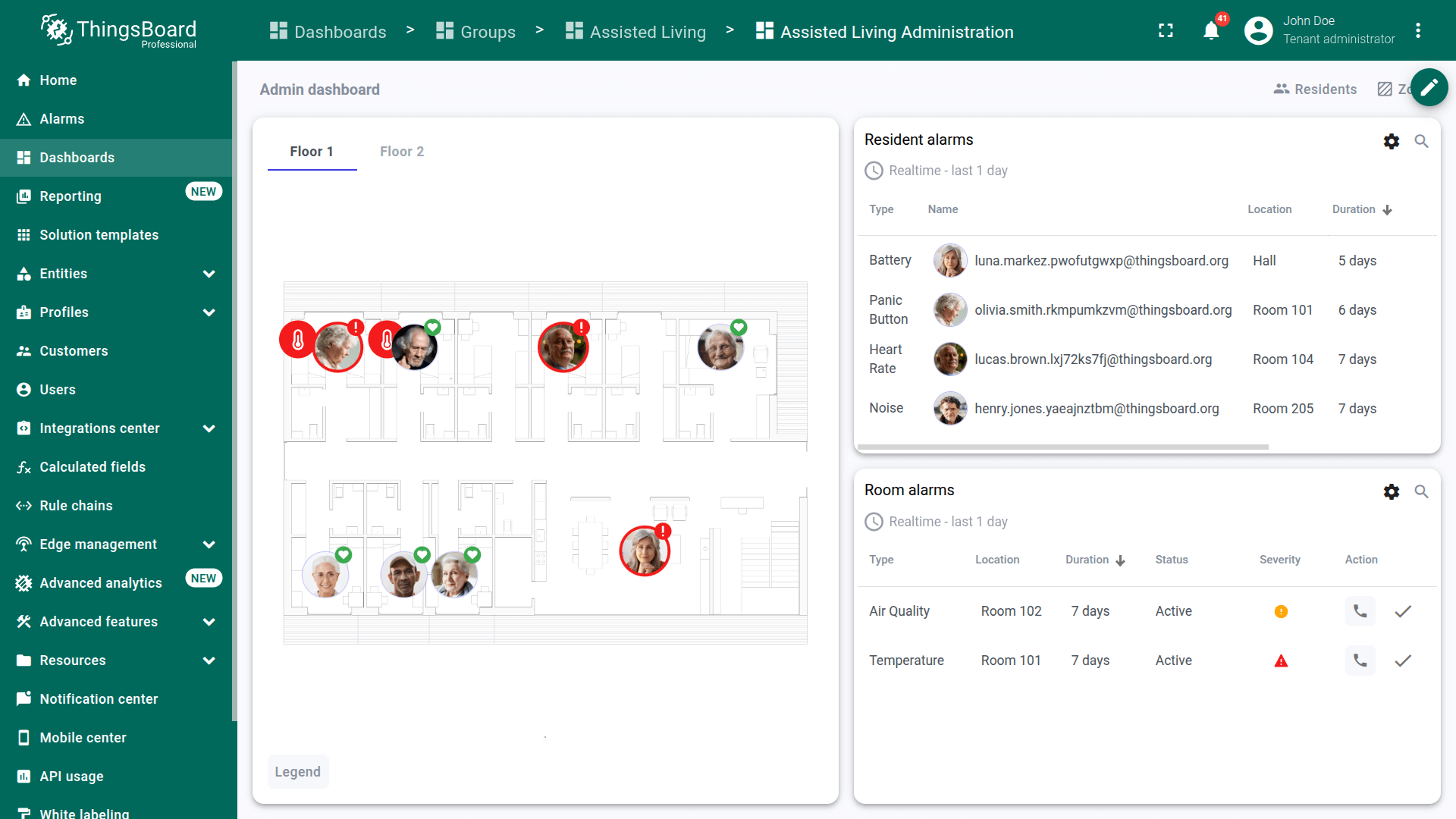
- The Assisted Living Administration dashboard opens automatically.
After installation, a fully functional simulation for monitoring resident health and facility safety is created automatically. No devices, integrations, or custom code are required to start exploring the solution.
Key application areas
The Assisted Living solution template is applicable in environments where resident safety, indoor visibility, and facility condition monitoring must be ensured in real time:
- Assisted living facilities – Continuous monitoring of resident vitals, panic button events, and indoor location to support timely staff response.
- Nursing homes and long-term care centers – Automated detection of health anomalies and safety hazards (falls/noise, smoke, leaks, open doors/windows) to reduce operational risk.
- Memory care units – Prevention of wandering and rapid resident localization using RSSI-based indoor positioning and door/window monitoring.
- Post-acute and rehabilitation centers – Tracking resident movement and recovery indicators, with escalation workflows for abnormal vitals or distress events.
- Hospice and palliative care facilities – Resident comfort monitoring through environmental sensors (temperature, humidity, IAQ) and proactive alerting for unsafe conditions.
- Retirement communities with independent living – Light-touch supervision using wearables and room sensors, providing assistance only when alerts indicate potential issues.
- Multi-building care campuses – Centralized management of multiple floors/zones, staff workflows, and alarm policies across a distributed facility layout.
System components
The Assisted Living solution includes the following core components:
- Resident wristbands (BLE/LoRa wearables) – Track vital signs such as heart rate and body temperature, provide panic button events, and transmit beacon signals for indoor positioning.
- Room sensors – Monitor environmental and safety conditions such as room temperature, humidity, indoor air quality (IAQ), smoke, water leaks, and door/window open/close status.
- Gateways – BLE or LoRa gateways that receive signals from nearby sensors and wristbands and forward messages to the platform.
- Indoor positioning (RSSI-based) – Resident location is derived from beacon messages received by multiple gateways. The system uses RSSI values to determine the closest gateway and associate the resident with the corresponding room/zone.
- Data processing and enrichment – Incoming gateway messages are deduplicated and enriched with gateway attributes (for example, room and zone identifiers) before being routed to the appropriate device processing chain.
- Dashboard visualization – A facility administration dashboard for monitoring residents, rooms, alarms, and for managing zones/rooms/device assignments.
Devices
The solution includes wearable devices and room sensors connected via gateways.
- Resident wristbands – Provide vitals and location signals (BLE beacon) and generate panic/noise/battery telemetry.
- Room sensors – Provide telemetry for environment and safety, including IAQ, temperature, humidity, smoke, leak, and door/window status.
- Gateways – Collect data from nearby wristbands and sensors and forward messages to ThingsBoard.
Dashboard
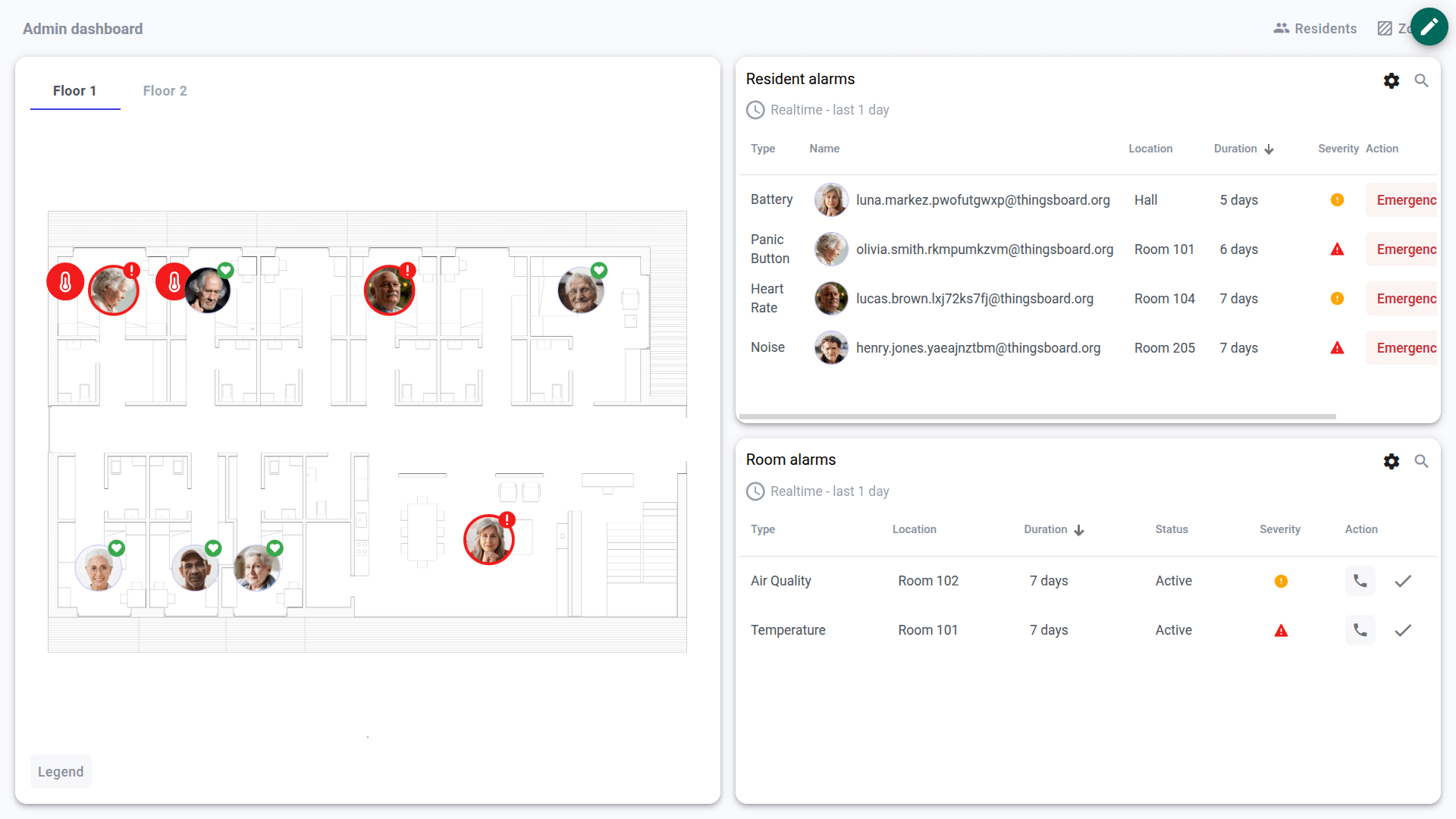
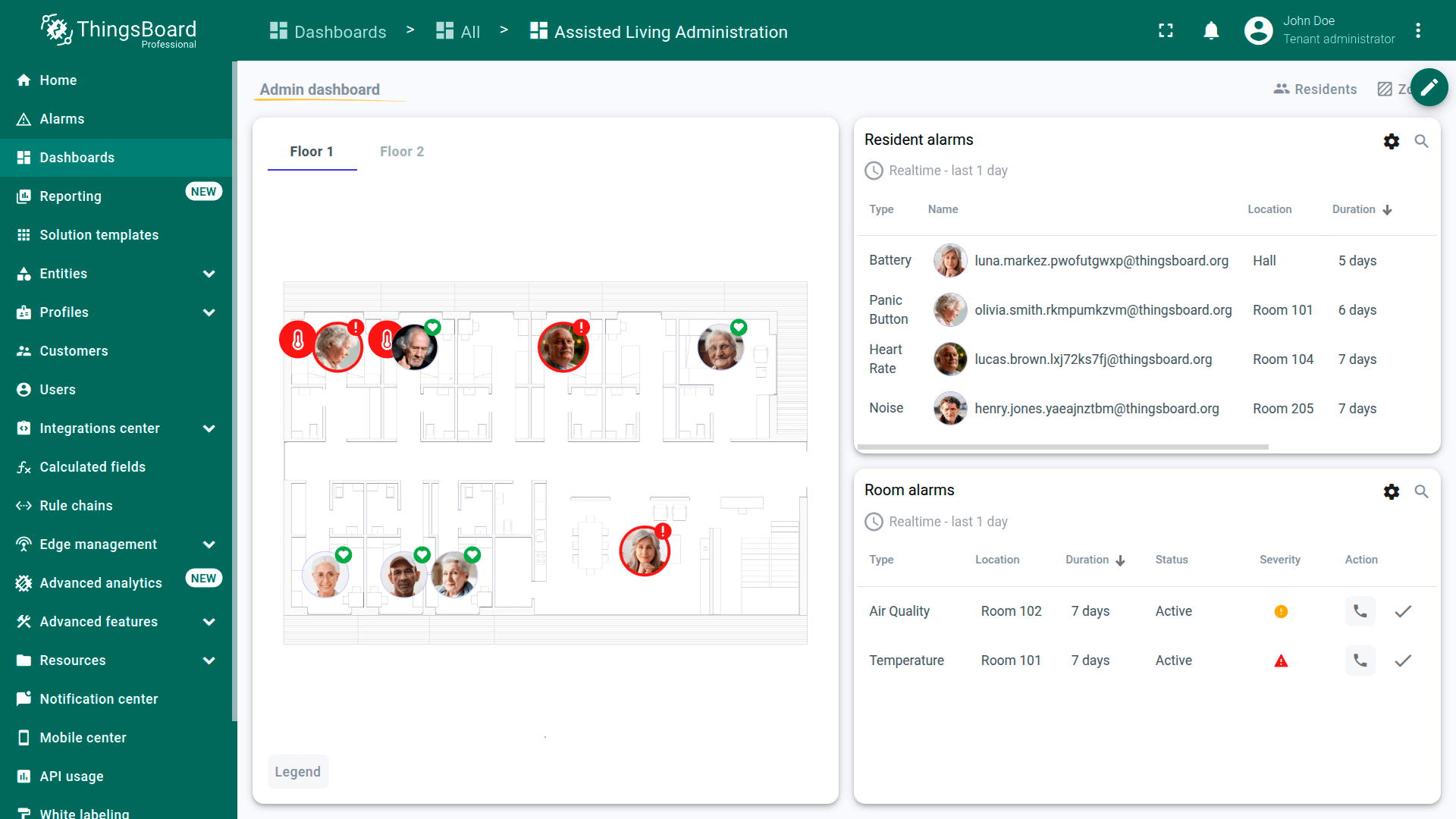
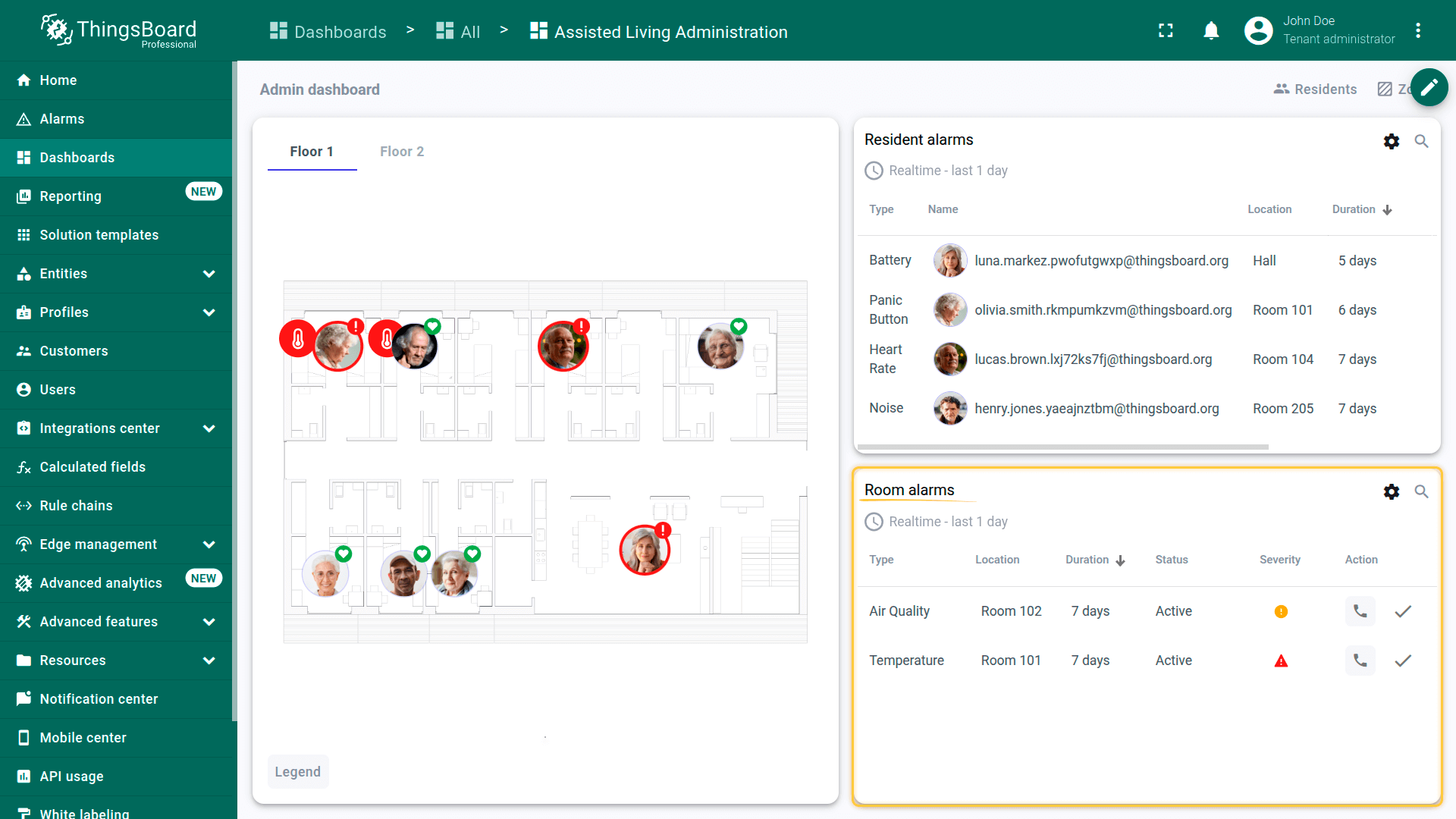
As part of this solution, we provide the Assisted Living Administration dashboard, which serves as the primary interface for monitoring and managing the facility.
It enables staff to:
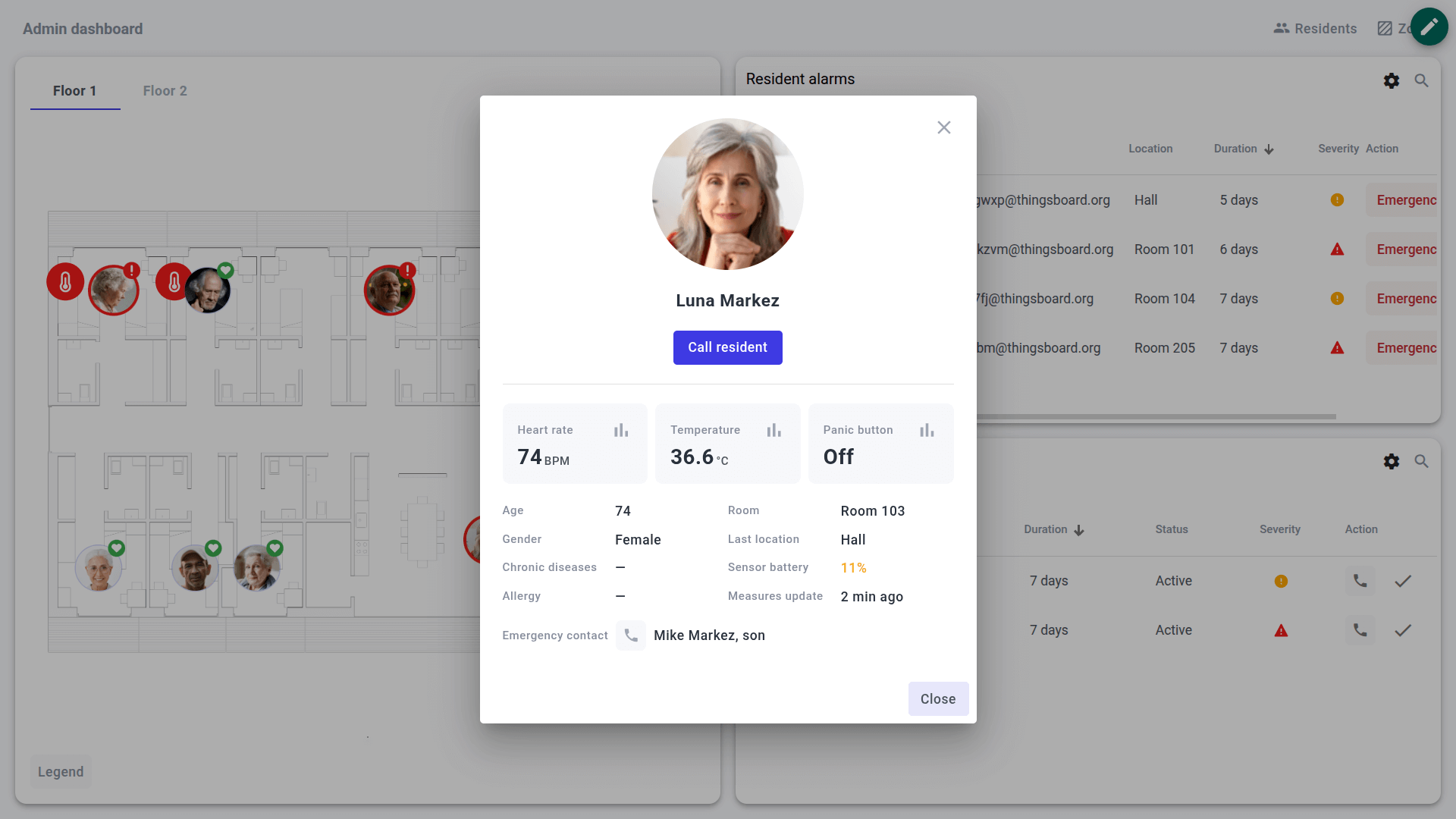
- Monitor residents’ heart rate and body temperature in real time.
- Track resident locations on interactive floor plans.
- Detect and handle resident alarms (panic button, abnormal vitals, noise).
- Detect and handle infrastructure alarms (smoke, leaks, door/window status).
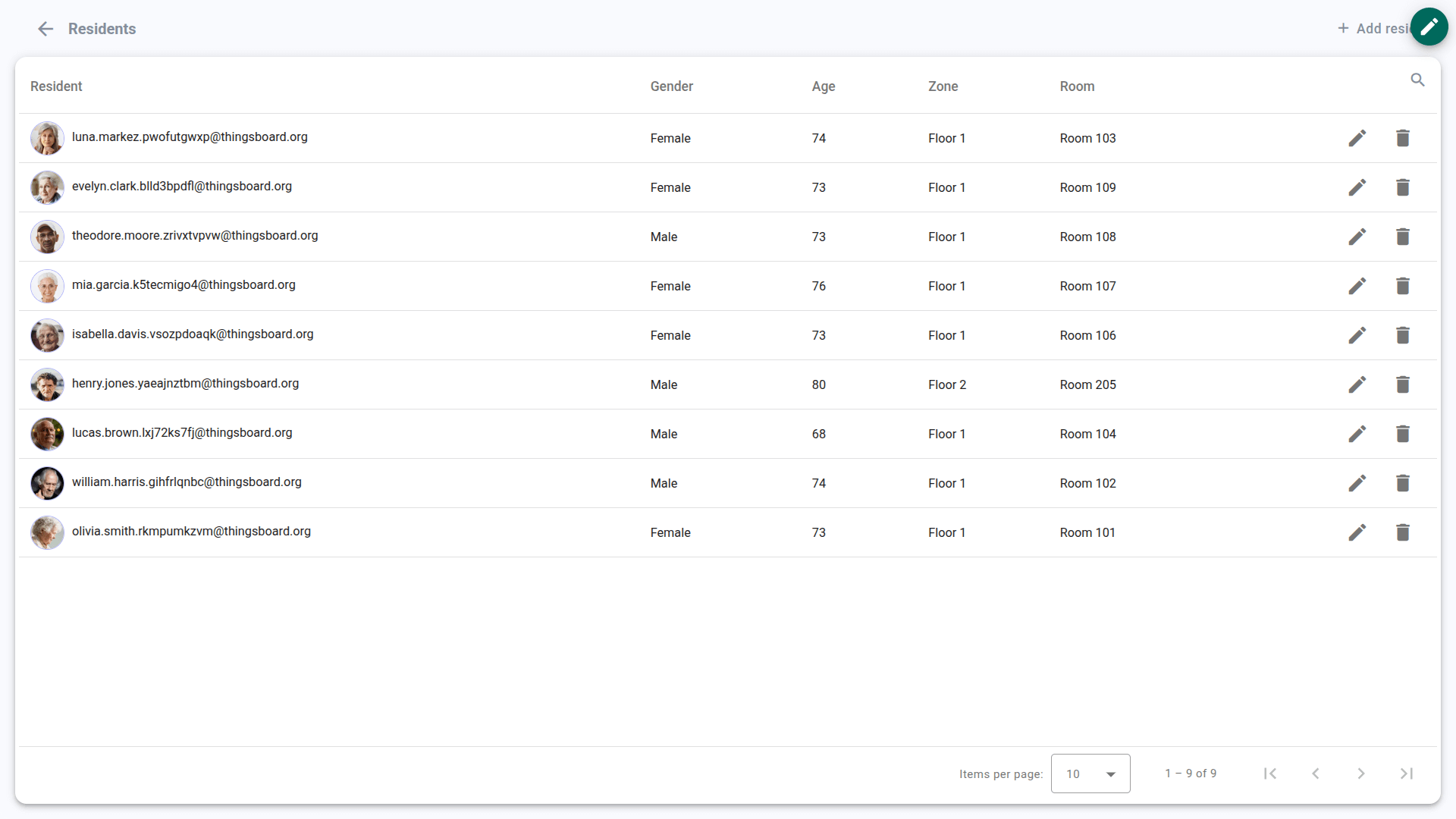
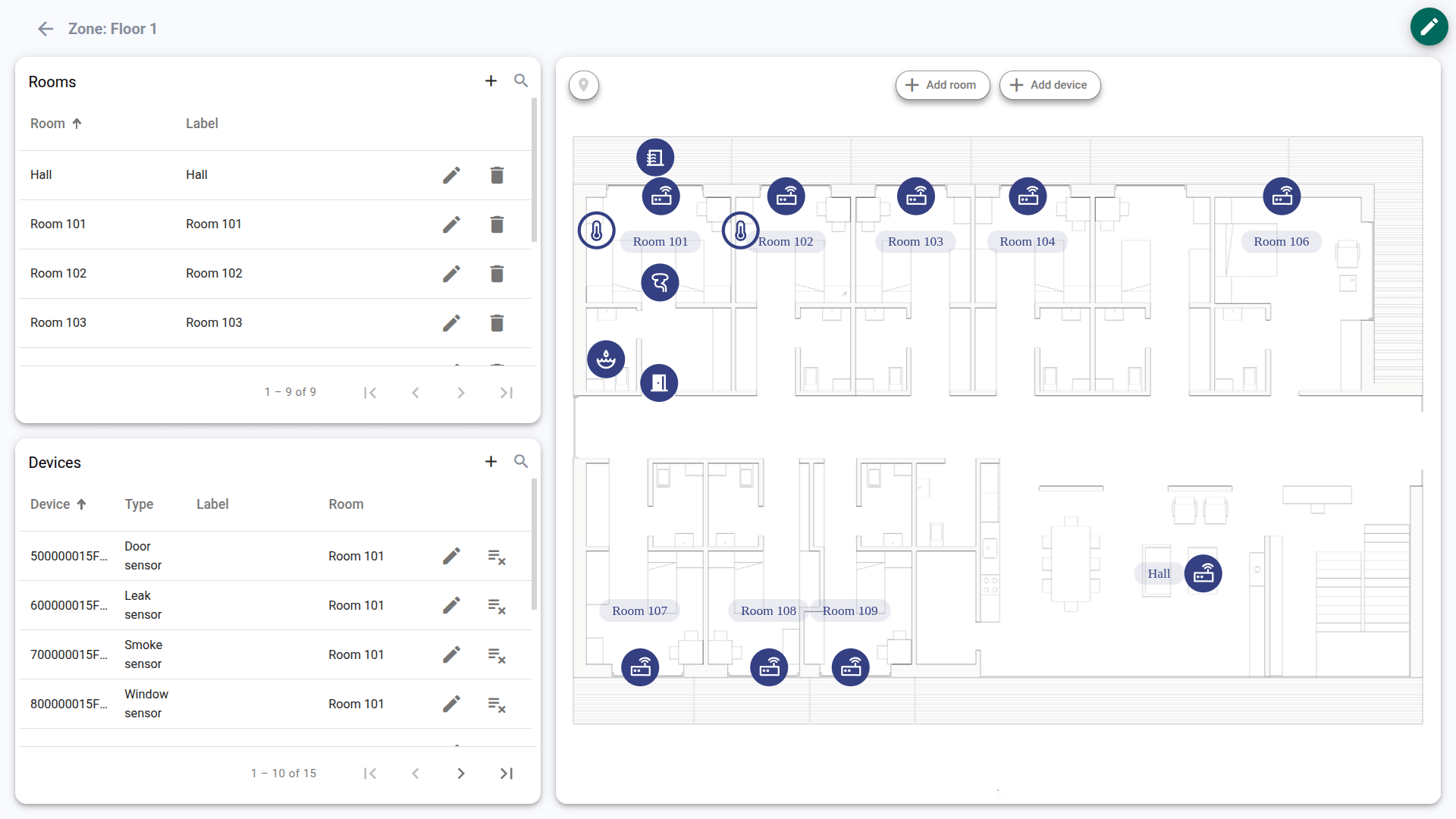
- Manage zones, rooms, and resident/device assignments.
Dashboard structure
The dashboard consists of multiple states:
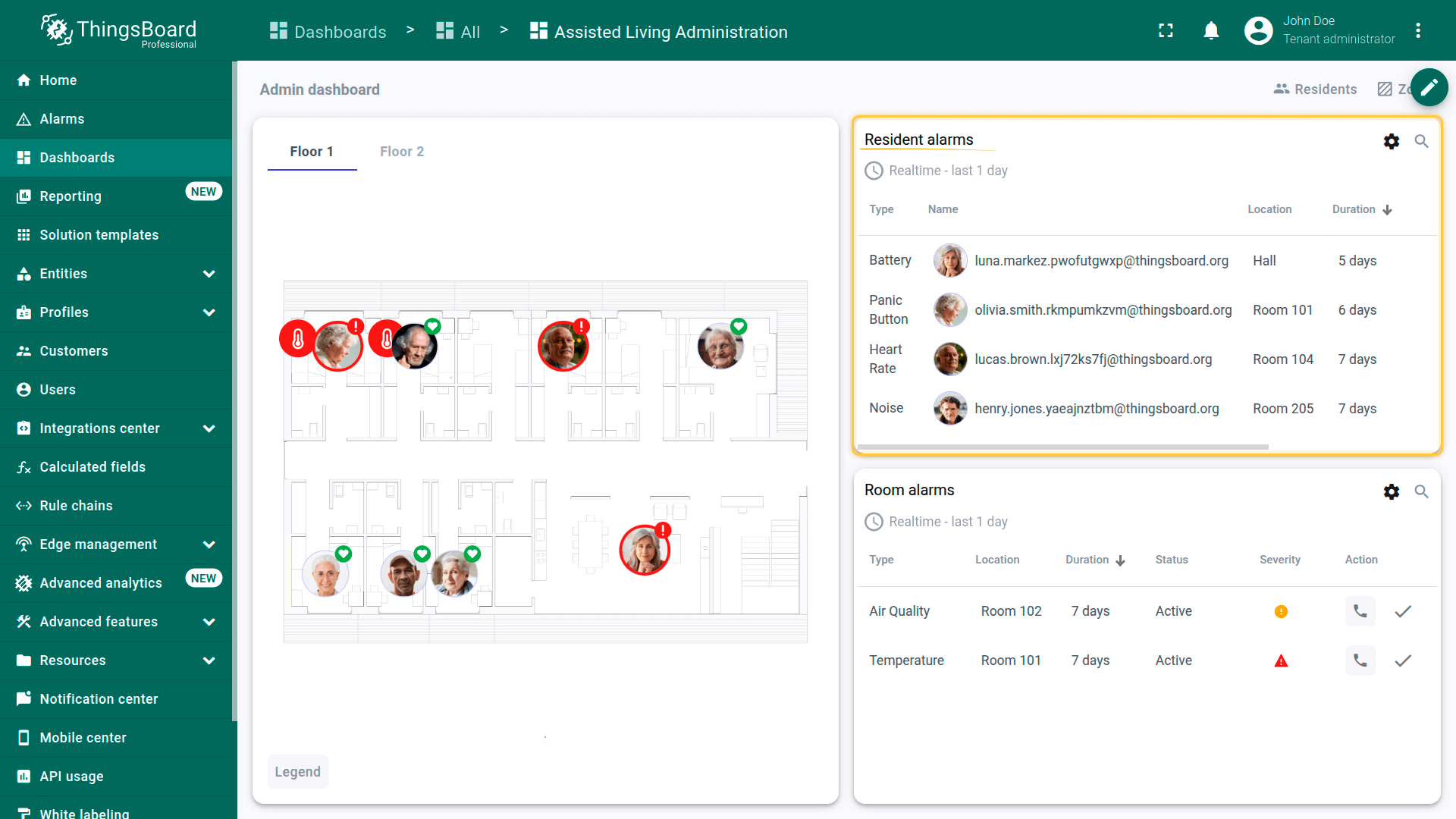
- Main state (Overview) – Real-time facility view with floor plans, resident and room markers, and alarm lists.
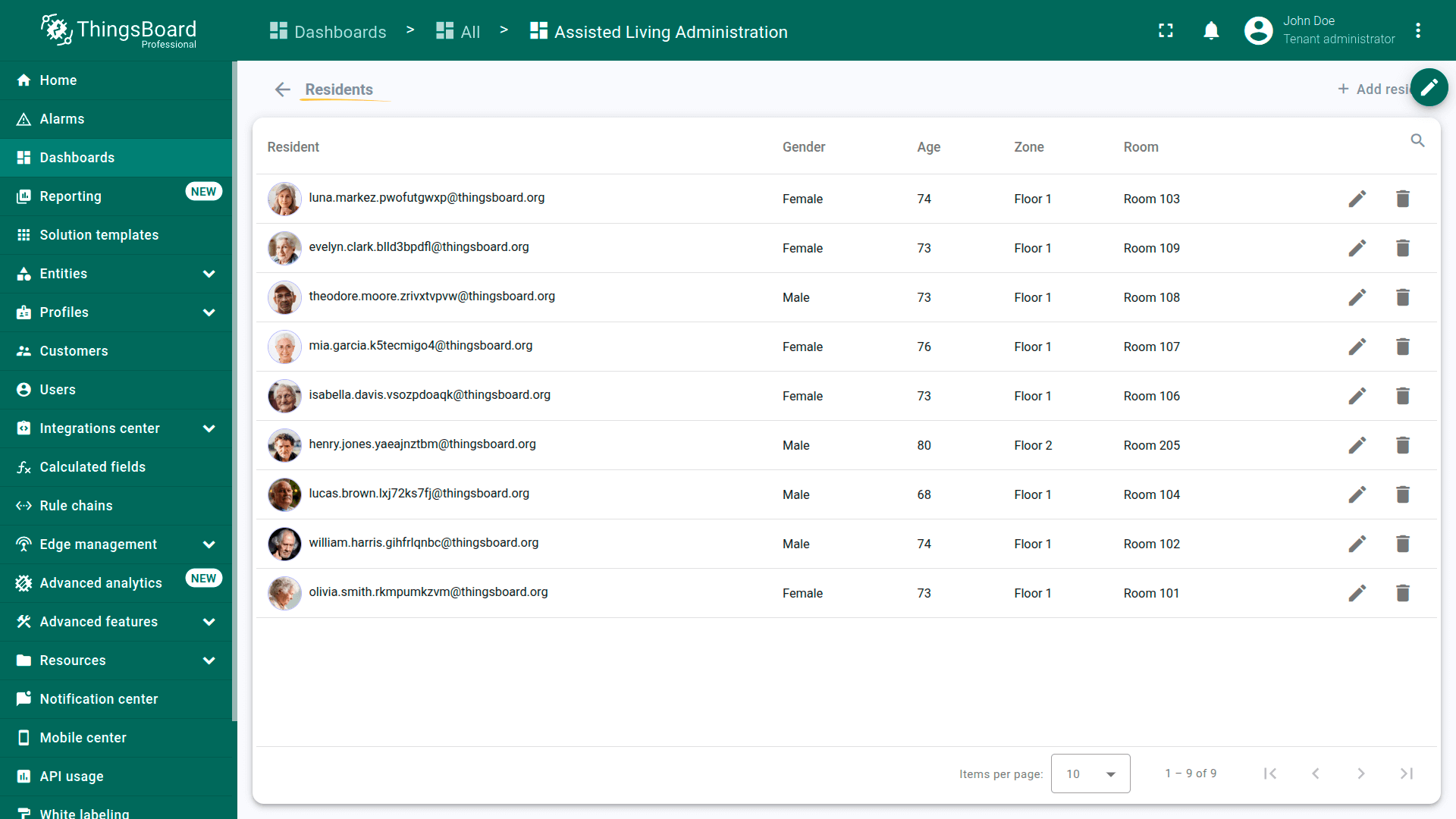
- Residents state – Resident roster management, including personal, medical, emergency contact details, and wristband assignments.
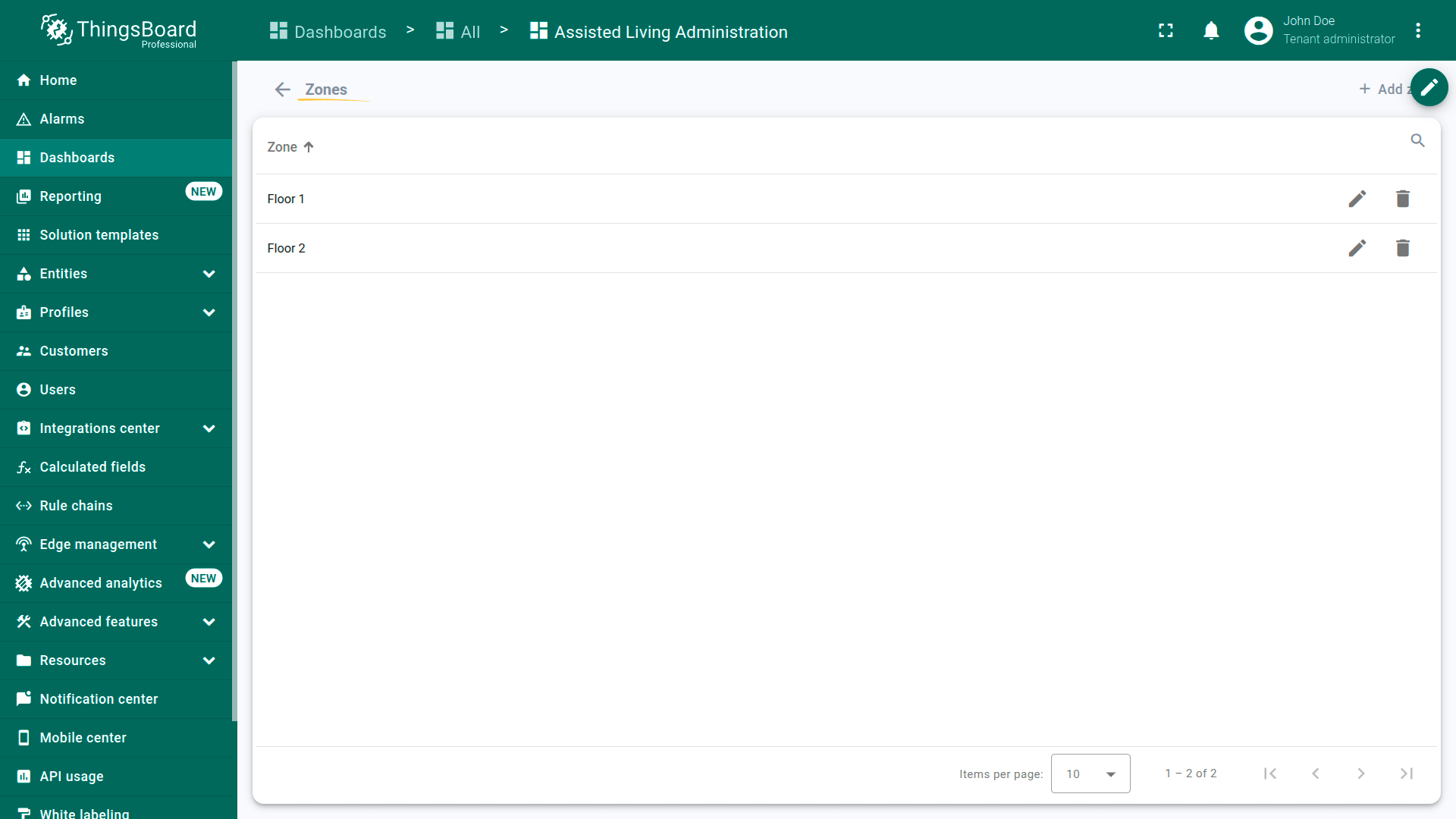
- Zones state – Facility hierarchy management (floors/zones) and floor plan uploads.
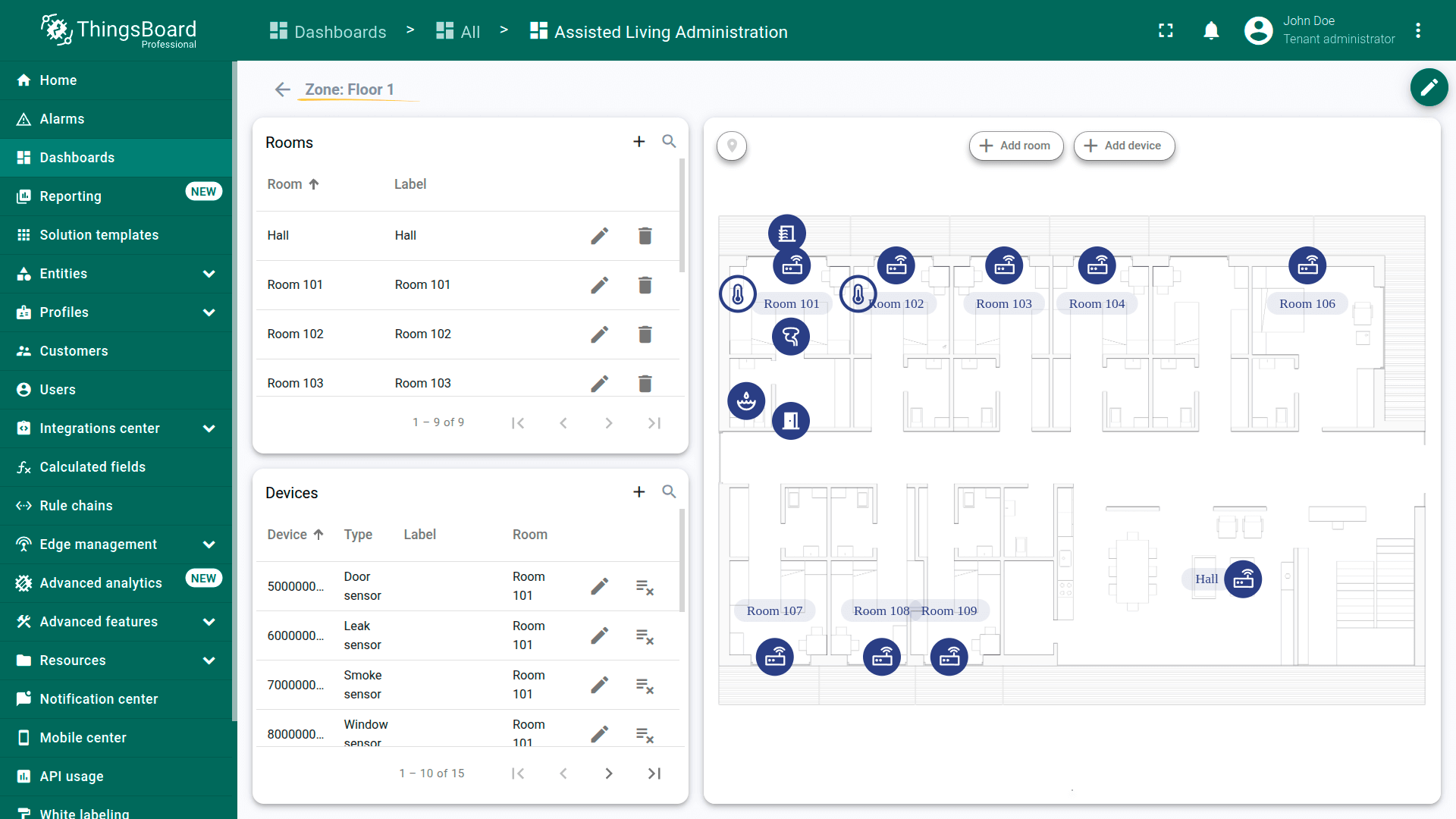
- Zone details state – Room mapping and device assignment for a selected zone.
Alarms
The solution uses pre-configured alarm rules assigned to device profiles. Thresholds for Major and Critical severity levels can be adjusted directly from the dashboard settings.
Resident alarms (Wristband)
- Panic button – Triggers a Major alarm on a single press and a Critical alarm if pressed two or more times.
- Heart rate – Triggers when pulse value breaches configured lower/upper limits.
- Body temperature – Triggers when temperature breaches configured lower/upper limits.
- High noise – Triggers when noise exceeds the configured threshold (may indicate a fall or distress).
- Low battery – Triggers when wristband battery level drops below the configured percentage.
Infrastructure alarms (Room sensors)
- Security (Door/Window) – Triggers when door or window open event lasts longer than the allowed duration.
- Critical hazards – Triggers immediately if smoke or water leak is detected.
- Environment – Triggers when IAQ, temperature, or humidity breach configured comfort ranges.
- Sensor battery – Triggers when room sensor battery level drops below the configured limit.
Rule chains
The Assisted Living solution relies on dedicated rule chains for gateway ingestion and device telemetry processing.
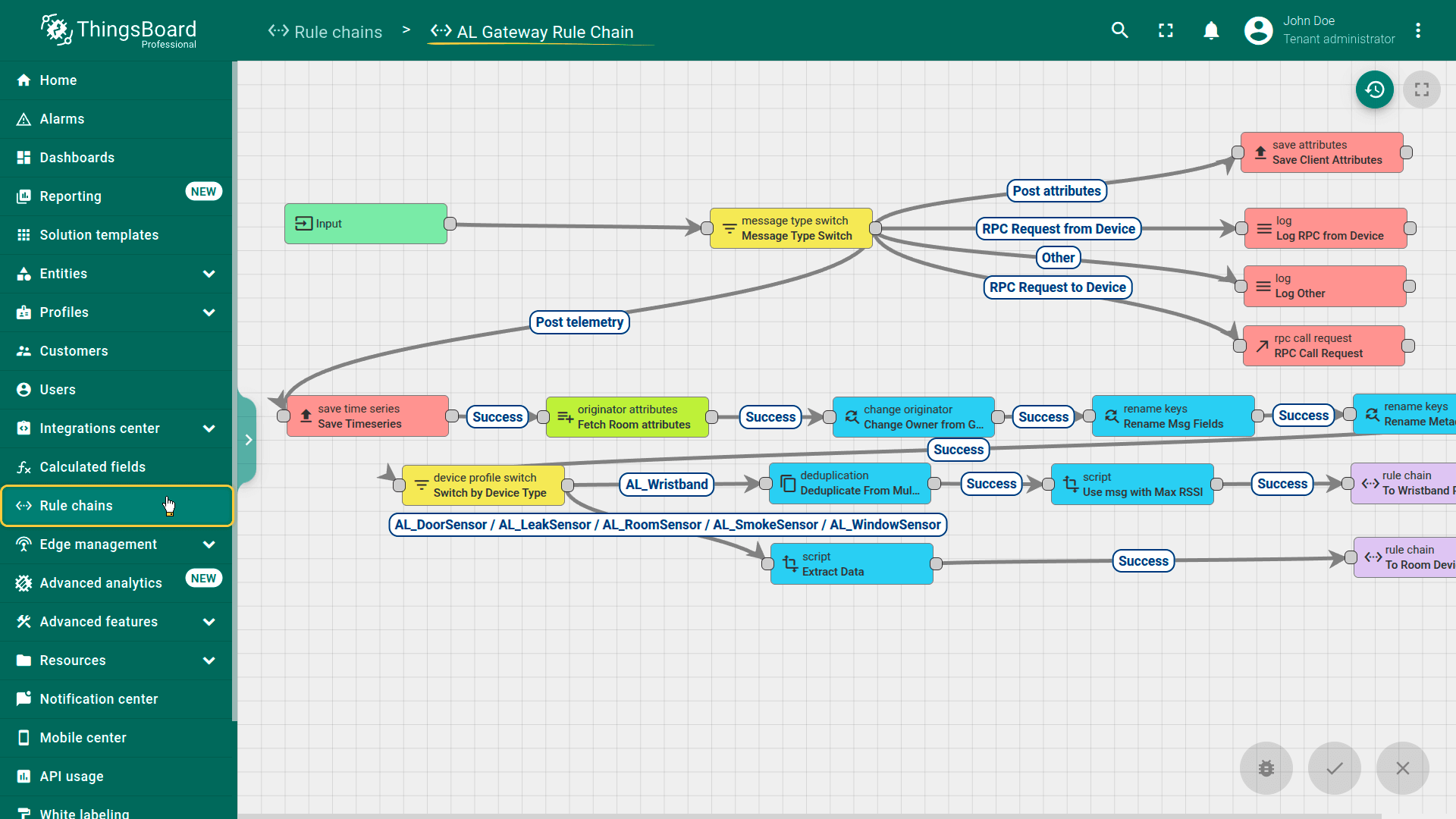
- AL Gateway Rule Chain – Processes data arriving from gateways:
- deduplicates messages received from multiple gateways;
- identifies the target device using serial number from payload;
- enriches messages with gateway (room/zone) attributes;
- routes messages by device type (room sensor vs wristband);
- determines resident location using the maximum RSSI value (closest gateway).
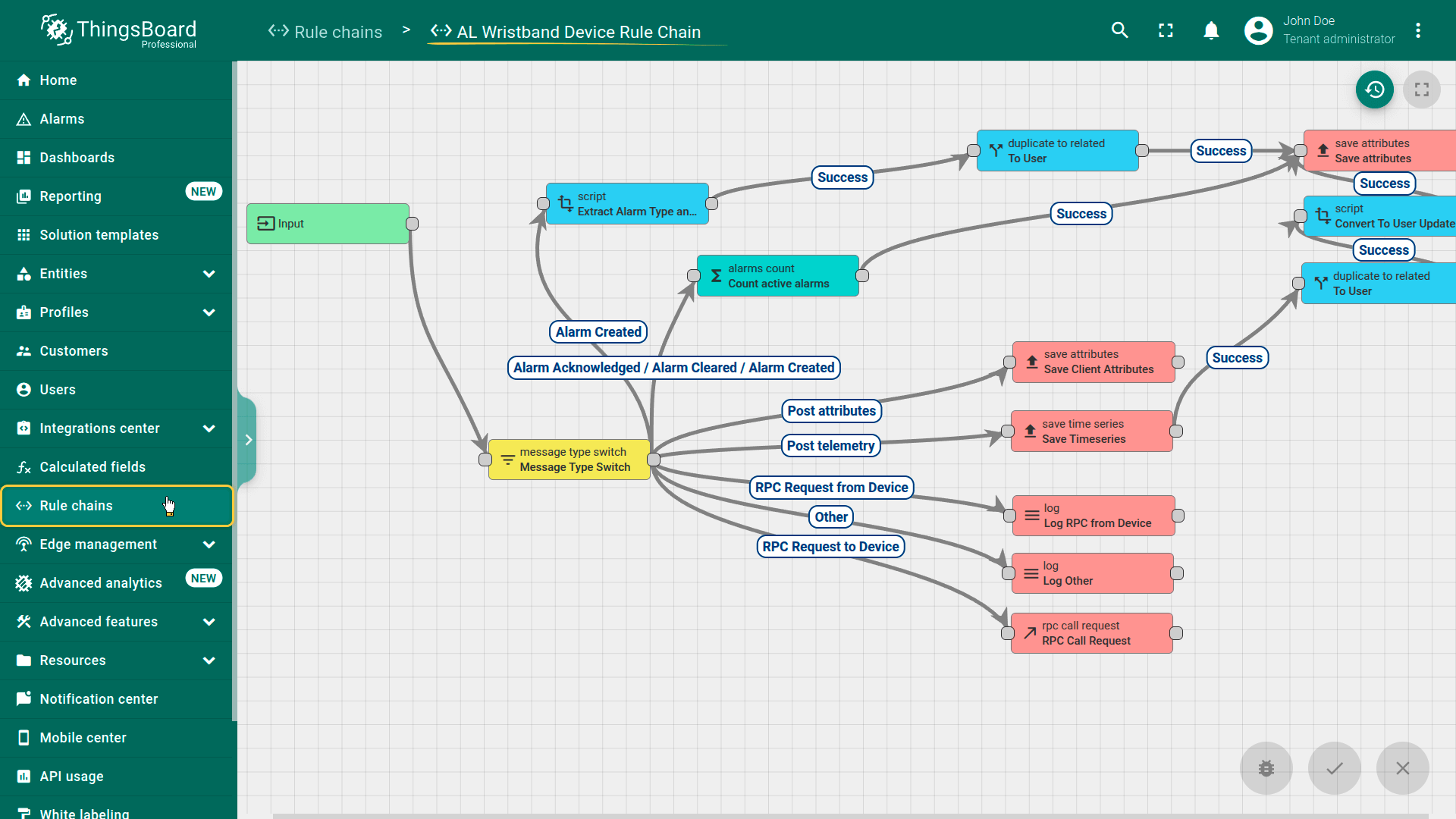
- AL Wristband Device Rule Chain – Saves telemetry, evaluates alarms, and counts active alarms. The alarm count is propagated to the corresponding resident user entity for dashboard visualization.
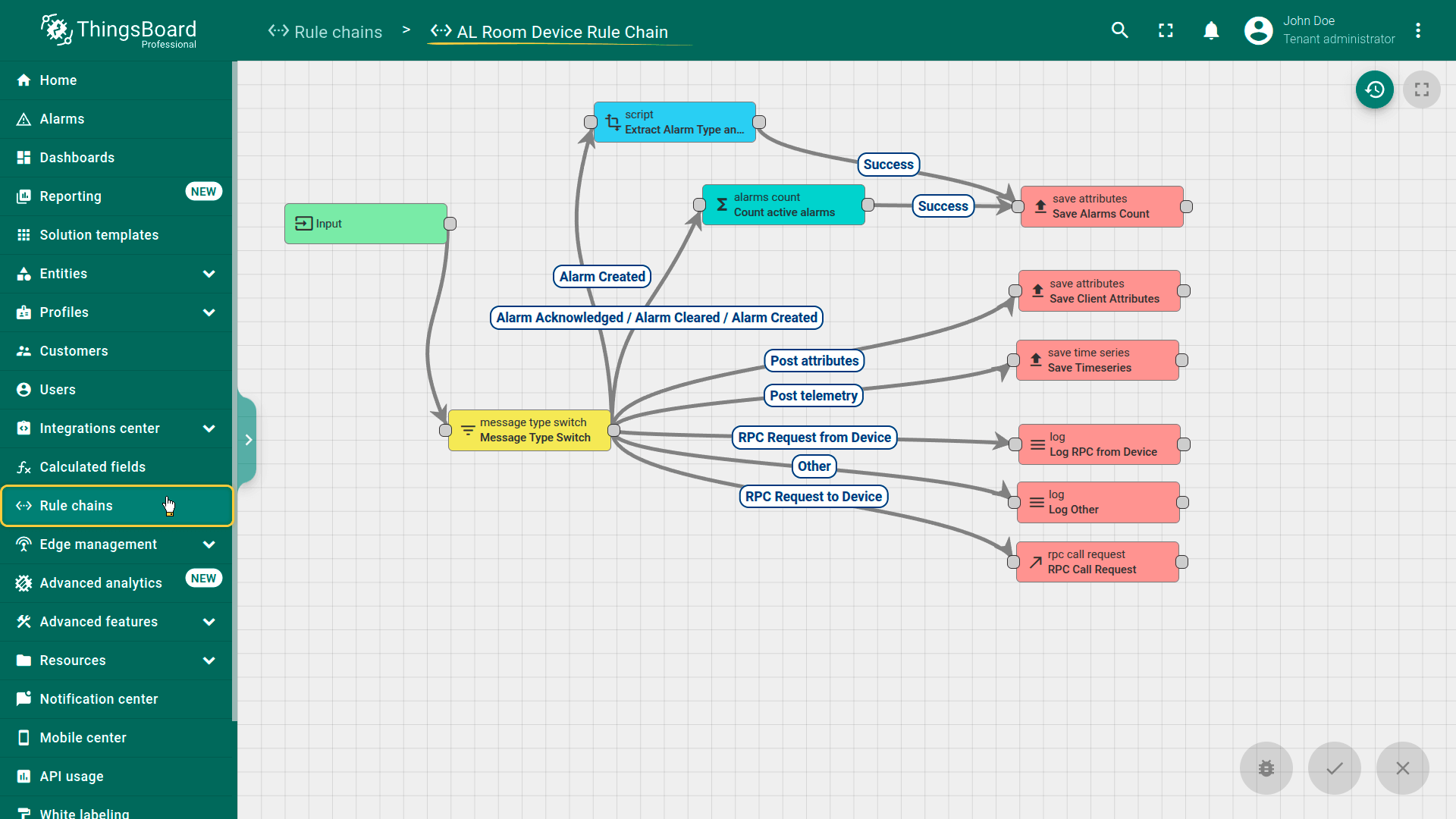
- AL Room Device Rule Chain – Saves telemetry and evaluates alarms for infrastructure sensors. Unlike the wristband chain, it does not propagate alarm counts to resident user entities.
Conclusion
The Assisted Living solution demonstrates how ThingsBoard can be used to build an integrated resident safety and facility monitoring platform. By combining wearable telemetry, room sensor data, RSSI-based indoor positioning, and alarm-driven workflows, the solution enables care staff to respond to emergencies faster, maintain comfortable living conditions, and manage facility structure and device assignments from a single administration dashboard.