
- Key application areas
- Install solution template
- System components
- Dashboard
- Devices
- Alarms
- Calculated fields
- Conclusion

The Solution Templates are available in ThingsBoard Cloud. Solution templates for ThingsBoard PE introduced starting from version 3.3.1PE.
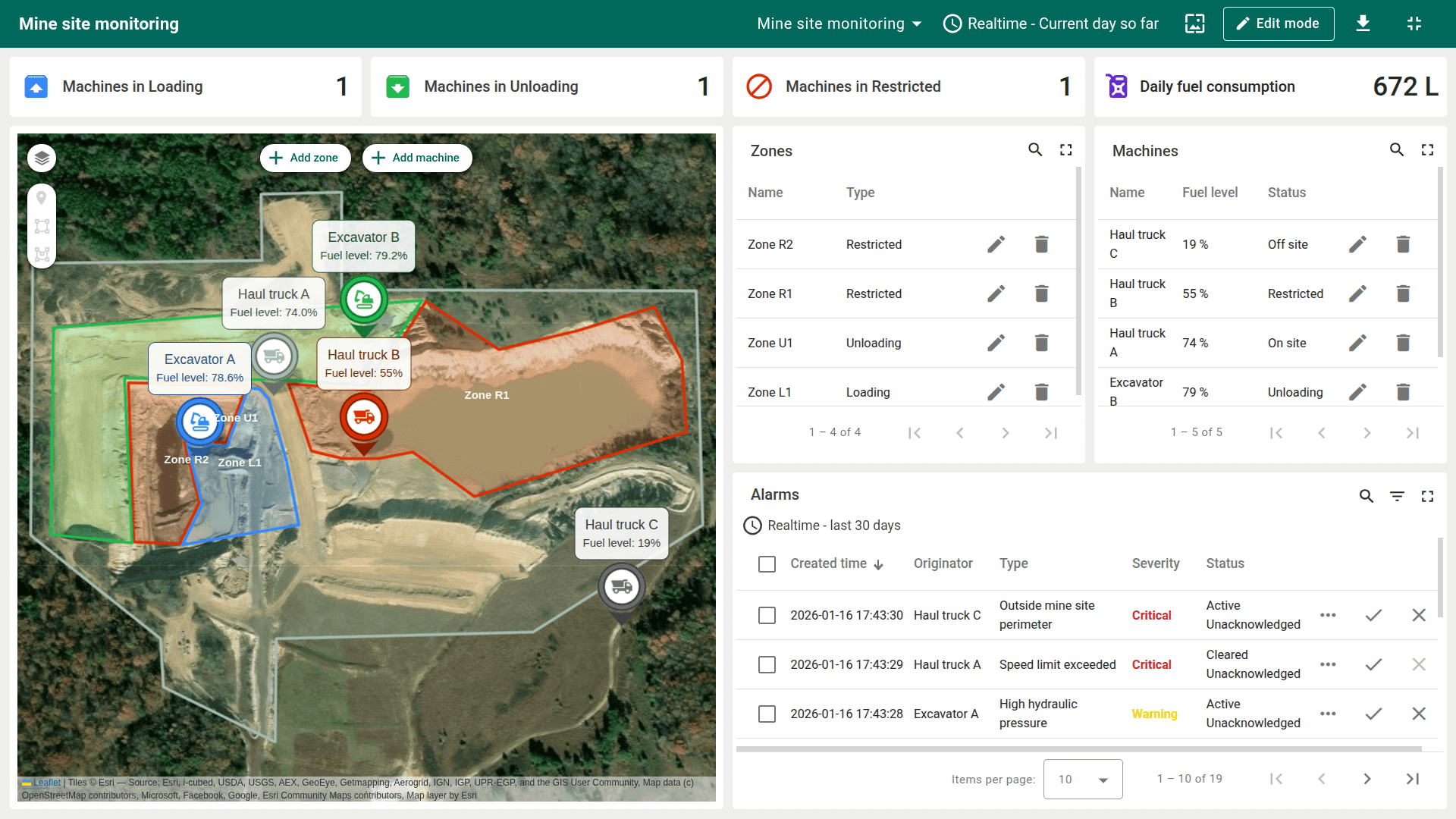
The Site fleet tracking solution template provides a ready-to-use mine site monitoring and fleet tracking application. After installation, it deploys a fully functional digital twin with geofenced zones, real-time machinery tracking, calculated fields, and pre-configured alarms for safety and operational monitoring.
The solution is designed for heavy-industry scenarios such as mines, quarries, and large construction sites. It enables operators to monitor machine locations, track movement and fuel consumption, and validate geofencing logic without any hardware integration.

Key application areas
This solution template can be used as a blueprint for:
- Open-pit mining. Tracking “Load–Haul–Dump” cycles by measuring time spent in loading and unloading zones.
- Construction sites. Monitoring fleet locations and enforcing authorized operational boundaries.
- Quarry operations. Tracking fuel consumption and detecting overload or speeding events to reduce downtime and operational risk.
Install solution template
To understand how the Site Fleet Tracking solution works, start by installing the solution template.
You will need access to ThingsBoard Professional Edition. The easiest way is to use the ThingsBoard Cloud. Alternatively, you can install ThingsBoard using the Professional Edition installation guide.
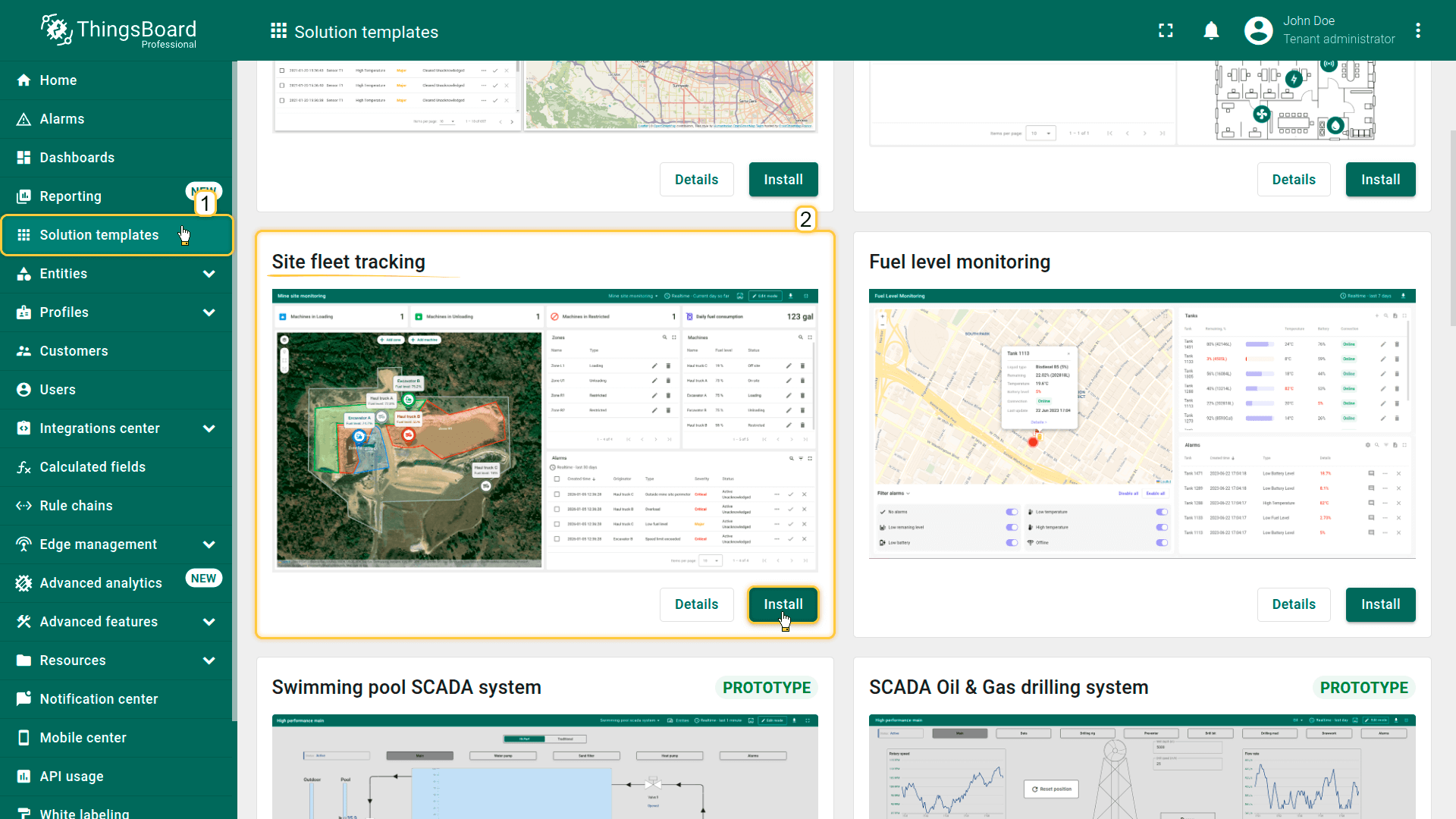
- Go to the Solution templates page.
- Find Site fleet tracking and click Install.
- Follow the provided configuration instructions.
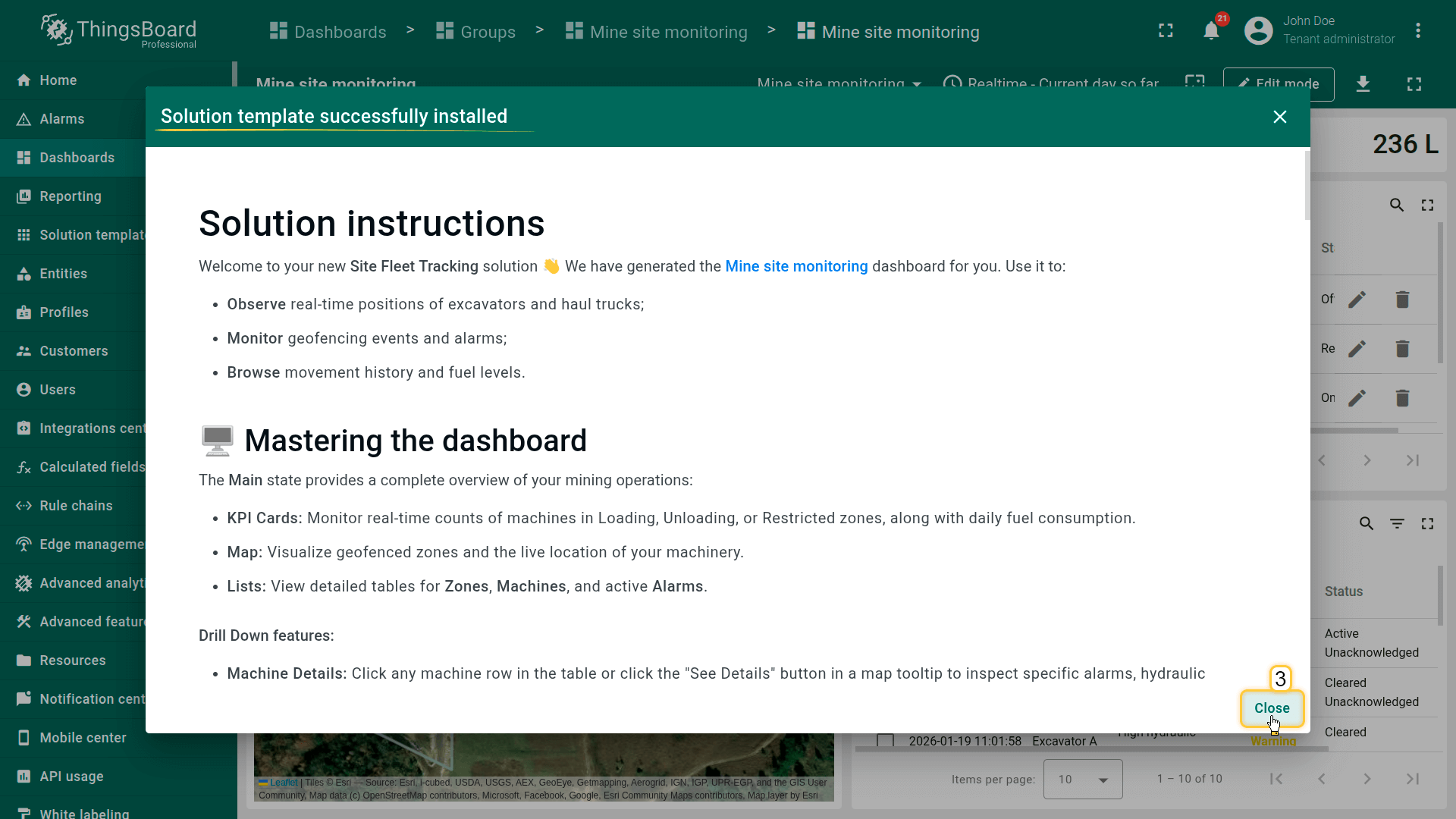
- Once the installation is complete, click Close.
- The Mine site monitoring dashboard opens automatically.
After installation, a fully functional clay mine simulation is created automatically. No devices, integrations, or custom code are required to start exploring the solution.
System components
The Site Fleet Tracking solution includes the following key components:
- Devices – Demo excavators and haul trucks that simulate real-world telemetry such as location, speed, fuel level, load weight, and hydraulic pressure.
- Assets – A mine site asset with multiple operational zones, including Loading, Unloading, and Restricted areas.
- Dashboard visualization – An interactive dashboard that provides real-time monitoring, analytics, and drill-down views for machines and zones.
- Geofencing logic – Automated detection of machine presence within zones and calculation of time spent in each area.
- Device profiles and logic - Dedicated device profiles are provided for excavators and haul trucks and include calculated fields for geofencing, derived telemetry, and data aggregation, as well as preconfigured alarm rules for safety and operational conditions.
Dashboard
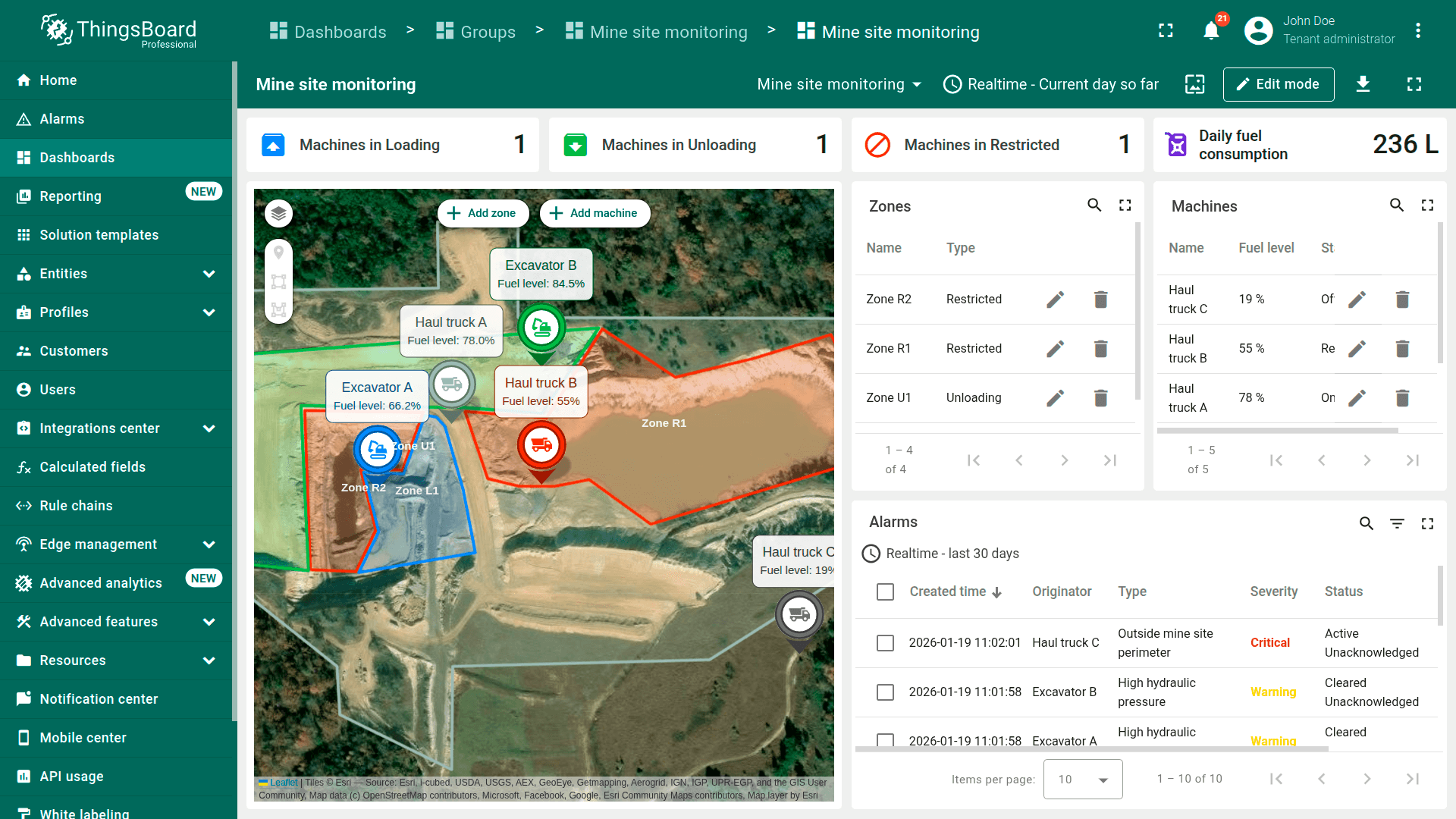
As part of this solution, a comprehensive Mine Site Monitoring dashboard is provided. The dashboard serves as the central control interface for monitoring fleet activity, zone utilization, fuel consumption, and safety events in real time.
Dashboard structure
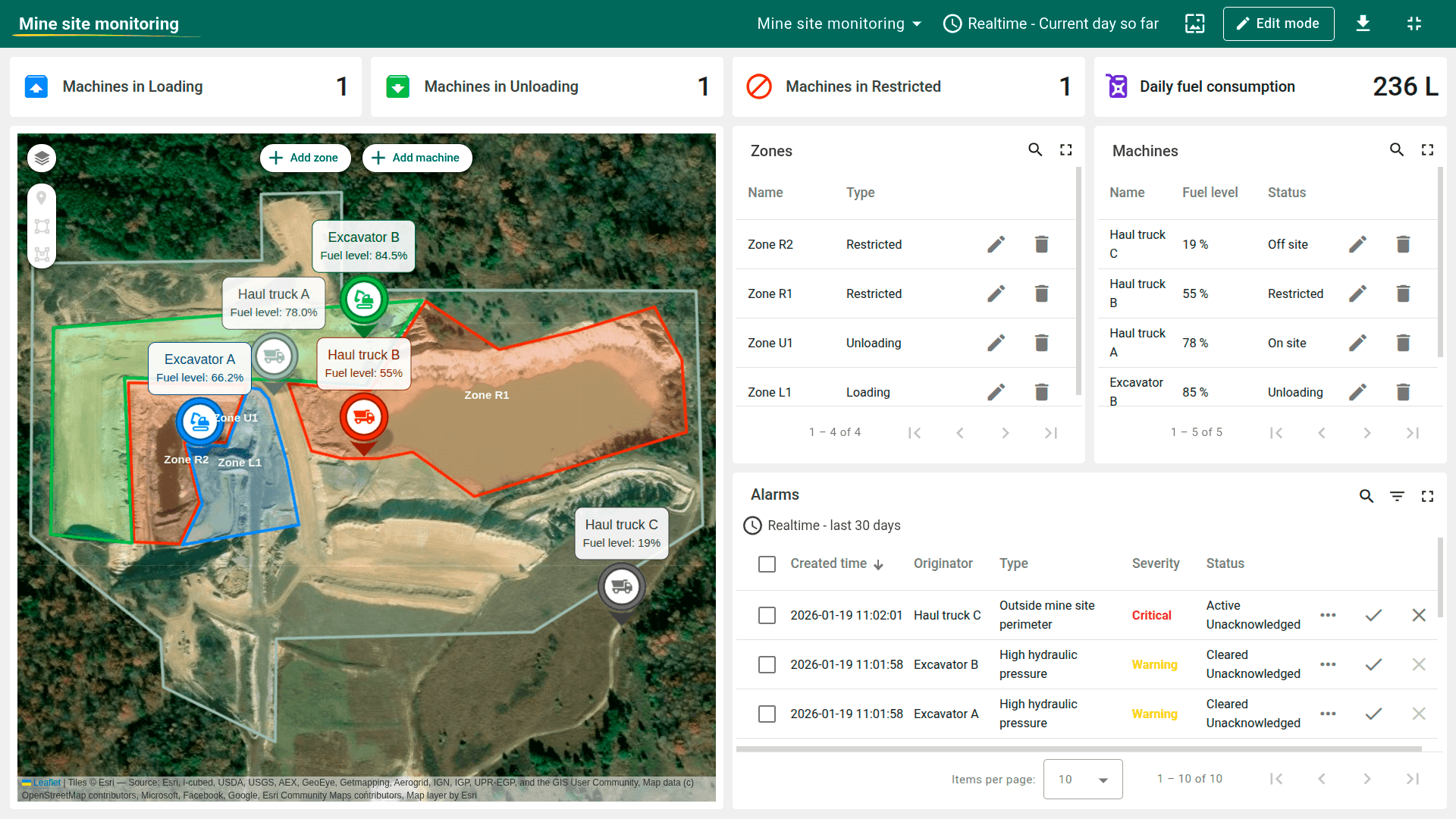
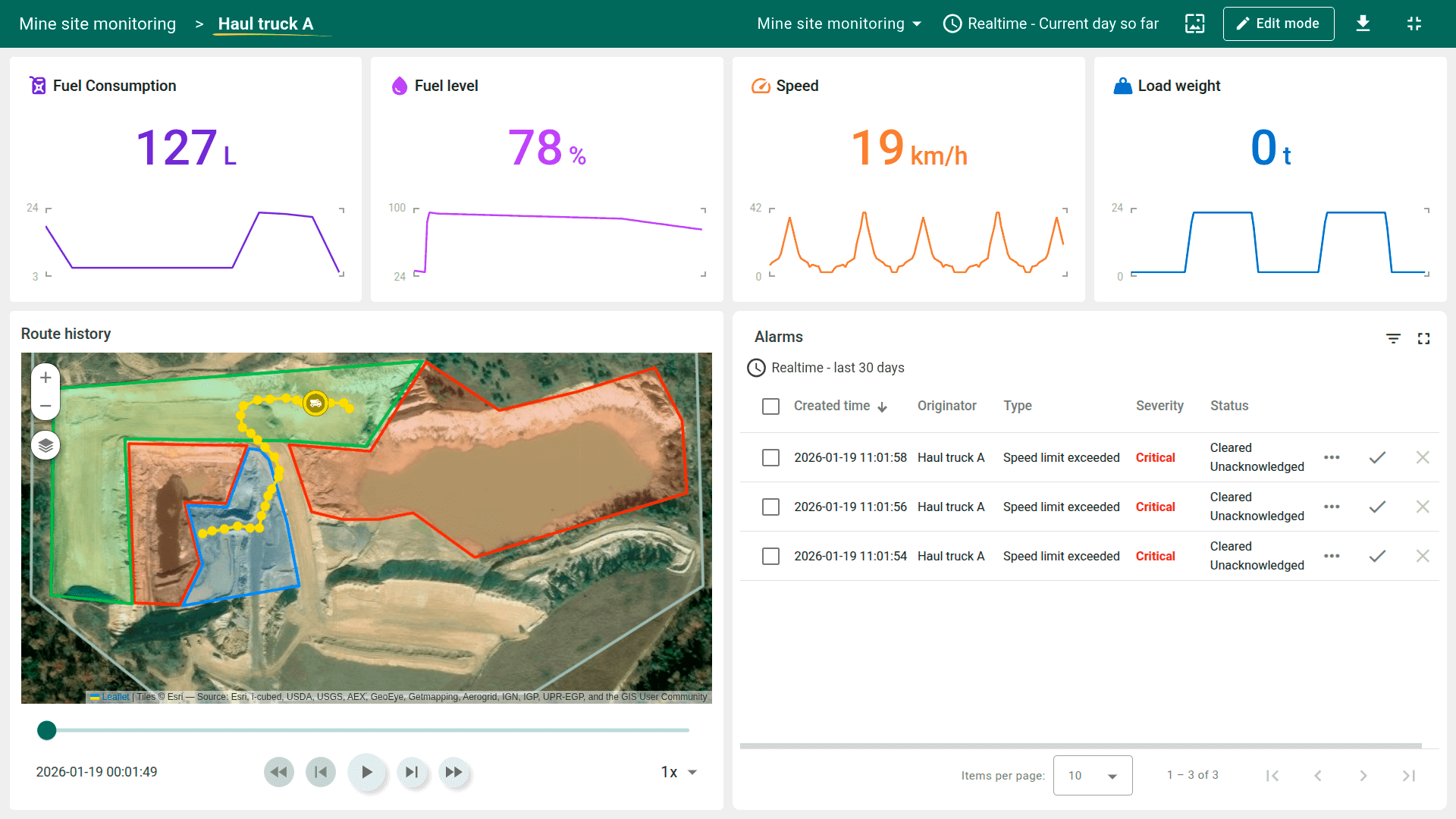
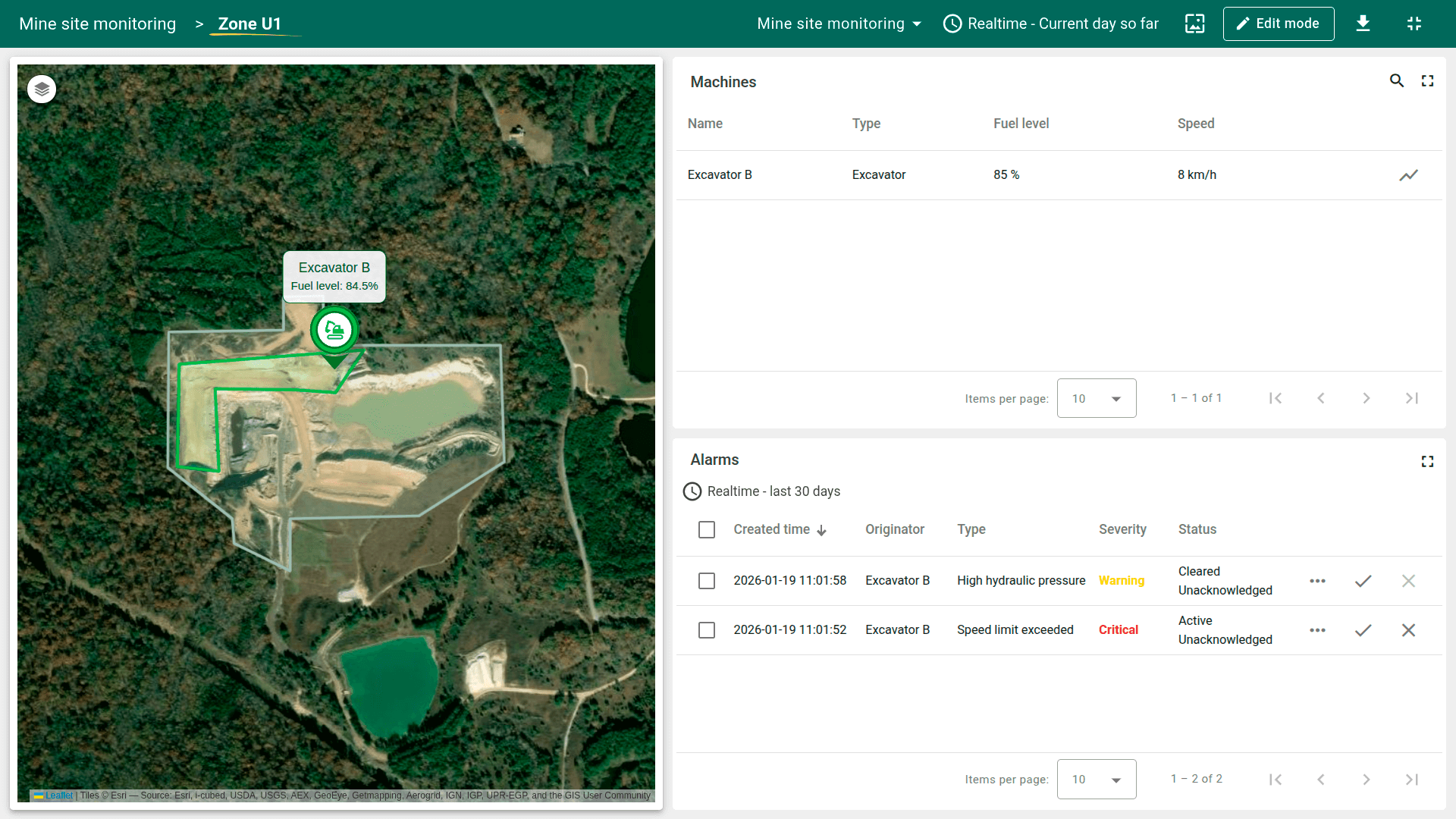
The dashboard is organized into multiple logical states:
- Main state – Provides an overview of the entire site, including live machine positions on the map, KPI cards for machines in Loading, Unloading, and Restricted zones, and daily fuel consumption.
- Machines list – Displays detailed information about each excavator and haul truck, including current status and active alarms.
- Zones list – Shows all defined site zones and the machines currently located within each zone.
For each state, the dashboard displays active and historical alarms generated by rule chains and telemetry thresholds.
Navigation between dashboard states allows operators to quickly focus on specific machines, zones, or safety events.
Dashboard interaction and simulation
The Site Fleet Tracking dashboard supports interactive simulation to demonstrate solution behavior without real hardware.
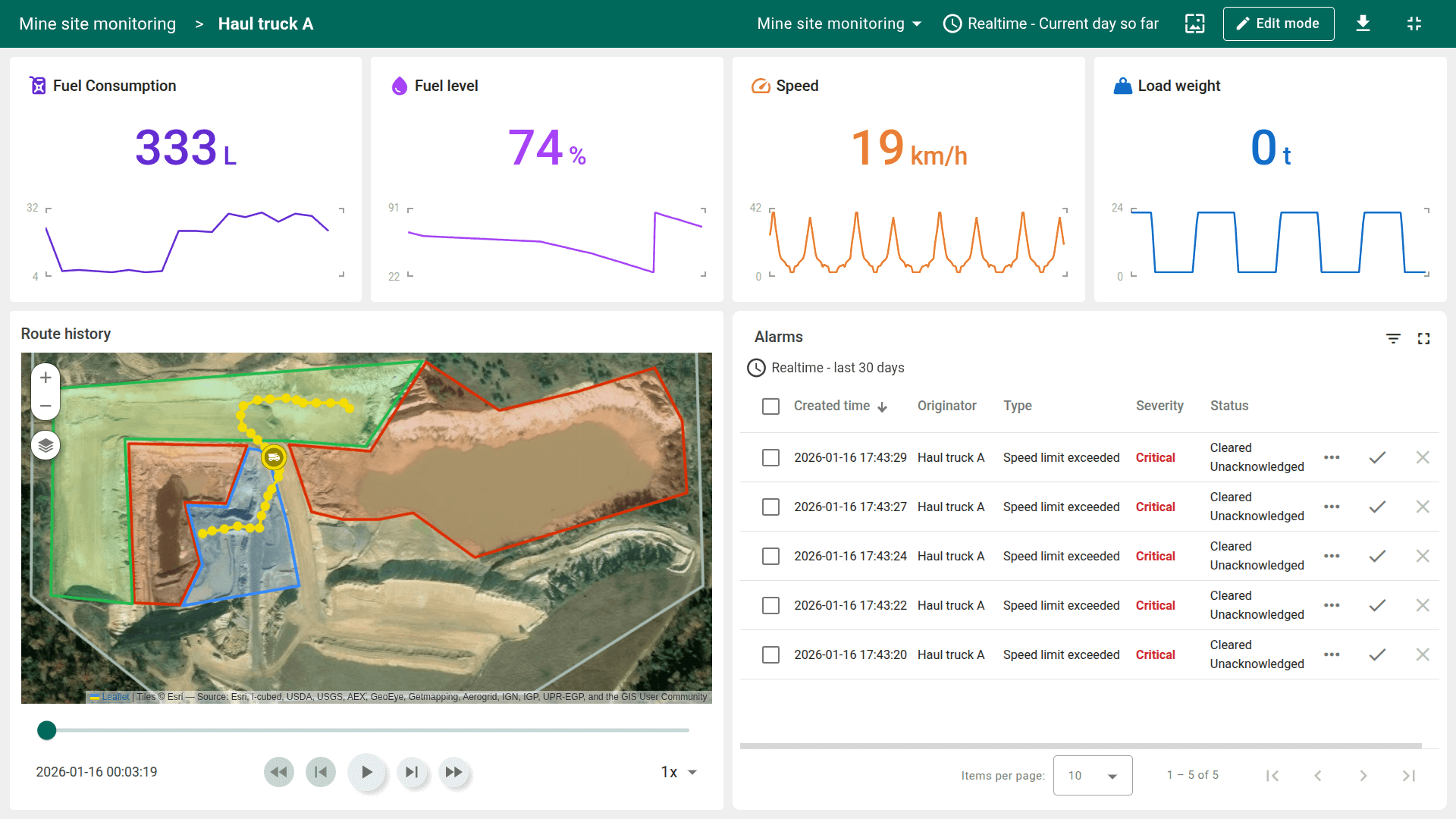
- Drill-down navigation – Click a machine in the table or select See details from the map tooltip to view detailed telemetry history, alarms, and calculated metrics.
- Zone details – Click a zone to see all machines currently located inside the zone and any associated alarms.
- Interactive map simulation – Machine markers on the map are movable. Drag and drop a machine from one zone to another to simulate a location change.
Moving a machine marker updates its latitude and longitude telemetry, automatically triggering geofencing logic, recalculating time-in-zone metrics, and generating alarms if zone rules are violated.
The dashboard can be customized further using the ThingsBoard dashboard development guide.
Devices
The solution comes with pre-provisioned demo devices that simulate a working fleet:
- Excavator A (owned by Tenant)
- Excavator B (owned by Tenant)
- Haul truck A (owned by Tenant)
- Haul truck B (owned by Tenant)
- Haul truck C (owned by Tenant)
Test telemetry upload
You can simulate real-time device behavior by sending telemetry data to any demo device.
The solution expects telemetry such as latitude, longitude, speed, fuelLevel, and machine-specific parameters:
- hydraulicPressure (for excavators)
- loadWeight (for haul trucks)
Example of a telemetry payload for a haul truck:
1
{ "latitude": 36.215322, "longitude": -88.665637, "speed": 18.5, "fuelLevel": 72.3, "loadWeight": 56000 }
Example HTTP API request:
1
2
3
4
curl -v -X POST \
-d "{\"latitude\":36.215322,\"longitude\":-88.665637,\"speed\":18.5,\"fuelLevel\":72.3,\"loadWeight\":56000}" \
https://$THINGSBOARD_HOST_NAME/api/v1/$ACCESS_TOKEN/telemetry \
--header "Content-Type:application/json"
Where
- $THINGSBOARD_HOST_NAME - the hostname or IP address your platform is running on.
- $ACCESS_TOKEN - device access token.
After sending telemetry, open the dashboard to observe real-time updates on the map, KPI cards, and alarms.
Other device connectivity options (MQTT, CoAP, LwM2M, etc.) are also supported.
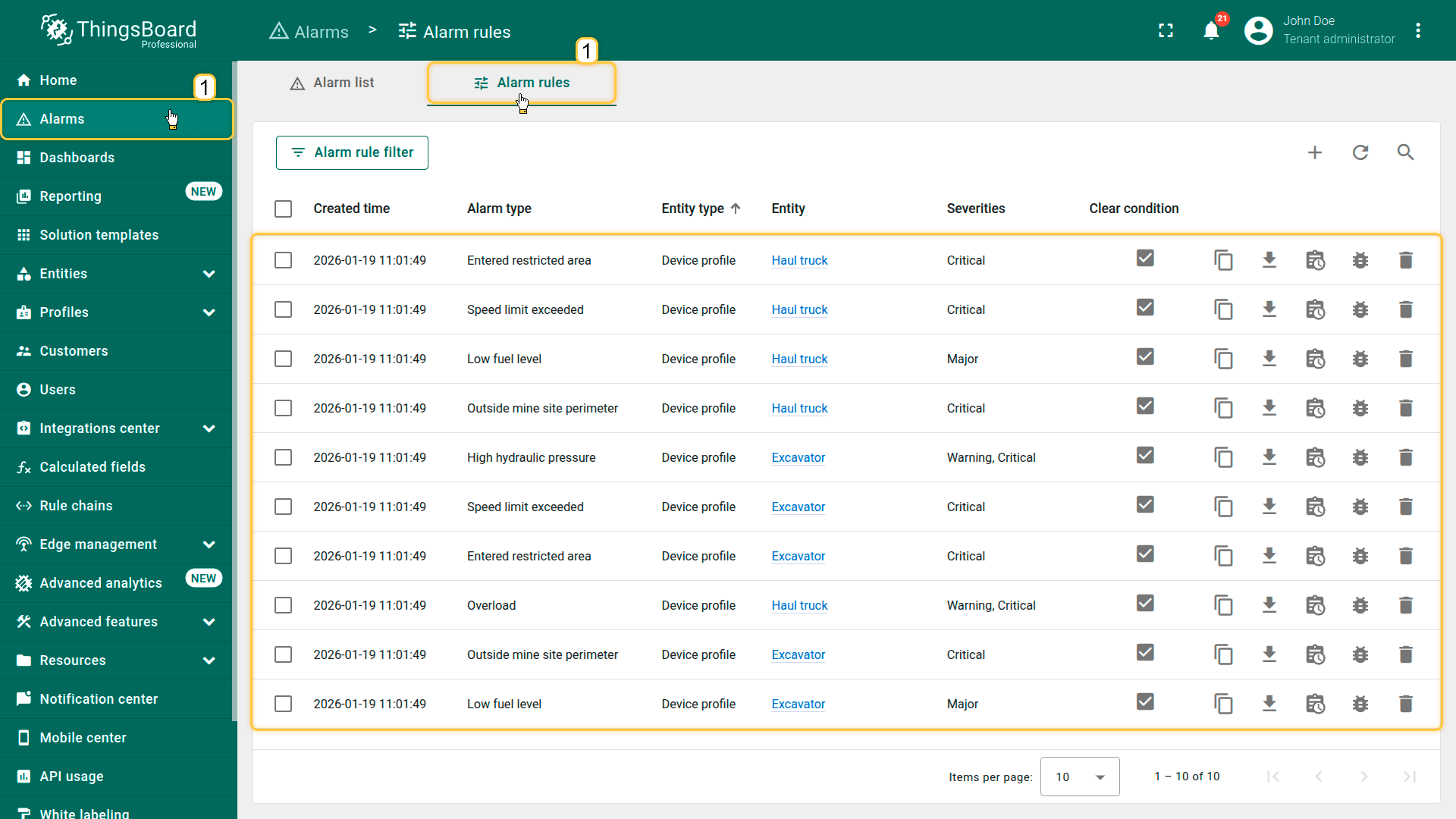
Alarms
Alarm generation is handled by alarm rules configured in the Excavator and Haul truck device profiles.
Calculated fields
The solution uses calculated fields to derive additional telemetry, detect geofencing events, and compute operational metrics.
Calculated fields are configured in:
- Excavator device profile
- Haul truck device profile
- Mine site asset profile
Configured calculated fields:


Conclusion
The Site fleet tracking solution template delivers a complete digital twin for heavy-industry fleet monitoring. By combining real-time location tracking, geofencing, calculated metrics, and alarm-driven safety logic, the solution enables operators to monitor site activity, improve safety, and optimize fleet utilization from a single dashboard.