Device management
Edge devices are physical IoT entities — sensors, actuators, switches, and similar hardware — that collect and process data locally on the Edge instance. They work the same way as devices on the ThingsBoard server: they report telemetry, respond to RPC commands, and belong to device profiles.
For a general introduction to devices in ThingsBoard, see Devices.
There are two ways to get a device onto an Edge instance:
- Create on Edge: Use this when the device is new and will operate primarily on Edge. ThingsBoard pushes it to the server automatically.
- Assign from server: Use this when the device already exists on the server and you want to extend its management to a specific Edge instance.
Create a device on Edge
Section titled “Create a device on Edge”Devices created on the Edge instance are automatically pushed to the server once the connection is established. Any subsequent changes are synchronized to the server without additional action.
To create a device manually:
-
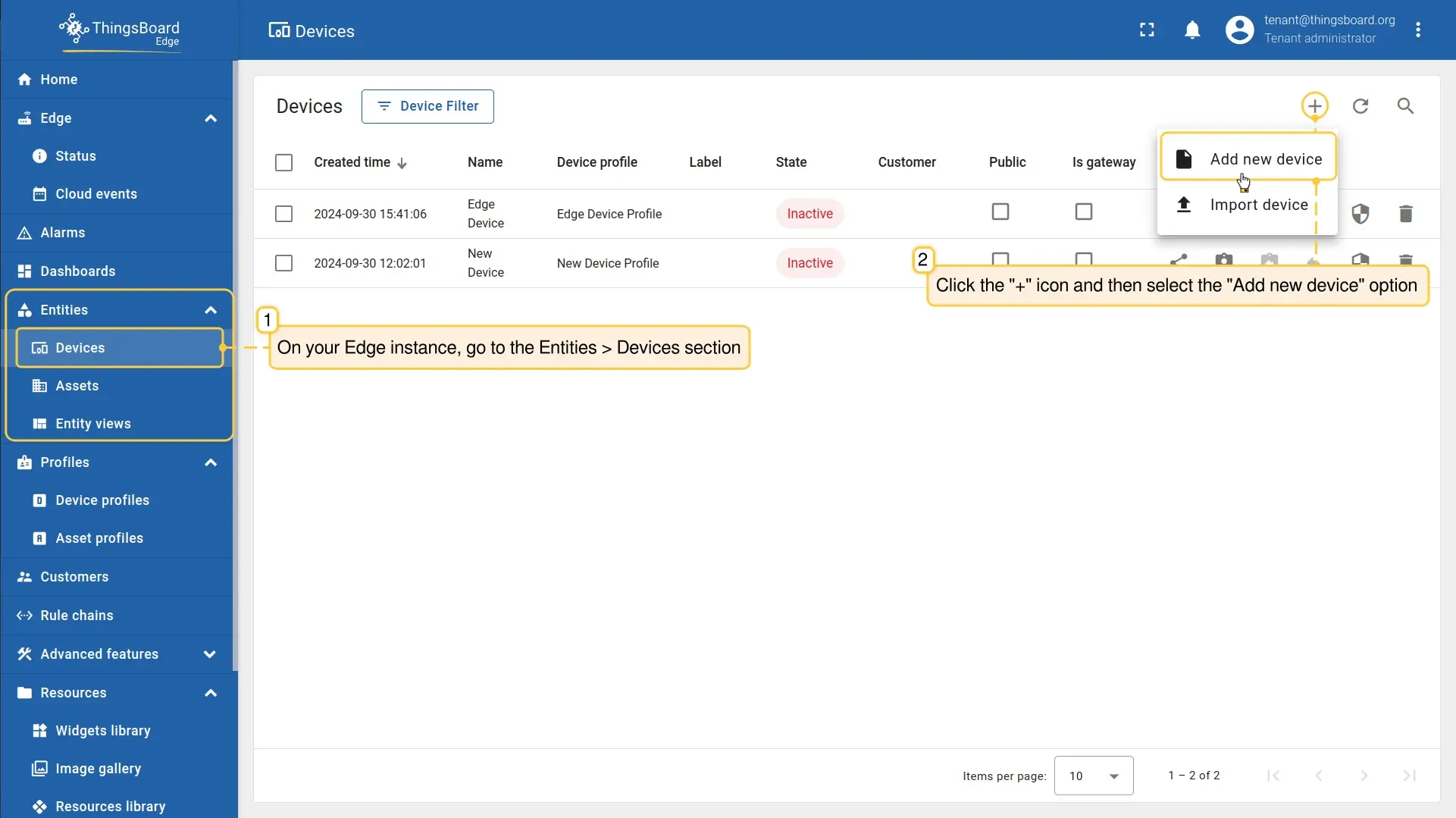
Go to Entities → Devices and click Add new device (+).
-
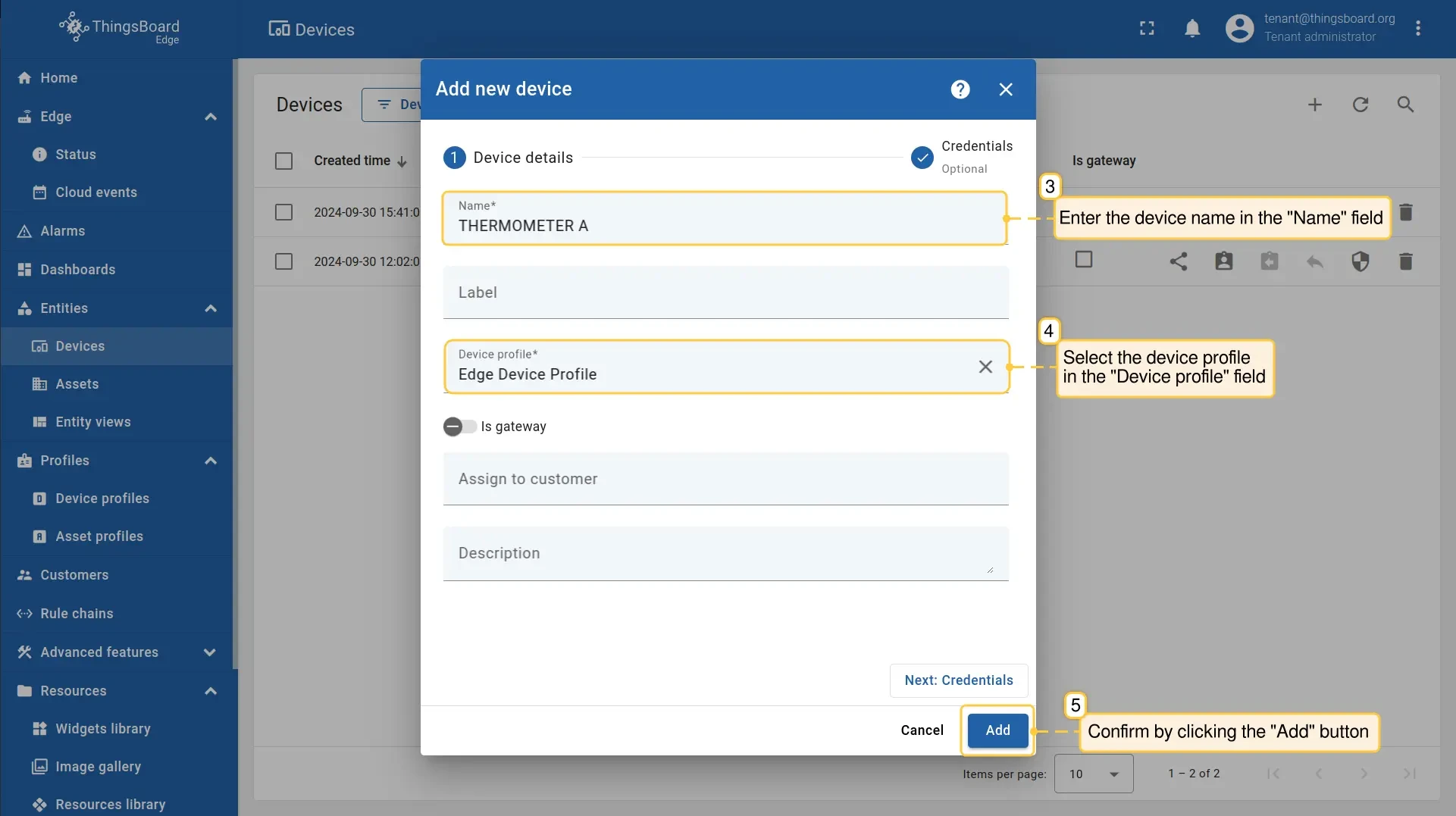
Enter the device Name and select a Device profile, then click Add.
-
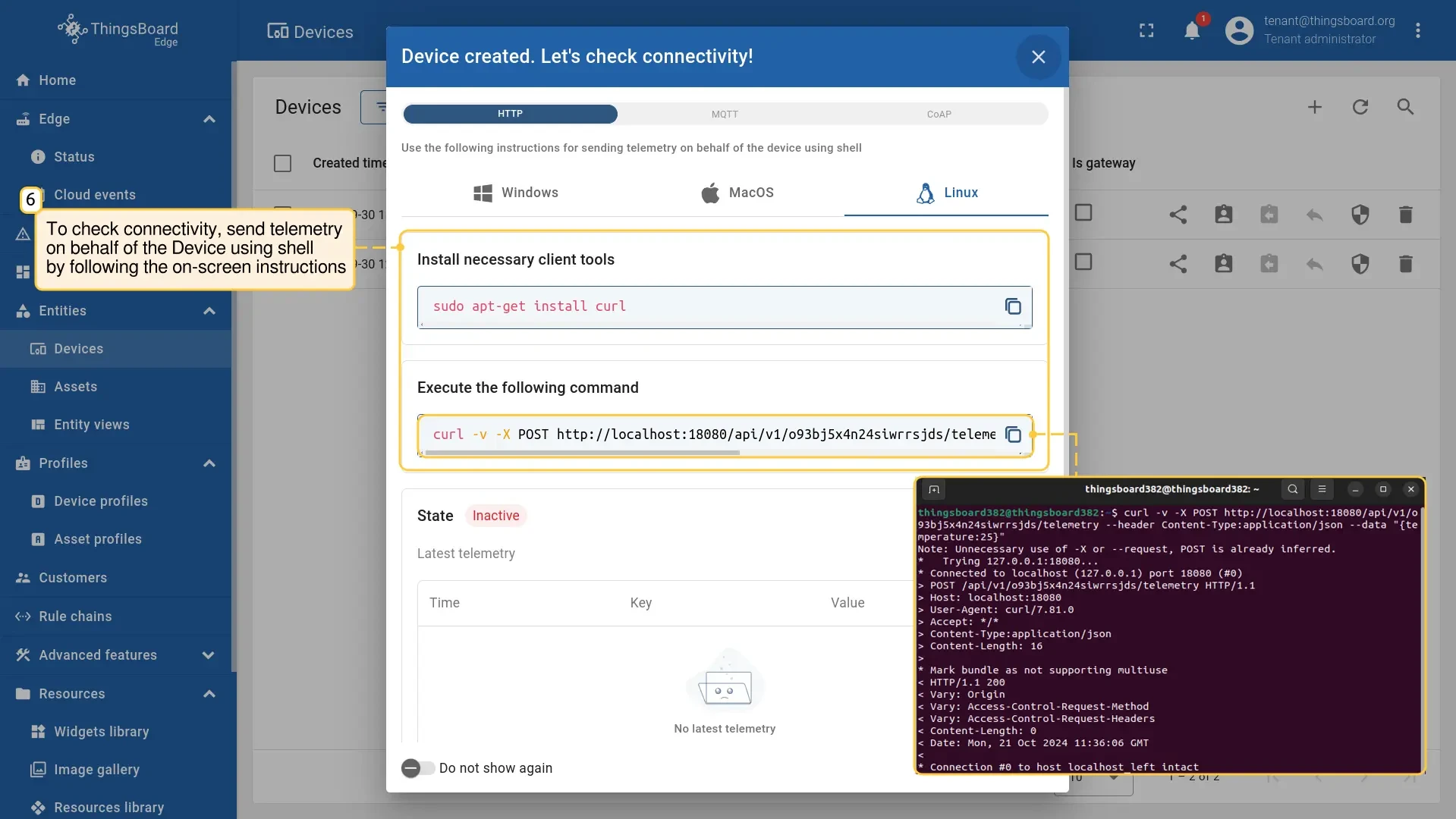
Verify connectivity by sending a telemetry message from the device using the shell command shown in the on-screen instructions. This step is optional.
-
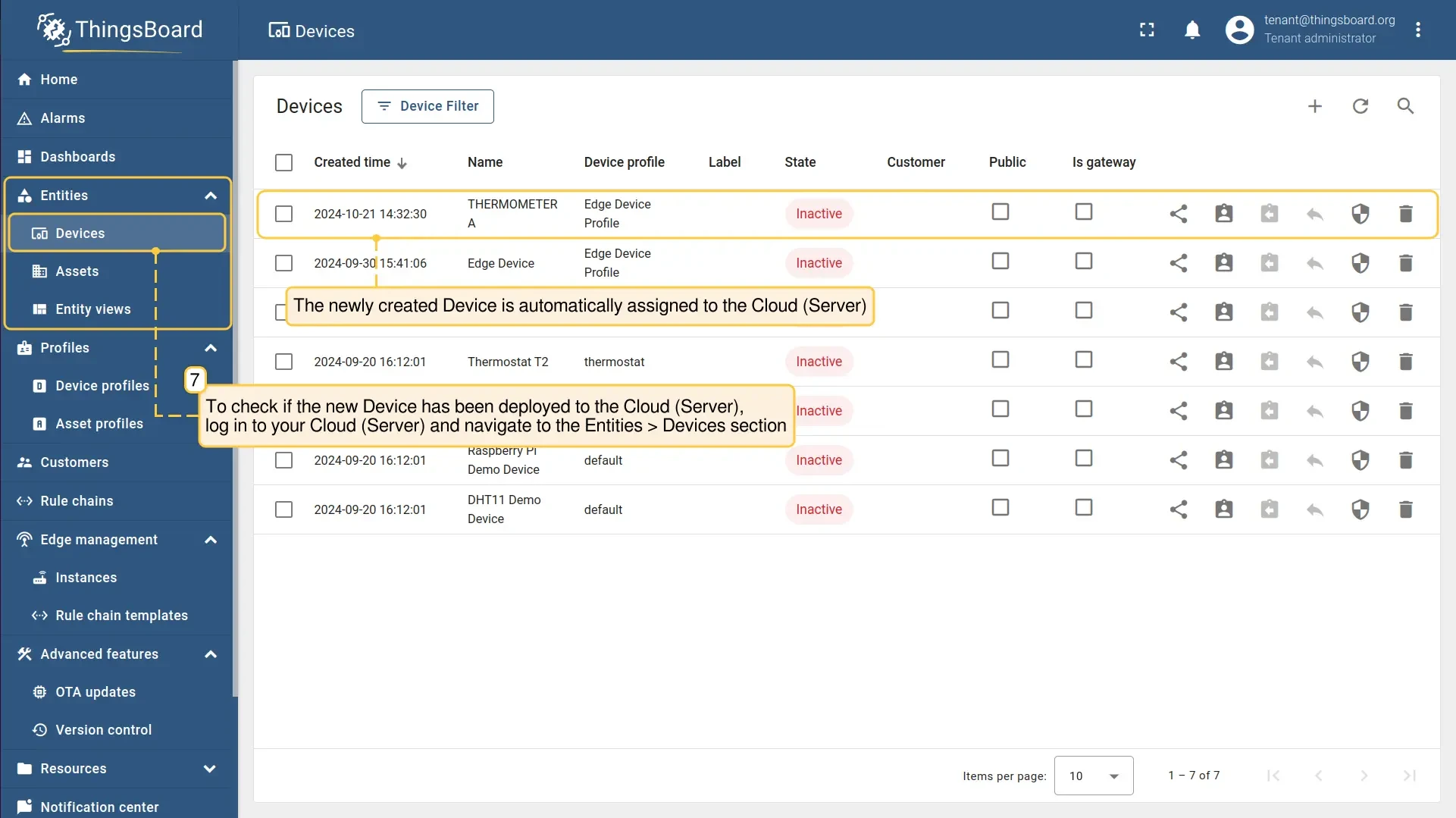
Log in to your ThingsBoard server and go to Entities → Devices to confirm the new device was pushed to the server automatically.
If the Edge instance was offline when you created the device, the push happens automatically as soon as the connection to the server is restored.
Assign a device from the server
Section titled “Assign a device from the server”Use this flow when the device already exists on the server and you want to make it available on a specific Edge instance. The device configuration and history remain on the server; Edge receives a synchronized copy.
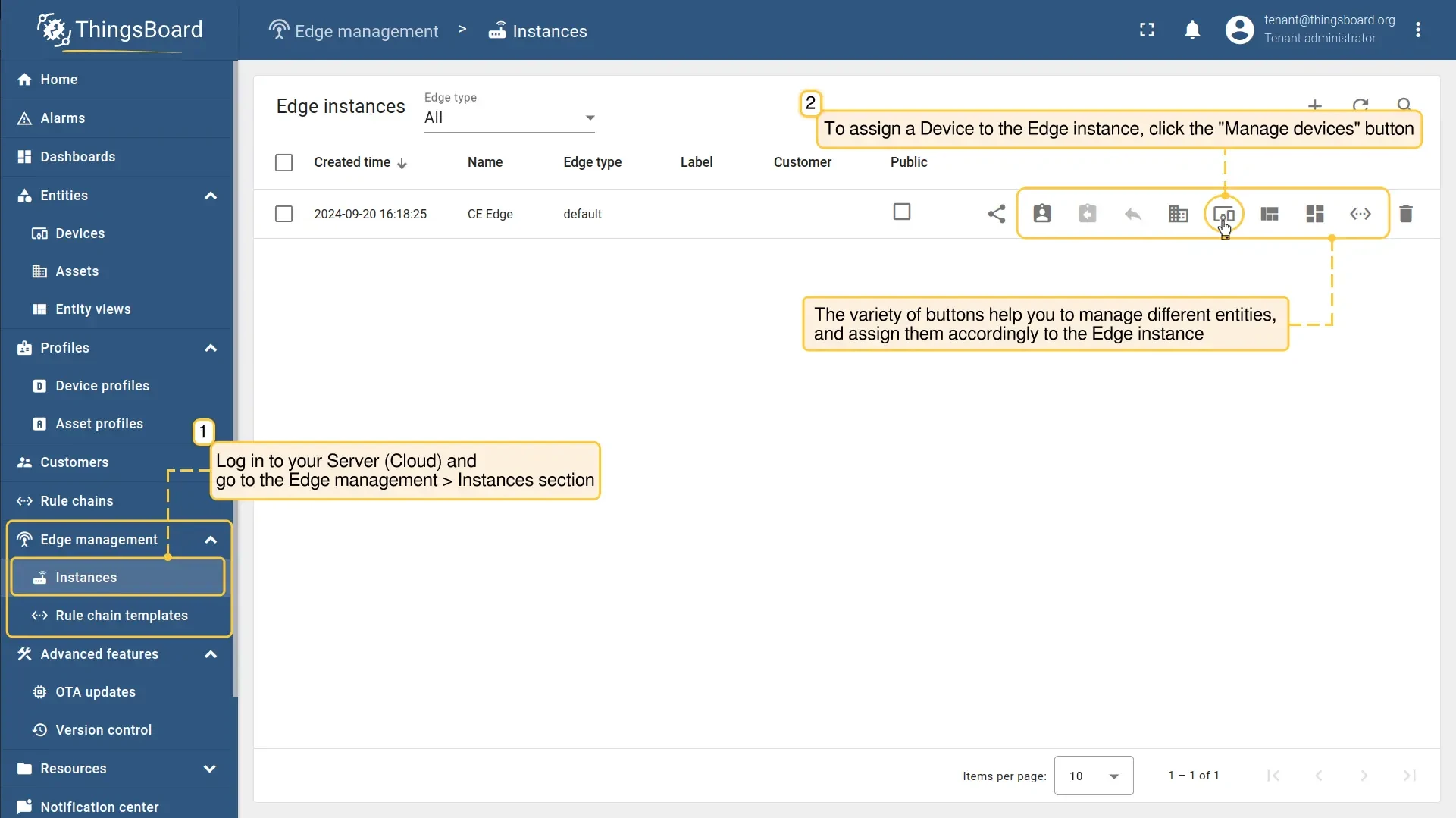
- Log in to your ThingsBoard server and go to Edge management → Instances.
- Open the Edge instance and click Manage devices.
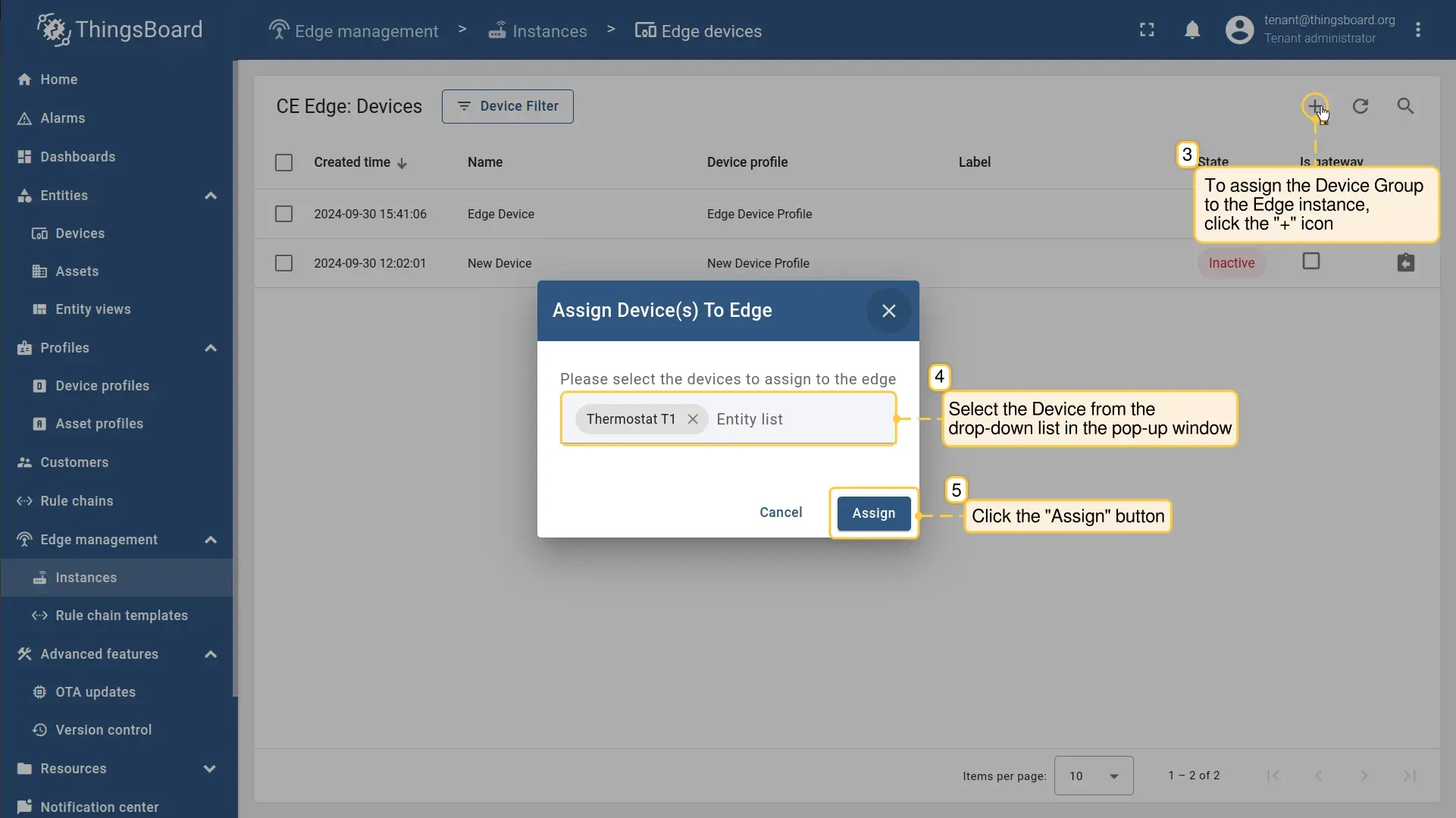
- Click Add (+), select the device from the dropdown, and click Assign.
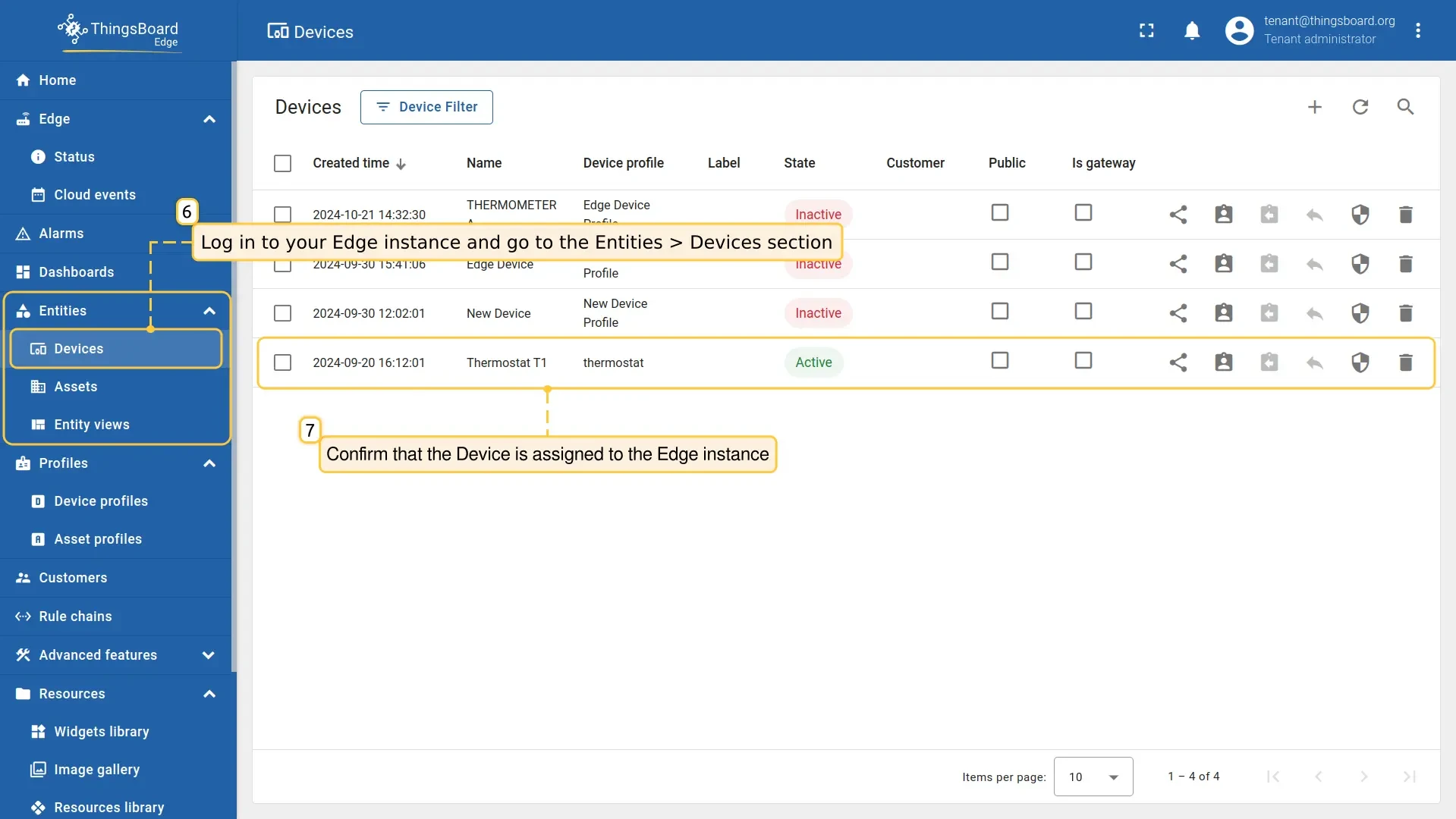
- Log in to your Edge instance and go to Entities → Devices to confirm the device was assigned.
Unassign a device from Edge
Section titled “Unassign a device from Edge”Unassigning removes the device from the Edge instance but keeps it on the server. All telemetry and attributes collected on Edge remain on the server.
-
Log in to your ThingsBoard server and go to Edge management → Instances.
-
Open the Edge instance and click Manage devices.
-
Find the device in the list and click Unassign from edge (×).
The device is removed from the Edge instance immediately. It remains fully accessible on the server.
Was this helpful?