Edge status and cloud events
The Edge status and cloud events pages are diagnostic tools available on the Edge instance itself — not on the server. Use them on-site during installation or when troubleshooting data delivery issues.
Edge status page
Section titled “Edge status page”The Status page confirms whether the Edge is connected to the server and displays the configuration used during installation. Use it on-site to verify the routing key or check when the Edge last connected.
- Log in to the Edge and go to Edge → Status.
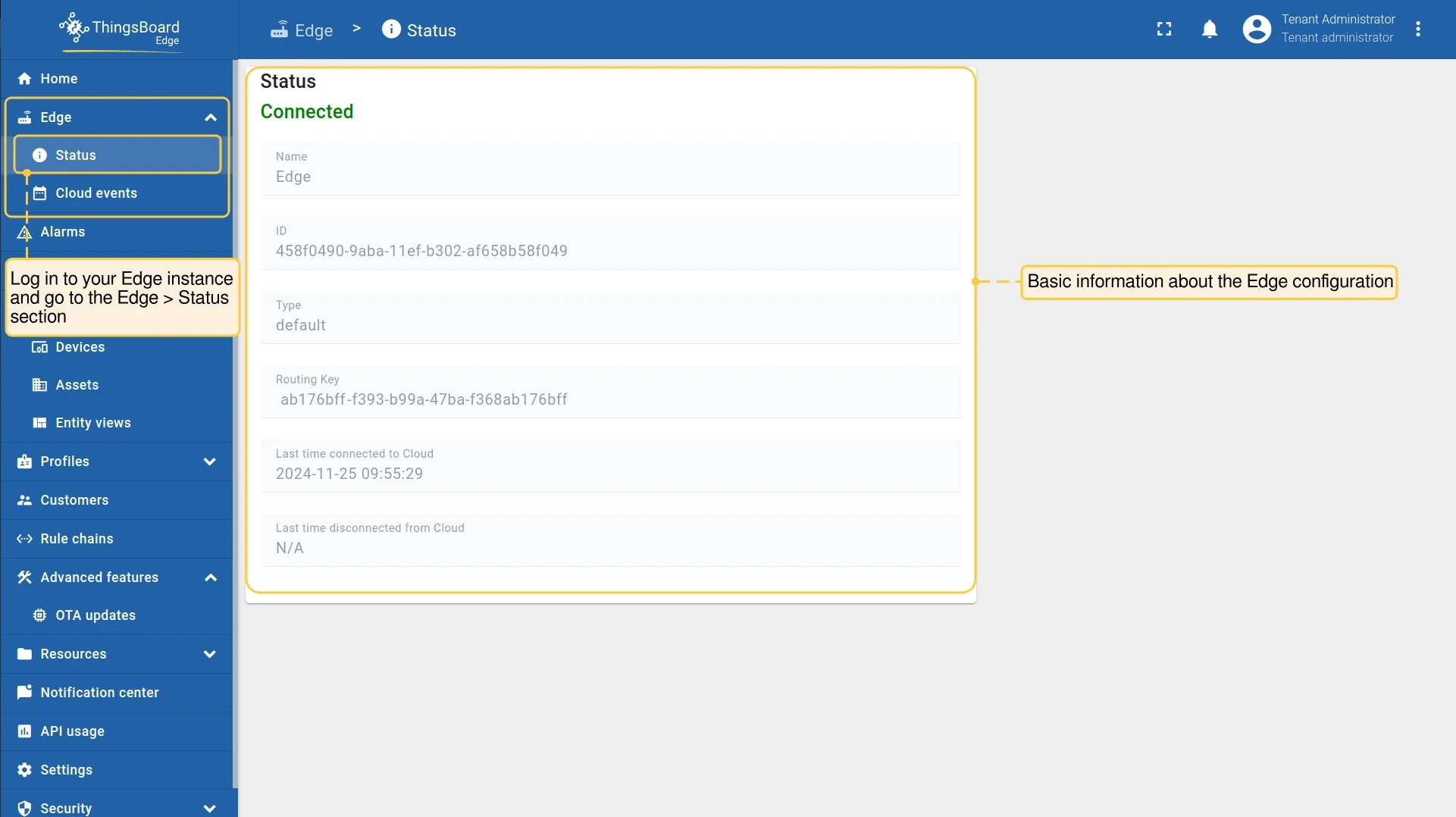
The following fields are displayed:
- Status: Current connectivity state of the Edge instance: Connected or Disconnected.
- Name: Name of the Edge instance.
- ID: Unique identifier of the Edge instance.
- Type: Always
default. Reserved for future use; only one type is currently supported. - Routing Key: The Edge key used during installation.
- Last time connected to / disconnected from cloud: Timestamp of the last connection or disconnection event, in
YYYY-MM-DD H:Min:Secformat.
Cloud events
Section titled “Cloud events”The Cloud Events page shows all events that Edge has pushed to the server. Use it to verify that telemetry, alarms, and other data are reaching the server — particularly when data that should appear on the server is missing. Events with a Pending status indicate a backlog that has not yet been delivered.
- Log in to the Edge and go to Edge → Cloud events.
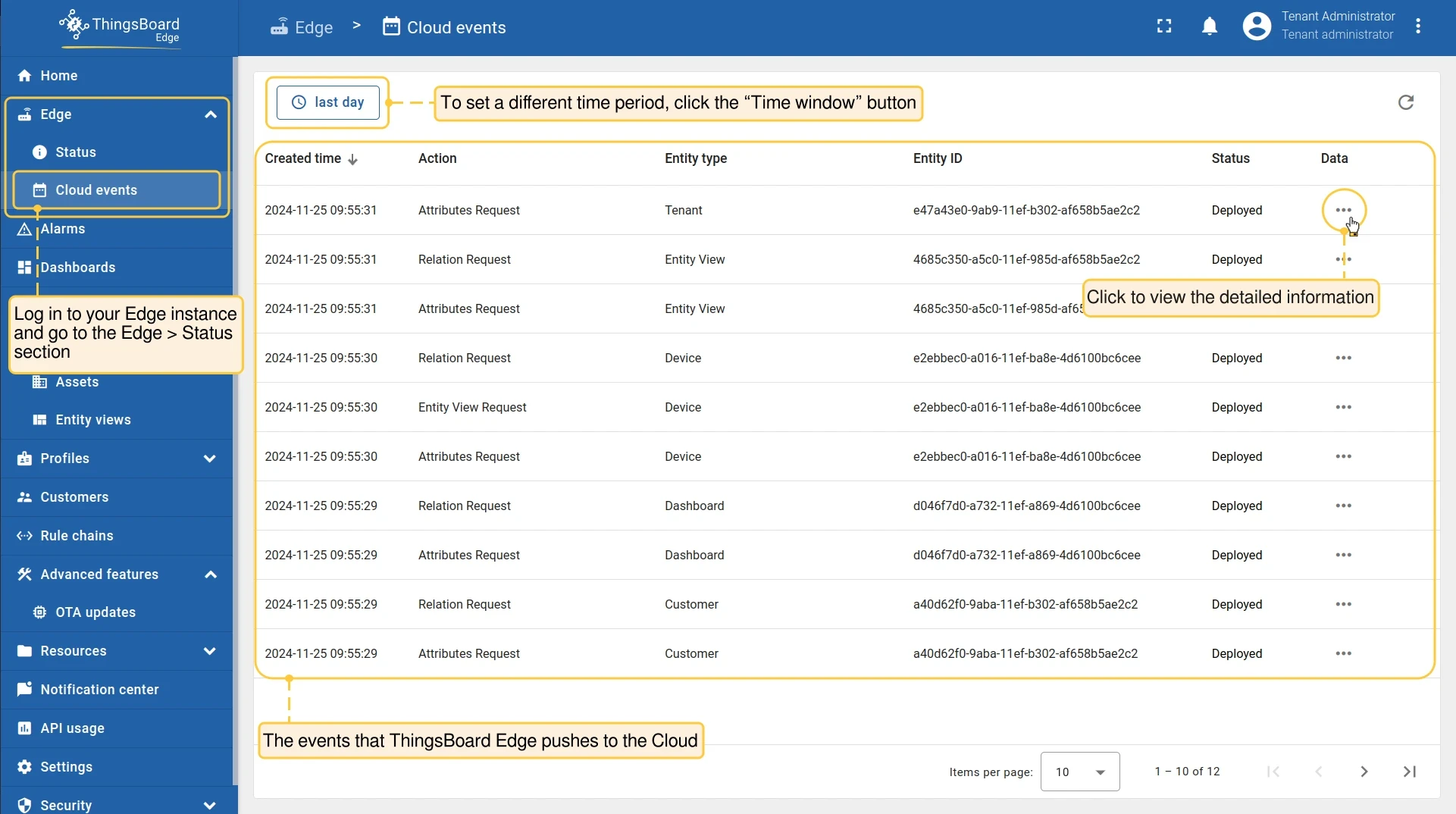
Each row in the table contains:
| Column | Description |
|---|---|
| Created time | Date and time the event was created and pushed, in YYYY-MM-DD H:Min:Sec format |
| Action | The operation pushed to the server: Added, Deleted, Updated, Attributes Updated, Attributes Deleted, Timeseries Deleted, Timeseries Updated, RPC Call, Credentials Updated, Relation Add or Update, Relation Deleted, Relations Deleted, Alarm Ack, Alarm Clear, Attributes Request, Rule Chain Metadata Request, Relation Request, Credential Request |
| Entity type | The type of entity that generated the event |
| Entity ID | Unique identifier of the entity |
| Status | Deployed: The event was pushed to the server. Pending: The event is stored locally and will be pushed when connectivity is restored. |
| Data | Click to view the full payload that was pushed |
By default, events are displayed for the last day. Click Time window at the top of the page to set a different time range.
Was this helpful?