Public dashboard
A public dashboard allows anyone with the URL to view it without authentication.
On ThingsBoard Edge, public dashboards work the same as on ThingsBoard Server, with these differences:
- Public dashboards remain accessible on the local network even when internet access is unavailable or restricted.
- The public URL uses the Edge’s local address:
http://<Edge-IP>:8080/dashboards/<dashboard-id> - If the connection to ThingsBoard Server is lost, the dashboard continues to show real-time device data from the Edge.
- Any changes are synchronized with ThingsBoard Server once connectivity is restored.
For dashboard creation and management, see Dashboards.
Making Dashboard Public
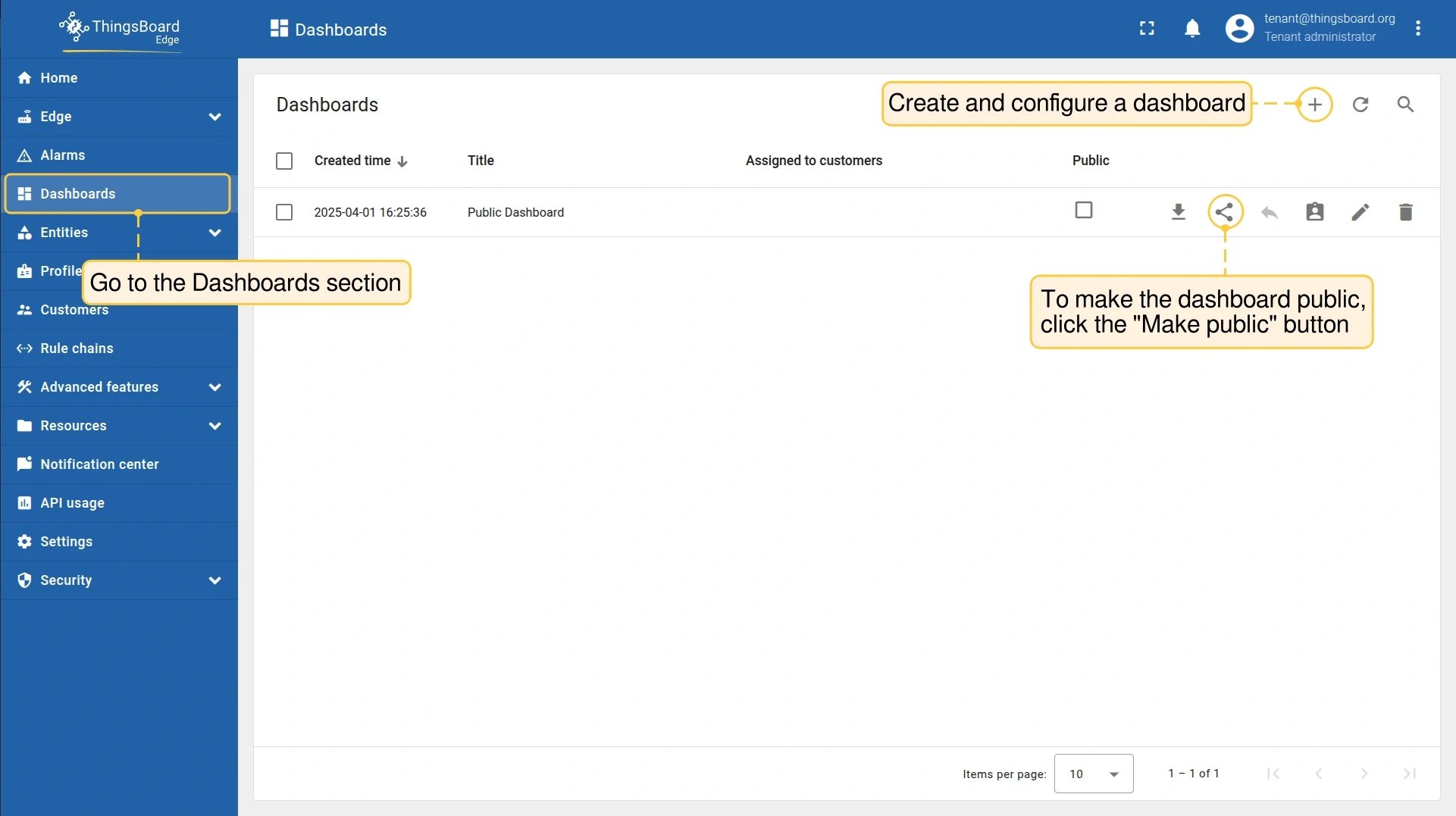
Section titled “Making Dashboard Public”- Go to Dashboards and open the dashboard menu. Click Make public.
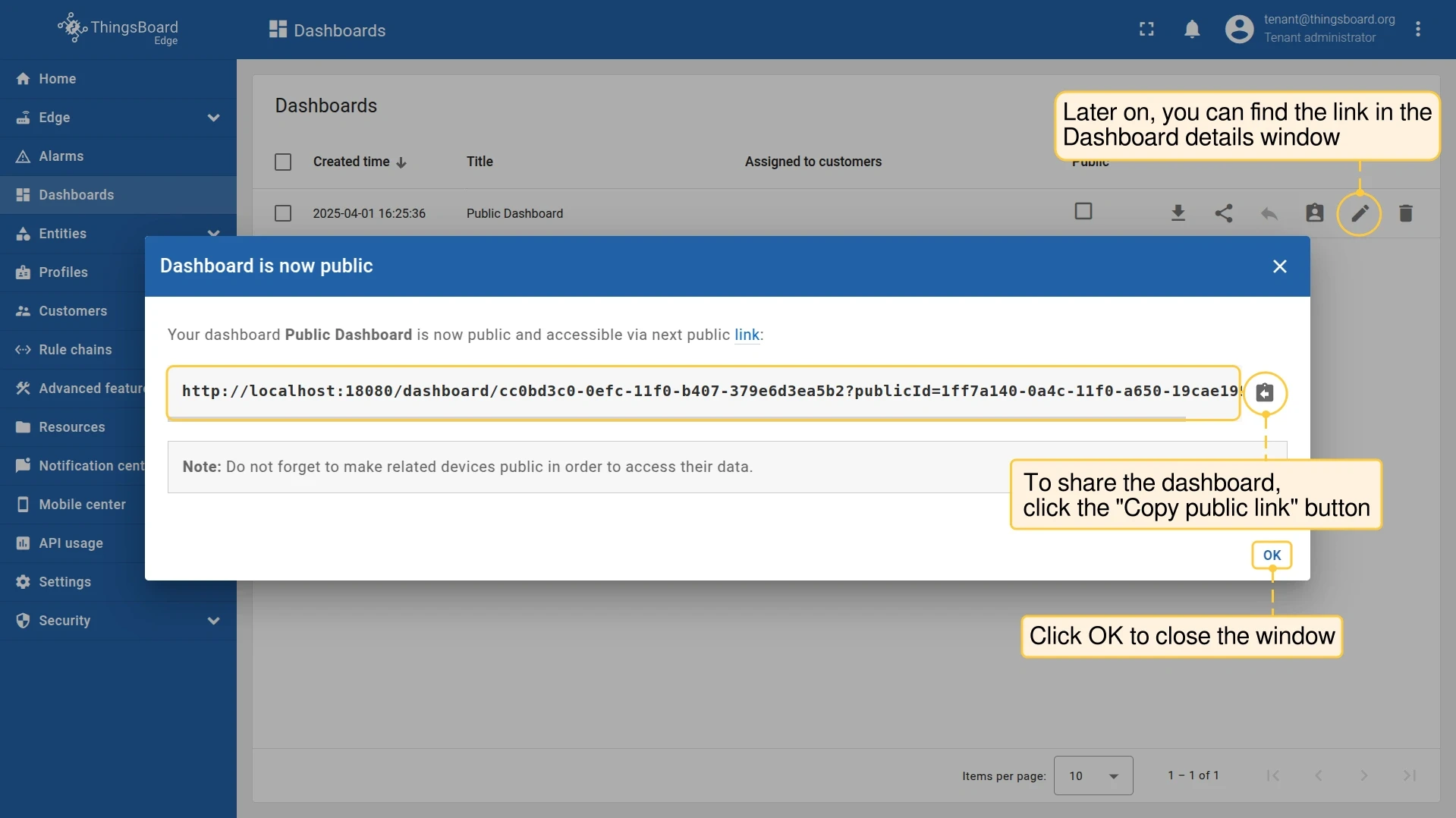
- The dashboard is now public. Click Copy public link to share it.
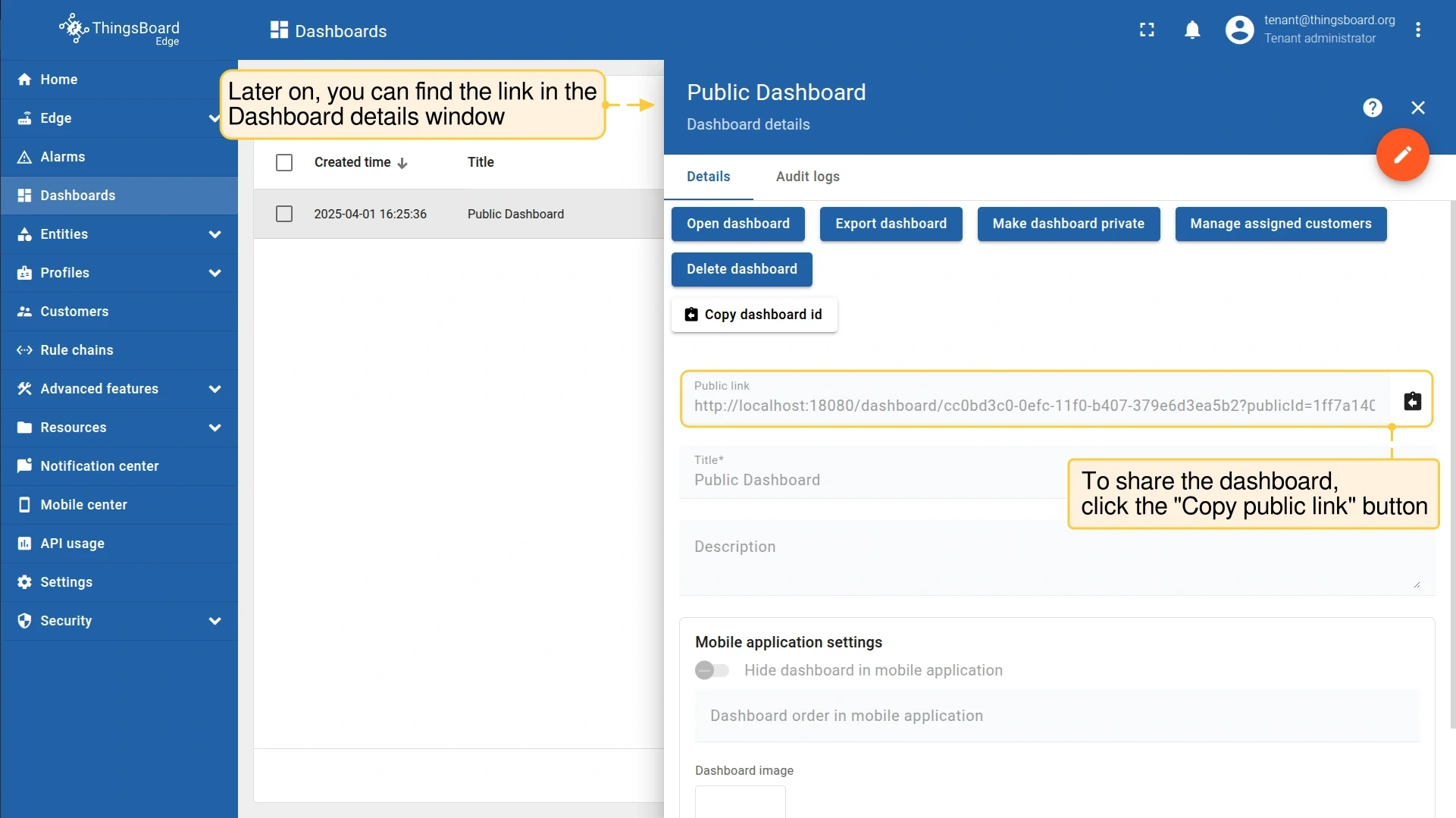
- The public link is also available in the Dashboard details window.
Making Dashboard Private
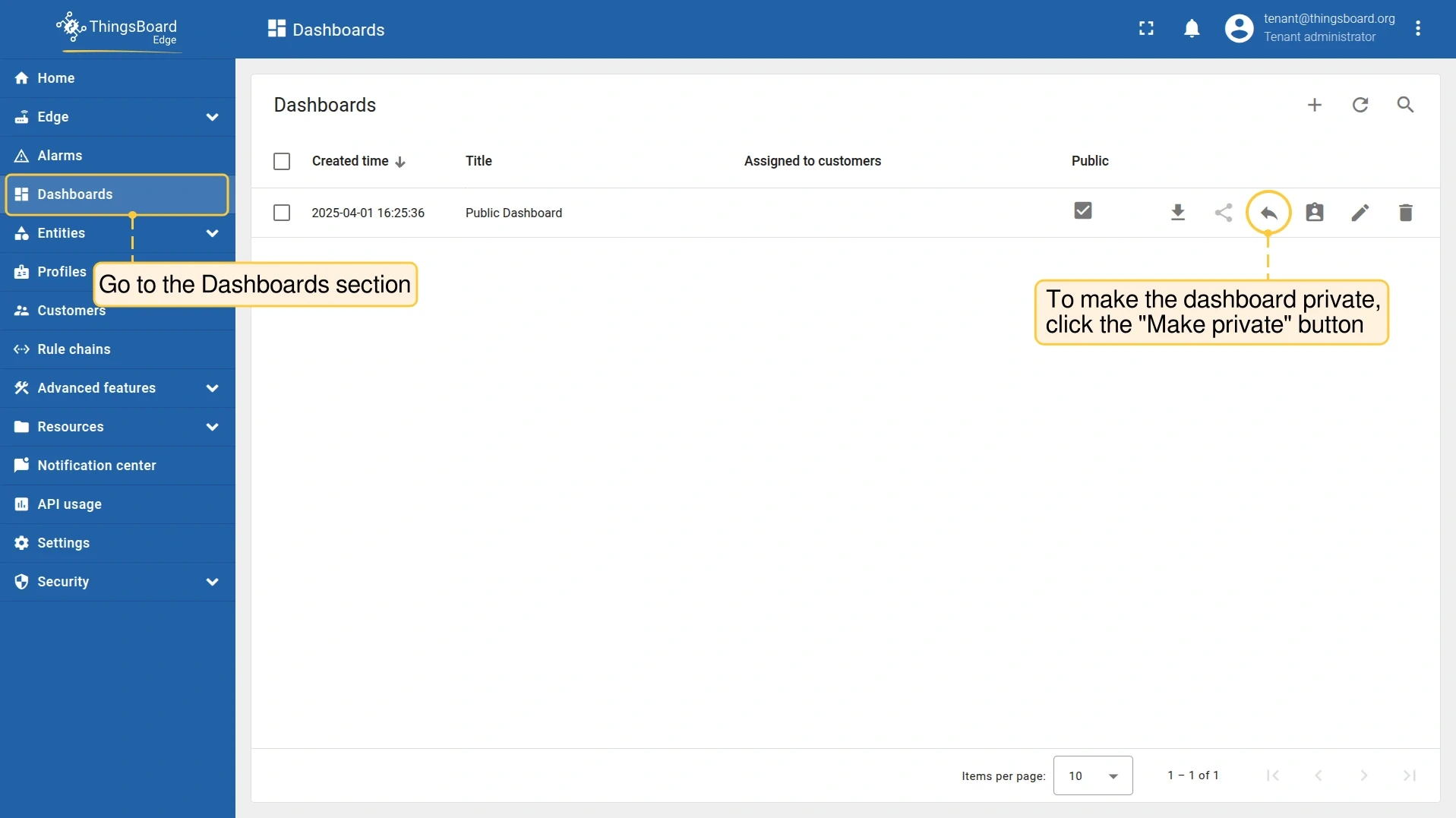
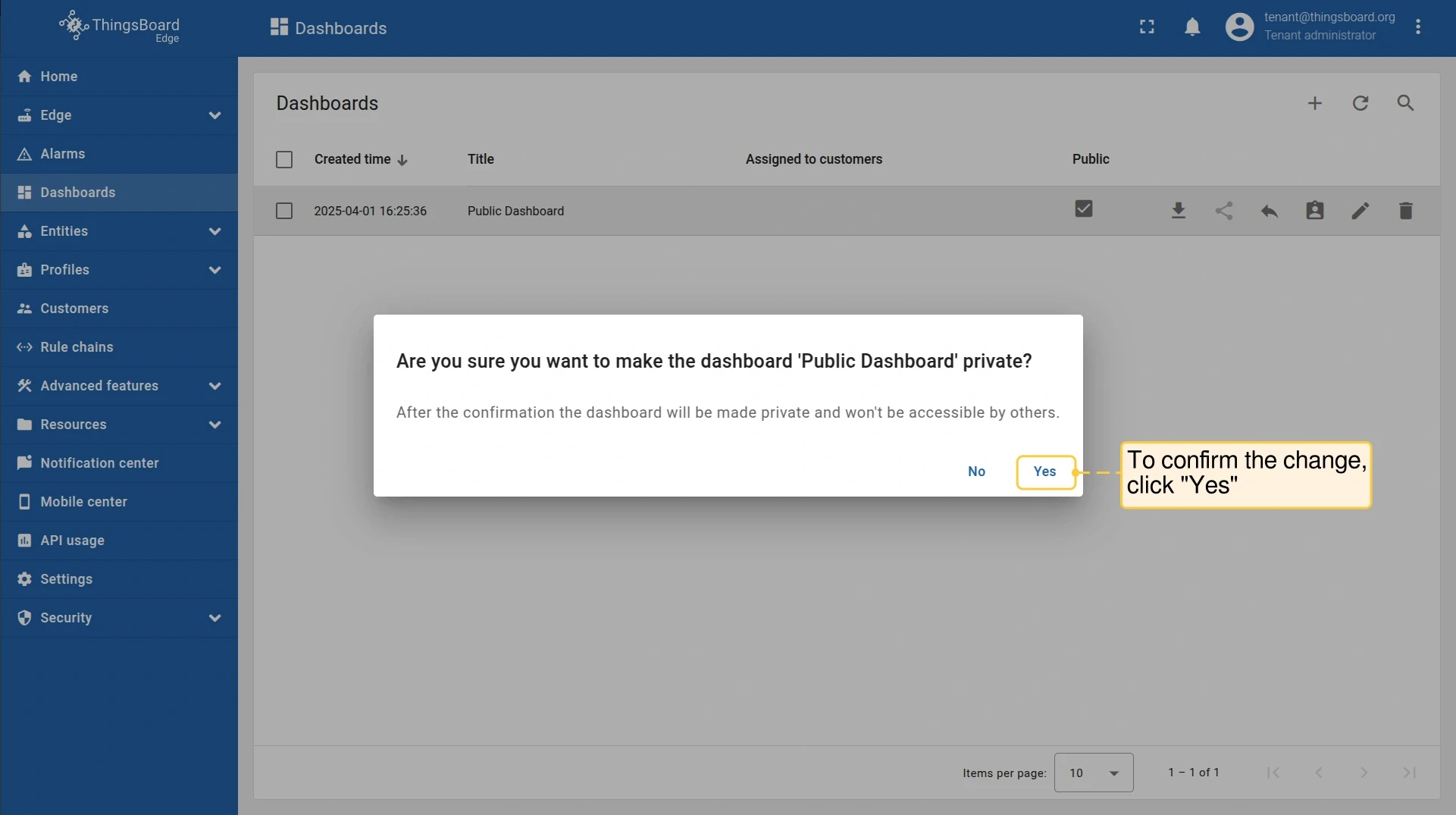
Section titled “Making Dashboard Private”- Go to Dashboards and open the dashboard menu. Click Make private.
- Click Yes to confirm.
Was this helpful?
Thank you for your feedback!