Public dashboard
A public dashboard allows anyone with the URL to view it without authentication.
On ThingsBoard Edge, public dashboards work the same as on ThingsBoard Server, with these differences:
- Public dashboards remain accessible on the local network even when internet access is unavailable or restricted.
- The public URL uses the Edge’s local address:
http://<Edge-IP>:8080/dashboards/<dashboard-id> - If the connection to ThingsBoard Server is lost, the dashboard continues to show real-time device data from the Edge.
- Any changes are synchronized with ThingsBoard Server once connectivity is restored.
For dashboard creation and management, see Dashboards.
Making Dashboard Public
Section titled “Making Dashboard Public”Dashboard groups are managed on ThingsBoard Server. The dashboard group must first be created on ThingsBoard Server and then assigned to the ThingsBoard Edge instance.
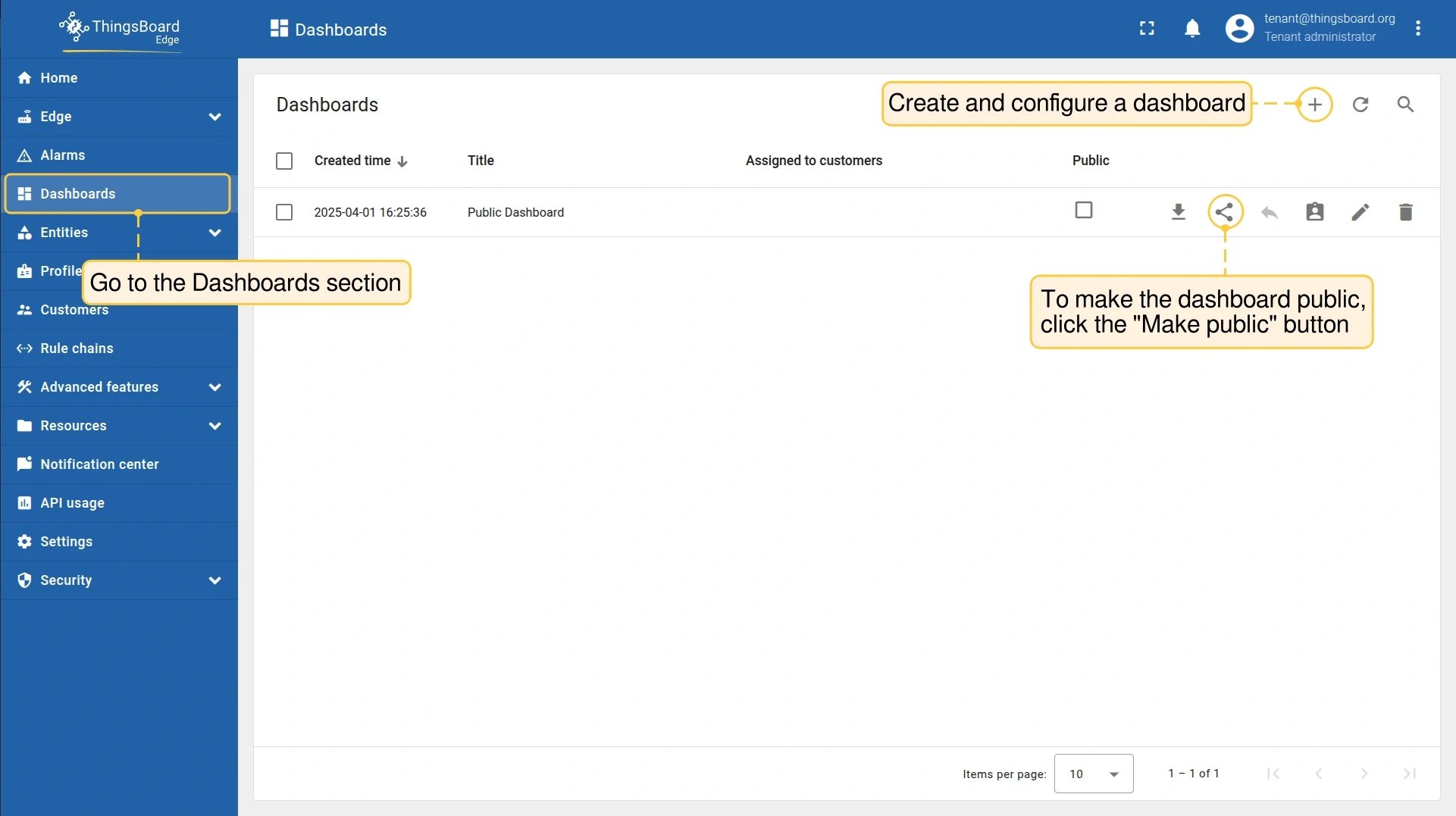
- Go to Dashboards and open the dashboard menu. Click Make public.
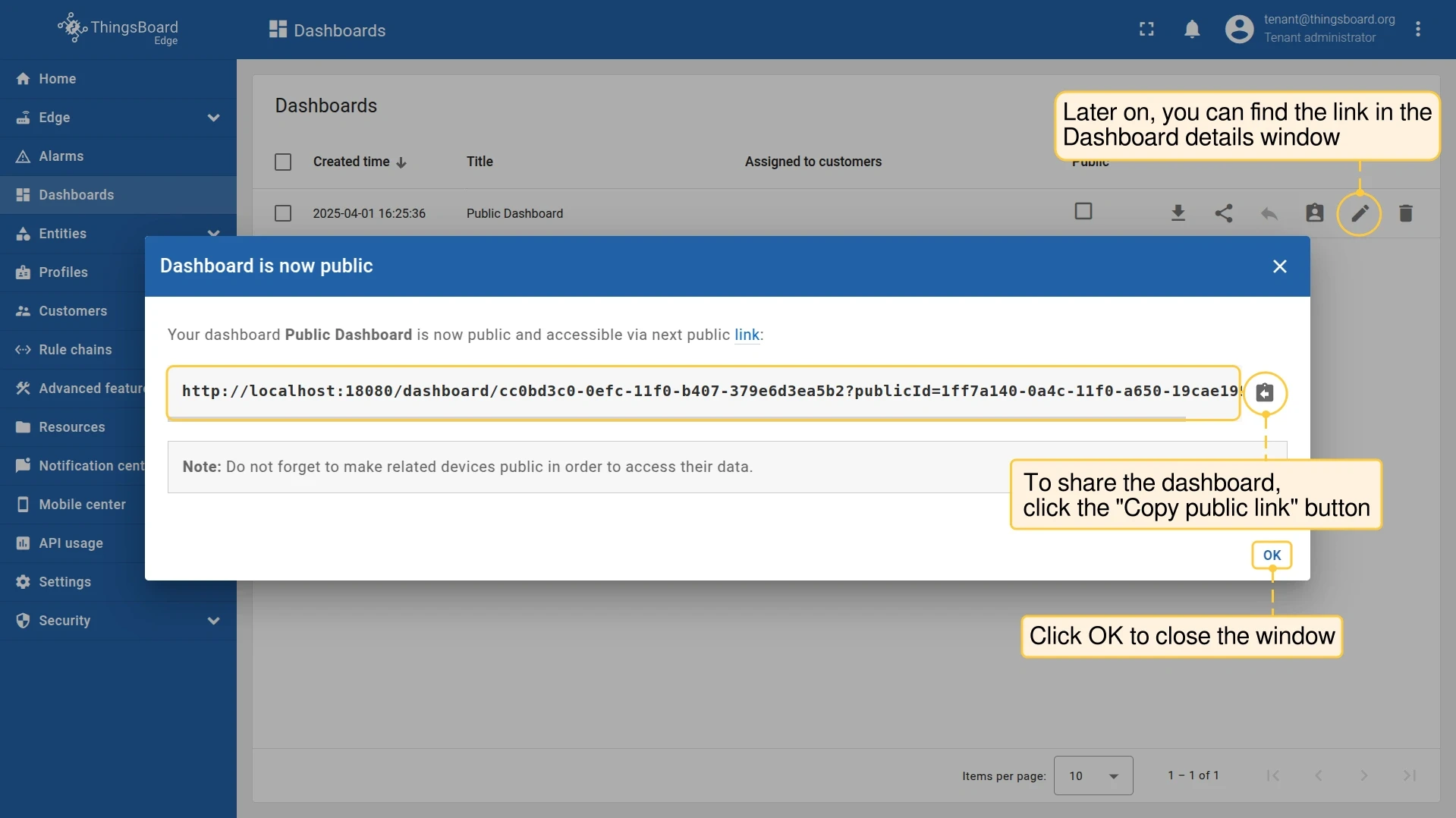
- The dashboard is now public. Click Copy public link to share it.
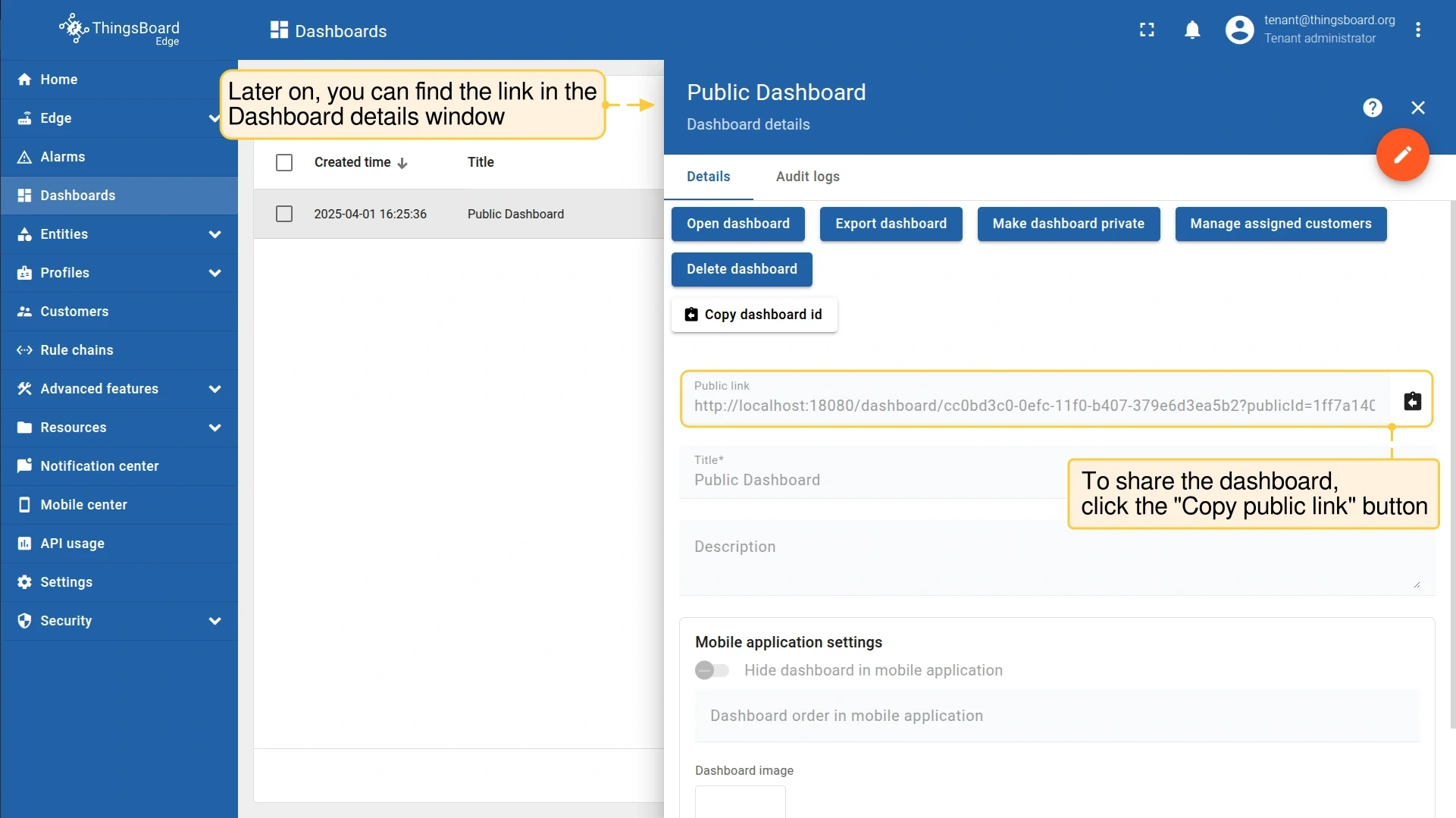
- The public link is also available in the Dashboard details window.
Making Dashboard Private
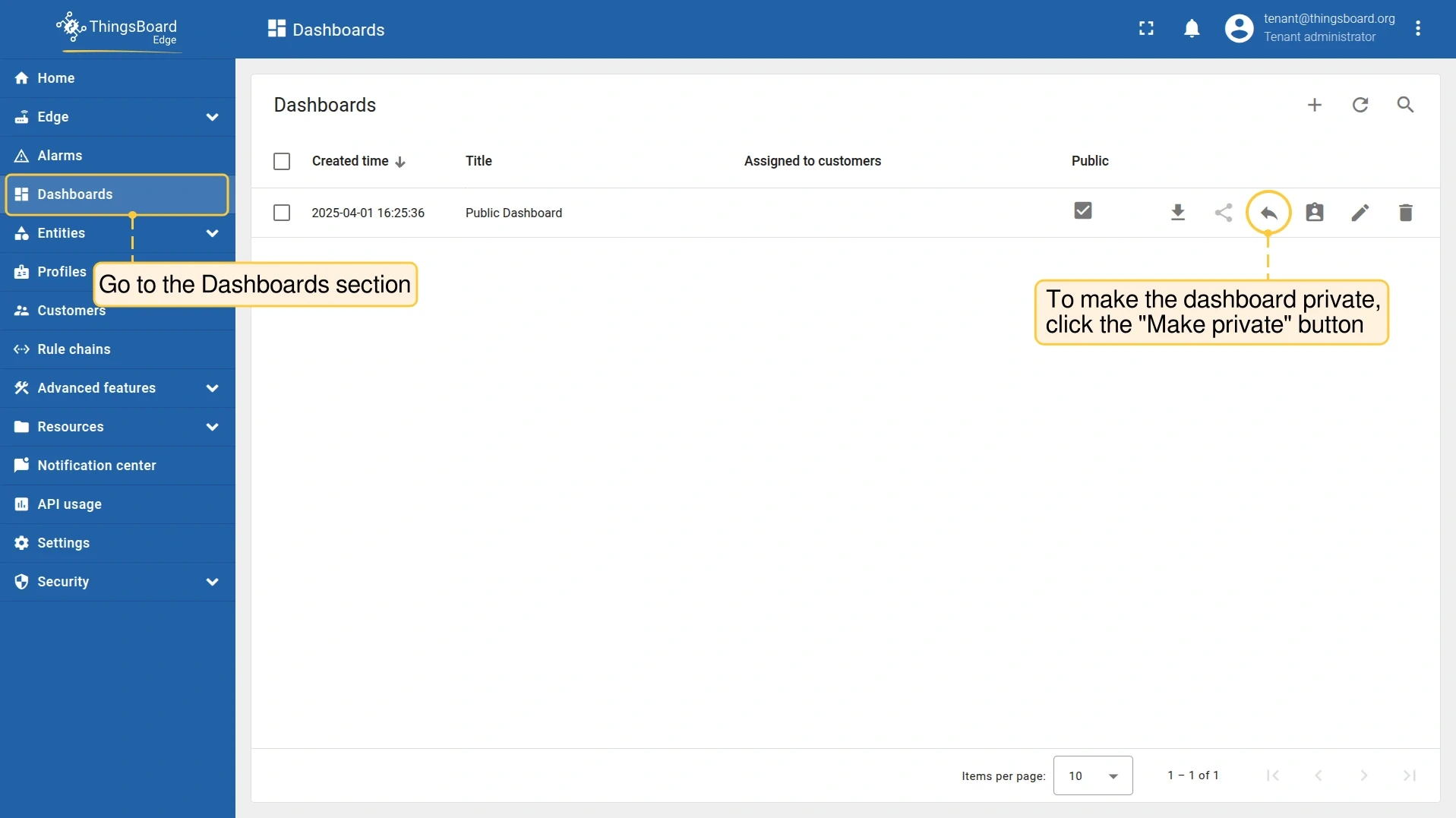
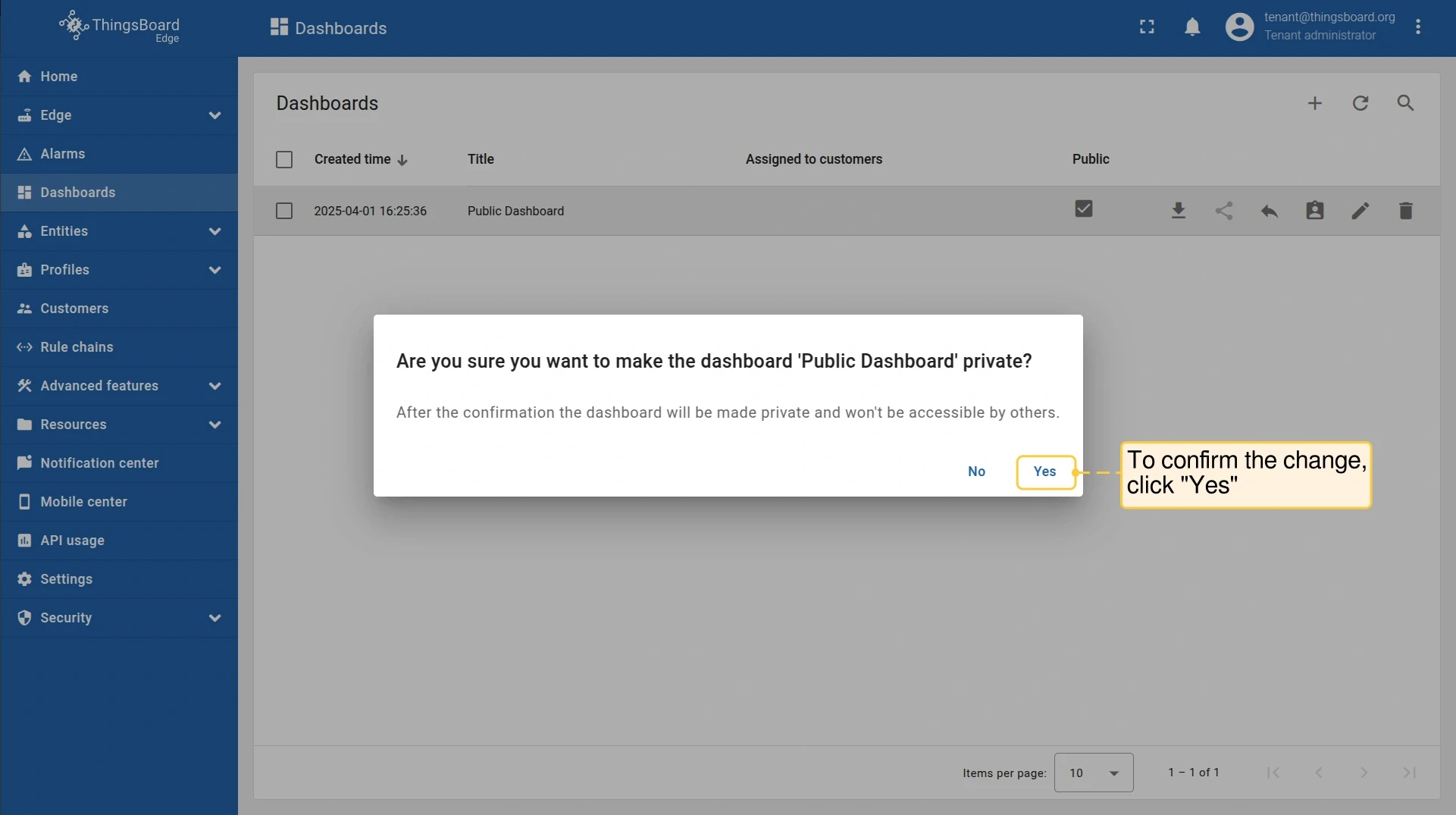
Section titled “Making Dashboard Private”- Go to Dashboards and open the dashboard menu. Click Make private.
- Click Yes to confirm.
Was this helpful?
Thank you for your feedback!