
REST API
TBMQ exposes a REST API that allows you to manage users, MQTT client credentials, sessions, subscriptions, retained messages, and more. All endpoints require JWT authentication.
Swagger UI
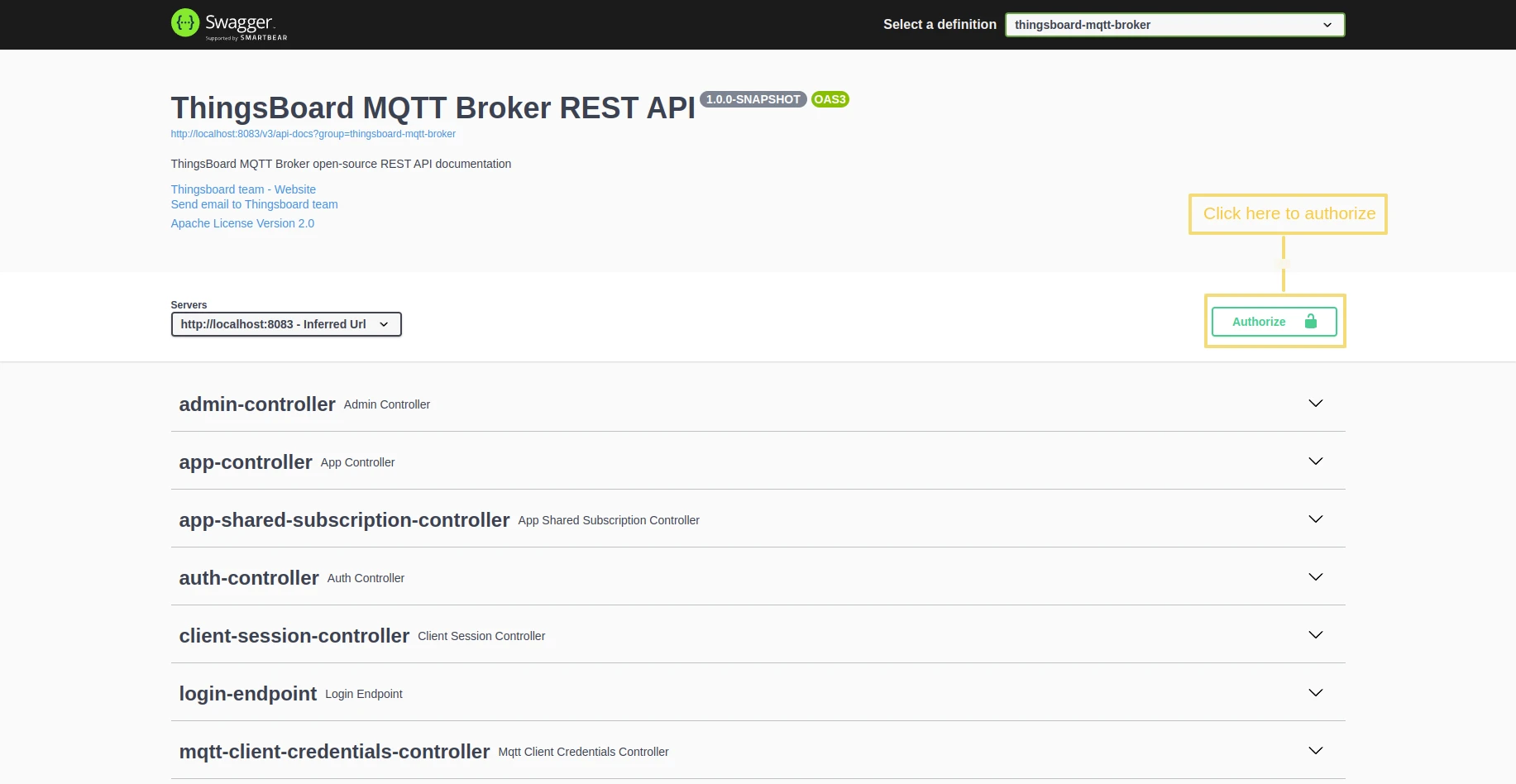
Section titled “Swagger UI”After installing TBMQ, you can explore the REST API using the built-in Swagger UI.
Open the following URL in your browser:
http(s)://YOUR_HOST:PORT/swagger-ui/For a local installation:
http://localhost:8083/swagger-ui/The Swagger UI provides an interactive interface to browse available endpoints, test API calls, and view request/response schemas.
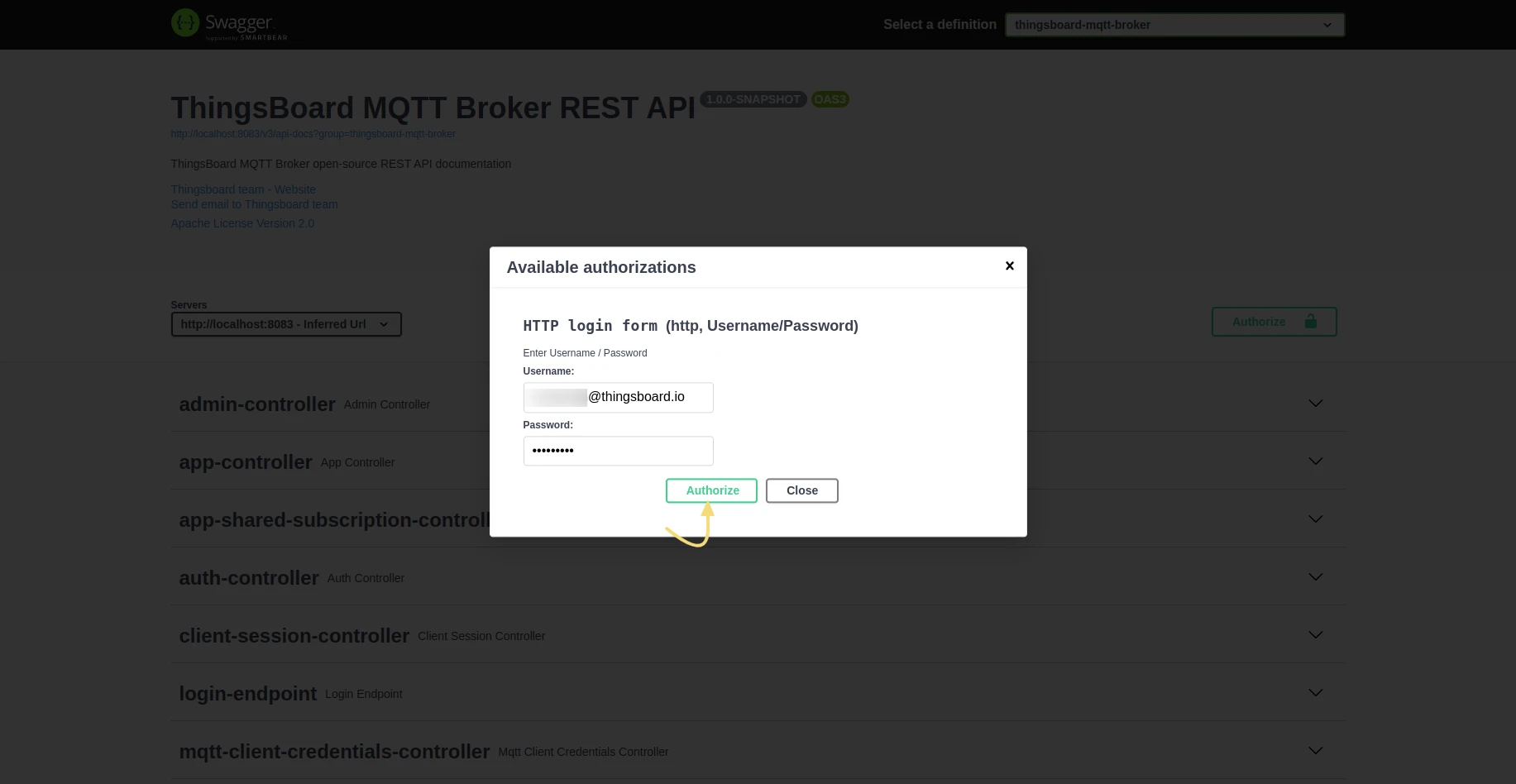
If you are already logged in to the TBMQ management console, your session credentials are used automatically. To authenticate manually or switch users, click the Authorize button in the top-right corner and enter your username and password.
JWT tokens
Section titled “JWT tokens”TBMQ uses JWT (JSON Web Tokens) to authenticate API clients. When you log in, TBMQ returns a short-lived access token and a refresh token.
Use the access token in the X-Authorization header for all API requests. When it expires, use the refresh token
to obtain a new access token.
Token expiration is configured via the configuration settings:
| Parameter | Default |
|---|---|
JWT_TOKEN_EXPIRATION_TIME | 2.5 hours |
JWT_REFRESH_TOKEN_EXPIRATION_TIME | 1 week |
Get an access token:
curl -X POST \ --header 'Content-Type: application/json' \ -d '{"username":"sysadmin@thingsboard.org","password":"sysadmin"}' \ 'http://THINGSBOARD_MQTT_BROKER_URL/api/auth/login'Response:
{"token":"$YOUR_JWT_TOKEN","refreshToken":"$YOUR_JWT_REFRESH_TOKEN"}Set the token as an environment variable for use in subsequent requests:
export ACCESS_TOKEN=PLACE_YOUR_TOKEN_HEREControllers overview
Section titled “Controllers overview”| Controller | Purpose |
|---|---|
| Admin Controller | View, create, and delete admin users |
| App Controller | Advanced monitoring and control of broker state |
| App Shared Subscription Controller | View, create, and delete Application Shared Subscriptions |
| Auth Controller | View current user info and change password |
| Client Session Controller | View, disconnect, and clear client sessions |
| Login Endpoint | Authenticate and obtain JWT token data |
| MQTT Client Credentials Controller | View, create, and delete MQTT client credentials |
| Retained Msg Controller | View retained messages and force clean-up |
| Subscription Controller | View subscriptions and force clean-up |
| Time Series Controller | Get and delete historical stats data |
| Unauthorized Client Controller | Get and delete unauthorized clients |
| WebSocket Connection Controller | Create, get, and delete WebSocket connections |
| WebSocket Subscription Controller | Create, get, and delete WebSocket subscriptions |
Was this helpful?