
Settings
TBMQ provides a dedicated Settings page for administrators to manage key system configurations from the UI. The Settings page is divided into three tabs.
Security settings
Section titled “Security settings”Configure the execution order of MQTT authentication providers and define password policies for TBMQ user accounts.
MQTT authentication
Section titled “MQTT authentication”The Authentication Execution Order setting controls the priority in which authentication providers validate MQTT client credentials.
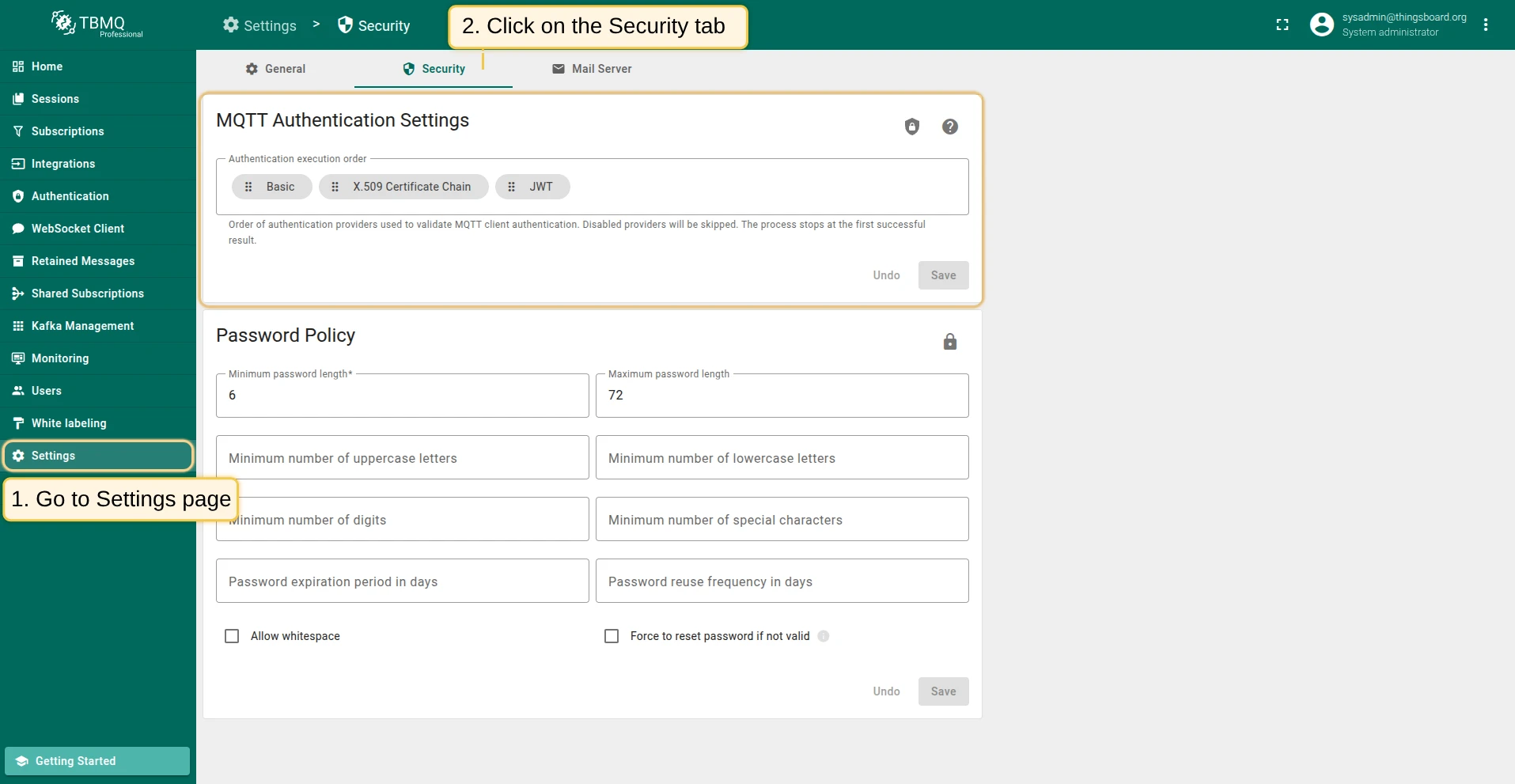
The following rules apply:
- Disabled providers are skipped.
- The authentication flow stops at the first successful result or after all enabled providers are evaluated.
- If all providers are disabled, clients are authenticated without credential validation.
Password policy
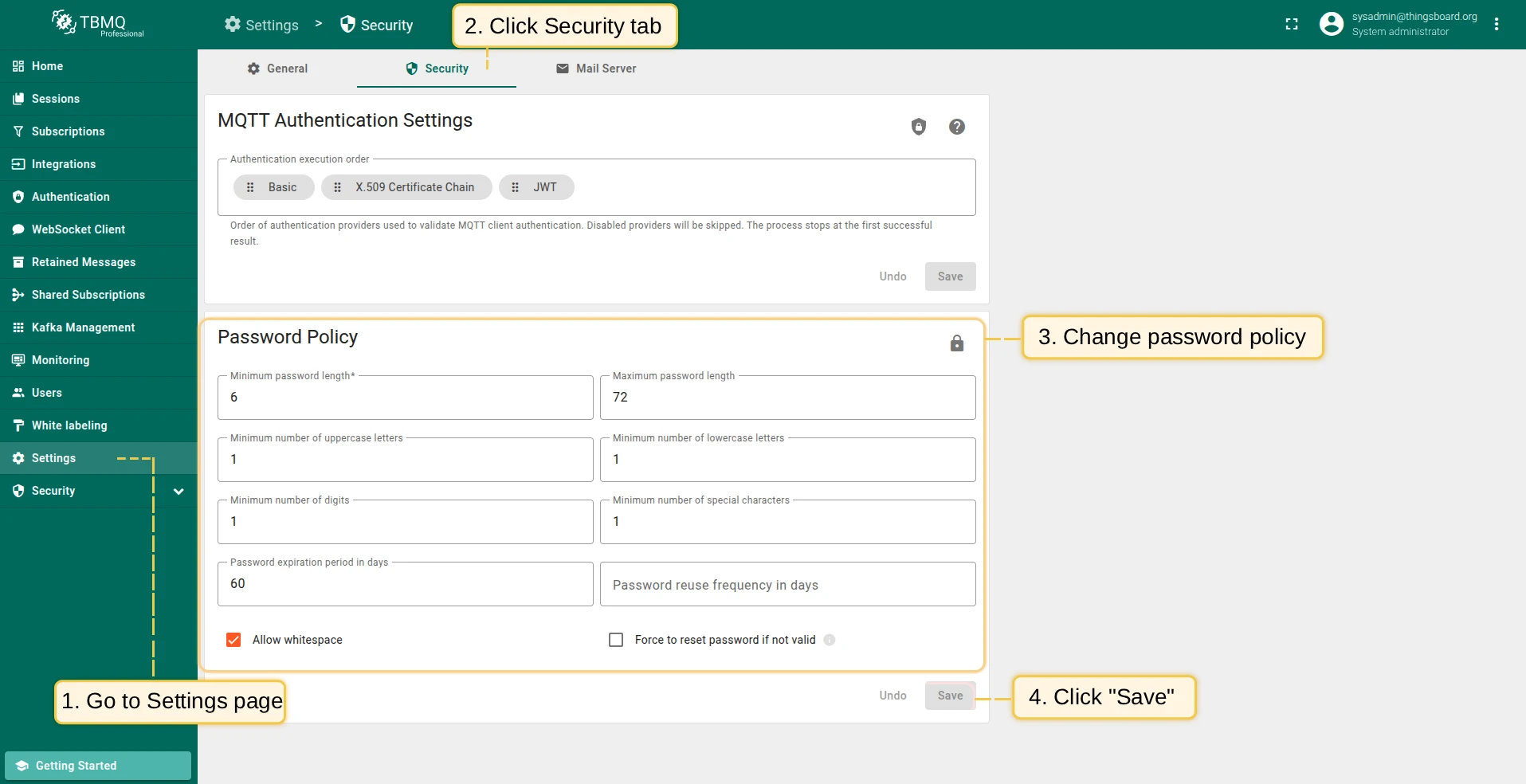
Section titled “Password policy”To log into TBMQ, users authenticate with an email and password. You can enforce stronger account security by configuring a password policy:
- Minimum password length — minimum number of characters (6–50; required).
- Maximum password length — must be greater than the minimum.
- Minimum number of uppercase letters.
- Minimum number of lowercase letters.
- Minimum number of digits.
- Minimum number of special characters.
- Password expiration period in days — forces users to change their password after the specified number of days.
- Password reuse frequency in days — prevents reuse of recent passwords for the specified number of days.
- Allow whitespace — when enabled, spaces are allowed in passwords.
- Force to reset password if not valid — users whose passwords fail validation are required to reset via email.
After configuring the password policy, click Save to apply. When the password policy is updated, new users must adhere to the new rules. If the Force to reset password if not valid option is enabled, all existing users whose passwords do not meet the new requirements are also forced to update their passwords.
For other security-related settings, see the Security documentation.
Change password
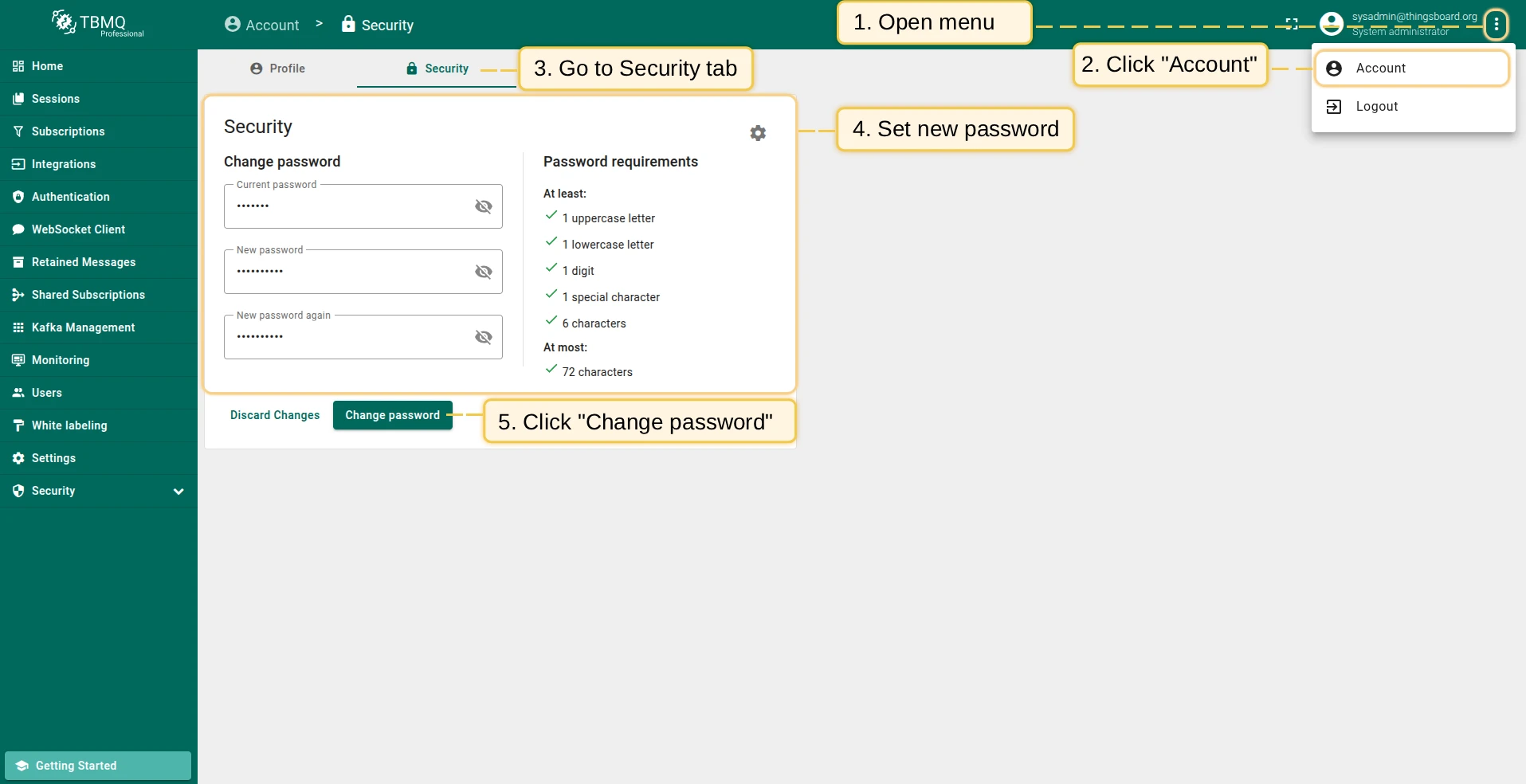
Section titled “Change password”To change your account password:
- Click the menu icon in the top right corner and select Account.
- Click the Security tab.
- Enter a new password that meets the current policy requirements.
- Click Change password.
General settings
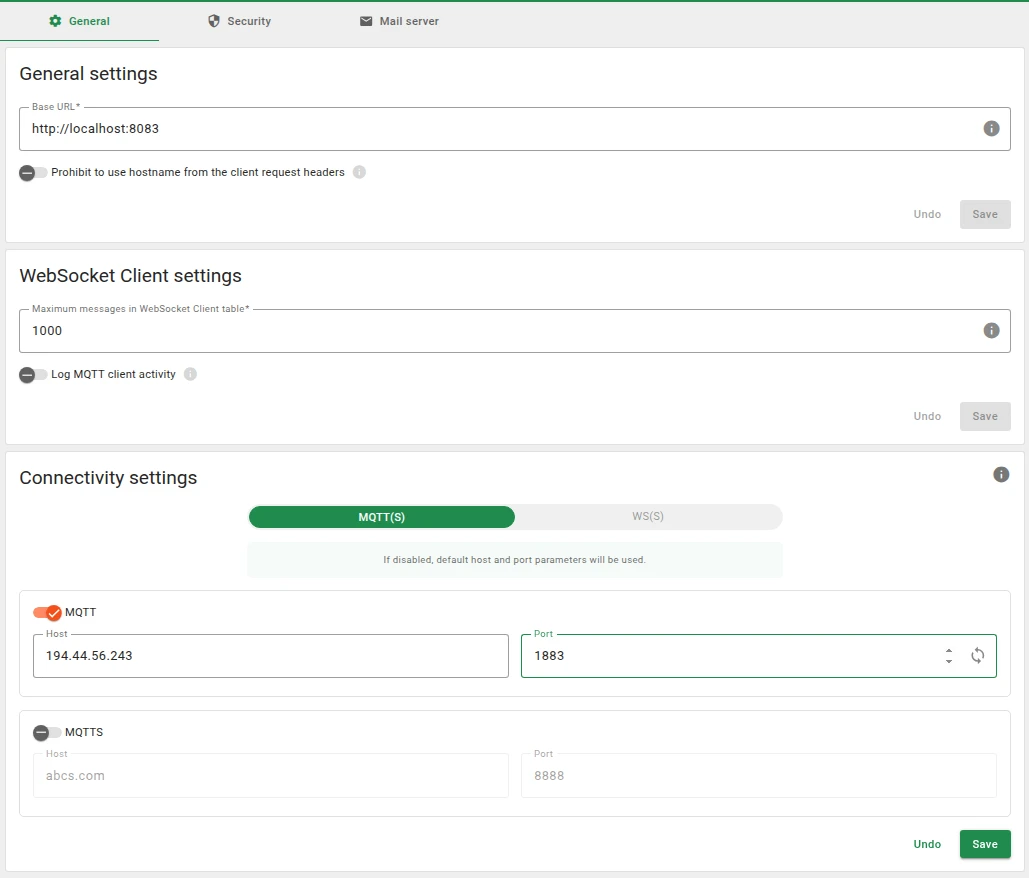
Section titled “General settings”Configure global MQTT connectivity settings used across the TBMQ UI (default host and port values) and WebSocket client behavior, including activity logging and message retention limits.
Base URL
Section titled “Base URL”- Base URL — the public URL of this TBMQ instance. Used to generate links in emails and password-reset links. Should match the public domain and protocol (e.g.,
https://tbmq.example.com). - Prohibit to use hostname from the client request headers — when enabled, TBMQ ignores the hostname sent in client request headers and uses the configured Base URL instead. This setting should be enabled for production environments. May cause security issues when disabled.
Connectivity
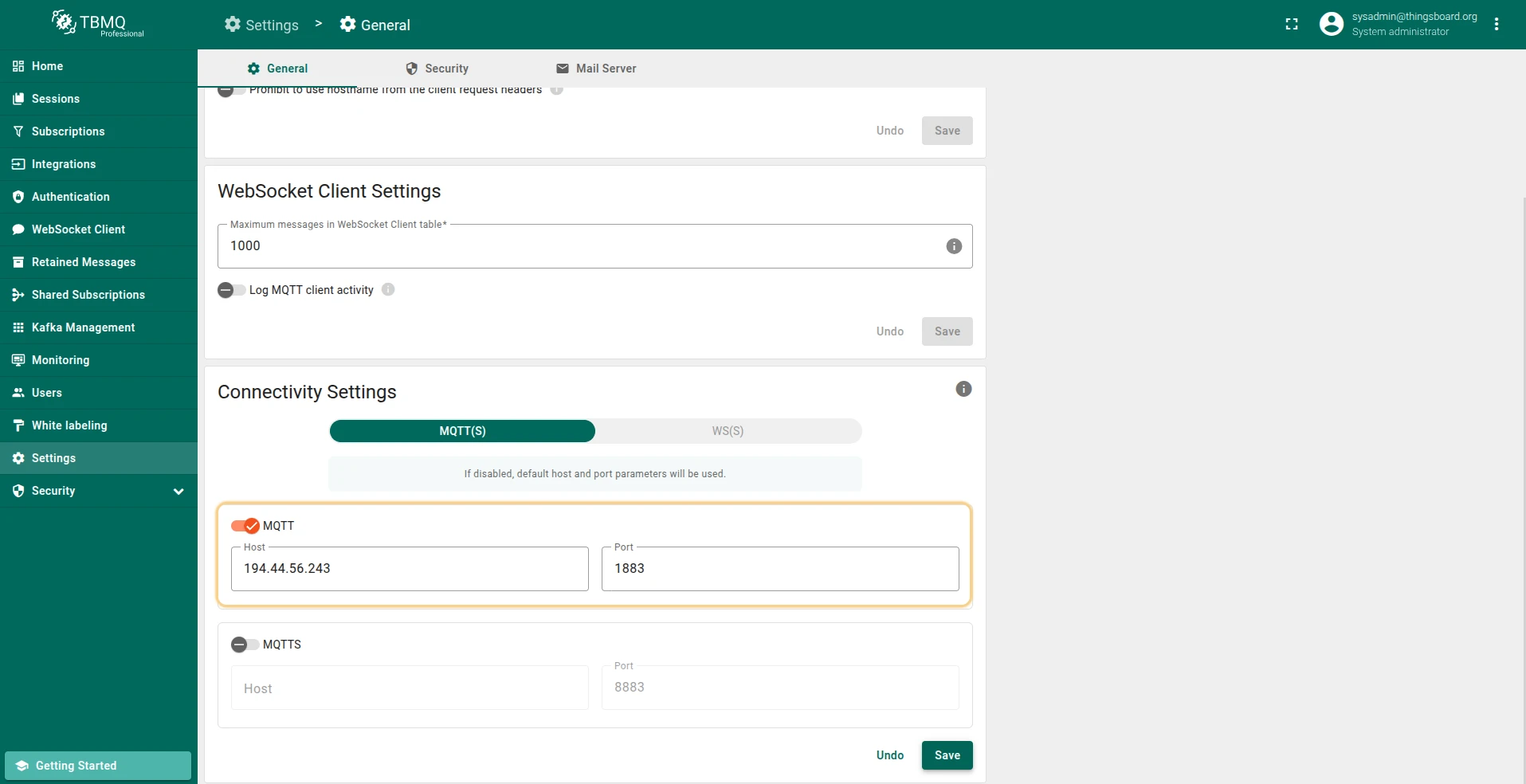
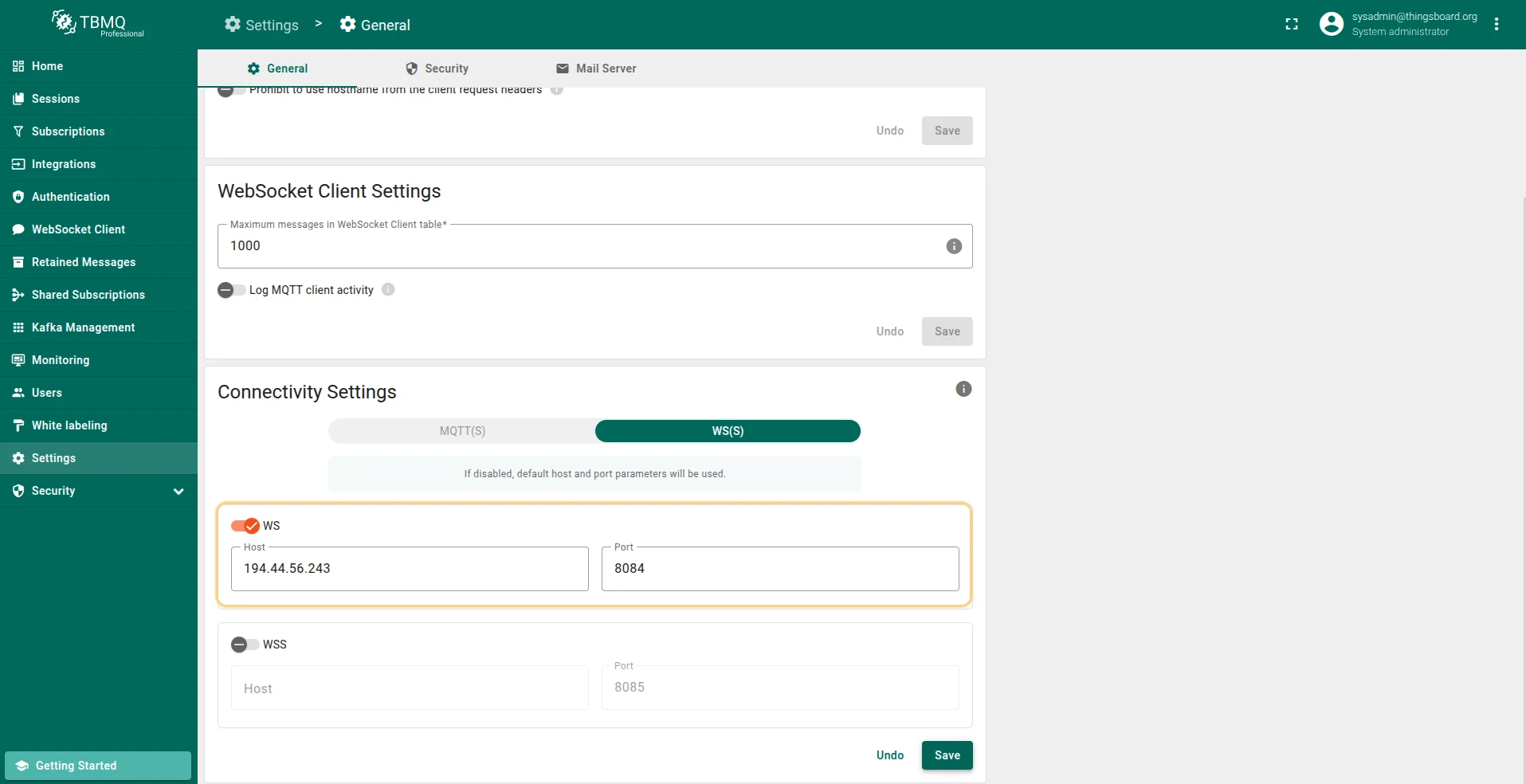
Section titled “Connectivity”Override the default host and port values for MQTT, MQTTS, WS, and WSS protocols:
| Protocol | Default port | Port variable | Bind address variable |
|---|---|---|---|
| MQTT | 1883 | LISTENER_TCP_BIND_PORT | LISTENER_TCP_BIND_ADDRESS |
| MQTTS | 8883 | LISTENER_SSL_BIND_PORT | LISTENER_SSL_BIND_ADDRESS |
| WS | 8084 | LISTENER_WS_BIND_PORT | LISTENER_WS_BIND_ADDRESS |
| WSS | 8085 | LISTENER_WSS_BIND_PORT | LISTENER_WSS_BIND_ADDRESS |
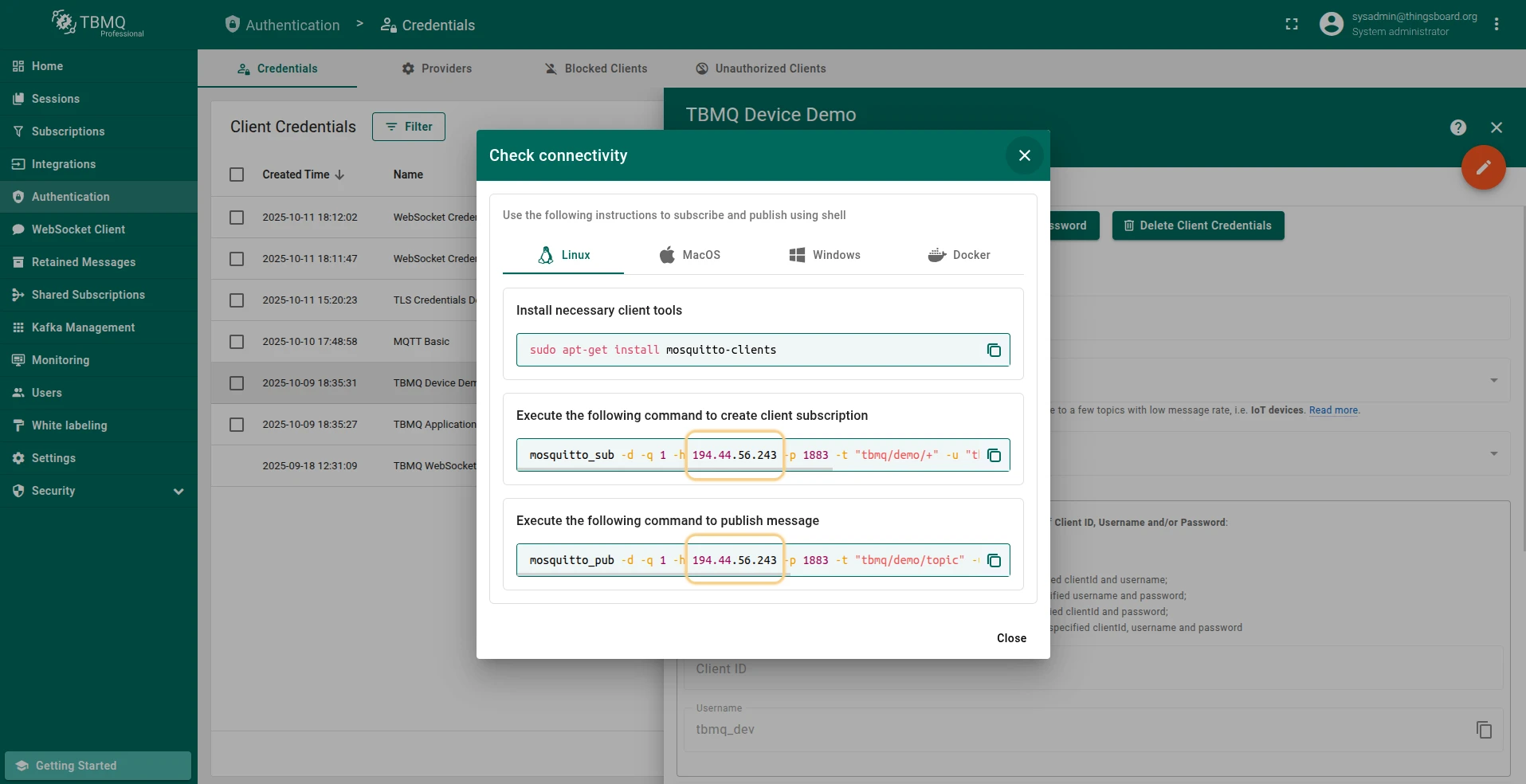
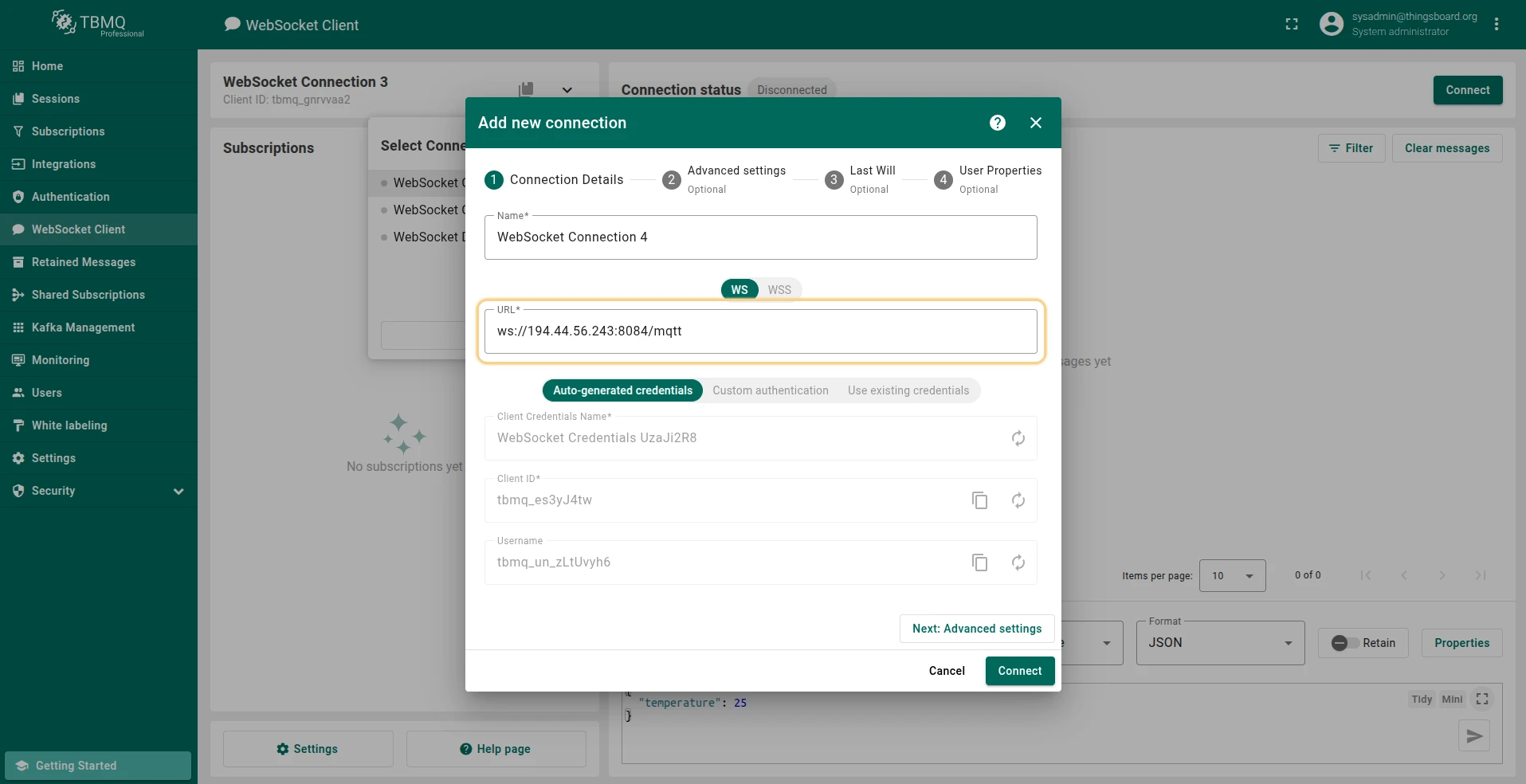
The default host is window.location.hostname (the hostname from the browser URL). TBMQ uses custom values in the following windows:
- Check connectivity window — uses the MQTT connectivity settings to generate commands with the custom host and port.
- Add WebSocket Connection window — uses the WS connectivity settings to generate a WebSocket URL.
WebSocket client
Section titled “WebSocket client”Configure additional settings for the WebSocket Client:
- Log MQTT client activity — when enabled, logs the following MQTT.js events to the browser developer console: Connect, Disconnect, Reconnect, Message, Error, End, Close, Packet receive, Packet send, Offline, and Outgoing empty.
- Maximum messages in WebSocket Client table — controls the per-connection message limit persisted in browser memory.
Mail server settings
Section titled “Mail server settings”Configure the SMTP server used to send password reset emails. Refer to the ThingsBoard Mail Settings documentation for setup instructions.
Was this helpful?