
Client credentials
TBMQ provides multiple options for managing MQTT client credentials via the Web UI or REST API.
TBMQ supports the following credential types for authenticating MQTT client connections:
- Basic — authentication based on combinations of client ID, username, and password.
- Advantages: Quick to implement, widely supported, low network overhead.
- Disadvantages: Limited security.
- X.509 Certificate Chain — advanced security using an X.509 certificate chain to verify client identity.
- Advantages: Mutual authentication between client and broker; more granular access control based on certificate subject attributes.
- Disadvantages: More complex to set up, requires more expertise, higher compute cost for encryption/decryption.
- SCRAM — Salted Challenge Response Authentication Mechanism; secure, password-based authentication using the MQTT 5.0 enhanced authentication feature.
- Advantages: Higher security than basic auth — uses a challenge-response process with hashed credentials so the password is never sent in plain text.
- Disadvantages: Additional computational resources required for salted hash generation and validation.
Before using any of these credential types, ensure the appropriate authentication method is enabled. For a complete security overview, see the Security guide.
Add client credentials
Section titled “Add client credentials”-
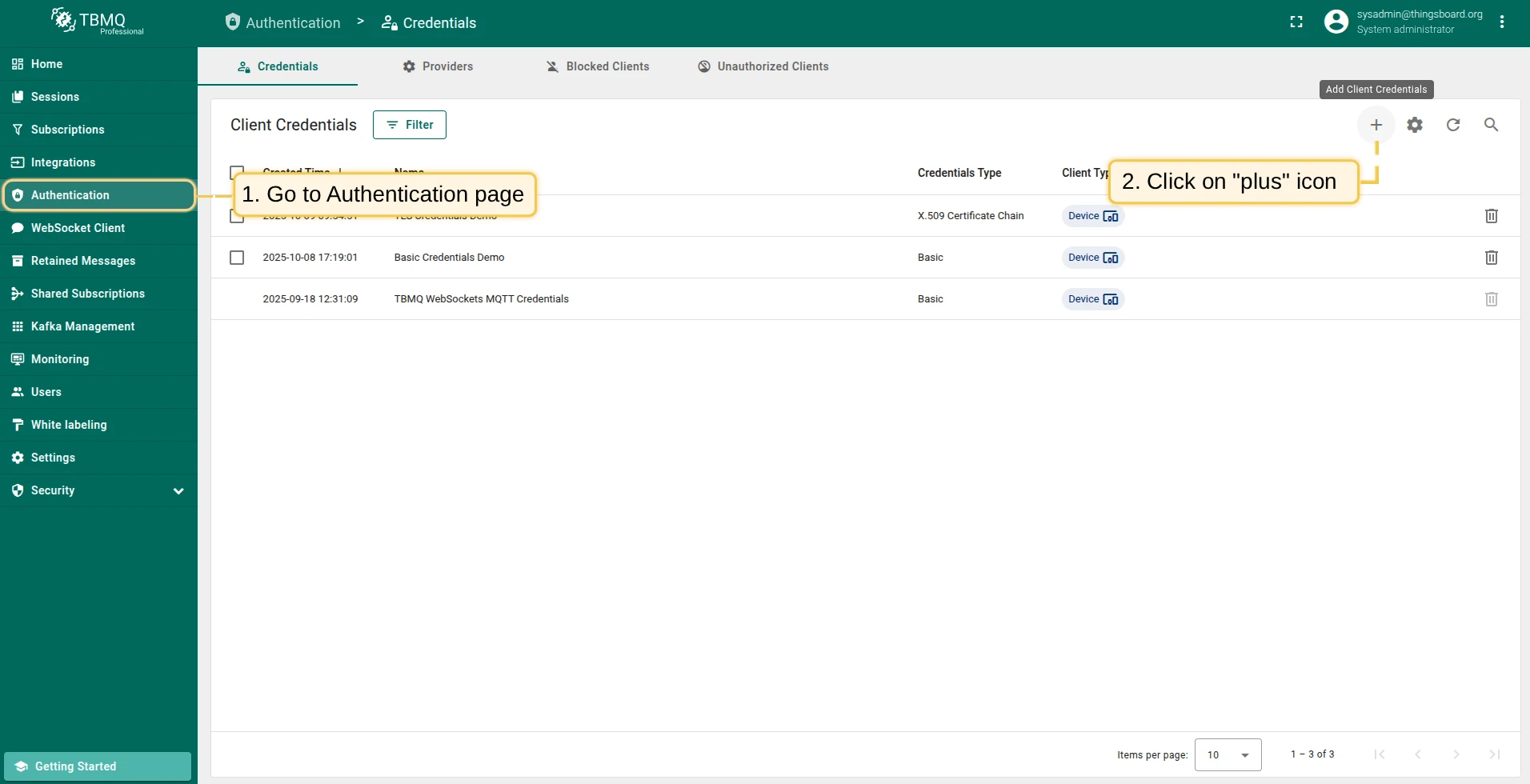
Go to Authentication → Credentials and click the Add Client Credentials button (plus icon).
-
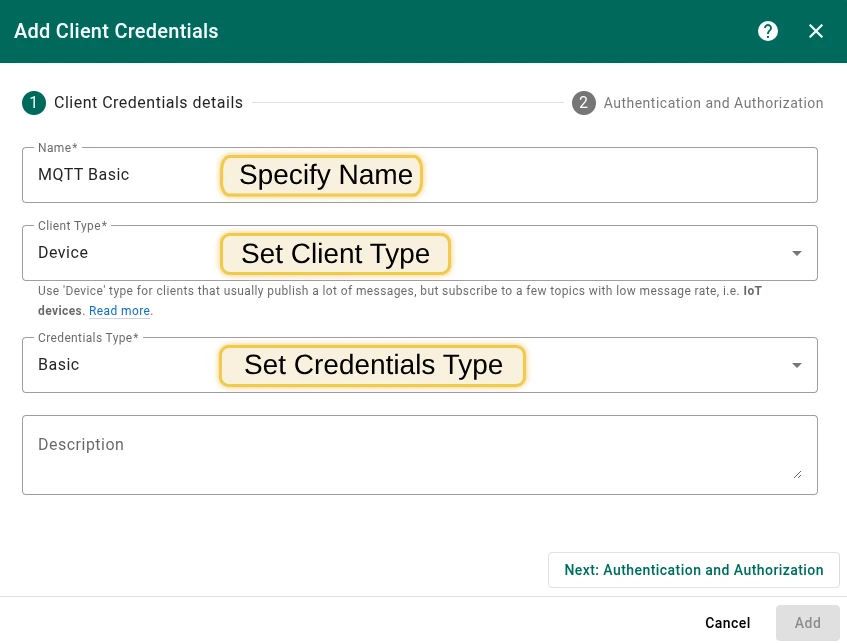
Fill in the Name field (does not need to be unique).
-
Select the Client Type:
- Device — for clients that publish frequently but subscribe to few topics with low message rate (IoT devices).
- Application — for clients that subscribe to high message rate topics and require offline persistence (e.g., ThingsBoard, AWS IoT Core).
See Client types for details.
-
Select the Credentials Type and configure authentication and authorization settings.
MQTT Basic credentials
Section titled “MQTT Basic credentials”Authentication
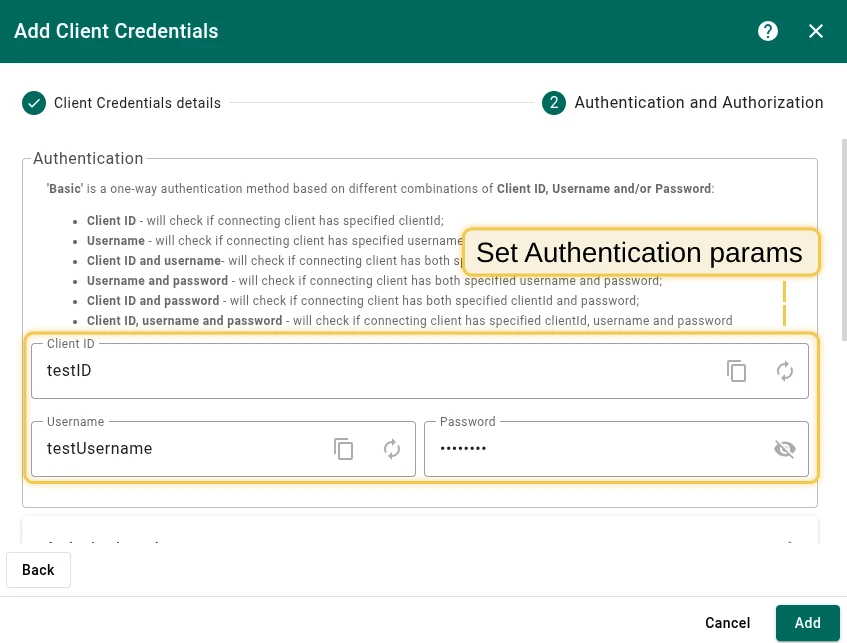
Section titled “Authentication”Basic authentication is based on combinations of client ID, username, and/or password:
| Option | Verification |
|---|---|
| Client ID | Verifies the connecting client has the specified client ID. |
| Username | Verifies the connecting client has the specified username. |
| Client ID and username | Verifies both client ID and username. |
| Username and password | Verifies username and password. |
| Client ID and password | Verifies client ID and password. |
| Client ID, username, and password | Verifies all three. |
Authorization rules
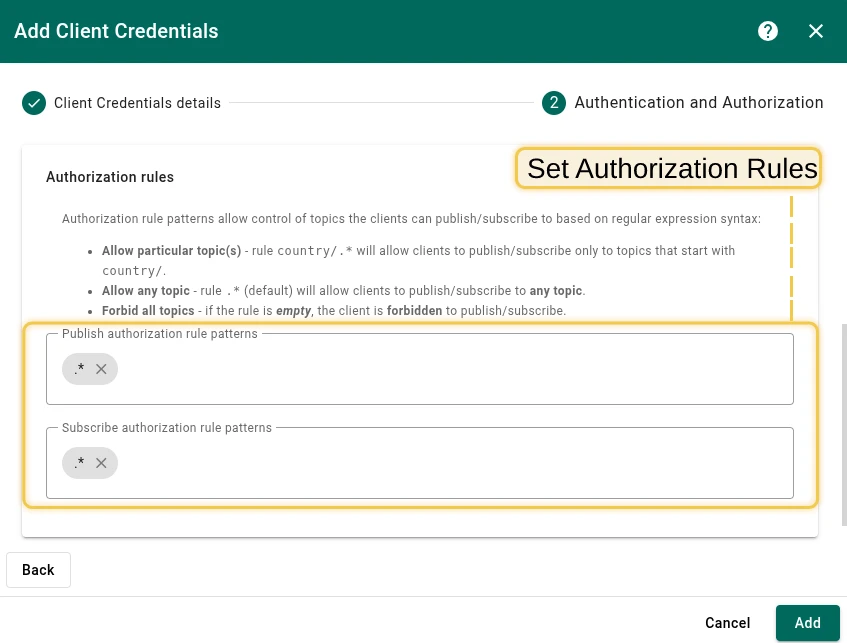
Section titled “Authorization rules”Authorization rule patterns control which topics clients can publish or subscribe to, using regular expression syntax:
country/.*— allows clients to publish/subscribe only to topics starting withcountry/..*(default) — allows any topic.- Empty — forbids all topics.
Change password
Section titled “Change password”To change the password for Basic credentials:
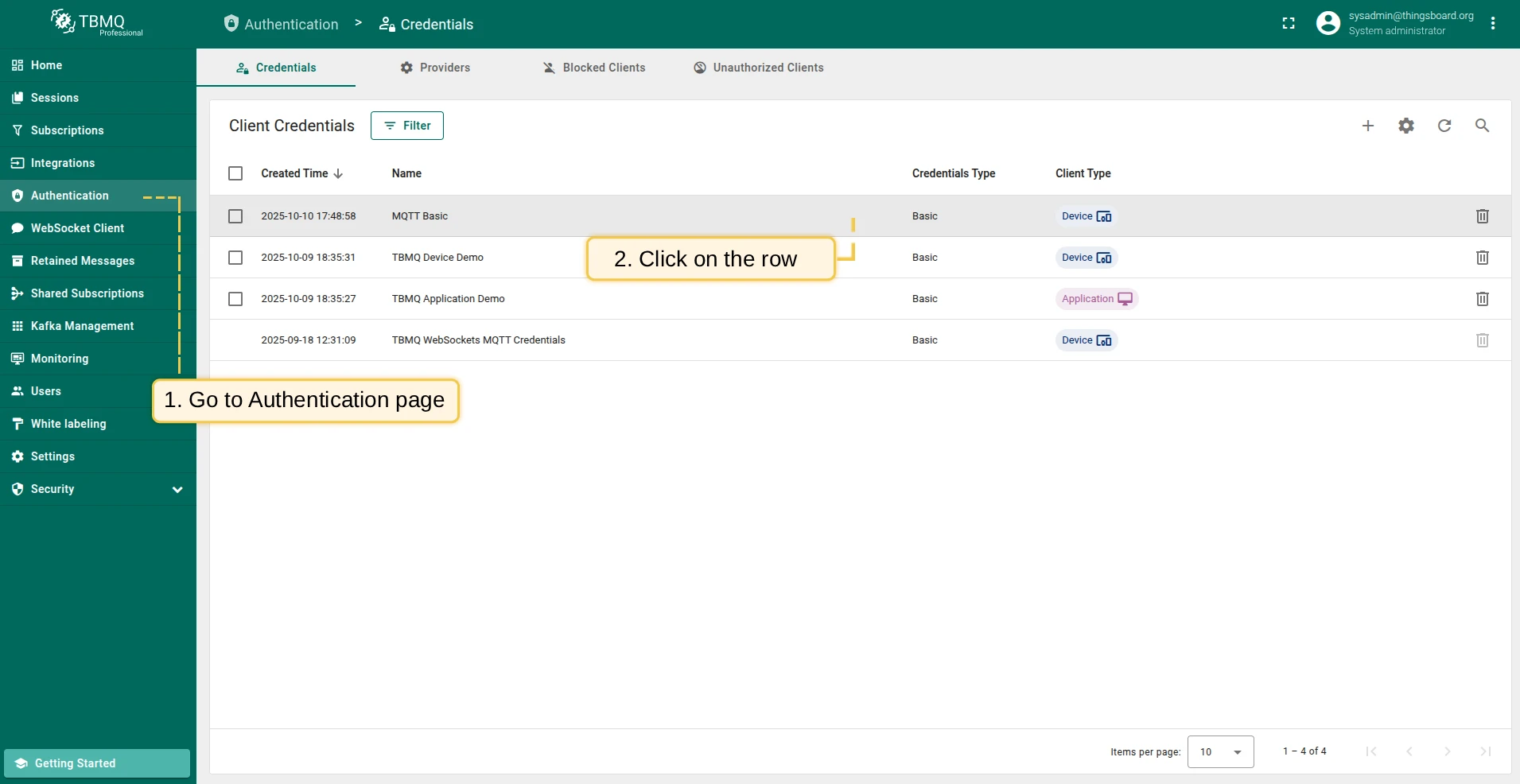
- Go to Authentication → Client Credentials and click on the credentials row.
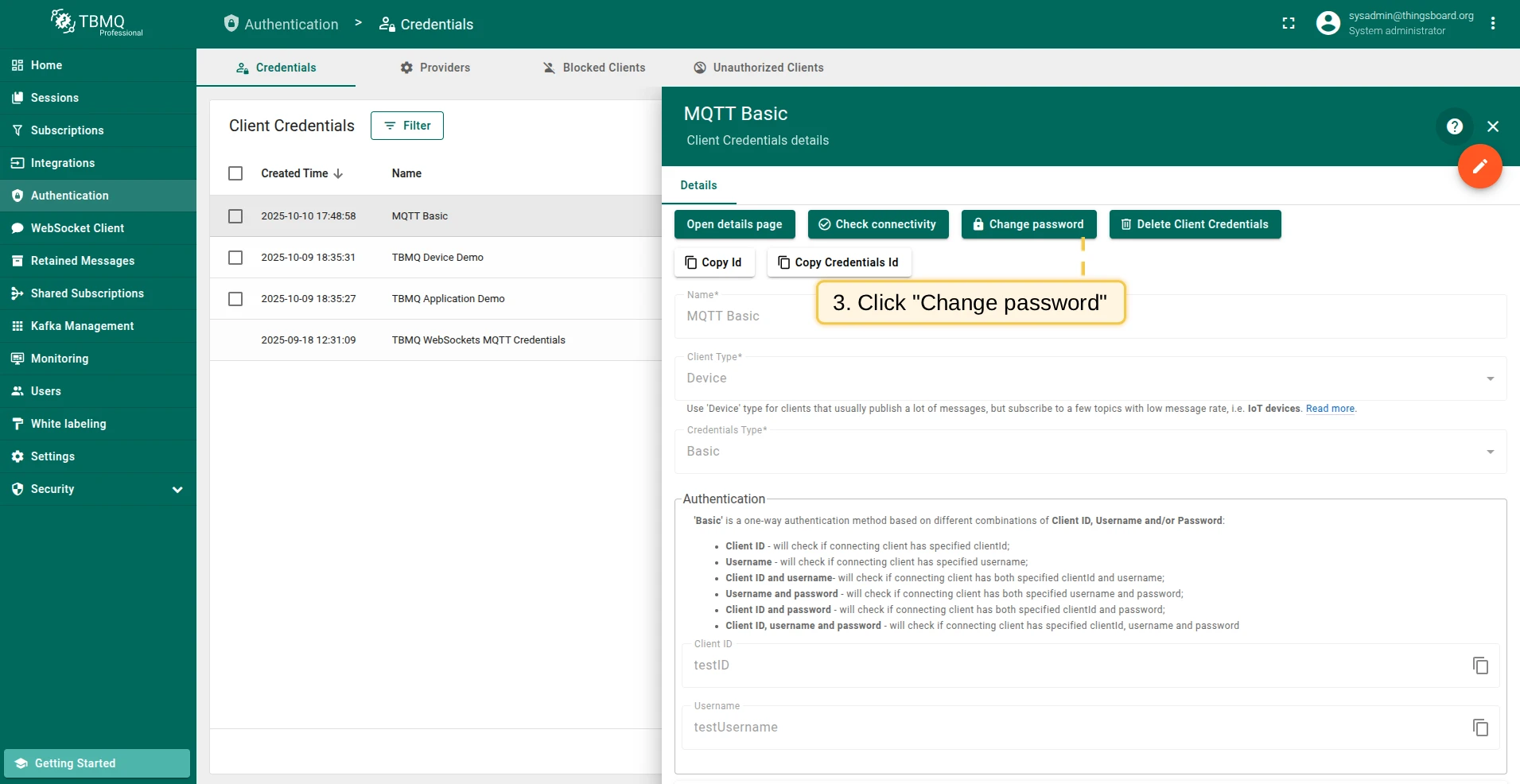
- Click the Change password button.
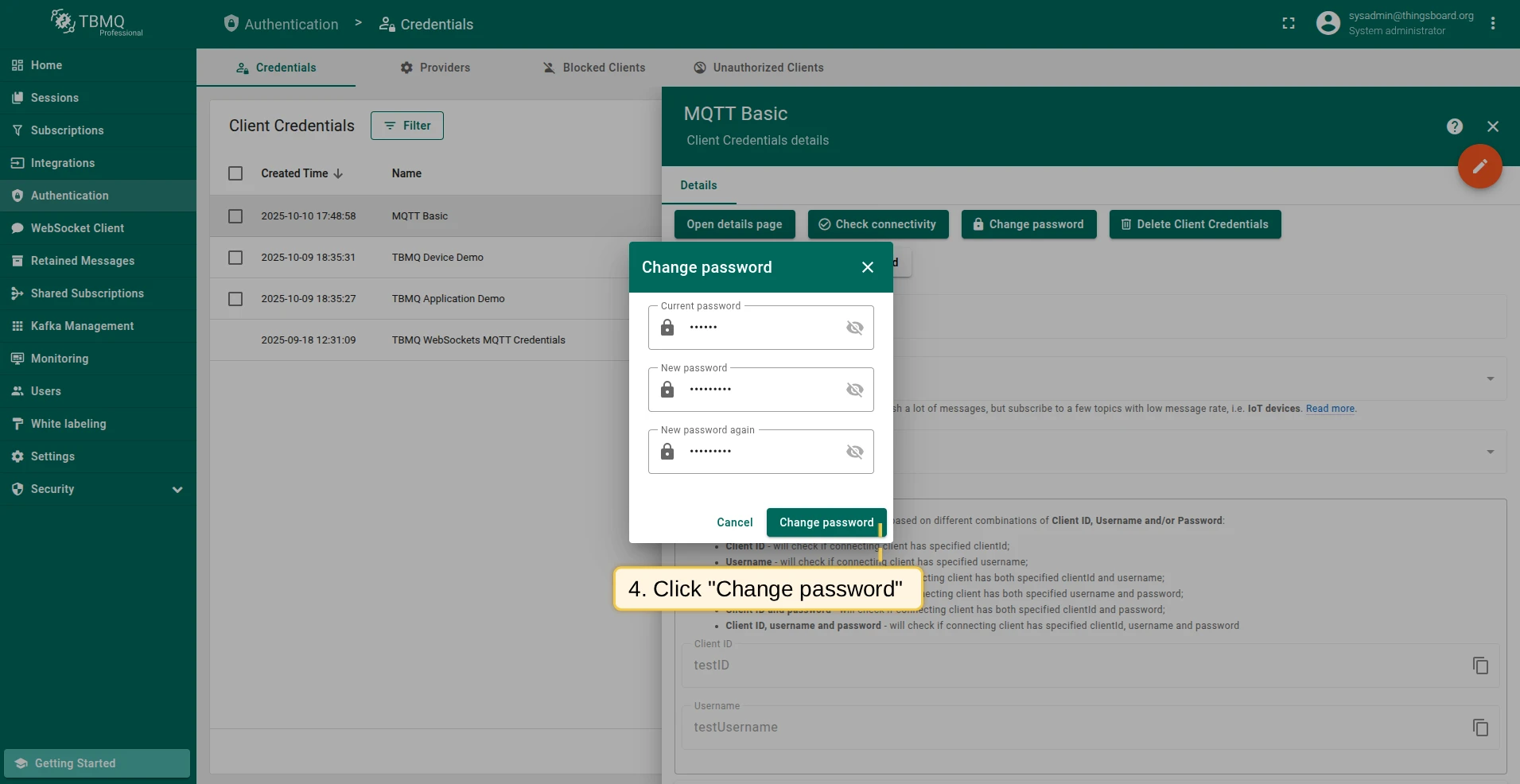
- Enter the current password, set a new one, and confirm.
X.509 Certificate Chain credentials
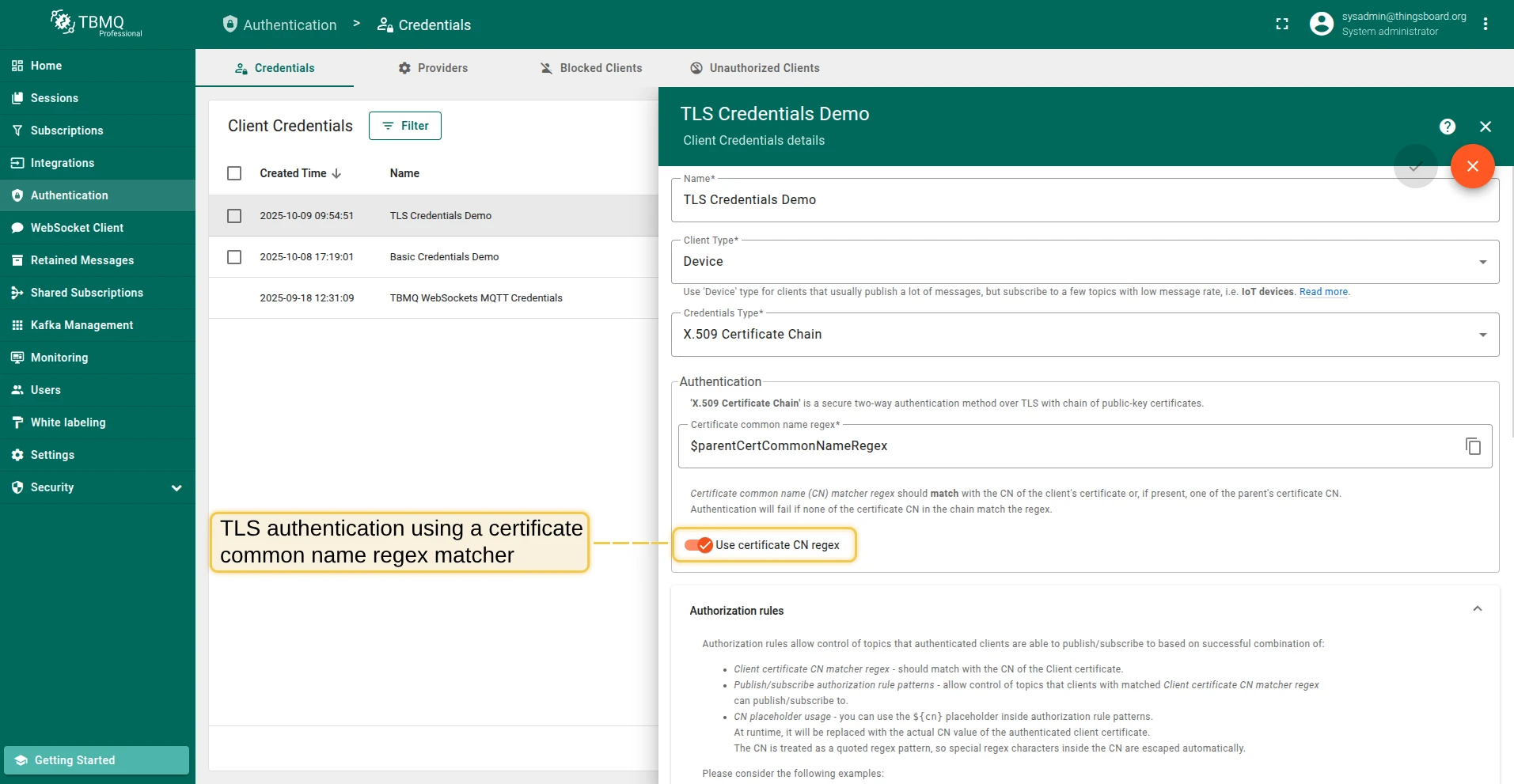
Section titled “X.509 Certificate Chain credentials”X.509 Certificate Chain is a mutual TLS authentication method using a chain of public-key certificates.
Authentication
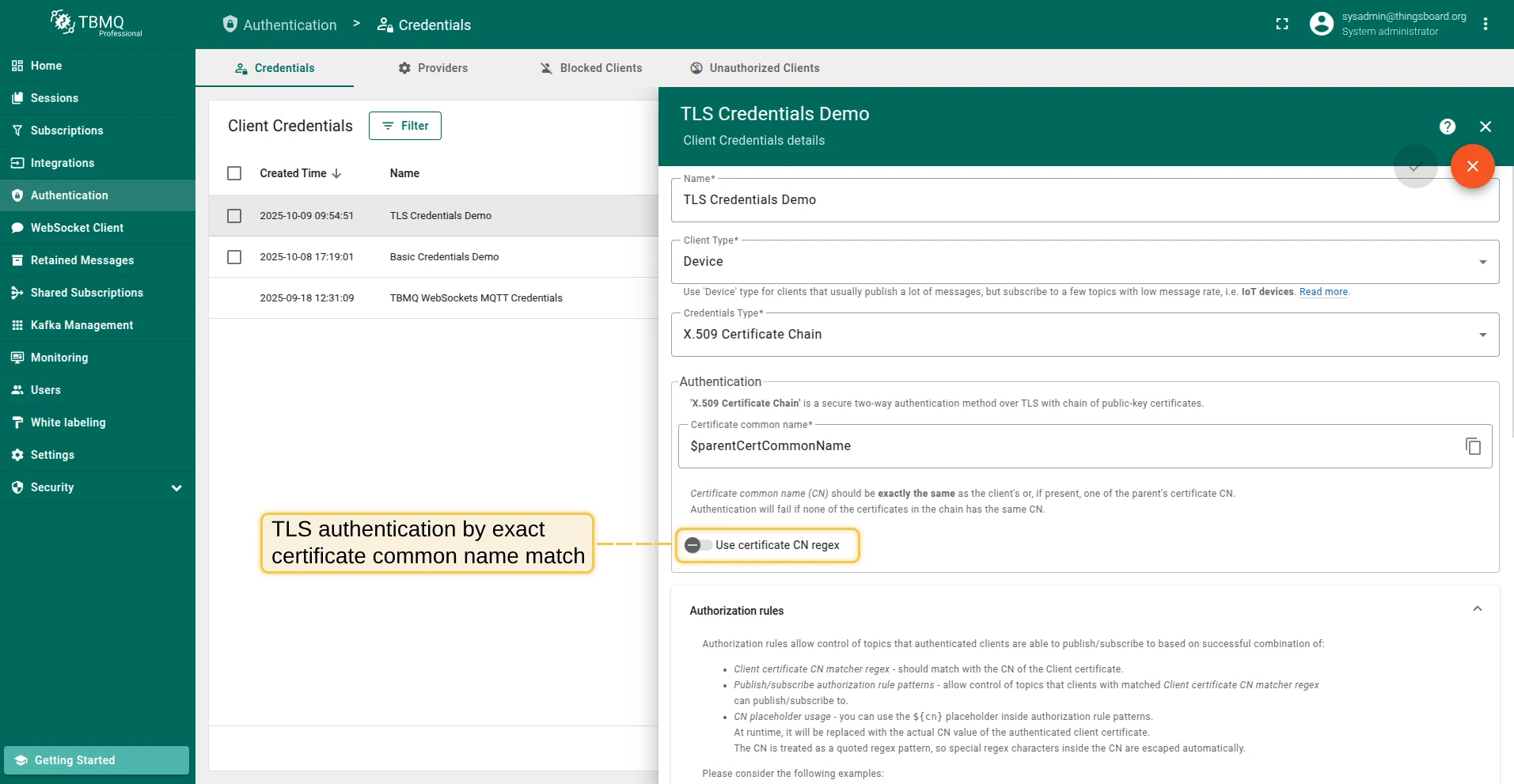
Section titled “Authentication”The behavior depends on the Use certificate CN regex parameter:
- Disabled (exact match) — the Certificate Common Name (CN) must exactly match the client’s or one of the parent’s certificate CN.
- Enabled (regex match) — the CN regex is matched against the client’s certificate CN or parent CAs. Provides flexibility for batch client verification.
Authorization rules
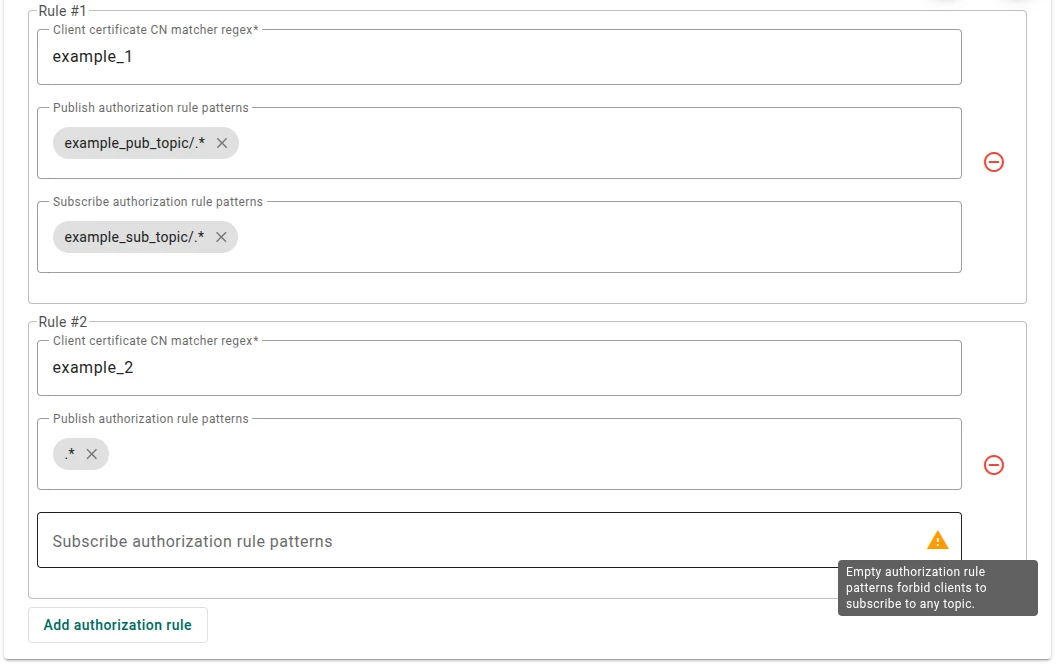
Section titled “Authorization rules”Authorization rules control topics based on the Client certificate CN matcher regex combined with publish/subscribe rule patterns:
- If the client certificate has CN
cn_example_1— set the CN matcher regex tocn_example_1,example_1, or.*example.*. - If Publish authorization rule patterns are set to
pub_topic/one/.*, pub_topic/two/.*— the client can only publish to topics starting withpub_topic/one/orpub_topic/two/. - If Subscribe authorization rule patterns are set to
.*(default) — the client can subscribe to any topic. - If Publish/Subscribe authorization rules are empty — the client is forbidden from publishing/subscribing to any topic.
SCRAM (Salted Challenge Response Authentication Mechanism) is an enhanced MQTT 5 authentication method based on username and password. The password is salted and hashed before storage — never transmitted in plain text.
- Username — unique identifier for the client.
- Password — secret string; salted and hashed before storage.
Authorization rules
Section titled “Authorization rules”Authorization rule patterns control which topics clients can publish or subscribe to, using regular expression syntax:
country/.*— allows clients to publish/subscribe only to topics starting withcountry/..*(default) — allows any topic.- Empty — forbids all topics.
Delete client credentials
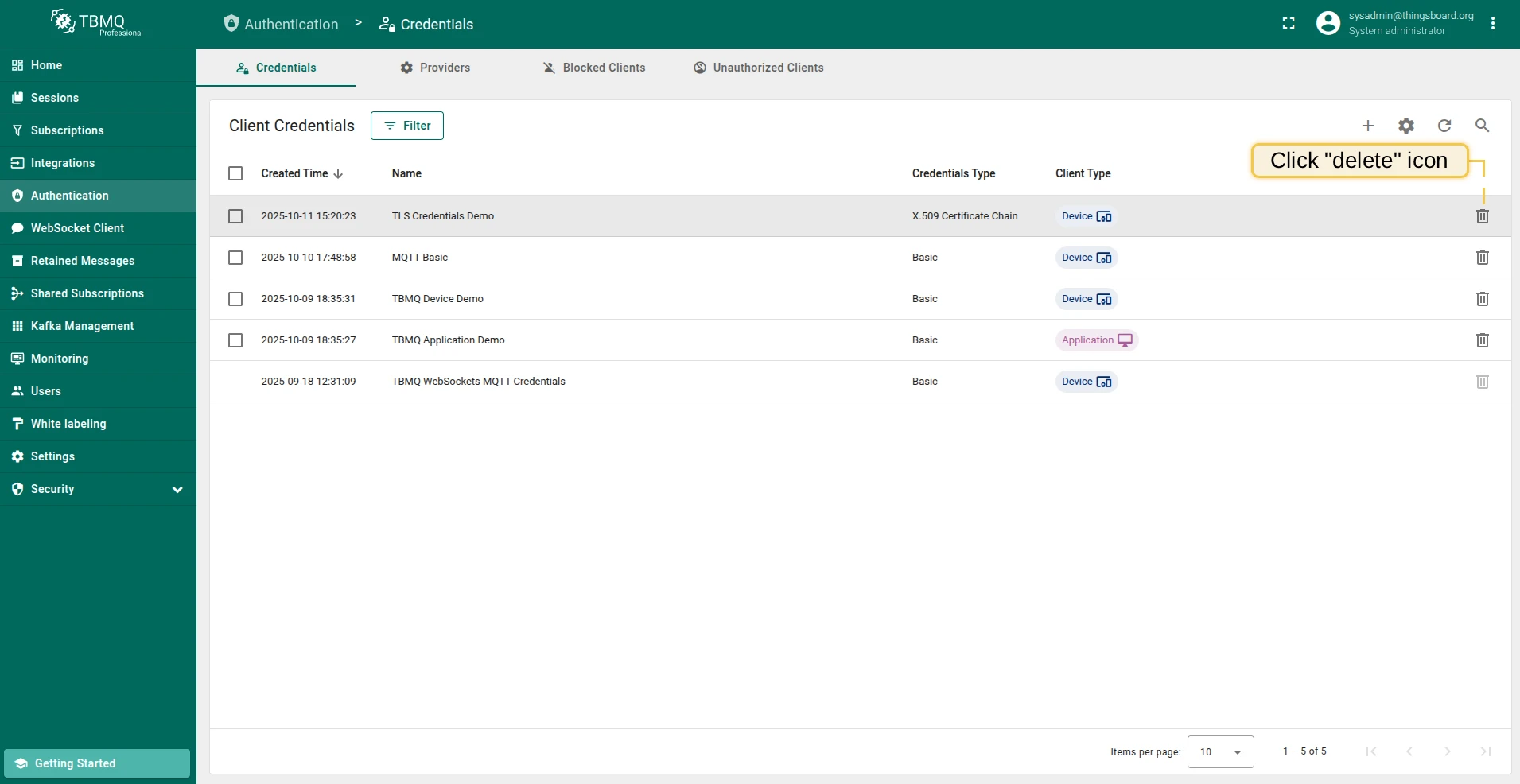
Section titled “Delete client credentials”- Delete single — click the Delete icon in the credentials row, or open the credentials and click Delete Client Credentials.
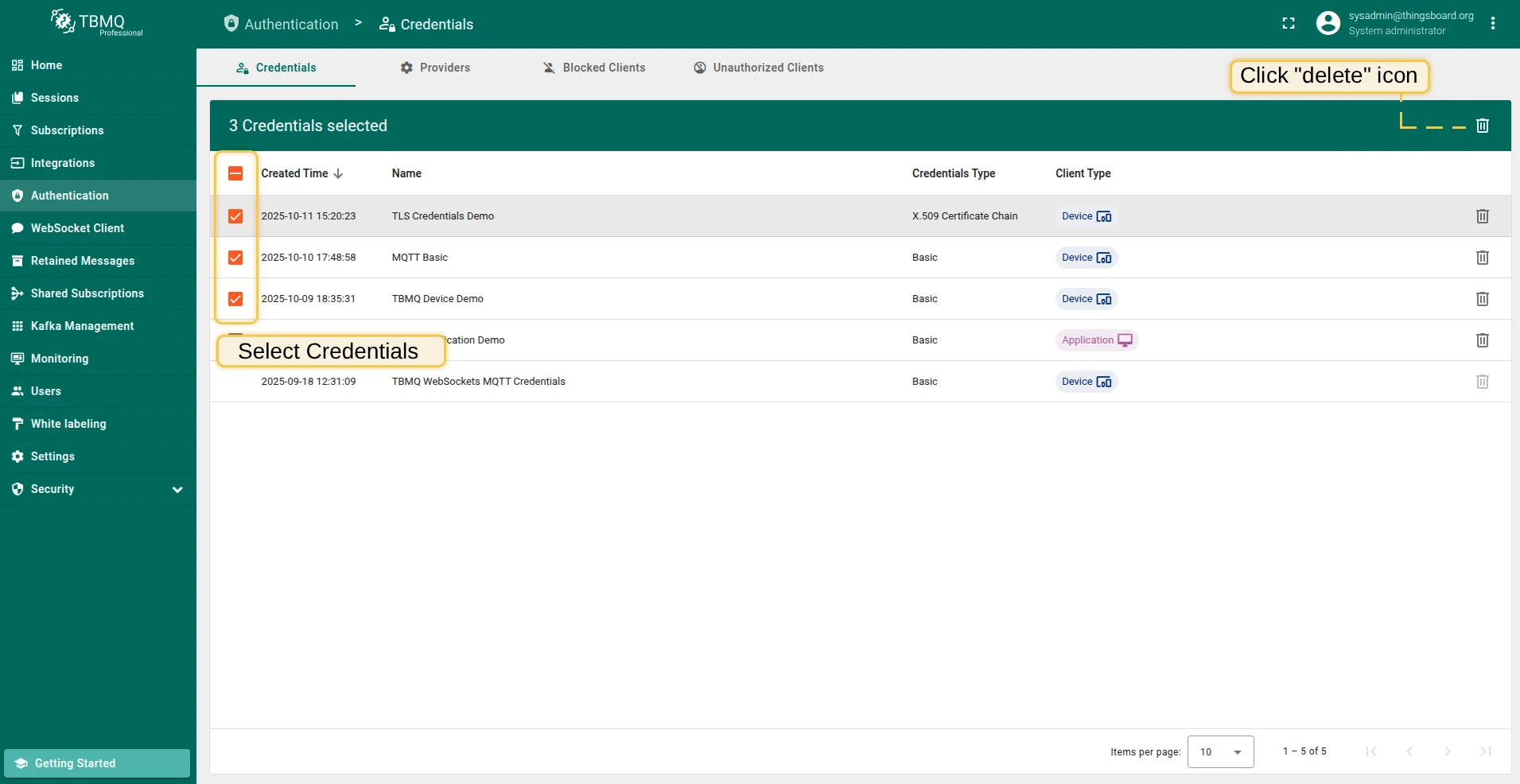
- Delete multiple — select multiple credentials using checkboxes, then click the Delete icon in the top right corner.
Check connectivity
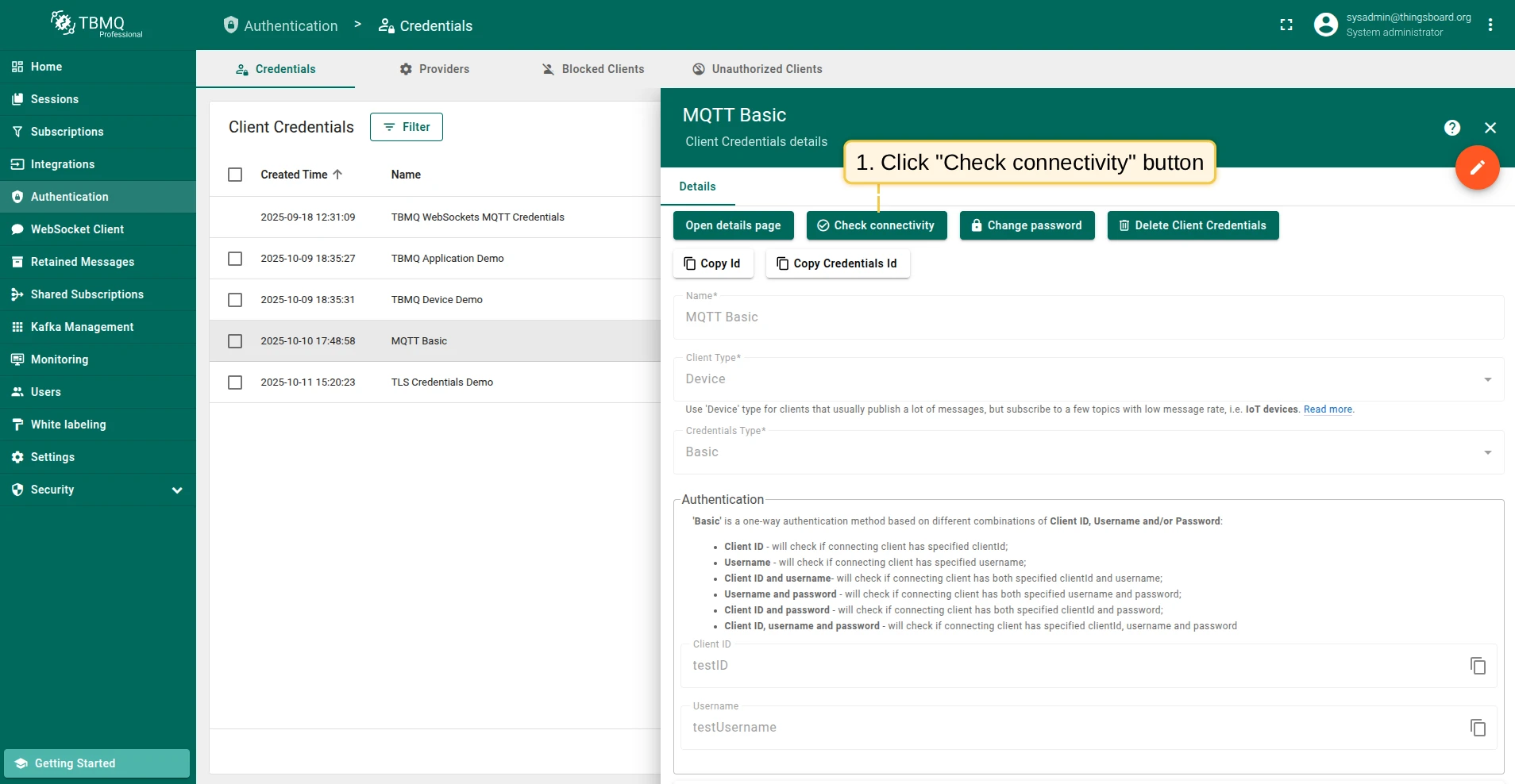
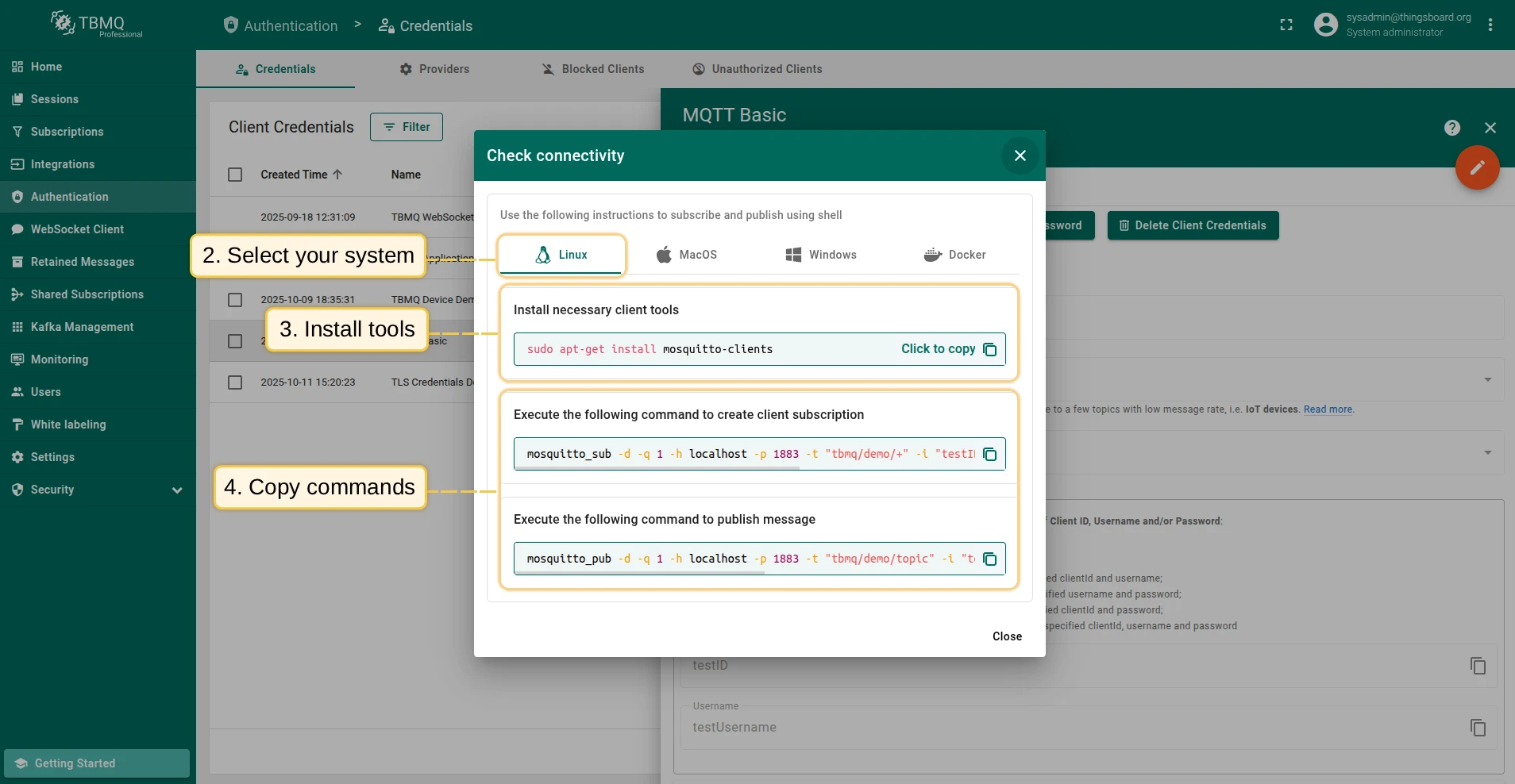
Section titled “Check connectivity”Check Connectivity auto-generates mosquitto_sub and mosquitto_pub commands using the broker’s host, port, and the selected client credentials. Available for Basic credentials only.
- Click the Check connectivity button.
- Select your operating system.
- Install the required client tools using the command shown.
- Copy and run the generated commands.
If the credentials include a password, replace $YOUR_PASSWORD with the actual password:
mosquitto_sub -d -q 1 -h localhost -p 1883 -t tbmq/demo/+ -i "tbmq_eJzCIh6r" -u "tbmq_un_VxUVPaF8" -P "$YOUR_PASSWORD" -vmosquitto_pub -d -q 1 -h localhost -p 1883 -t tbmq/demo/topic -i "tbmq_eJzCIh6r" -u "tbmq_un_VxUVPaF8" -P "$YOUR_PASSWORD" -m 'Hello World'If the client has configured publish/subscribe authorization rule patterns different from the default .*, replace $YOUR_TOPIC with a topic the client is permitted to use.
Was this helpful?