
Subscriptions
In MQTT, a subscription is a mechanism that allows clients to receive messages directed to specific topics. When a client subscribes to a topic, it expresses its interest in receiving all messages published to that topic.
Subscriptions table
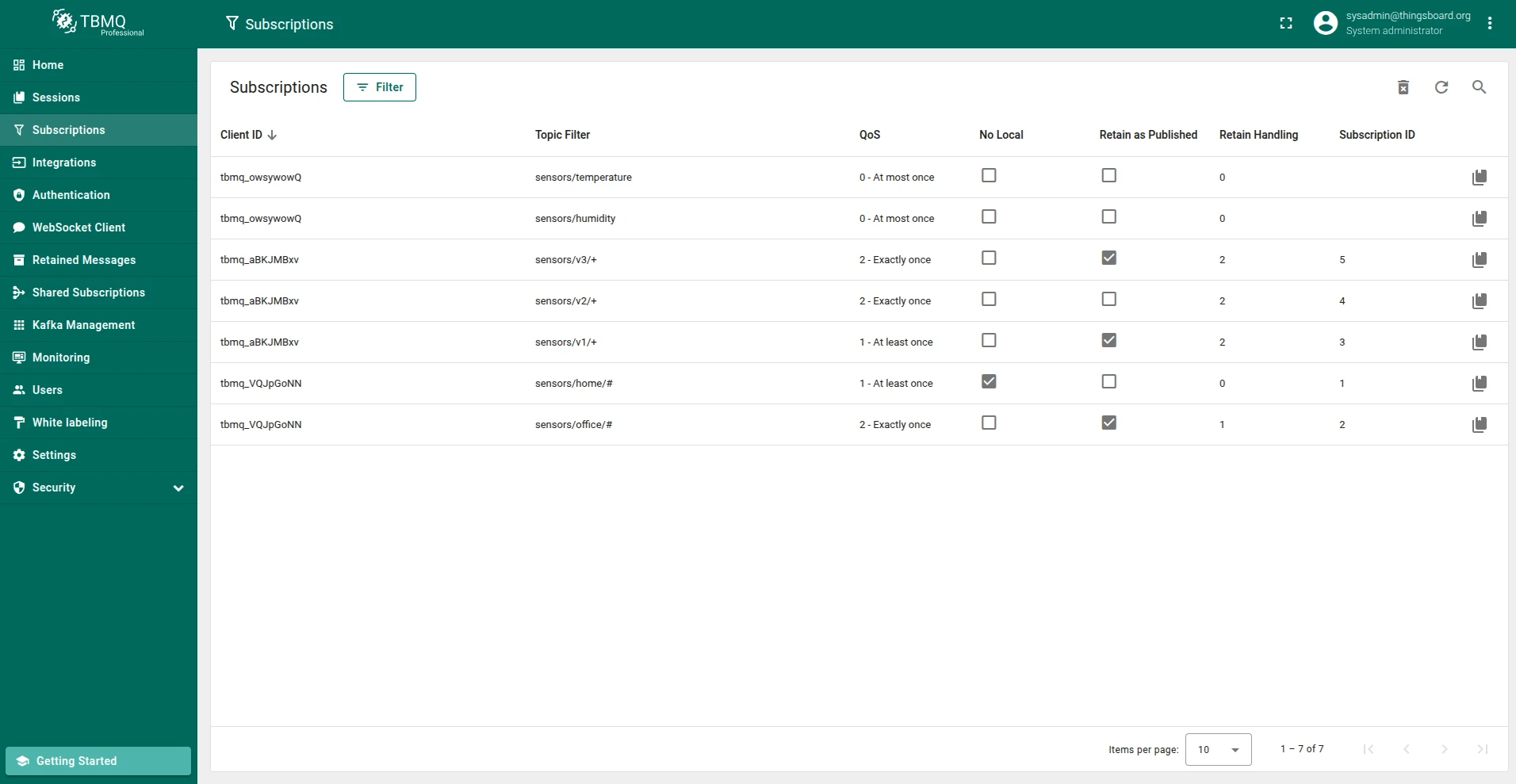
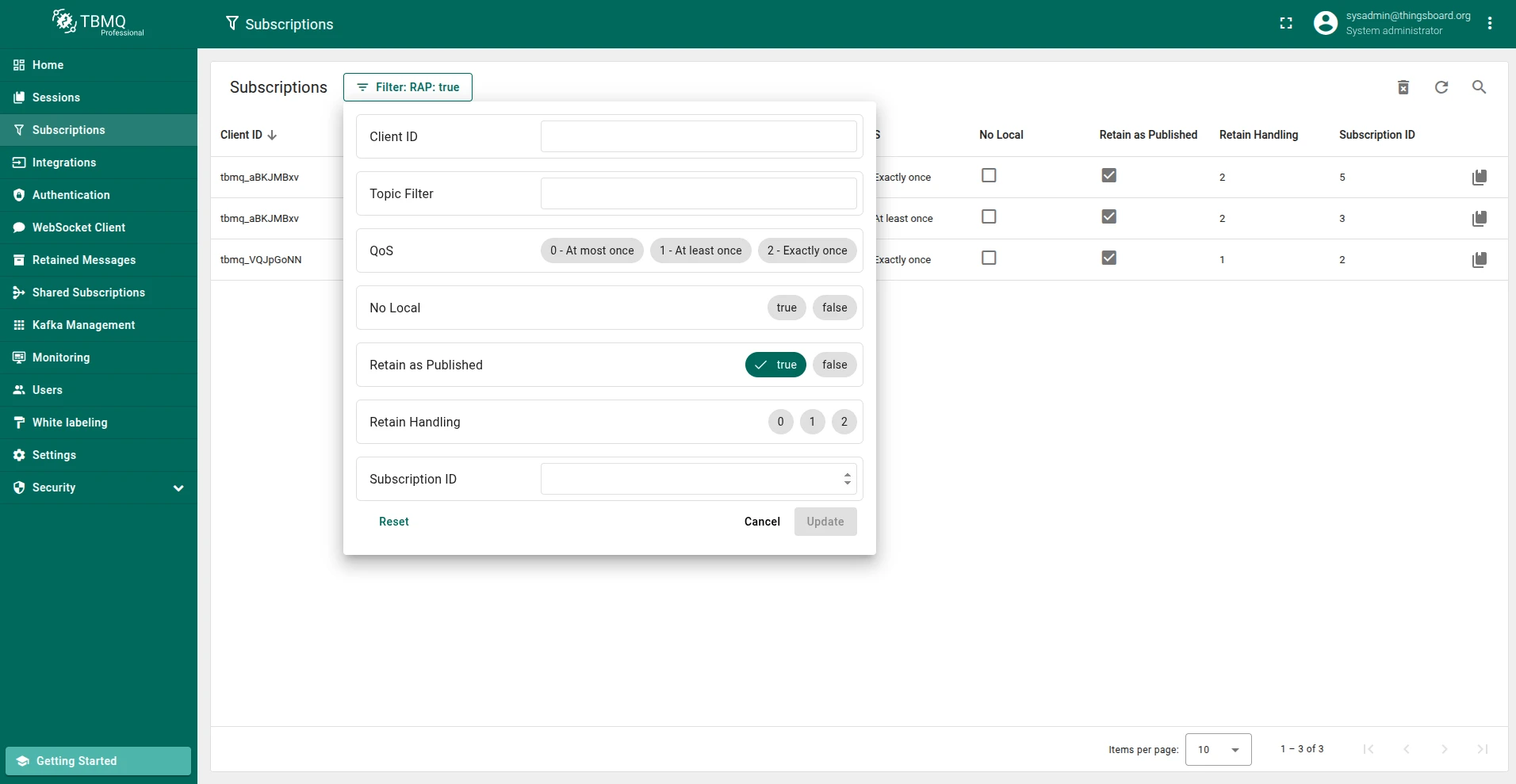
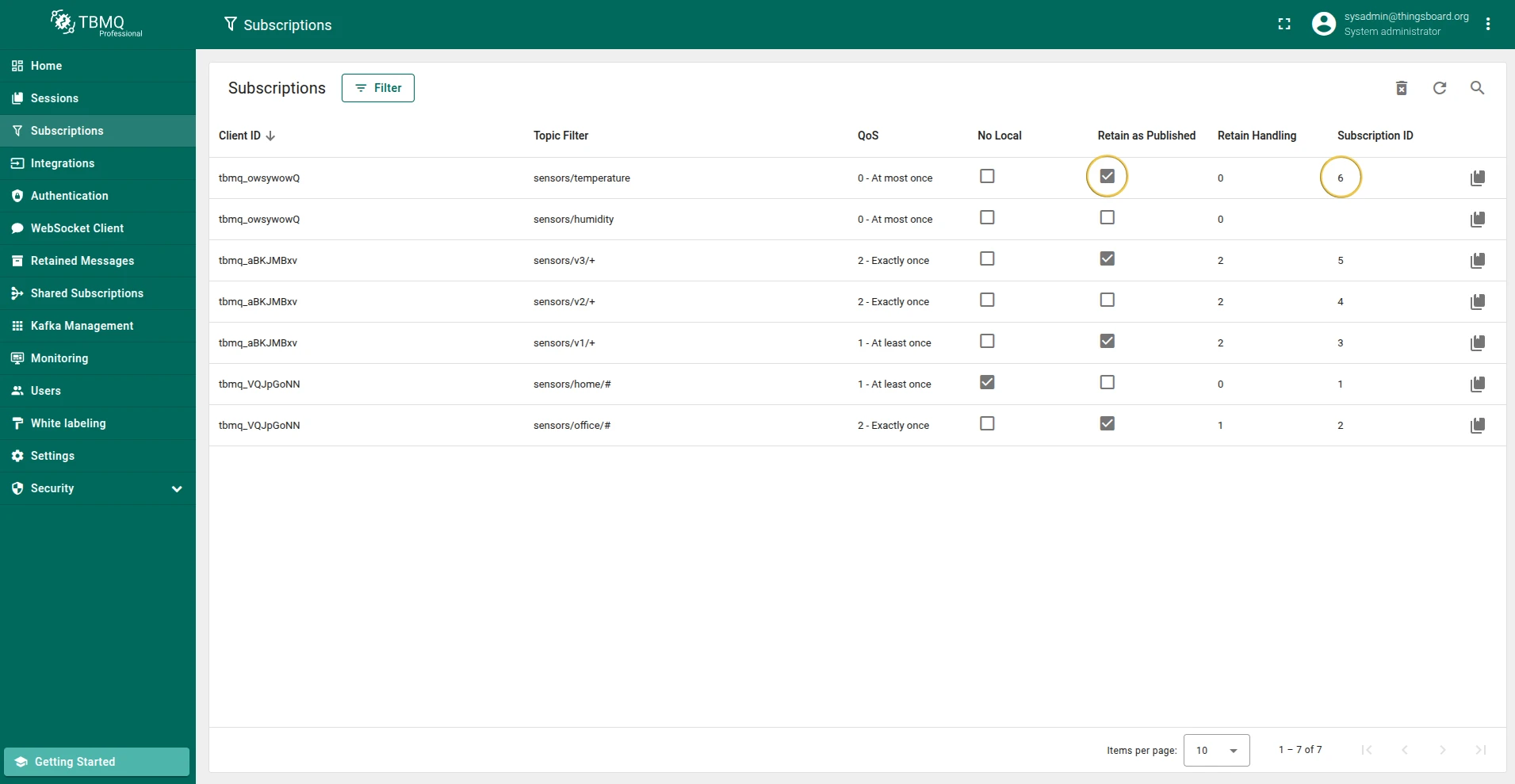
Section titled “Subscriptions table”The Subscriptions page lets you observe, analyze, and filter all subscriptions on the broker. The table contains the following information about each subscription:
- Client ID — the identifier of the client that owns the subscription.
- Topic filter — the MQTT topic filter.
- QoS — Quality of Service of the subscription.
- Retain as Published — when true, messages forwarded using this subscription keep the RETAIN flag they were published with.
- Retain Handling — how the broker handles retained messages when the client subscribes:
0— send retained messages at subscription time.1— send retained messages at subscription time if the subscription does not already exist.2— do not send retained messages at subscription time.
- No local — when true, the broker will not forward messages from this client back to the connection on which this subscription was made.
- Subscription Identifier — a unique numerical value assigned to the subscription.
Manage subscriptions
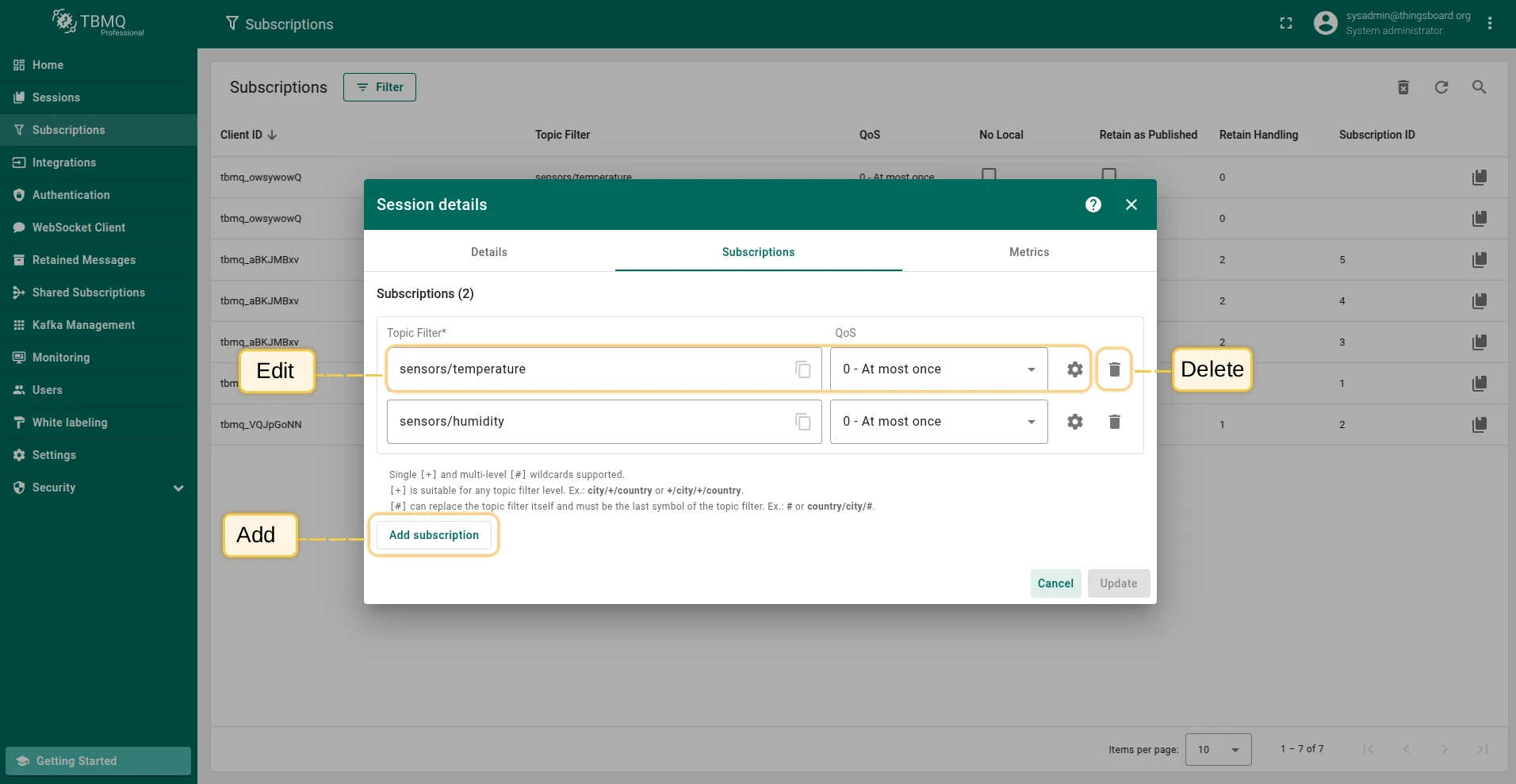
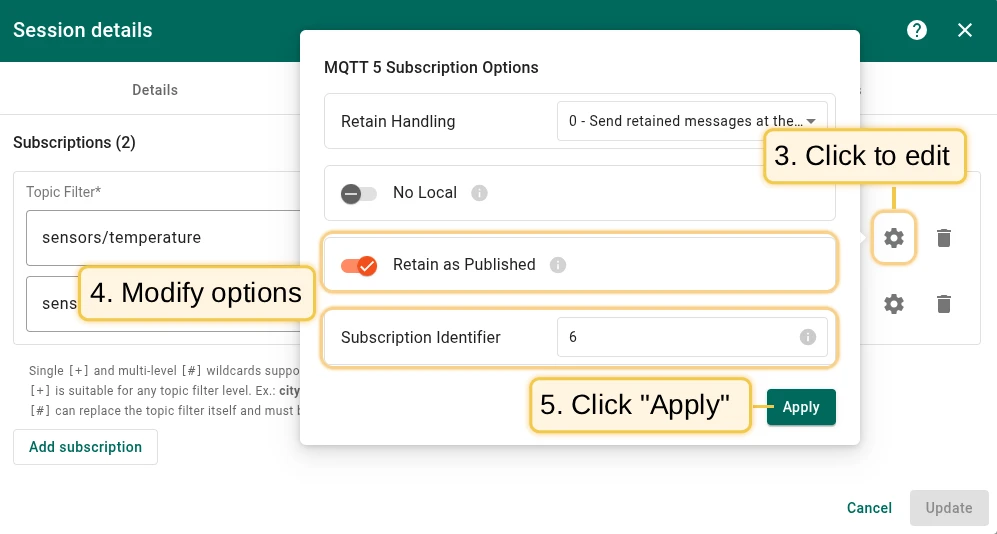
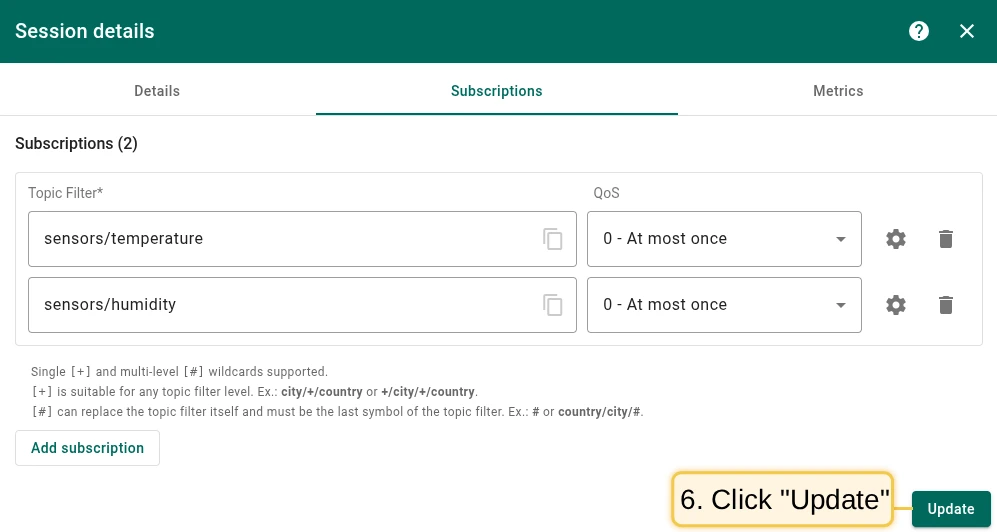
Section titled “Manage subscriptions”You can add, remove, or edit subscriptions from the Session details window:
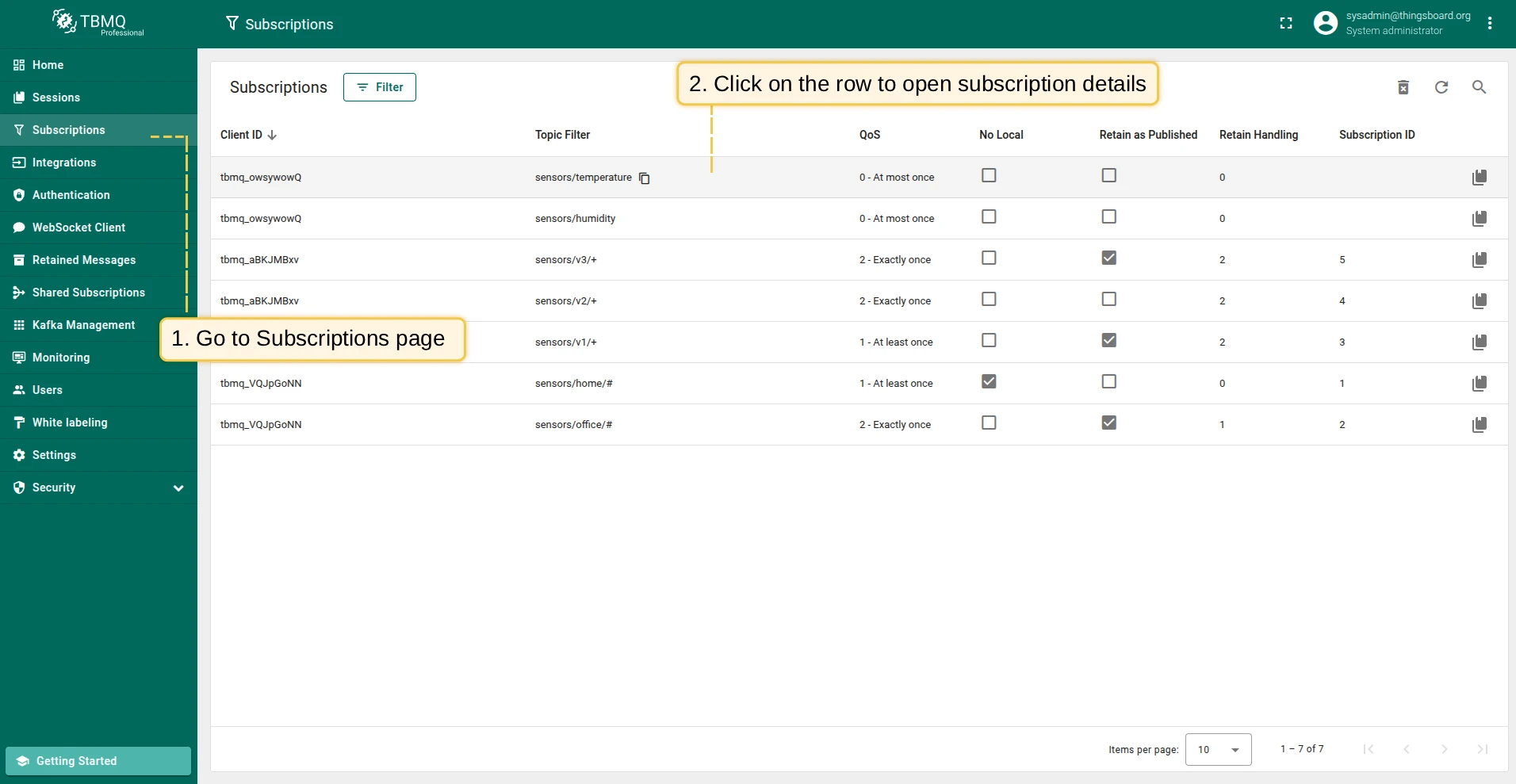
- Open the Subscriptions page in the left-hand menu.
- Click on a table row to open the session subscriptions details.
- Add, edit, or delete client subscriptions.
- Click Update to save changes.
Clearing empty subscription nodes
Section titled “Clearing empty subscription nodes”Subscriptions are stored in memory using a Trie data structure, which enables efficient topic-based message routing. The Trie organizes topic filters hierarchically — each node represents a topic level — allowing the broker to quickly locate matching subscriptions for any published message.
When a client unsubscribes, the broker removes the data and marks the node as empty. Over time, many deleted subscriptions leave empty nodes in memory, causing inefficiencies and wasting resources.
Clearing empty subscription nodes frees memory and improves subscription matching performance.
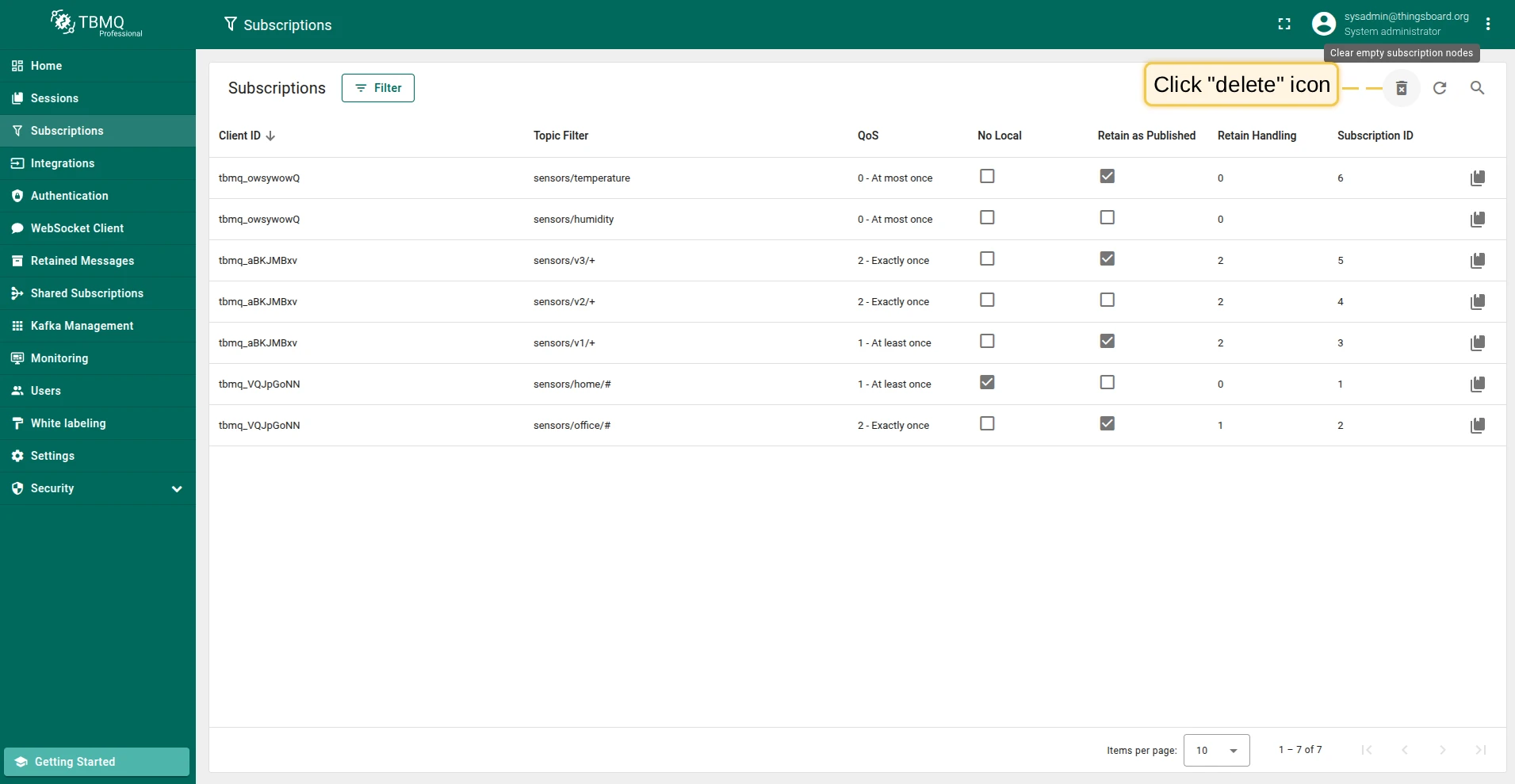
To clear empty subscription nodes, click the Clear empty subscription nodes button (trash icon) in the top right corner and confirm the action.
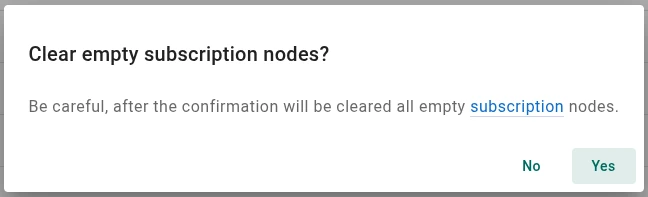
The broker also clears empty subscription nodes on a schedule, controlled by the environment variables
MQTT_SUB_TRIE_CLEAR_NODES_CRON and MQTT_SUB_TRIE_CLEAR_NODES_ZONE.
Was this helpful?