
X.509 certificate authentication
X.509 Certificate Chain Authentication is a widely used method for securing MQTT connections in enterprise environments and IoT deployments requiring strong identity verification. Instead of relying on a username and password, clients present a certificate during the TLS handshake, allowing the broker to authenticate them based on the Common Name (CN) certificate attribute.
How it works
Section titled “How it works”With X.509 Certificate Chain Authentication, the client presents its certificate chain as part of the TLS handshake.
TBMQ extracts the Common Name (CN) from the client’s certificate, or any certificate in the chain, to generate a credentialsId and match it against the configured MQTT client credentials.
TBMQ supports two matching modes:
- Exact match — the CN in the certificate must exactly match the configured pattern.
- Regular expression (regex) match — the CN must match a regex pattern, allowing flexible matching for groups of certificates.
After a successful match, the client is authenticated. For performance and low-latency lookups, TBMQ caches credentials in Redis, while PostgreSQL ensures persistent storage.
The following sections explain provider configuration, credential matching, credentialsId generation, and how authorization is applied after successful authentication.
Configure provider
Section titled “Configure provider”You can check the authentication provider status and enable or disable it directly from the TBMQ user interface, without modifying configuration files or restarting the broker.
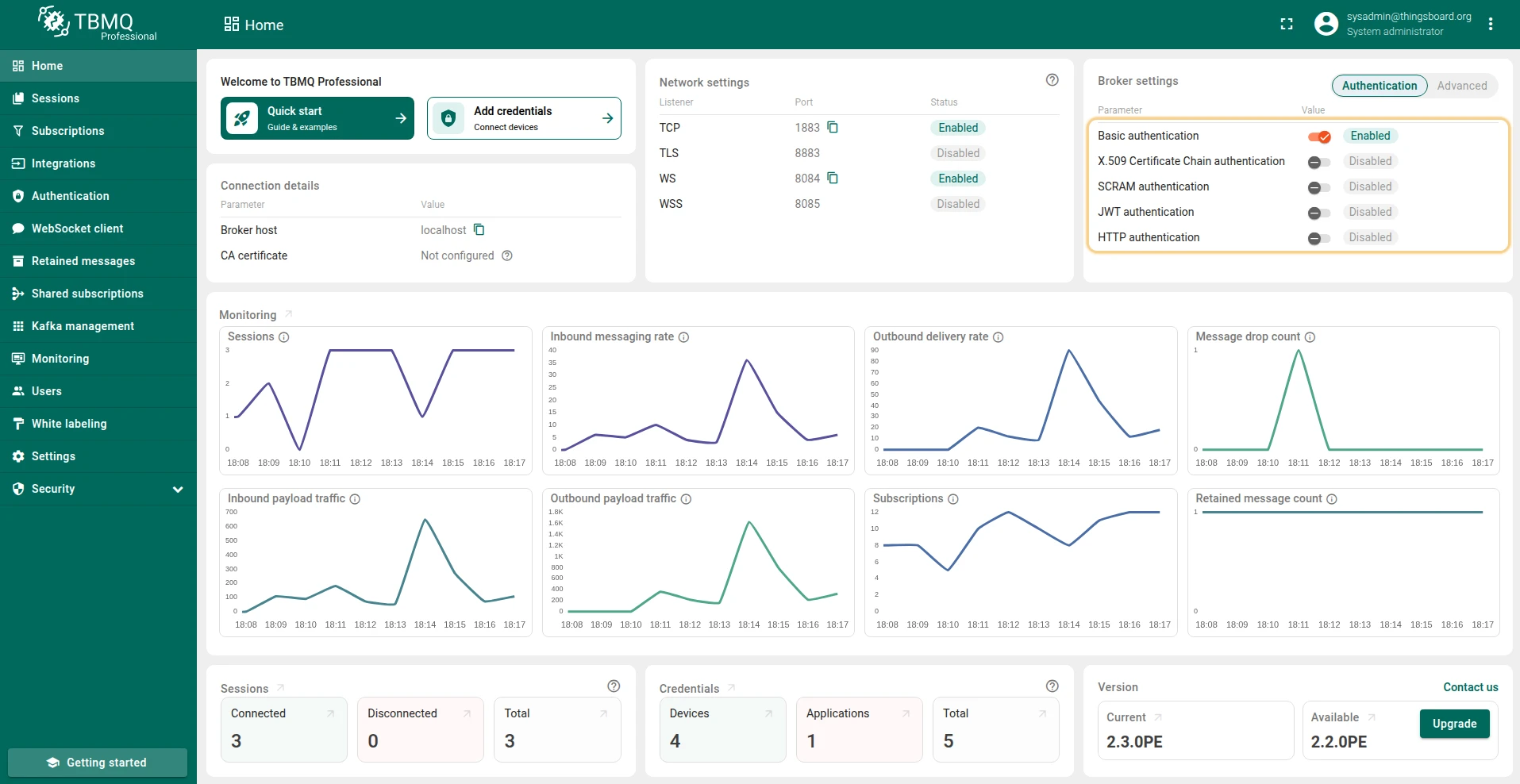
- On the Home page, in the Broker Settings card, you’ll find quick-toggle buttons for each available authentication provider. Click the button next to the desired provider to enable or disable it.
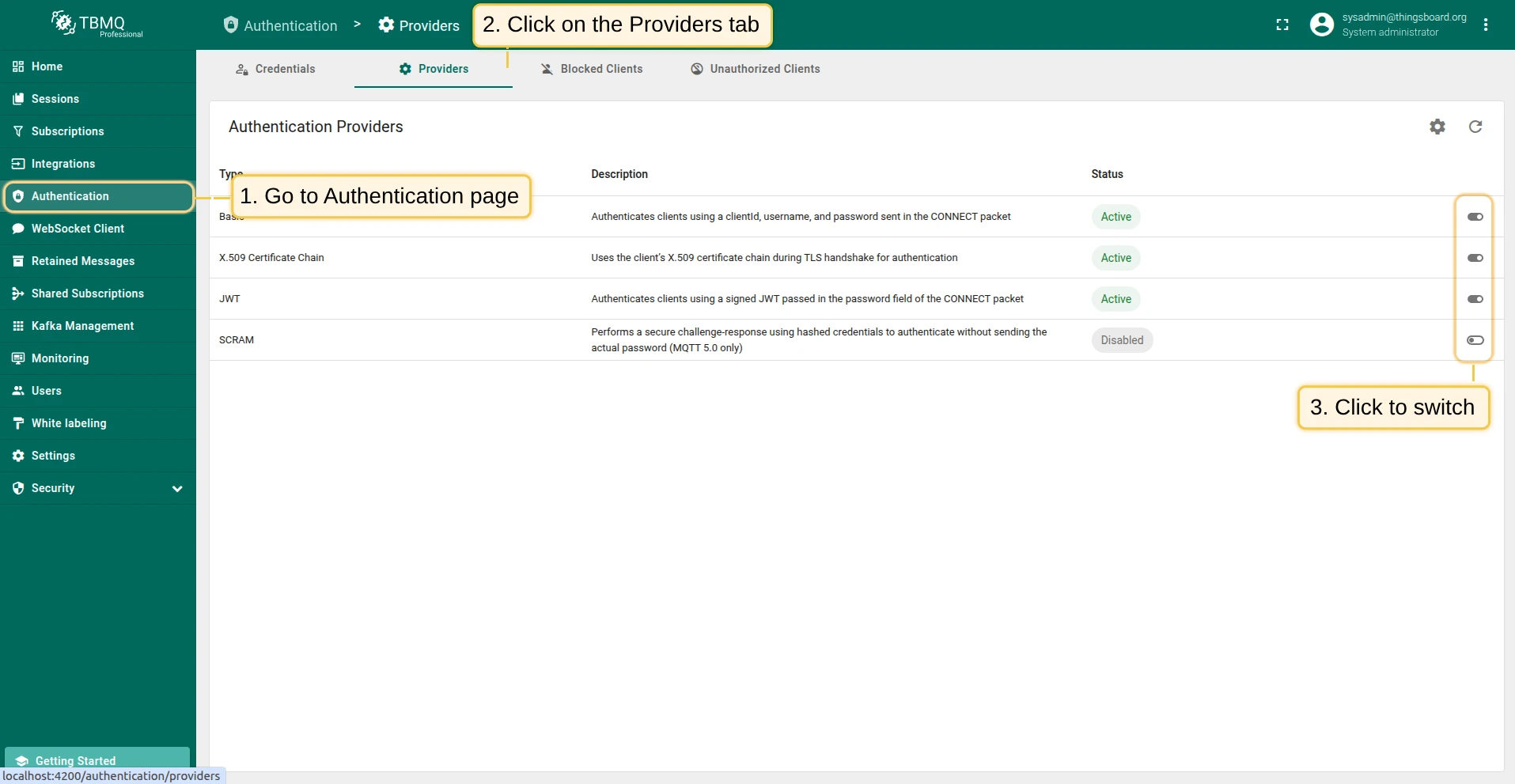
- On the Authentication Providers page, you have more control and visibility:
- You can enable or disable a provider directly from the table by clicking the Switch button in the corresponding row.
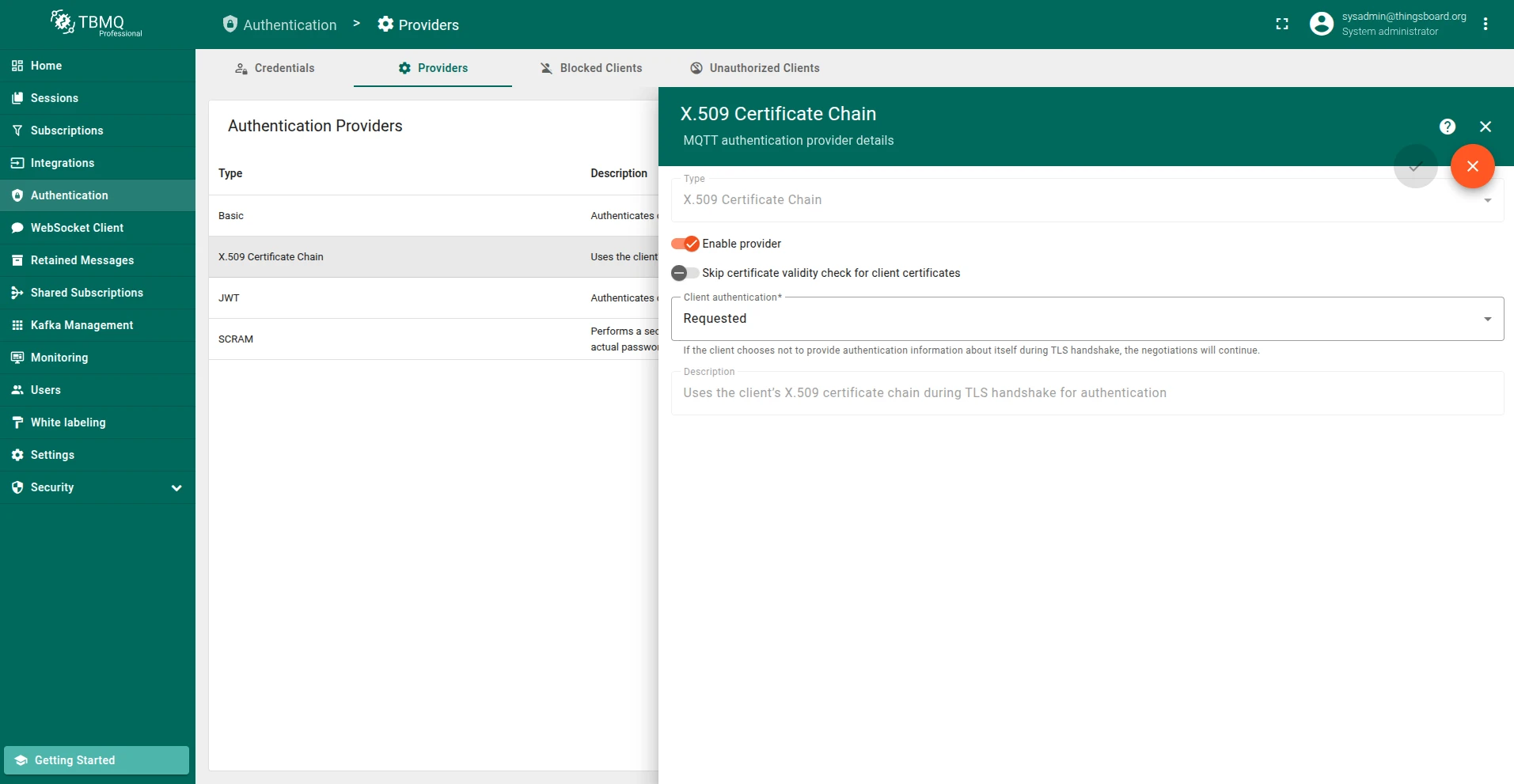
- For more detailed management, click on a provider to open its details page, where you can change the status or other parameters.
Skip certificate validity check
Section titled “Skip certificate validity check”The Skip certificate validity check for client certificates parameter controls whether the broker verifies the validity period of the client’s certificate during authentication.
- When enabled, TBMQ skips the validation of the
Not BeforeandNot Afterdates in the certificate, meaning expired or not-yet-valid certificates will still be accepted. - When disabled, the broker enforces standard validity checks, and authentication will fail if the certificate is expired or not yet valid.
Credentials matching
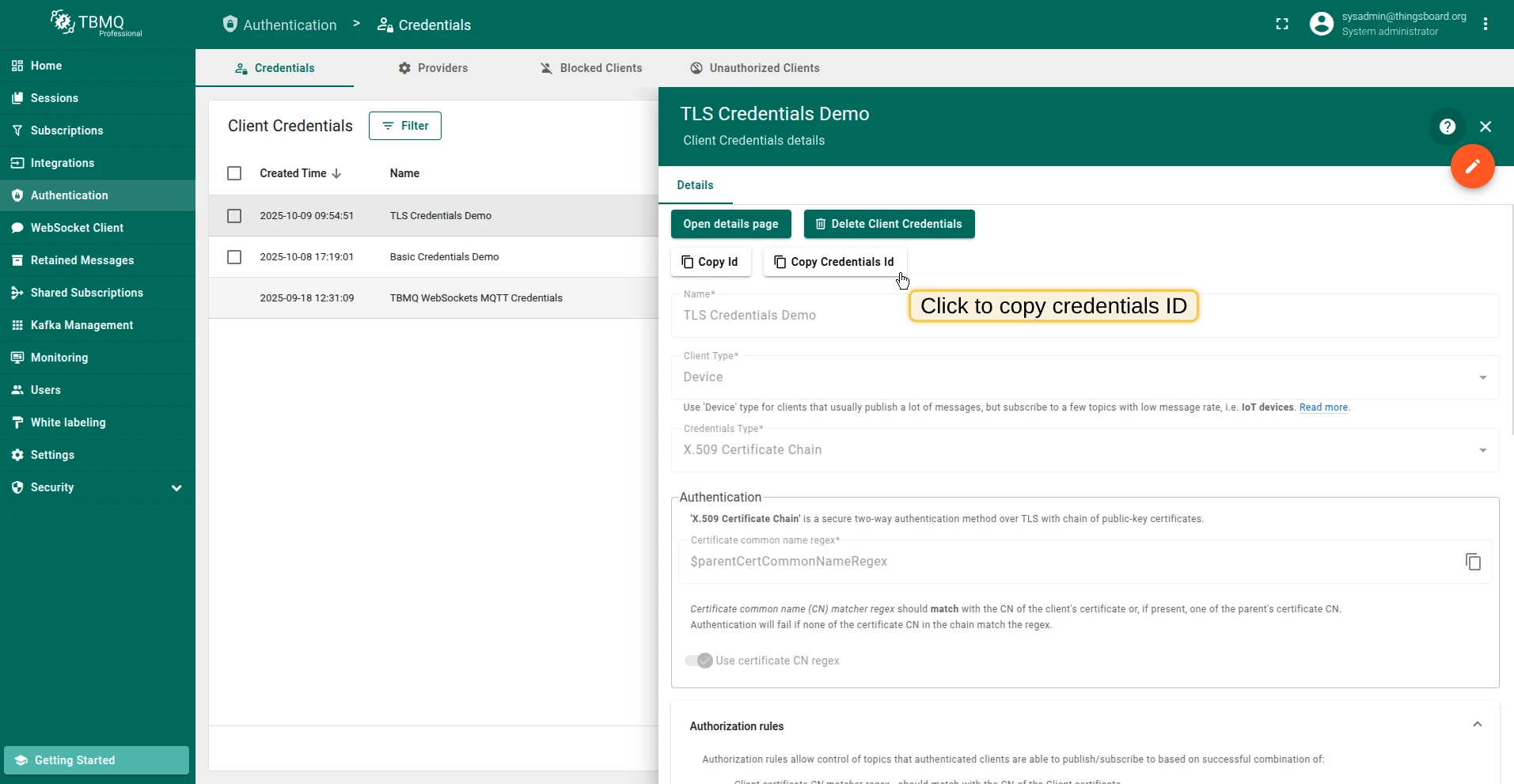
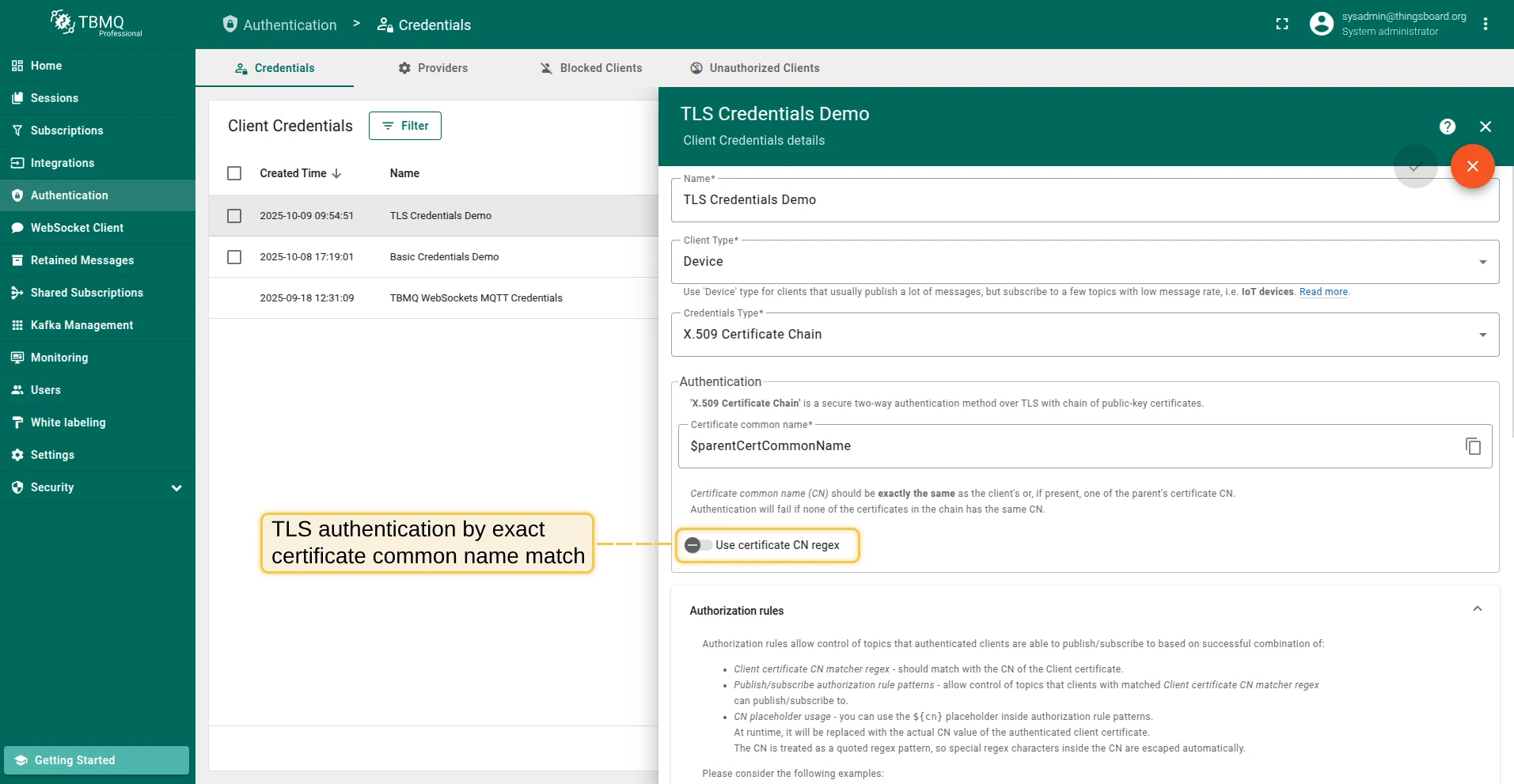
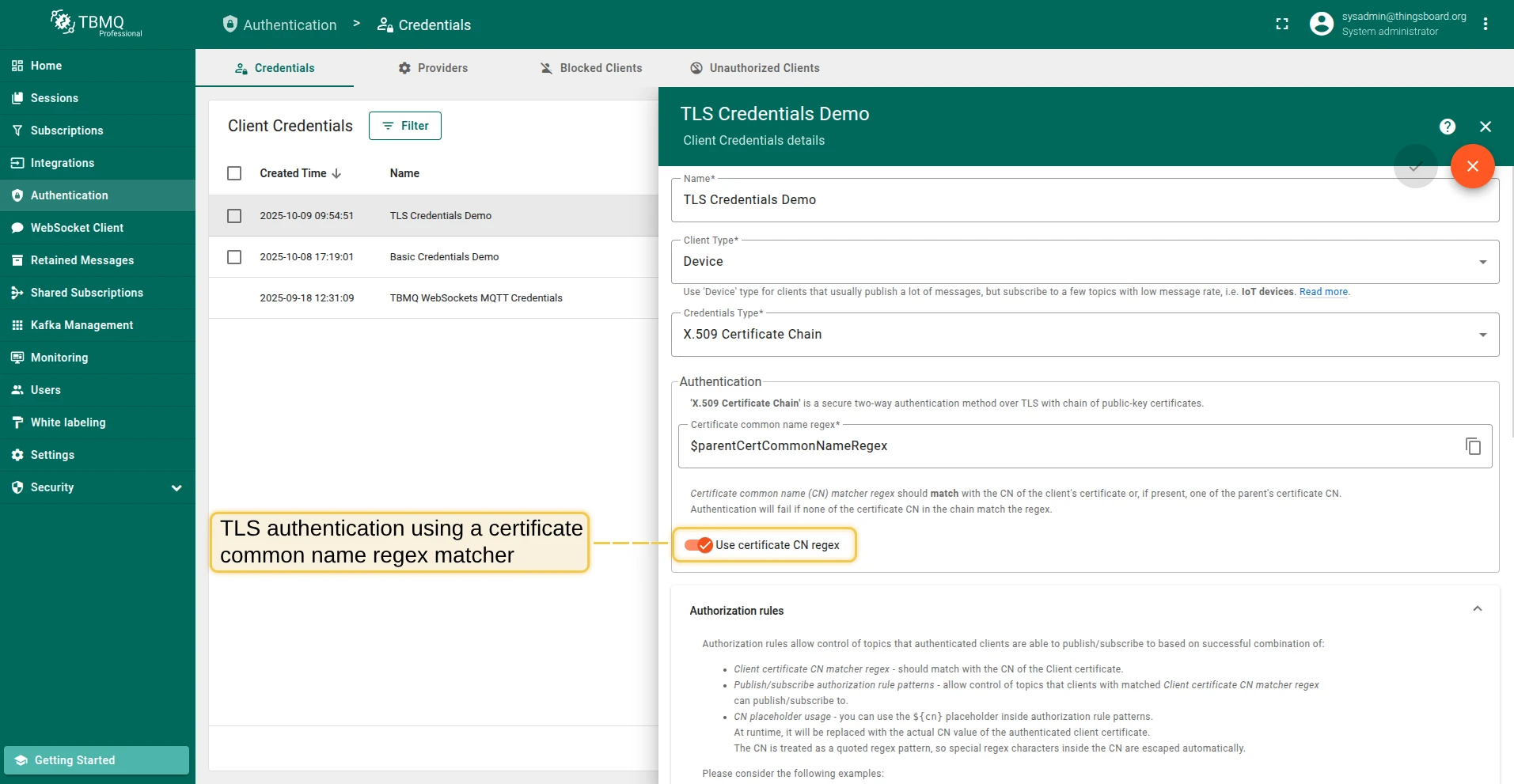
Section titled “Credentials matching”The X.509 Certificate Chain credentials have a “Use certificate CN regex” option that controls how credentials are matched.
-
When “Use certificate CN regex” is disabled: the “Certificate common name (CN)” must exactly match the CN of the client’s certificate or, if present, one of the parent’s certificates in the chain. Authentication will fail if none of the certificates have an exactly matching CN.
-
When “Use certificate CN regex” is enabled: the “Certificate common name (CN) matcher regex” must match the CN of the client’s certificate or, if present, one of the parent’s certificates in the chain. Authentication will fail if no certificate in the chain matches the regex.
Credentials ID
Section titled “Credentials ID”The credentialsId is generated as follows:
ssl|$CERTIFICATE_COMMON_NAME— for exact CN matching.ssl|$CERTIFICATE_COMMON_NAME_REGEX— for regex-based CN matching.
Where $CERTIFICATE_COMMON_NAME is the common name of the certificate from the chain, and $CERTIFICATE_COMMON_NAME_REGEX is a regex-based string that should be matched with the certificate’s CN from the chain.
Authorization
Section titled “Authorization”After the client is authenticated, it is possible to restrict its access to topics it can publish or subscribe to. To provide flexible control over authorization rules, TBMQ uses regular expressions.
For example, to allow clients to publish or subscribe to all topics that begin with city/, an authorization rule should be created with the value city/.*.
For the X.509 Certificate Chain type, authorization is configured using the authRulesMapping field of the corresponding MQTT client credentials:
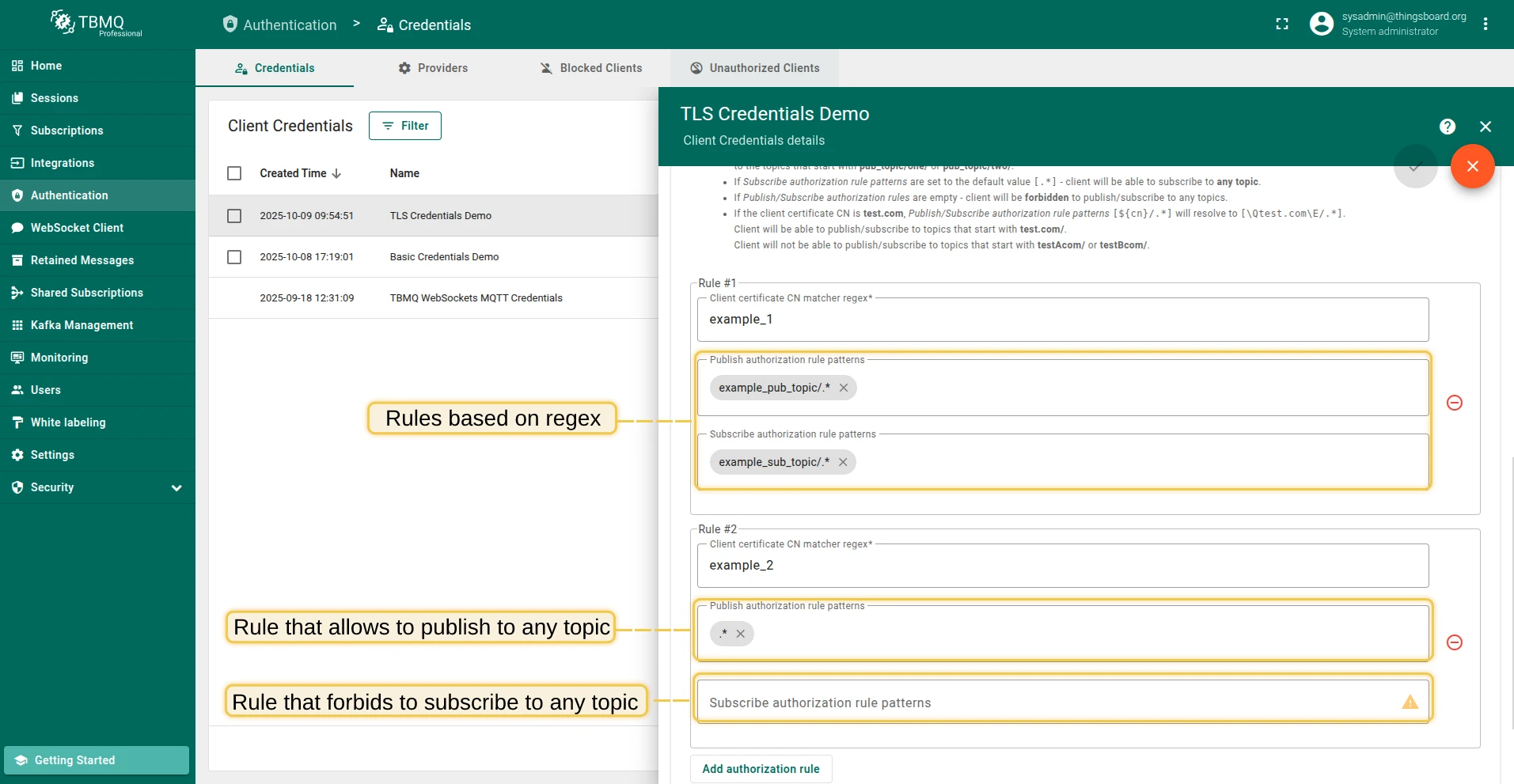
{ "certCnPattern": "$certCnPattern", "certCnIsRegex": "$certCnIsRegex", "authRulesMapping": { "example_1": { "pubAuthRulePatterns": ["example_pub_topic/.*"], "subAuthRulePatterns": ["example_sub_topic/.*"] }, "example_2": { "pubAuthRulePatterns": [".*"], "subAuthRulePatterns": [".*"] } }}Where:
certCnPattern— the pattern for the common name that should be present in the certificate chain.certCnIsRegex— option to control whether the CN pattern is treated as a regular expression for matching.authRulesMapping— the mapping used to configure the access restrictions for different keywords.
This allows clients to connect with a certificate containing example_1 in its CN to publish only to topics that start with example_pub_topic/ and
subscribe to topics that start with example_sub_topic/. Clients with a certificate containing example_2 are allowed to publish and subscribe to any topic.
Example
Section titled “Example”X.509 certificates are used to set up mutual (two-way) authentication for MQTT over TLS. There are two strategies that can be used for establishing a connection between the client and TBMQ:
- X.509 Certificate chain — configure TBMQ to trust all client certificates from a specific trust anchor (intermediate certificate). This feature eliminates the need for manual certificate updates on each MQTT client credential when certificate rotation occurs.
- X.509 Certificate — configure TBMQ to accept connections from specific devices using pre-configured client certificates.
-
Prepare your server and client certificate chain
Follow the MQTT over SSL guide to provision a server certificate for your TBMQ instance.
Once provisioned, prepare a CA root certificate in PEM format. This certificate will be used by MQTT clients to validate the server certificate. Save the CA root certificate to your working directory as
ca.pem. -
Generate client certificate chain
This example creates a certificate chain with reasonable Common Names (CNs). The intermediate certificate signs certificates for the devices. For example, the certificate chain CNs might be:
- Root certificate CN:
company-name.com - Intermediate certificate:
device-group-name.company-name.com - Device certificate:
device-name.device-group-name.company-name.com
Step 2.1: Generate root certificate
Terminal window openssl req -x509 -newkey rsa:4096 -keyout rootKey.pem -out rootCert.pem -sha256 -days 365 -nodesWhen prompted for the Common Name, enter something like
company.com.Step 2.2: Generate intermediate certificate
Terminal window openssl req -new -newkey rsa:4096 -keyout intermediateKey.pem -out intermediate.csr -sha256 -nodesWhen prompted for the Common Name, enter something like
group.company.com.Then sign the intermediate certificate with the root CA:
Terminal window openssl x509 -req -in intermediate.csr -out intermediateCert.pem \-CA rootCert.pem -CAkey rootKey.pem -days 365 -sha256 -CAcreateserial \-extfile <(echo "basicConstraints=CA:TRUE,pathlen:0")Step 2.3: Generate device certificate
Terminal window openssl req -new -newkey rsa:4096 -keyout deviceKey.pem -out device.csr -sha256 -nodesWhen prompted for the Common Name, enter something like
device123.group.company.com.Then sign the device certificate with the intermediate CA:
Terminal window openssl x509 -req -in device.csr -out deviceCert.pem \-CA intermediateCert.pem -CAkey intermediateKey.pem -days 365 -sha256 -CAcreateserialFinally, concatenate the certificates into a chain starting from the device certificate to the root:
Terminal window cat deviceCert.pem intermediateCert.pem rootCert.pem > chain.pemThe next steps use the device key file
deviceKey.pemand the certificate chainchain.pem. - Root certificate CN:
-
Provision intermediate public key in MQTT client credentials
Go to TBMQ Web UI → Authentication → Credentials → Create new or update existing one. Select X.509 Certificate Chain type and insert the CN of
intermediateCert.pem. -
Trust the certificate
For the MQTT client to establish a secure TLS connection, the CA (Certificate Authority) that signed its certificate must be trusted. If both TBMQ and the clients use certificates issued by the same CA, no additional configuration is required. If it is another private or internal CA, you must add the CA certificate (
rootCert.pem) to the Java truststore used by TBMQ.Run the following command to import the CA certificate into the truststore.
-
Test the connection
Execute the following command to publish to TBMQ using the secure channel:
Terminal window mosquitto_pub --cafile ca.pem -d -q 1 -h "YOUR_TBMQ_HOST" -p "8883" \-t "sensors/temperature" --key deviceKey.pem --cert chain.pem -m '{"temperature":25}'For a self-signed server certificate:
Terminal window mosquitto_pub --insecure --cafile server.pem -d -q 1 -h "YOUR_TBMQ_HOST" -p "8883" \-t "sensors/temperature" --key deviceKey.pem --cert chain.pem -m '{"temperature":25}'Replace
YOUR_TBMQ_HOSTwith the host of your TBMQ instance.
-
Prepare your server and client certificate
Follow the MQTT over SSL guide to provision a server certificate for your TBMQ instance.
Once provisioned, prepare a CA root certificate in PEM format. This certificate will be used by MQTT clients to validate the server certificate. Save the CA root certificate to your working directory as
ca.pem. -
Generate client certificate
Use the following command to generate a self-signed private key and X.509 certificate.
To generate an RSA-based key and certificate:
Terminal window openssl req -x509 -newkey rsa:4096 -keyout key.pem -out cert.pem -sha256 -days 365 -nodesTo generate an EC-based key and certificate:
Terminal window openssl ecparam -out key.pem -name prime256v1 -genkeyopenssl req -new -key key.pem -x509 -nodes -days 365 -out cert.pemThe output will be a private key file
key.pemand a public certificatecert.pem. -
Provision client public key in MQTT client credentials
Go to TBMQ Web UI → Authentication → Credentials → Create new or update existing one. Select X.509 Certificate Chain type and insert the CN of
cert.pem. -
Trust the certificate
For the MQTT client to establish a secure TLS connection, its certificate must be trusted. If the certificate is signed by a well-known public CA, it is already trusted by default. If it is self-signed, import the client certificate (
cert.pem) into the Java truststore used by TBMQ.Run the following command to import the certificate into the truststore.
-
Test the connection
Execute the following command to publish to TBMQ using the secure channel:
Terminal window mosquitto_pub --cafile ca.pem -d -q 1 -h "YOUR_TBMQ_HOST" -p "8883" \-t "sensors/temperature" --key key.pem --cert cert.pem -m '{"temperature":25}'Replace
YOUR_TBMQ_HOSTwith the host of your TBMQ instance.
Was this helpful?