
Last Will and Testament
The Last Will feature in MQTT allows clients to notify others when they disconnect unexpectedly, giving a way to trigger actions like switching to backup systems or alerting users.
Like a will in the real world — a legal document that specifies a person’s wishes after they pass away — the Last Will message speaks on behalf of a device when it can no longer speak for itself.
In a smart home setup, if a security camera goes offline unexpectedly, a Last Will message could trigger an alert to the homeowner or activate a backup system, such as turning on lights or alarms. In agriculture, if a key field sensor disconnects, the Last Will message can notify the farmer, allowing them to take preventive action.
How the Last Will works
Section titled “How the Last Will works”- The client sets the Last Will message in the
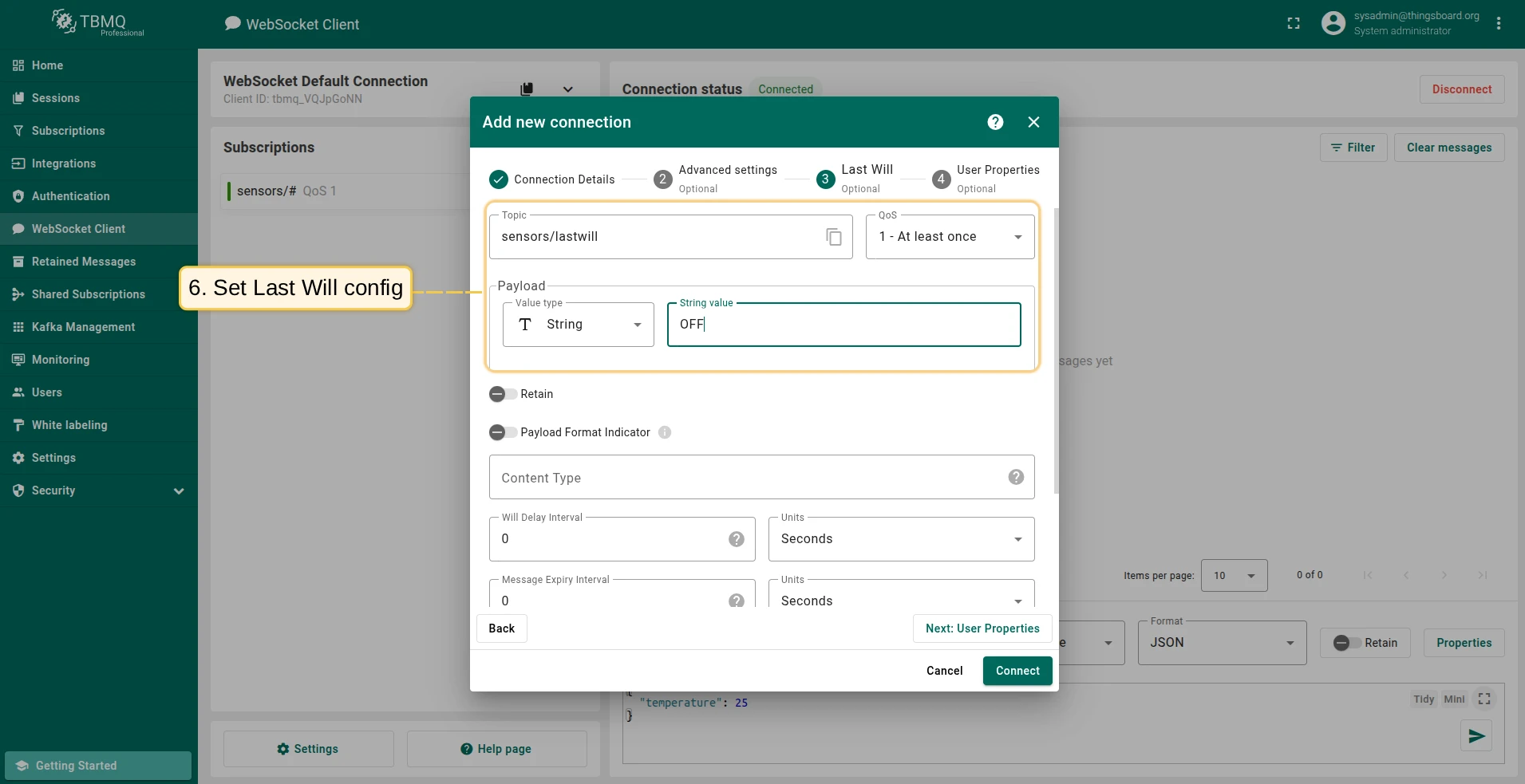
CONNECTpacket when establishing a connection. This includes the topic, payload, QoS, and retain flag. - If the client disconnects ungracefully, the broker publishes the Last Will message on the client’s behalf to the specified topic.
Ungraceful disconnection
Section titled “Ungraceful disconnection”The broker publishes the Last Will message when the client disconnects ungracefully. This includes the following cases:
- An I/O error occurs on the network connection.
- The client fails to communicate within the Keep Alive timeout period.
- The client closes the network connection without sending a
DISCONNECTpacket with reason code0x00(Normal disconnection). - The server closes the network connection without first receiving a
DISCONNECTpacket with reason code0x00.
Graceful disconnection
Section titled “Graceful disconnection”The Last Will message is not published when the client disconnects gracefully by sending a DISCONNECT packet.
The client is effectively saying: “I’m leaving on purpose, and everything is fine.”
In this case, the broker removes the Last Will from the session and does not publish it.
The Last Will is also removed from the session in the following cases:
- The broker publishes the Last Will message after the Will Delay Interval has elapsed.
- A new network connection is established for the session before the Will Delay Interval expires.
Parameters of the Last Will
Section titled “Parameters of the Last Will”MQTT 3.1 / 3.1.1
| Parameter | Description |
|---|---|
| Will Topic | The topic on which the Last Will message will be published. |
| Will Message | The payload of the Last Will message. This can be an empty message. |
| Will QoS | The Quality of Service level used when publishing the Last Will message. |
| Will Retain | If set to true, the broker stores the Last Will message as a retained message on the topic. Useful for status topics that need to remain available to new subscribers until updated. |
MQTT 5.0 additions
| Parameter | Description |
|---|---|
| Payload Format Indicator | Indicates whether the payload is UTF-8 encoded character data (1) or unspecified bytes (0). |
| Content Type | A UTF-8 string describing the content of the Last Will message (e.g., application/json). |
| Will Delay Interval | The number of seconds the broker waits after an ungraceful disconnect before publishing the Last Will. If not set or set to 0, the Last Will is published immediately. |
| Message Expiry Interval | The lifetime of the Last Will message in seconds. The broker will not deliver it after this interval has elapsed. Useful for time-sensitive messages — for example, a temperature reading that is several hours old may no longer be relevant and should not be delivered to new subscribers. |
| Response Topic | A topic string used as the response topic for a request/response pattern. |
| Correlation Data | Binary data used by the sender of the request to identify the response when it is received. |
| User Properties | Key/value pairs that can be appended to the Last Will message for application-specific metadata. |
Last Will with delay
Section titled “Last Will with delay”The Will Delay Interval (MQTT 5.0) allows you to defer the publication of the Last Will message. This is useful when a client might reconnect quickly after a brief network interruption — in that case, the Last Will should not be published at all.
For example, consider a client configured with:
-
Clean Start:
0(resume existing session) -
Session Expiry Interval: 1 hour
-
Will Delay Interval: 2 minutes
-
If the client reconnects within 2 minutes, the Last Will is never published and the session continues.
-
If the client does not reconnect within 2 minutes, the broker publishes the Last Will — even if the session itself is still valid and has time remaining.
-
If the client reconnects after 2 minutes but within 1 hour, the session resumes, but the Last Will message may have already been published.
-
If the client does not reconnect within 1 hour, the session expires. The Last Will message will have already been published after the 2-minute delay.
Last Will as retained message
Section titled “Last Will as retained message”When the Will Retain flag is set to true, the broker stores the Last Will message as a retained message on the Will Topic after publishing it.
This means any client that subscribes to the topic after the Last Will has been published will immediately receive the message, rather than waiting for the next publish.
This is particularly useful for status topics, where a subscriber joining later needs to know the last known state of a device. For example, if a new device joins a network after a client disconnects, it will still receive the “offline” or “disconnected” Last Will message.
Last Will guide with TBMQ WebSocket Client
Section titled “Last Will guide with TBMQ WebSocket Client”-
Add client “Security Camera”
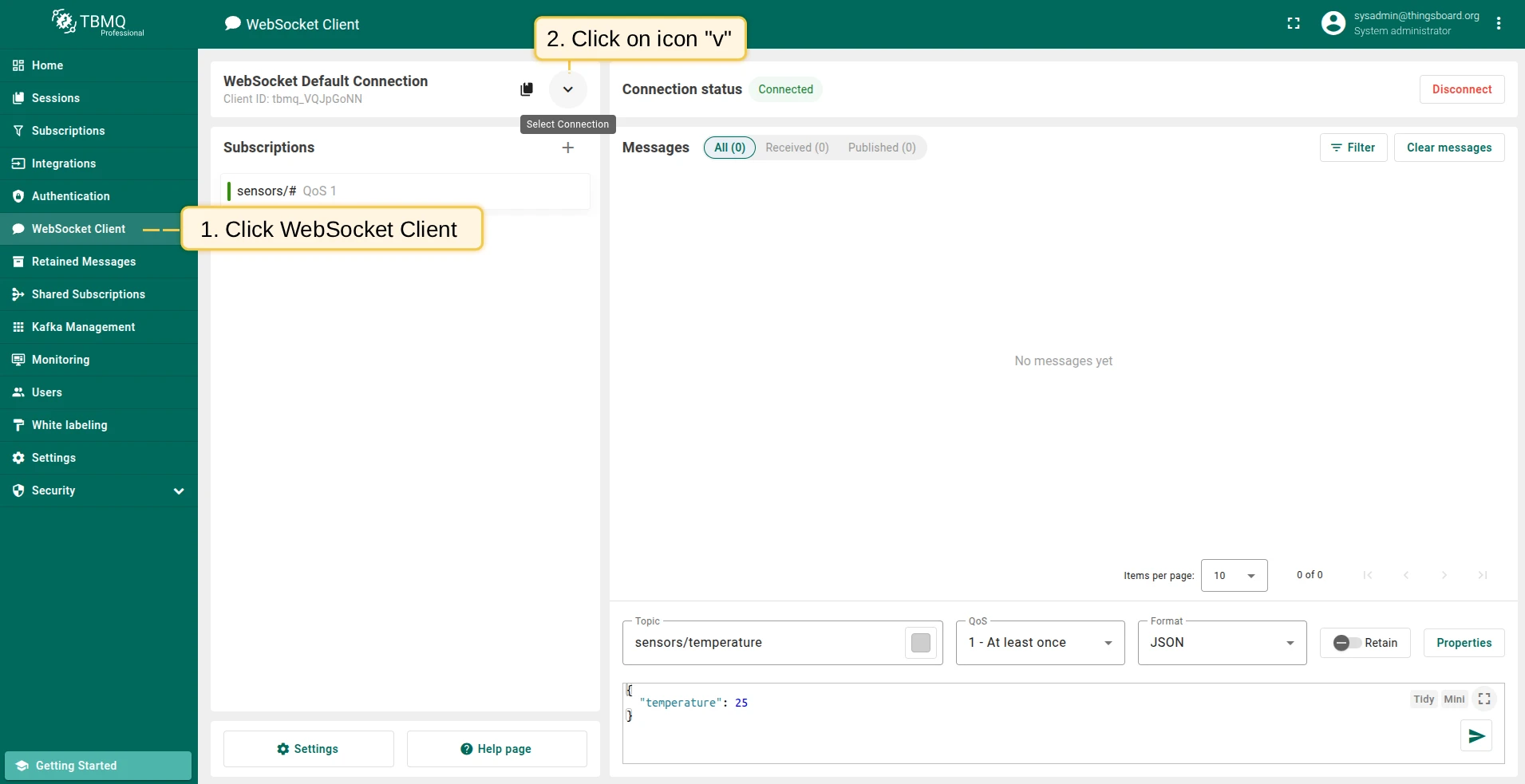
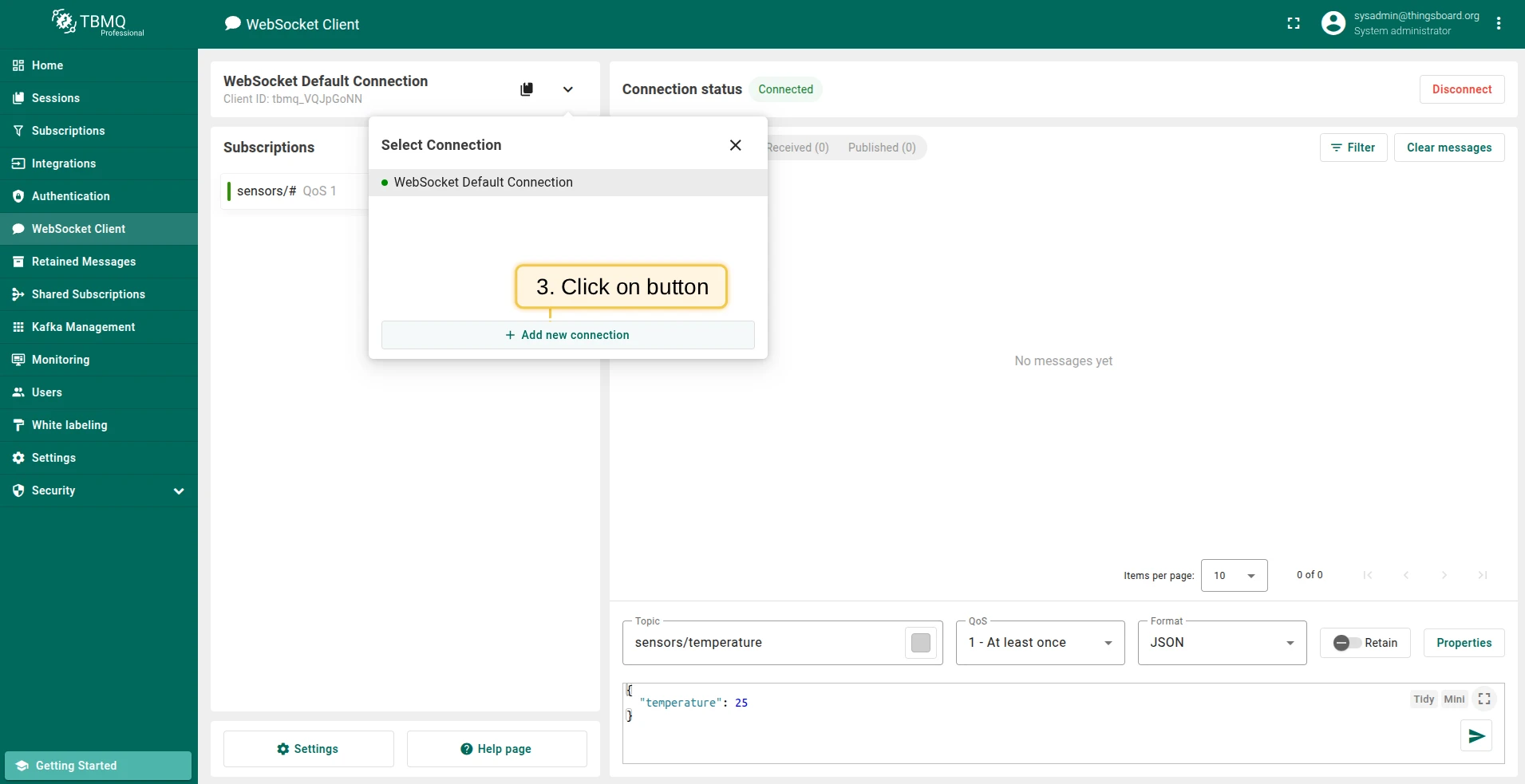
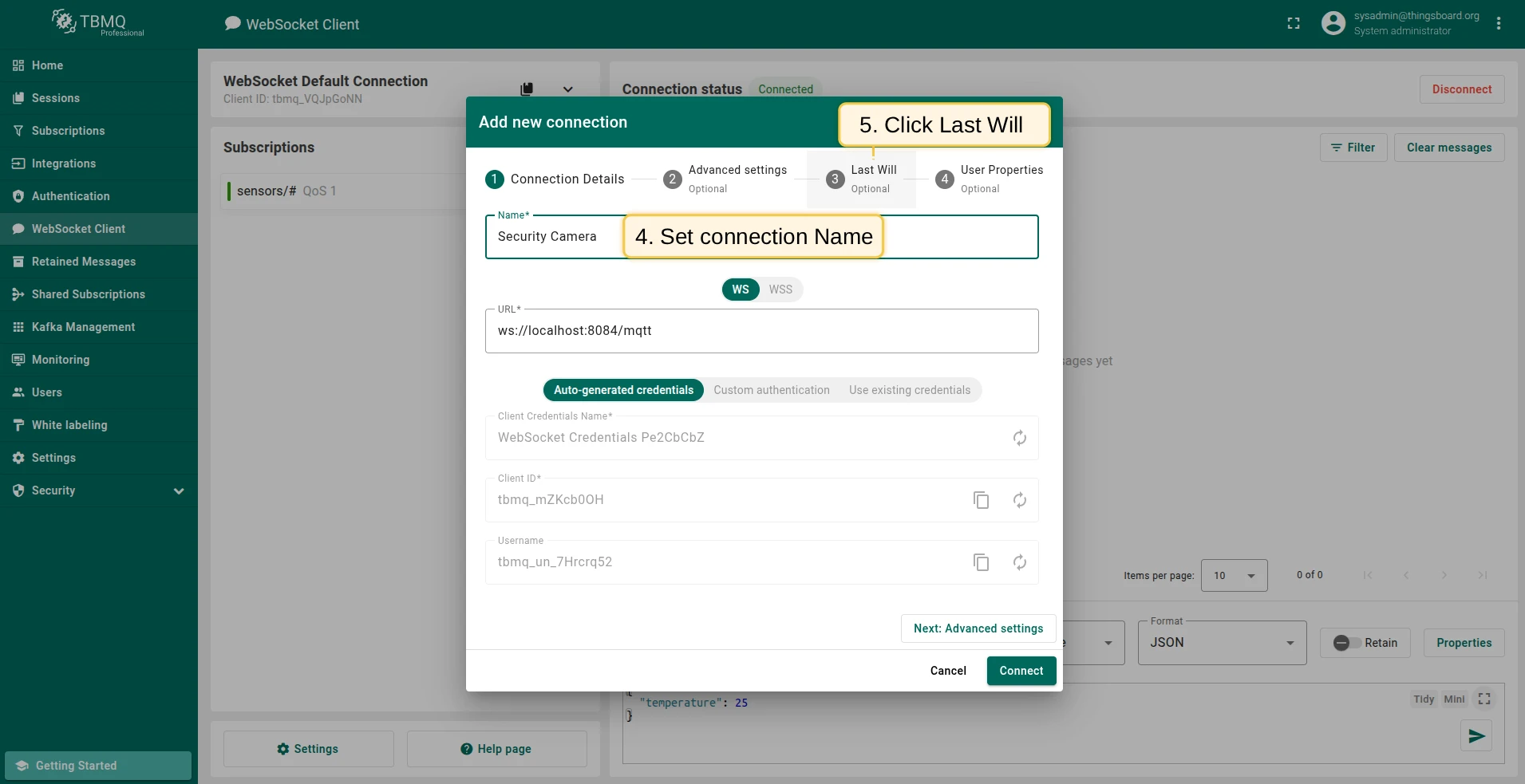
Section titled “Add client “Security Camera””Open the WebSocket Client page and create a new connection named Security Camera with a Last Will configured.
-
Add client “Security Hub”
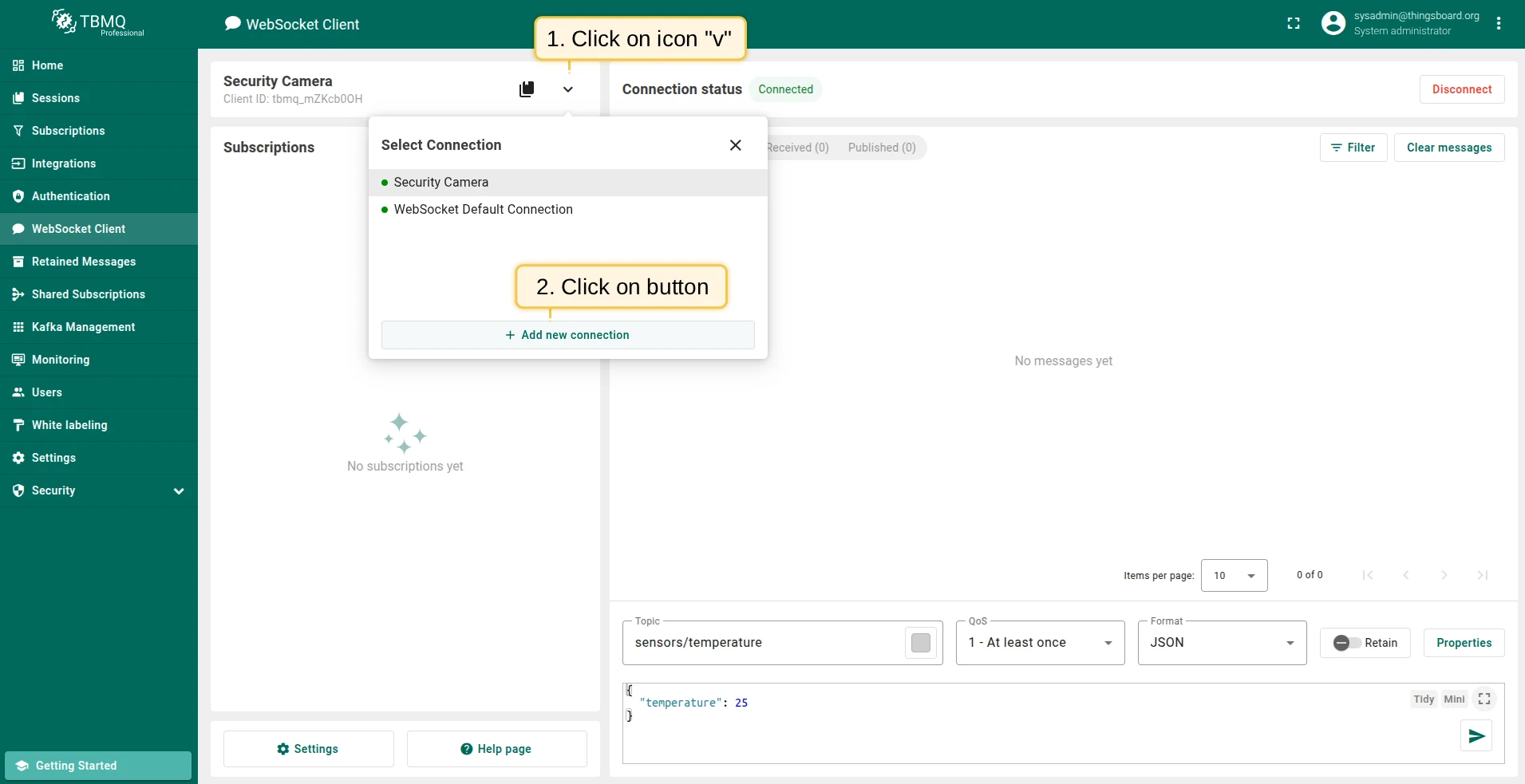
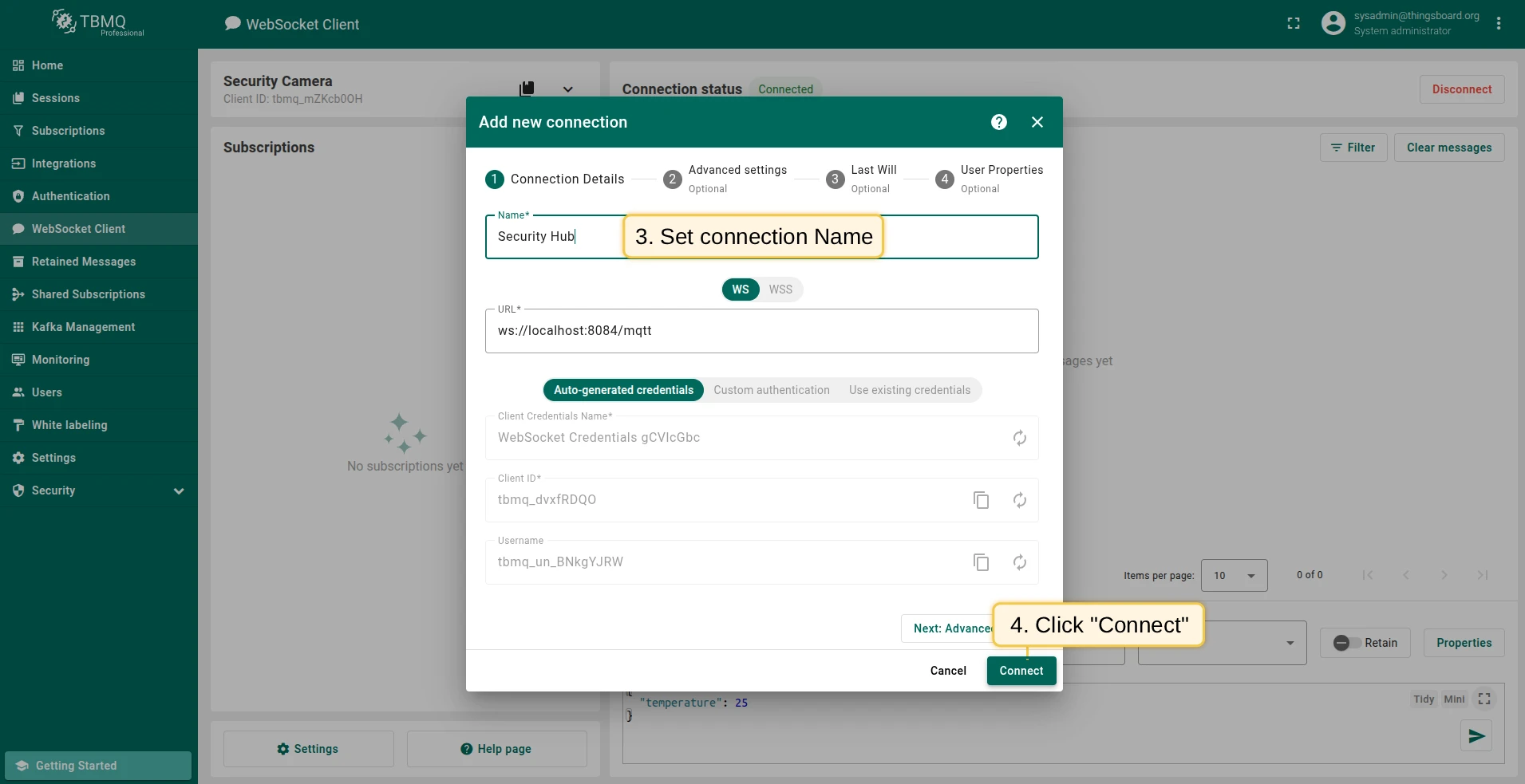
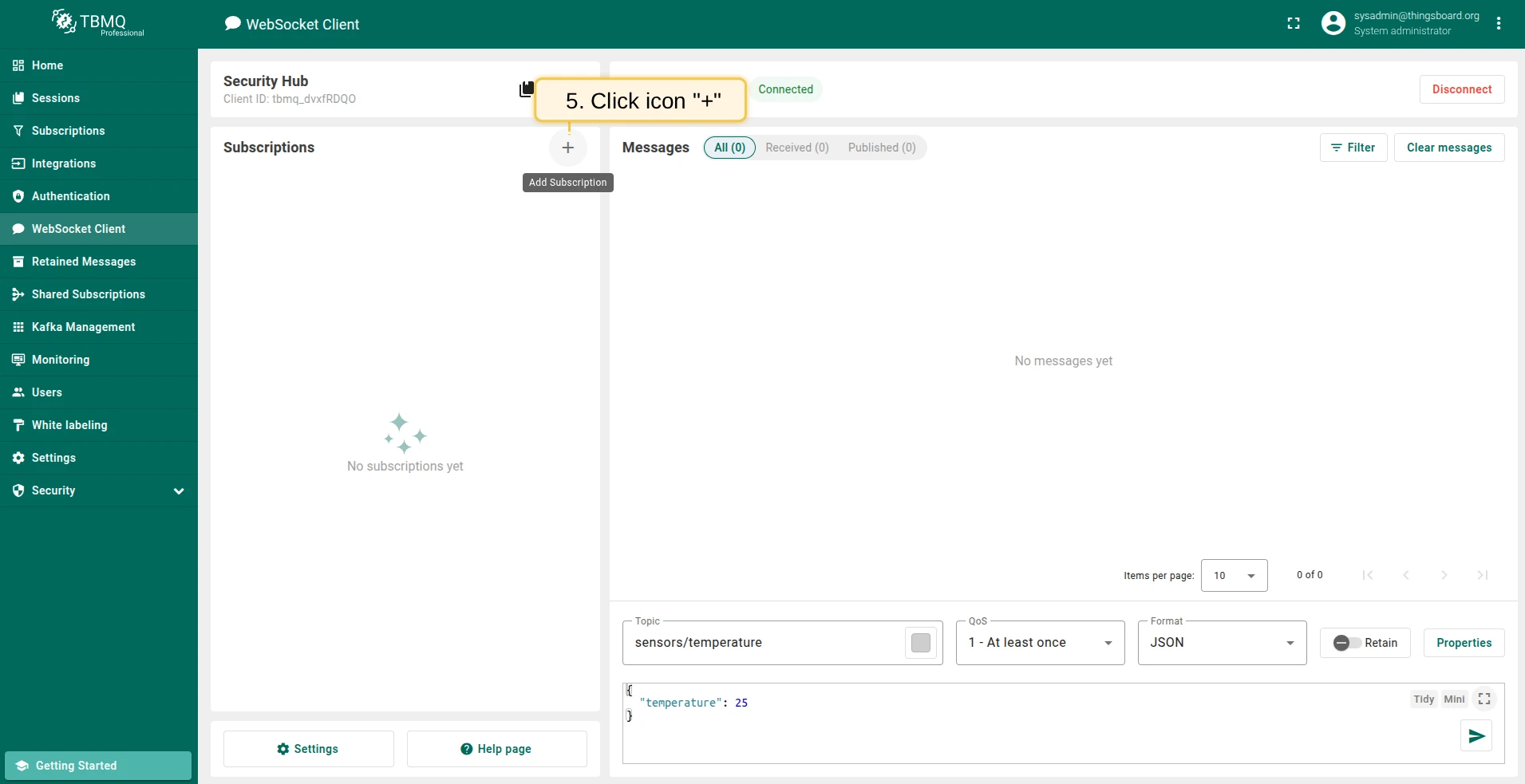
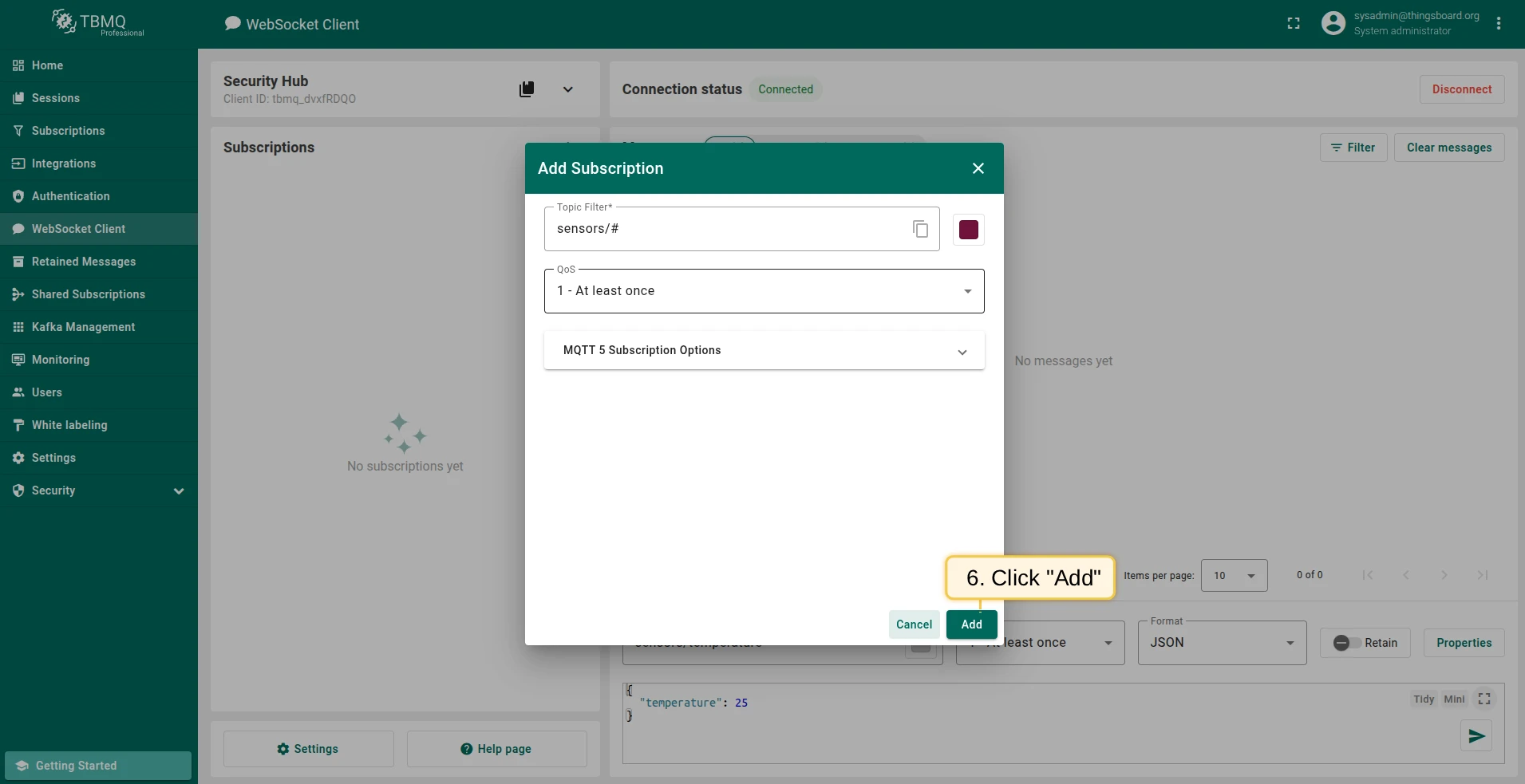
Section titled “Add client “Security Hub””Create a second connection named Security Hub and subscribe to the Last Will topic to receive the message when Security Camera disconnects unexpectedly.
-
Trigger an ungraceful disconnection
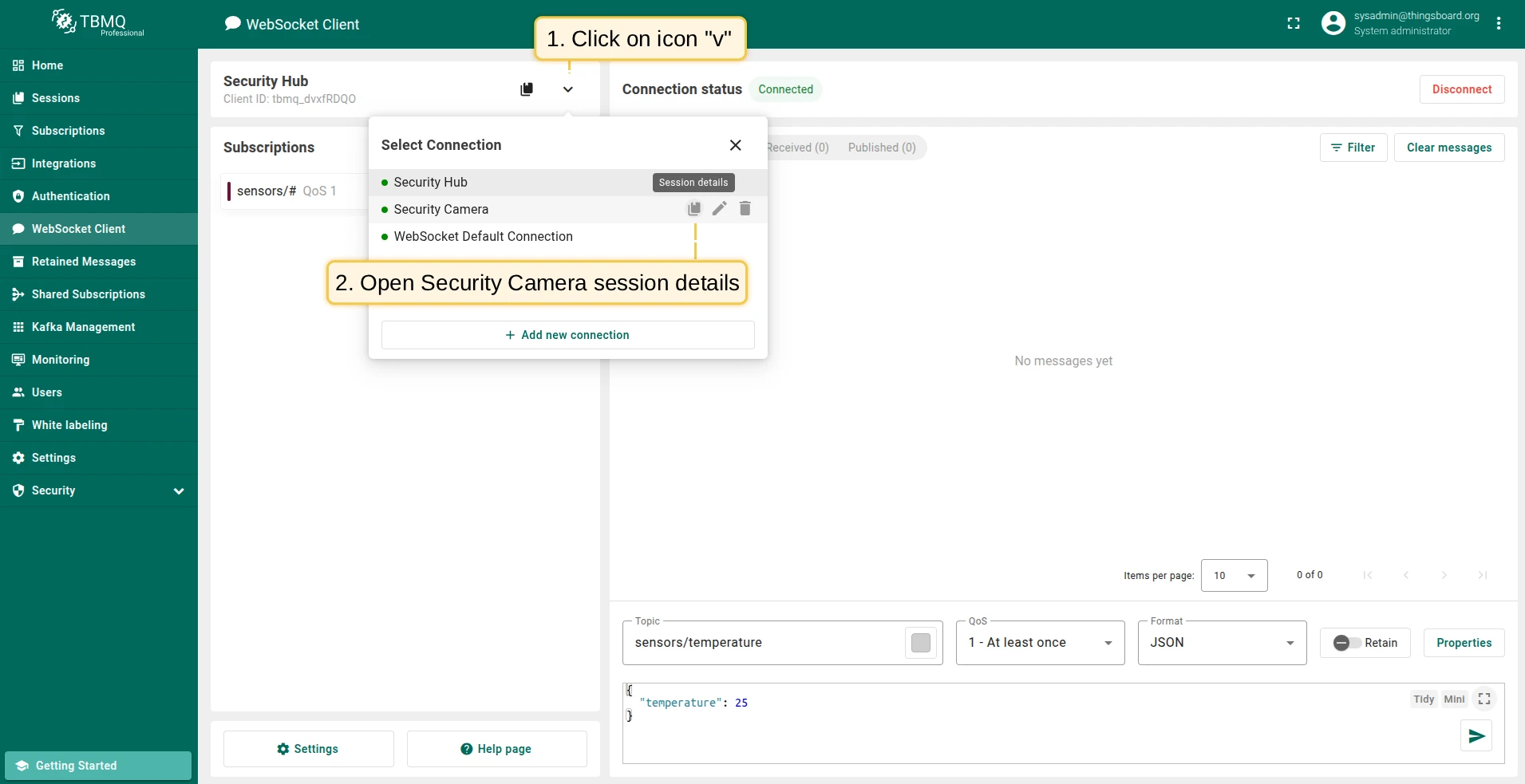
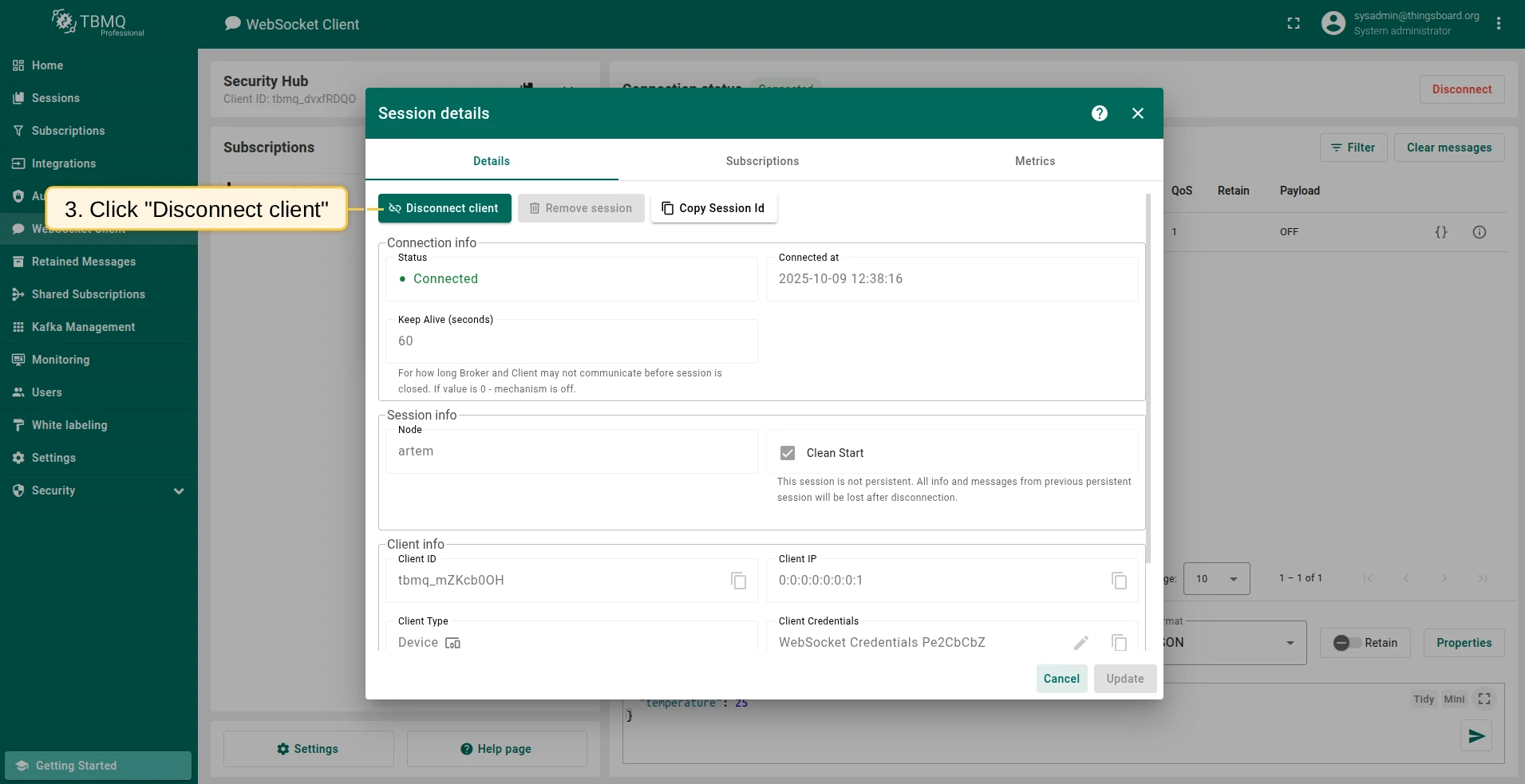
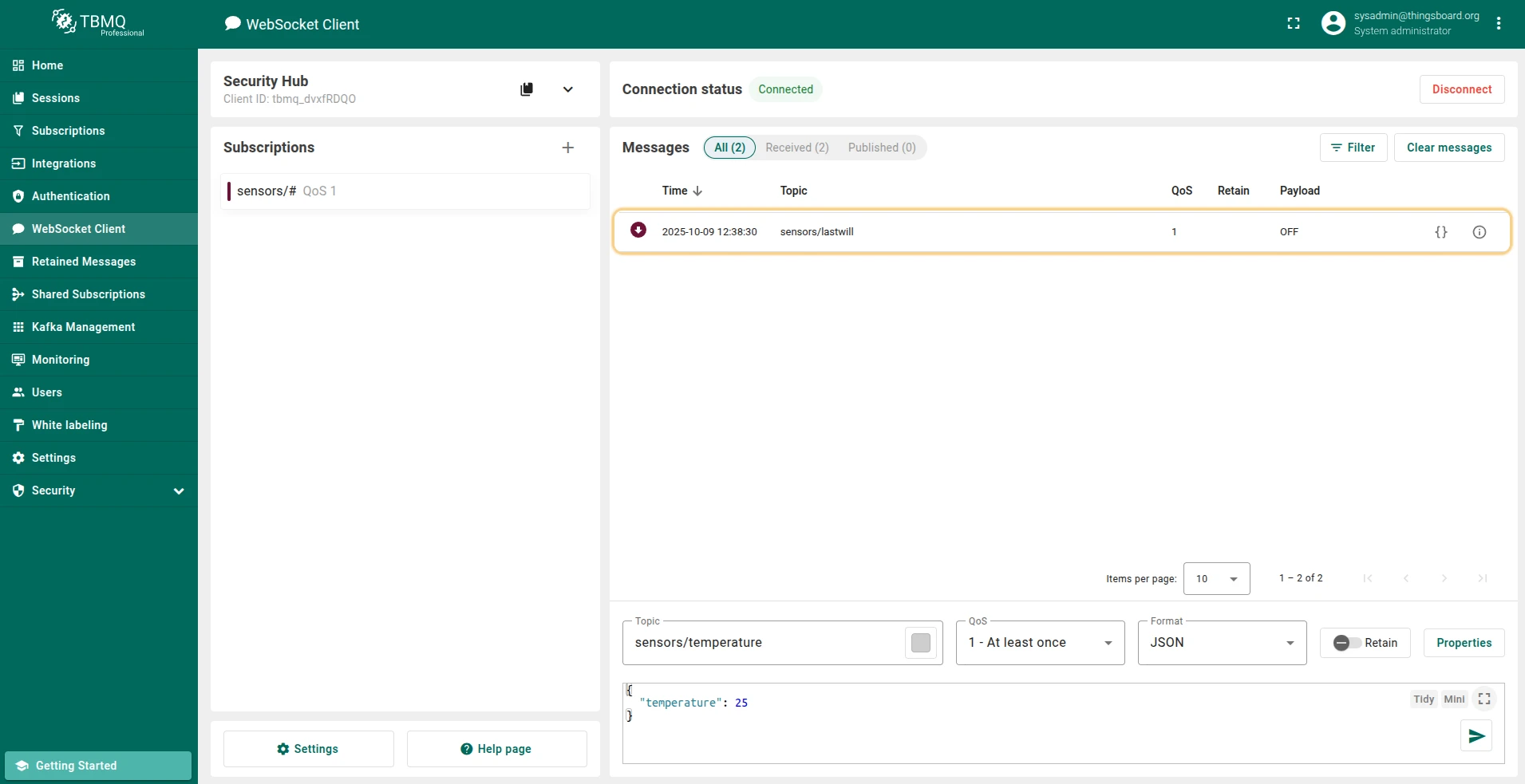
Section titled “Trigger an ungraceful disconnection”Simulate an ungraceful disconnect for Security Camera. Security Hub will receive the Last Will message on the configured topic.
Was this helpful?