
Shared subscriptions
Shared subscriptions allow multiple MQTT clients to subscribe to the same topic filter as a group, with each message delivered to exactly one member rather than all of them. TBMQ supports shared subscriptions for any MQTT protocol version.
The topic filter format for a shared subscription is:
$share/{ShareName}/{TopicFilter}Where:
$share— constant prefix that marks the subscription as shared.{ShareName}— identifier distinguishing this group from other shared subscriptions.{TopicFilter}— the topic filter, similar to regular subscriptions. Can include wildcards#and+to match multiple topics.
What are shared subscriptions?
Section titled “What are shared subscriptions?”In a standard MQTT subscription, every matching subscriber receives a copy of each published message.
Shared subscriptions change this: all clients subscribed to $share/{ShareName}/{TopicFilter} form a group,
and each message is delivered to exactly one member — enabling load balancing at the broker level.
This makes shared subscriptions ideal for building scalable, fault-tolerant MQTT consumers.
Shared subscription use cases
Section titled “Shared subscription use cases”Horizontal scaling of message consumers: Multiple instances of a consumer application can subscribe to the same shared subscription group. As the load increases, new instances can be added to the group without any coordination — TBMQ will automatically distribute messages across all active members.
Handling high message rates: A single subscriber may not be able to keep up with a high-throughput topic. A shared subscription group distributes the message load across multiple subscribers, increasing aggregate processing capacity.
Balancing resource consumption: By distributing messages across consumers, shared subscriptions help balance CPU, memory, and network usage across a fleet of services.
Message ordering guarantees
Section titled “Message ordering guarantees”As per the MQTT 5.0 specification, shared subscriptions do not guarantee message ordering across the group. While each individual client may receive messages in the order they are assigned, the overall order across the group is not maintained. If strict ordering is required, a single non-shared subscriber should be used instead.
Subscribing to shared subscriptions
Section titled “Subscribing to shared subscriptions”The following example demonstrates how two subscribers join the same shared subscription group and then receive distributed messages. It uses Mosquitto clients with DEVICE non-persistent sessions. On Ubuntu, install them with:
sudo apt-get install mosquitto-clientsStart two subscribers in separate terminals:
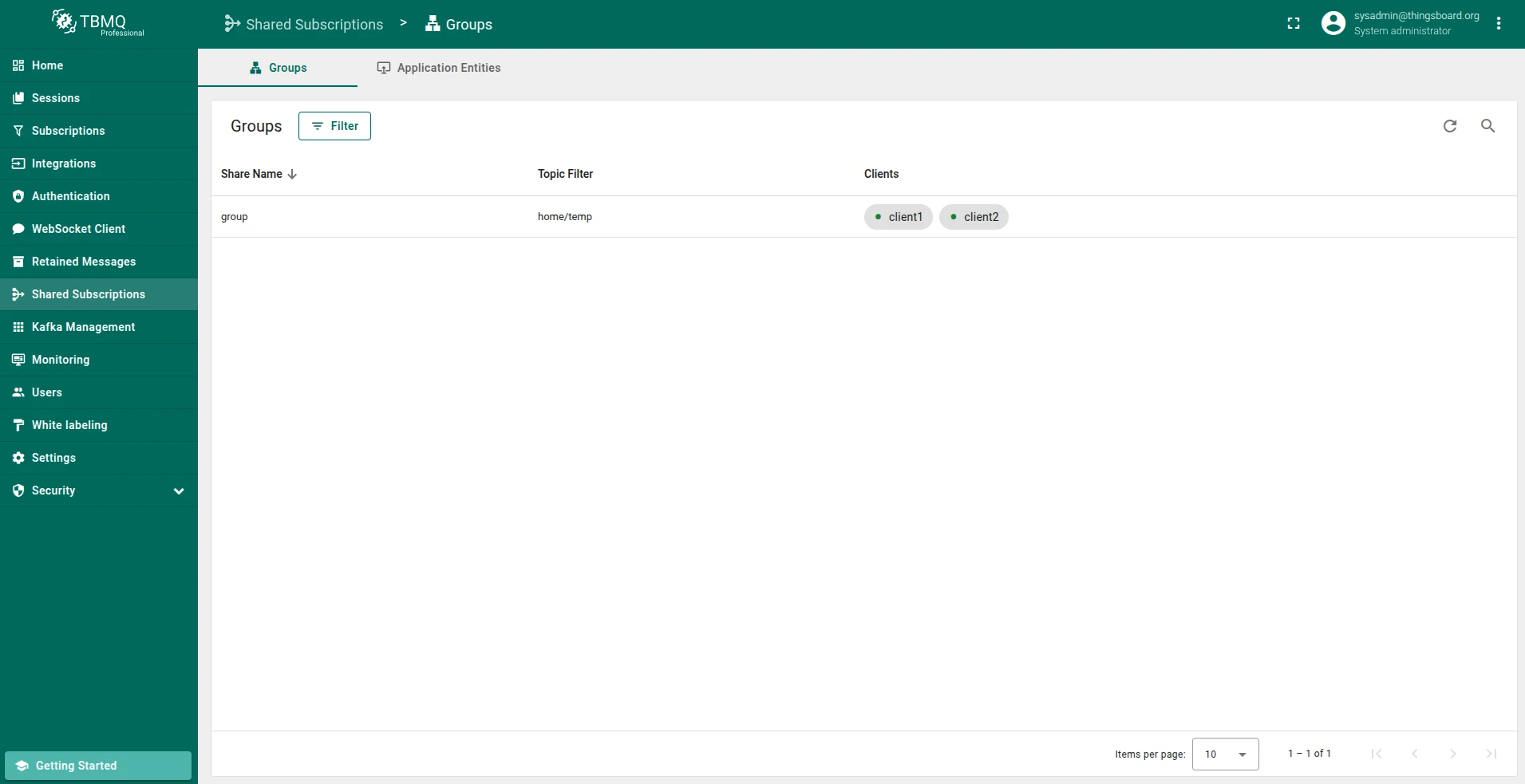
mosquitto_sub -d -h demo.tbmq.io -p 1883 -t '$share/group/home/temp' -q 1 -V mqttv5 -i client1 -u demomosquitto_sub -d -h demo.tbmq.io -p 1883 -t '$share/group/home/temp' -q 1 -V mqttv5 -i client2 -u demomosquitto_sub -d -h localhost -p 1883 -t '$share/group/home/temp' -q 1 -V mqttv5 -i client1 -u tbmq_websockets_usernamemosquitto_sub -d -h localhost -p 1883 -t '$share/group/home/temp' -q 1 -V mqttv5 -i client2 -u tbmq_websockets_usernameThis initiates a shared subscription with ShareName group, with client1 and client2 subscribing to the home/temp topic.
Both clients will receive messages published to that topic evenly.
You can observe the shared subscription group in the TBMQ UI on the Sessions page:
Publish messages to the group:
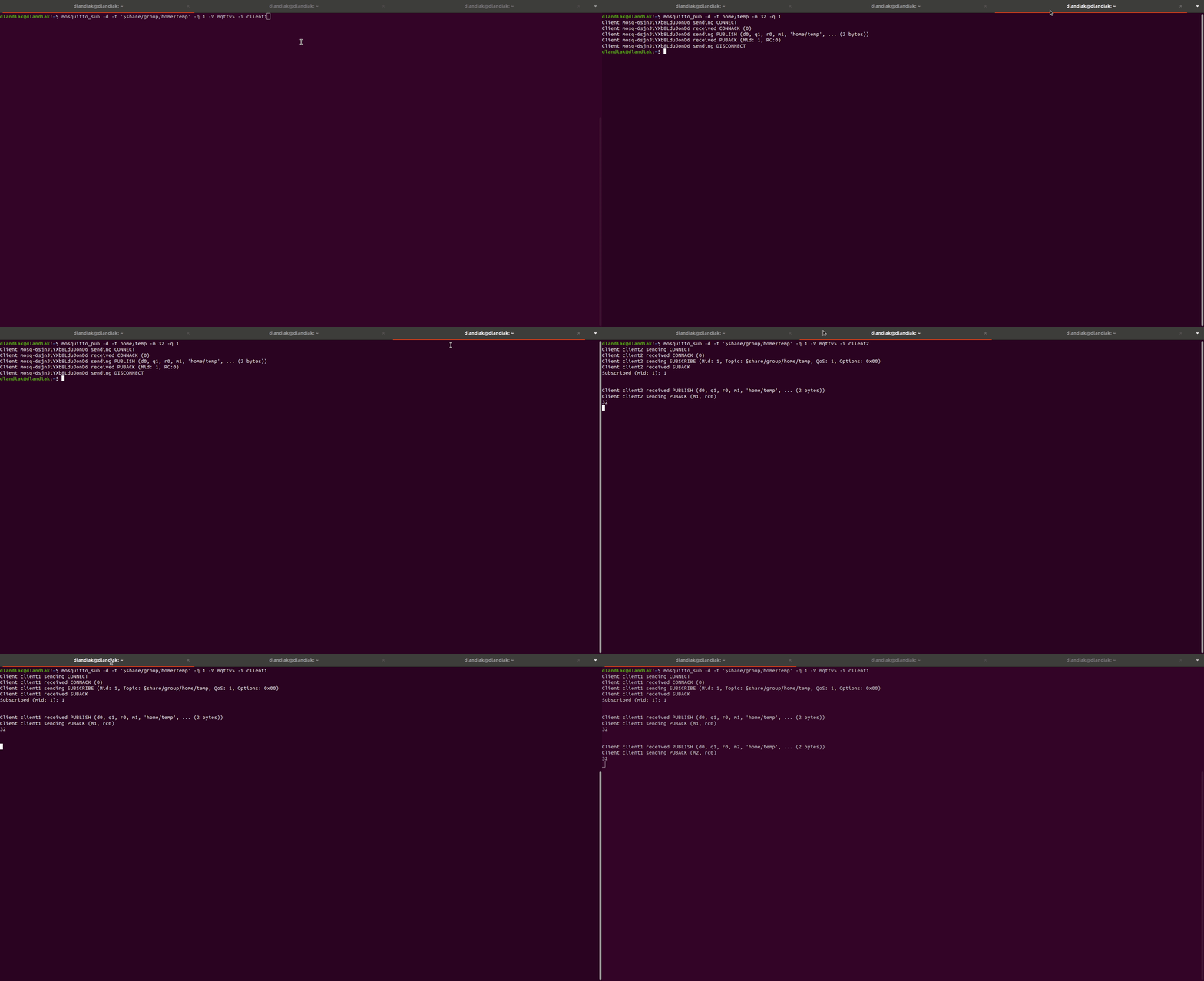
mosquitto_pub -d -h demo.tbmq.io -p 1883 -t 'home/temp' -m 32 -q 1 -u demomosquitto_pub -d -h localhost -p 1883 -t 'home/temp' -m 32 -q 1 -u tbmq_websockets_usernameThe group can be dynamically scaled: subscribing a new client adds it to the group and increases processing capacity; unsubscribing a client removes it and the remaining members absorb its share.
The following demo illustrates the shared subscription behavior end-to-end:
Shared subscriptions load balancing strategy
Section titled “Shared subscriptions load balancing strategy”TBMQ currently supports the ROUND_ROBIN load balancing strategy. Messages are distributed to group members in a round-robin fashion — each message is sent to the next available subscriber in the rotation.
Additional strategies may be introduced in future releases.
Shared subscriptions and client type
Section titled “Shared subscriptions and client type”TBMQ distinguishes between two client types: DEVICE and APPLICATION.
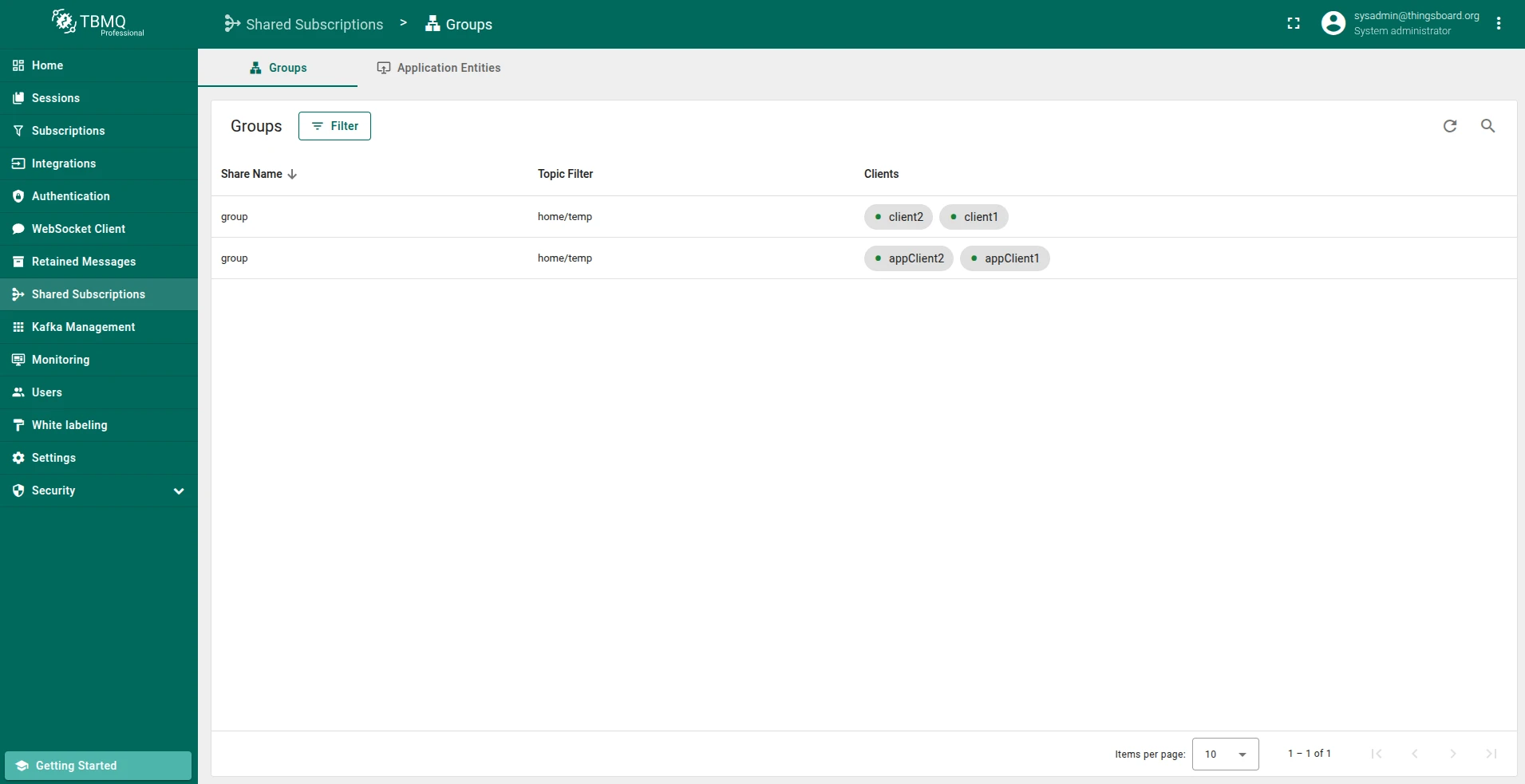
For shared subscriptions, clients of different types are treated as separate groups, even if they share the same ShareName and TopicFilter.
This means messages are distributed only among clients of the same type — DEVICE clients receive messages within the DEVICE shared subscription group,
and APPLICATION clients receive messages within the APPLICATION shared subscription group.
DEVICE client type
Section titled “DEVICE client type”DEVICE clients can use shared subscriptions with both persistent and non-persistent sessions.
Non-persistent sessions (Clean Session = true): clients subscribe, receive their share of messages, and no state is retained after disconnect.
Persistent sessions (Clean Session = false): there are two scenarios to consider.
- If the group contains some persistent clients, they share the message load while online. Once they go offline, messages are no longer distributed to them.
- If the group consists entirely of persistent clients and they all go offline, incoming messages are stored per shared subscription group in the Redis database. Once the first client reconnects, it receives the stored messages for the shared subscription.
APPLICATION client type
Section titled “APPLICATION client type”APPLICATION clients have special handling for shared subscriptions. Before an APPLICATION client can subscribe to a shared subscription, you must create the corresponding Application Shared Subscription entity in TBMQ.
Refer to the Application Shared Subscriptions guide for instructions on creating and managing these entities via the UI, or use the REST API.
When an Application Shared Subscription entity is created, TBMQ provisions a dedicated Kafka topic named:
tbmq.msg.app.shared.{TopicFilter}If the topic filter contains characters other than alphanumeric characters (and /, +, #), a hash derived from the topic filter is used instead:
tbmq.msg.app.shared.{TopicFilterHash}This ensures compatibility with Kafka’s topic naming rules.
When a client connects and subscribes to the shared subscription, TBMQ creates a Kafka consumer and adds it to the Consumer Group for that topic. As more clients subscribe, their consumers join the group and share the message load. When a client unsubscribes, its consumer is removed and the group rebalances automatically.
Even if all APPLICATION clients go offline, messages published to the shared subscription continue to be written to Kafka. They are retained and delivered once any client in the group reconnects, ensuring no data is lost.
Quality of Service (QoS) in shared subscriptions
Section titled “Quality of Service (QoS) in shared subscriptions”Shared subscriptions honor the QoS level requested by each individual subscriber. The broker applies the same QoS rules as for regular subscriptions, but message delivery is distributed across the group.
- QoS 0 (At most once): The message is delivered to one group member with no acknowledgment. If the member is unavailable, the message is dropped.
- QoS 1 (At least once): The message is delivered to one group member and acknowledged. Re-delivery is attempted if the acknowledgment is not received.
- QoS 2 (Exactly once): The broker performs a full four-step handshake with the selected group member.
Key points:
- The effective QoS is the minimum of the publisher’s and subscriber’s QoS.
- If subscribers in the group use different QoS levels, each client receives messages according to its own requested QoS.
- Only one client in the group receives each matching message, regardless of QoS.
- QoS does not affect load balancing behavior — it only defines delivery guarantees for each individual client.
Best practice: use the same QoS level for all subscribers within a shared group. This consistency simplifies message flow, ensures predictable behavior, and makes it easier to debug and monitor message delivery across clients.
Was this helpful?