
Basic authentication
Basic authentication remains one of the most common methods for authenticating MQTT clients due to its low overhead and native support in the MQTT protocol. It is often used in scenarios where clients are provisioned with predefined credentials — such as IoT devices connecting to private networks, internal system integrations, or deployments with basic access control requirements. When combined with secure transport (TLS), it provides a reliable and widely adopted authentication option for many MQTT use cases.
How it works
Section titled “How it works”Basic authentication allows MQTT clients to authenticate using credentials sent in the CONNECT packet — such as clientId, username, and password.
TBMQ uses these credentials to generate a unique credentialsId and match against the stored MQTT client credential records using flexible matching strategies.
To optimize authentication performance, TBMQ maintains credentials in Redis for fast lookups, while PostgreSQL ensures reliable persistence.
The following sections explain provider configuration, credential matching, credentialsId generation, and how authorization is applied after successful authentication.
Configure provider
Section titled “Configure provider”You can check the authentication provider status and enable or disable it directly from the TBMQ user interface, without modifying configuration files or restarting the broker.
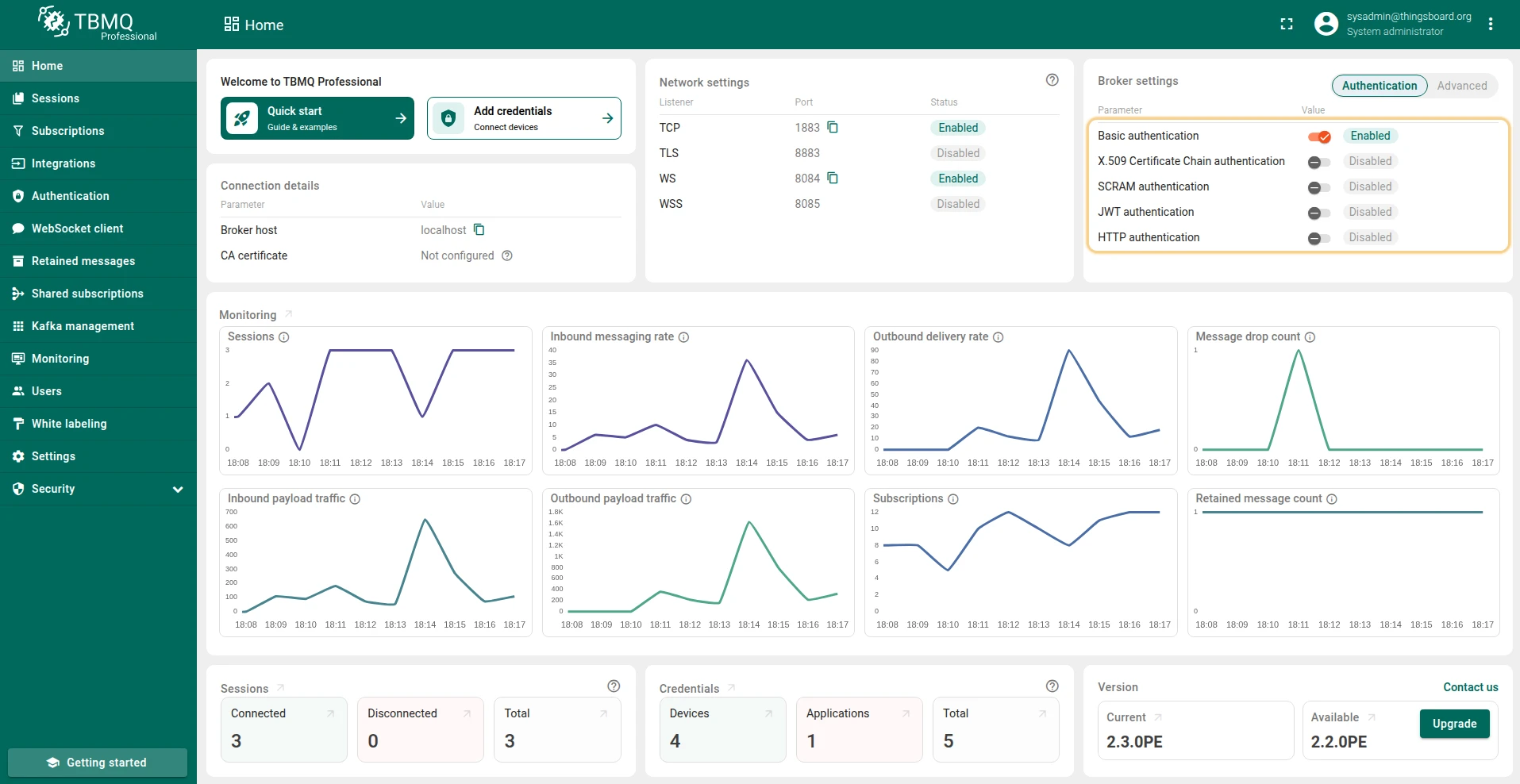
- On the Home page, in the Broker Settings card, you’ll find quick-toggle buttons for each available authentication provider. Click the button next to the desired provider to enable or disable it.
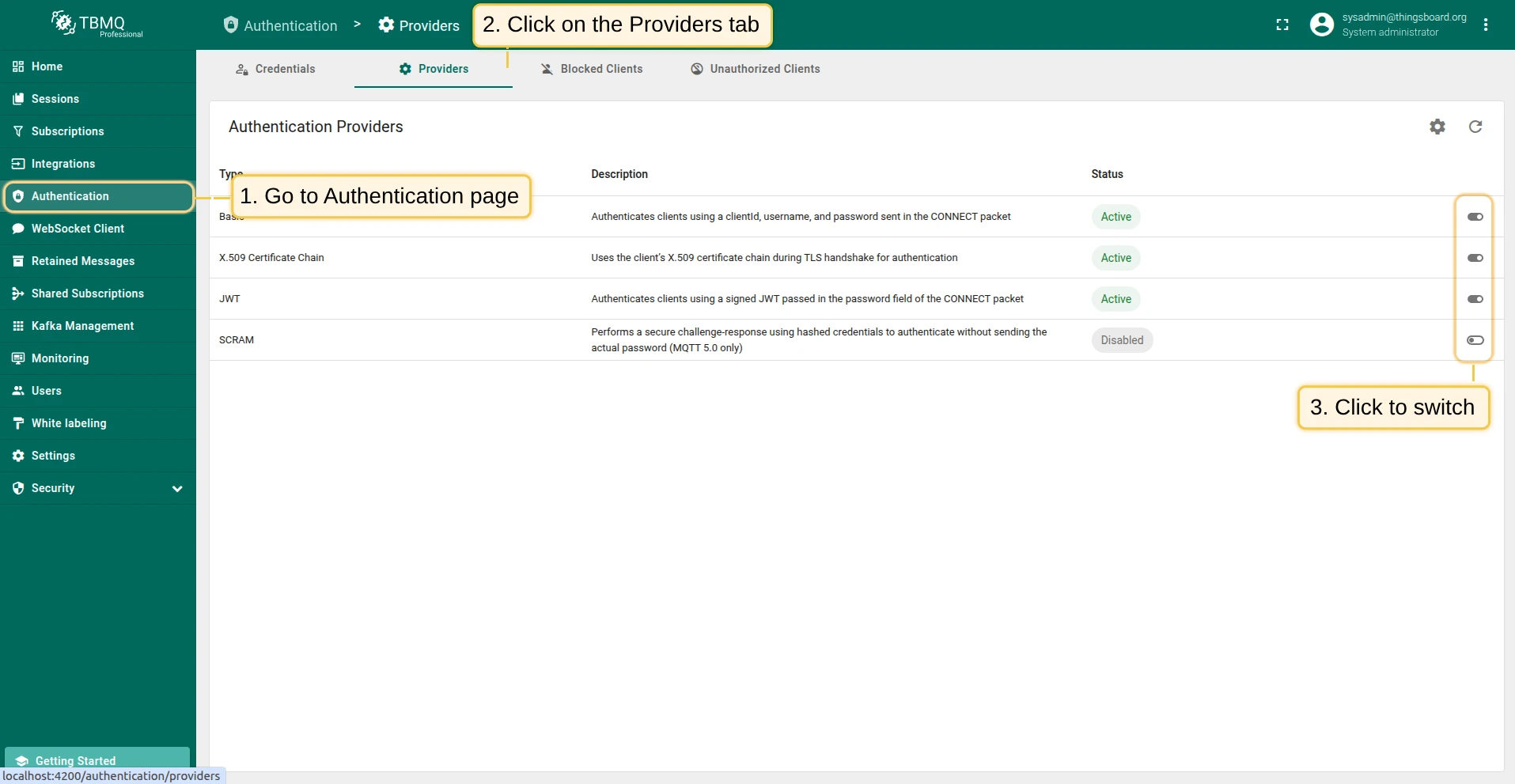
- On the Authentication Providers page, you have more control and visibility:
- You can enable or disable a provider directly from the table by clicking the Switch button in the corresponding row.
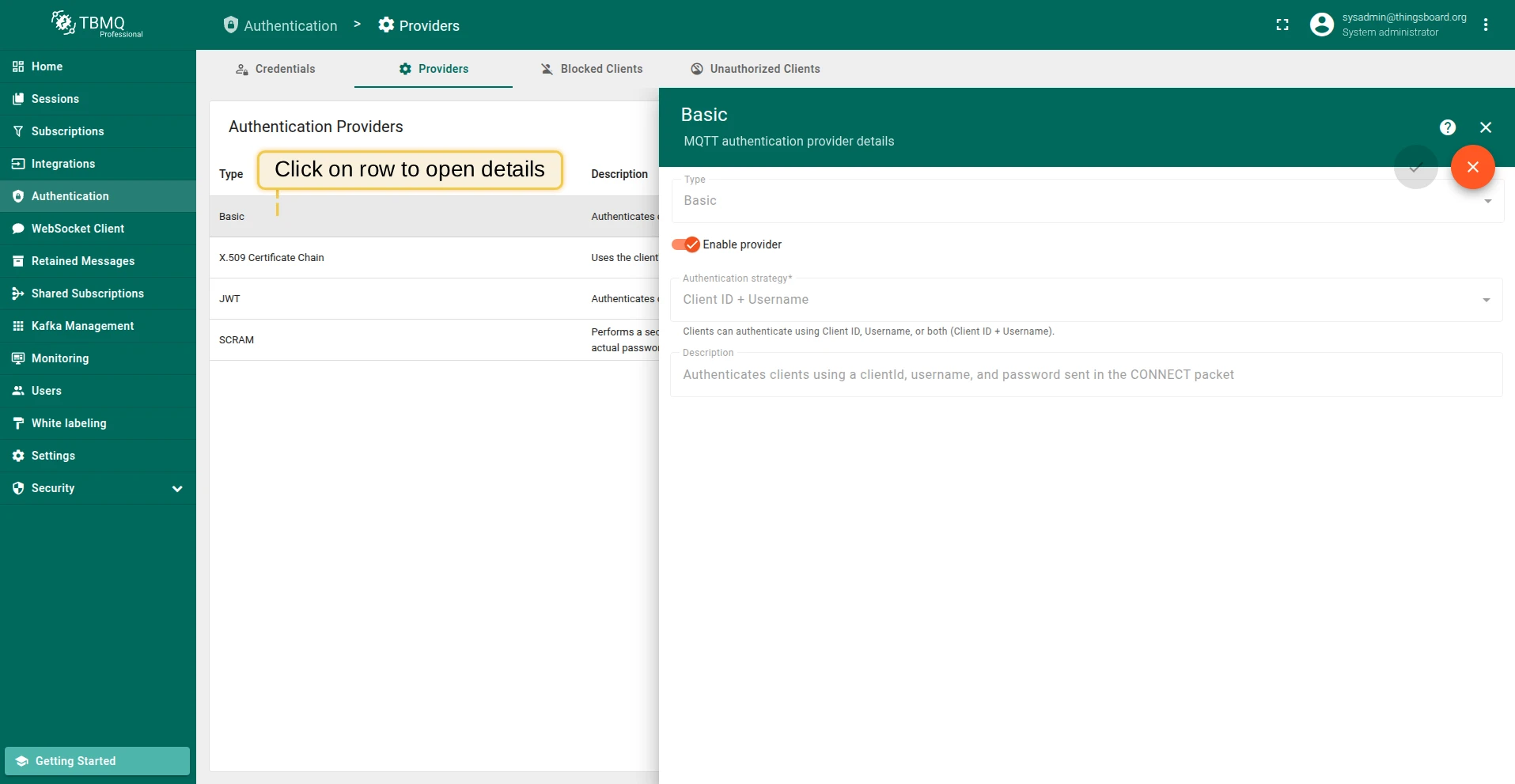
- For more detailed management, click on a provider to open its details page, where you can change the status or other parameters.
Authentication strategy
Section titled “Authentication strategy”The Basic authentication provider includes an Authentication strategy field that determines how the broker validates connection parameters from the CONNECT packet.
This strategy dictates which identifiers are used for a successful match and defines the available Credentials matching combinations:
- Client ID + Username: The broker matches using both identifiers. This strategy allows for the most extensive matching combinations:
- clientId — checks for a specified clientId.
- username — checks for a specified username.
- clientId and username — checks for both clientId and username.
- username and password — checks for both username and password.
- clientId and password — checks for both clientId and password.
- clientId, username and password — checks for all three parameters.
- Client ID: The broker matches only the clientId. This limits the authentication check to the clientId or clientId and password combinations.
- Username: The broker matches only the username. This limits the authentication check to the username or username and password combinations.
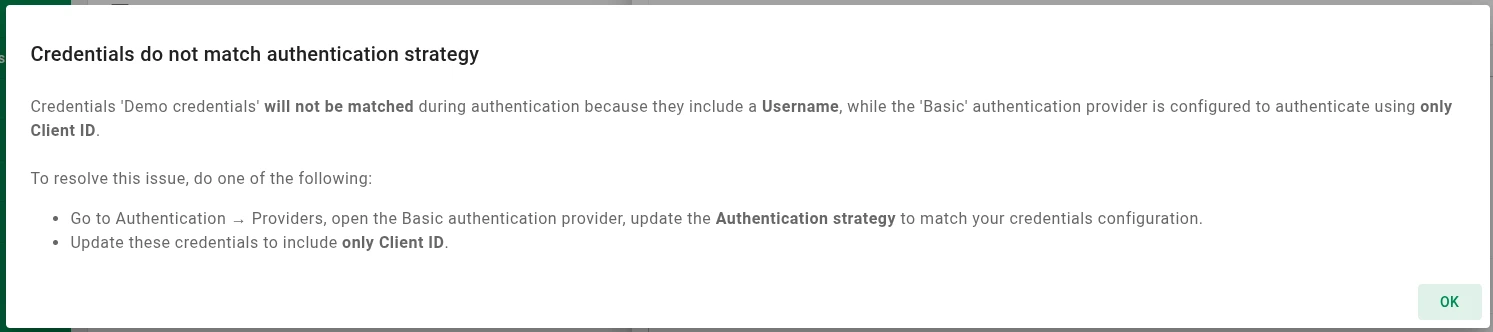
Validation warning: To maintain consistency, the UI displays a warning if your credential configuration conflicts with the selected strategy. For example, if the Client ID strategy is active, but you attempt to add or edit a credential with a Username, you will see the following message:
Credentials ID
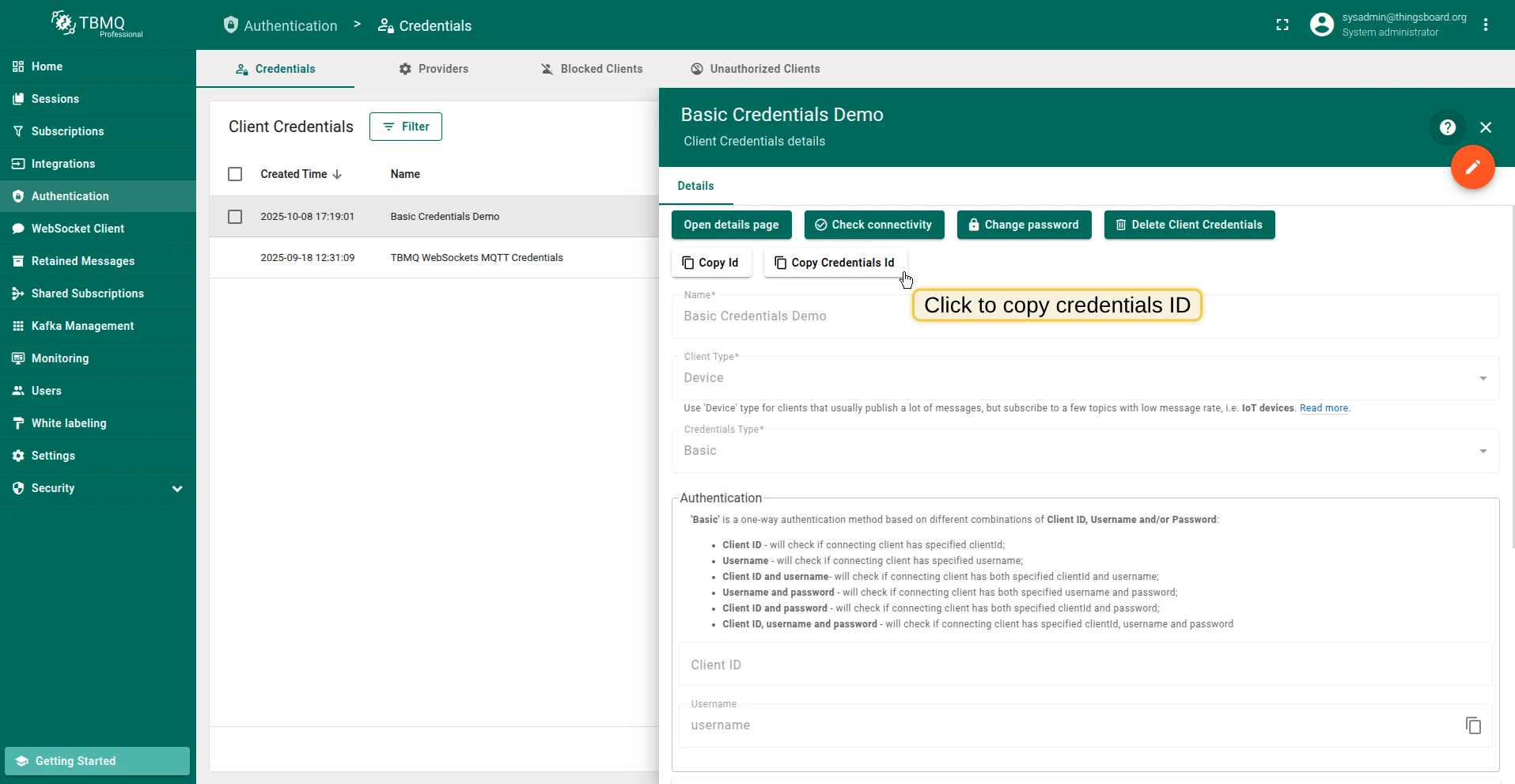
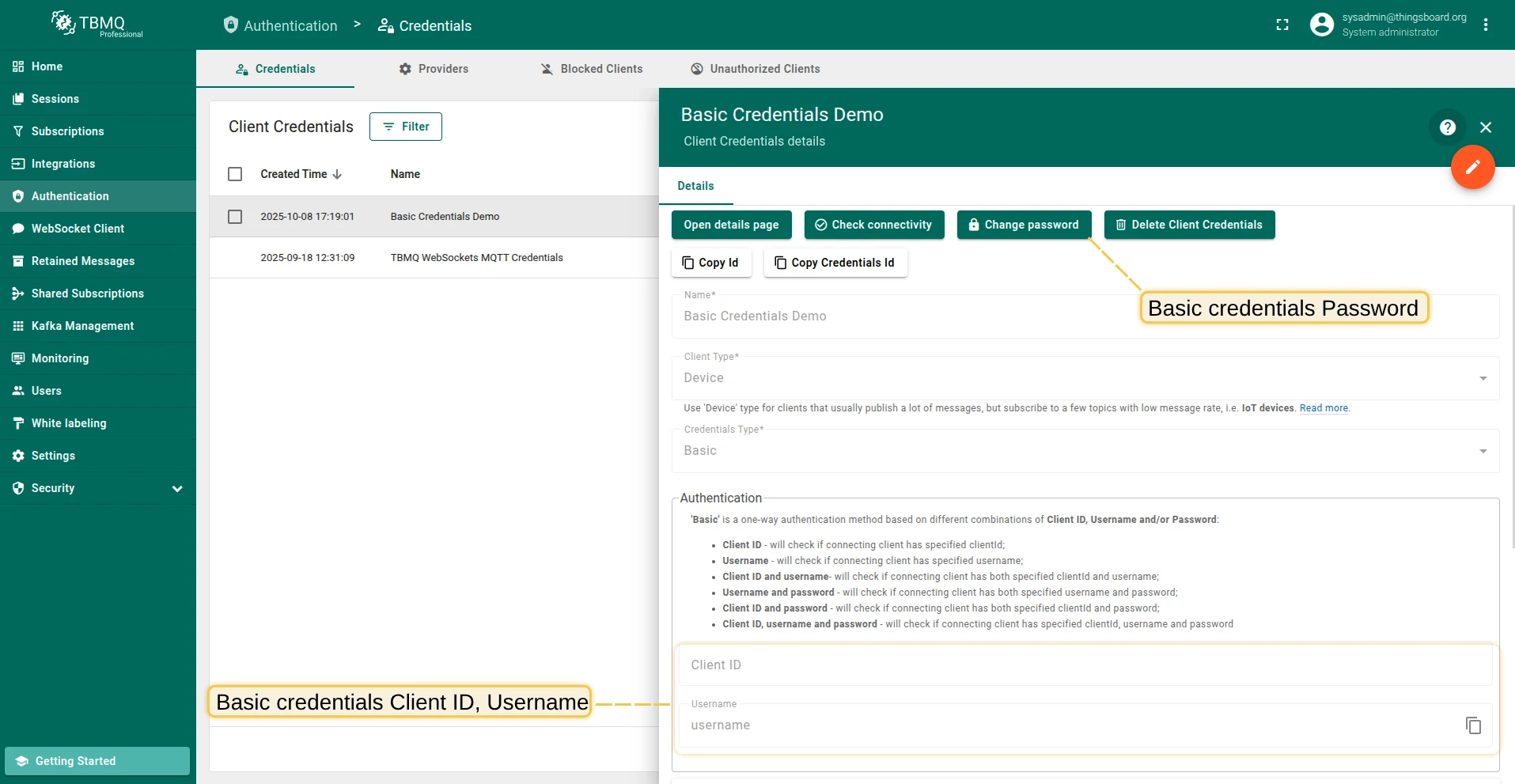
Section titled “Credentials ID”When a client connects, the combination of the username, password, and clientId from the CONNECT packet is matched with the persisted credentials to authenticate the client.
The matching is based on the auto-generated credentialsId field from the MQTT client credentials.
The credentialsId is generated as follows:
username|$CLIENT_USERNAME— when only username is present.client_id|$CLIENT_ID— when only client ID is present.mixed|$CLIENT_USERNAME|$CLIENT_ID— when both username and client ID are present.
Where $CLIENT_USERNAME refers to the specified username and $CLIENT_ID refers to the specified client ID from the CONNECT packet.
Authorization
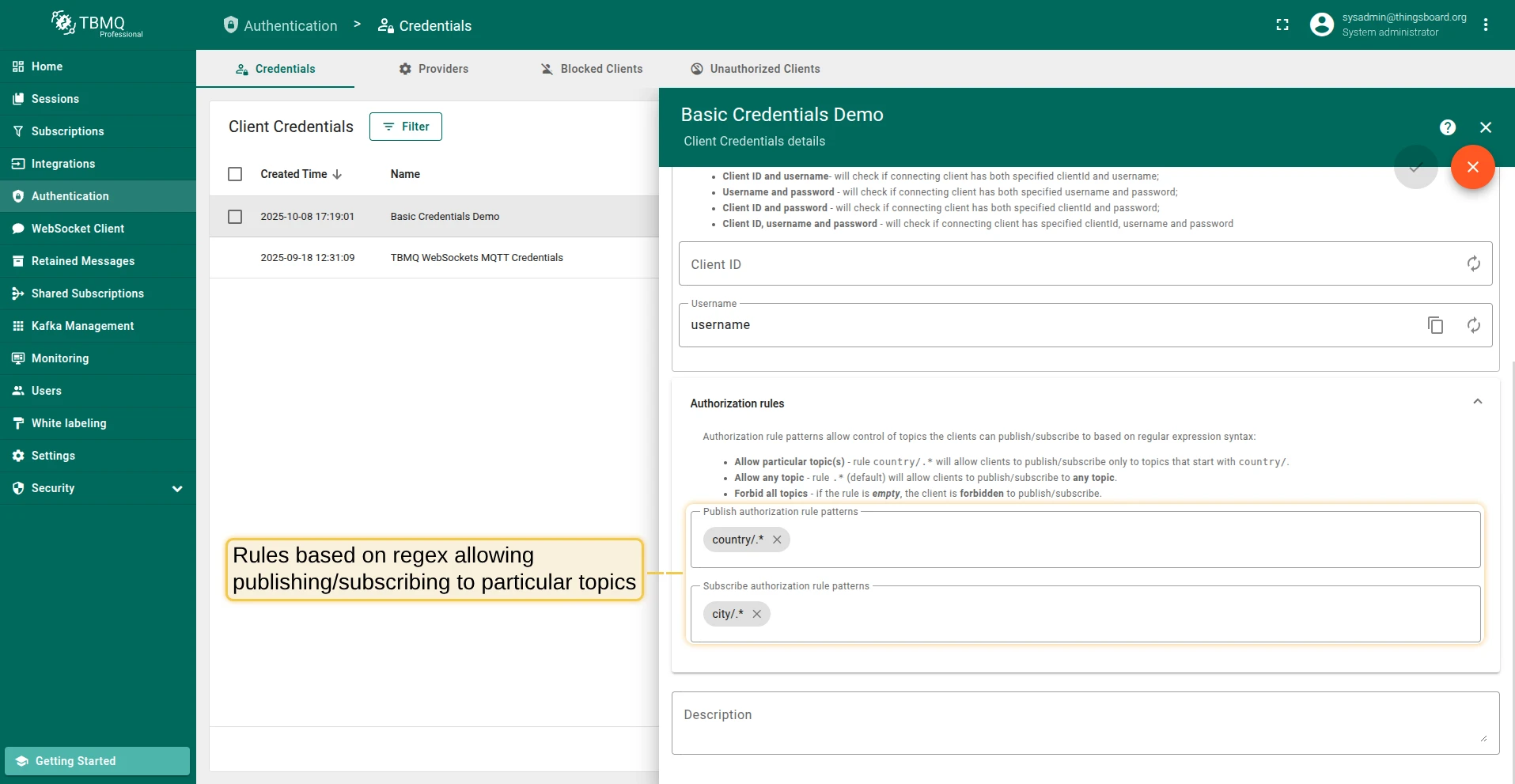
Section titled “Authorization”After the client is authenticated, it is possible to restrict its access to topics it can publish or subscribe to. To provide flexible control over authorization rules, TBMQ uses regular expressions.
For example, to allow clients to publish or subscribe to all topics that begin with city/, an authorization rule should be created with the value city/.*.
For the Basic type, authorization is configured through the pubAuthRulePatterns and subAuthRulePatterns of the corresponding MQTT client credentials. Therefore, for each Basic MQTT client credential, you can configure the authorization rules for the topics that these clients can access.
The pubAuthRulePatterns and subAuthRulePatterns are based on regular expression syntax. For example:
{ "pubAuthRulePatterns": ["country/.*"], "subAuthRulePatterns": ["city/.*"]}The following configuration allows clients to publish messages to topics that start with country/ and subscribe to topics that start with city/.
MQTT example: Client ID, Username and Password
Section titled “MQTT example: Client ID, Username and Password”For this option, populate Client ID, Username, and Password in the MQTT client credential. MQTT clients will be able to connect if they specify the correct combination of client ID, username, and password.
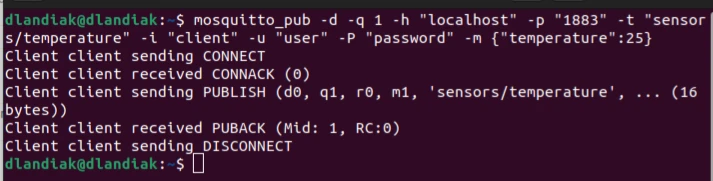
The following command publishes a message using plain MQTT (no TLS):
mosquitto_pub -d -q 1 -h "YOUR_TBMQ_HOST" -p "1883" -t "sensors/temperature" \ -i "YOUR_CLIENT_ID" -u "YOUR_CLIENT_USERNAME" -P "YOUR_CLIENT_PASSWORD" \ -m '{"temperature":25}'Where:
YOUR_TBMQ_HOST— the host of your TBMQ instance.YOUR_CLIENT_ID— your client ID.YOUR_CLIENT_USERNAME,YOUR_CLIENT_PASSWORD— your client username and password.
MQTTS example: Client ID, Username and Password
Section titled “MQTTS example: Client ID, Username and Password”One-way SSL authentication is a standard authentication mode, where your client device verifies the identity of a server using the server certificate. Follow the MQTT over SSL guide to provision a server certificate for your own TBMQ instance.
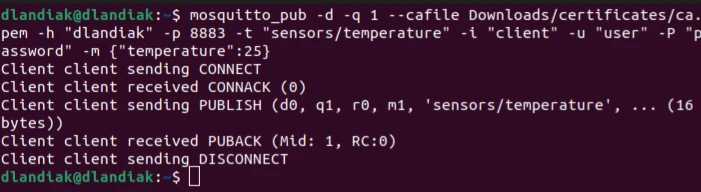
The following command publishes a message using MQTTS:
mosquitto_pub -d -q 1 --cafile YOUR_PEM_FILE -h "YOUR_TBMQ_HOST" -p 8883 \ -t "sensors/temperature" -i "YOUR_CLIENT_ID" \ -u "YOUR_CLIENT_USERNAME" -P "YOUR_CLIENT_PASSWORD" \ -m '{"temperature":25}'Where:
YOUR_PEM_FILE— your CA certificate file.YOUR_TBMQ_HOST— the host of your TBMQ instance.YOUR_CLIENT_ID— your client ID.YOUR_CLIENT_USERNAME,YOUR_CLIENT_PASSWORD— your client username and password.
Was this helpful?