Anomaly Detection in Heat Pumps
Detecting anomalies in heat pumps is essential to maintain their performance and avoid expensive repairs. Identifying unusual patterns in power usage, compressor speed, airflow, coolant pressure, and temperature lets you catch issues before they escalate into costly failures. Common problems include low coolant levels, blocked air filters, faulty compressors, and overheating.
Task definition: Detect anomalies in heat pumps in real time and notify the maintenance team about potential problems.
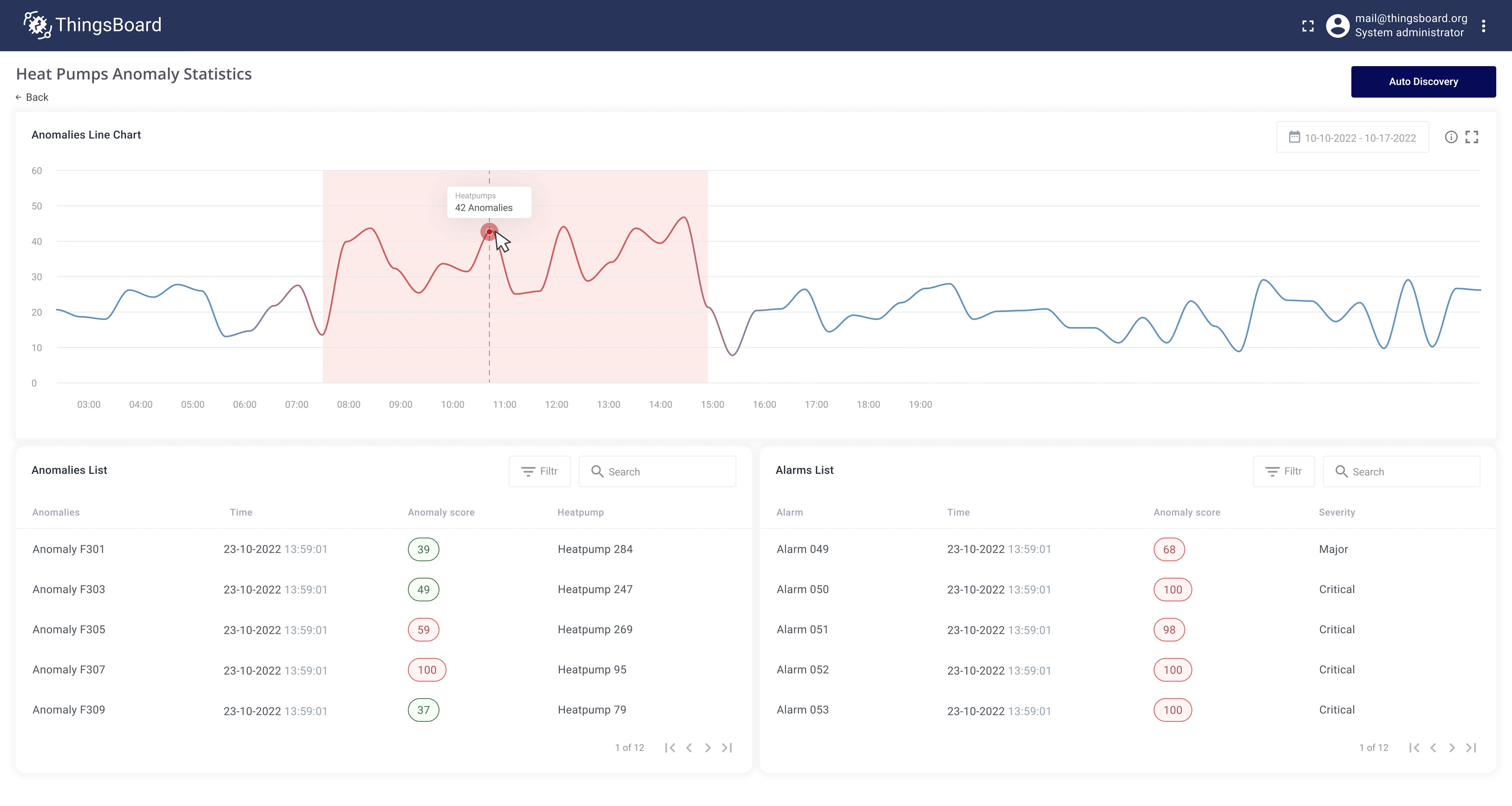
Implementation plan
Section titled “Implementation plan”- Create an anomaly detection model for heat pumps using historical telemetry data.
- Configure automated anomaly discovery on real-time telemetry data.
- Create a table widget to review all detected anomalies.
- Save the anomaly score as device telemetry so ThingsBoard alarms can use it.
- Notify the maintenance team when an anomaly is detected.
Prerequisites
Section titled “Prerequisites”Heat pumps report telemetry to ThingsBoard via MQTT and are registered as device entities.
Devices have a relation to an Apartment asset, and apartments are assigned to customer accounts.
For this guide, each heat pump reports the following telemetry keys: compressorSpeed, airflow, coolantPressure, coolantTemperature, powerUsageWh.
Implementation
Section titled “Implementation”Step 1: Create an anomaly detection model
Section titled “Step 1: Create an anomaly detection model”Trendz uses unsupervised machine learning to detect anomalies in time series data. Train the model on historical data to establish what normal heat pump behavior looks like.
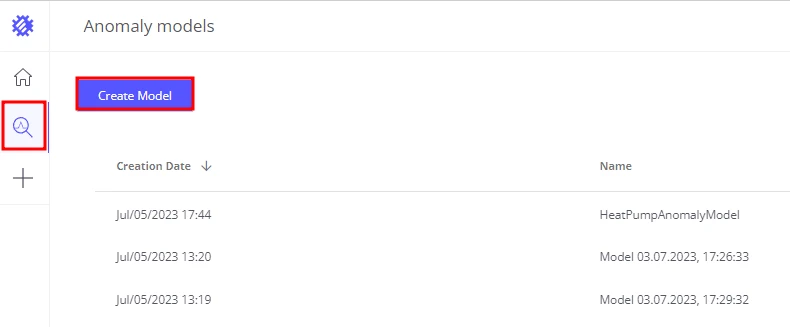
- Go to the Anomalies page and click Create model.
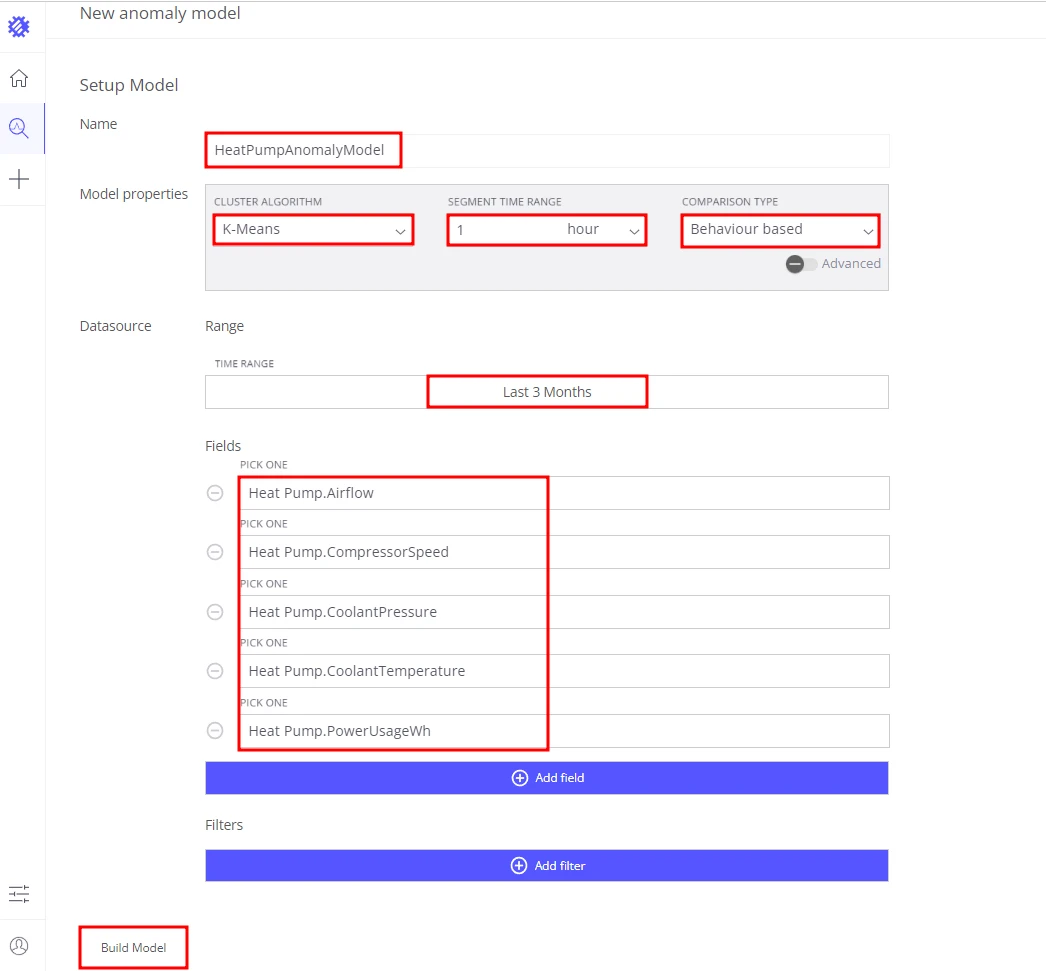
- Set the model name to
HeatPumpAnomalyModel. - Configure the model properties:
- Cluster algorithm: K-Means
- Segment time range: 1 hour — detect abnormal behavior within a 1-hour window
- Comparison type: Behavior based — detect anomalies based on overall behavioral patterns
- Configure the datasource:
- Time range: Last 90 days
- Fields:
heatPump.compressorSpeed,heatPump.airflow,heatPump.coolantPressure,heatPump.coolantTemperature,heatPump.powerUsageWh - Filters: leave blank to include all heat pumps
- Click Build model.
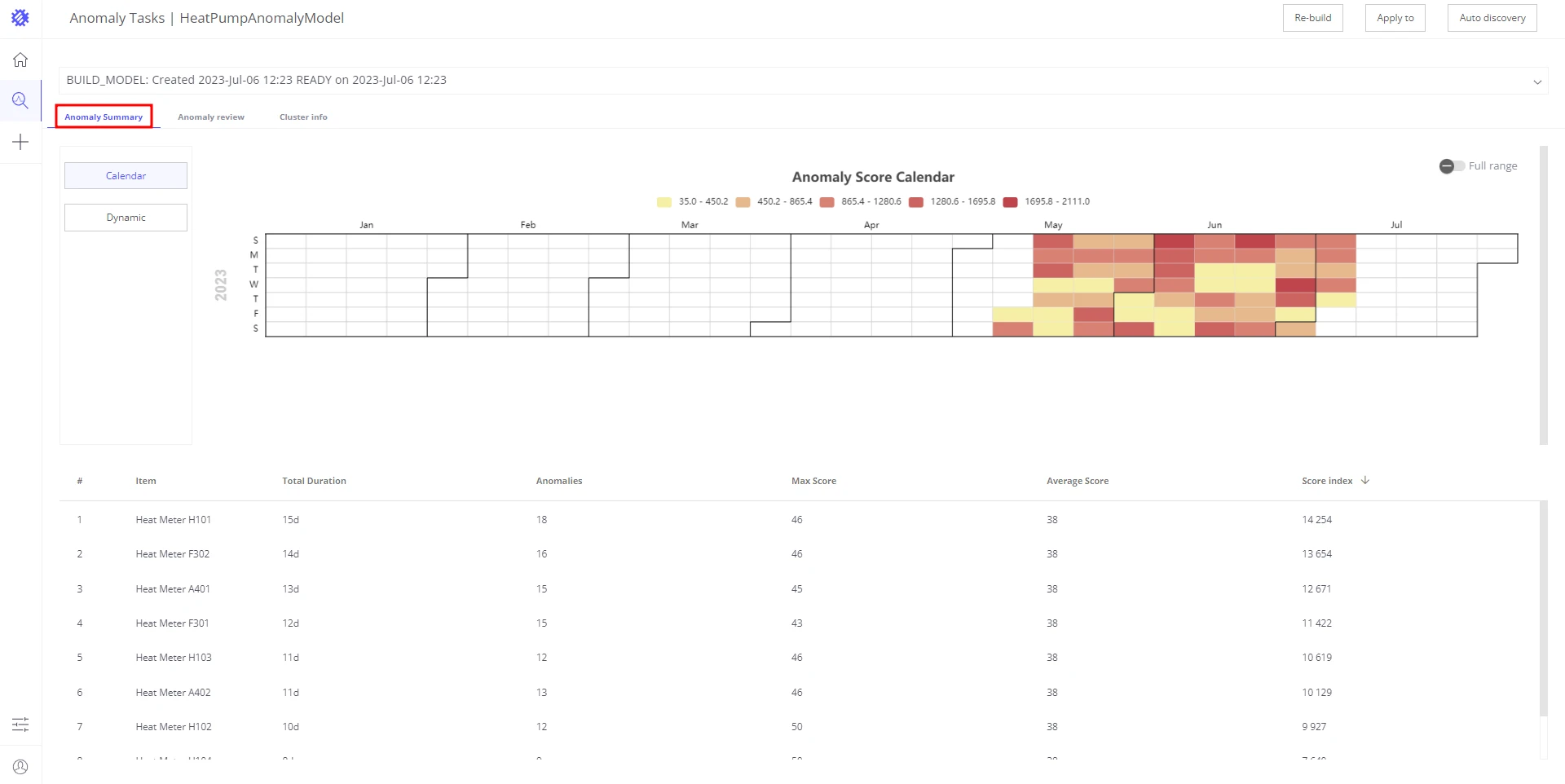
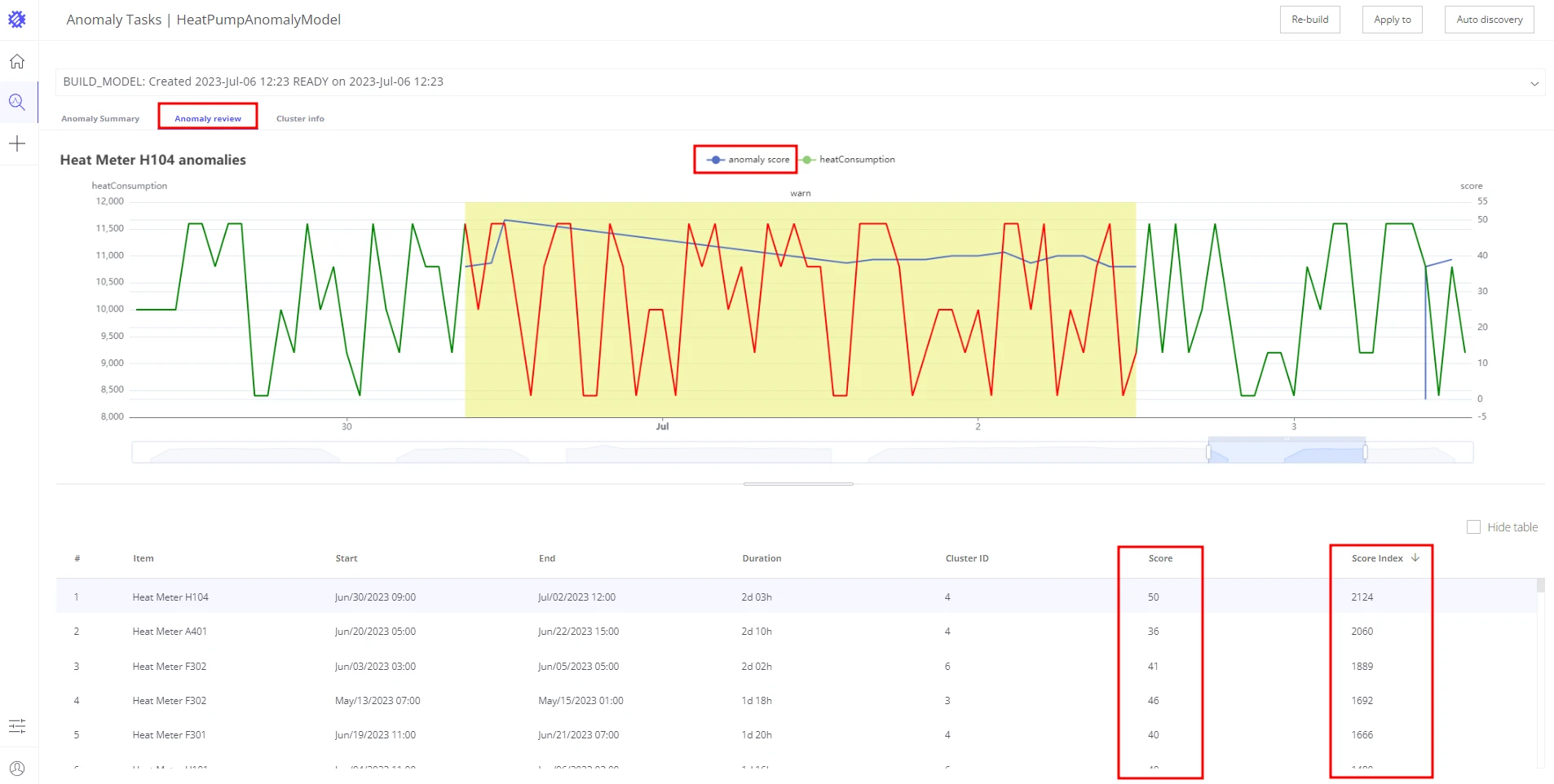
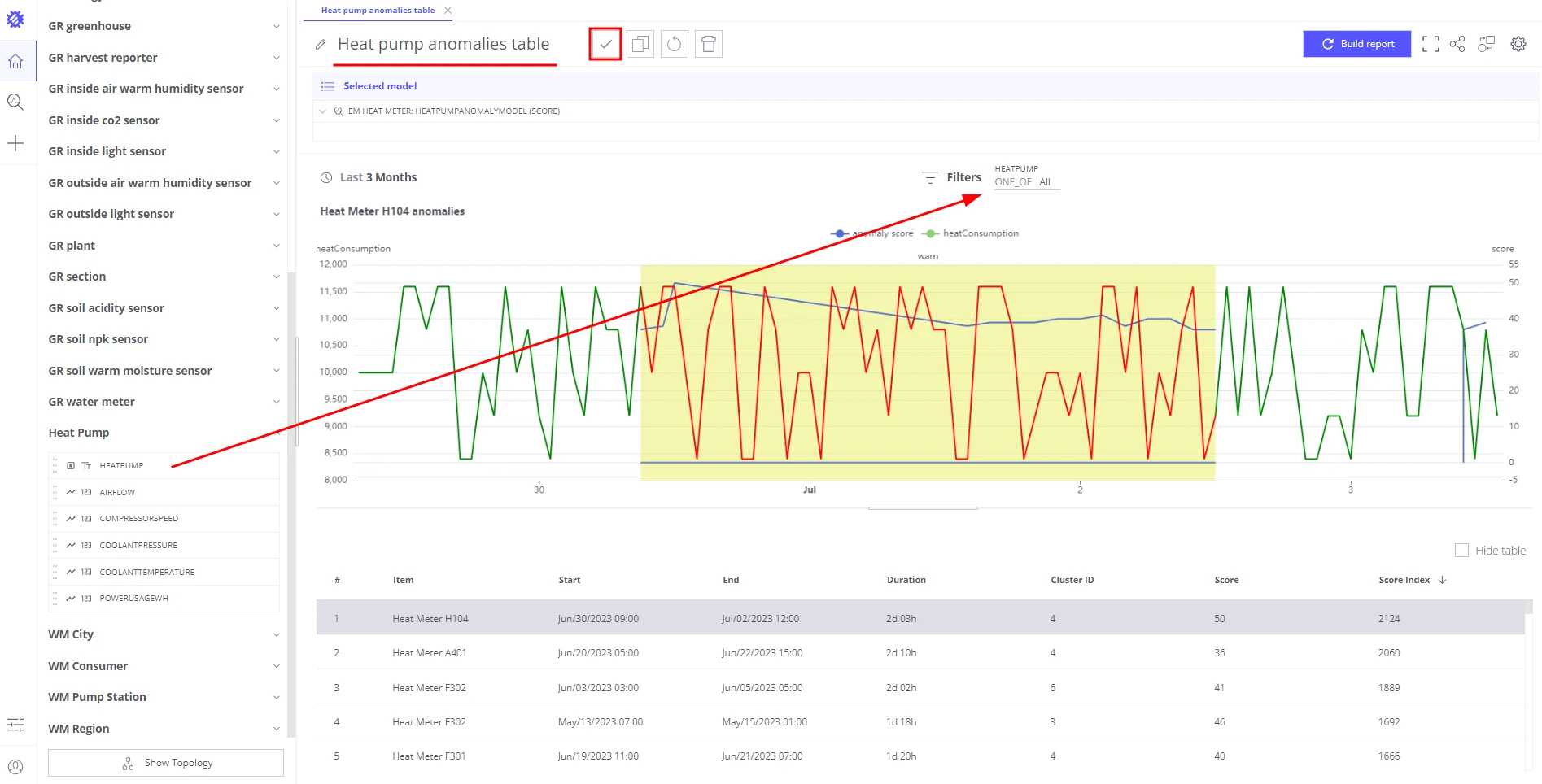
Once the model is trained, Trendz shows historical anomalies it discovered.
Each anomaly has a score and a score index — higher values mean the behavior is more abnormal.
Step 2: Schedule anomaly autodiscovery
Section titled “Step 2: Schedule anomaly autodiscovery”Configure a background job so Trendz continuously analyzes fresh telemetry and detects new anomalies.
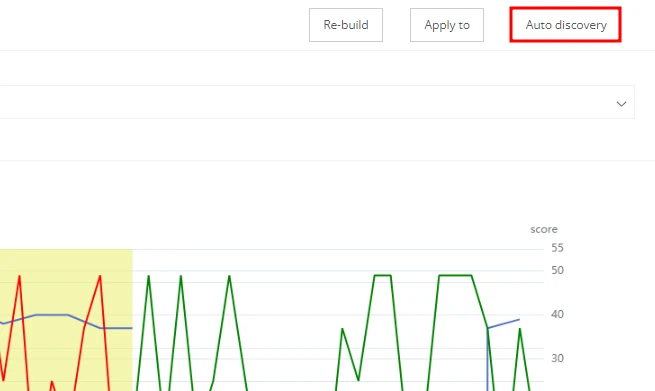
- On the model summary page, click Auto discovery.
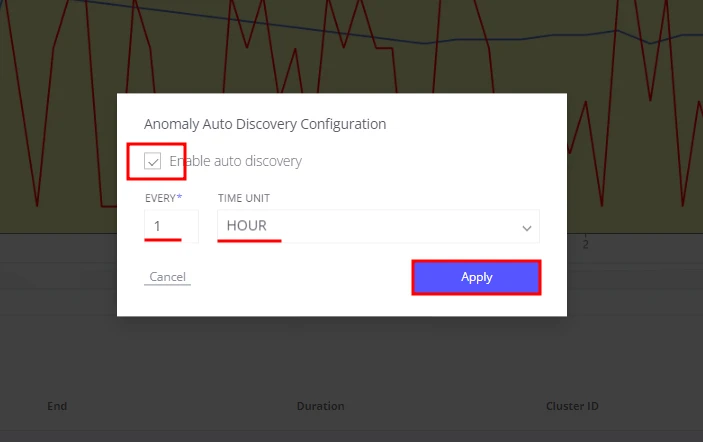
- Enable the Auto discovery checkbox.
- Set Interval to
1 hour. - Click Apply.
Trendz will now periodically fetch new data from heat pumps, identify anomalies, compute anomaly scores, and save them to the database.
Step 3: Review all discovered anomalies
Section titled “Step 3: Review all discovered anomalies”Create a view that shows both historical anomalies (discovered during model training) and new ones detected by the autodiscovery job.
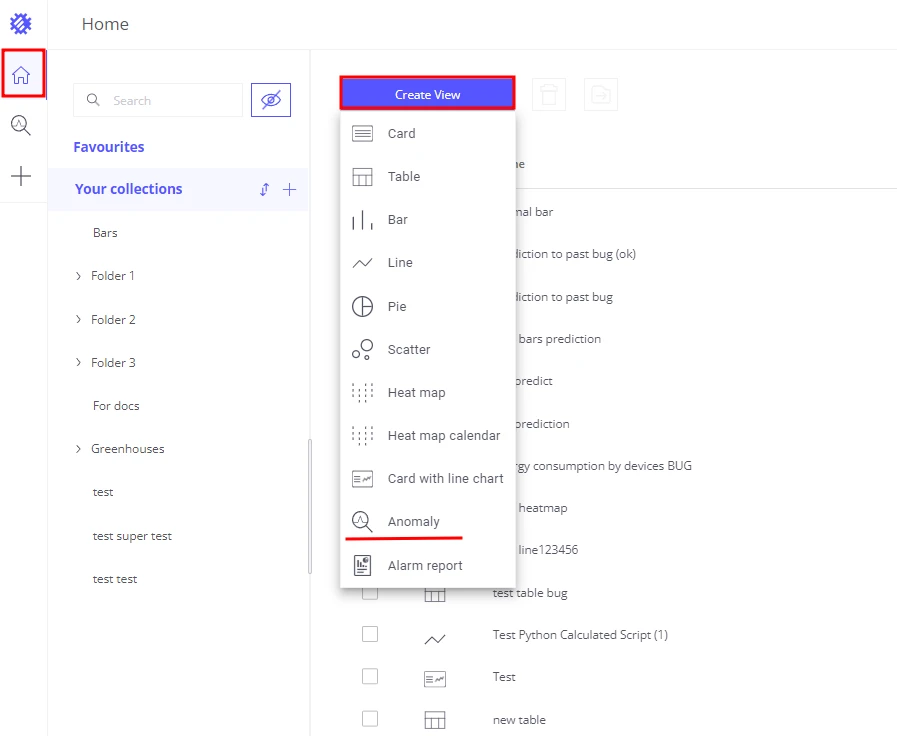
- Create an Anomaly view.
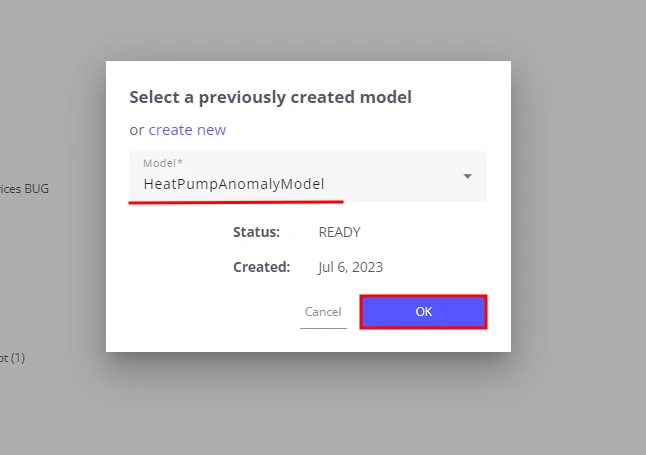
- Select the model created in Step 1 —
HeatPumpAnomalyModel. - Add the
heatPumpfield to the Filter section to focus on a specific device. - Click Build report and review the discovered anomalies.
- Set the view name to heat pump anomalies table.
- Click Save.
Step 4: Notify the maintenance team
Section titled “Step 4: Notify the maintenance team”To trigger ThingsBoard alarms from anomaly data, save the anomaly score as device telemetry, then create an alarm rule that fires when the score exceeds a threshold.
Save the anomaly score as telemetry
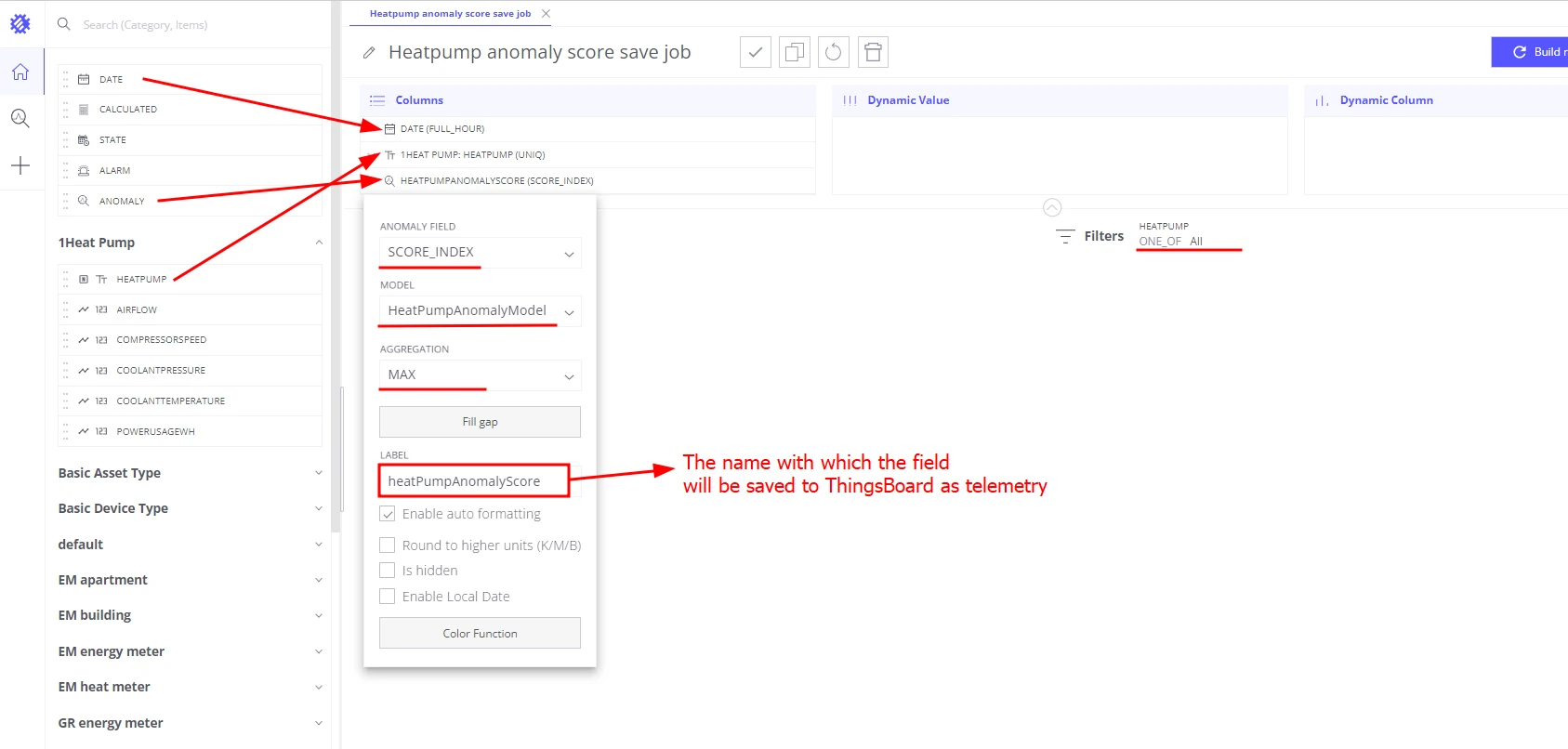
- Create a Table view in Trendz.
- Add the
heatPumpfield to the Columns section. - Add the Date FULL_HOUR field to the Columns section.
- Add an Anomaly field to the Columns section:
- Model:
HeatPumpAnomalyModel - Anomaly field:
score index - Aggregation:
MAX - Label:
heatpumpAnomalyScore— Trendz saves this as a telemetry key
- Model:
- Add the
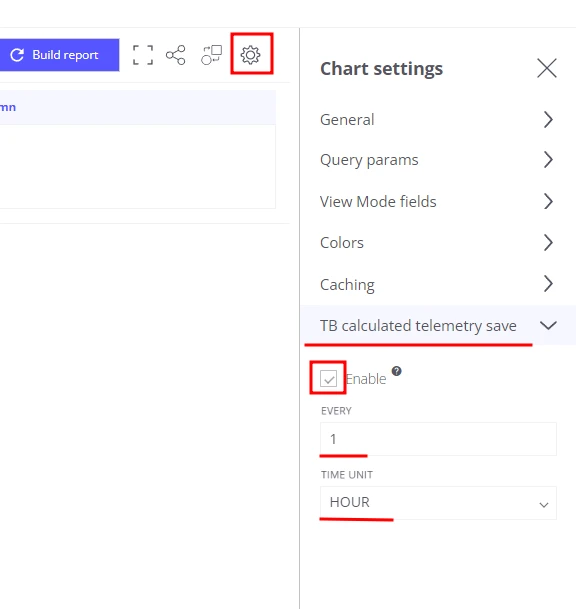
heatPumpfield to the Filters section. - Open view settings → Tb calculated telemetry save section:
- Enabled: true
- Interval:
1 - Unit:
hours
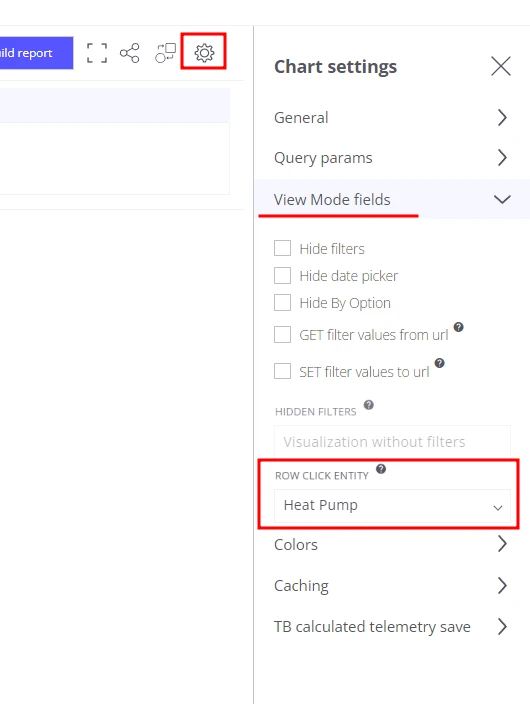
- In View mode fields, set
heatPumpas the Row click entity — this determines under which device entity the telemetry is saved. - Set the default time range to Last 7 days.
- Save the view as Heatpump anomaly score save job.
Trendz now runs a background job that periodically computes the anomaly score and saves it as telemetry on each heat pump device.
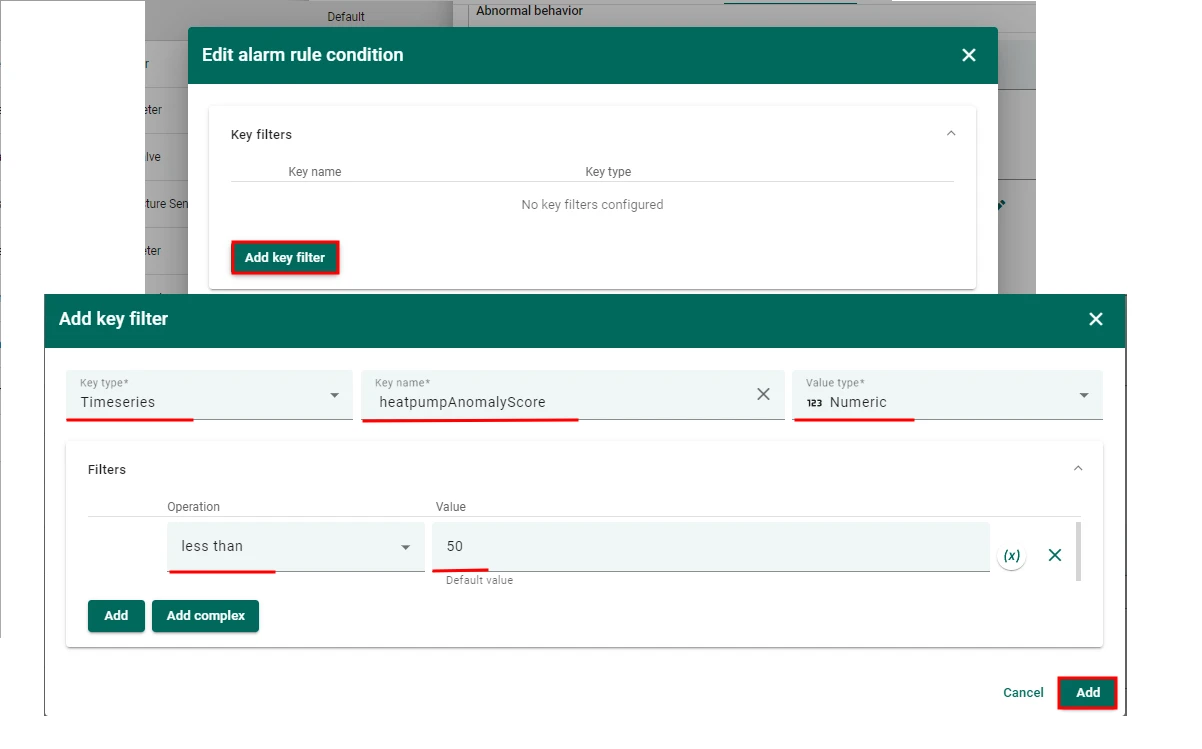
Create an alarm rule for anomaly score > 50
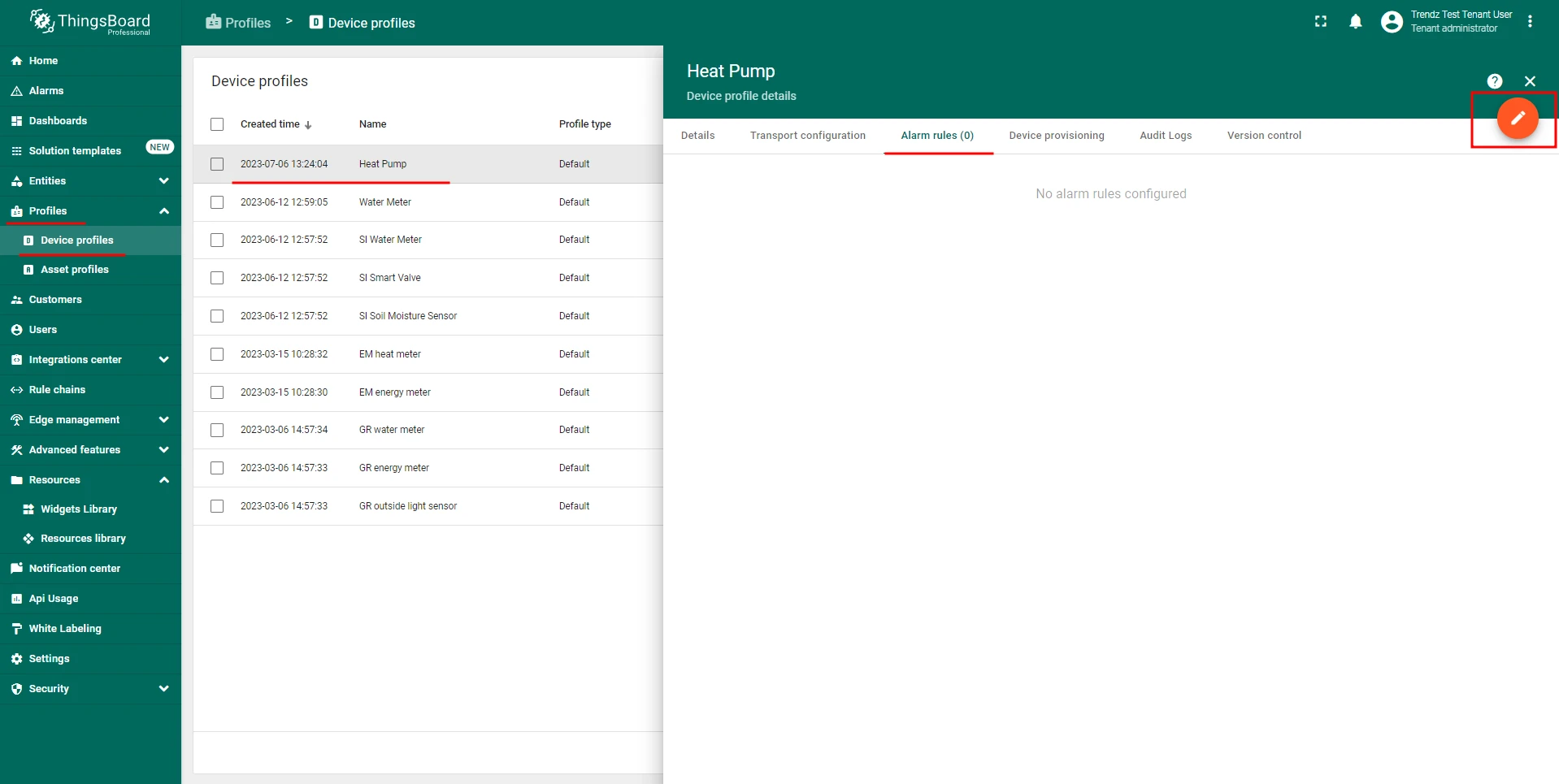
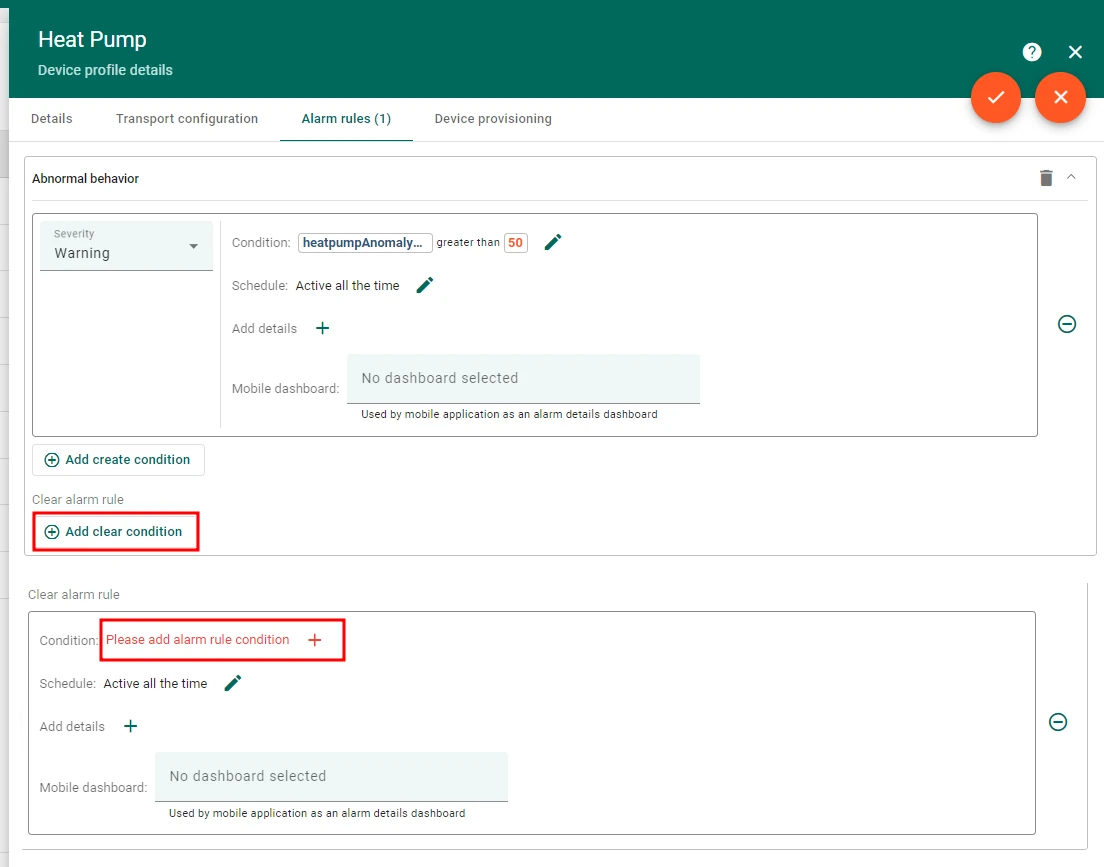
- In ThingsBoard, open the heat pump’s device profile and add a new Alarm Rule.
- Alarm type: Abnormal behavior
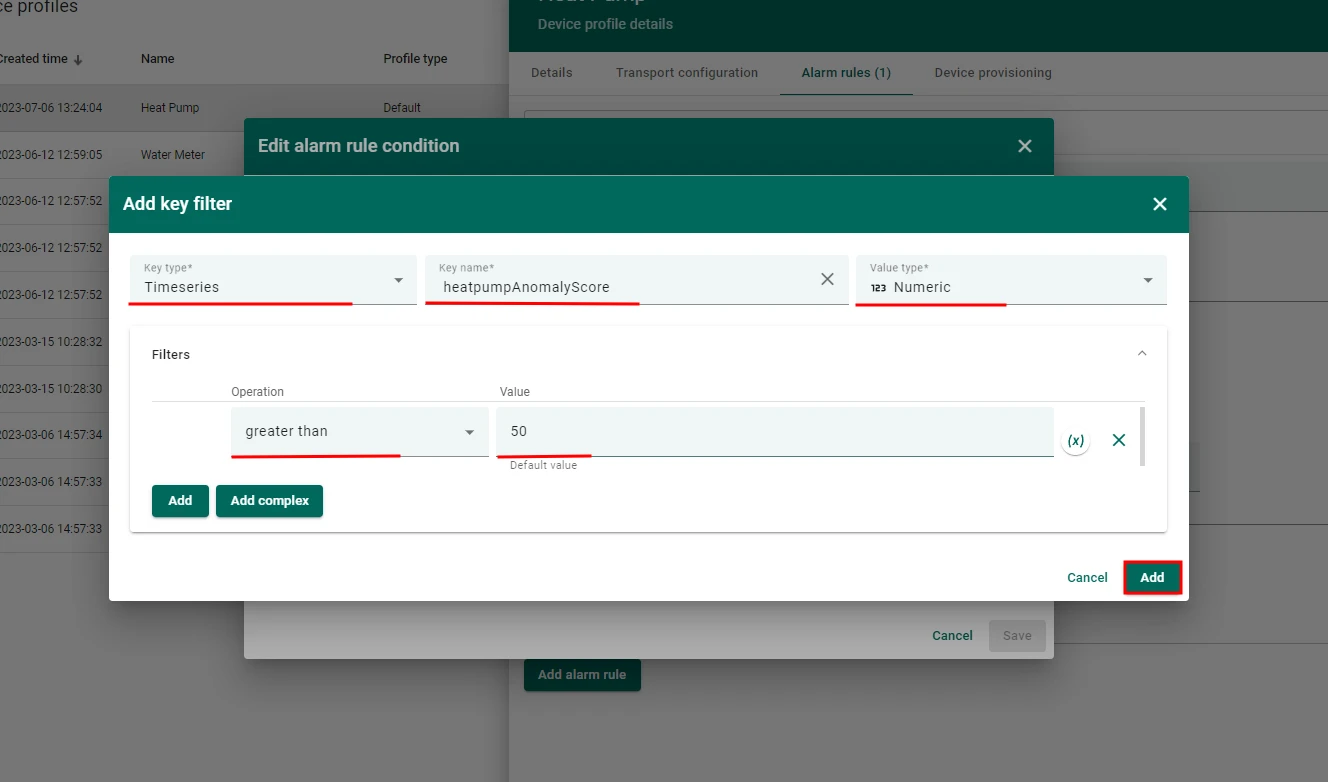
- Create alarm condition:
- Severity:
Warning - Condition:
heatpumpAnomalyScoreis greater than50
- Severity:
- Clear alarm condition:
- Condition:
heatpumpAnomalyScoreis lower or equals50
- Condition:
Send an email notification when the alarm is created
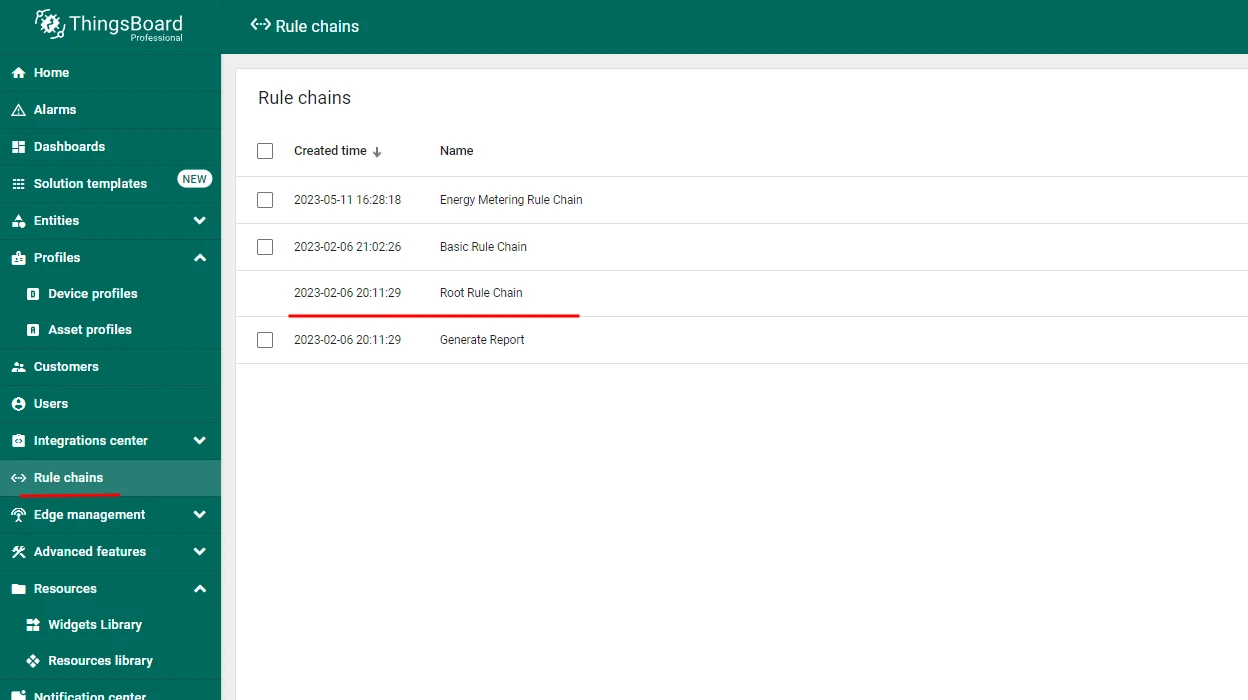
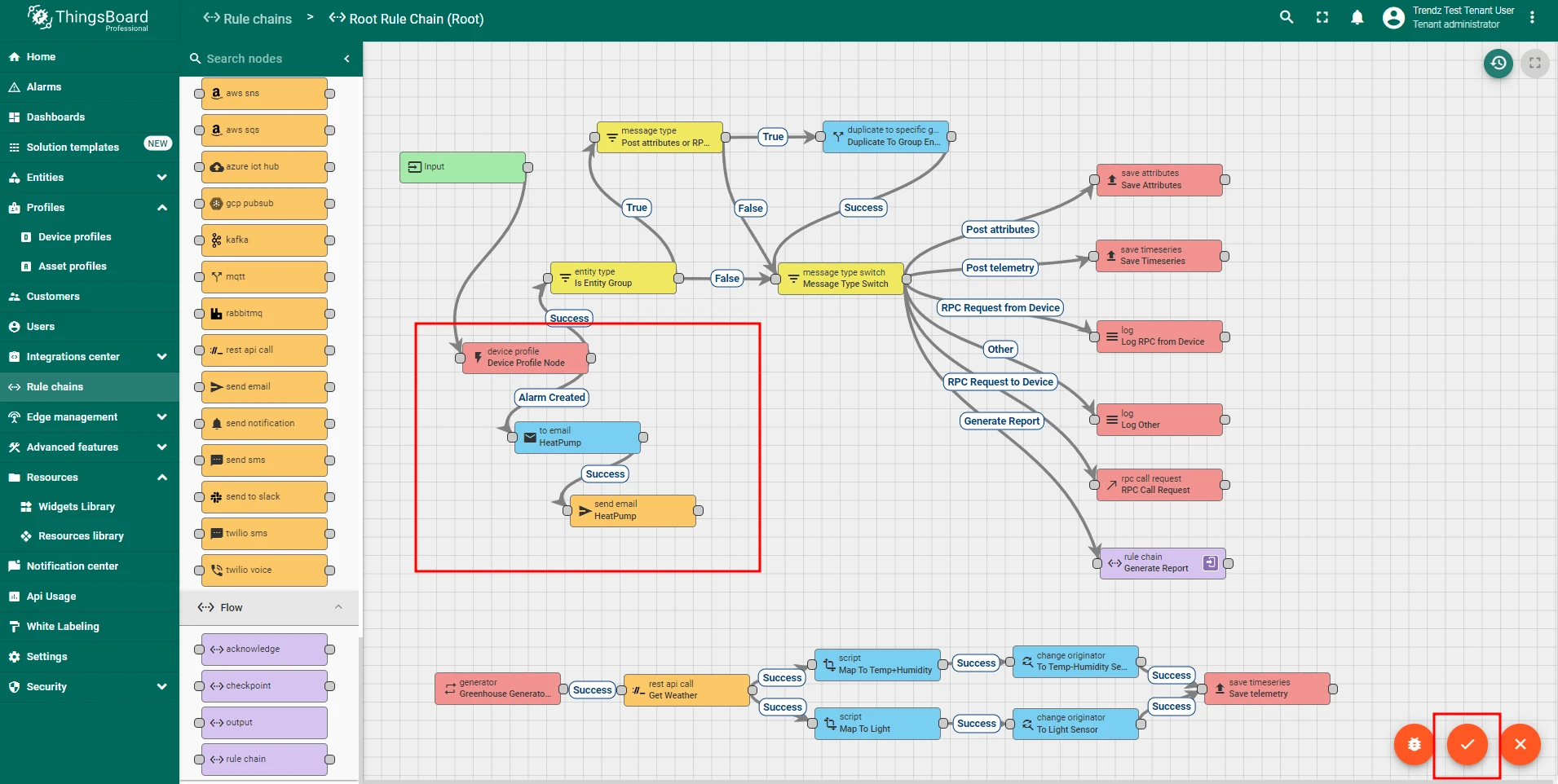
- Open the Root rule chain in ThingsBoard.
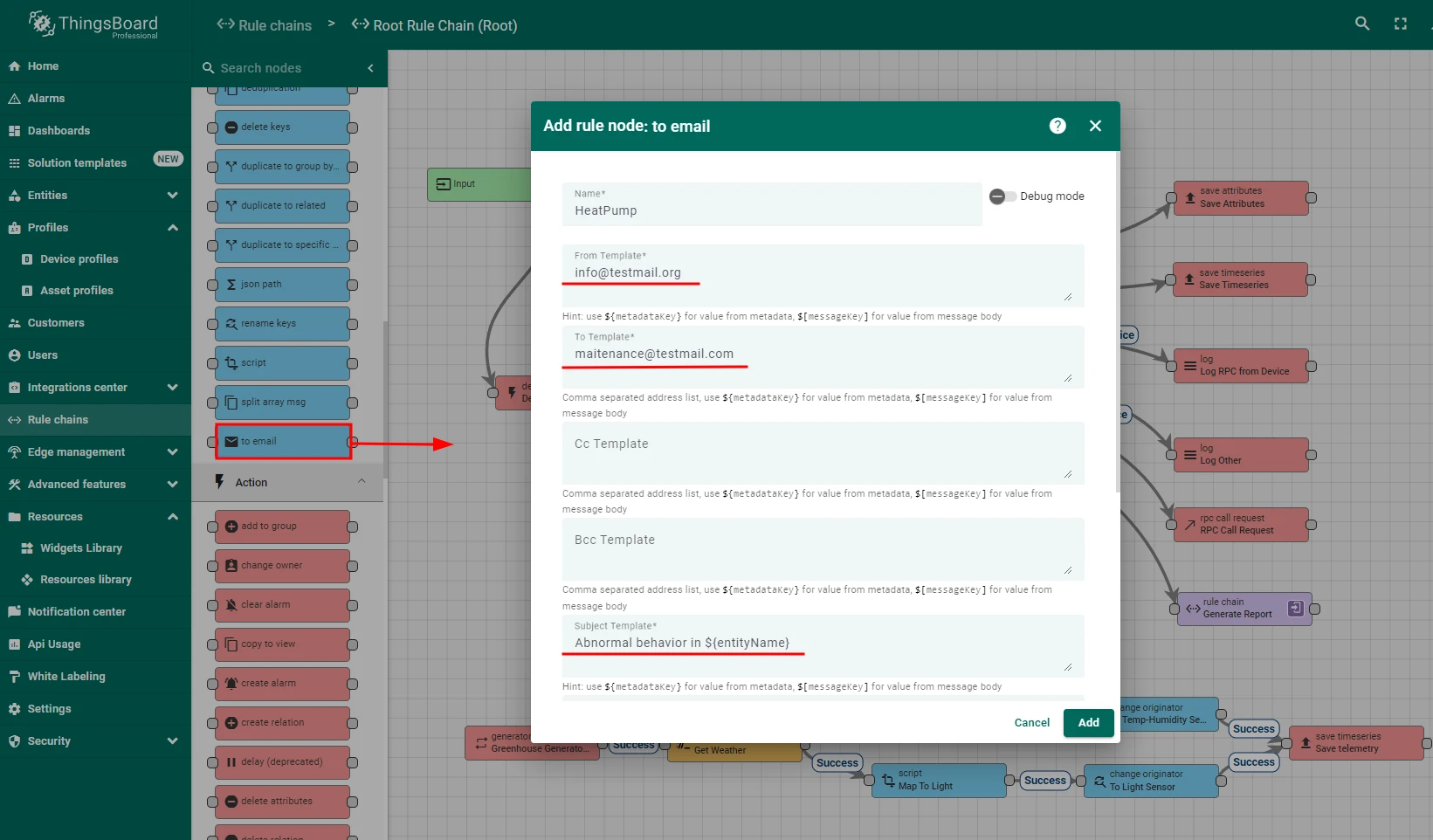
- Add a
toEmailrule node after the Device profile node, connected via the Alarm Created relation. - Configure the
toEmailnode:- From template:
info@testmail.org - To template:
maintenance@testmail.com - Subject template:
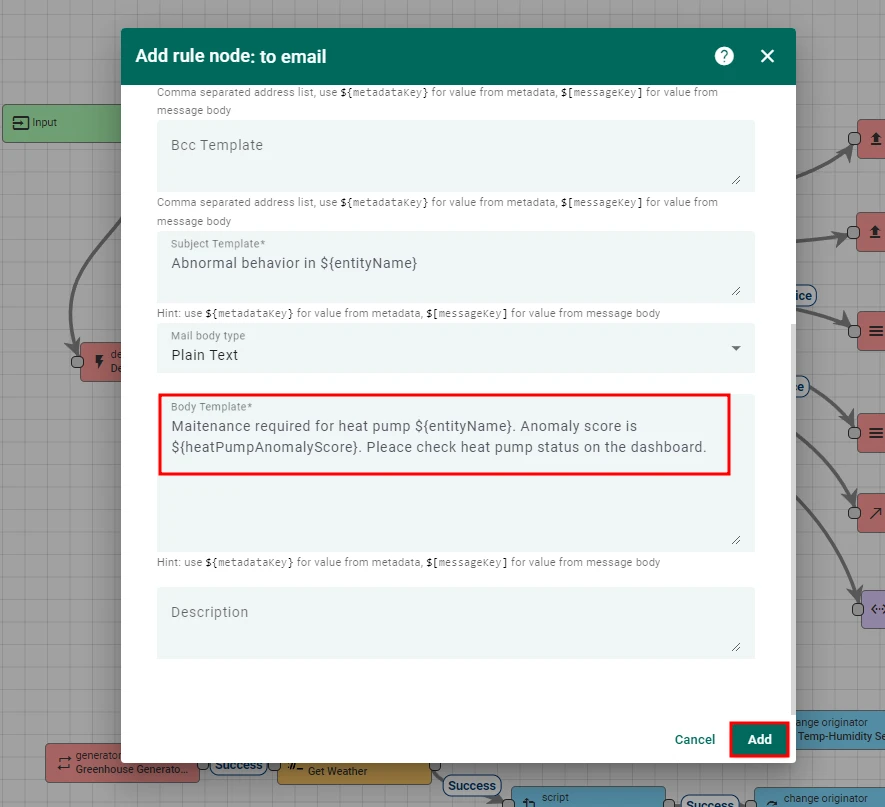
Abnormal behavior in $\{entityName\} - Body template:
Maintenance required for heat pump $\{entityName\}. Anomaly score is $\{heatpumpAnomalyScore\}. Please check the heat pump status on the dashboard.
- From template:
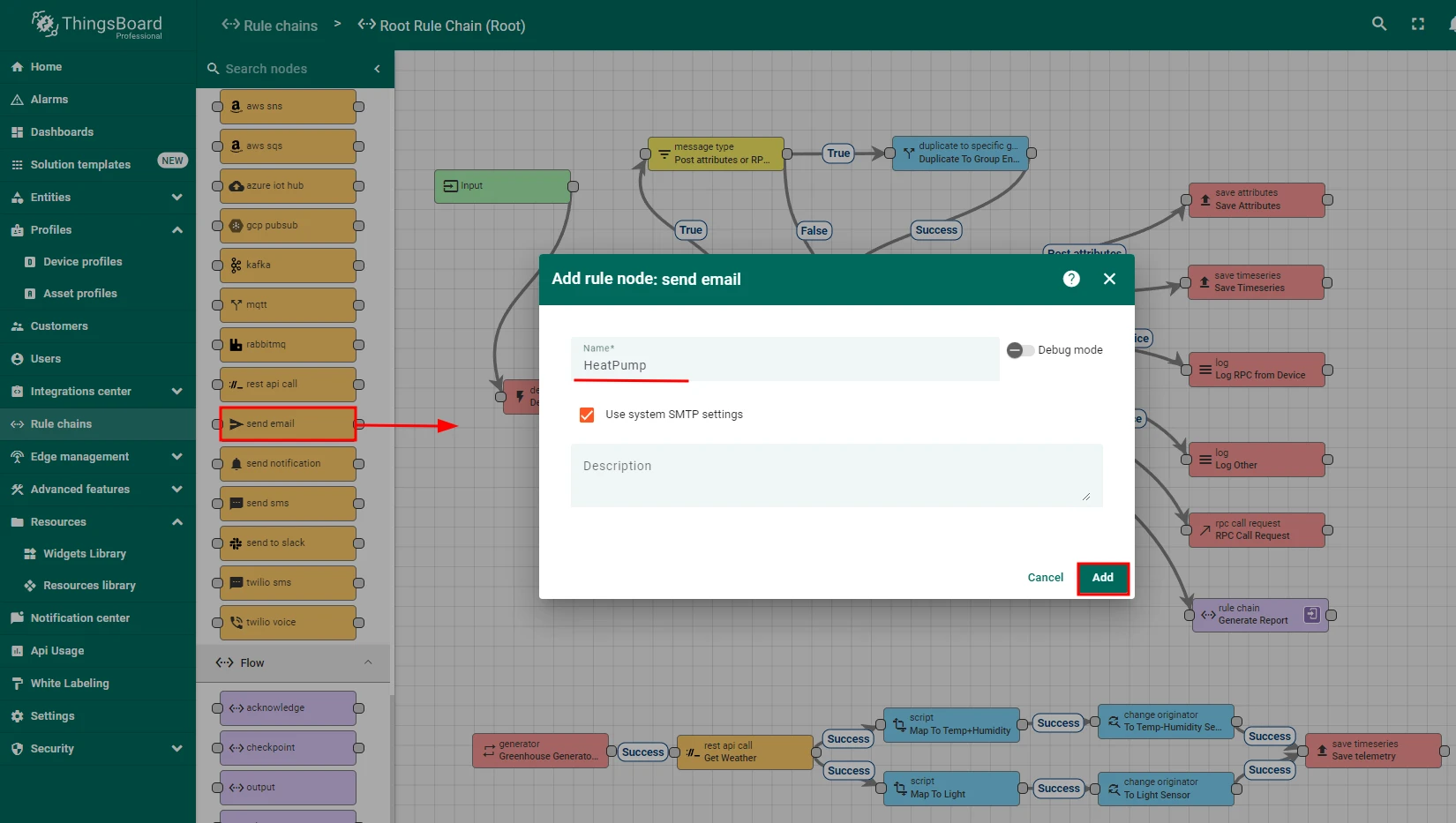
- Add a
send emailrule node after thetoEmailnode, connected via the Successful relation. - Save the rule chain.
Summary
Section titled “Summary”The implementation covers the full lifecycle: train an anomaly detection model on 90 days of historical data, schedule an hourly autodiscovery job, surface results in a Trendz view, write the anomaly score back to ThingsBoard telemetry, and raise an alarm that emails the maintenance team when the score exceeds 50. This proactive approach catches problems such as low coolant levels, blocked filters, or failing compressors early, extending equipment lifespan and avoiding unplanned repairs.
Was this helpful?