Business Entities
Trendz treats your ThingsBoard topology — assets, devices, and the relations between them — as a flat table where every column is a telemetry key or attribute from any entity in the hierarchy. Relations are the joins that link fields from different entity types.
Business Entities Topology
Section titled “Business Entities Topology”Consider a Smart Building solution where Buildings contain Apartments, and each Apartment has Energy Meter devices:
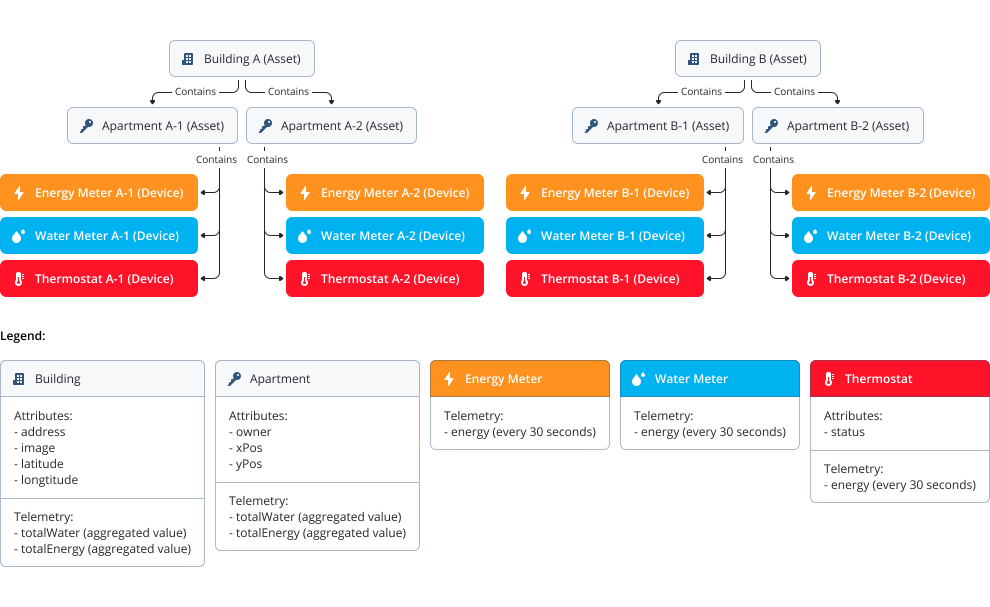
Trendz uses the relations between profiles to traverse this hierarchy and fetch the data you need, regardless of how deeply nested the entities are.
How It Works
Section titled “How It Works”When you build a report, Trendz resolves the data path automatically based on the relations in your topology. For example, a report using only two fields:
building name— an attribute on the Building assetenergy— telemetry on the Energy Meter device- Aggregation: SUM, time range: last month
Trendz executes the following steps internally:
- Finds all Building assets in ThingsBoard.
- For each Building, finds all related Apartment assets.
- For each Apartment, finds all related Energy Meter devices.
- Loads
energytelemetry for all Energy Meters over the last month. - Aggregates the telemetry per Building using SUM.
The result shows total energy consumed by each building — with no manual join logic required.
Managing Relations Between Business Entities
Section titled “Managing Relations Between Business Entities”ThingsBoard lets you create any number of relations between devices and assets. In Trendz, however, only one relation type is permitted between two device/asset profiles. This constraint ensures a stable, unambiguous data traversal path.
When multiple relation types exist between the same two profiles, Trendz cannot determine which relation to follow, resulting in undefined behavior.
Example of a conflicting configuration:
| From | Relation | To |
|---|---|---|
| Apartment | contains |
EnergyMeter |
| Apartment | connected |
EnergyMeter |
With both relations active, Trendz cannot decide which EnergyMeters belong to which Apartment for a given query.
How to resolve it:
Use the Enabled checkbox on the Business Entity page to deactivate the relation types you do not need.
- Click the Business Entities button in the bottom-left corner of Trendz.
- Select the business entity whose relations you want to configure (e.g., EnergyMeter).
- Open the Relations tab.
- Uncheck Enabled for each relation type that should not be used.
- Click Save.
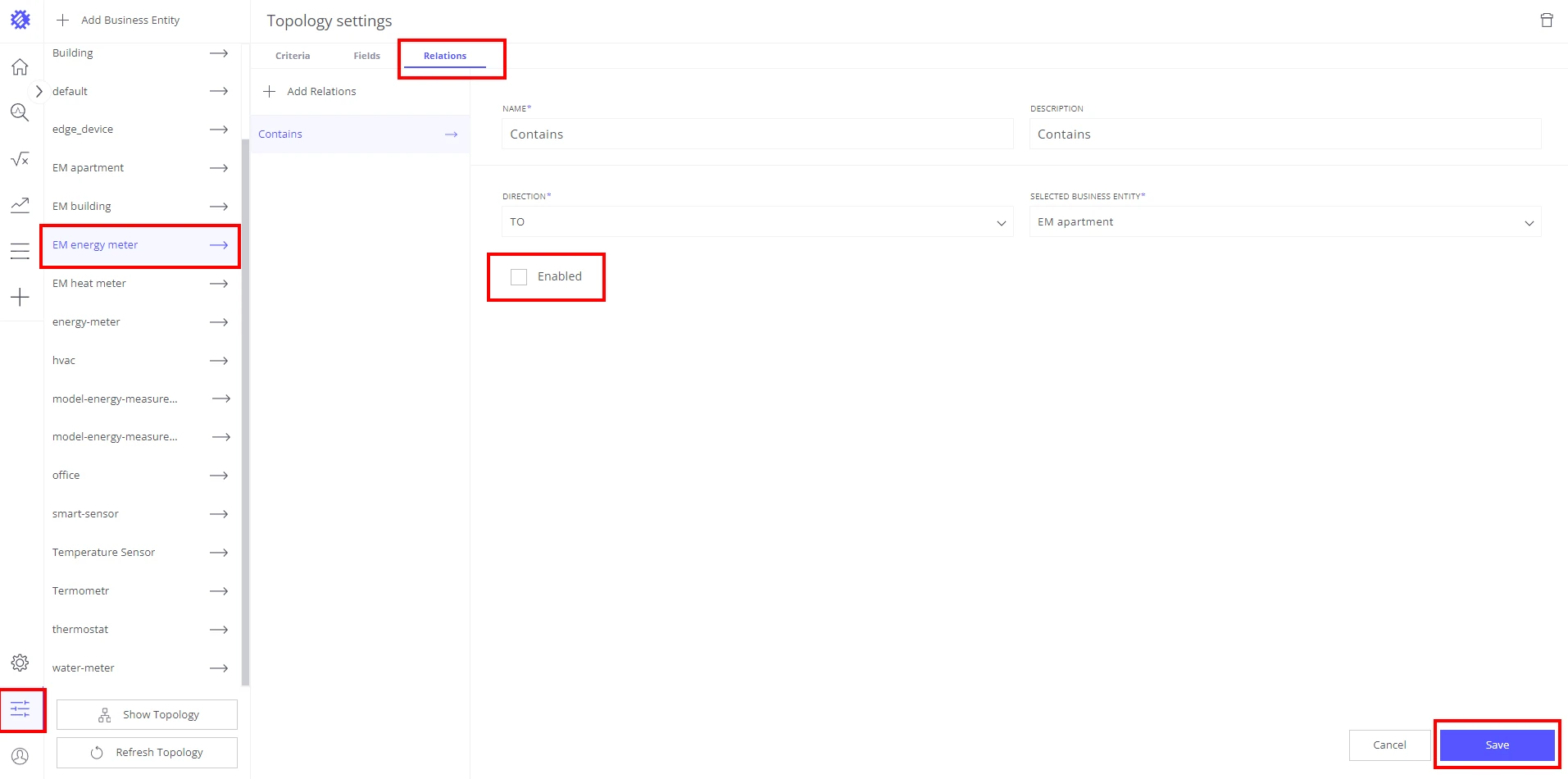
Only the enabled relations are used when Trendz traverses your topology to load data.
Was this helpful?