Activate Trendz on ThingsBoard Cloud
This guide describes how to activate Trendz in your ThingsBoard Cloud environment via the Billing page.
Activation steps
Section titled “Activation steps”Step 1. Open the Billing page
Section titled “Step 1. Open the Billing page”-
Log in to your ThingsBoard Cloud environment.
-
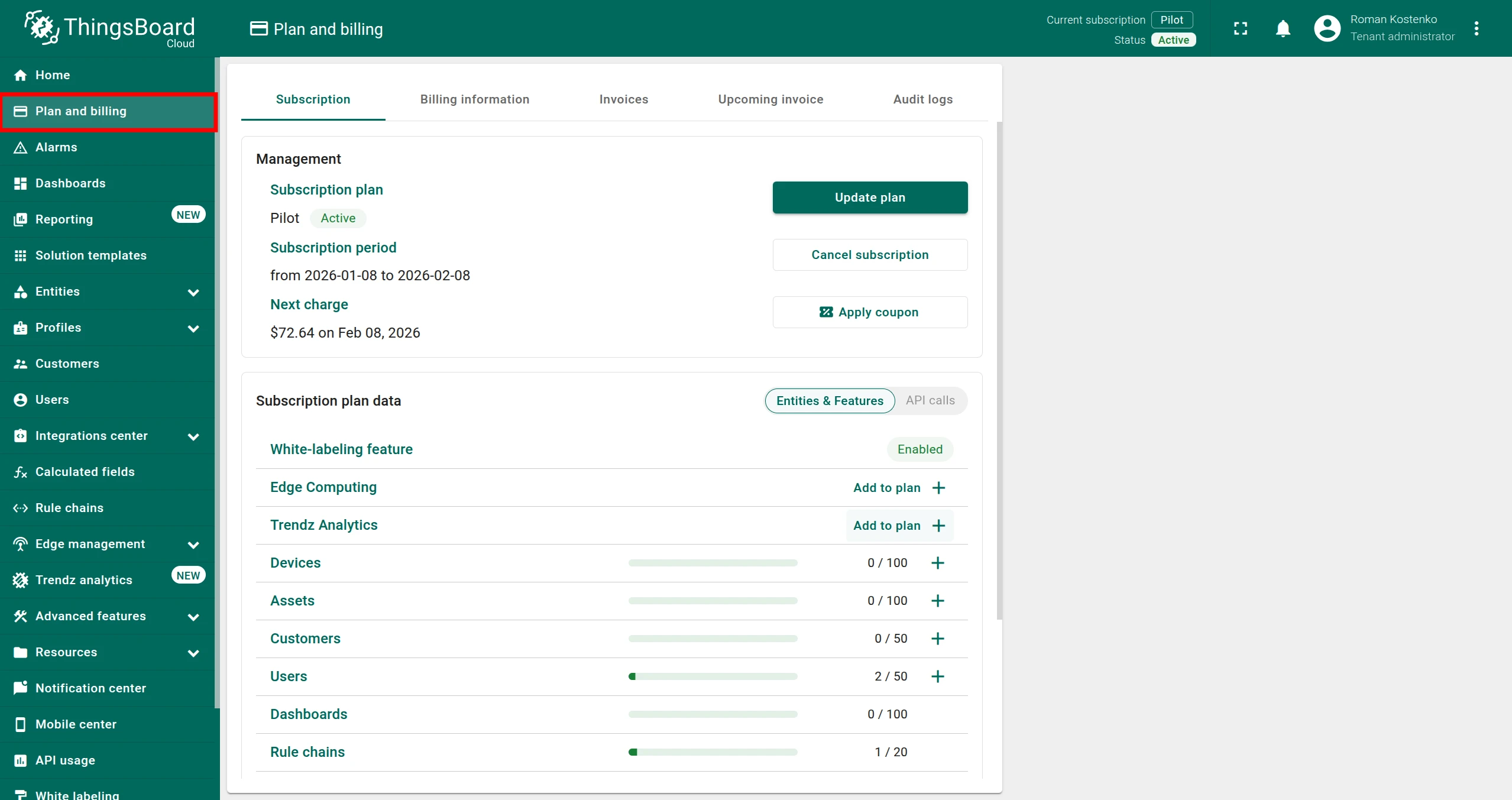
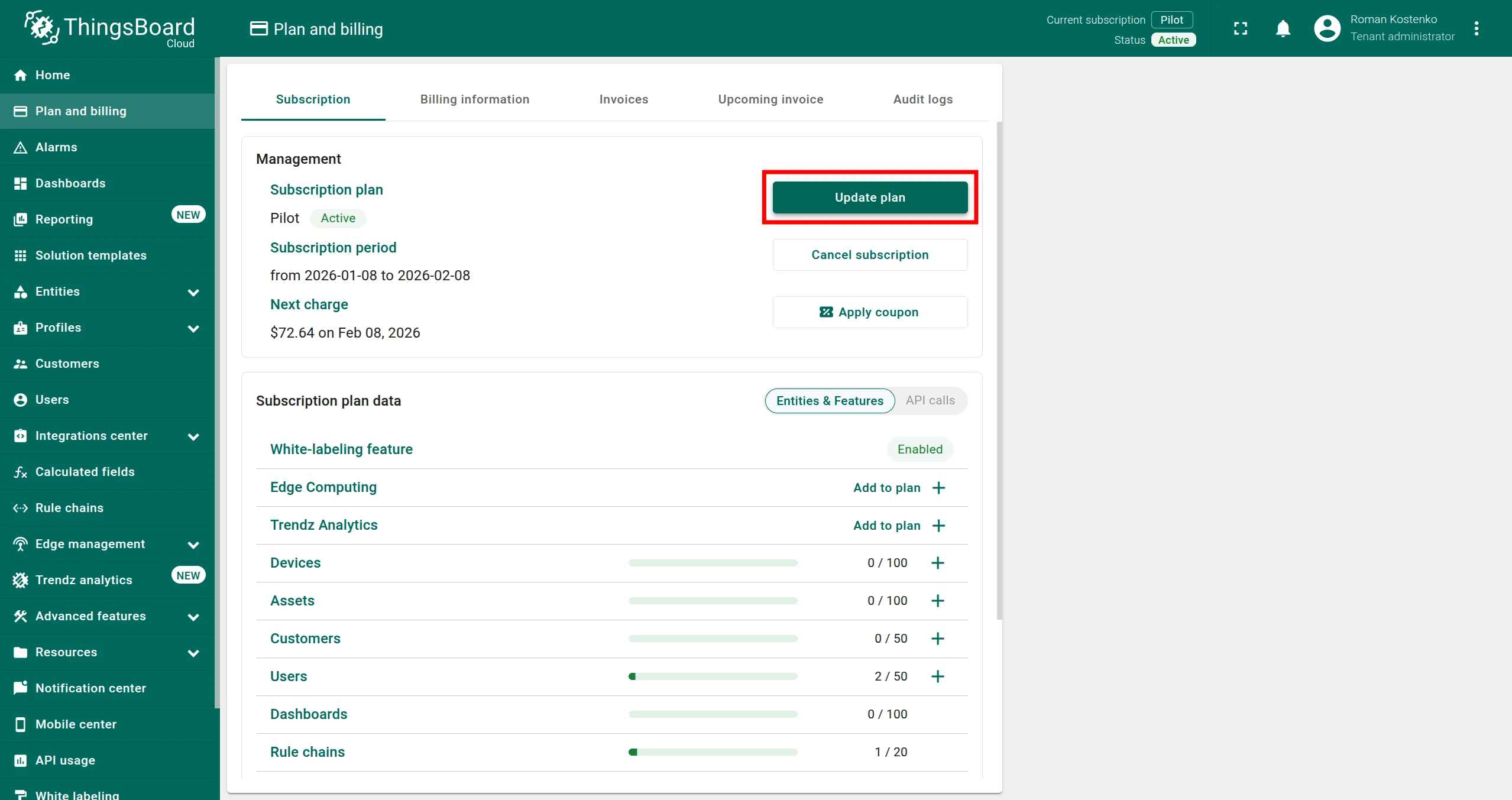
In the left-side navigation menu, open the Plan and Billing page.
Step 2. Add the Trendz add-on
Section titled “Step 2. Add the Trendz add-on”Option A: Add Trendz add-on only
-
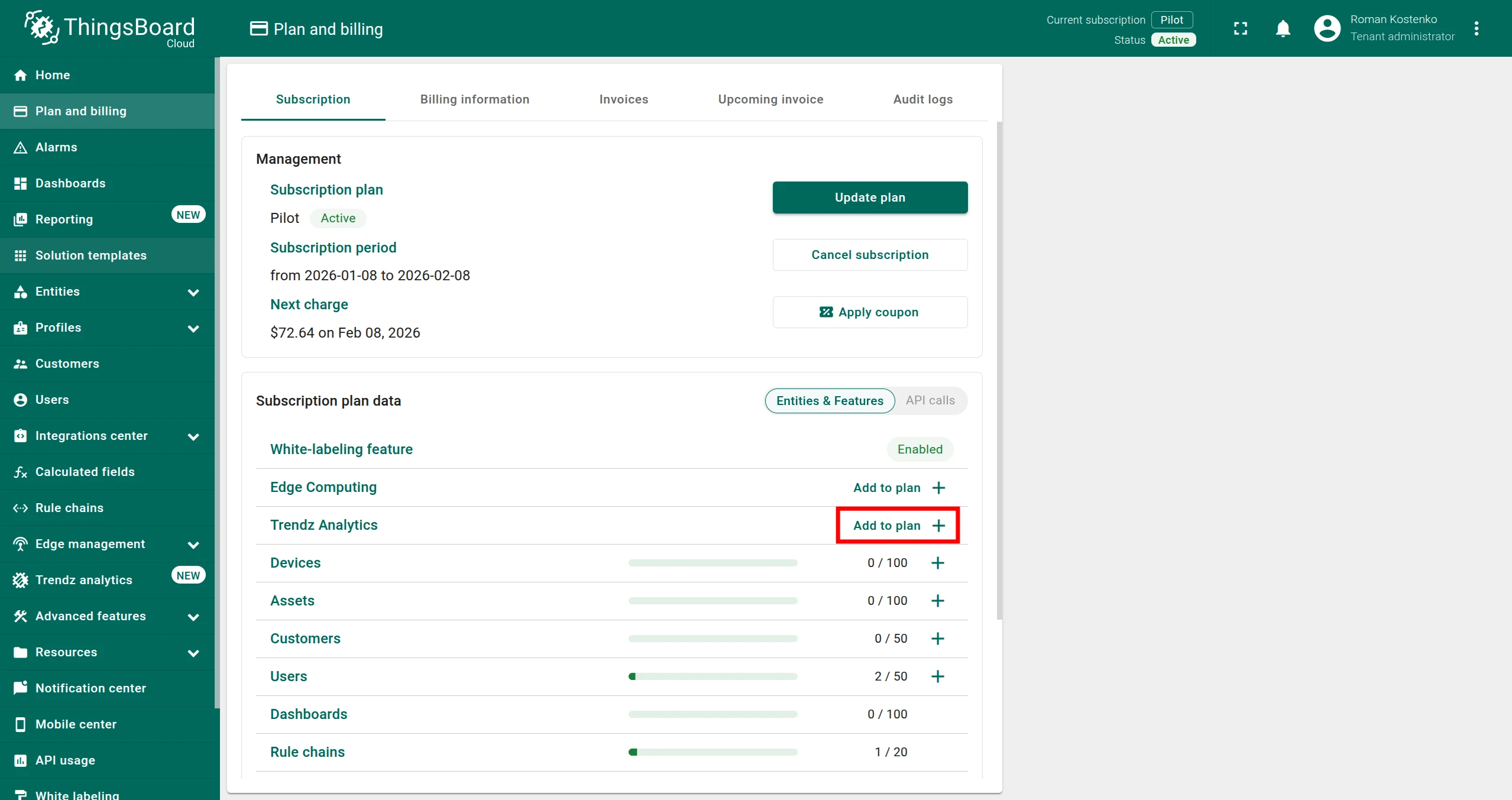
Click the Add to plan + button in the Trendz Analytics row.
-
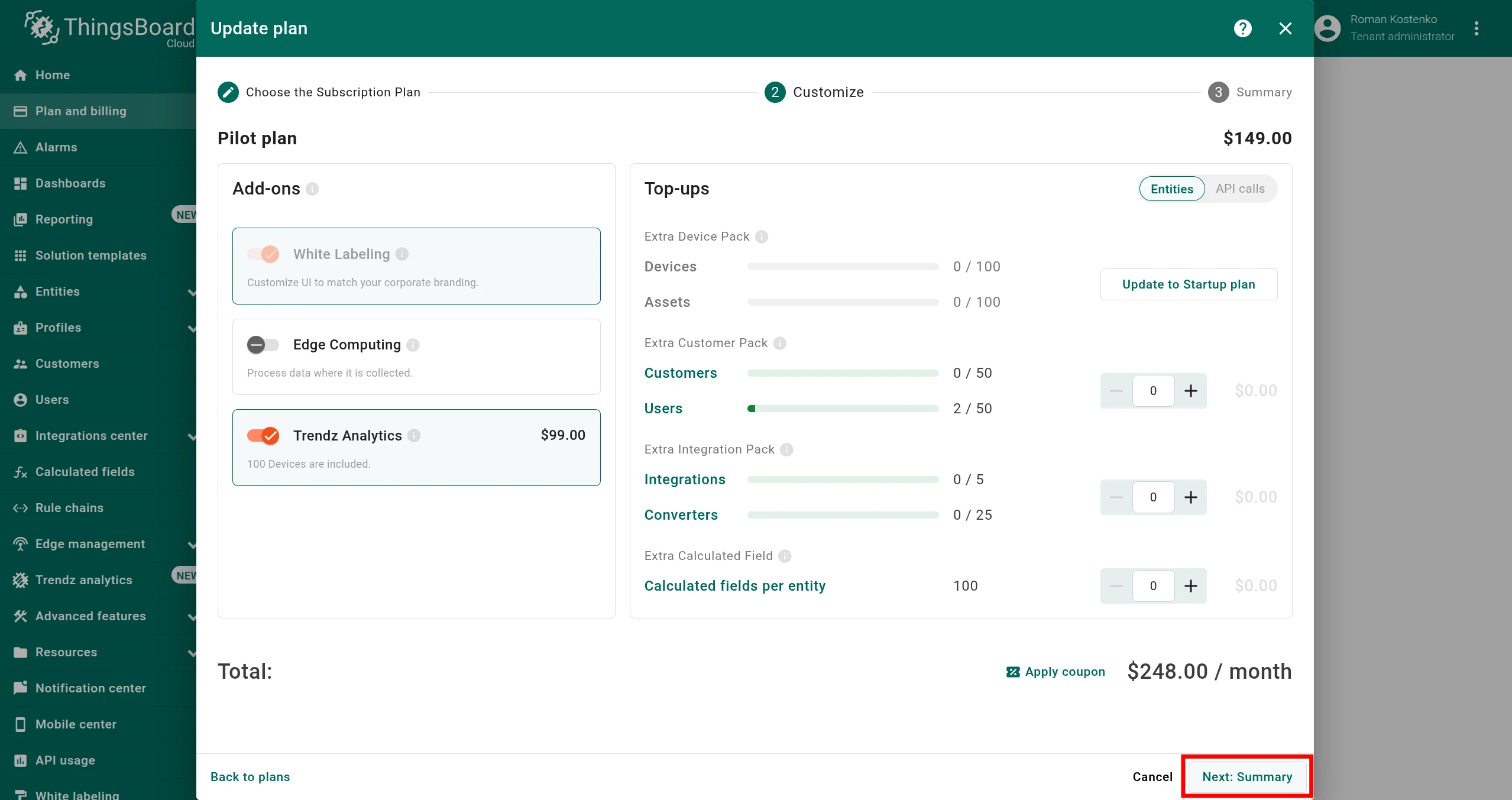
Click the Next: Summary button.
Option B: Change subscription plan and add Trendz add-on
-
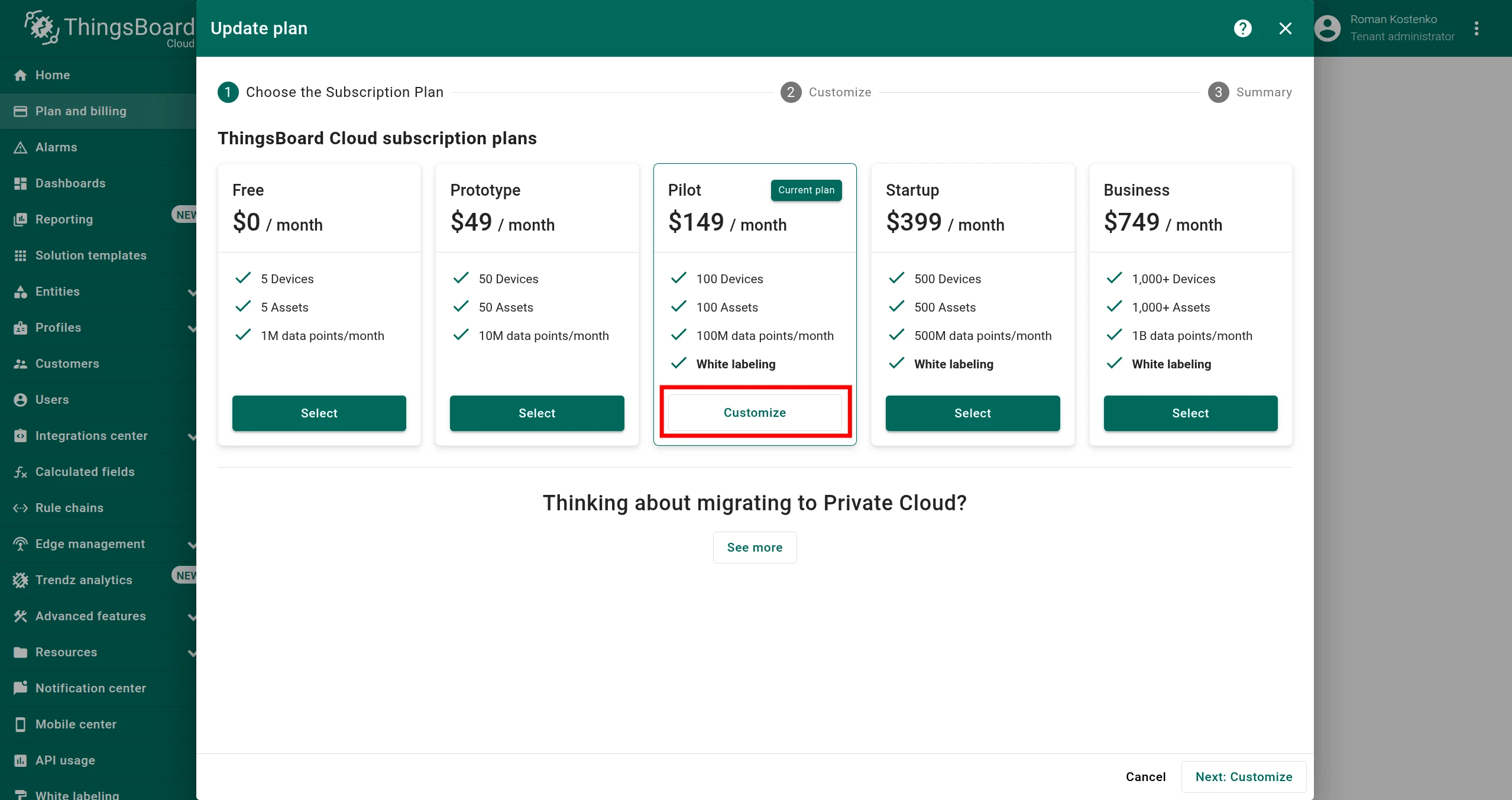
Click the Update plan button.
-
In the modal that appears, select the most suitable plan for your business goals and click the Customize or Select button.
-
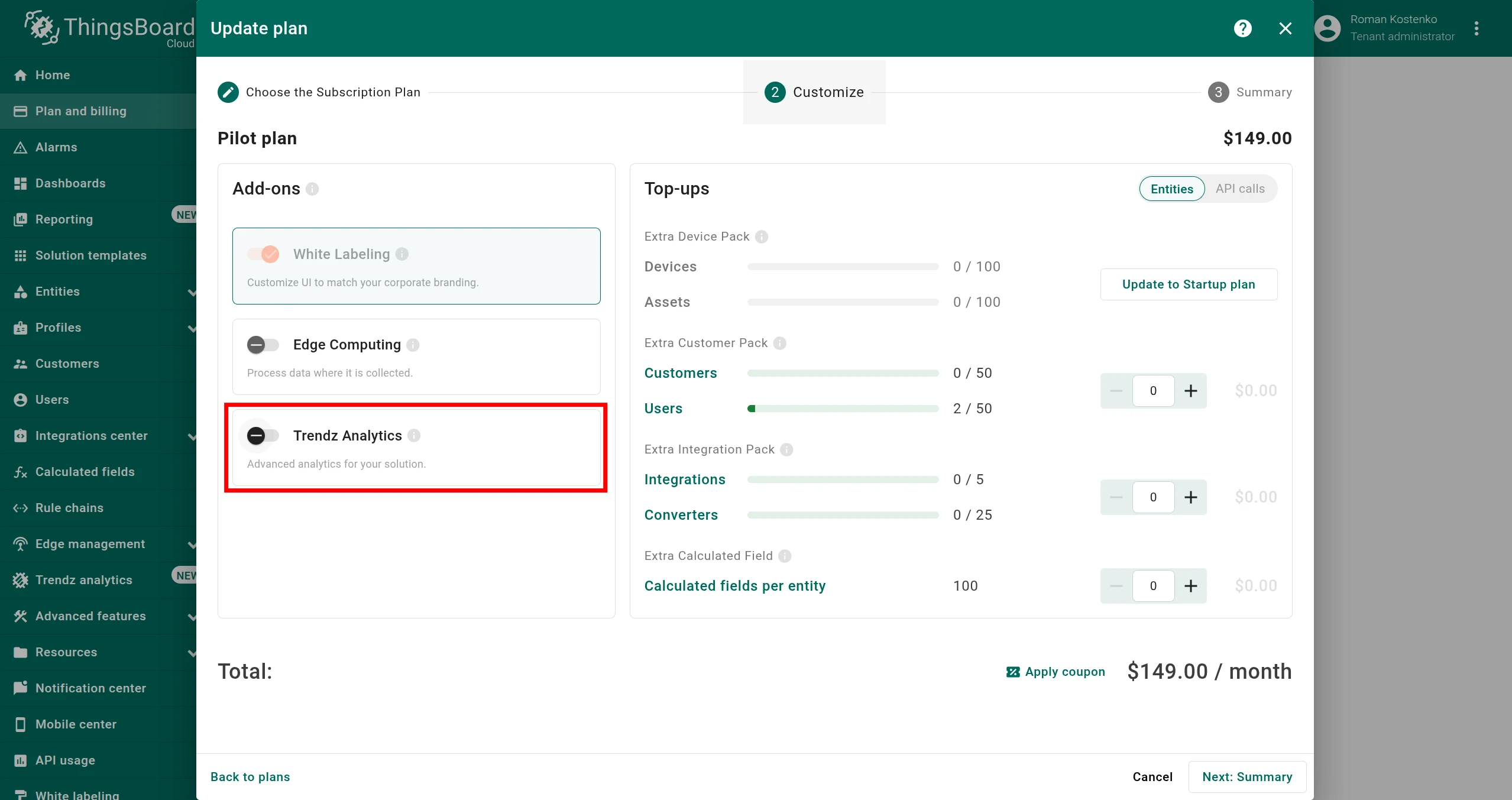
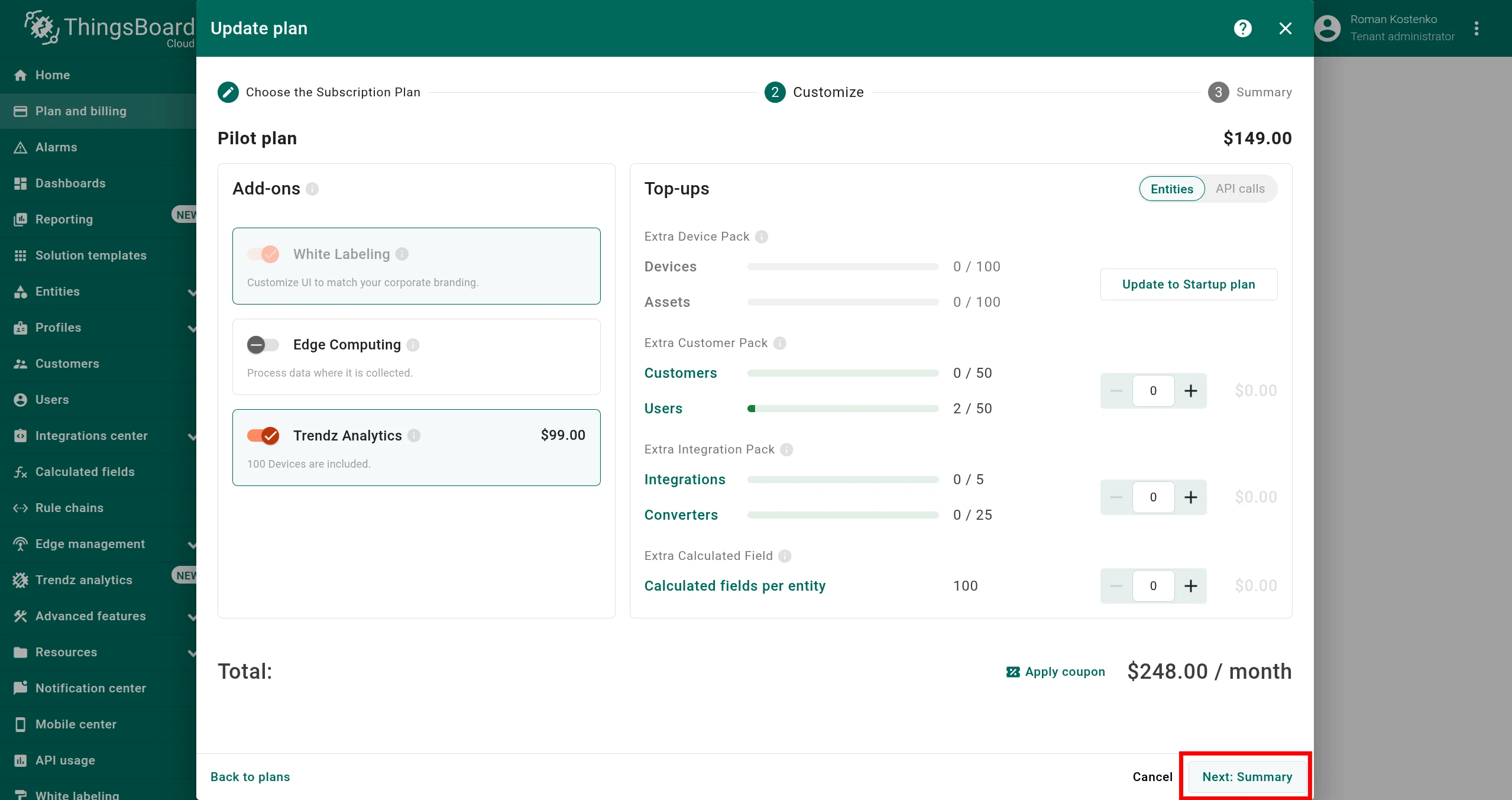
In the Customize step, enable the Trendz Analytics add-on.
-
Click the Next: Summary button.
Step 3. Activate plan
Section titled “Step 3. Activate plan”-
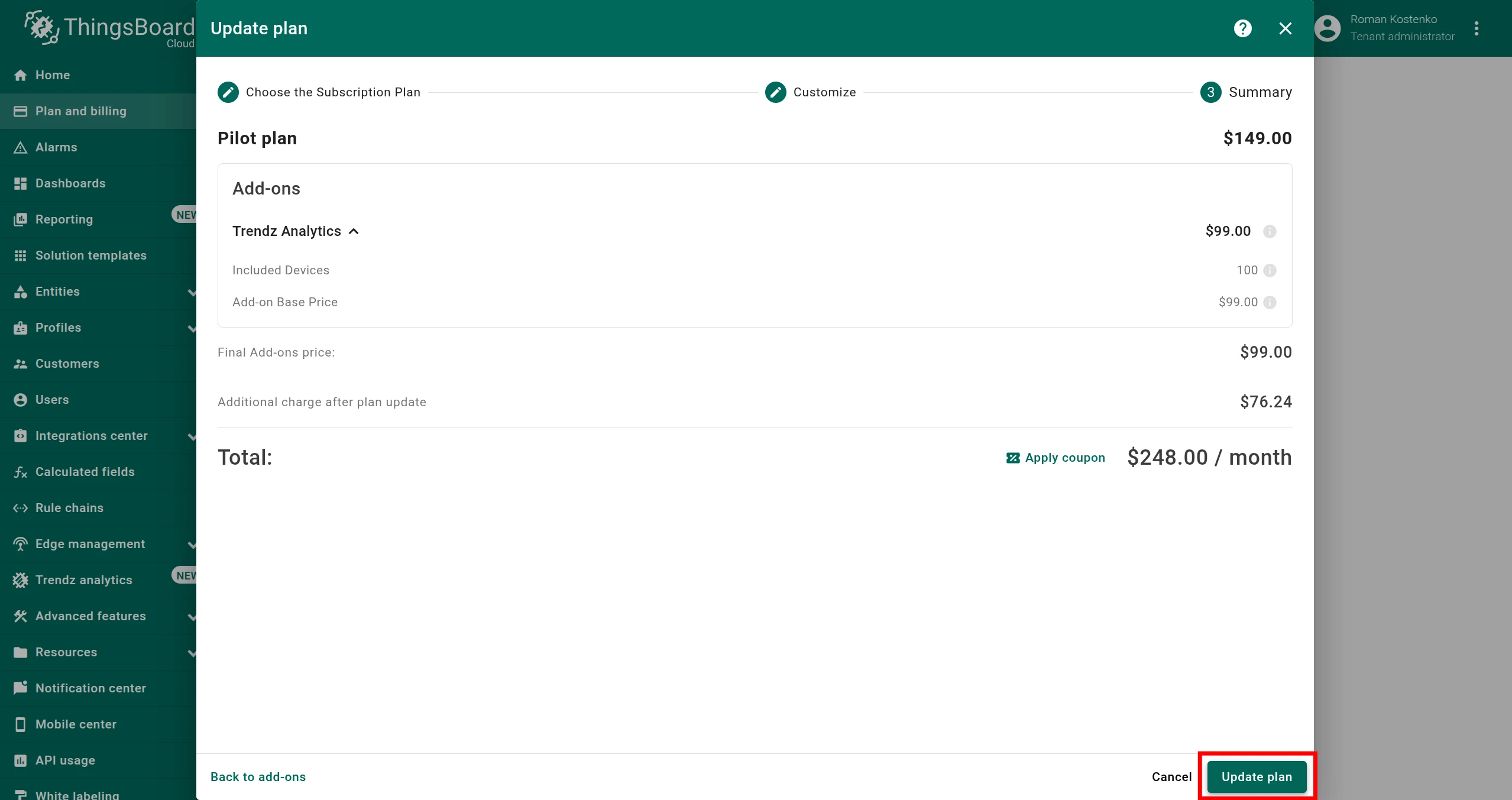
Review your plan configuration to ensure everything is correct.
-
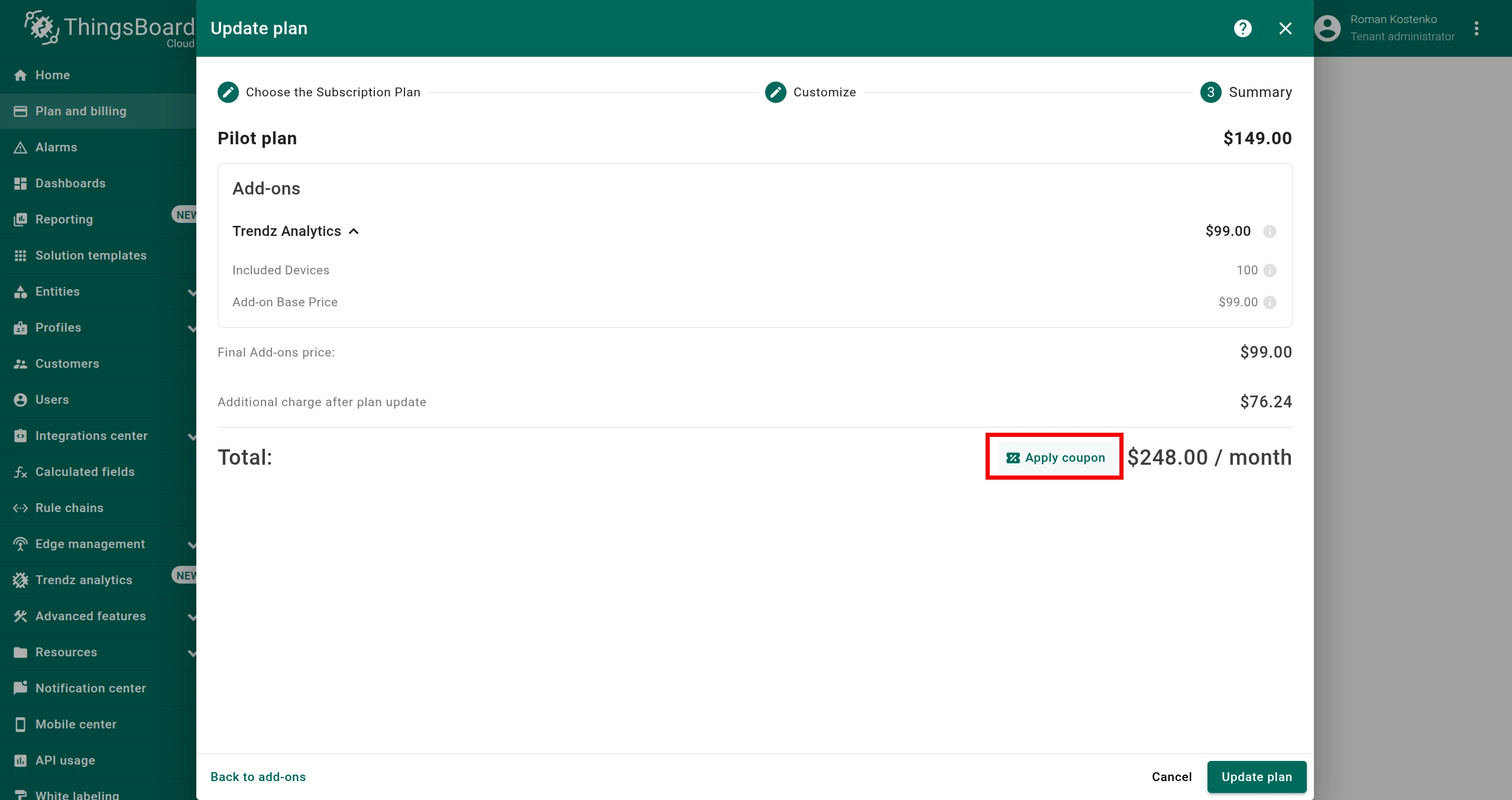
If you have a coupon code, click Apply coupon and submit it.
-
Click the Update plan button to activate your plan.
Activation takes effect immediately.
Step 4. Access Trendz interface
Section titled “Step 4. Access Trendz interface”You can access the Trendz interface using the following links:
Pricing
Section titled “Pricing”Up-to-date prices for the Trendz add-on are shown on the Plan and Billing page as described in Step 3 above.
If you have any questions, contact us — our team will help you find the best solution tailored to your requirements.
Was this helpful?