Time to Threshold: Predict a Limit Crossing
Time to Threshold answers the question a plain forecast leaves open: when. The model forecasts the metric the same way a Forecast model does, then reads that forecast with event rules. The moment the forecast first satisfies a rule becomes a predicted event with a countdown of the remaining time until the crossing, a ThingsBoard alarm whose severity grows as the moment approaches, and a telemetry key you can put on a dashboard.
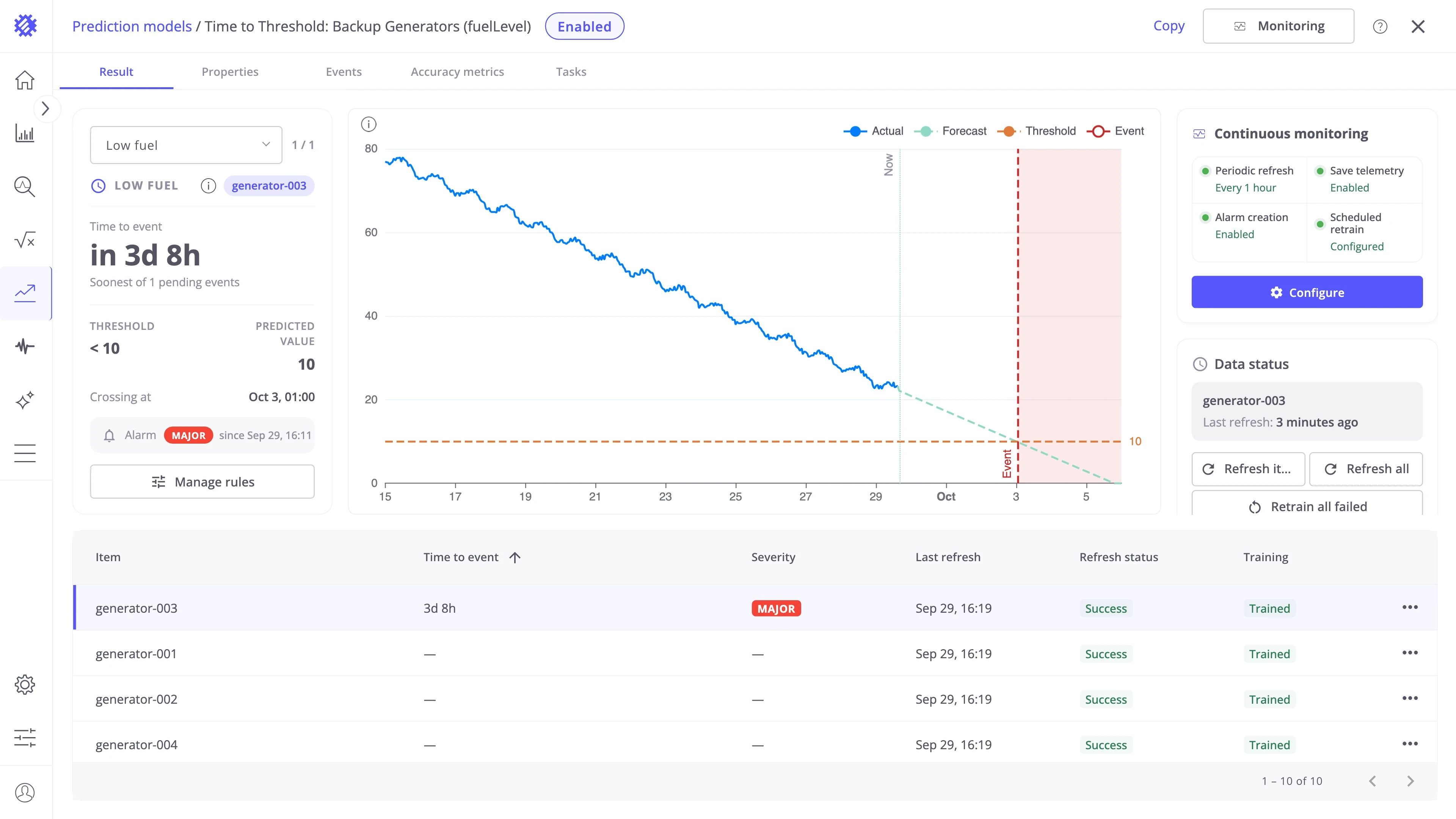
The example on this page is a fleet of ten backup generators. Each tank’s fuelLevel is forecast, and the countdown runs to the moment it drops below the 10% reserve — early enough to send a fuel truck before a generator runs dry.
When to use it
Section titled “When to use it”Use Time to Threshold when you need to know when something happens, not only what the value will be.
| Use case | What Time to Threshold predicts | What you do with it |
|---|---|---|
| Refill fuel tanks | When the fuel level of each generator tank drops below its reserve | Send the truck before a tank reaches the reserve |
| Avoid a peak charge | When the load of each site goes above the contracted 600 kW | Move heavy jobs out of the hours before the crossing |
| Replace filters in time | When the pressure drop across each air filter goes above its limit | Order and replace the filter before the airflow suffers |
| Plan battery replacement | When the battery level of each sensor drops below 20% | Replace the batteries on one trip, before devices go offline |
| Prevent tank overflow | When the level of each storage tank goes above 90% | Schedule a pickup or stop filling before the tank overflows |
Events are searched only inside the forecast, so the prediction horizon is also how far ahead a crossing can be found. If you need the value itself rather than the moment, use Forecast. For a total over a period, use Period Total, and for a goal to reach, Hit Target.
Predictive alerts and lead time
Section titled “Predictive alerts and lead time”A classic threshold alarm fires when the live value crosses the limit, often too late to prevent the problem. Time to Threshold applies the same limit to the forecast, so the alert fires while the value is still on its way to the limit. This is a predictive alert. The time between the alert and the crossing is your lead time: enough to send a truck, move a load, or order a part.
Keep your existing threshold alarm in ThingsBoard as a safety net. A forecast can be wrong, and the live alarm still catches a crossing that comes sooner than predicted.
How to create a model
Section titled “How to create a model”Step 1: Open the wizard
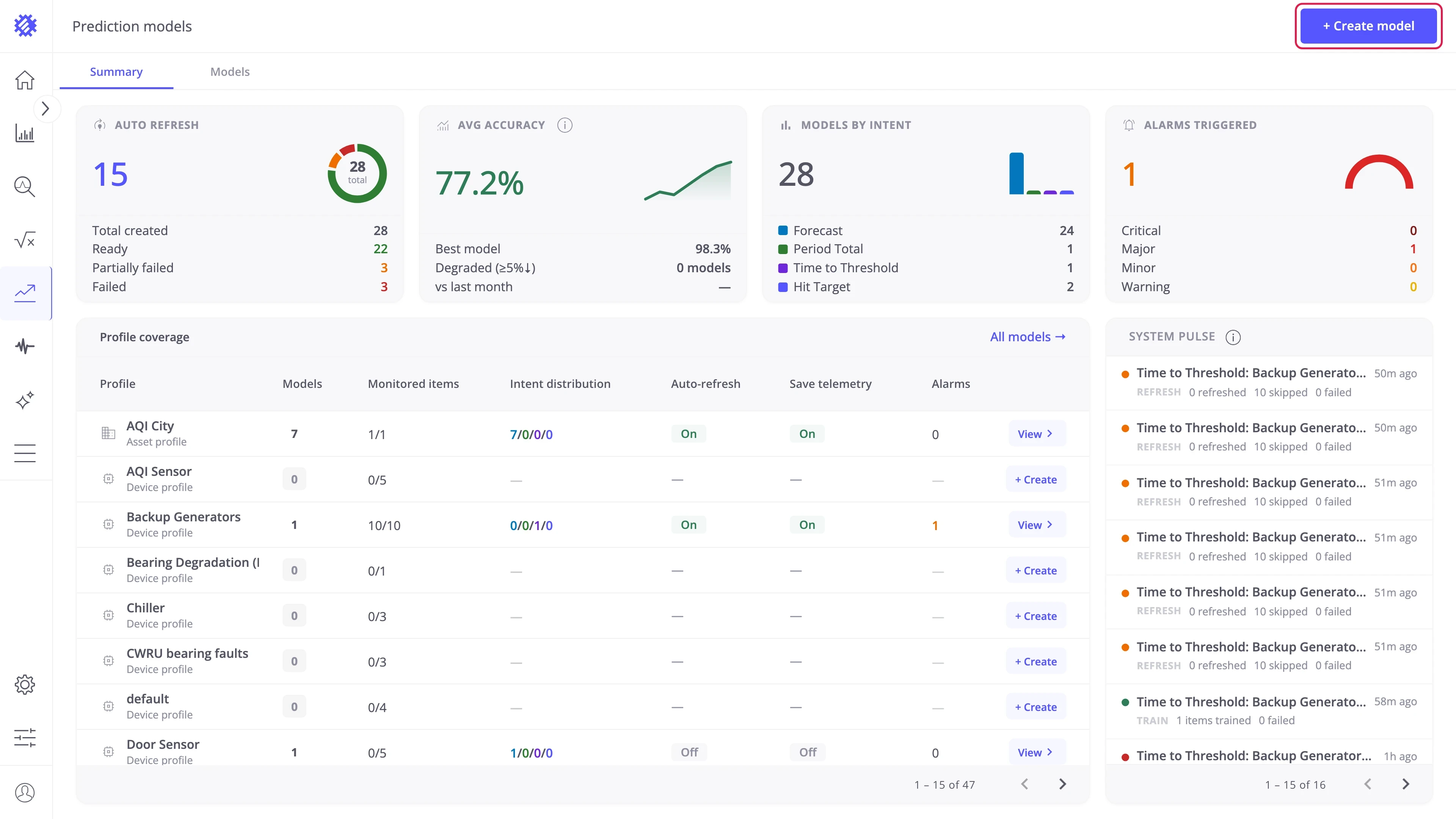
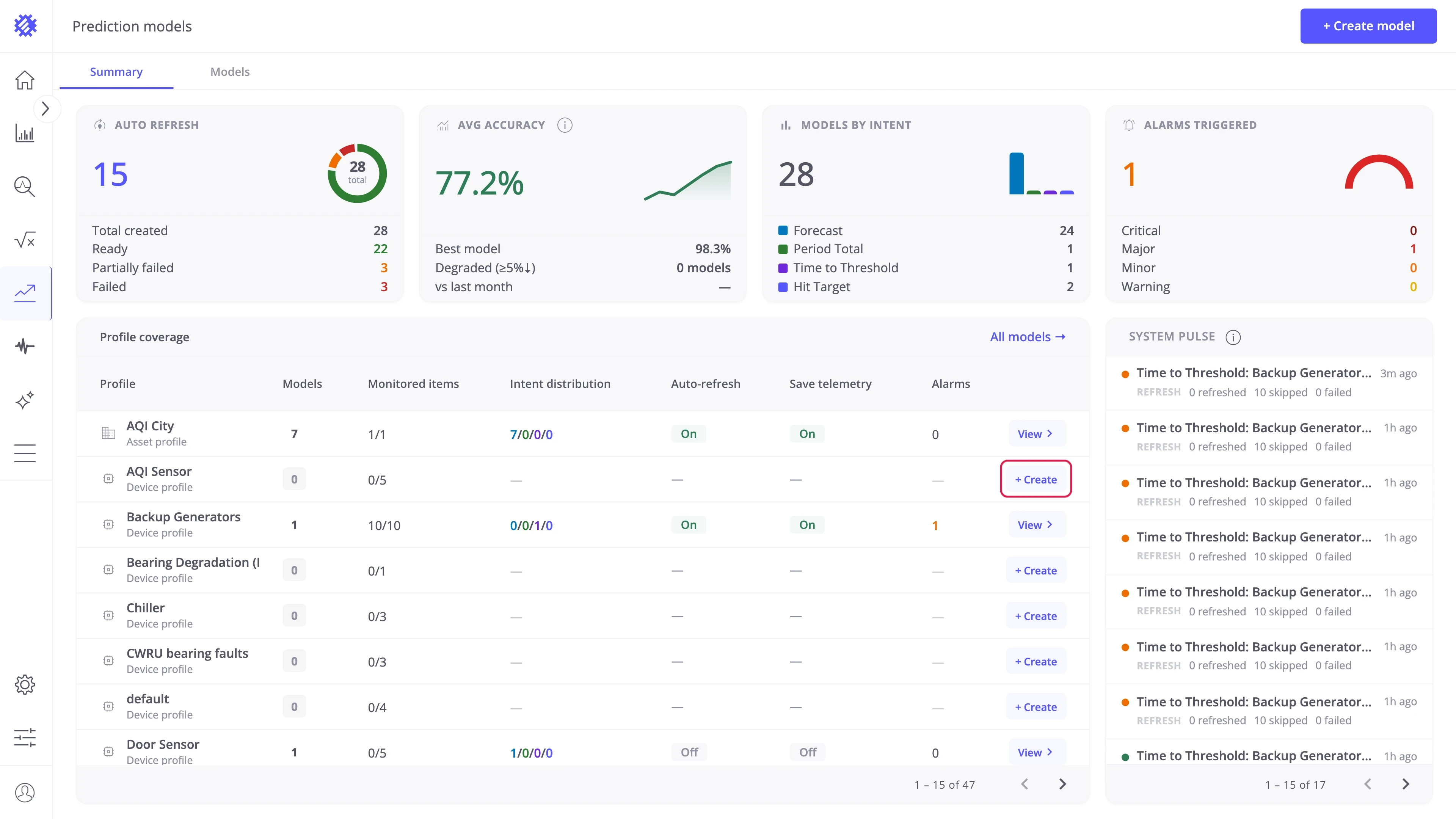
Section titled “Step 1: Open the wizard”Two entry points are available on the Prediction models page:
- Create model — button in the top-right corner, visible on both tabs.
- + Create — inline button on any profile row of the Profile coverage table. Opens the wizard with that profile pre-selected.
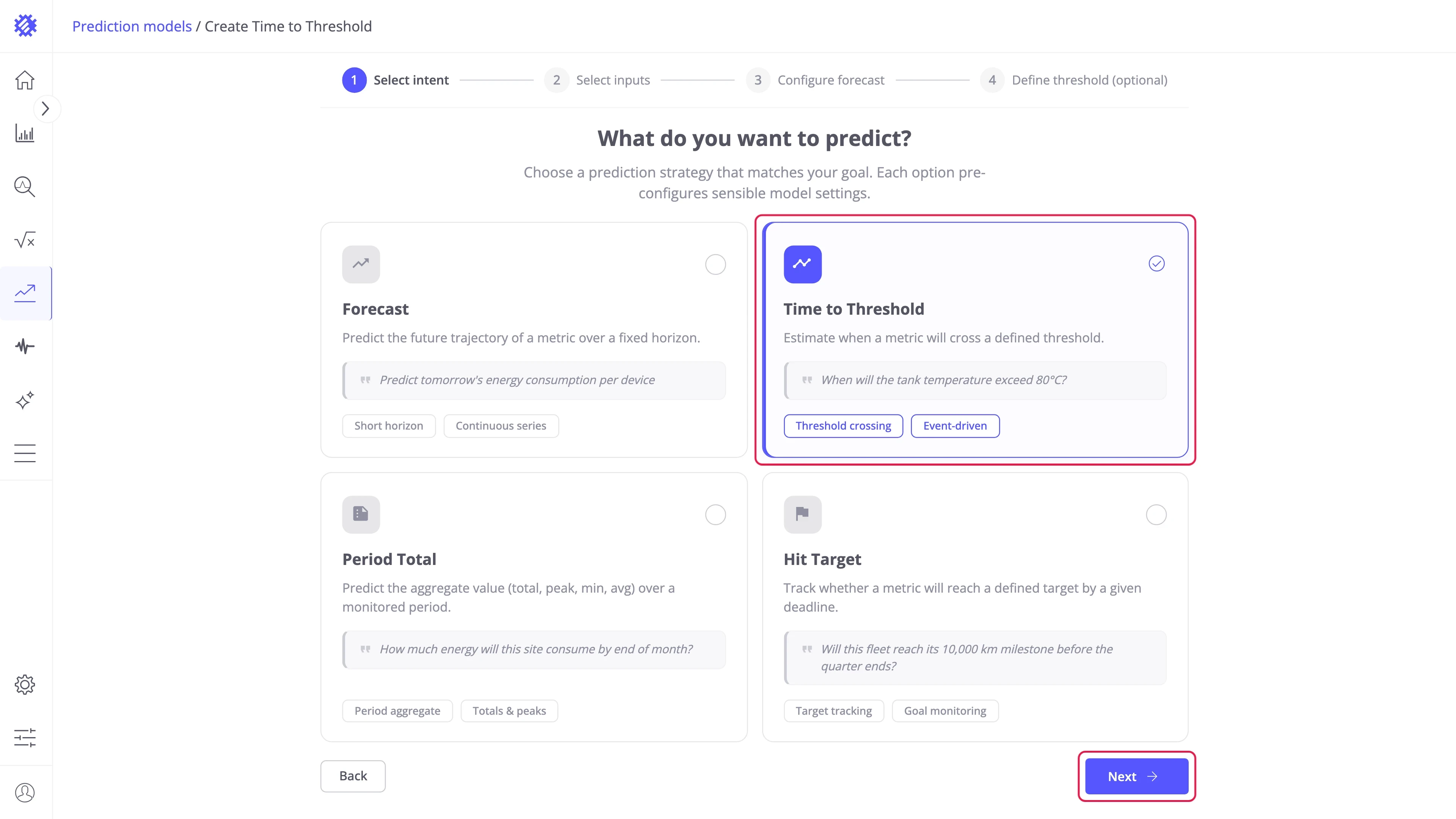
The wizard opens on What do you want to predict?:
- Select the Time to Threshold card (1).
- Click Next (2).
- The intent decides what the model reports and cannot be changed later.
- The other three intents are described in Forecast, Period Total, and Hit Target.
Step 2: Configure inputs
Section titled “Step 2: Configure inputs”The Inputs configuration step defines the items the model trains on and the metric the threshold is checked against.
Entity selection — select the entity type and the profile to predict:
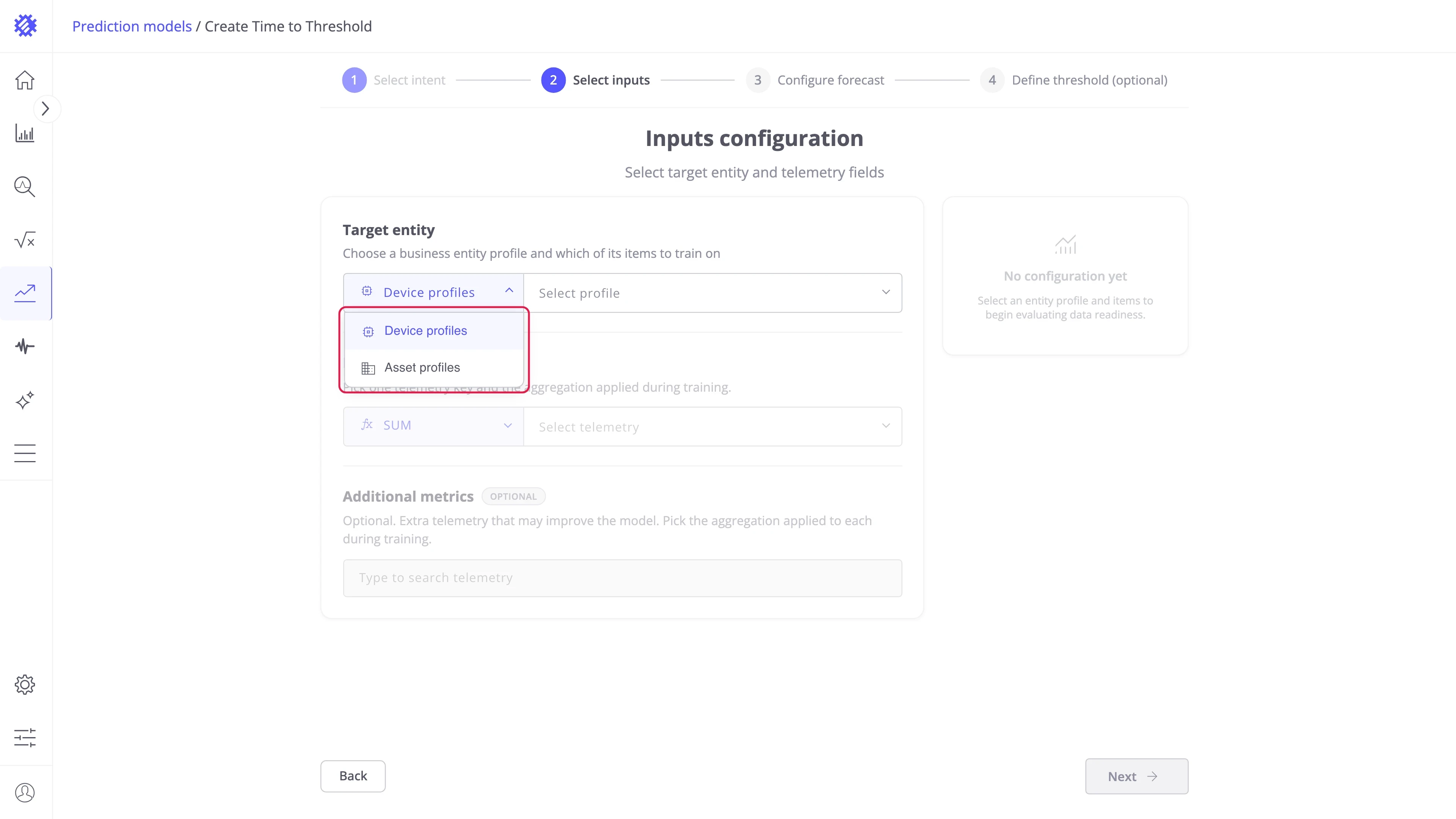
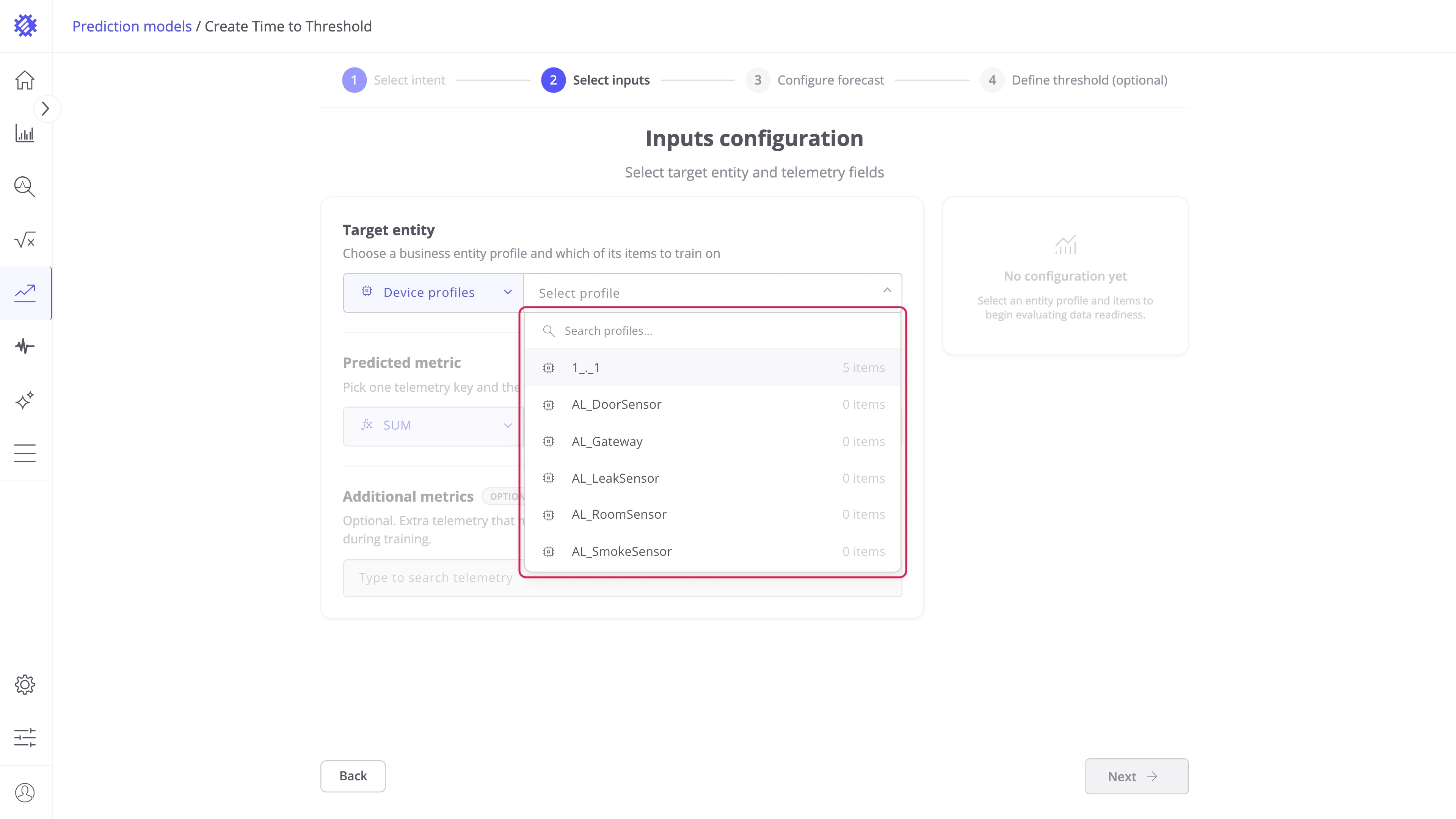
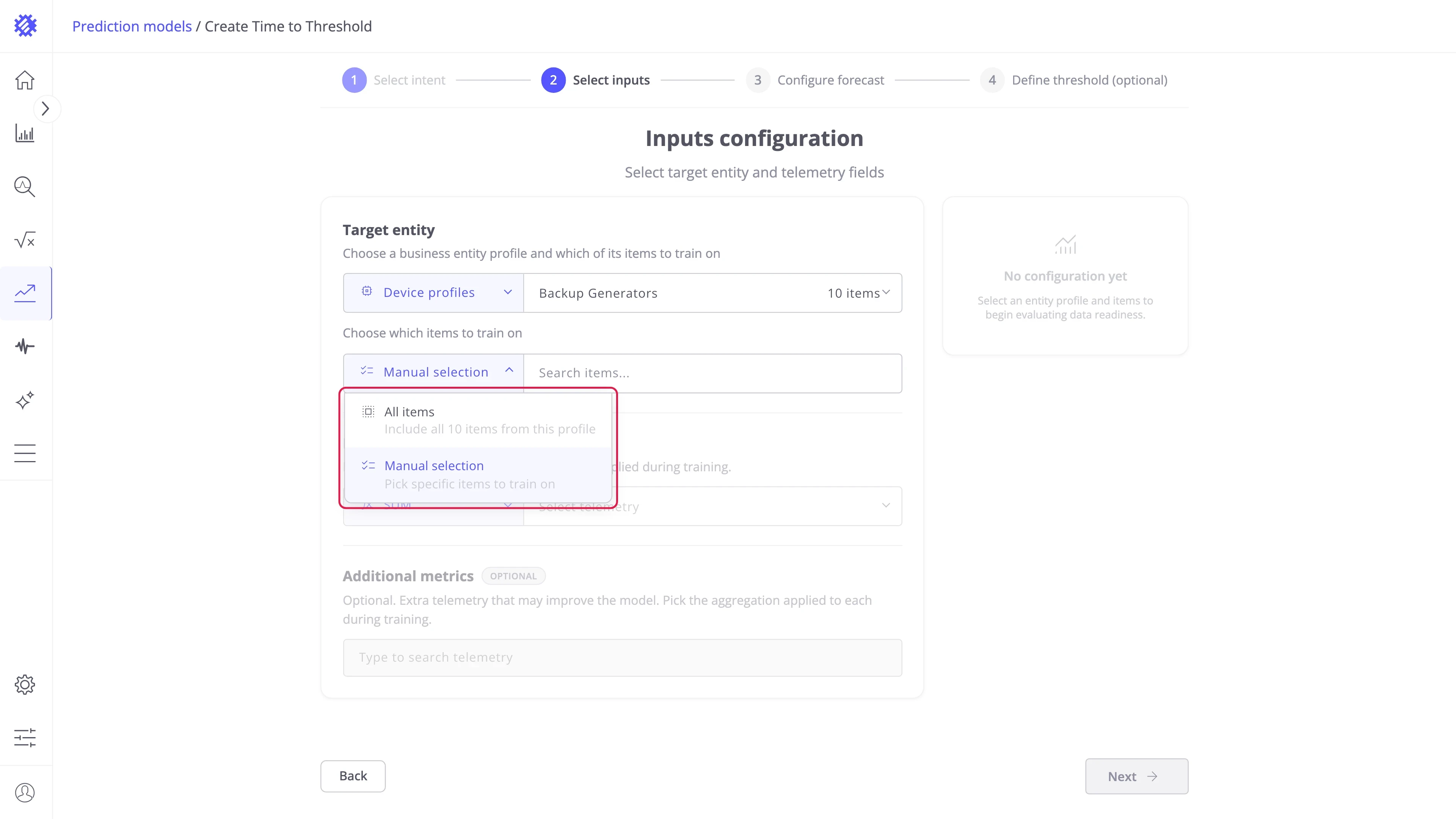
Item selection — choose which items of the profile train the model:
| Mode | Behavior |
|---|---|
| All items | Includes every item in the profile, including devices added to it later. |
| Manual selection | Pick specific items from a searchable list. |
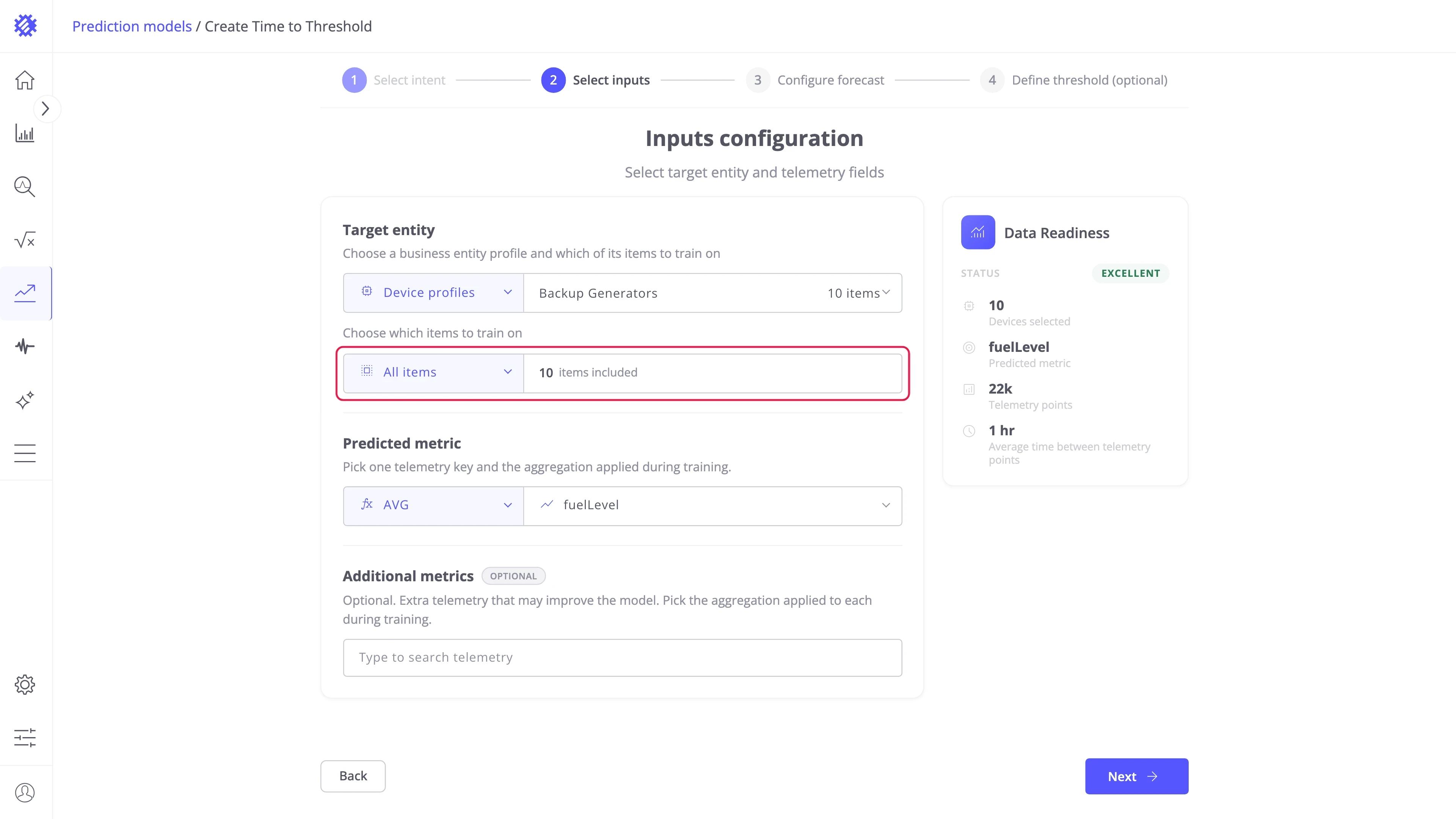
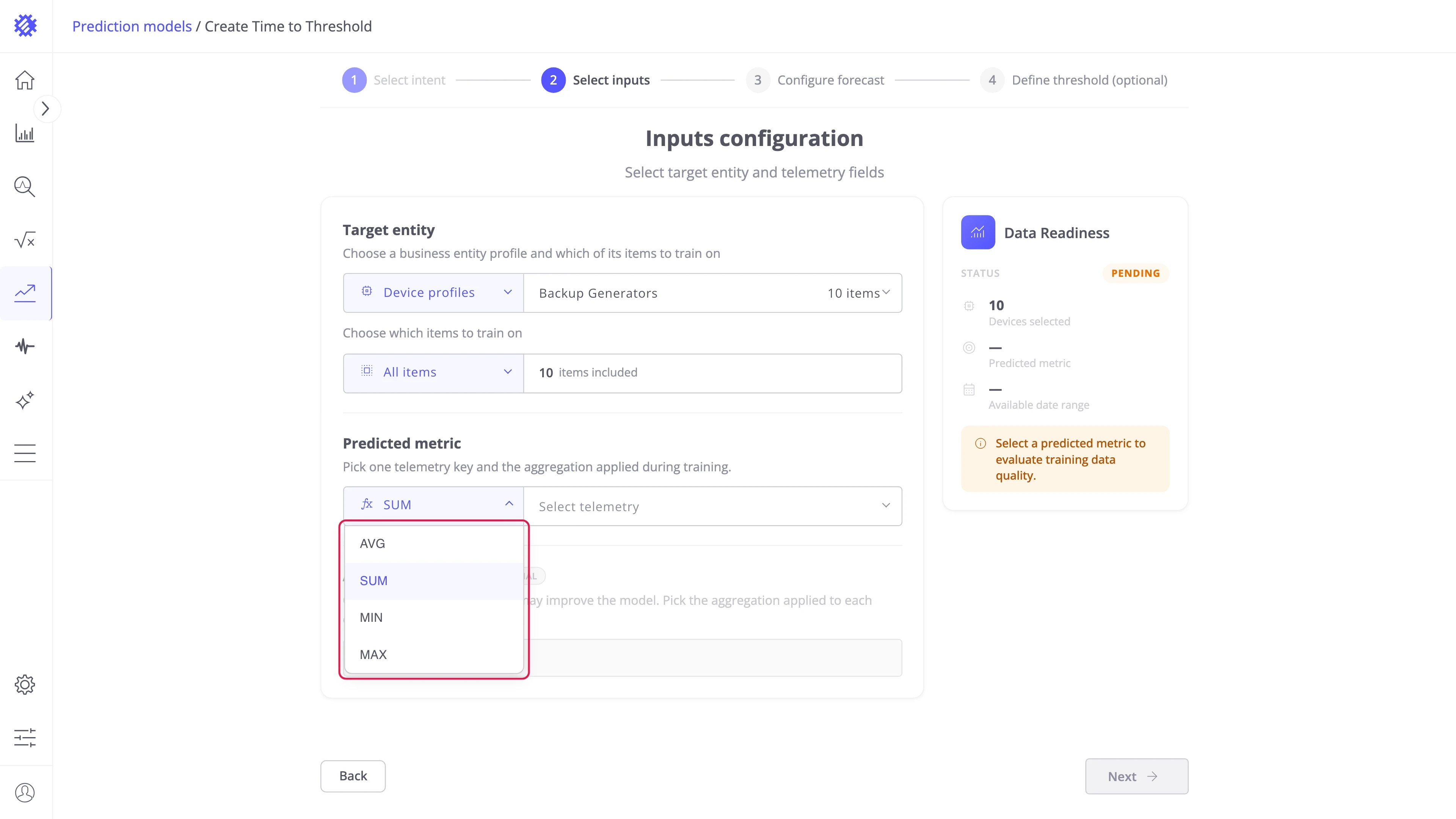
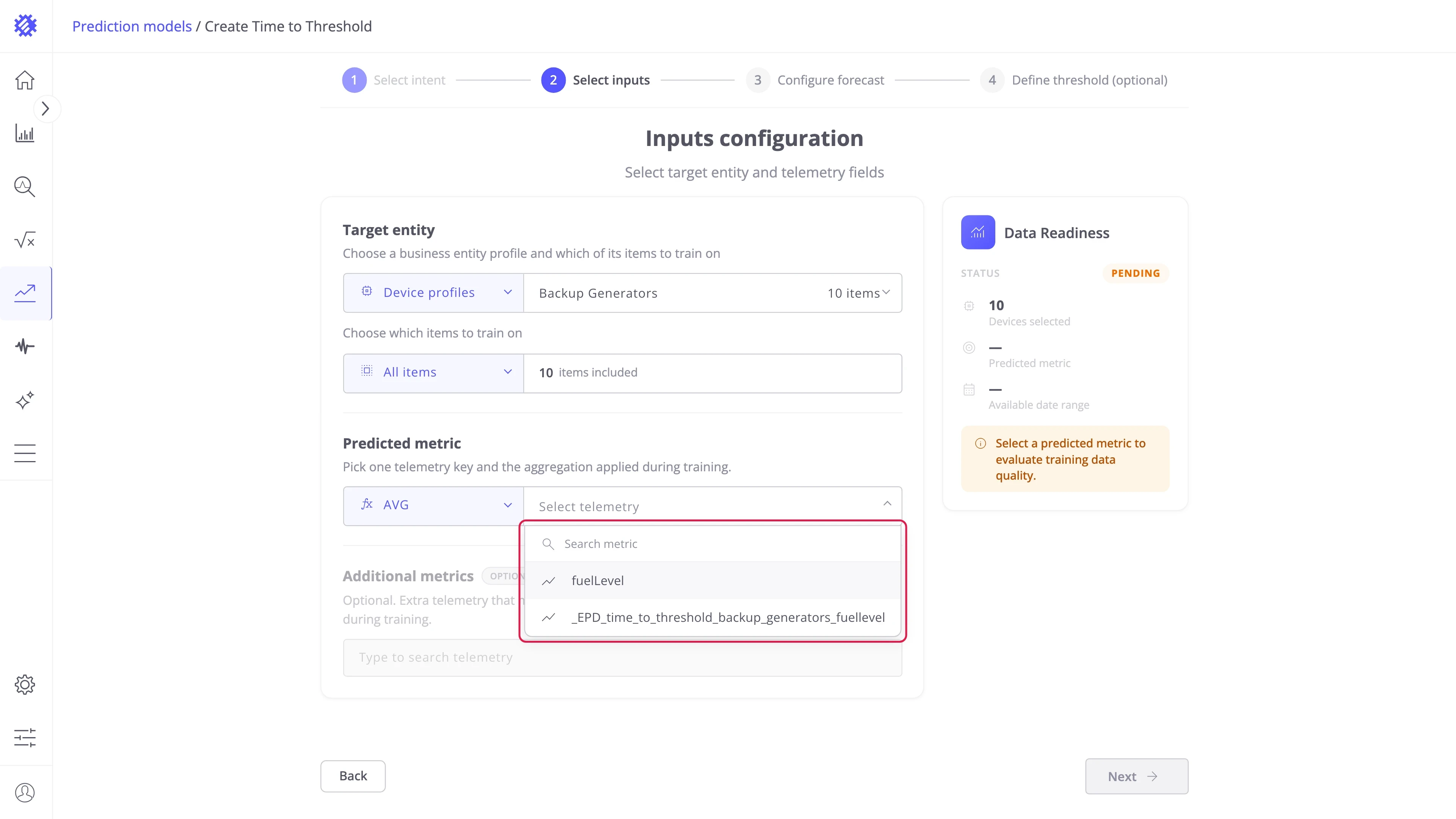
Predicted metric — pick the telemetry key to forecast and the aggregation applied to it during training. The rule in step 4 is checked against this metric. In the example it is fuelLevel, averaged per hour:
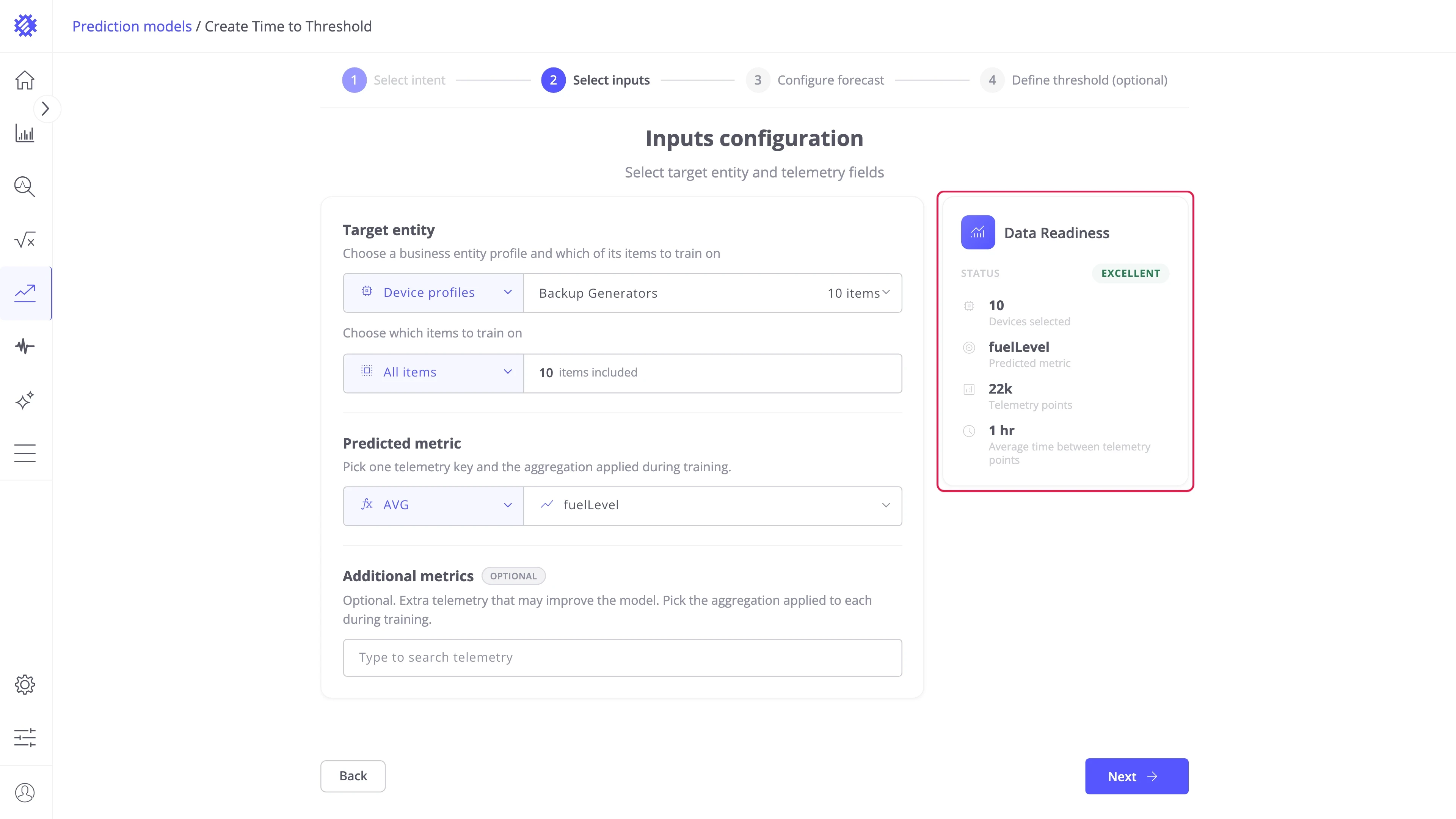
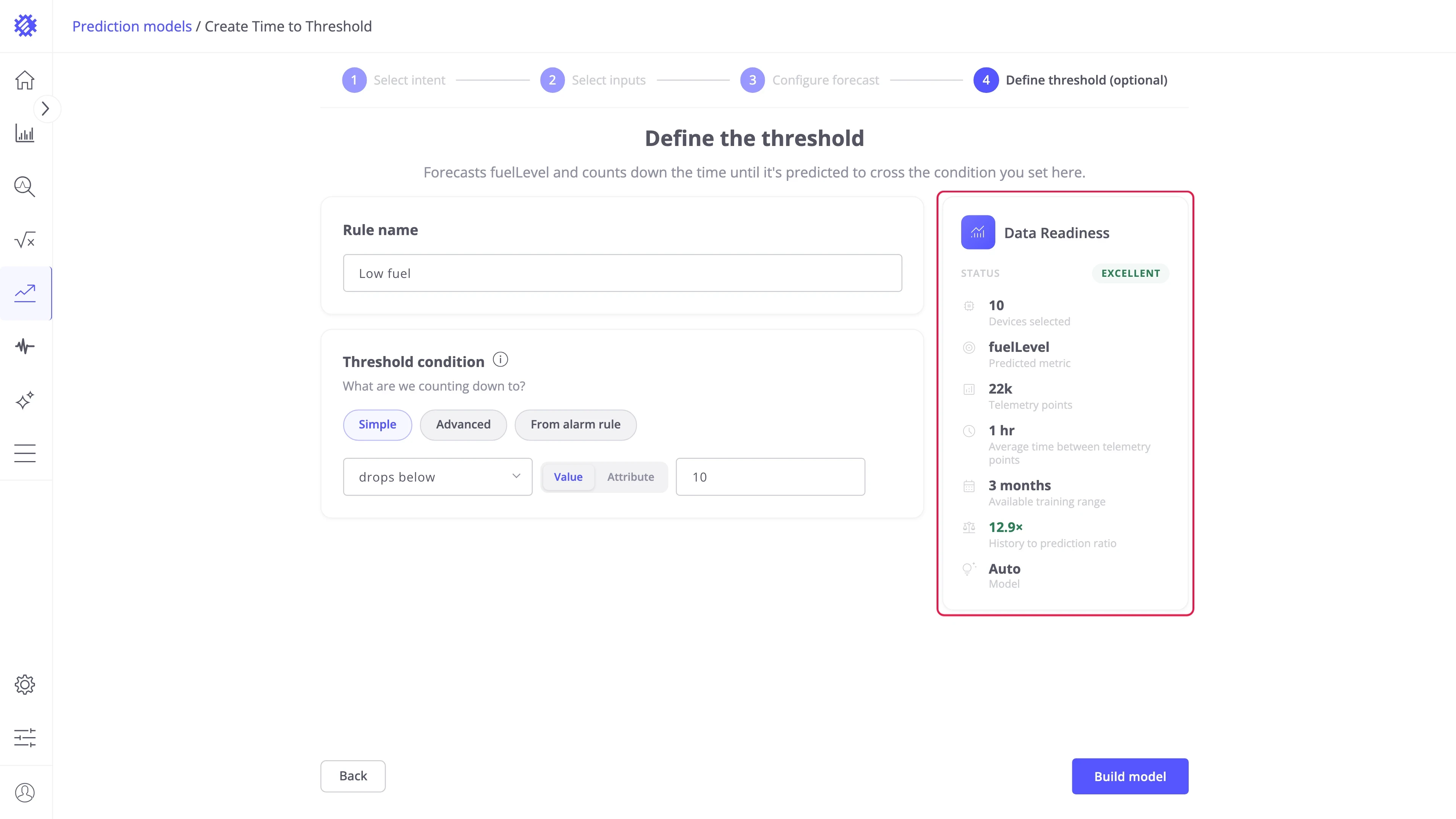
Data Readiness — grades the choice as you go: items selected, the predicted metric, how many telemetry points they hold, and the average spacing between them.
Step 3: Configure the forecast
Section titled “Step 3: Configure the forecast”Prediction horizon — choose how far ahead the model predicts. This is also how far ahead a crossing can be found: an item whose forecast never meets the condition inside the horizon has no event:
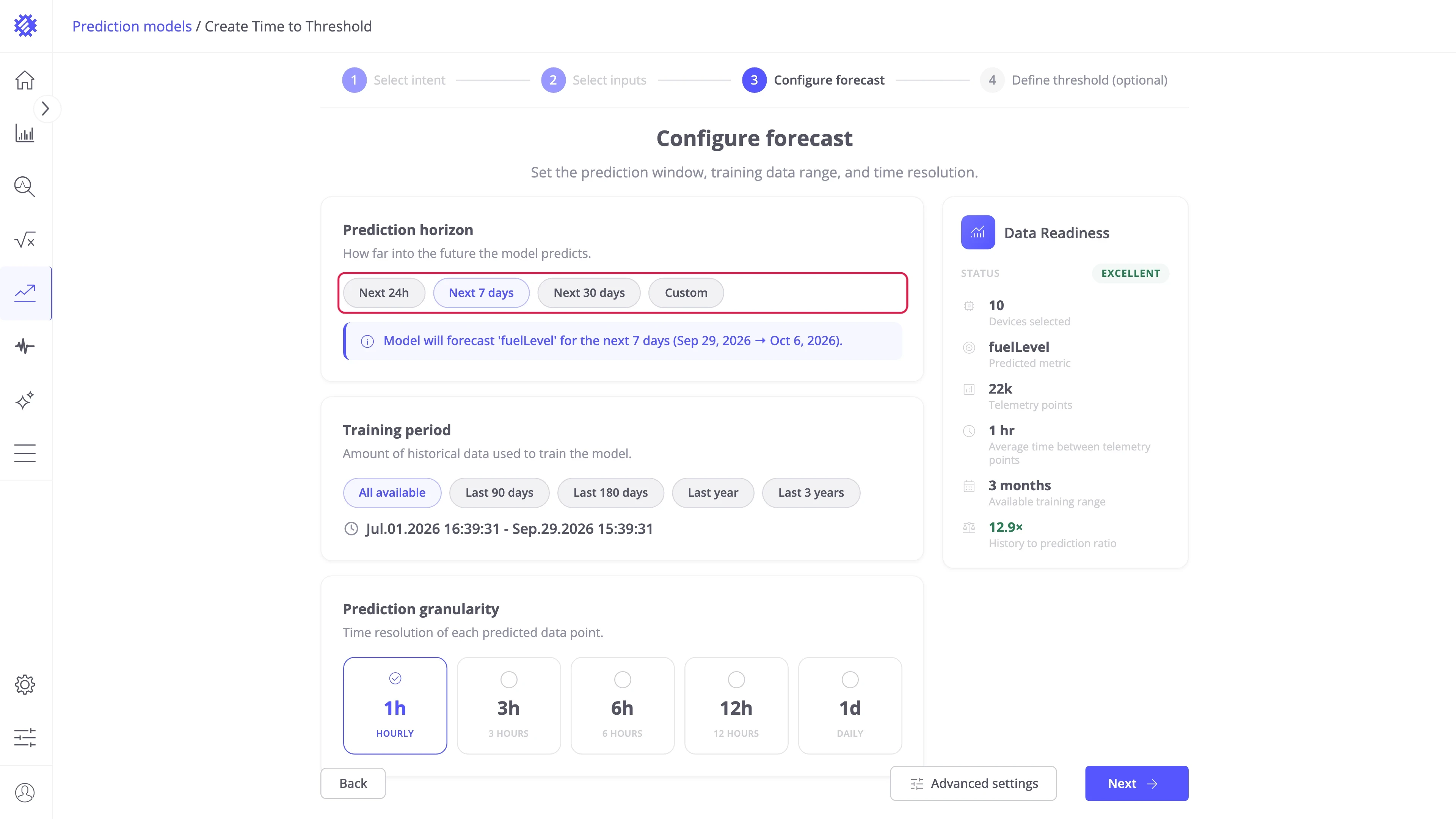
Training period — choose how much history the model learns from. A ratio below three horizons of history is graded as weak:
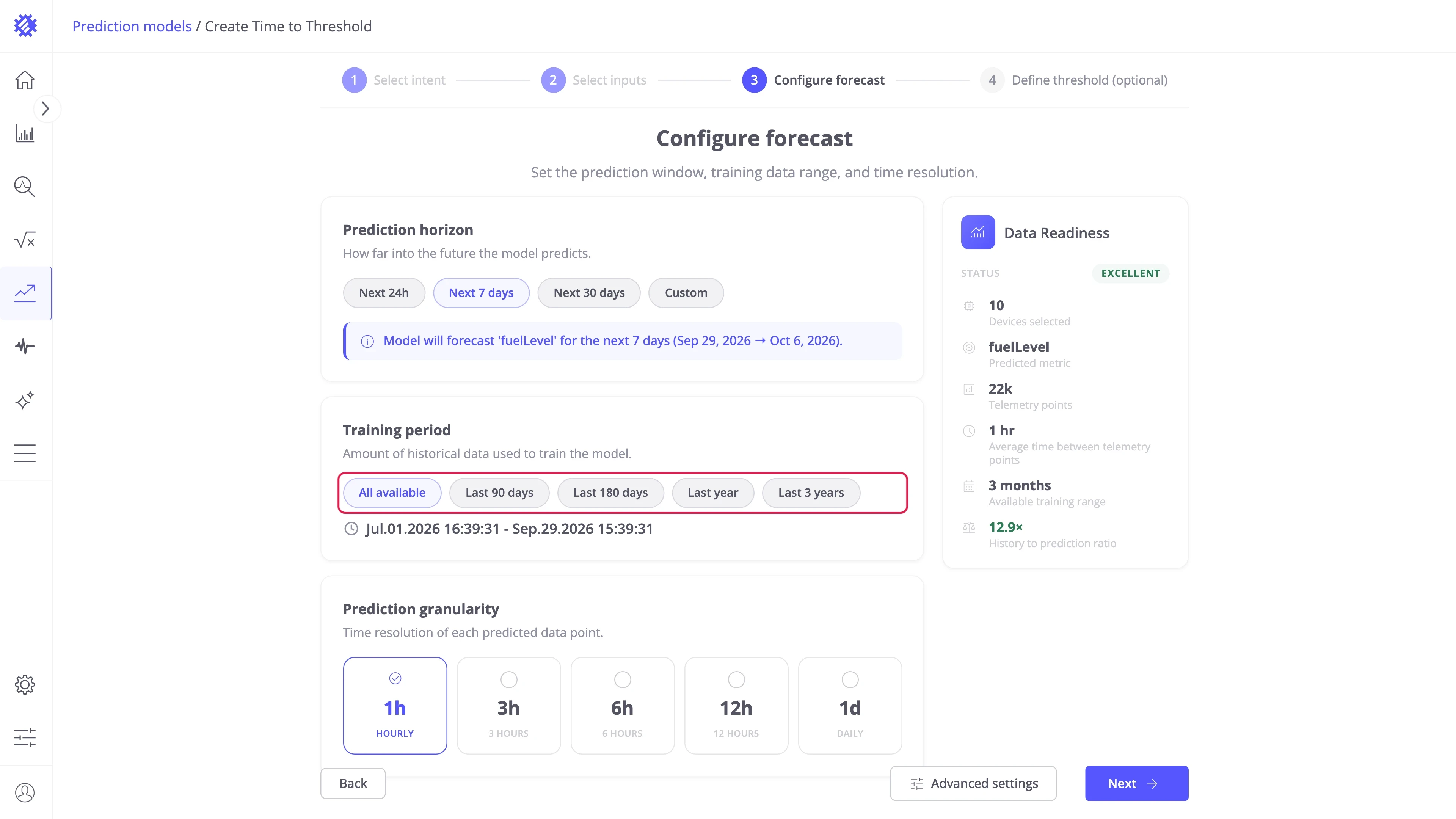
Prediction granularity — pick the length of one bucket. It also sets how precisely a crossing can be timed:
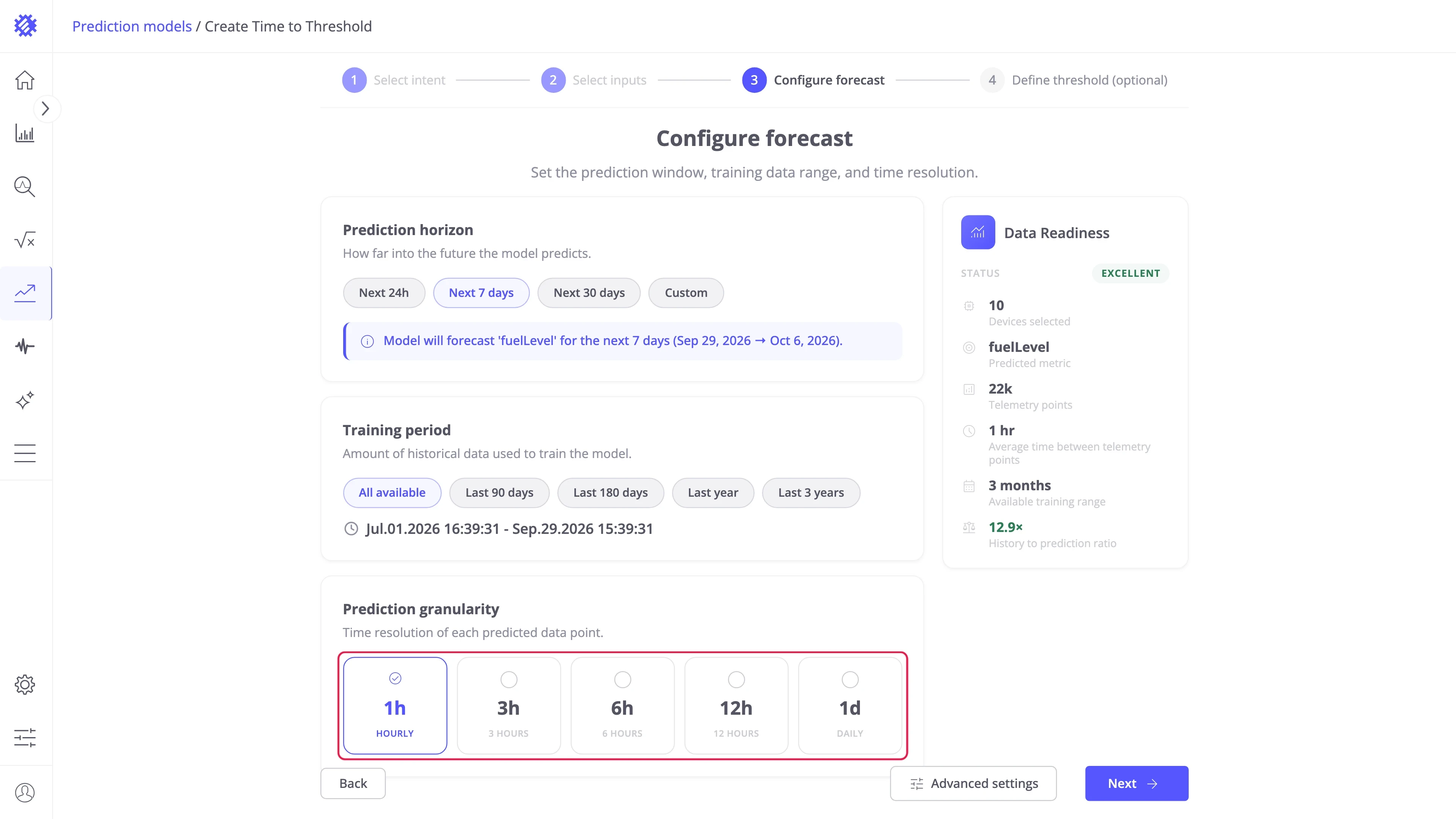
Advanced settings — optional. Adds a step with the prediction method and the forecast bounds, described in Wizard advanced settings.
Step 4: Define the threshold
Section titled “Step 4: Define the threshold”The fourth step creates the first event rule — in the example, Low fuel, which fires as the forecast drops below 10, the reserve.
Rule name — what the event is called on the Result tab and in the Events tab.
Threshold condition — what the countdown counts down to:
| Mode | Behavior |
|---|---|
| Simple | One comparison: goes above or drops below a Value, or an Attribute read per item. |
| Advanced | Several comparisons combined with AND or OR. |
| From alarm rule | Reuses one severity of an existing ThingsBoard alarm rule. |
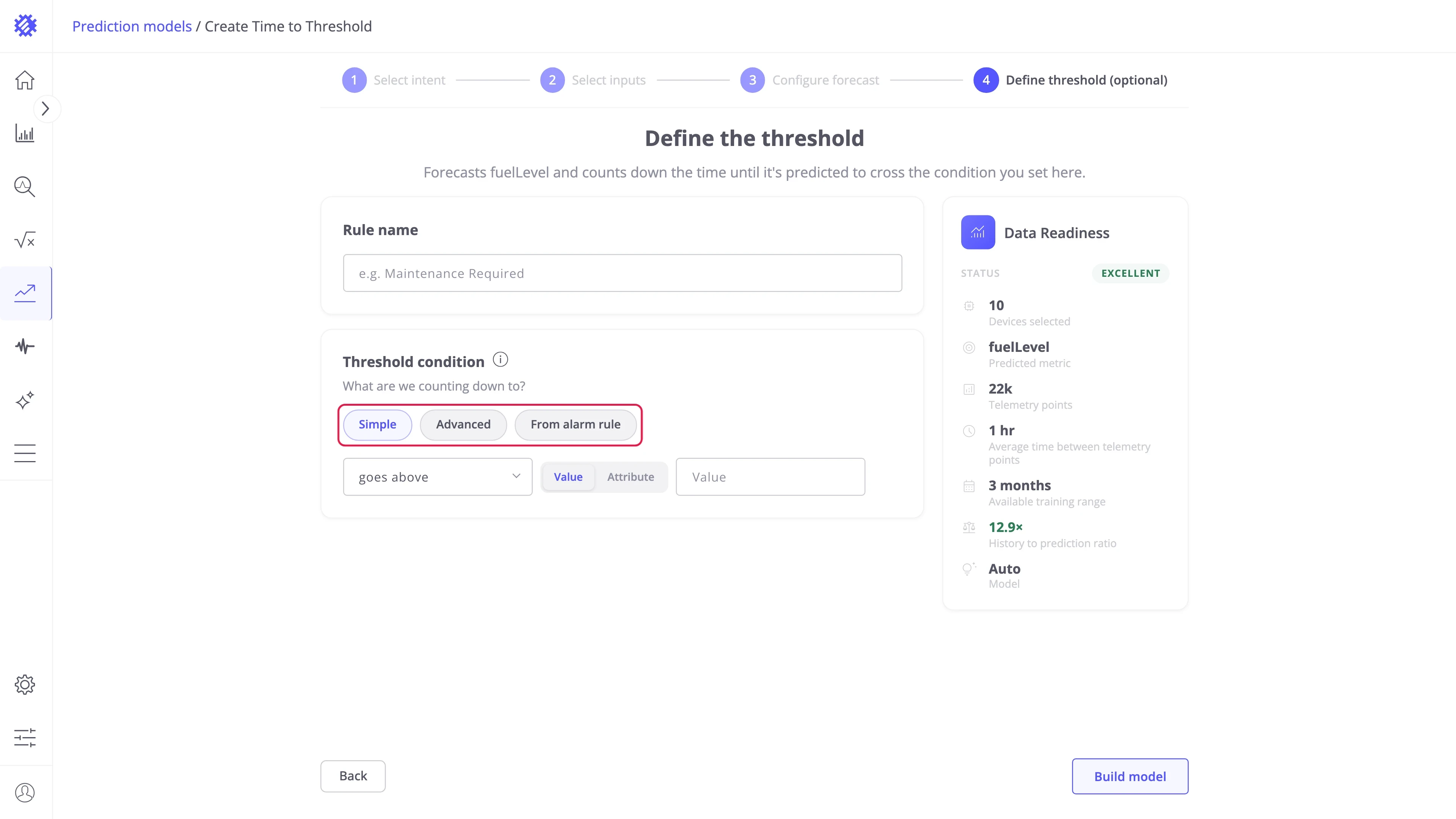
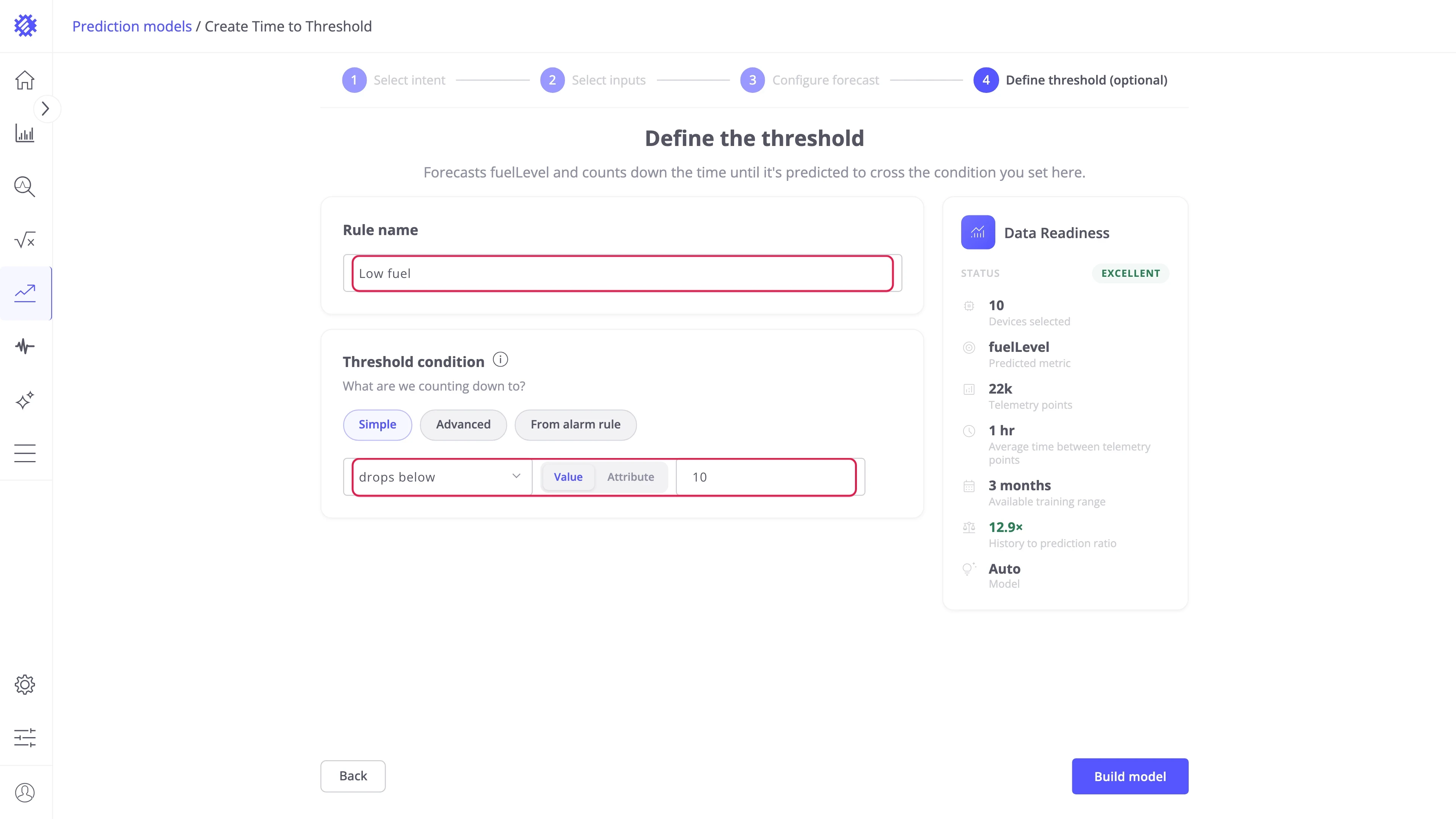
Alarms and telemetry for the rule are switched on afterwards, in Event rules.
Step 5: Build the model
Section titled “Step 5: Build the model”Data Readiness — check the status before you train. The better it is, the better the resulting forecast:
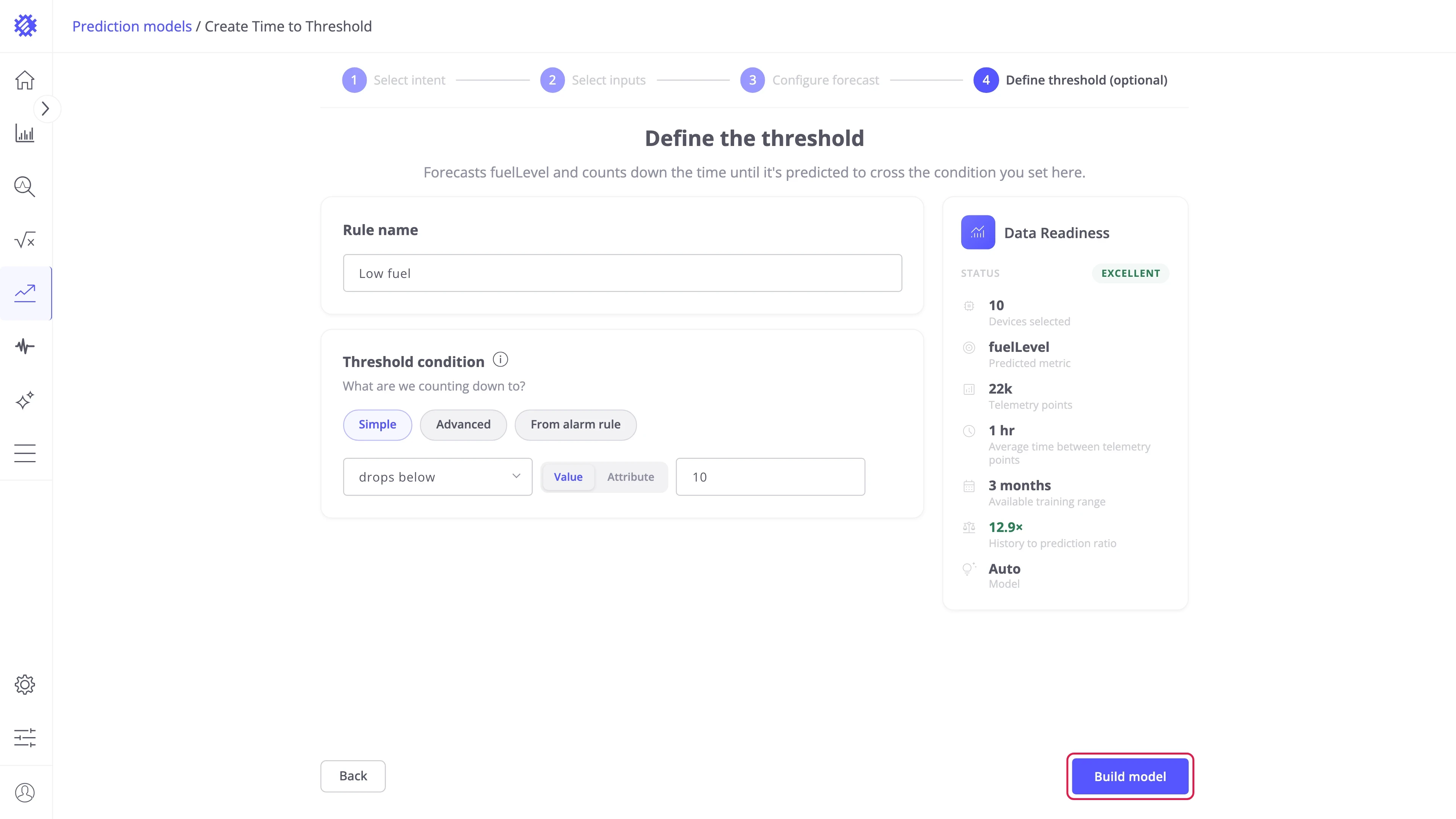
Build model — trains one model per item and opens the Result tab when the run finishes:
Time to Threshold result page
Section titled “Time to Threshold result page”The Result tab shows the soonest predicted event of one item at a time. Pick the item in the table below the chart; the cards on the right show the monitoring settings and the data status of the model.
Next event card
Section titled “Next event card”The card on the left shows the soonest event of the selected item for the selected rule. The selector at its top switches rules when the model has several.
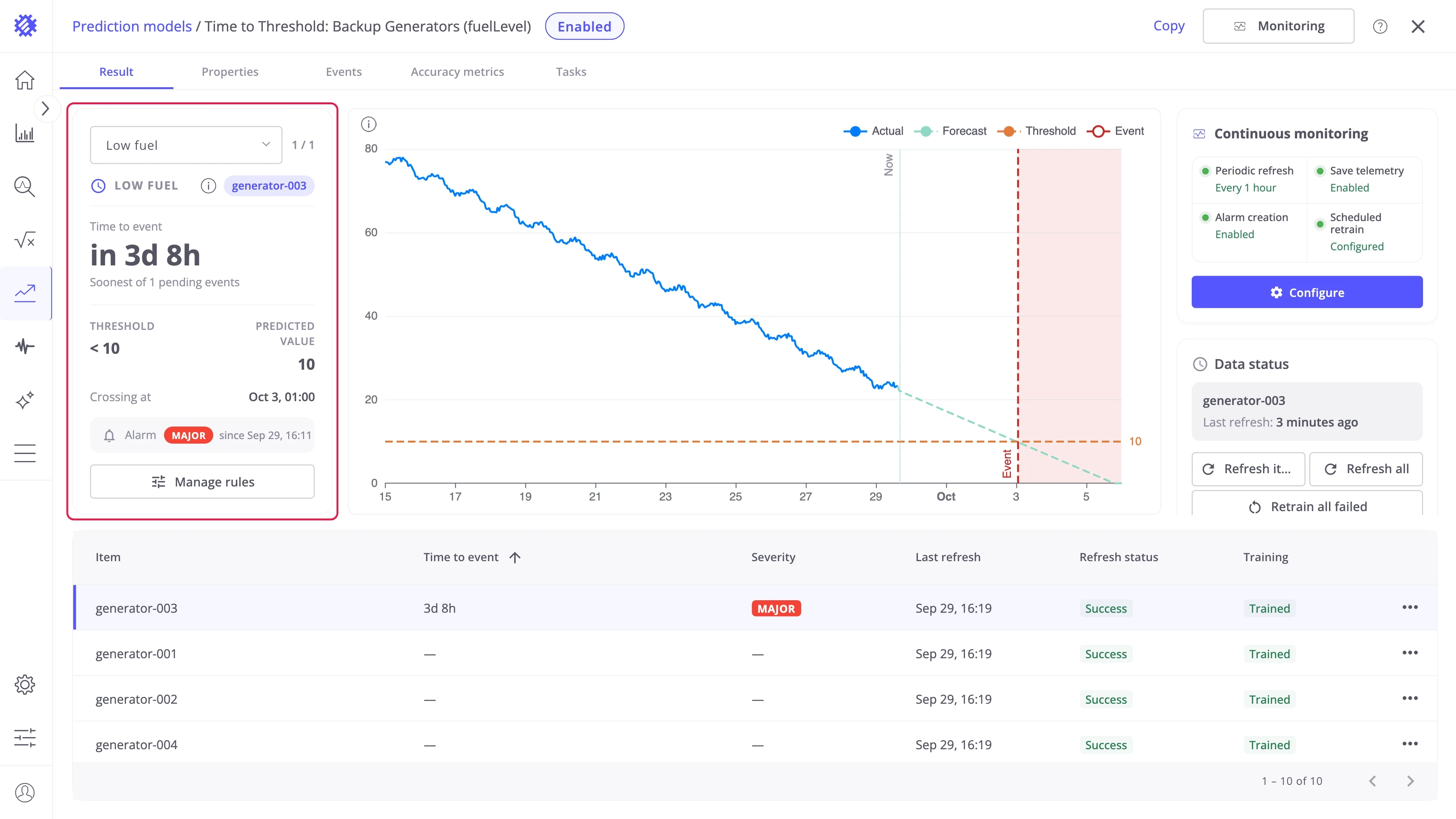
| Field | Meaning |
|---|---|
| Time to event | The countdown to the start of the event, Now while it is under way, or Ended once the predicted window has passed |
| Threshold | The condition of the rule, such as < 10 |
| Predicted value | The forecast value at the crossing |
| Crossing at | The predicted time of the crossing |
| Alarm | The severity raised and since when, or No alarm |
Threshold chart
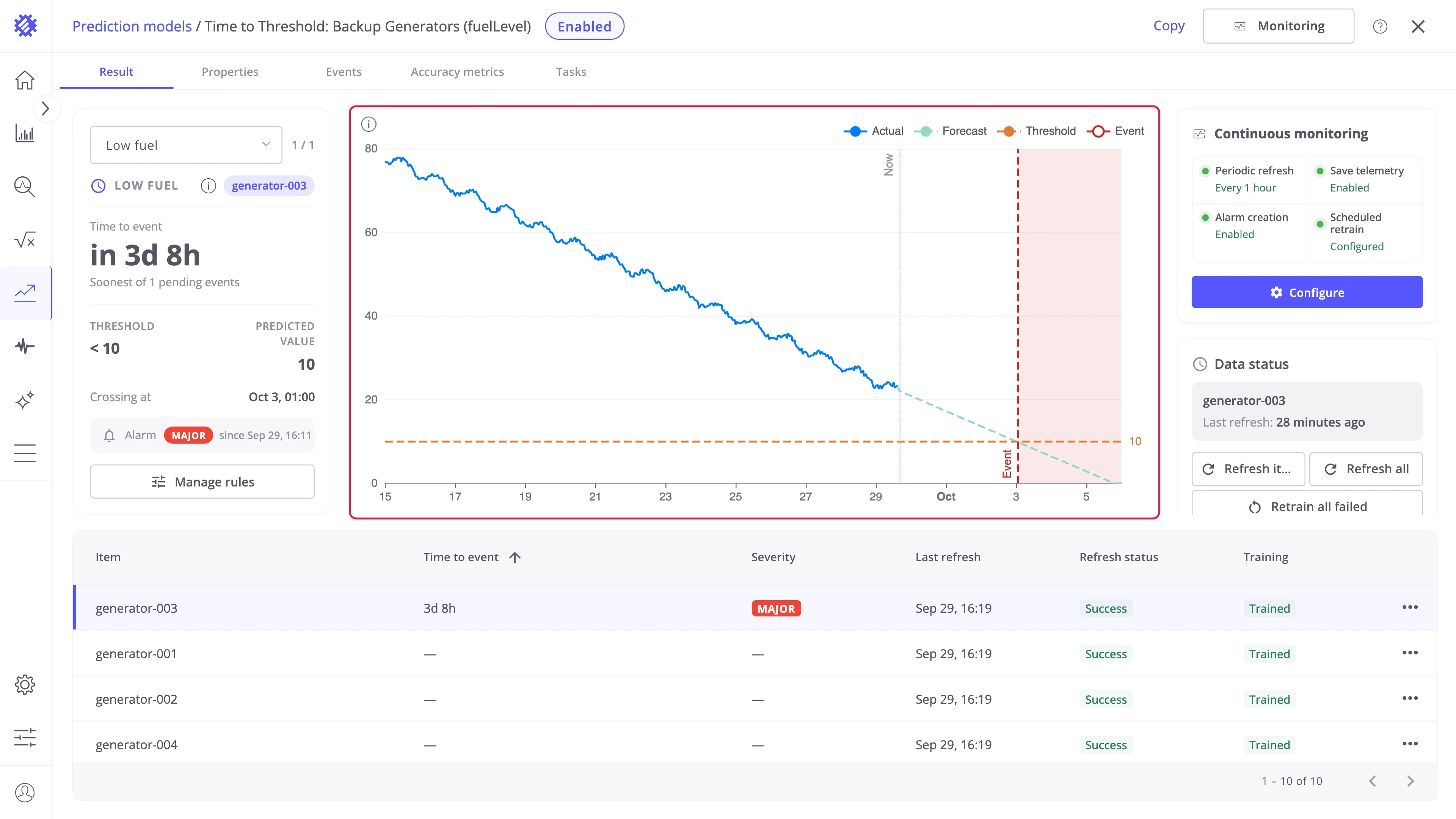
Section titled “Threshold chart”The chart shows the forecast of the selected item against the rule: the Threshold as a dashed line and the Event as a marker at the predicted crossing.
Items table
Section titled “Items table”The table under the chart is sorted by the soonest event, so the items that need attention are at the top. Select a row to switch the card and the chart to that item.
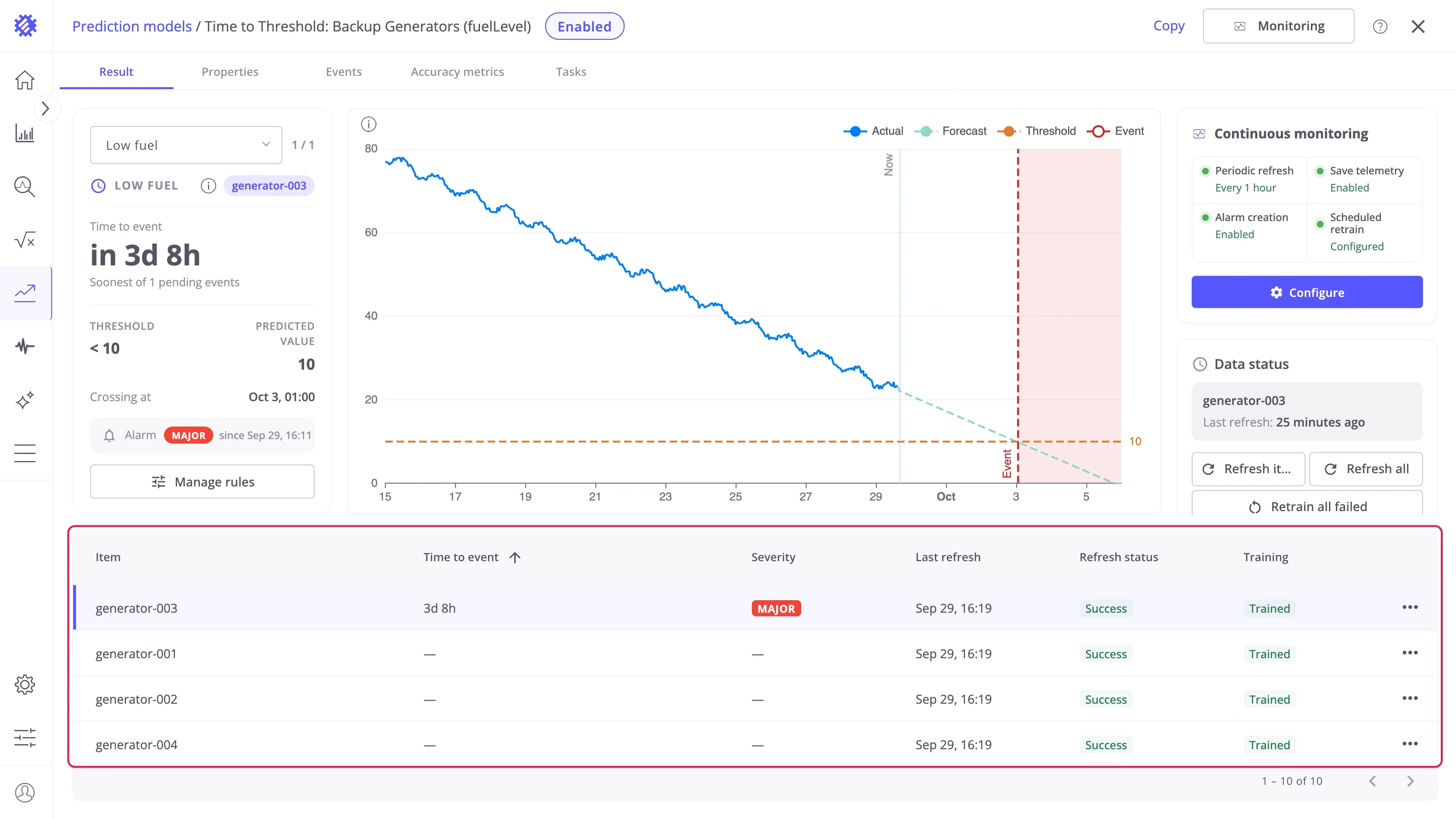
| Column | Meaning |
|---|---|
| Item | The device or asset name |
| Time to event | The countdown, Now, or a dash when no crossing is predicted |
| Severity | The severity of the raised alarm, or a dash |
| Last refresh, Refresh status, Training | The item’s refresh and training state |
Item actions
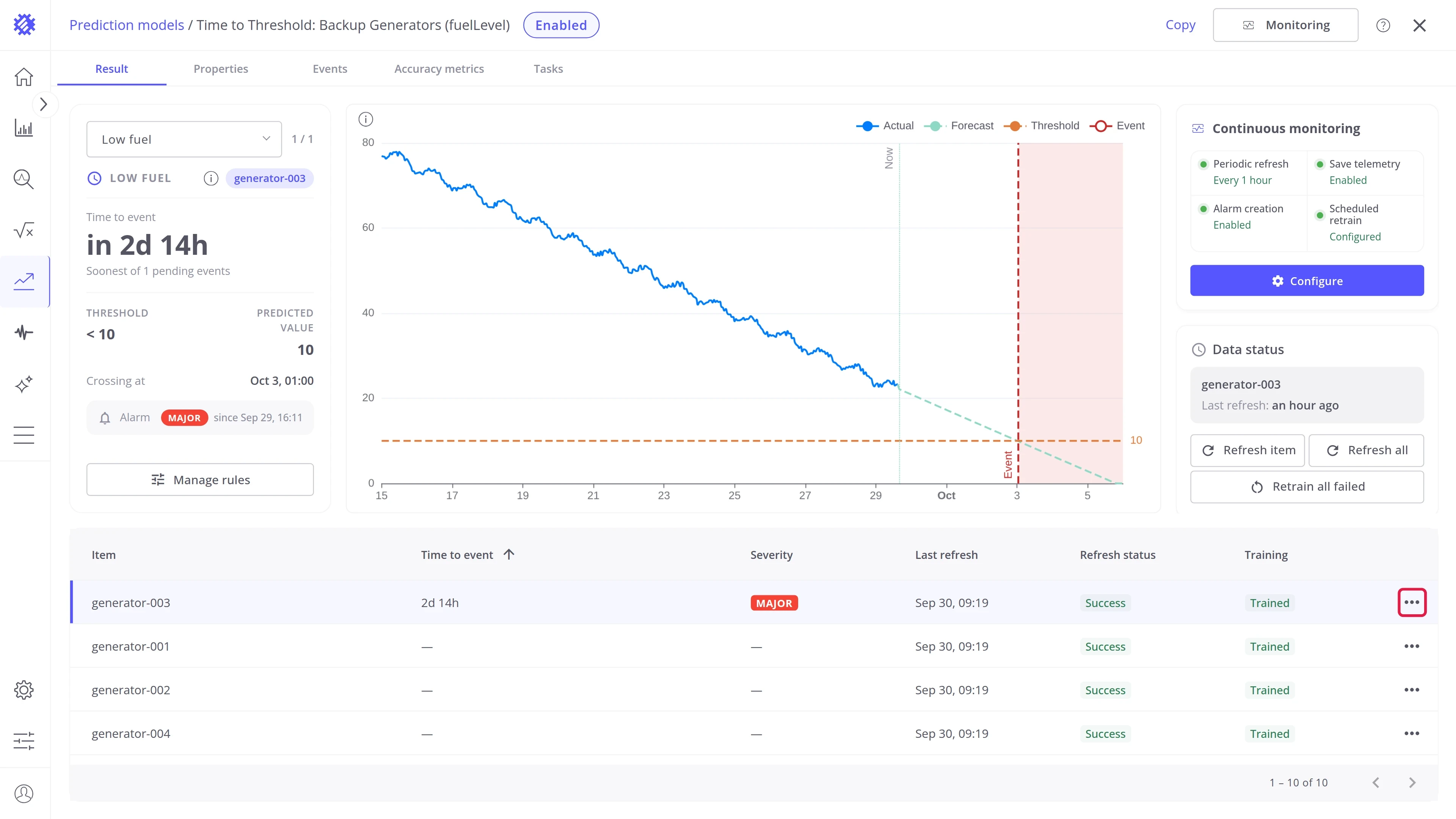
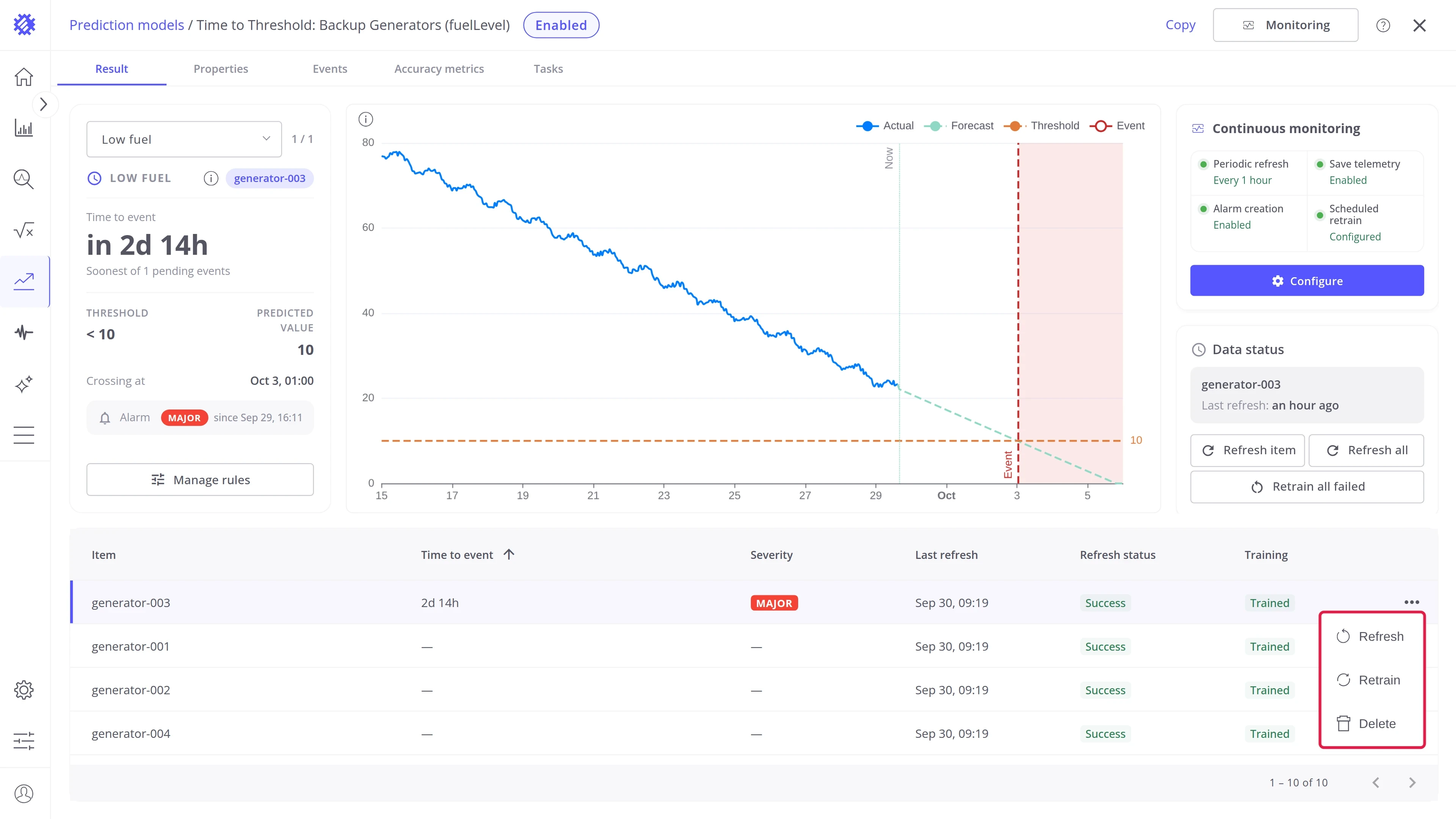
Section titled “Item actions”The ⋯ button at the end of each item row — Refresh, Retrain, and Delete for one item — works the same for every intent. See Interface Overview.
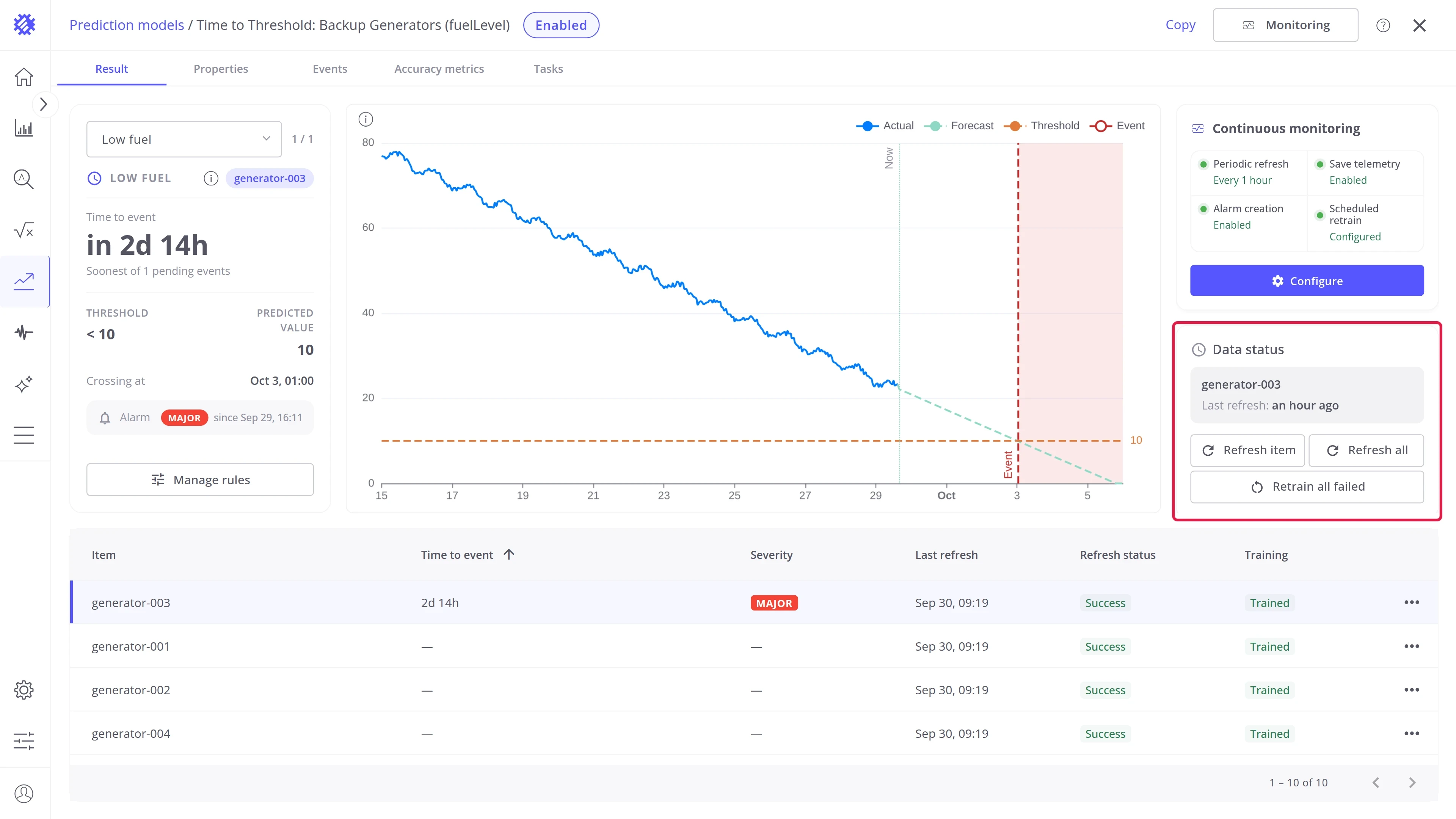
Continuous monitoring
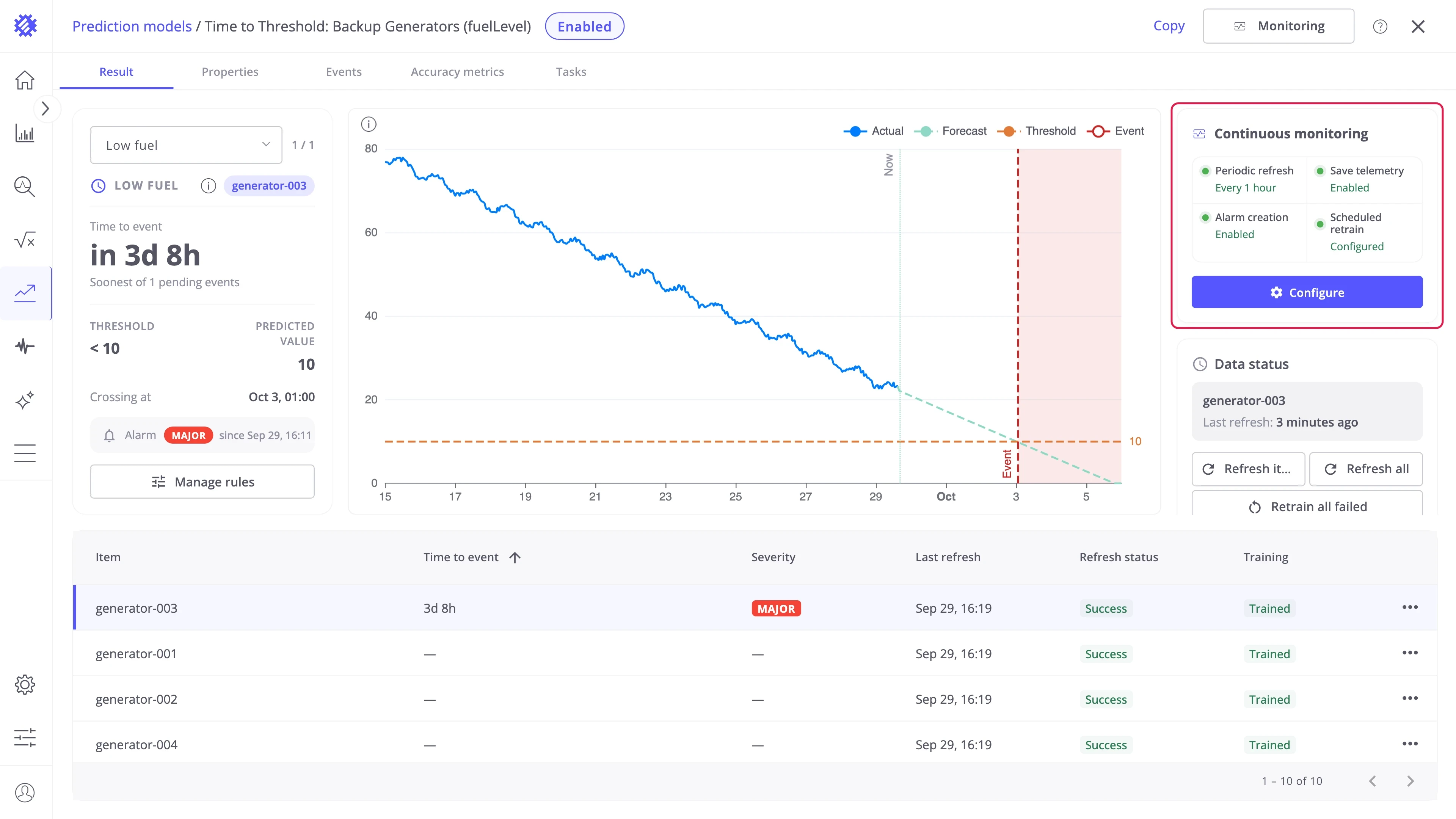
Section titled “Continuous monitoring”The Continuous monitoring card shows the monitoring status of this model. What each setting does and how to configure it is described in Monitoring & Alarms. Countdowns and alarms move only when the forecast is refreshed, so keep Periodic refresh on for a model that raises alarms.
Data status
Section titled “Data status”The Data status card and its Refresh item, Refresh all, and Retrain all failed buttons work the same for every intent. See Interface Overview.
Event rules
Section titled “Event rules”An event rule turns the forecast into an event. On every refresh, Trendz checks the forecast against the rule’s condition. The first moment the forecast meets the condition is the start of the event, and the moment it stops meeting it is the end. The time from now to the start is the time to event.
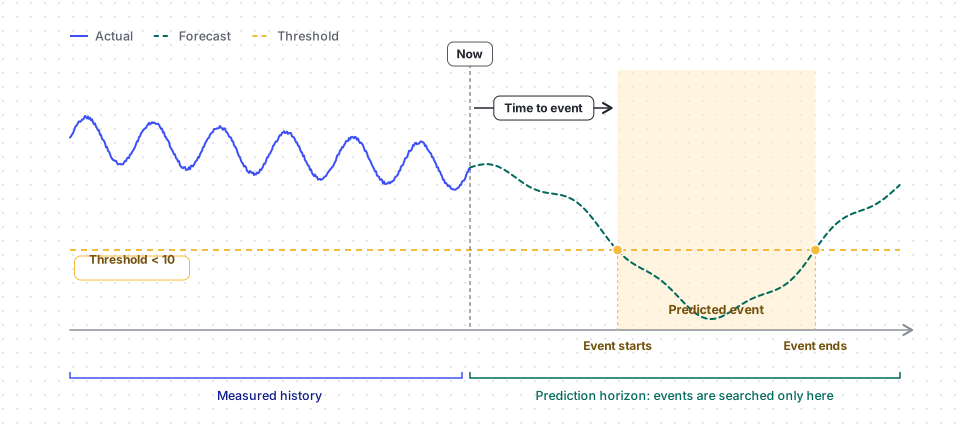
A model can have several rules, such as a warning level and a critical level on the same metric. Each rule can be switched off without deleting it.
Open the rule editor
Section titled “Open the rule editor”Click Manage rules under the Next event card:
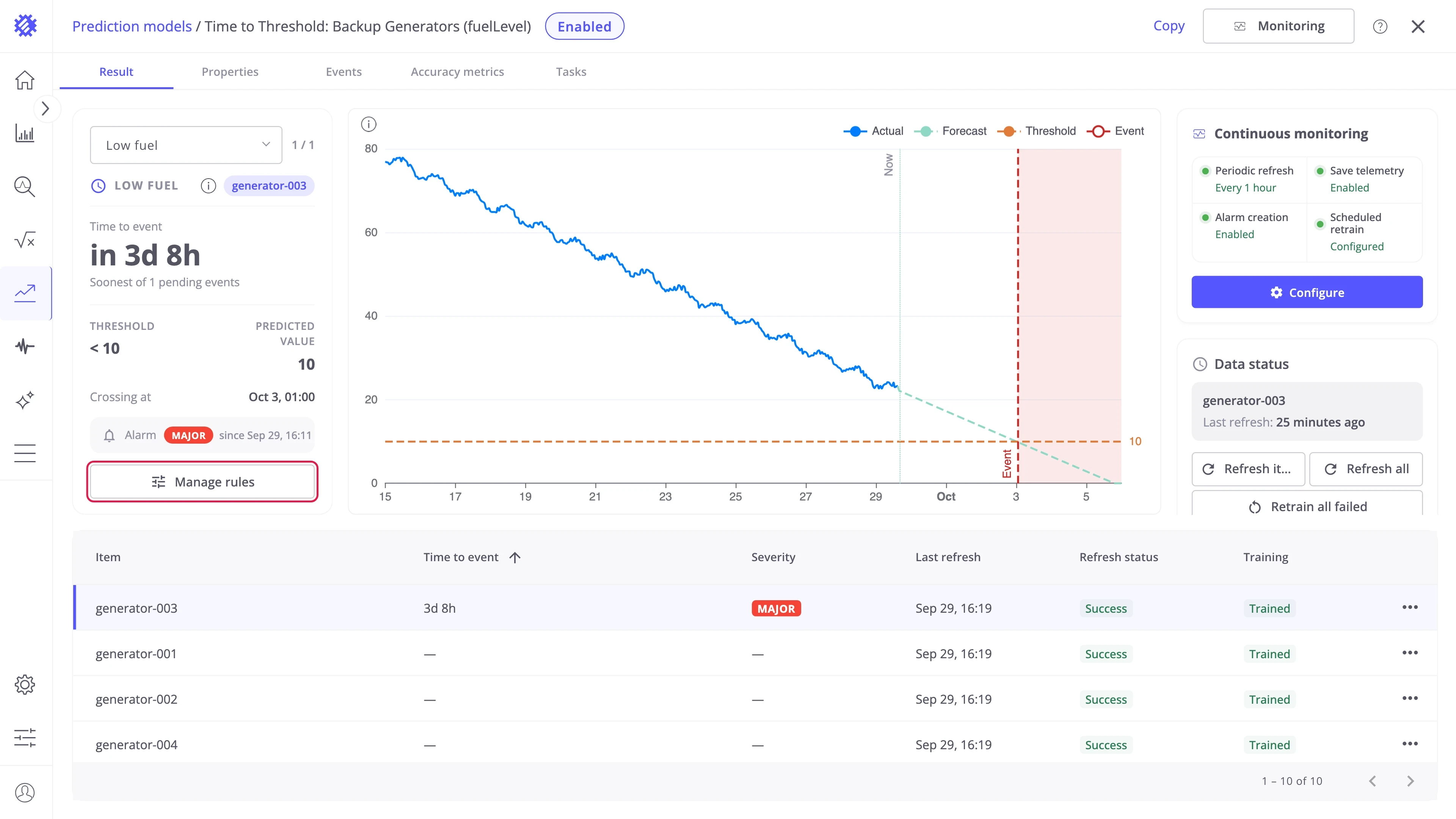
The editor lists the rules on the left and the selected rule on the right. A model built without a rule is completed here: add the rule and the next refresh checks the existing forecast against it. Nothing is retrained.
Trigger condition
Section titled “Trigger condition”The trigger condition is what the countdown counts down to:
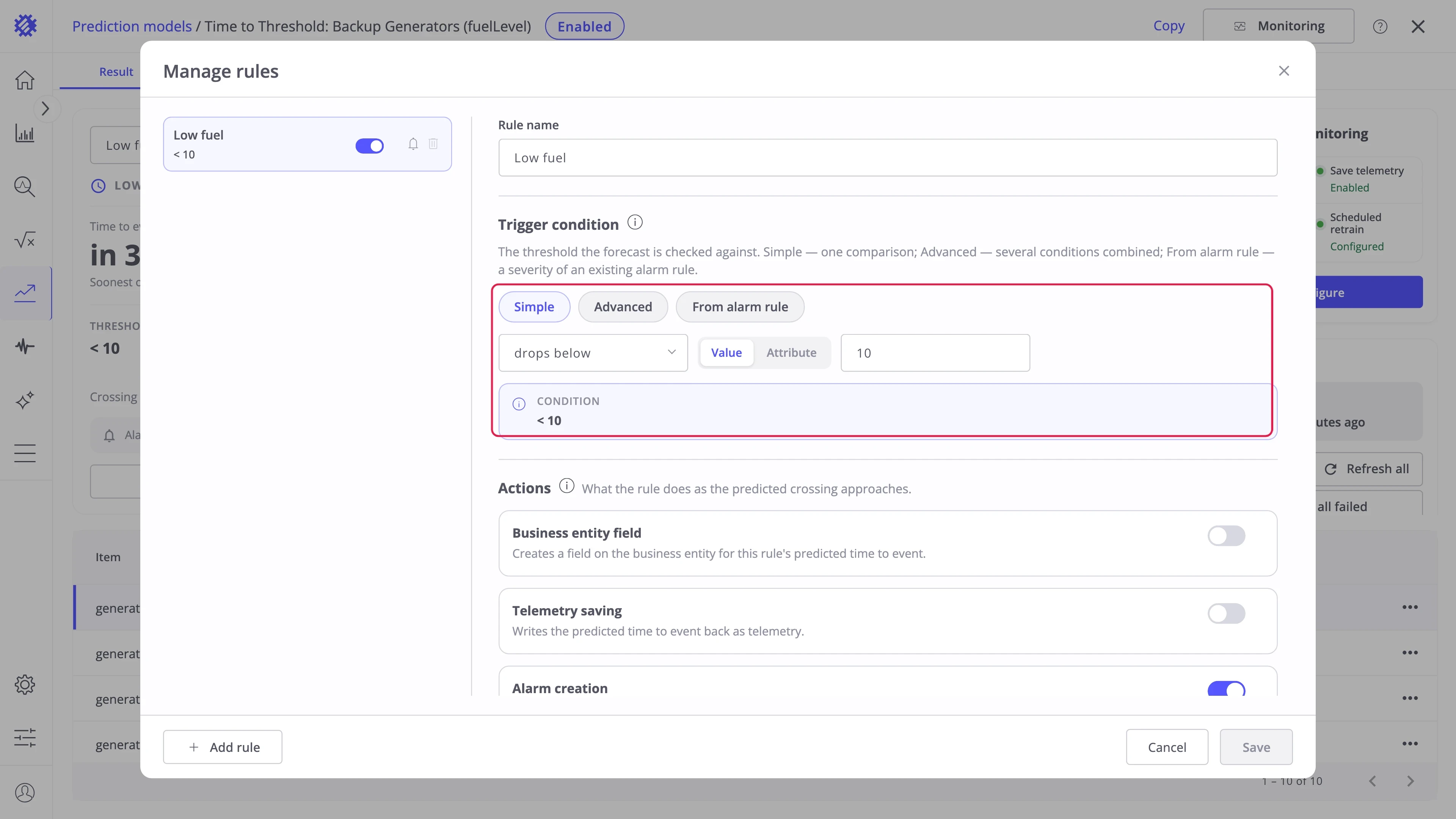
| Mode | Behavior |
|---|---|
| Simple | One comparison: goes above or drops below a Value, or an Attribute read per item |
| Advanced | Several comparisons combined with AND or OR |
| From alarm rule | Reuses one severity of an existing ThingsBoard alarm rule |
Business entity field and telemetry
Section titled “Business entity field and telemetry”Two actions make the time to event available outside the Result tab:
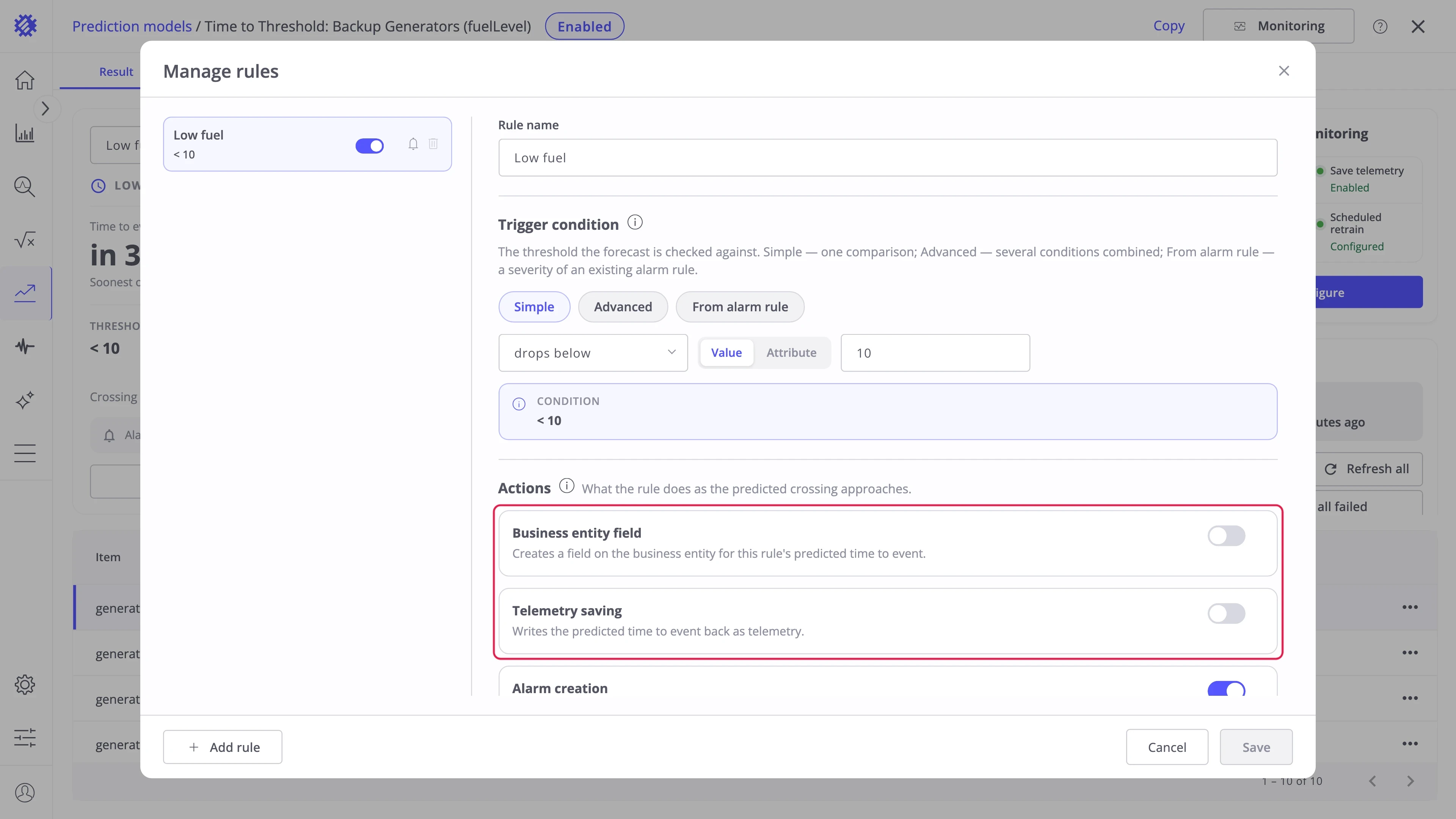
| Action | What it does |
|---|---|
| Business entity field | Creates a field on the business entity with the time to event, for Trendz views |
| Telemetry saving | Writes the time to event to each item under the Telemetry key with the _EPE_ prefix. An event under way is written as 0, an item with no crossing as -1 |
Alarm creation
Section titled “Alarm creation”Alarm creation raises a ThingsBoard alarm of the Alarm type while an event is predicted. The type must be unique within the profile, because ThingsBoard keeps one active alarm per item and type.
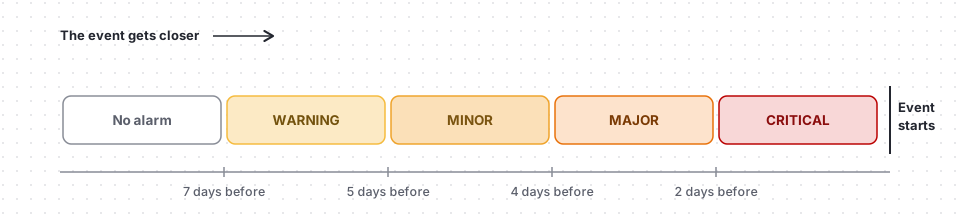
Severity thresholds — you define what counts as each severity: how close the event must be for a Warning, a Major, or a Critical. They are off by default, so turn on the ones you need:
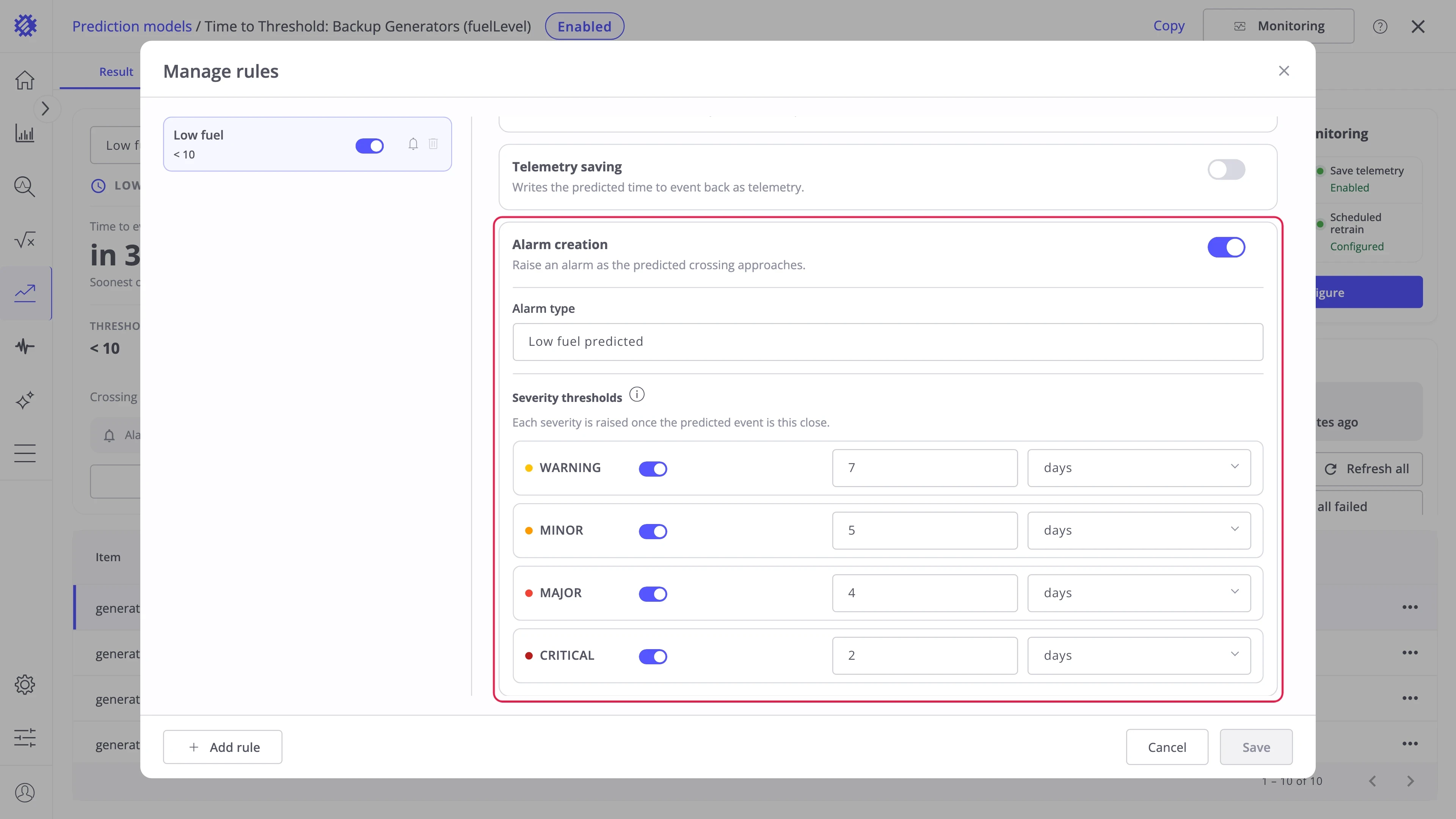
As the event gets closer, the alarm steps up to the most severe level whose threshold it has reached:
Events tab
Section titled “Events tab”The Events tab lists every predicted event of the model, across all items and rules. The chart shows the selected event on the forecast.
In this example only generator-003 has reached its rule, so the list holds a single Major event. A real fleet usually has many at once, each carrying whichever severity you enabled for the rule — Warning, Minor, Major, or Critical.
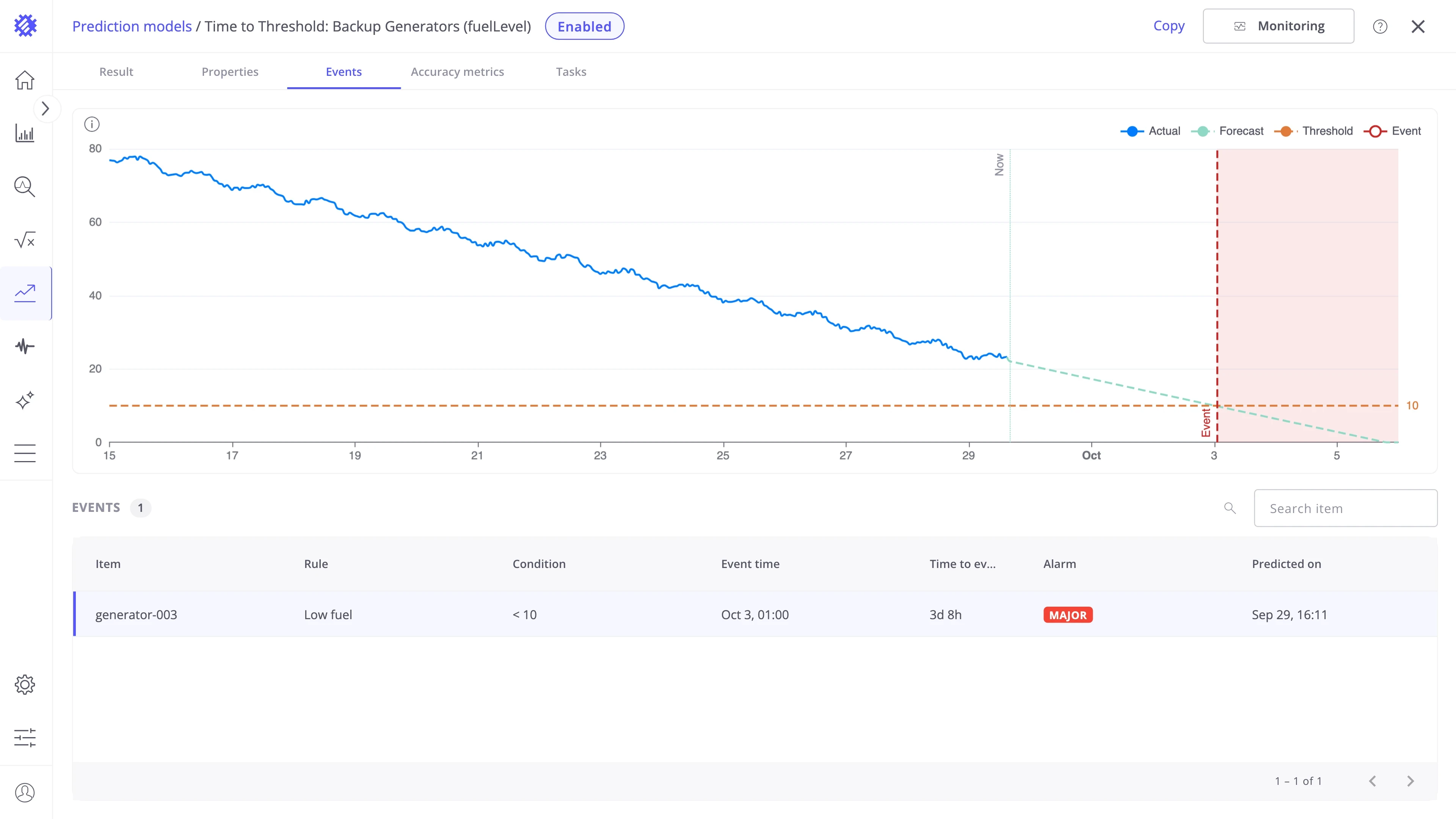
| Column | Meaning |
|---|---|
| Item | The device or asset name |
| Rule | The rule that found the event |
| Condition | The condition of the rule |
| Event time | The predicted start of the event |
| Time to event | The countdown to the start |
| Alarm | The severity of the raised alarm |
| Predicted on | The time of the forecast that found the event |
Where to go next
Section titled “Where to go next”Explore other intents
Section titled “Explore other intents”-
Forecast
Predict the next values of a metric, like the energy of the next 7 days.
-
Period Total
Predict the total, peak, or average of a period, such as the energy of this month.
-
Hit Target
Predict whether a goal is reached by the end of a period, and how far off it is.
Explore more
Section titled “Explore more”-
Explore Interface
Find your way around the models list, the model page, and its tabs.
-
Monitoring & alarms
Refresh and retrain on a schedule, save forecasts to ThingsBoard, and raise alarms.
-
Show on dashboards
Chart history and forecast together in Trendz views and ThingsBoard dashboards.
-
Models & accuracy
How a model learns, its settings, and how accurate its forecasts are.
Was this helpful?