AI Settings
All AI features in Trendz — Chat Assistant, AI Widget Summary, and Metric Code Assistant — run through a configured LLM provider. Cloud installations include a default model with a limited request quota. To remove that limit or to use a different provider, configure your own model in Settings → AI Assistant.
AI Settings Overview
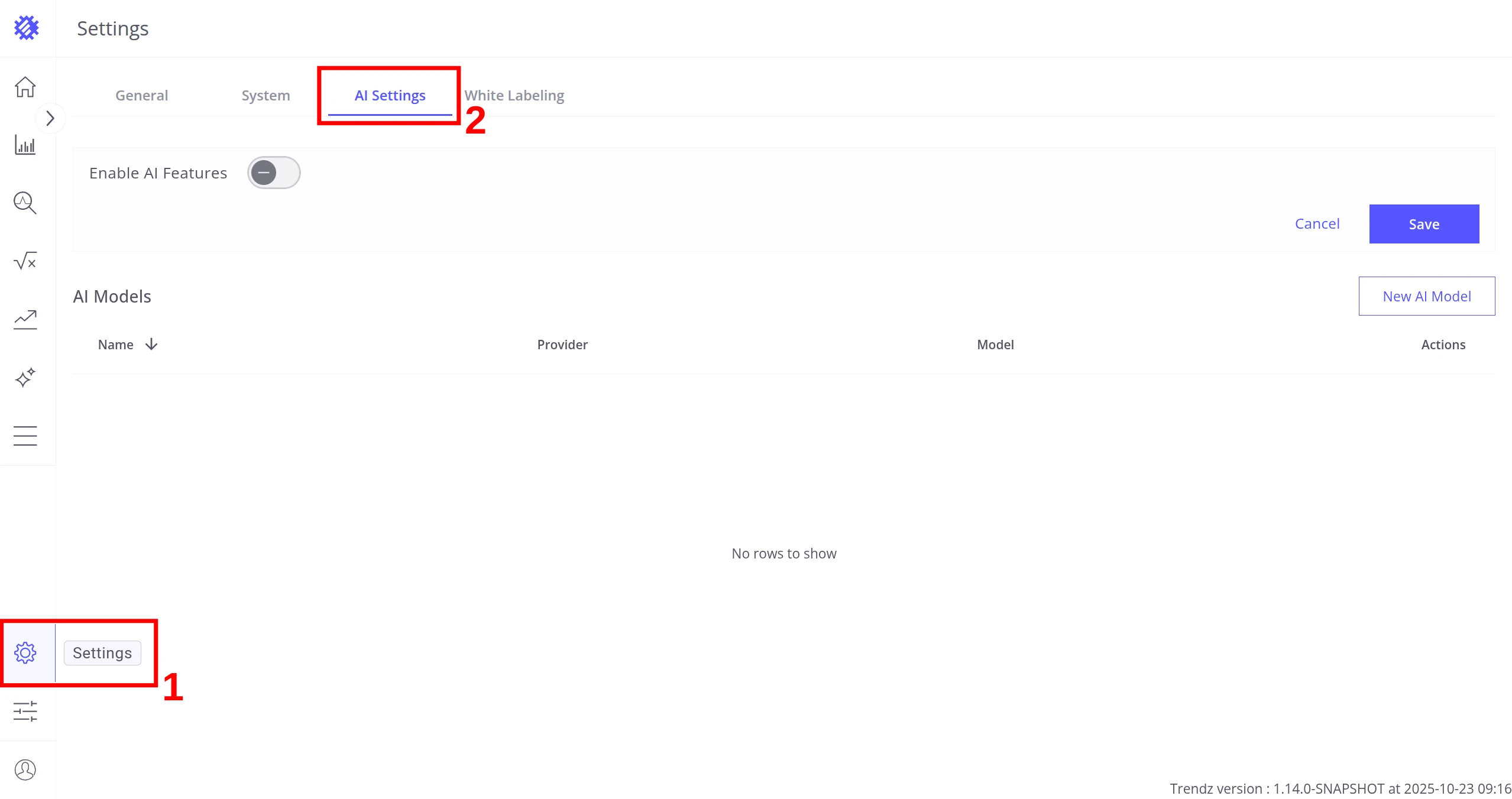
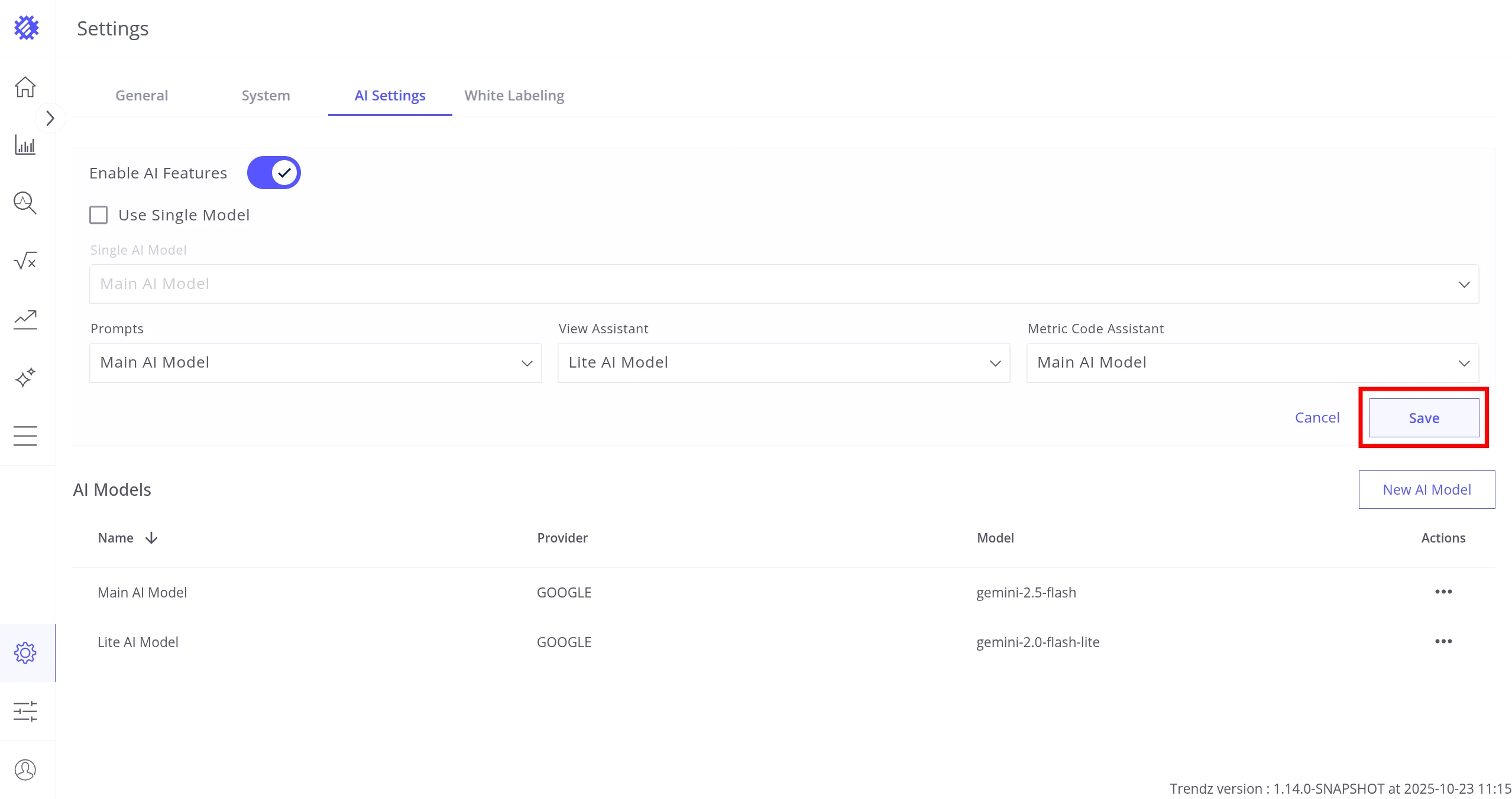
Section titled “AI Settings Overview”Navigate to Settings → AI Assistant. The tab has two sections:
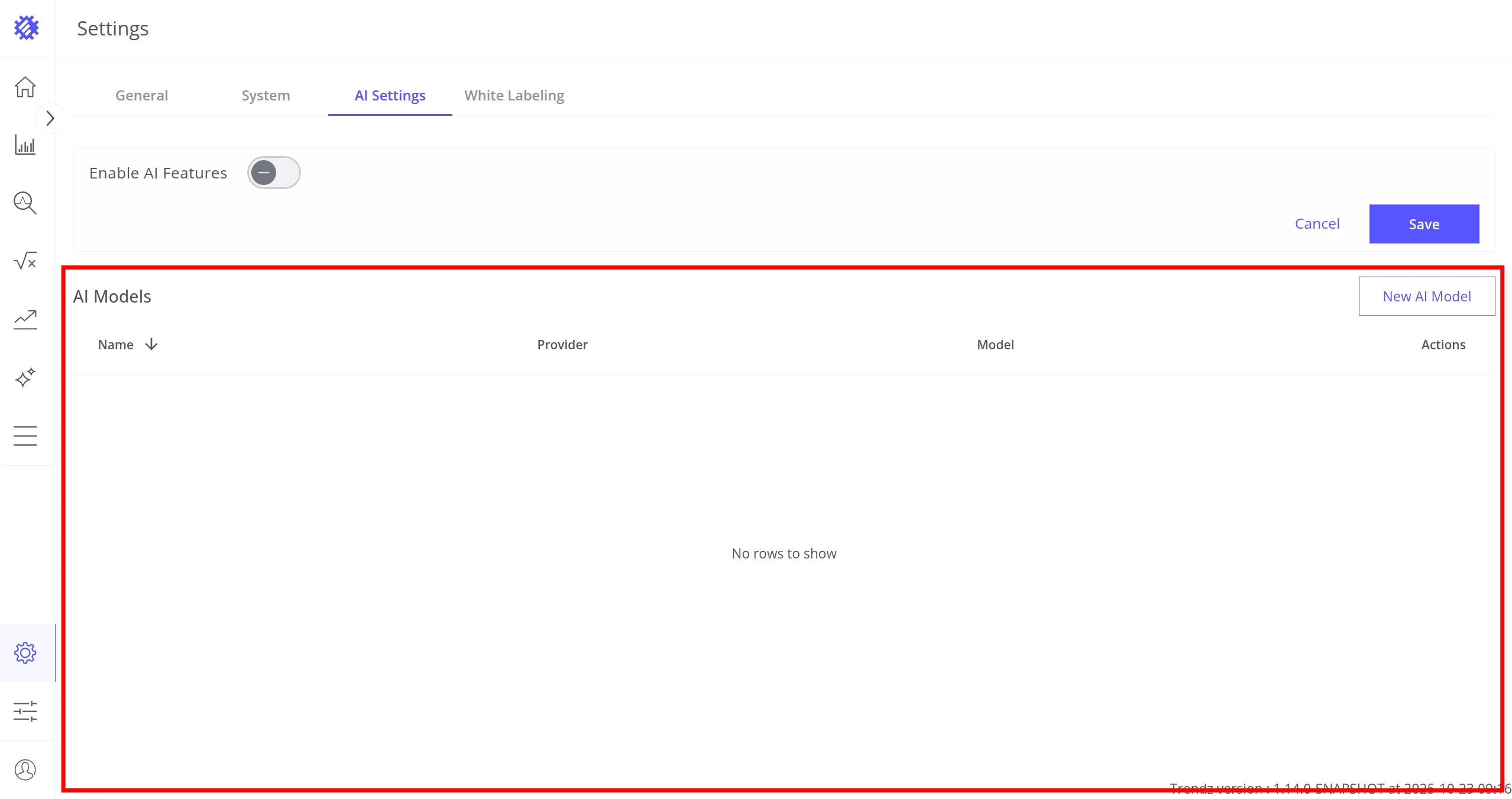
- AI Models — add and manage the LLM connections Trendz can use
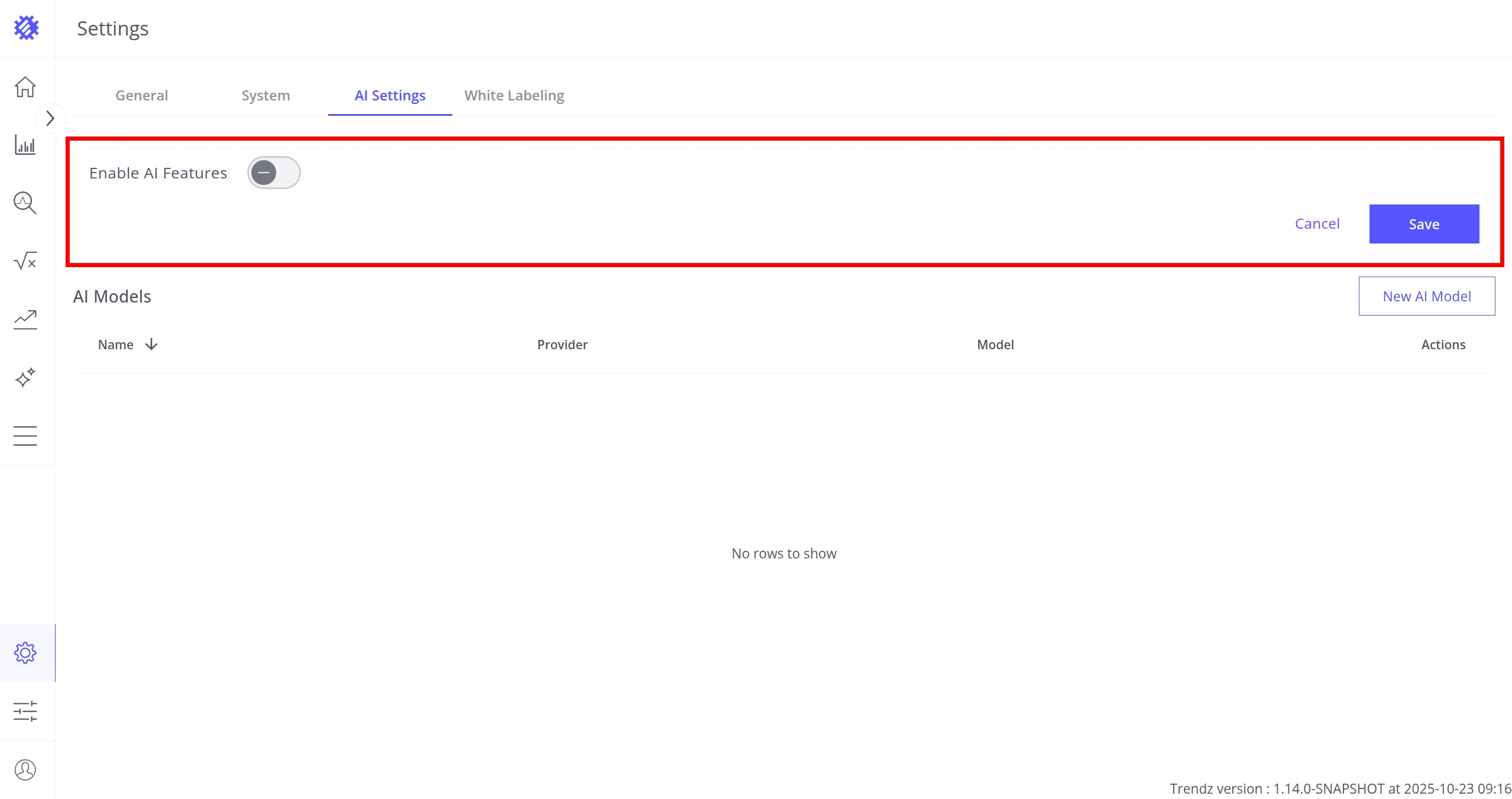
- AI Features — enable AI and assign models to specific features
Always add a model first before configuring features.
AI Models
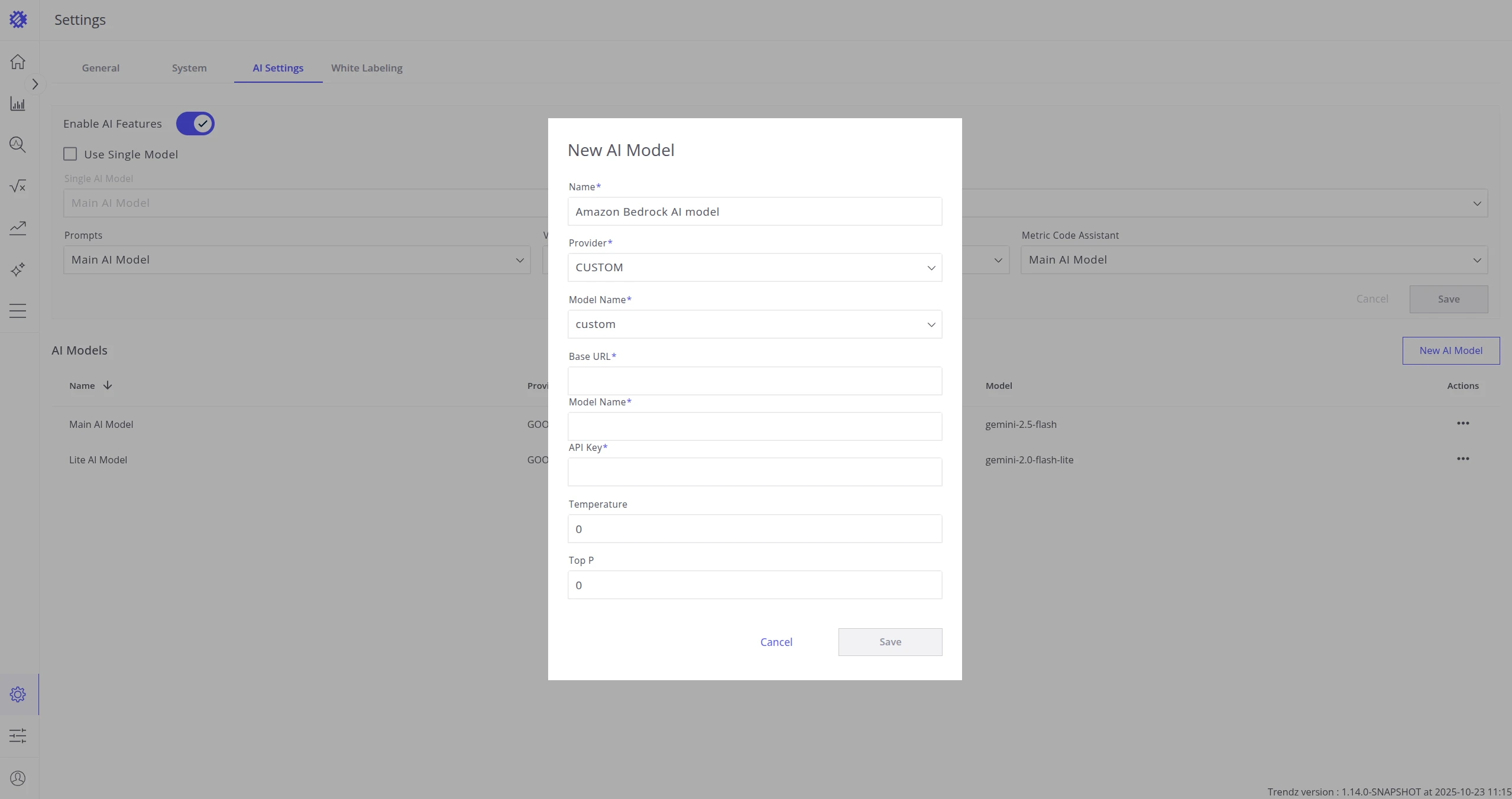
Section titled “AI Models”Add a Model
Section titled “Add a Model”-
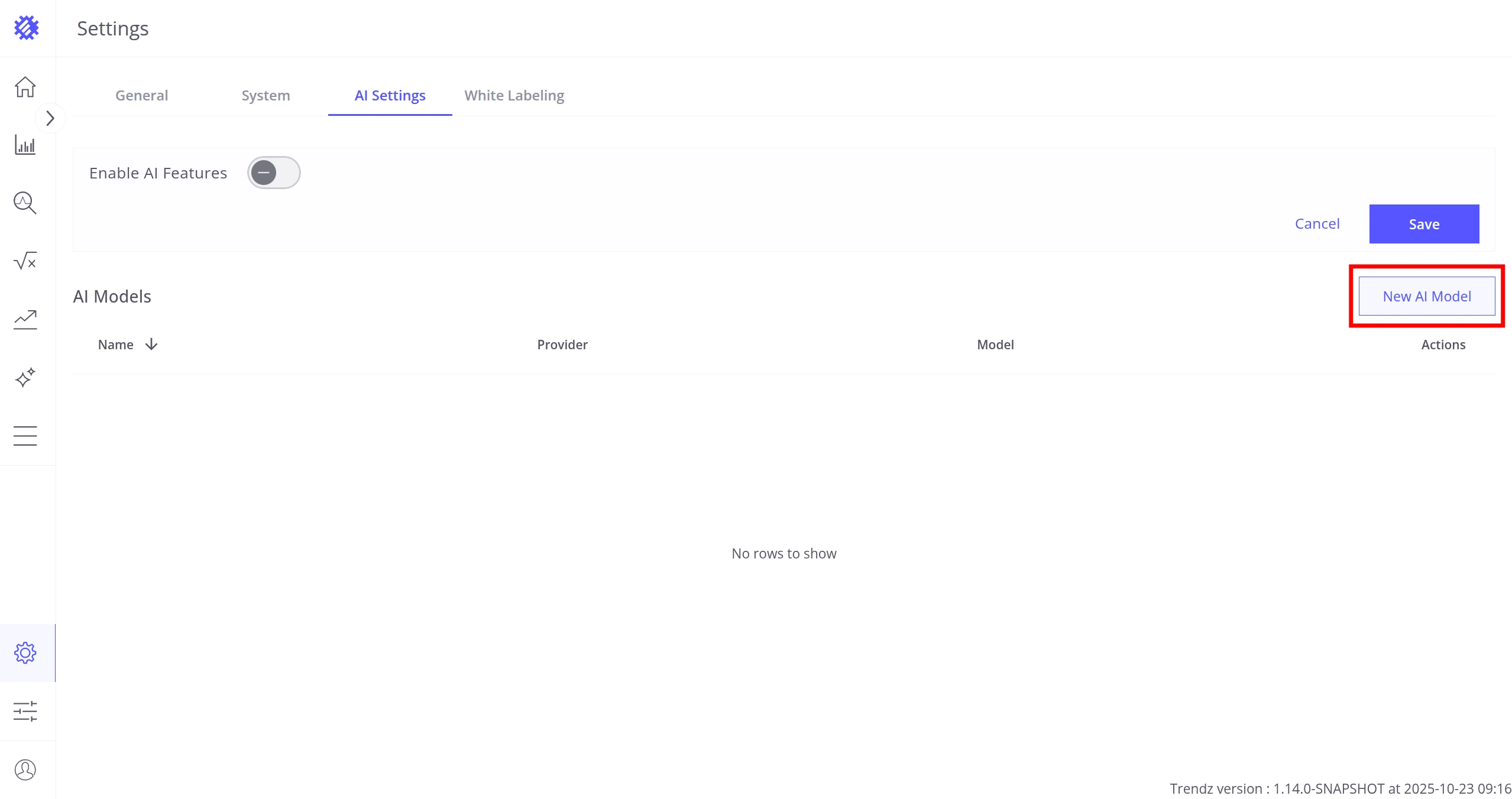
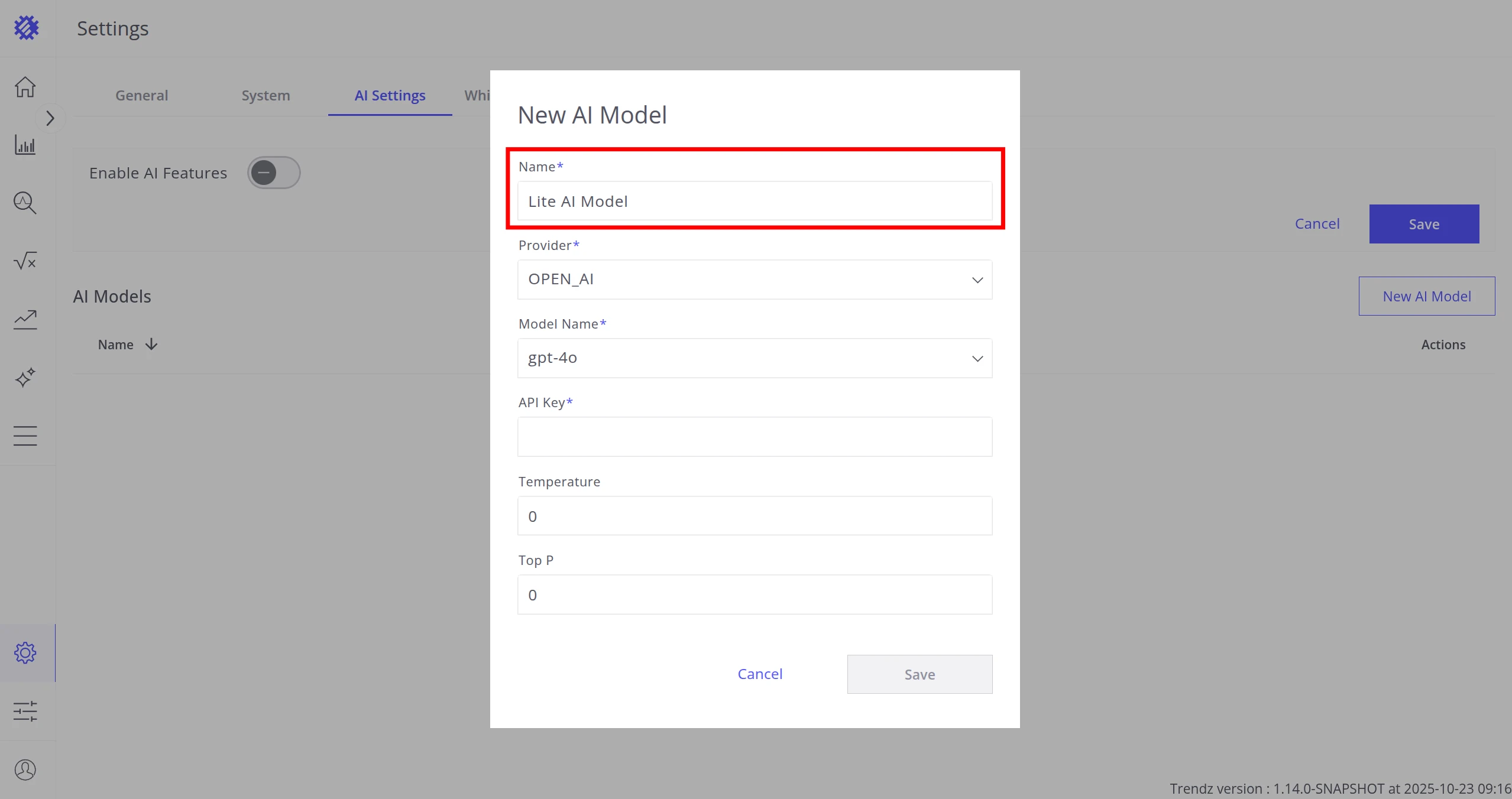
Click New AI Model.
-
Enter a Name — any label to identify the model in the list.
-
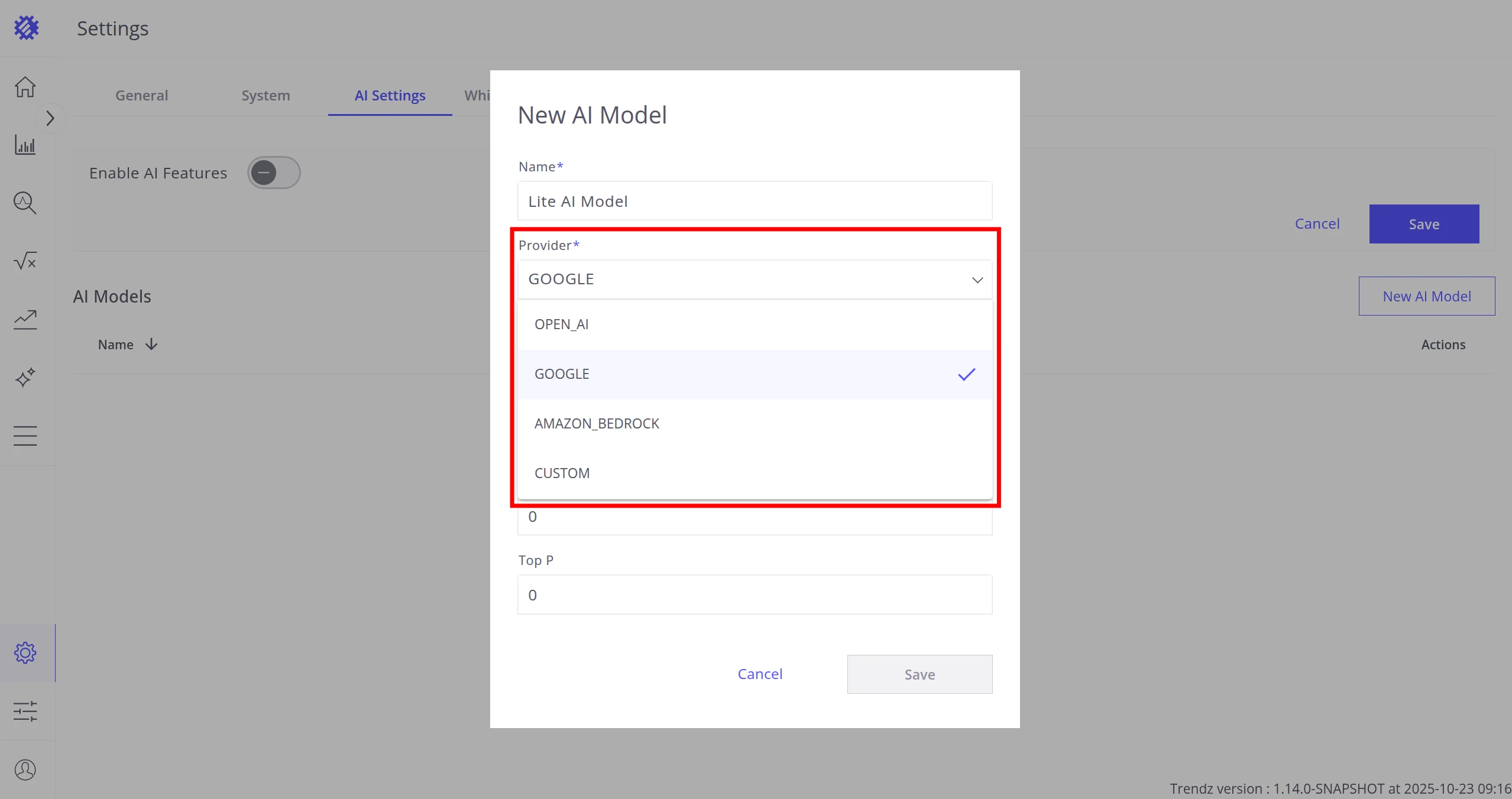
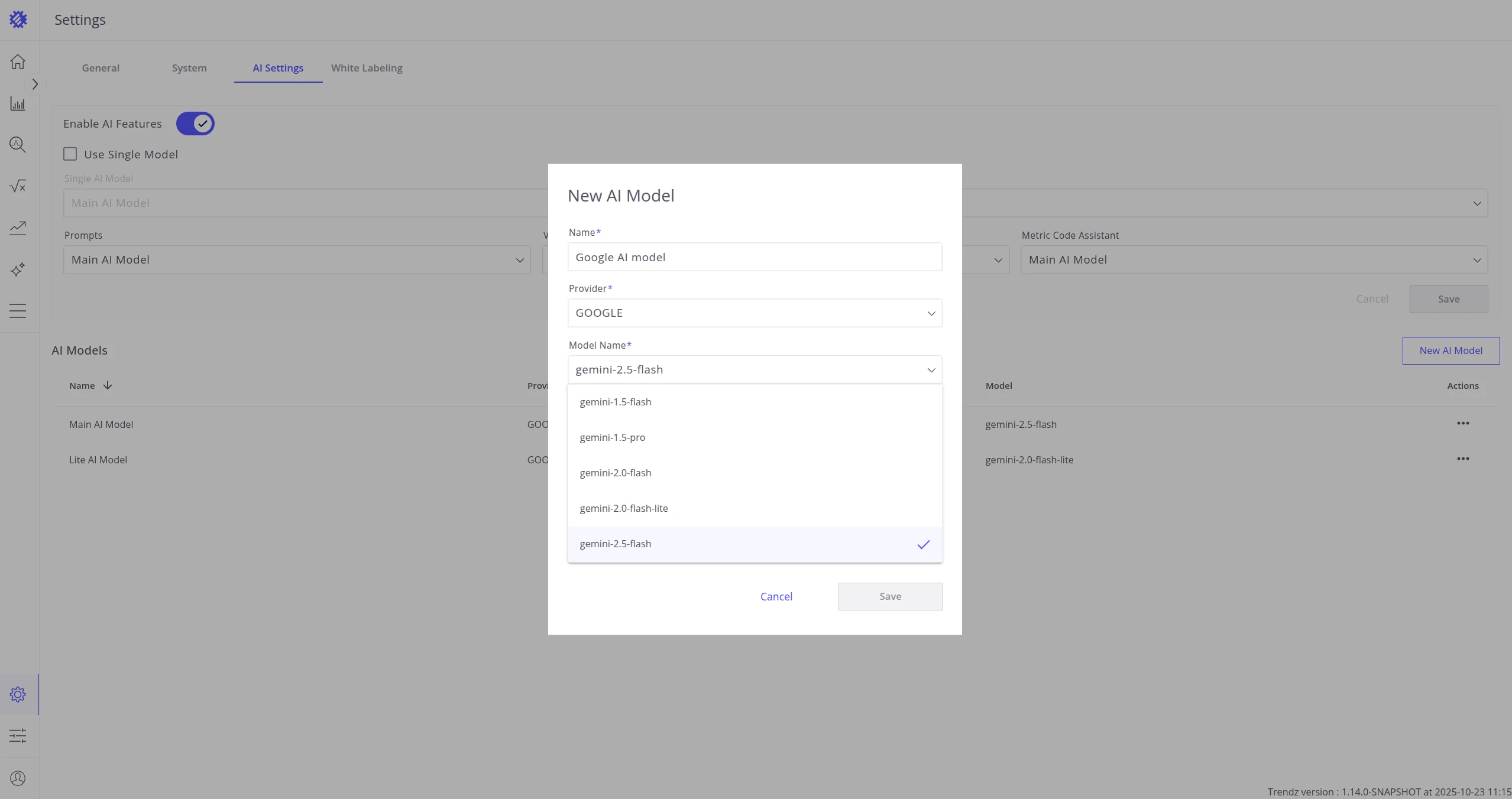
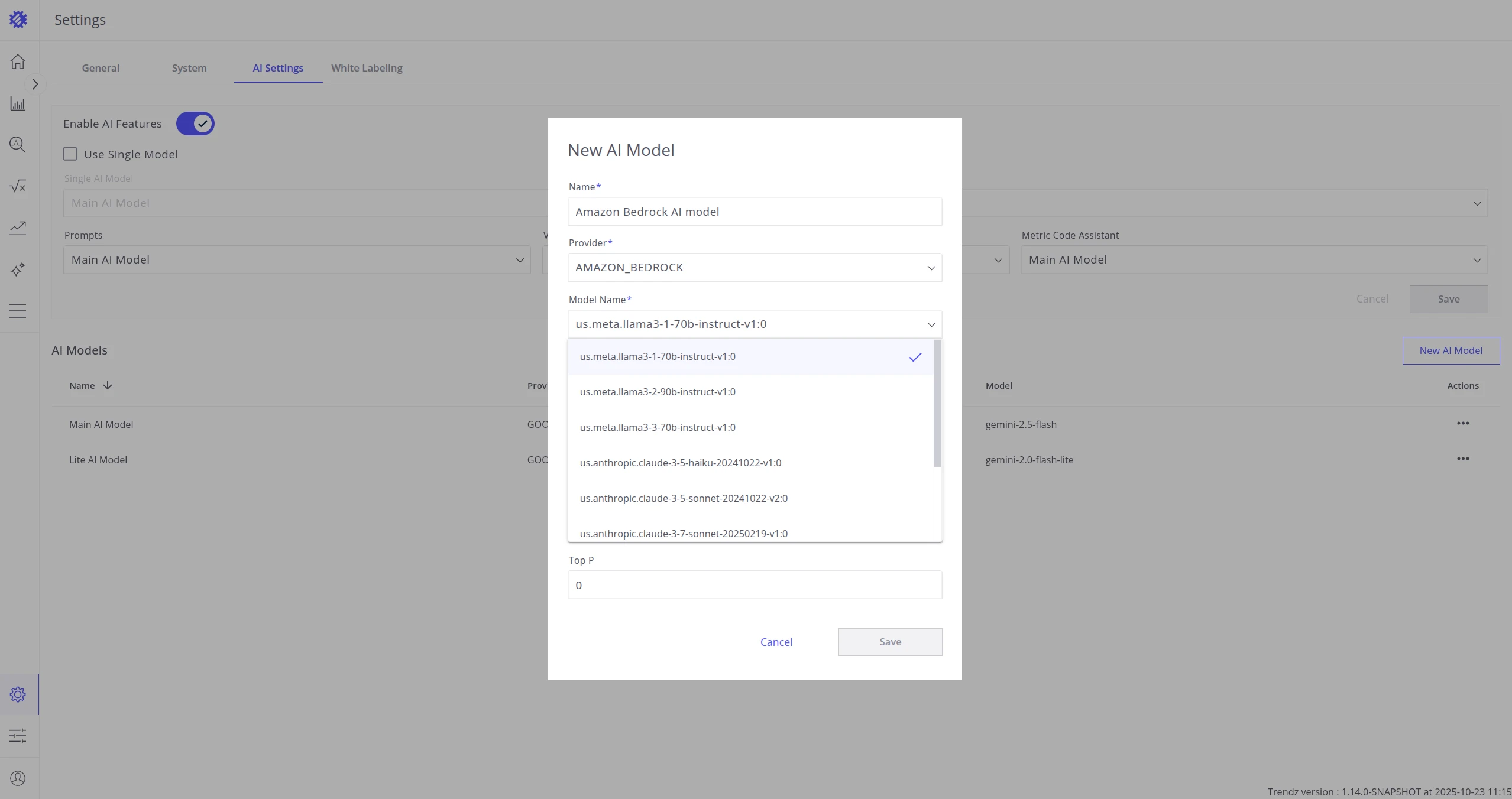
Choose a Provider:
OPEN_AI,GOOGLE,AMAZON_BEDROCK, orCUSTOM. -
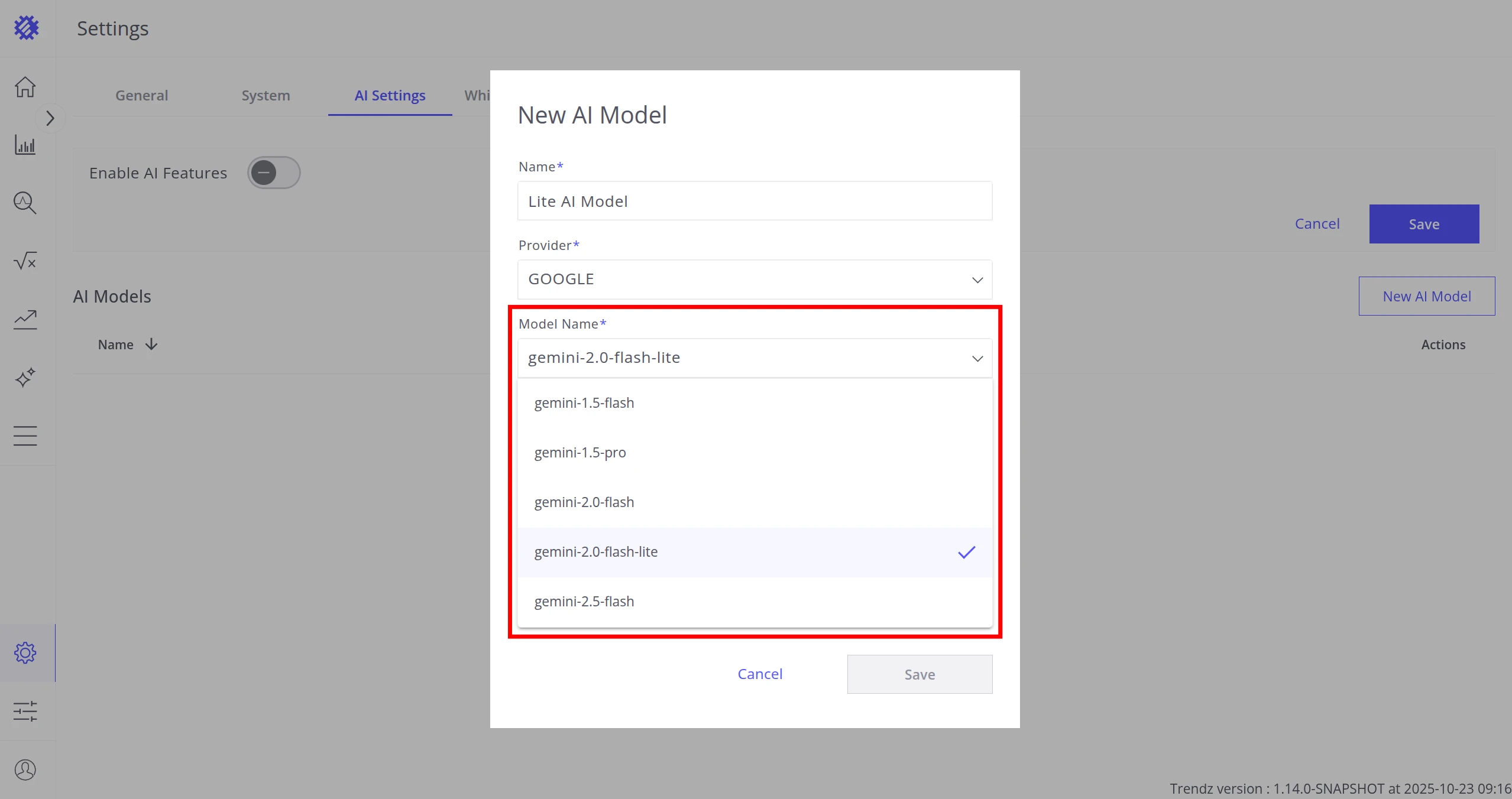
Enter the Model Name (provider-specific identifier, e.g.
gpt-4oorgemini-2.0-flash). -
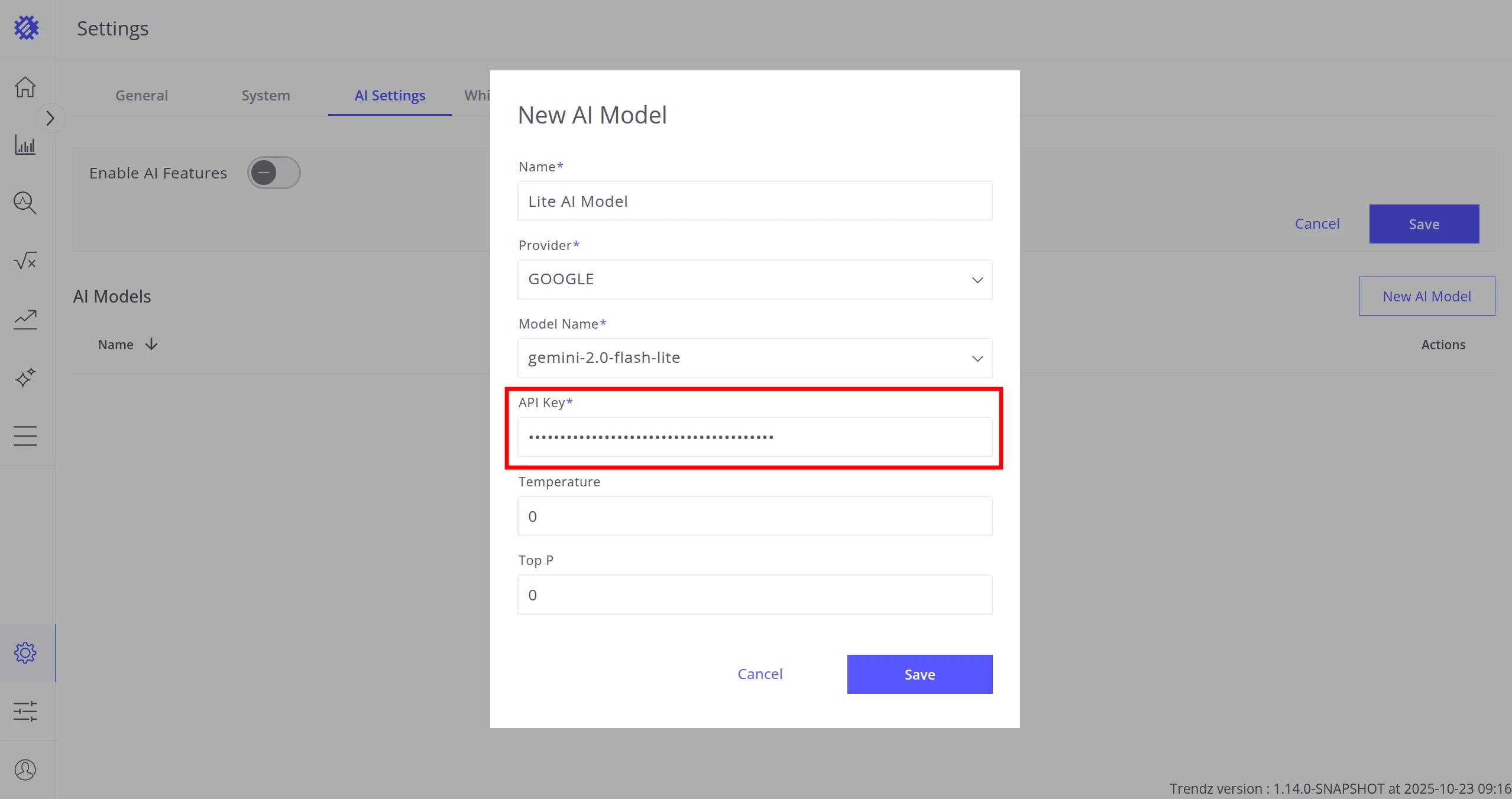
Fill in the provider-specific fields (API Key, Base URL, region, etc.).
-
Set Temperature and Top P.
-
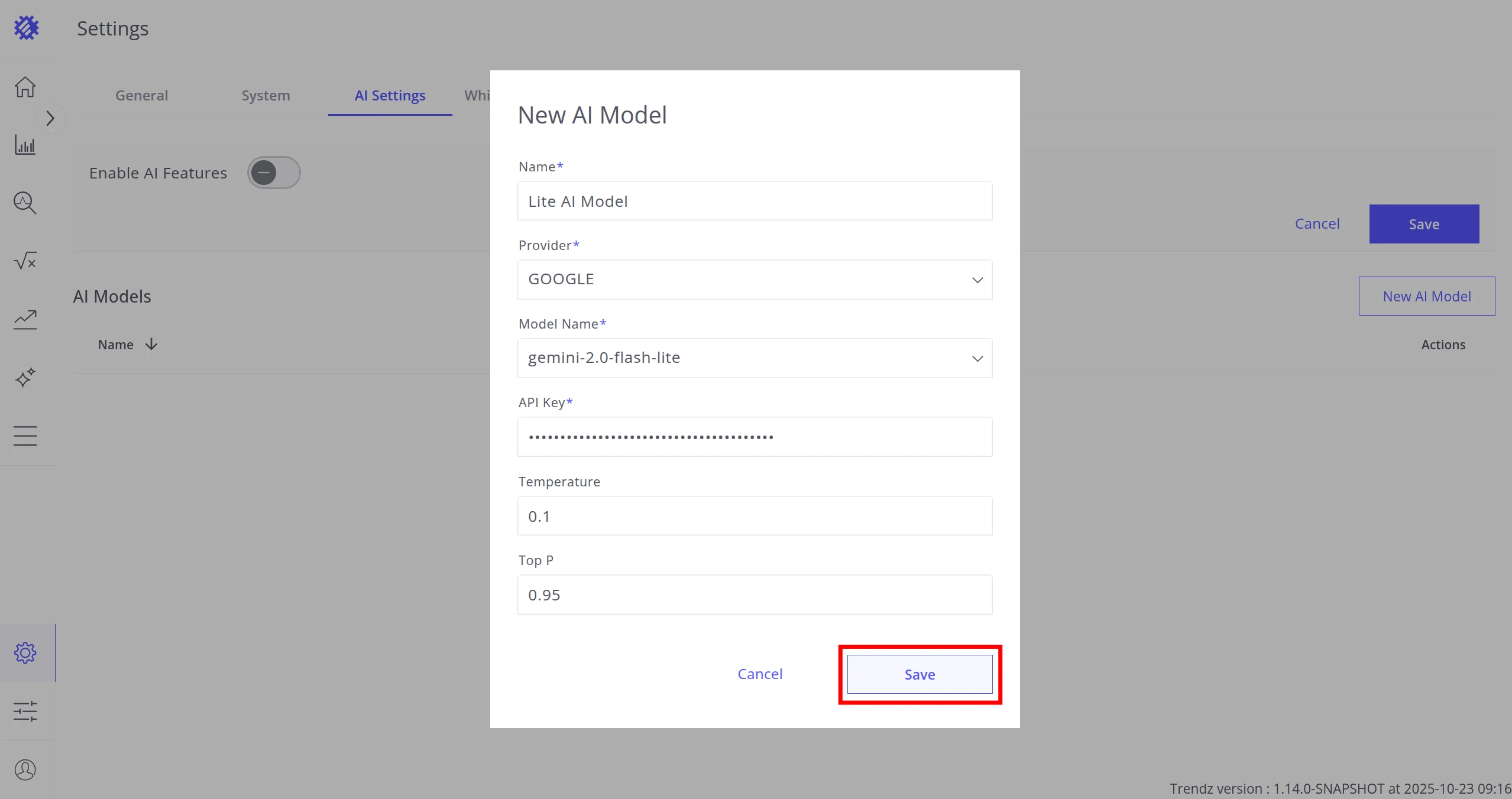
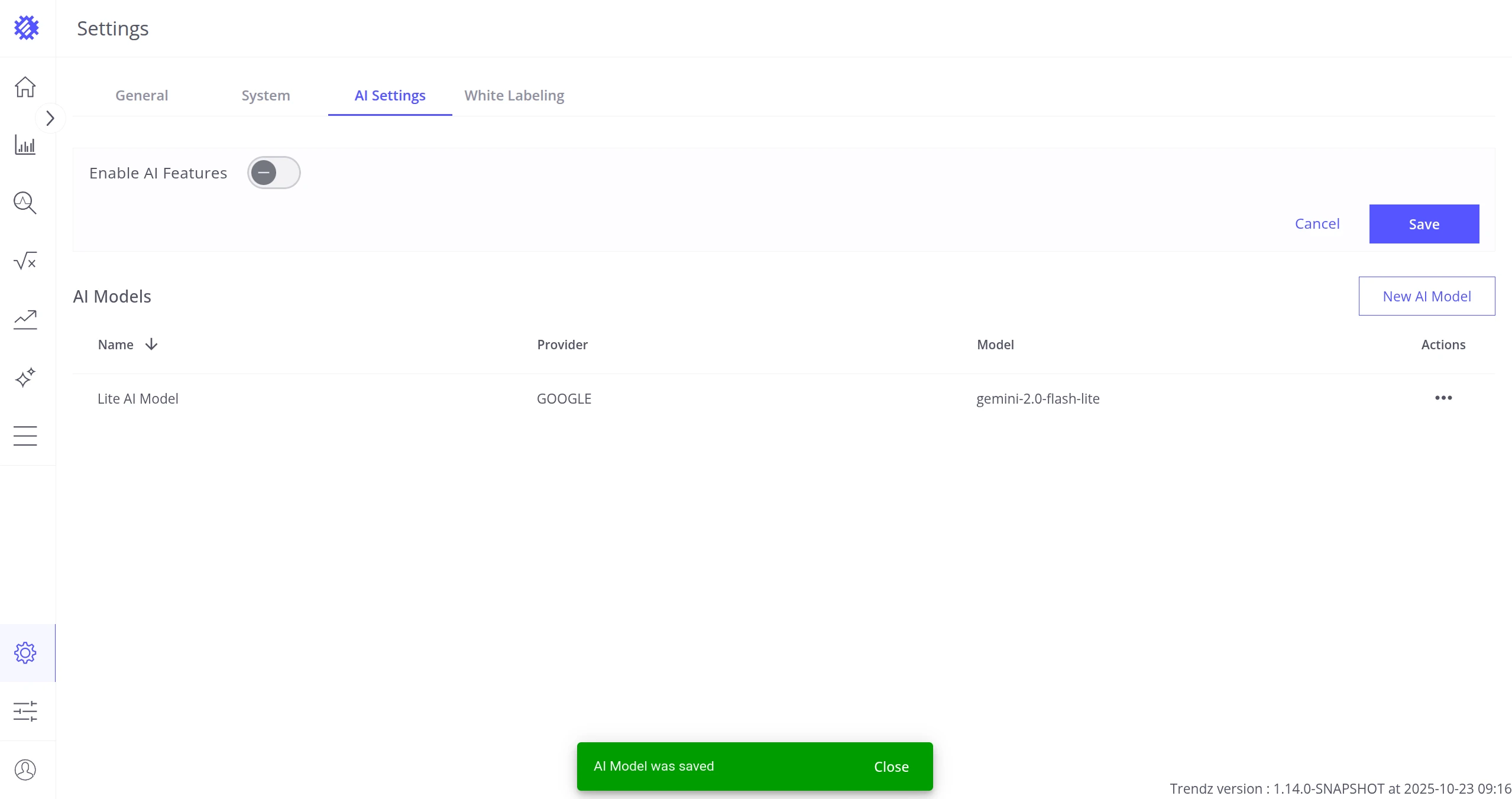
Click Save. A success message confirms the model is connected.
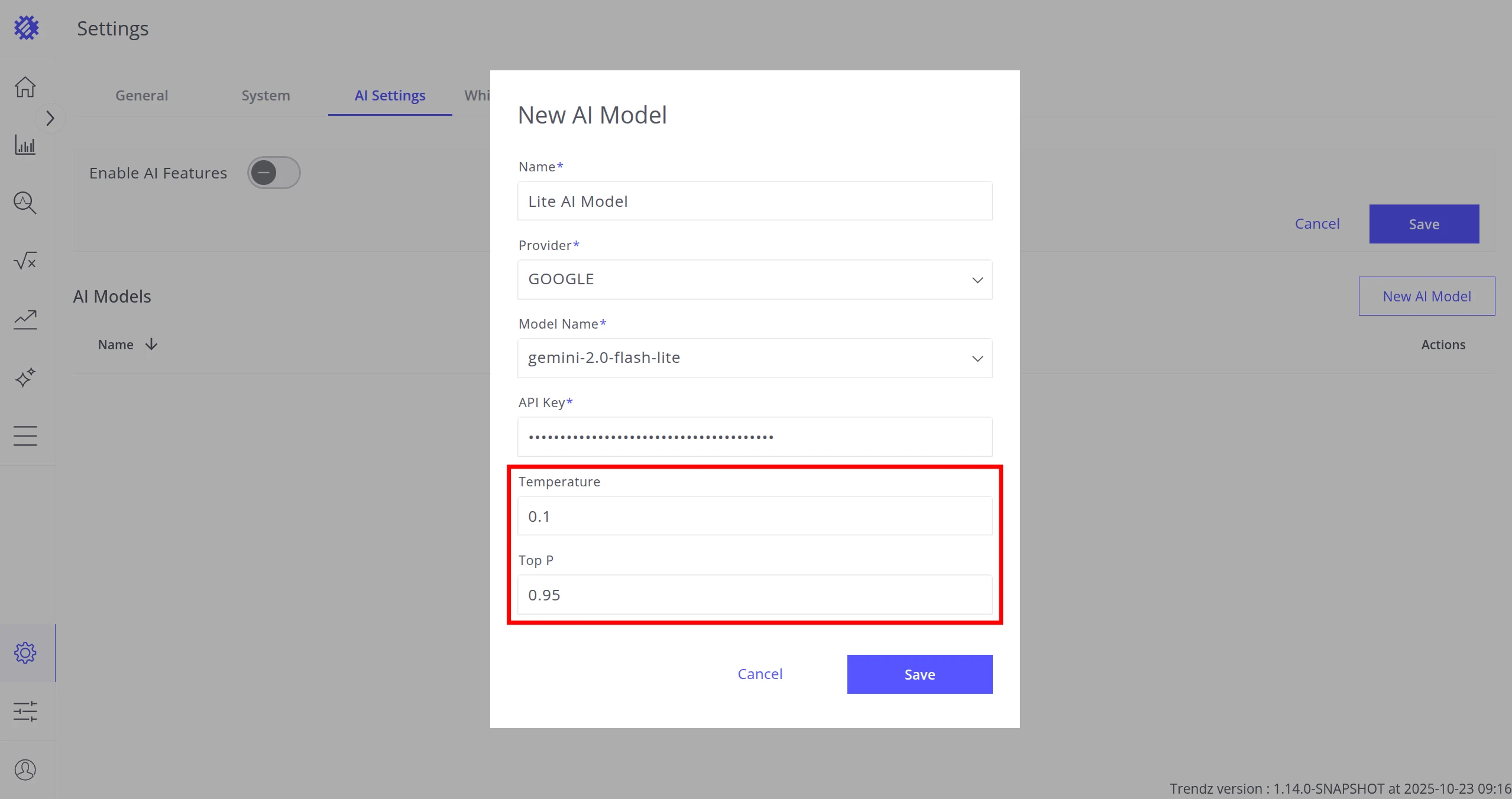
Temperature controls response creativity. Lower values (closer to 0) produce consistent, predictable output; higher values introduce more variety.
Top P (nucleus sampling) controls the probability range for token selection. Lower values keep outputs focused; higher values allow broader variation.
You can add as many models as needed — for example, a fast cheap model for summaries and a more capable one for metric code generation.
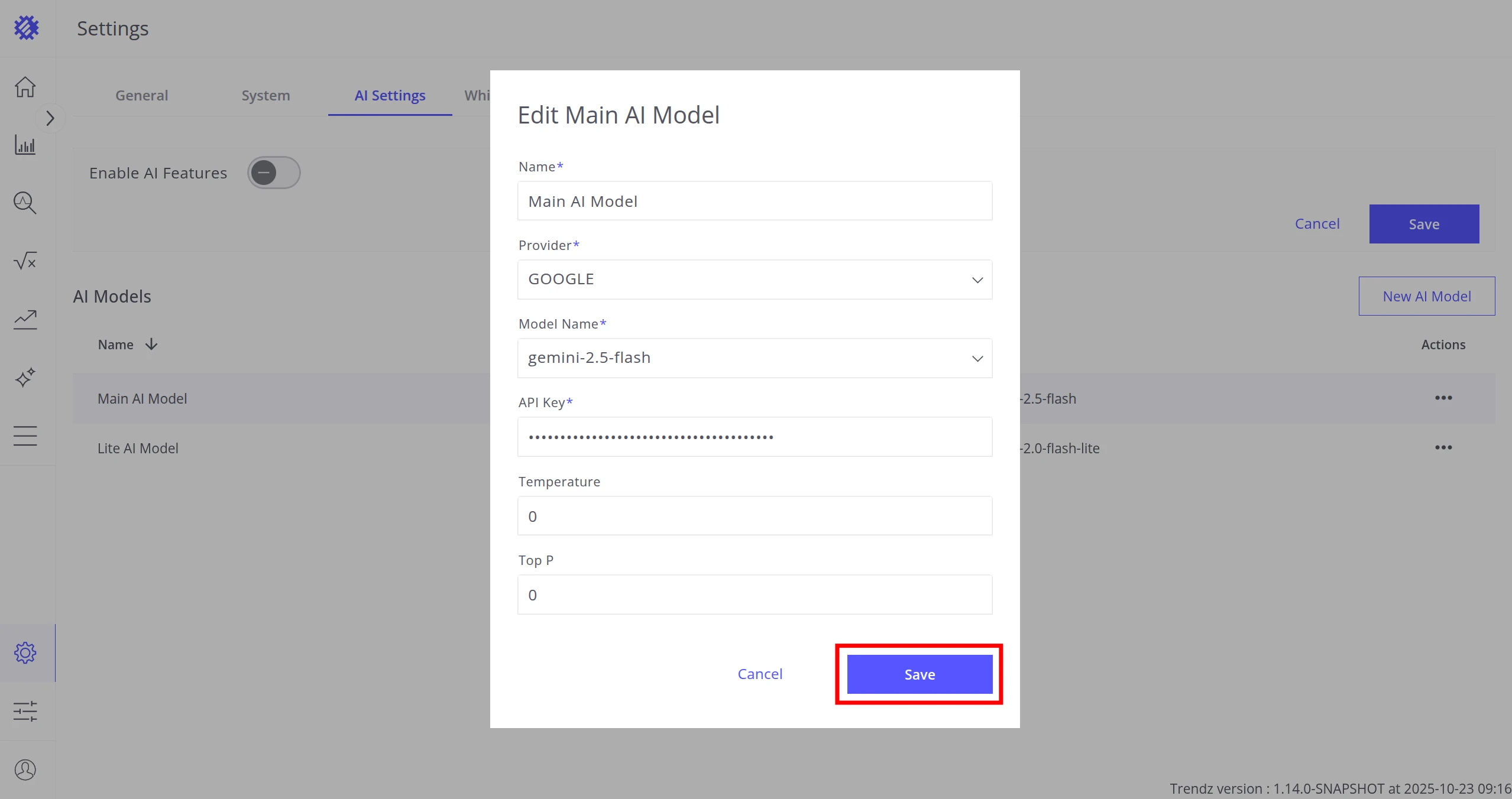
Edit a Model
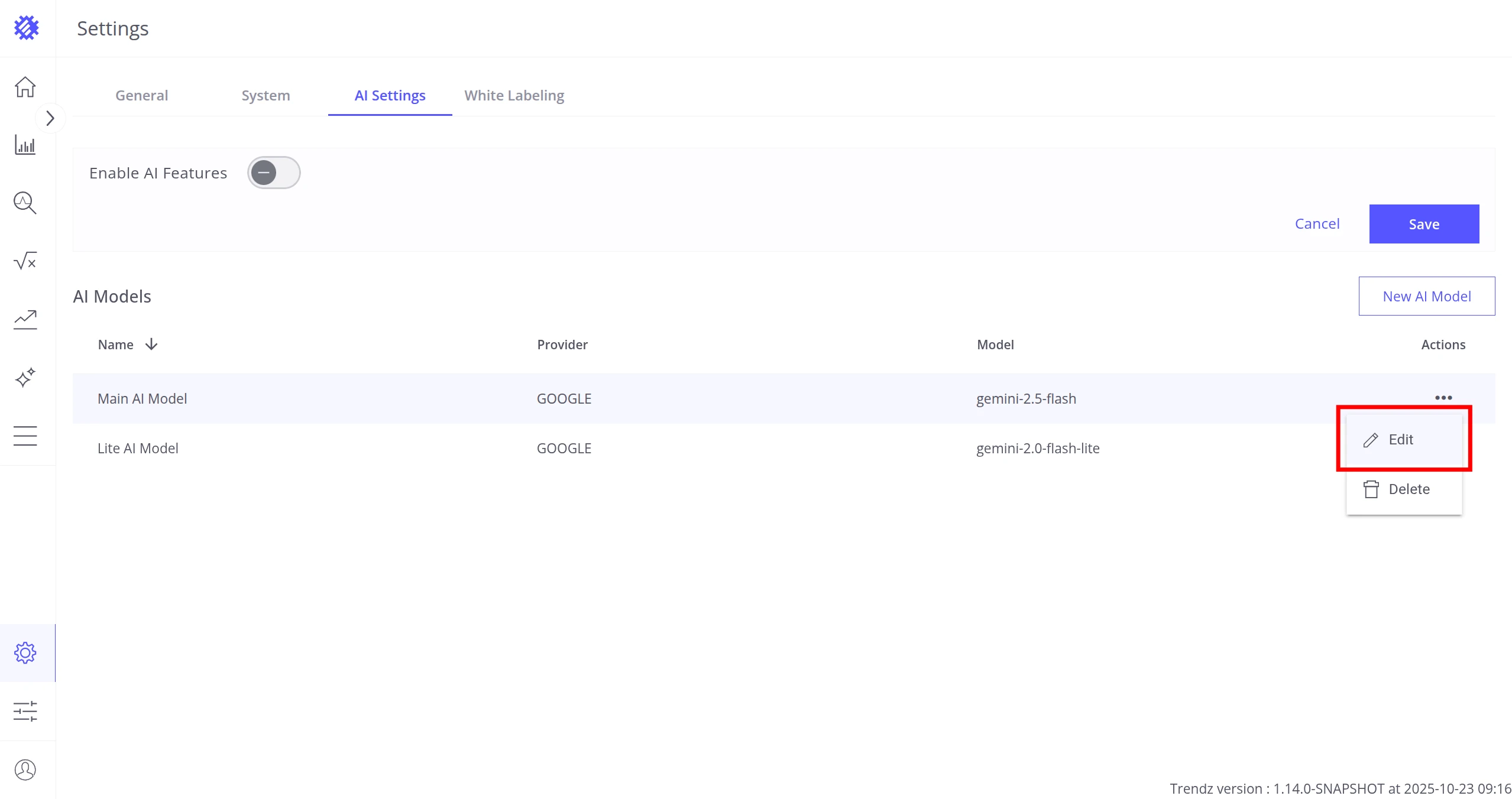
Section titled “Edit a Model”Click Actions → Edit, change the desired fields, then click Save.
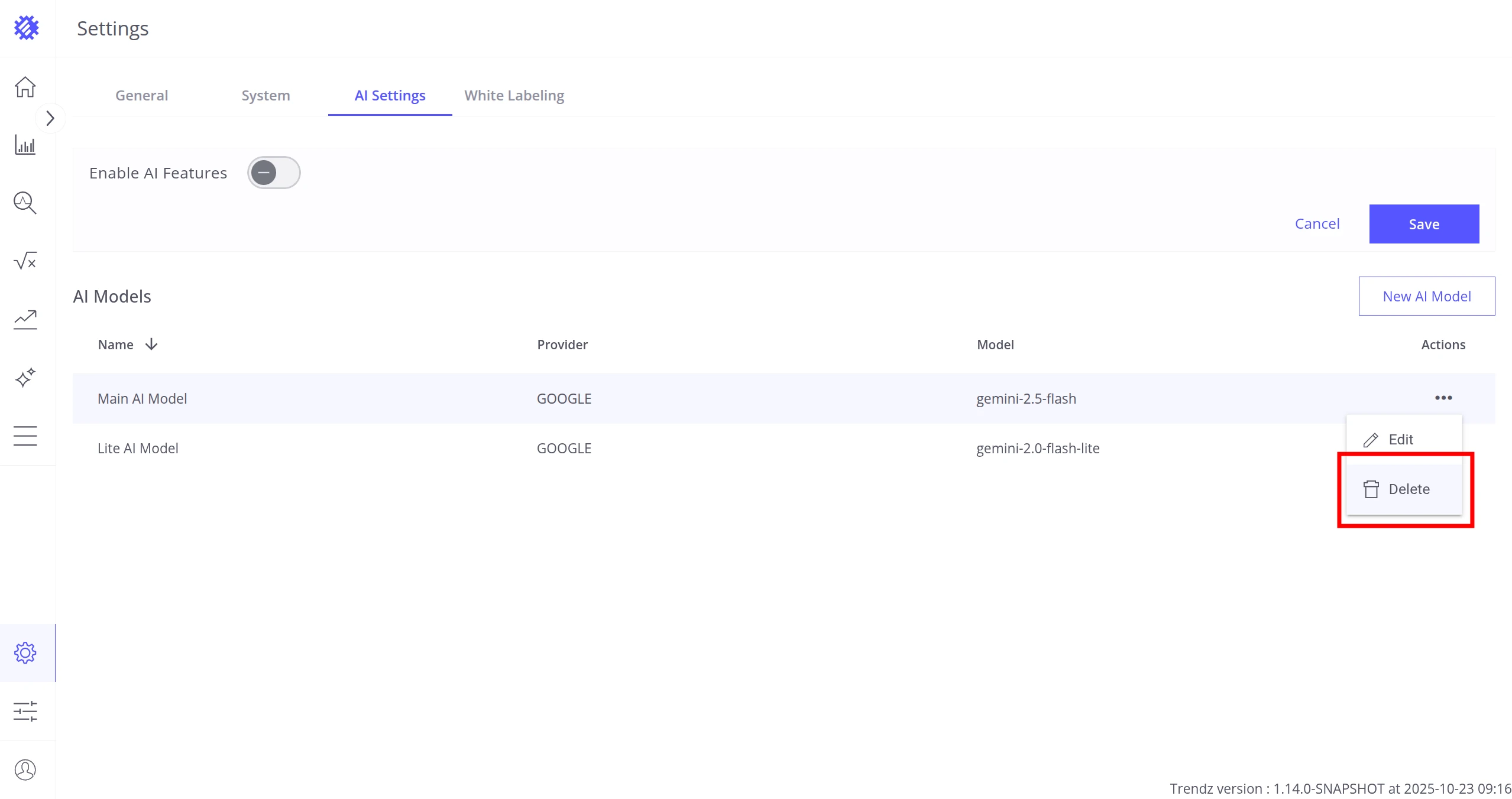
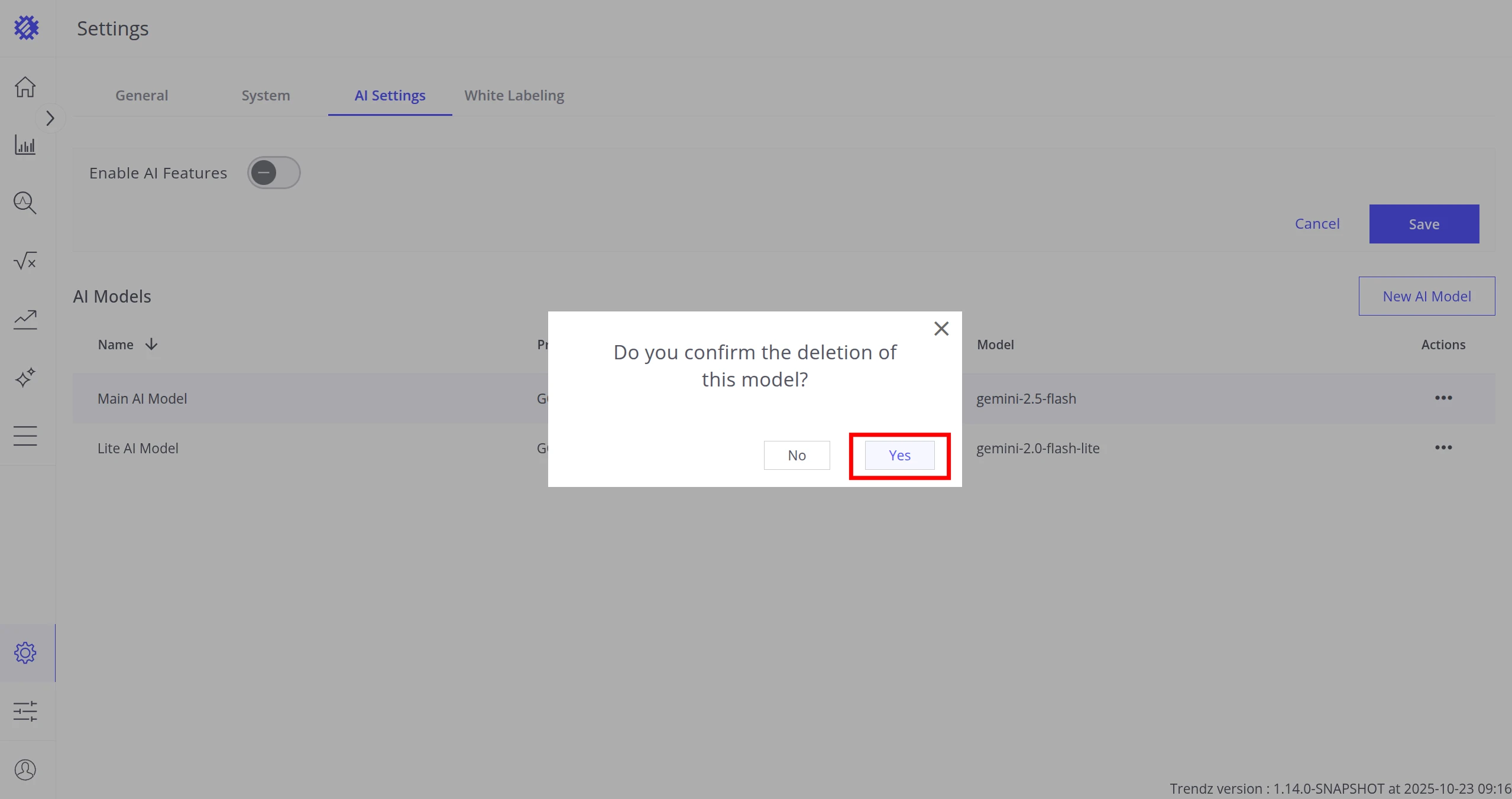
Delete a Model
Section titled “Delete a Model”Click Actions → Delete and confirm.
AI Features
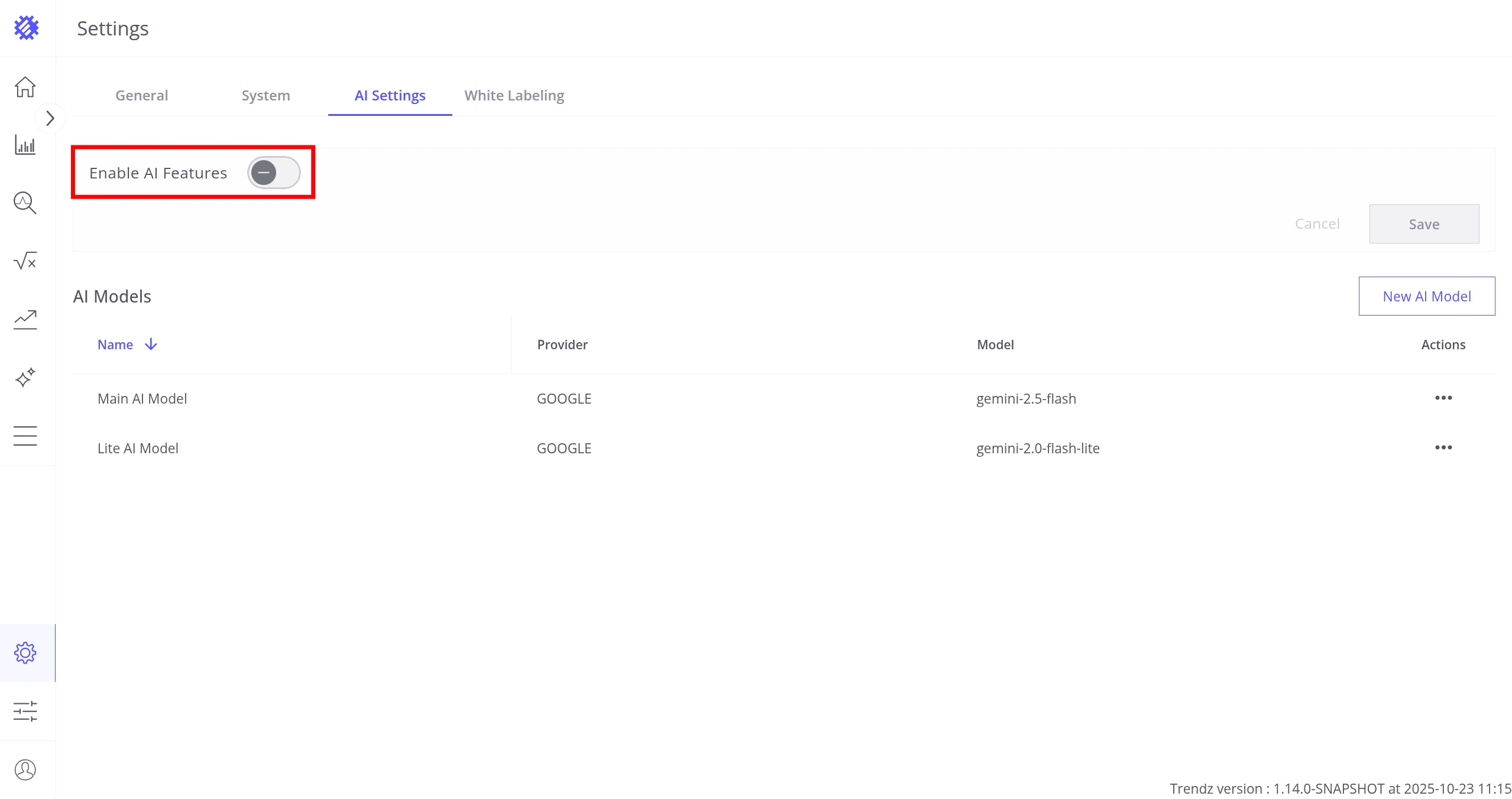
Section titled “AI Features”Enable AI
Section titled “Enable AI”Toggle Enable AI Features on to activate all AI capabilities in Trendz.
Assign Models to Features
Section titled “Assign Models to Features”Two assignment modes are available:
| Mode | Description |
|---|---|
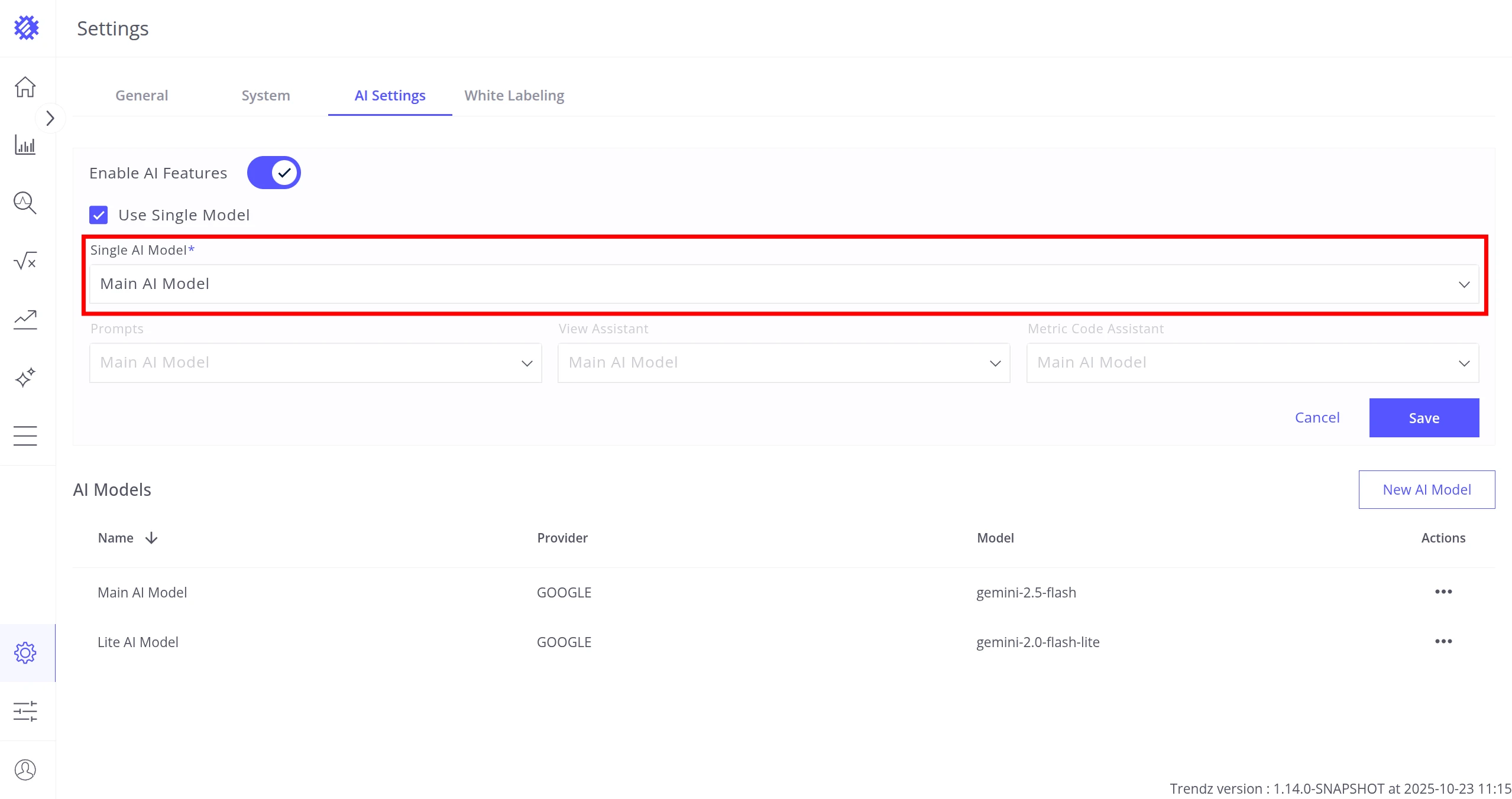
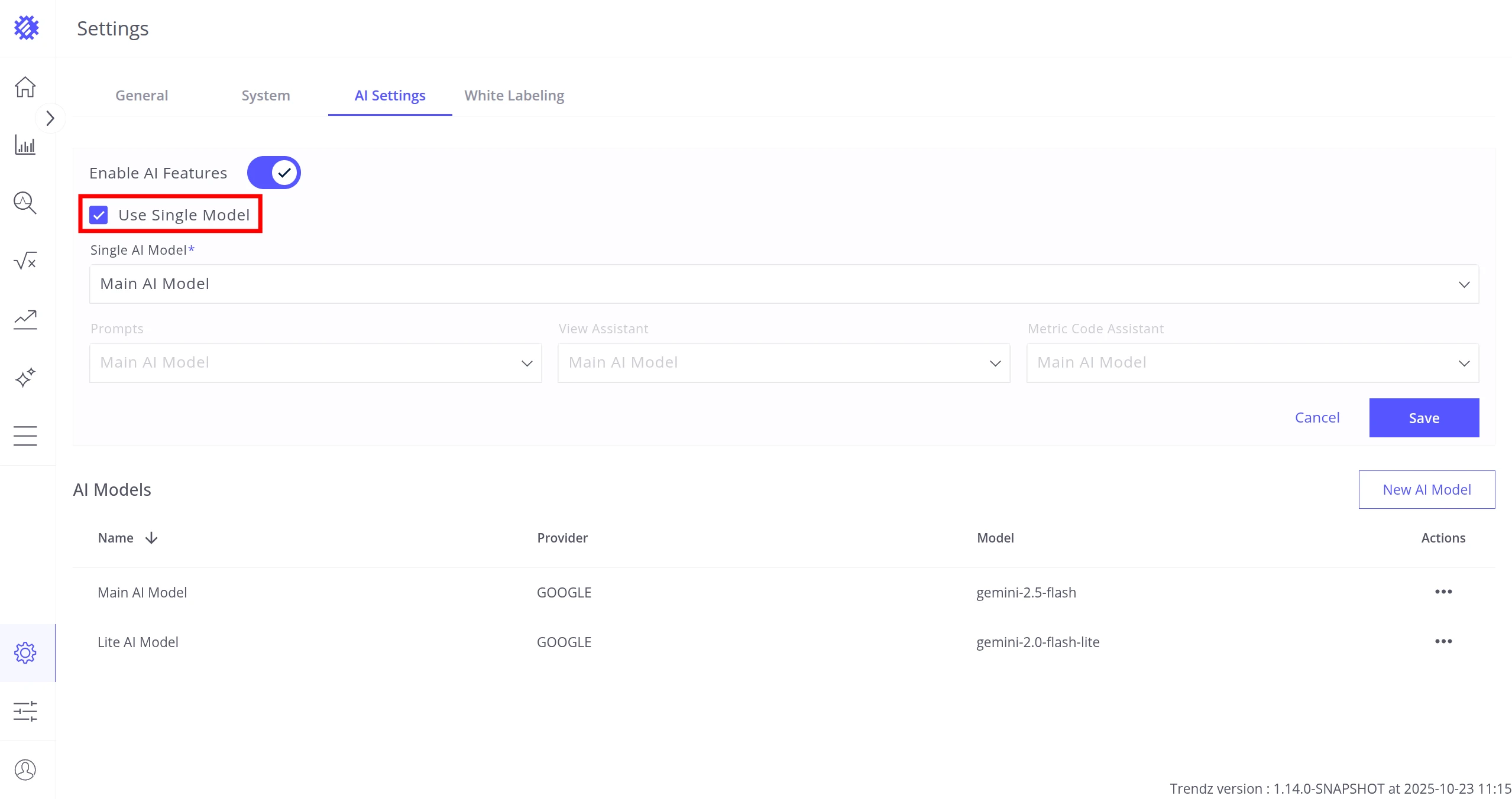
| Use Single Model | One model handles all AI features |
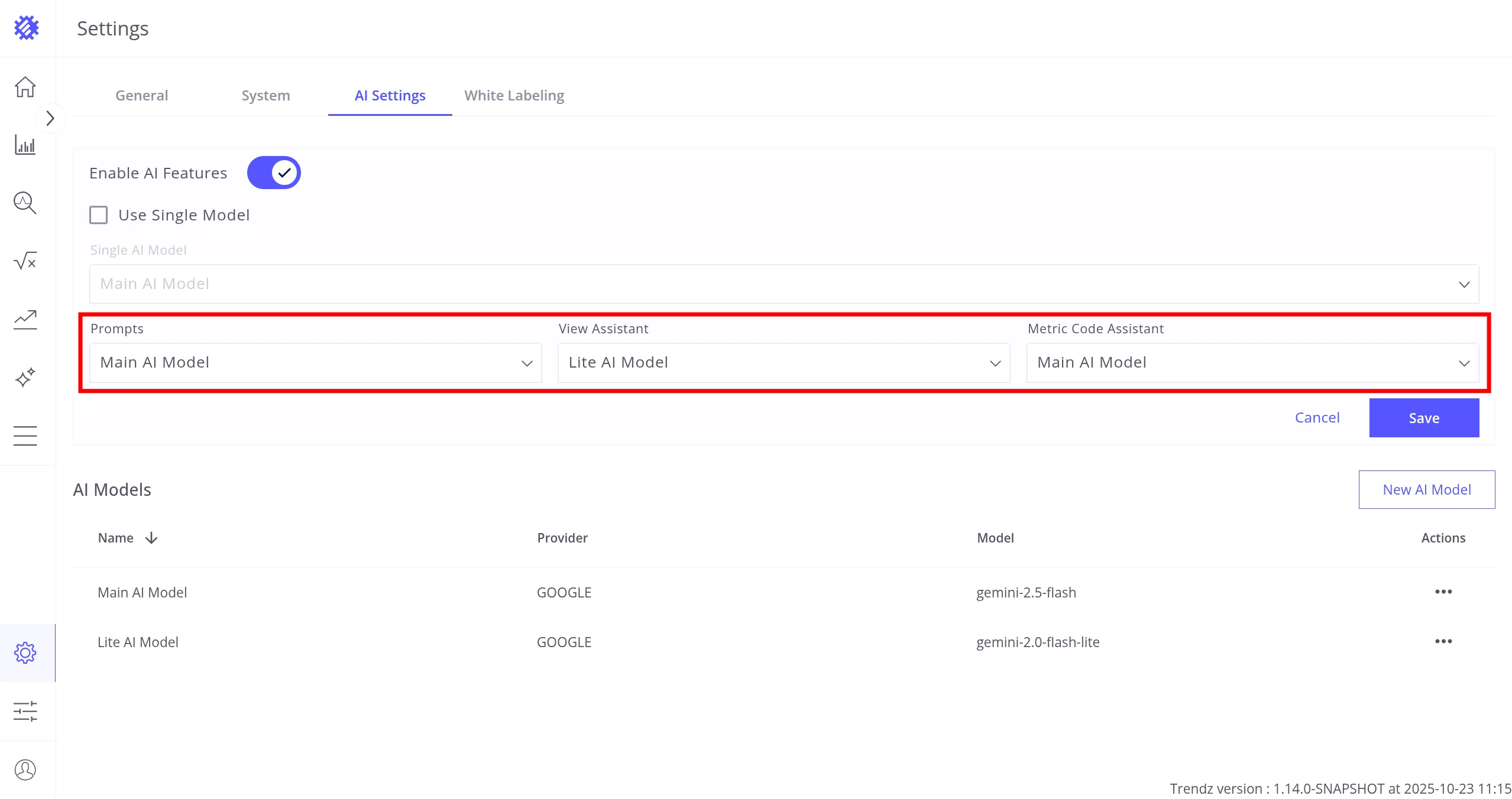
| Custom per Feature Configuration | Each feature uses a separately assigned model |
Switch between modes using the Use Single Model checkbox.
The three assignable features are:
| Feature | Used by | Recommended model type |
|---|---|---|
| Prompts | AI Widget Summary | Cost-efficient (low latency, simple tasks) |
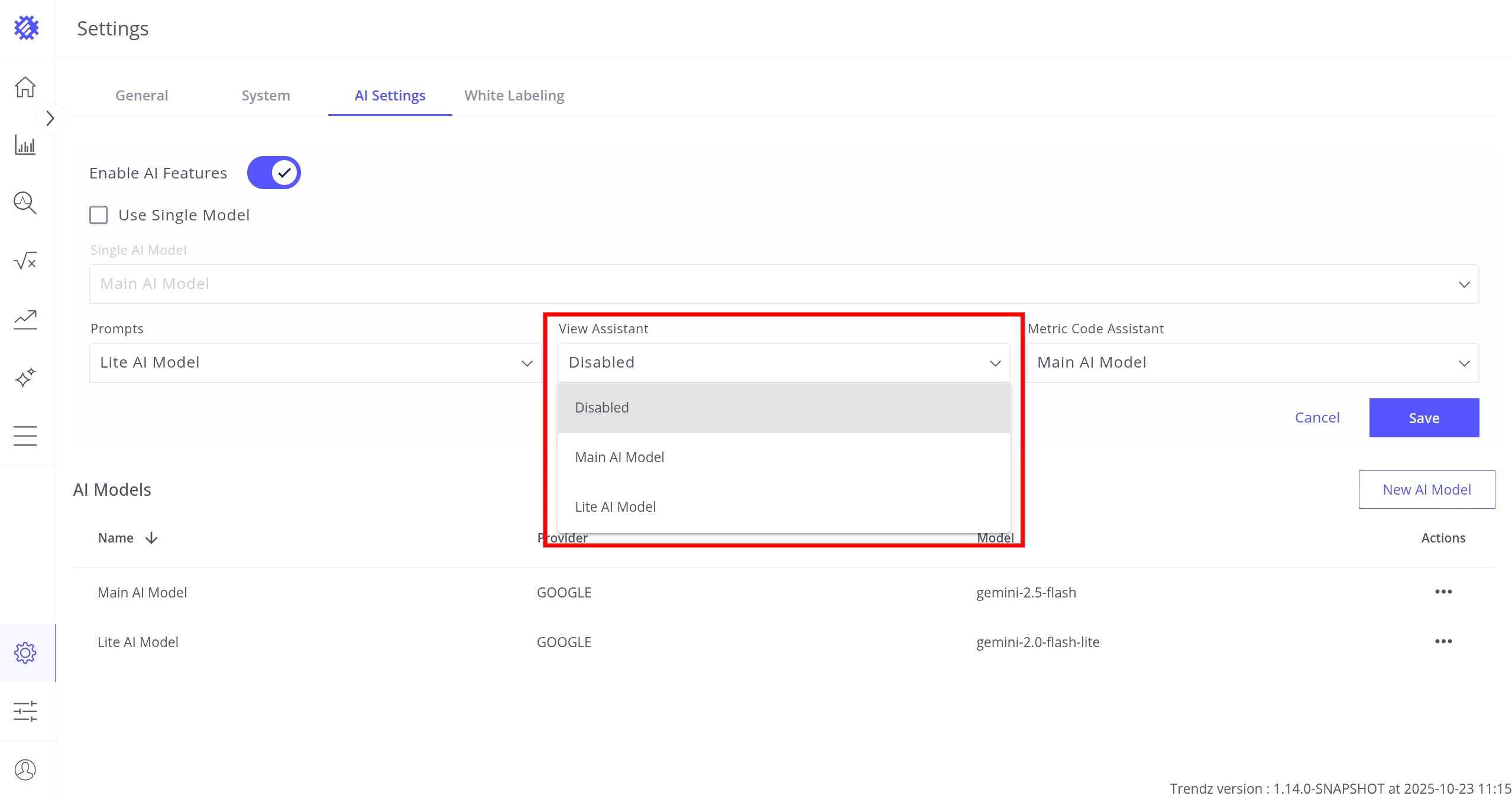
| View Assistant | Chat Assistant | Fast (interactive, conversational) |
| Metric Code Assistant | Metric Explorer | Advanced (complex code generation) |
If a feature is disabled in this section, no user in the tenant can access its AI capabilities.
Once configuration is complete, click Save.
Supported Providers
Section titled “Supported Providers”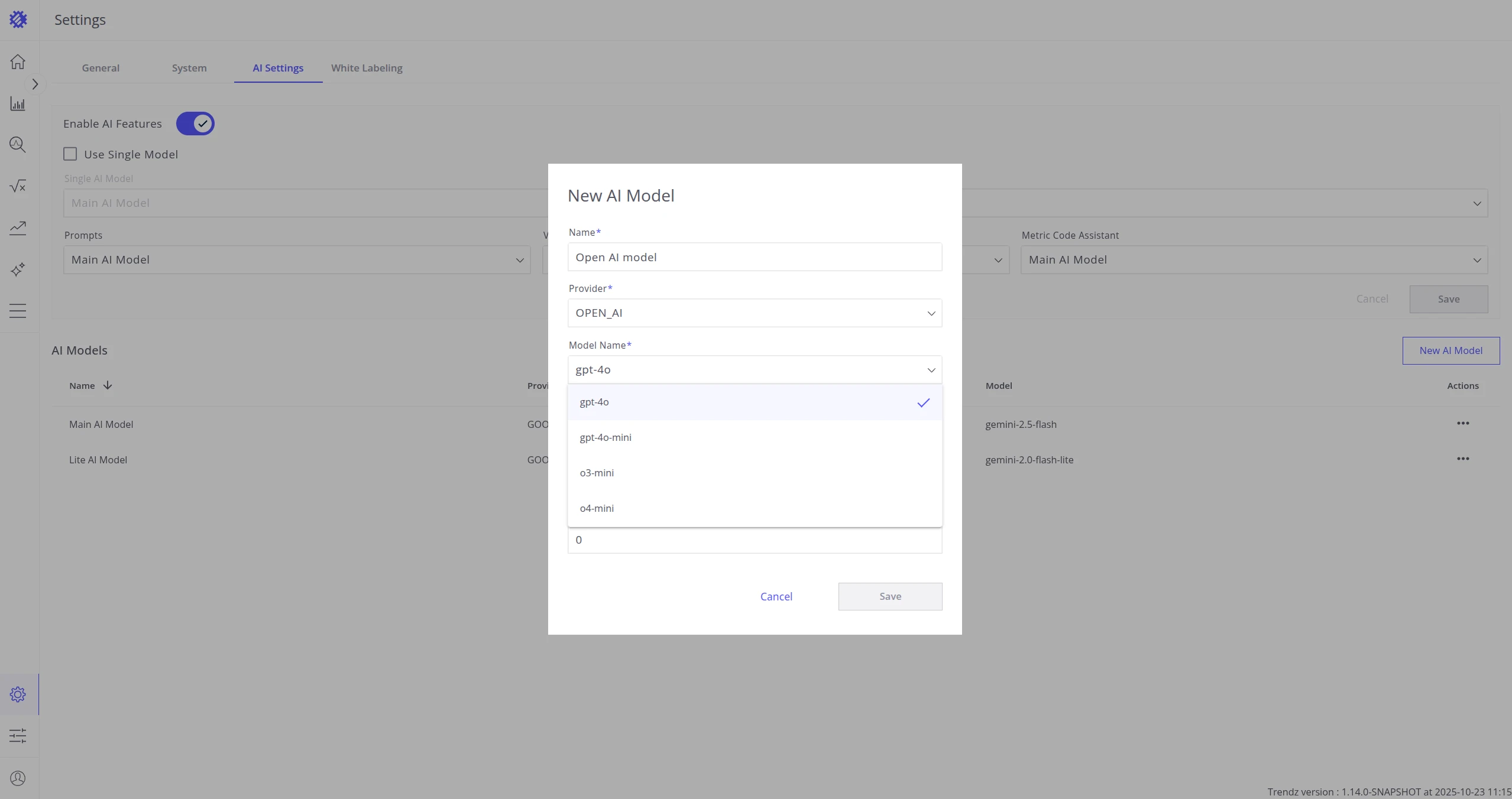
OpenAI
Section titled “OpenAI”Generate API keys at platform.openai.com/api-keys.
| Model | Notes | Input per 1M tokens | Output per 1M tokens |
|---|---|---|---|
gpt-4o |
High performance | $2.50 | $10.00 |
gpt-4o-mini |
Cost-efficient | $0.15 | $0.60 |
o3-mini |
Cost-efficient, high performance, slower | $1.10 | $4.40 |
o4-mini |
Cost-efficient, high performance, slower | $1.10 | $4.40 |
Google (Recommended)
Section titled “Google (Recommended)”Generate API keys at ai.google.dev/gemini-api/docs/api-key.
| Model | Notes | Input per 1M tokens | Output per 1M tokens |
|---|---|---|---|
gemini-2.5-flash |
High performance | $0.30 | $2.50 |
gemini-2.0-flash |
Cost-efficient, average performance | $0.10 | $0.40 |
gemini-2.0-flash-lite |
Lightweight | $0.075 | $0.30 |
Amazon Bedrock
Section titled “Amazon Bedrock”Generate Access Key ID and Secret Access Key following the AWS Bedrock API guide.
| Family | Model | Notes | Input per 1M tokens | Output per 1M tokens |
|---|---|---|---|---|
| Amazon | Nova Lite | Cost-efficient | $0.06 | $0.24 |
| Nova Pro | — | $0.80 | $3.20 | |
| Anthropic | Claude 3.5 Haiku | — | $0.80 | $4.00 |
| Claude 3.5 Sonnet | Recommended | $3.00 | $15.00 | |
| Claude 3.7 Sonnet | — | $3.00 | $15.00 | |
| Meta Llama | Llama 3.1 Instruct (70B) | — | $0.72 | $0.72 |
| Llama 3.2 Instruct (90B) | — | $0.72 | $0.72 | |
| Llama 3.3 Instruct (70B) | Recommended | $0.72 | $0.72 | |
| Mistral AI | Mistral Large (24.02) | — | $3.00 | $12.00 |
Custom (OpenAI-compatible)
Section titled “Custom (OpenAI-compatible)”Any model that implements the OpenAI API standard can be used. Select CUSTOM as the provider, then enter the Base URL, Model Name, and API Key.
Was this helpful?