Predict Remaining Time to Next Equipment Maintenance
Cap assembly machines run under variable loads, making fixed-interval maintenance schedules imprecise. Servicing too early wastes resources; servicing too late risks unplanned downtime. This guide shows how to use Trendz Analytics to forecast when each machine will reach its maintenance threshold and automatically notify the maintenance team two weeks in advance — without any manual tracking.
Task definition: Predict the number of days until each cap assembly machine produces 500,000 caps, and create an alarm to notify the team 14 days before the predicted date.
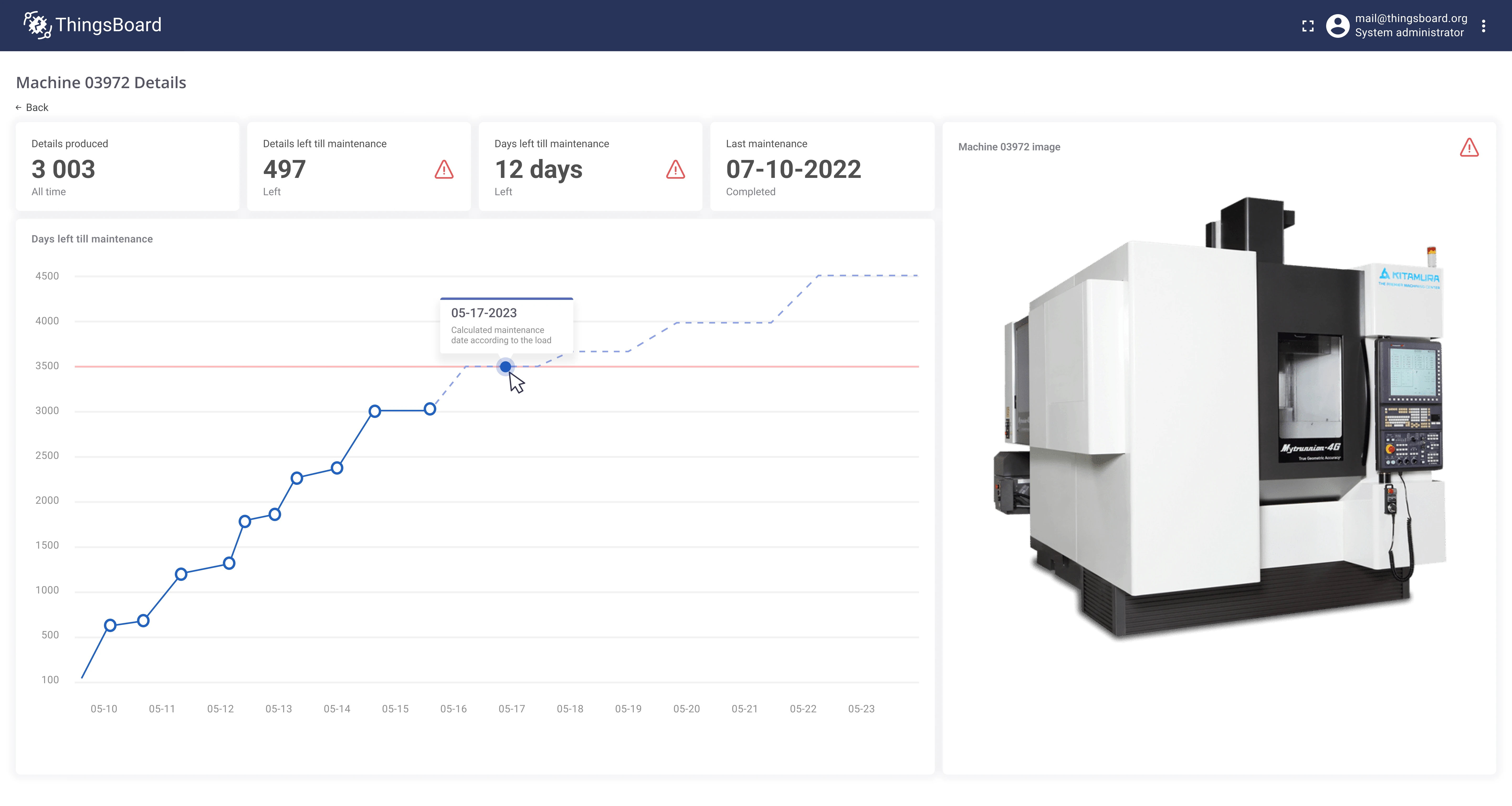
Implementation plan
Section titled “Implementation plan”- Create a production forecast for each machine using Trendz Analytics.
- Calculate the number of days remaining until each machine produces 500,000 caps.
- Save the calculated remaining days as machine telemetry back to ThingsBoard.
- Create a ThingsBoard alarm if remaining time drops below 14 days.
- Send an email to the maintenance team when the alarm fires.
Key outcomes
Section titled “Key outcomes”- reduction in unplanned downtime
- reduction in maintenance costs
- improvement in maintenance team efficiency
Prerequisites
Section titled “Prerequisites”Assembly machines are connected to ThingsBoard via OPC-UA integration.
For this use case the only telemetry key used is capsProduced, reported every 5 minutes as a cumulative counter that resets after each maintenance event.
Implementation
Section titled “Implementation”Step 1: Forecast when the machine reaches 500,000 caps
Section titled “Step 1: Forecast when the machine reaches 500,000 caps”-
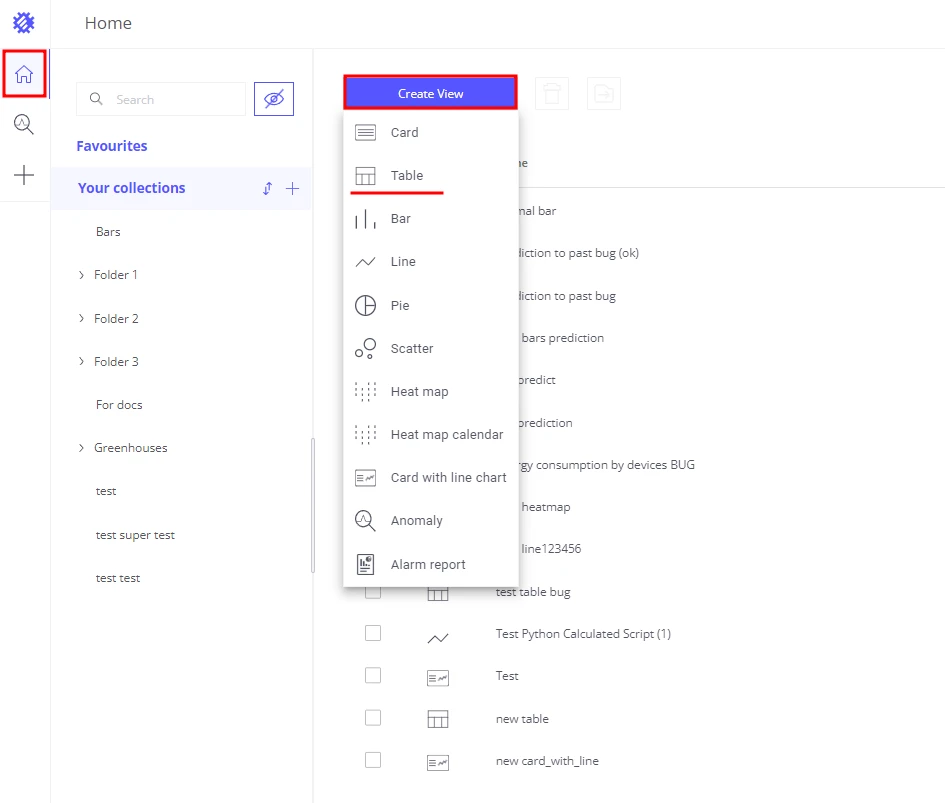
Create a Table view in Trendz.
-
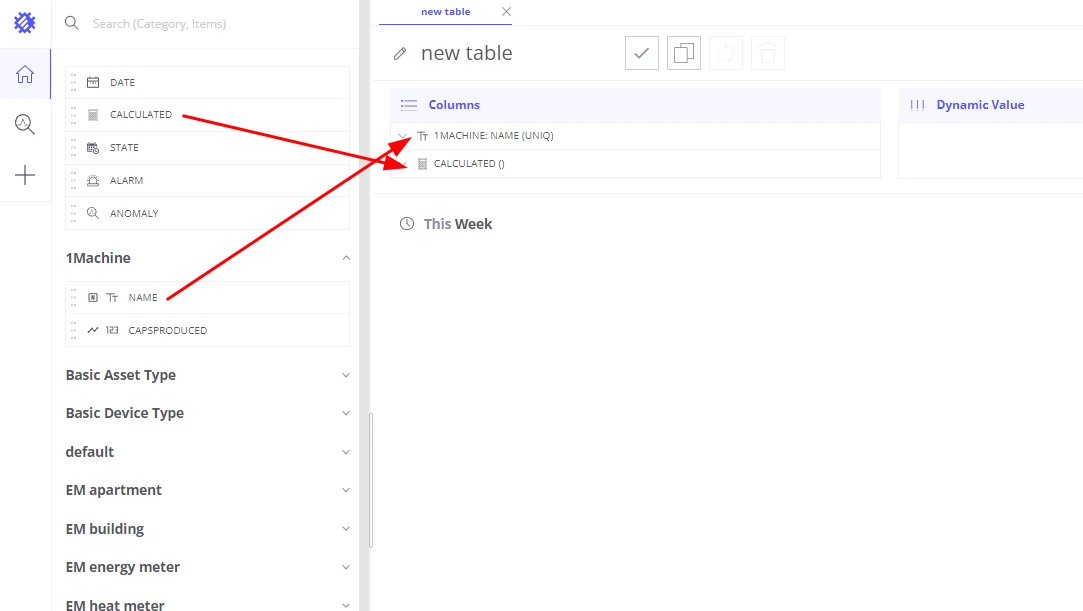
Add
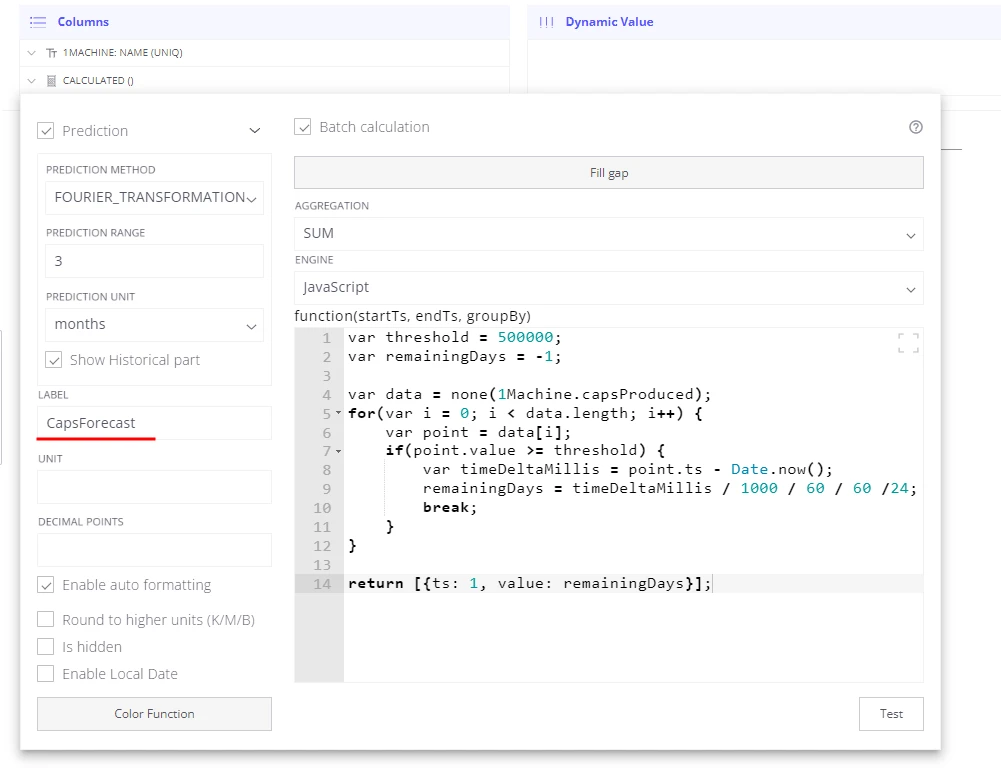
machine nameto the Columns section — this creates a separate forecast per machine. -
Add a Calculated field to the Columns section.
-
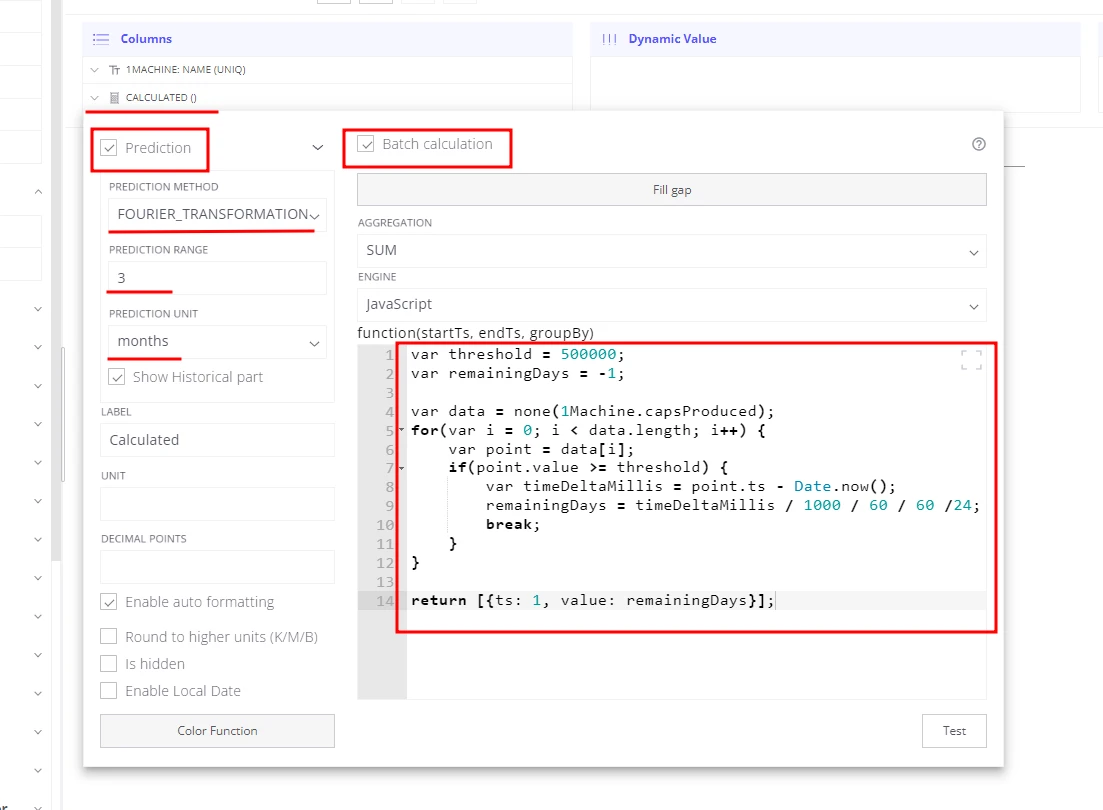
Enable the Batch calculation checkbox — the formula receives raw telemetry points.
-
Enable the Prediction checkbox:
- Prediction method: Fourier transformation
- Prediction range:
3 - Prediction unit:
months
-
Write the function that returns the remaining days to the maintenance threshold:
var threshold = 500000;var remainingDays = -1;var data = none(machine.capsProduced);for (var i = 0; i < data.length; i++) {var point = data[i];if (point.value >= threshold) {var timeDeltaMillis = point.ts - Date.now();remainingDays = timeDeltaMillis / 1000 / 60 / 60 / 24;break;}}return [{ts: 1, value: remainingDays}]; -
Click Build report — the table shows estimated days to next maintenance for each machine.
Trendz builds a production forecast using historical capsProduced data, then the function scans the forecast to find the first point where the threshold is reached and returns how many days away that point is.
If the threshold is not reached within 3 months, the function returns -1.
Step 2: Save remaining time as machine telemetry
Section titled “Step 2: Save remaining time as machine telemetry”Trendz can run the calculation on a schedule and write the result back to ThingsBoard as device telemetry.
Once capsForecast is a live telemetry key, the standard ThingsBoard alarm engine can act on it.
- Set the calculated field label to capsForecast — this becomes the telemetry key name.
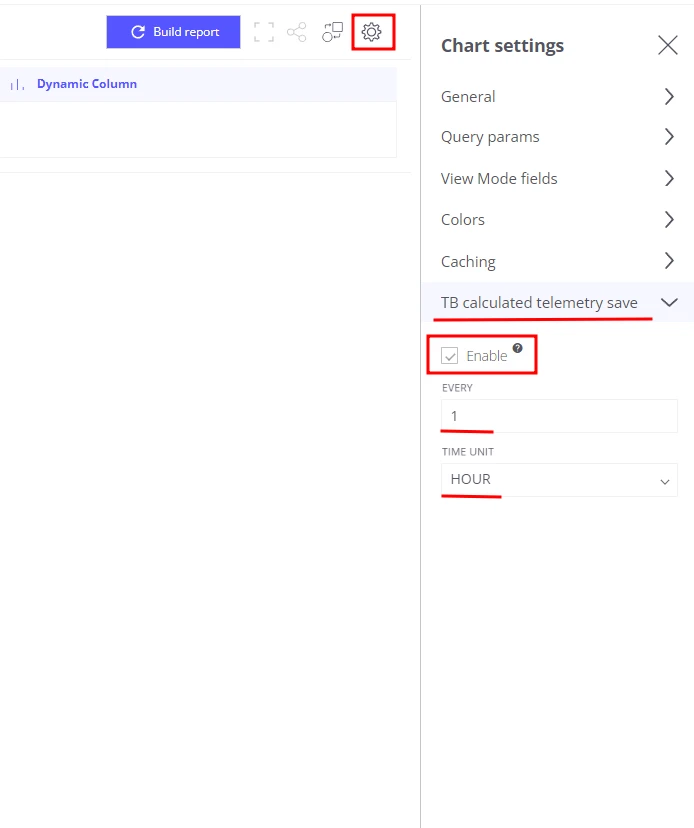
- Open view settings → Tb calculated telemetry save:
- Enabled: true
- Save interval:
1 - Save unit:
hours
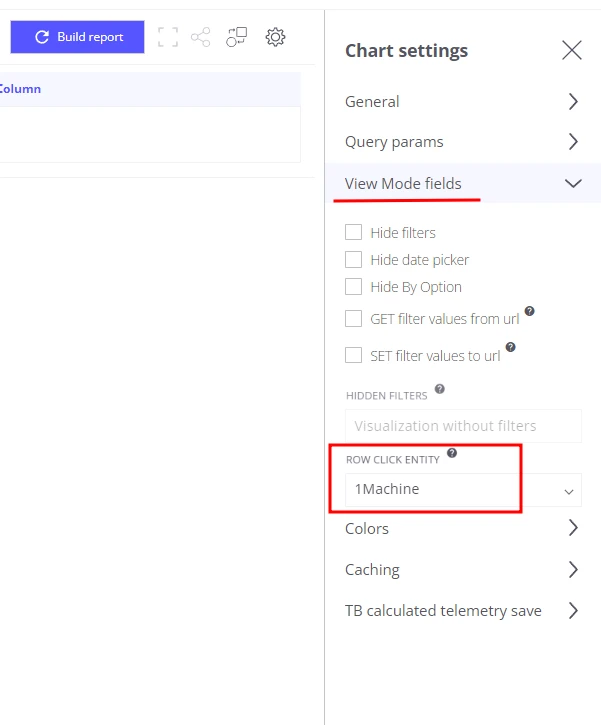
- In View mode fields, set Machine as the Row click entity — telemetry is saved under this entity.
- Set the default time range to Last 7 days.
- Save the view as Machine maintenance remaining days forecast job.
Trendz now runs this job hourly, fetches fresh capsProduced data, executes the forecast, and writes the result as capsForecast telemetry on each machine.
Step 3: Create an alarm when remaining time is less than 14 days
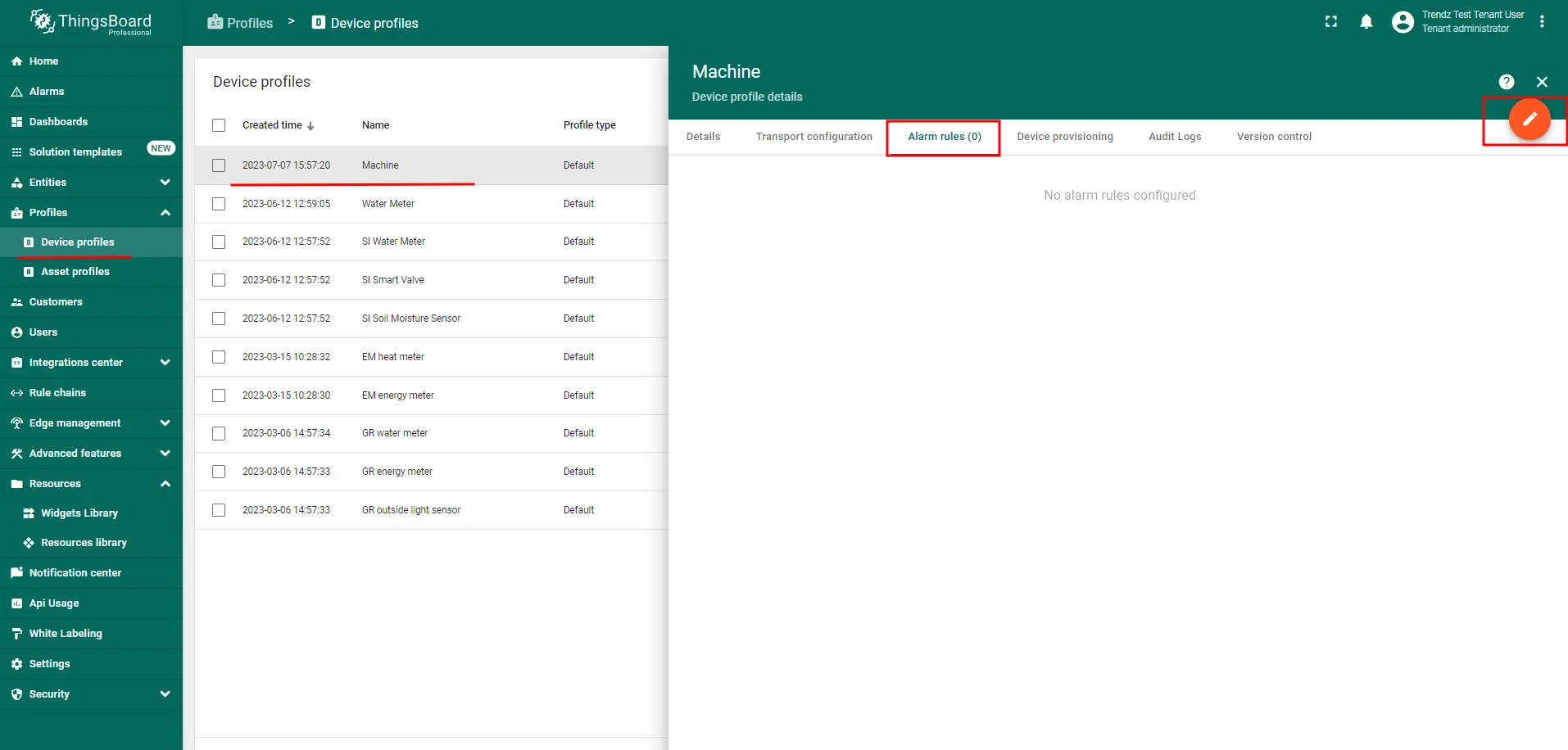
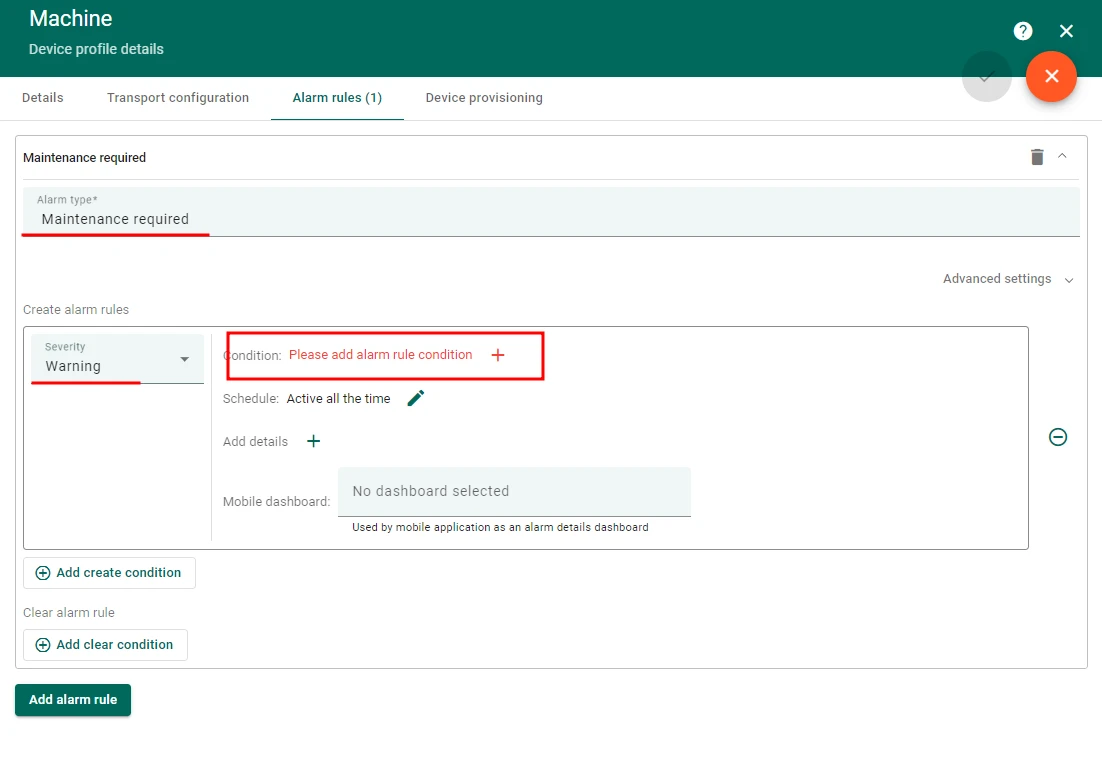
Section titled “Step 3: Create an alarm when remaining time is less than 14 days”- In ThingsBoard, open the machine’s device profile and add a new Alarm Rule.
- Alarm type: Maintenance required
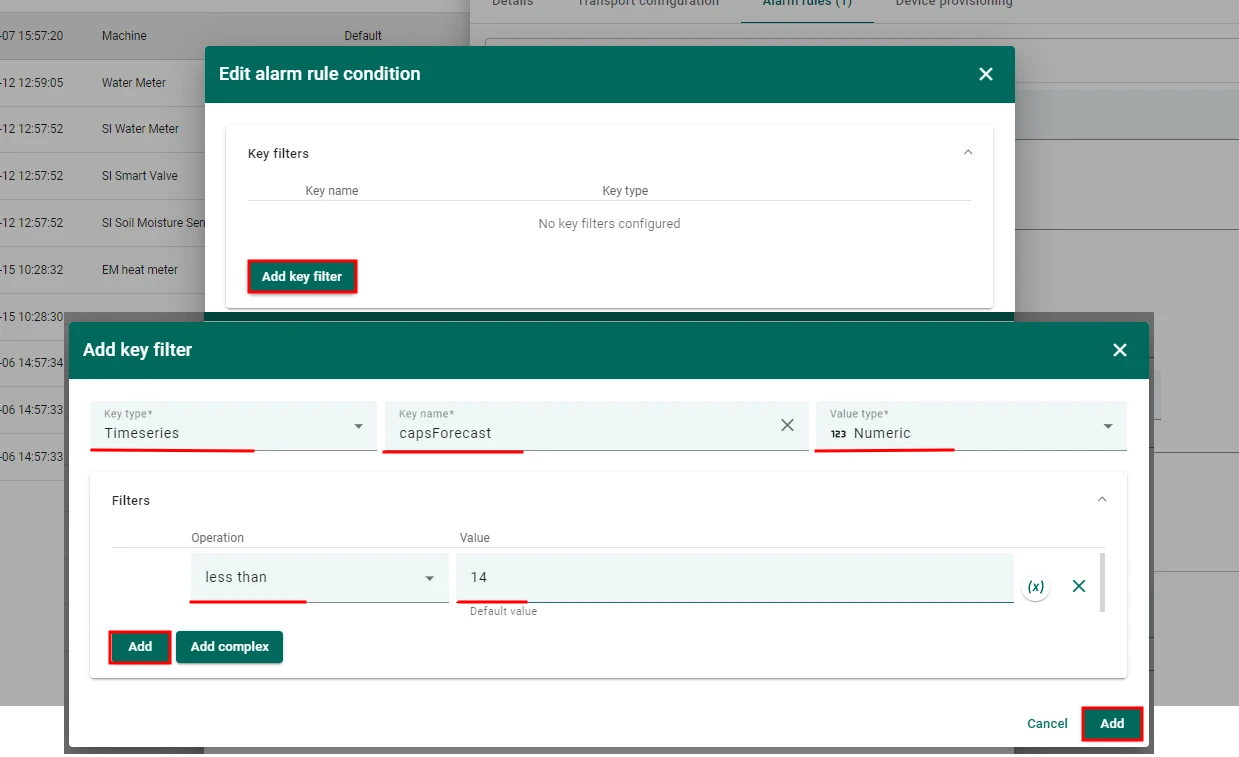
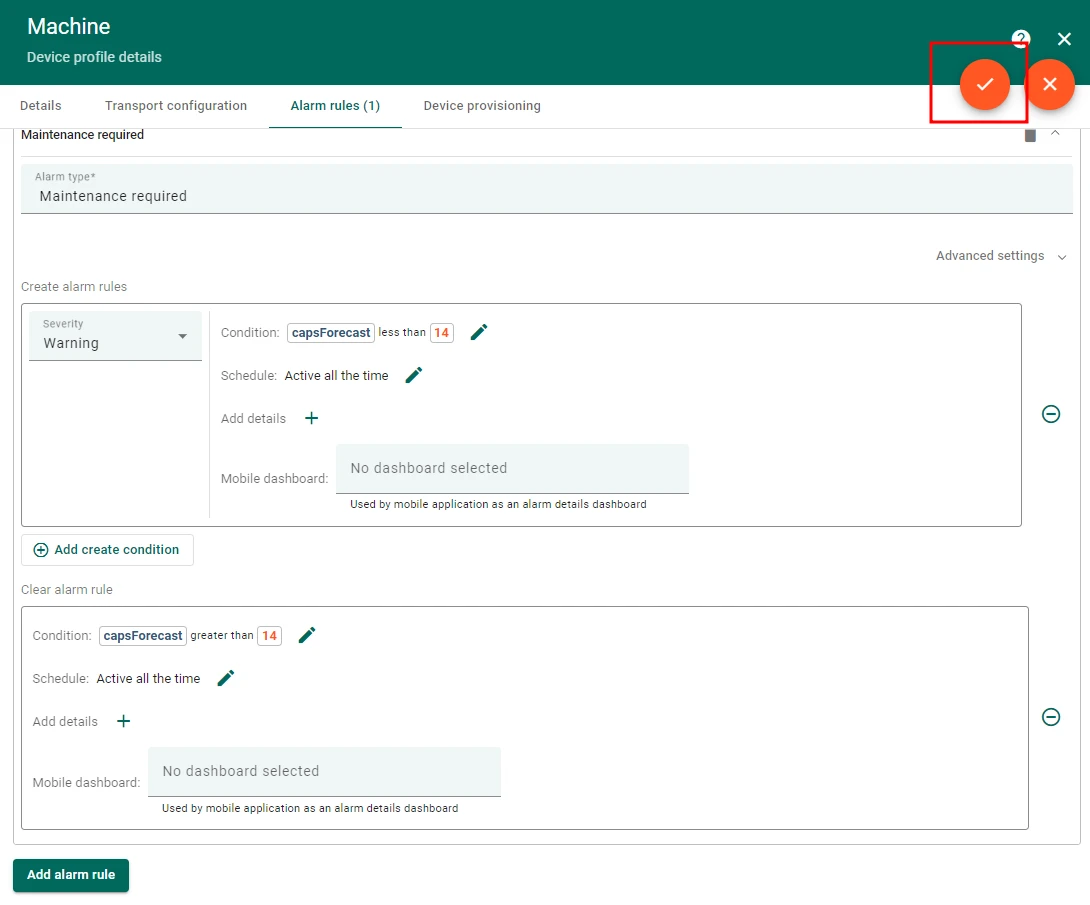
- Create alarm condition:
- Severity:
Warning - Condition:
capsForecastis less than14
- Severity:
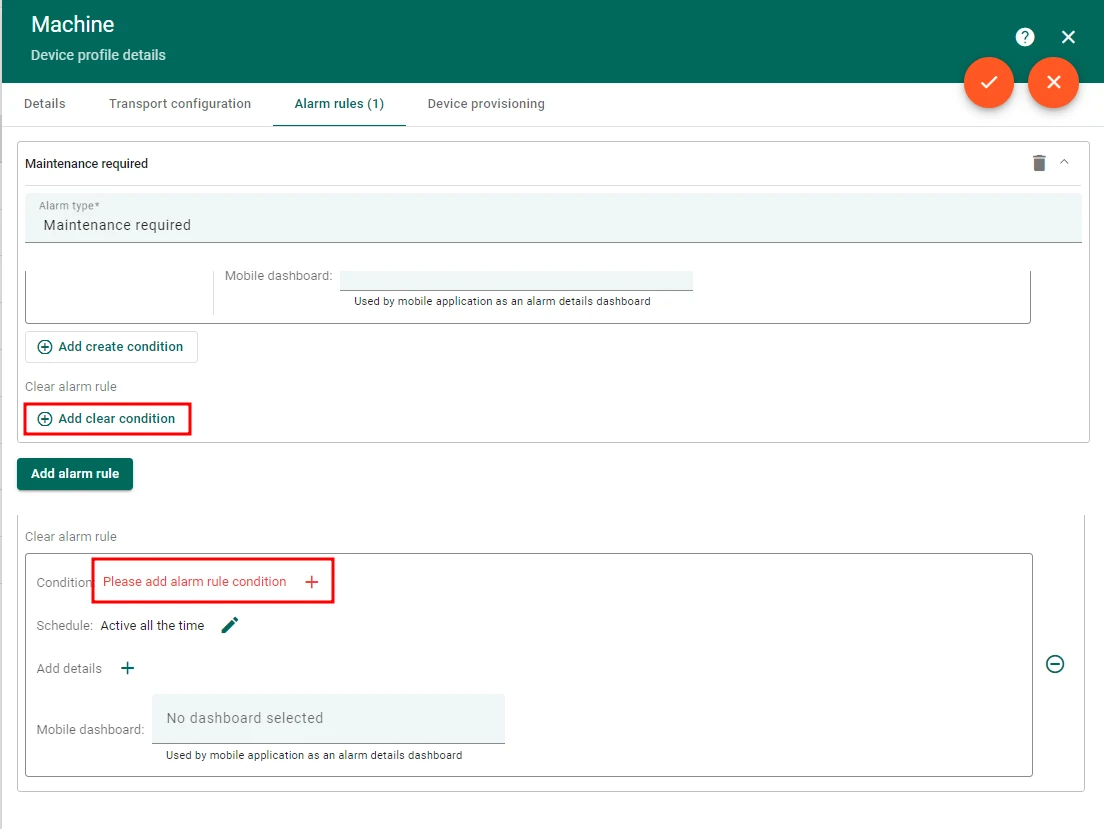
- Clear alarm condition:
- Condition:
capsForecastis greater than14
- Condition:
ThingsBoard will raise a Maintenance required alarm as soon as the remaining days forecast drops below 14, and clear it automatically once the value rises above 14 (after a maintenance event resets the counter).
Step 4: Send an email notification when the alarm fires
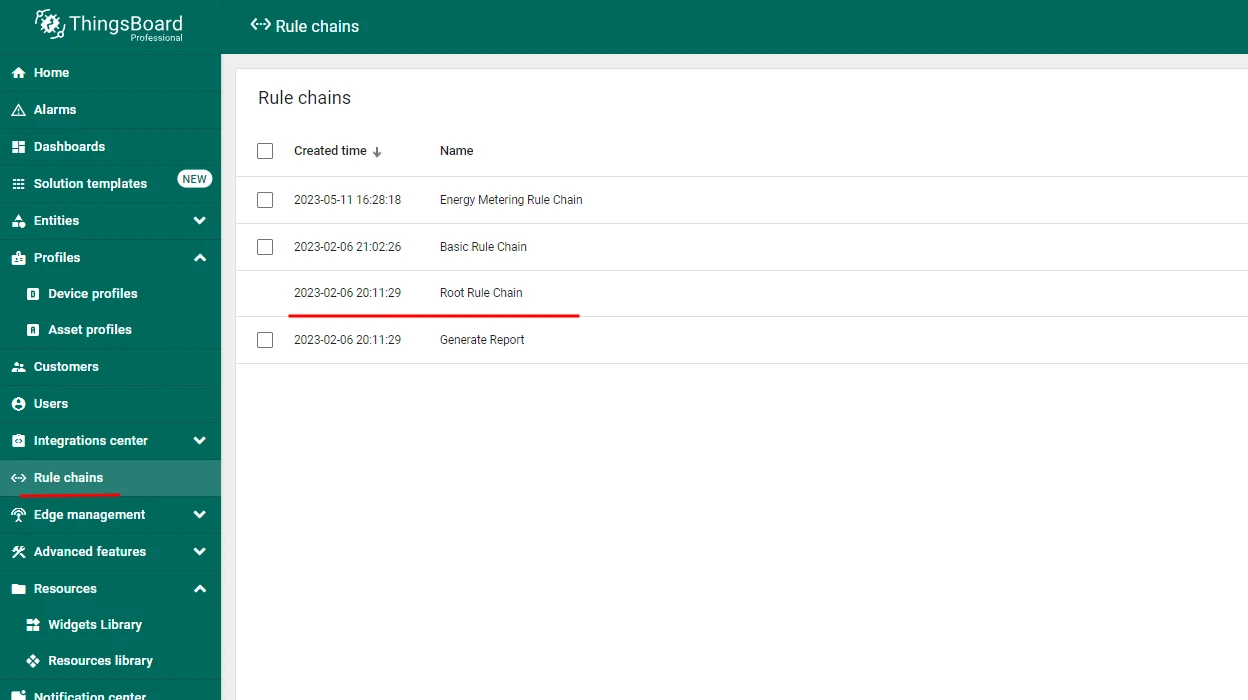
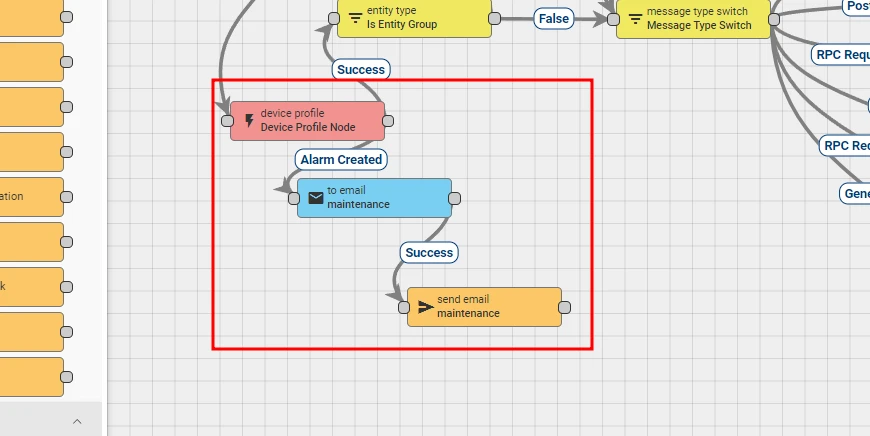
Section titled “Step 4: Send an email notification when the alarm fires”- Open the Root rule chain in ThingsBoard.
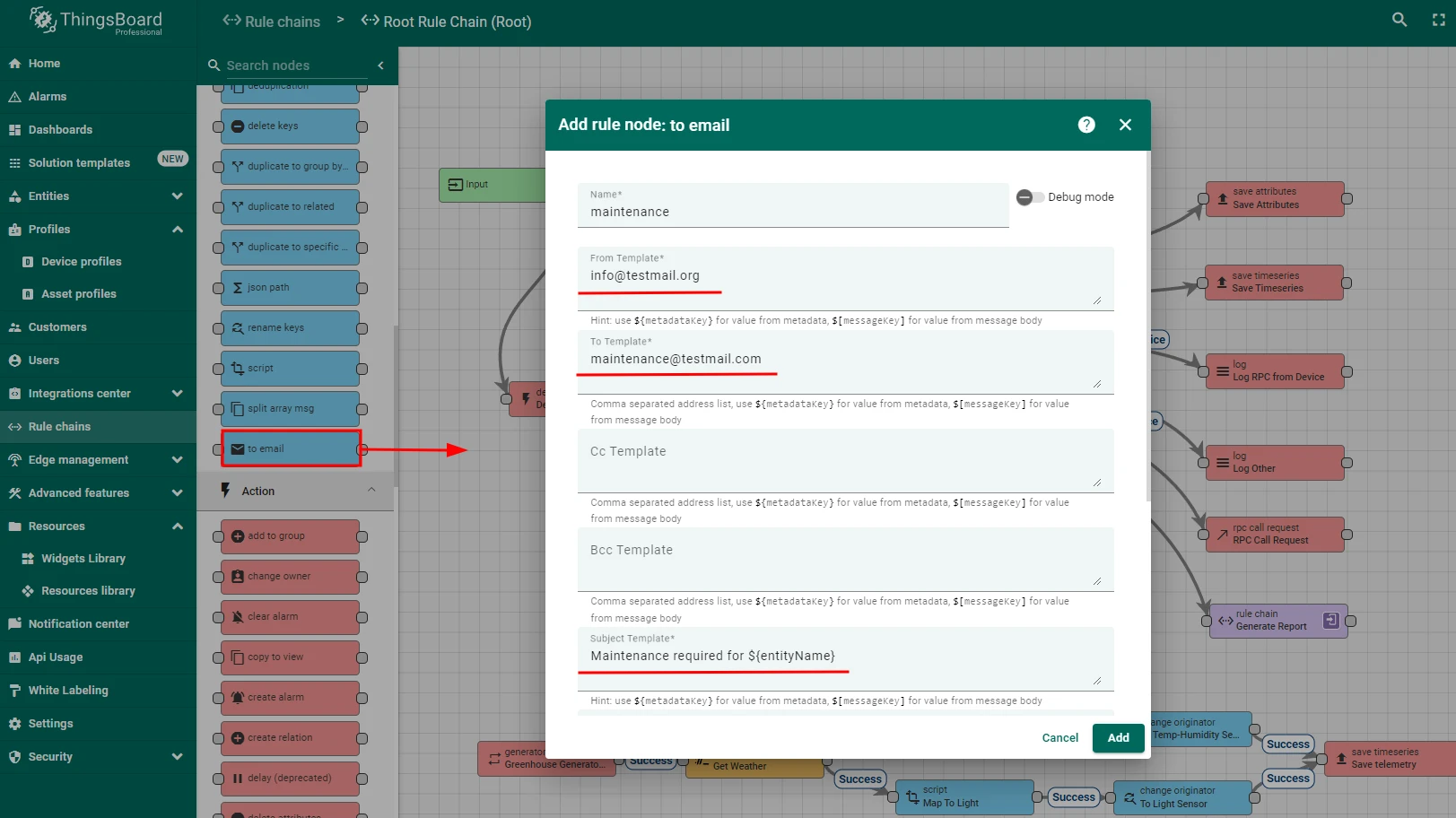
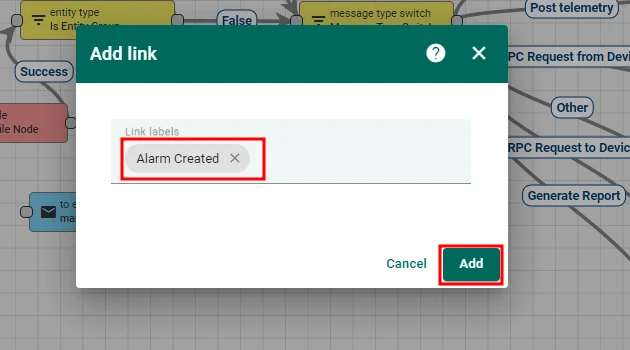
- Add a
toEmailrule node after the Device profile node, connected via the Alarm Created relation. - Configure the
toEmailnode:- From template:
info@testmail.org - To template:
maintenance@testmail.com - Subject template:
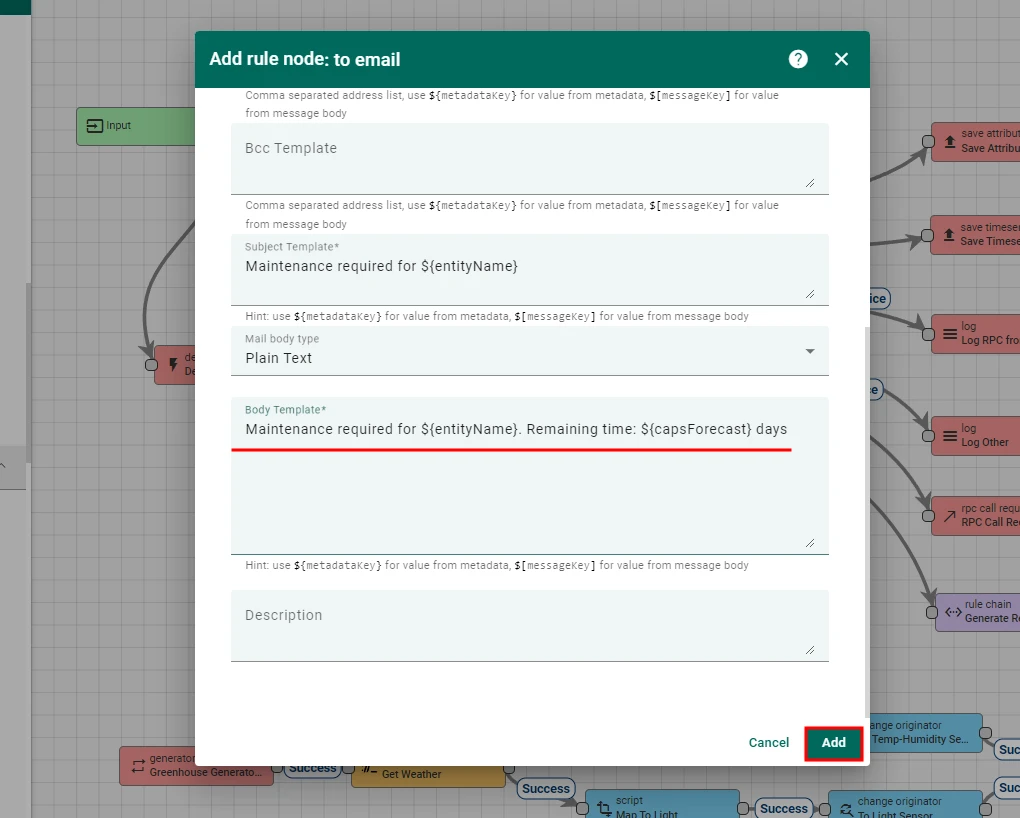
Maintenance required for $\{entityName\} - Body template:
Maintenance required for $\{entityName\}. Remaining time: $\{capsForecast\} days
- From template:
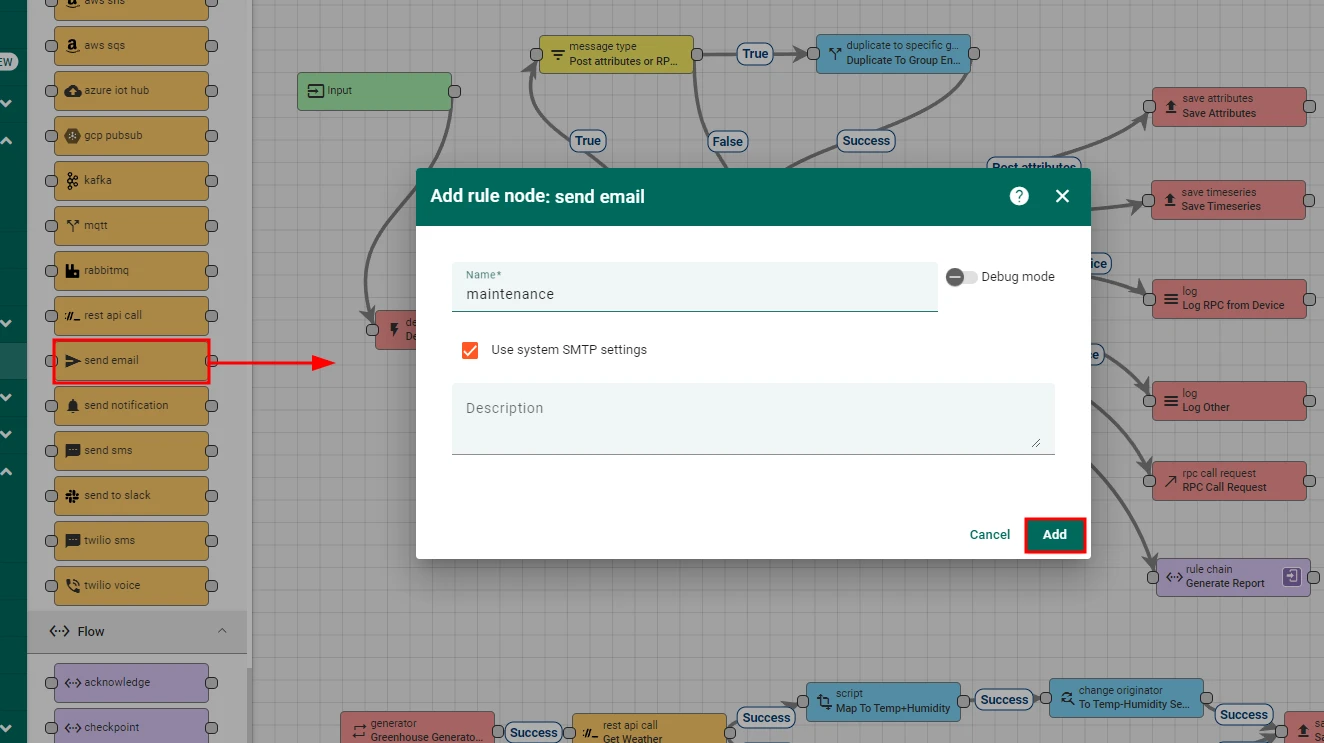
- Add a
send emailrule node aftertoEmail, connected via the Successful relation. - Save the rule chain.
Summary
Section titled “Summary”By combining Trendz production forecasting with ThingsBoard alarm rules, you can predict equipment maintenance needs before they become urgent — giving the team enough lead time to order parts and schedule the work. The setup runs automatically in the background: Trendz refreshes the forecast hourly, ThingsBoard fires the alarm at the 14-day threshold, and the rule engine delivers the notification by email.
Was this helpful?