Integrations overview
Edge Integrations let you connect ThingsBoard Edge to external brokers and servers — MQTT, HTTP, CoAP, OPC-UA, TCP, UDP, and more — and process incoming data on the Edge before syncing it to the Cloud.
They work like Platform Integrations but with one key difference: instead of creating integrations directly, you create Integration templates and Converter templates in the Cloud and then assign them to one or more Edge instances.
Deployment options
Section titled “Deployment options”Each integration can run in one of two modes.
Embedded integrations
Section titled “Embedded integrations”An embedded integration runs inside the main ThingsBoard Edge process.
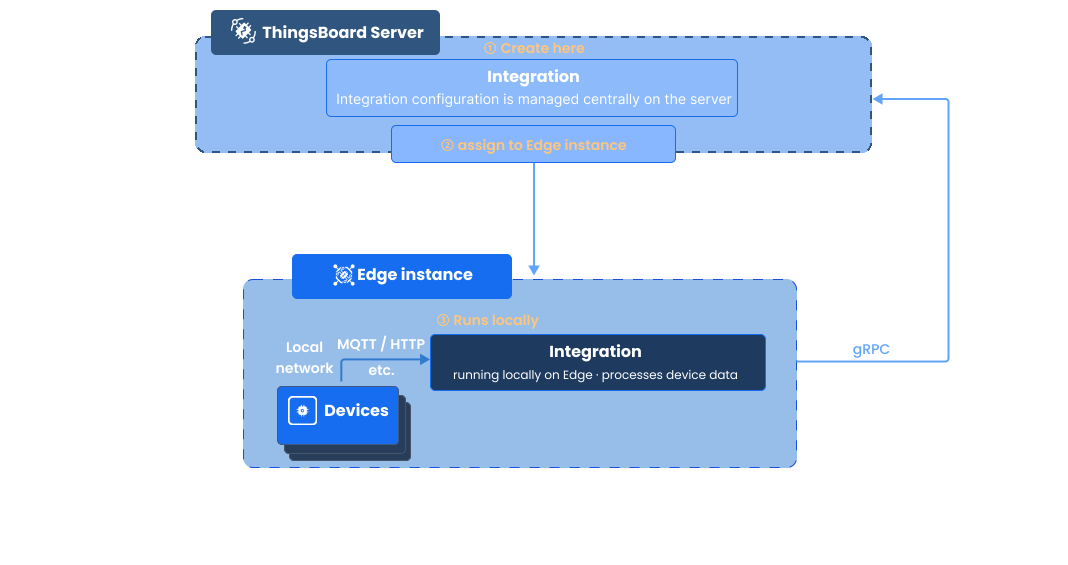
Advantages:
- No extra packages to install — the integration deploys in a few clicks from the UI
- Minimal message delivery latency
Trade-offs:
- Shares CPU, memory, and network connections with the Edge process
- Lower isolation from the main Edge process
Remote integrations
Section titled “Remote integrations”A remote integration runs as a separate process on the local network and streams data to the Edge over the network.
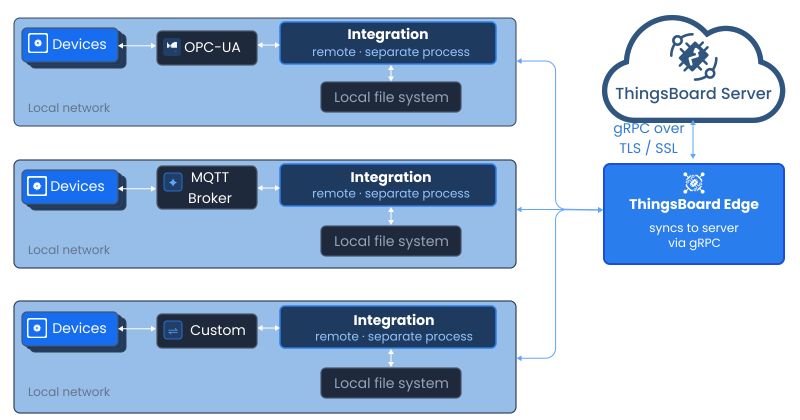
This is useful when the broker or server (e.g. a local MQTT broker or OPC-UA server) has no external IP address and cannot be reached by the Edge directly. The remote integration is deployed on the same local network as the broker, pulls data from it, and streams it to the Edge whenever a connection is available.
Advantages:
- Works with servers that have no external IP address
- Fully isolated from the Edge process
Trade-offs:
- Requires installing and maintaining a separate package
Converter templates
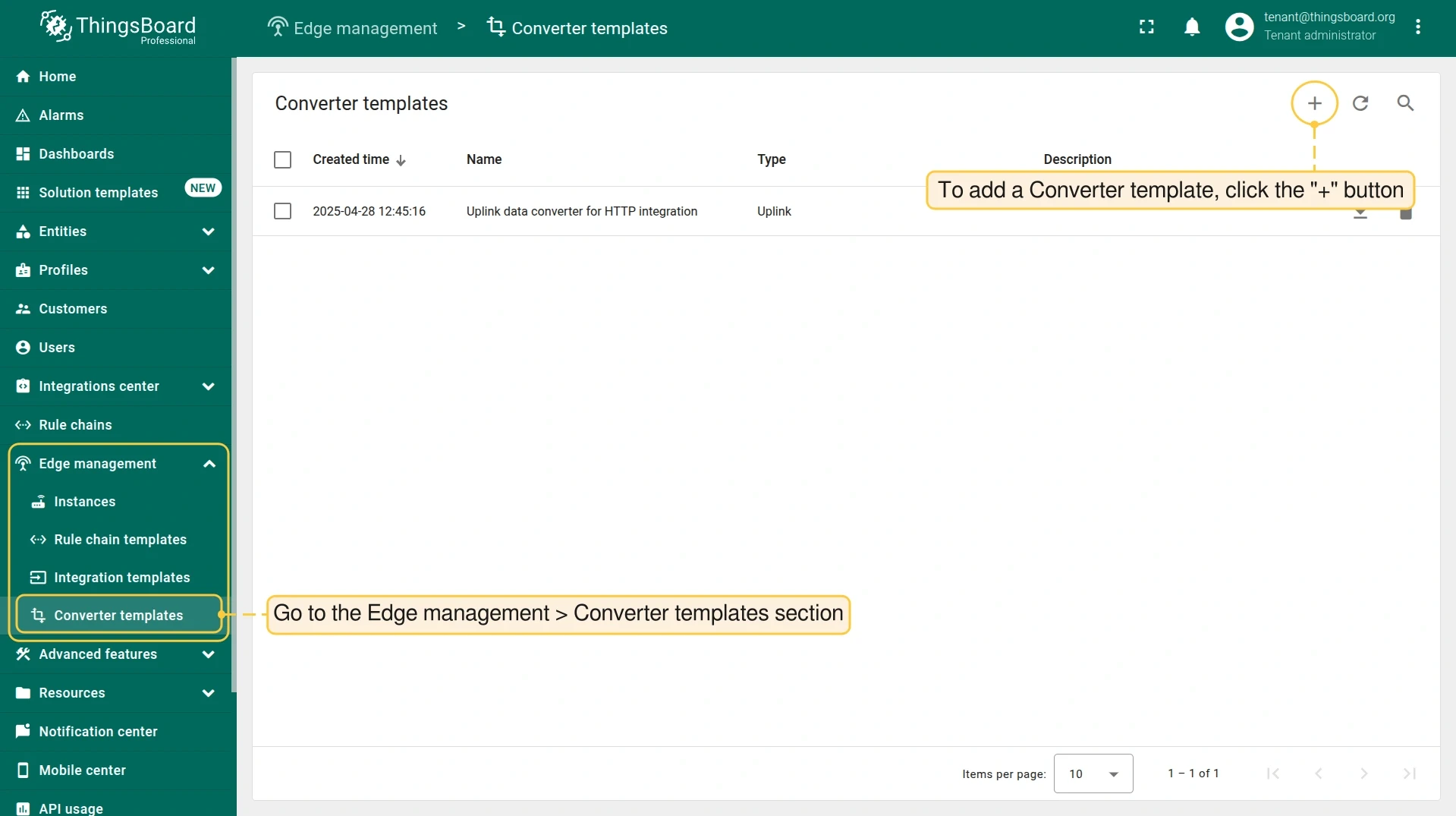
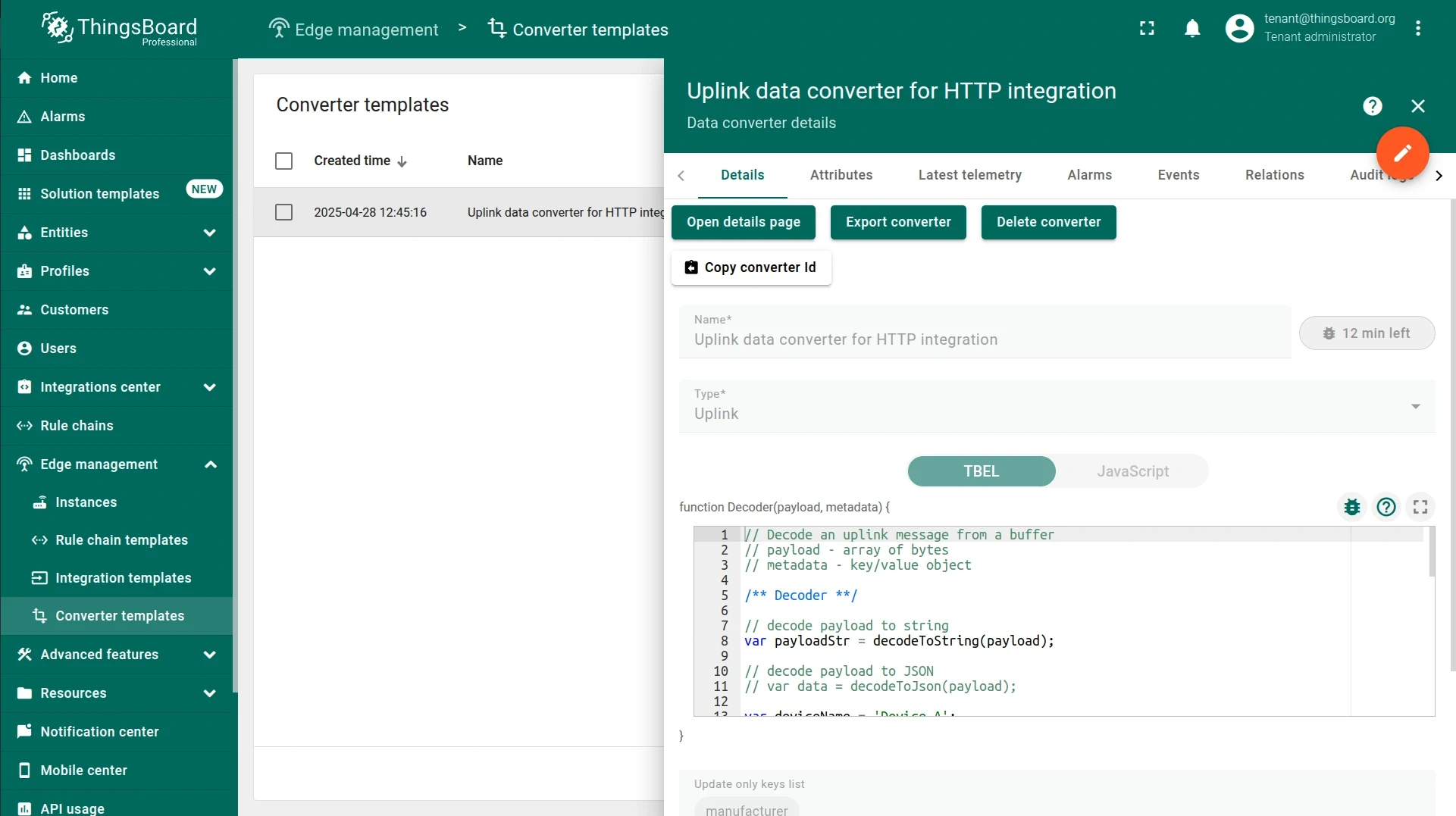
Section titled “Converter templates”Converter templates transform raw integration payloads into ThingsBoard telemetry and attribute data. They are created by a tenant administrator in the Cloud under Edge management > Converter templates.
Integration templates
Section titled “Integration templates”Once your Converter template is ready, create an Integration template under Edge management > Integration templates and link the converter to it. Integration templates are assigned to Edge instances — not run in the Cloud.
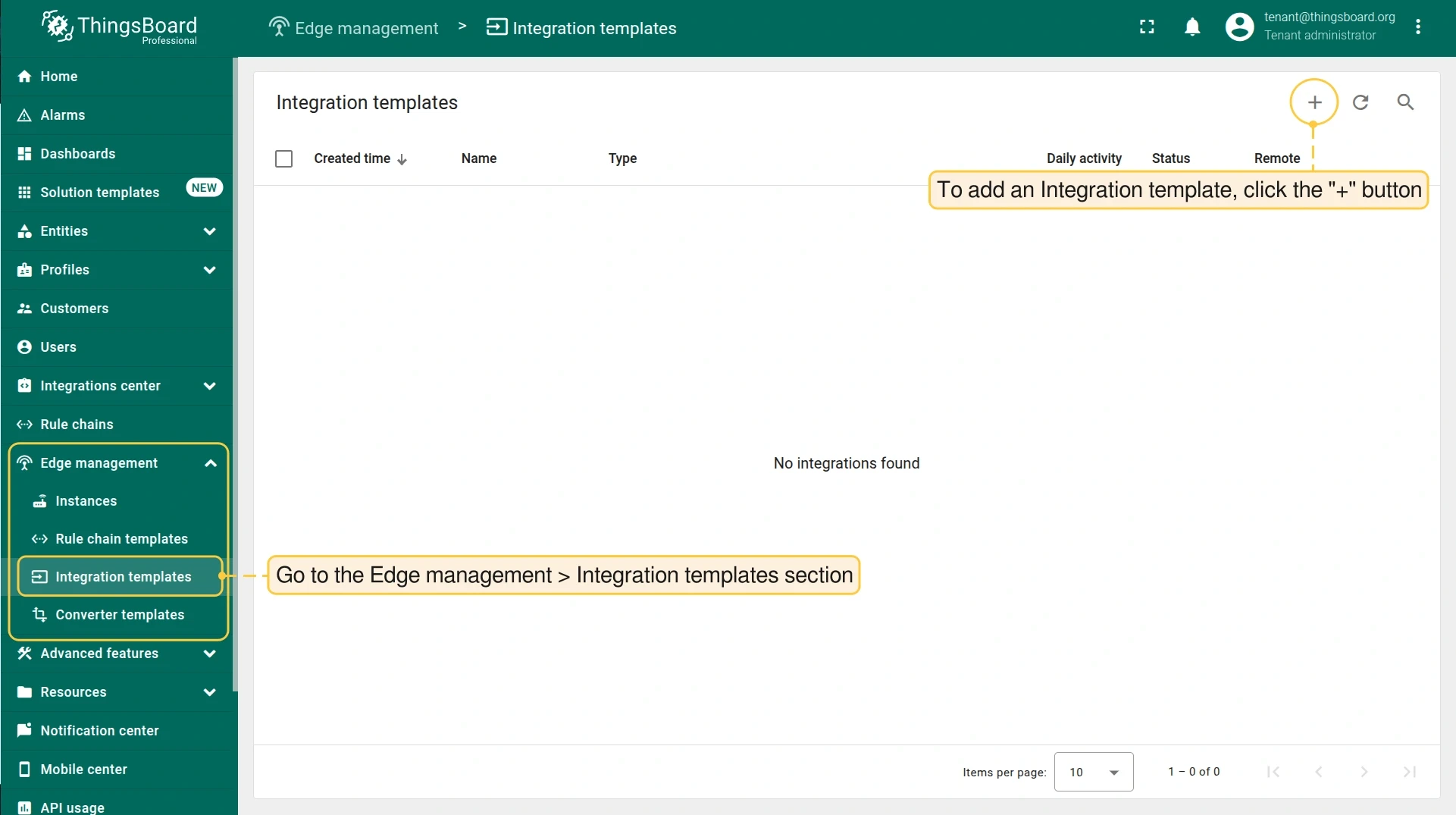
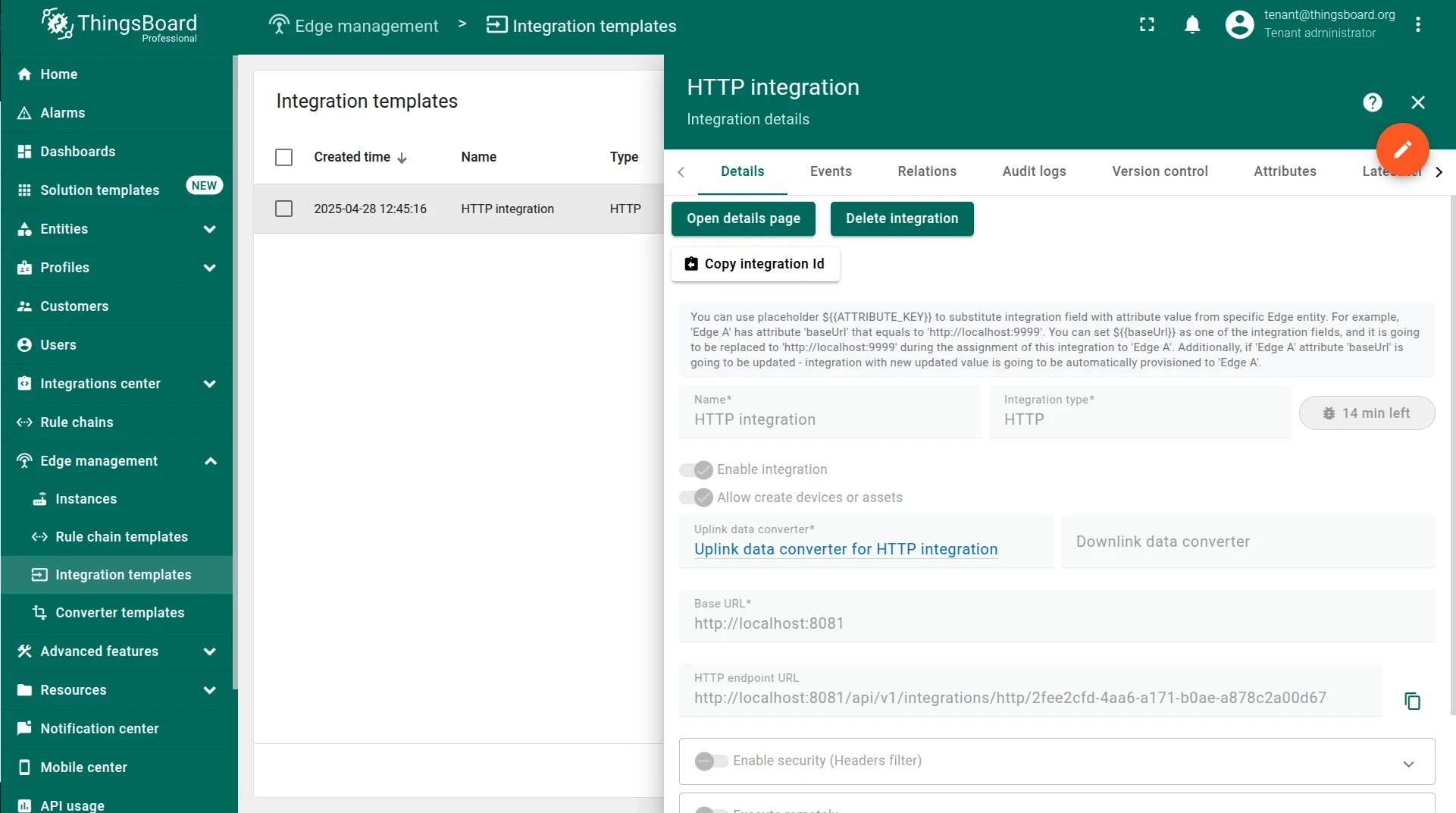
Any changes made to an Integration or Converter template in the Cloud are automatically propagated to all Edges that have it assigned. Templates cannot be edited on the Edge.
Configuration placeholders
Section titled “Configuration placeholders”If the same Integration template is used across multiple Edges but each Edge needs a different value for a specific field (such as a host address or base URL), you can use placeholders.
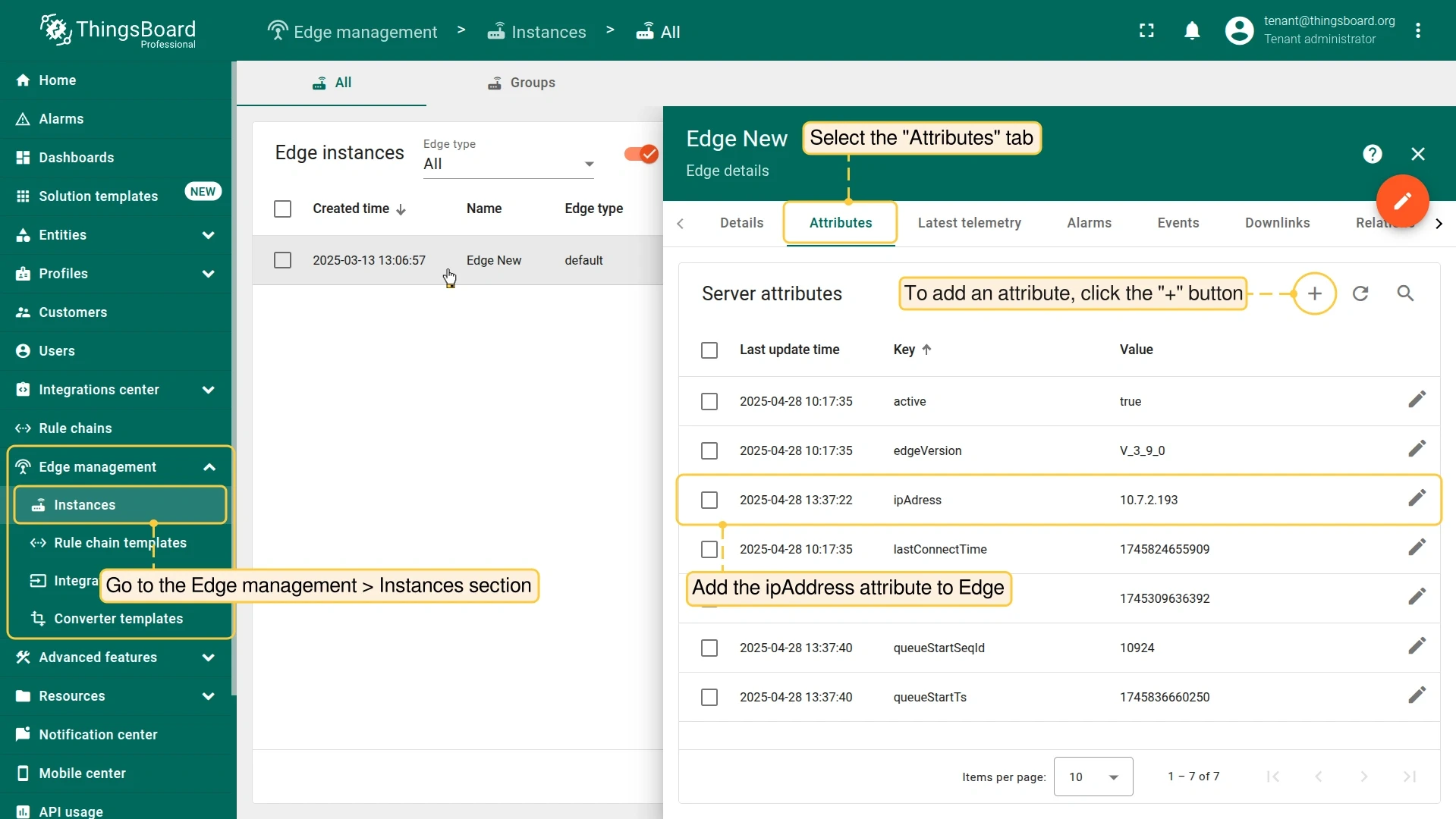
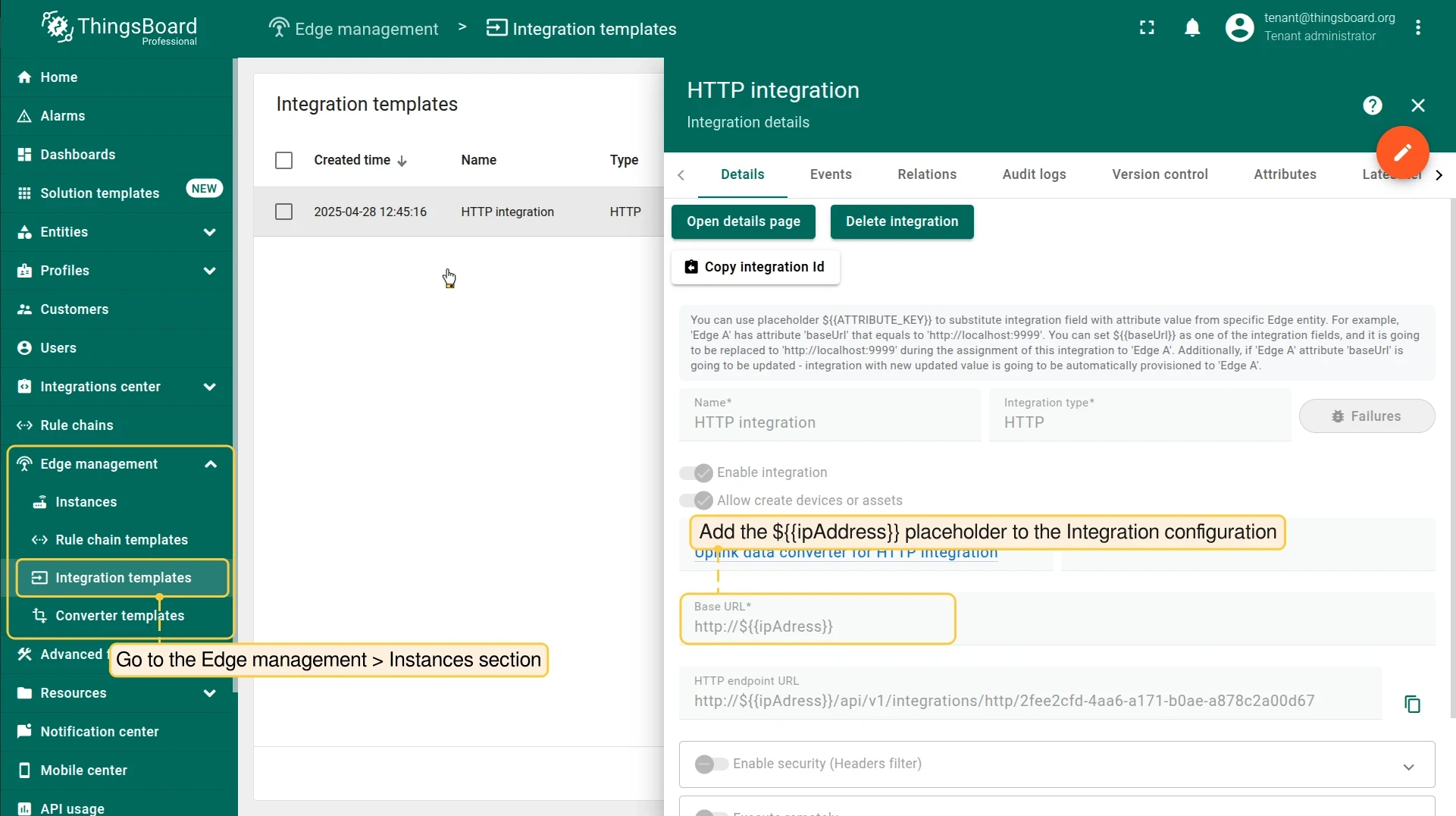
Add an attribute to the Edge instance, then reference it in the Integration template using ${attributeKey} syntax. When the integration is deployed to that Edge, the placeholder is replaced with the attribute’s value.
The example below shows an HTTP integration configured with a unique Base URL per Edge using the ipAddress attribute:
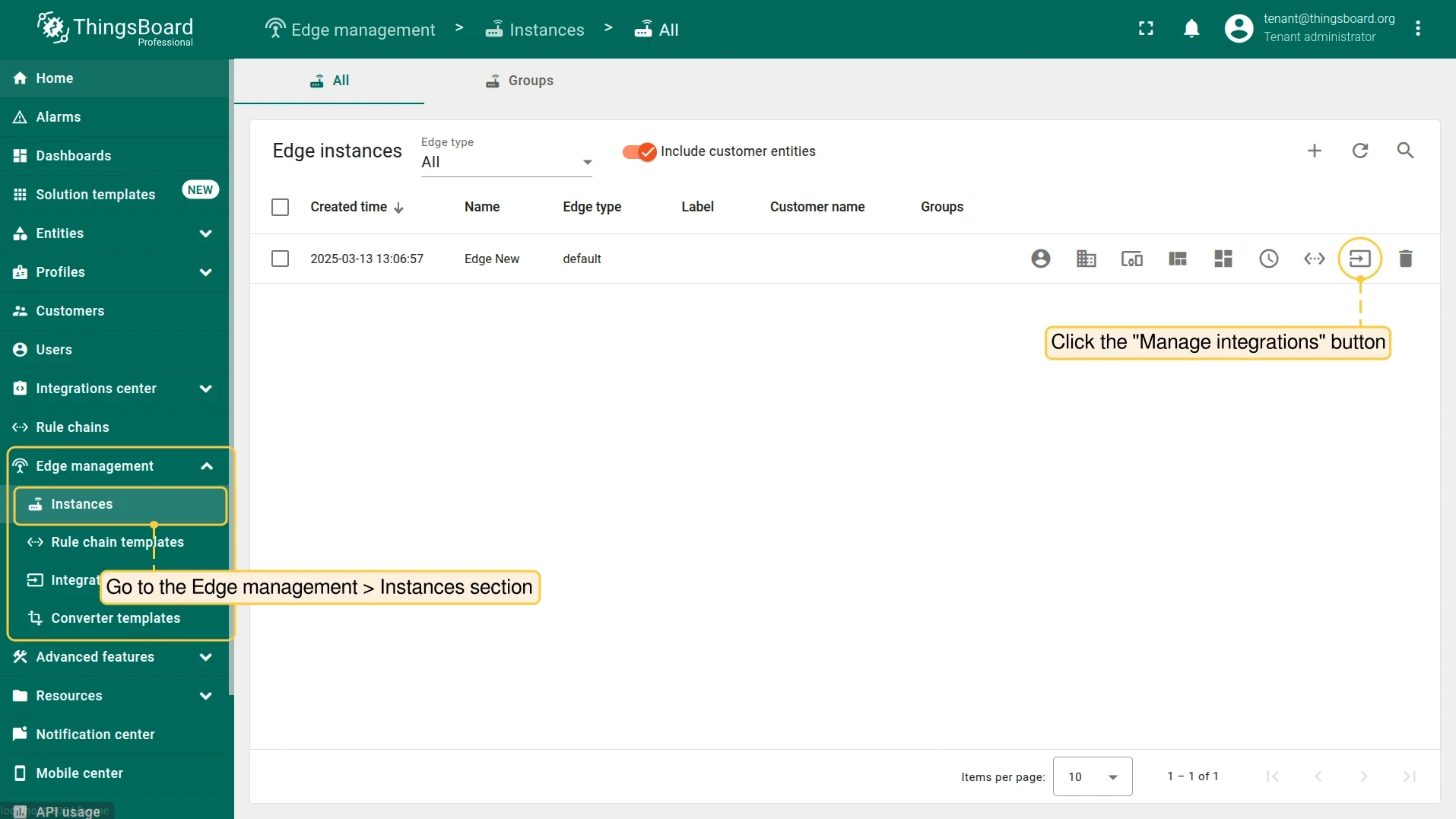
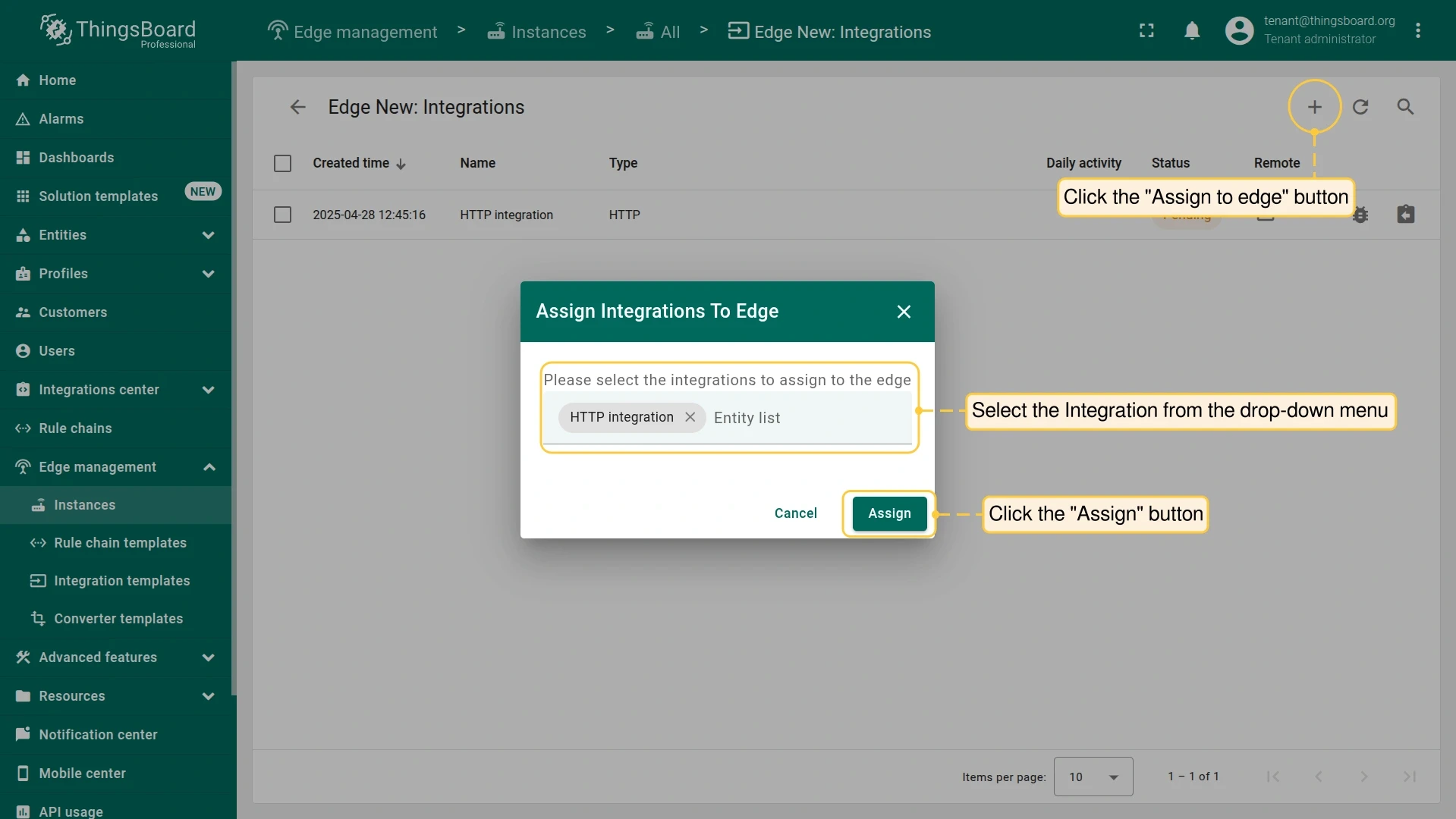
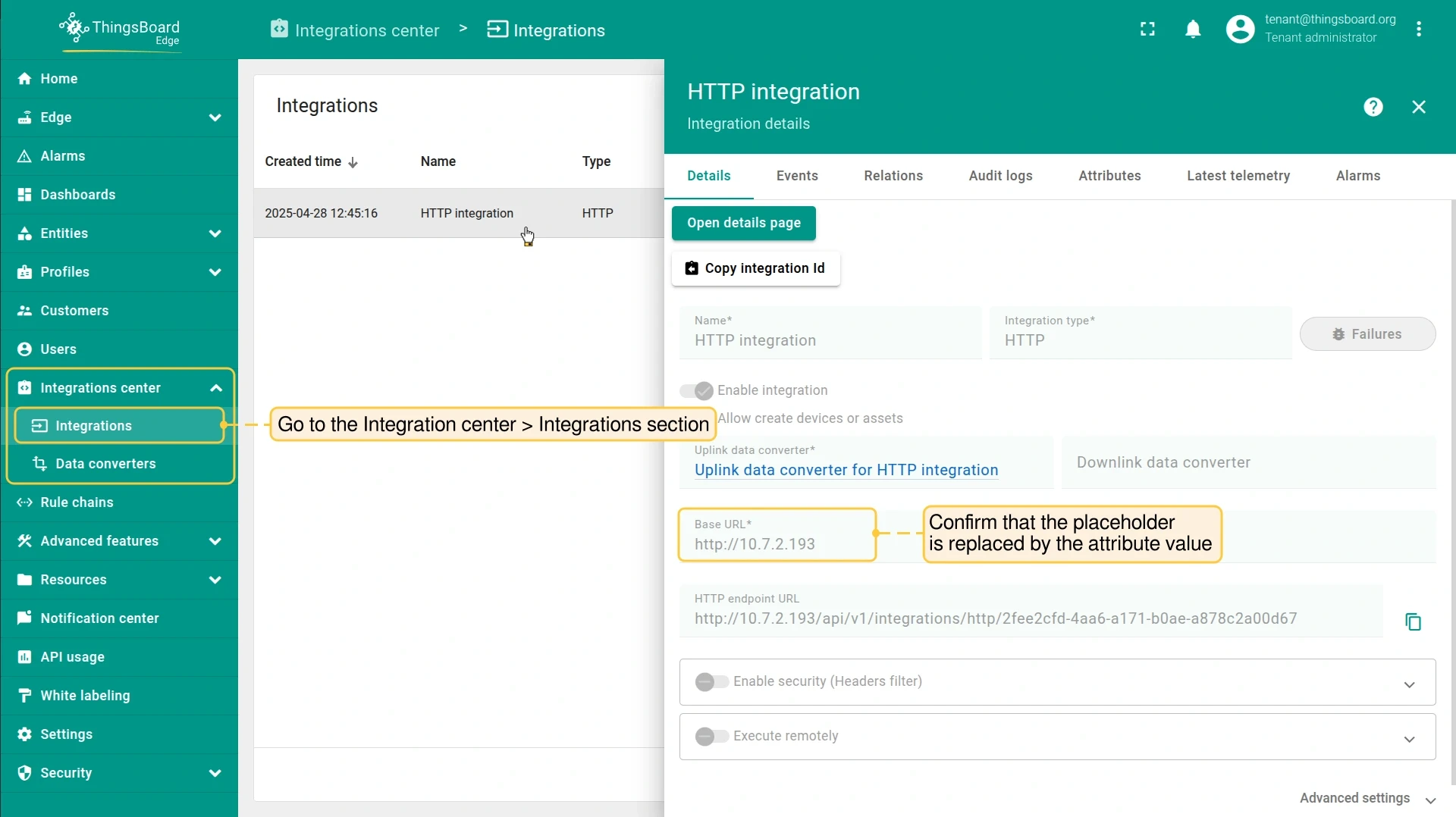
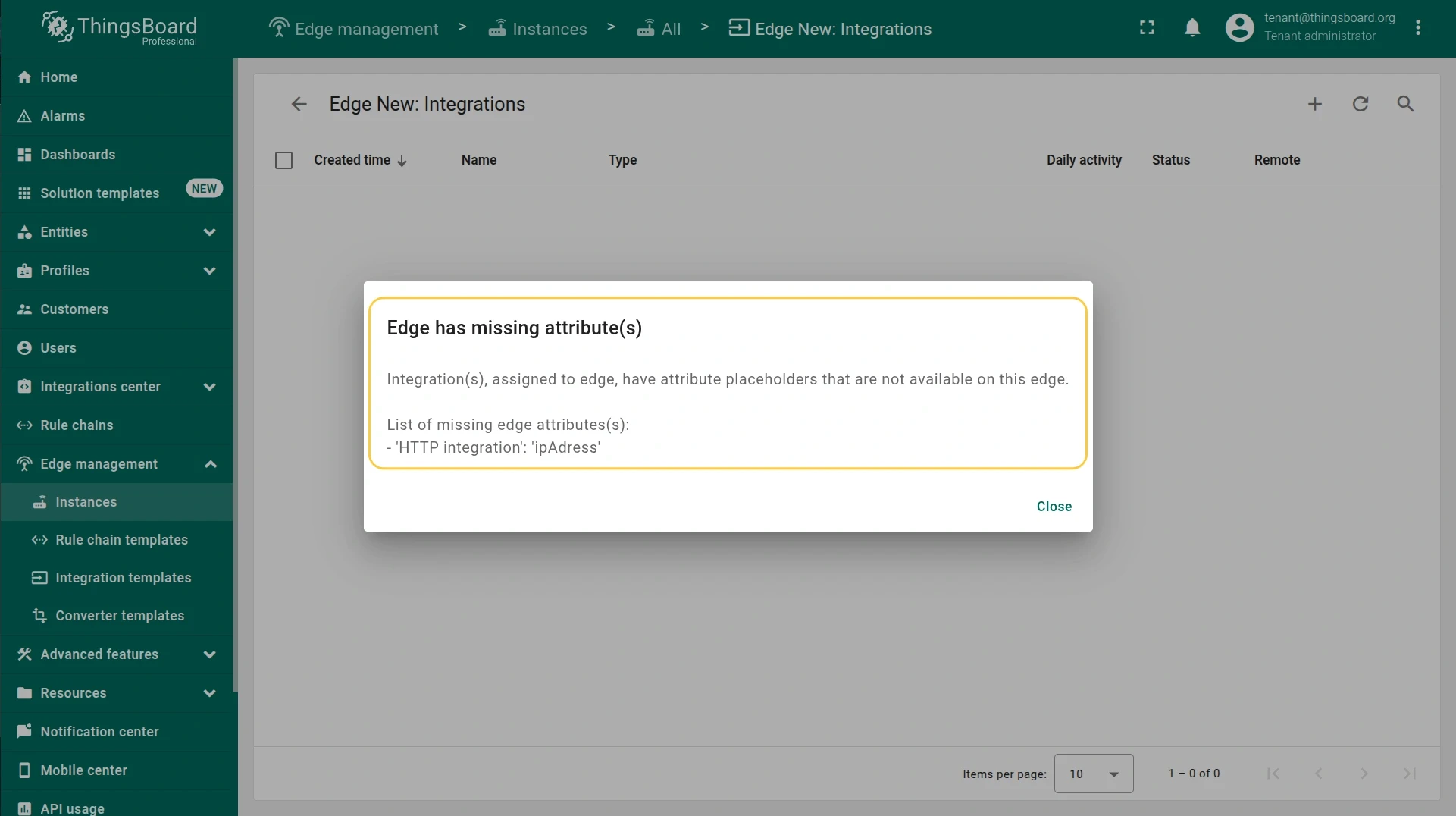
If an Edge is missing the attribute referenced by a placeholder, the platform will warn you during assignment or when the integration configuration is updated:
Edge limitations
Section titled “Edge limitations”In the current release, the Edge cannot create customers or entity groups. This affects Uplink Data Converter behavior:
- If a device type referenced in the converter does not exist on the Edge, the
defaultdevice type is used. - If the target Customer is not available on the Edge, the device is assigned to the Tenant.
- If the target entity group does not exist on the Edge, the
Allgroup is used.
Was this helpful?