Scheduler vs Rule Chain
ThingsBoard Edge supports two complementary automation mechanisms: Scheduler events and Rule Chains. Understanding when to use each one helps you build reliable, efficient automation on the Edge.
Scheduler events perform periodic tasks automatically — telemetry and attribute updates, RPC commands, and more — triggered by time. See the Platform Scheduler and Edge Scheduler documentation for details.
Rule Chains perform automated tasks in response to incoming data or events. Rule nodes are the building blocks — for example, when a device sends temperature data above a threshold, the Rule Chain processes it and creates an alarm. See the Rule Chain Templates documentation for Edge-specific details.
Edge-specific considerations
Section titled “Edge-specific considerations”| Topic | Detail |
|---|---|
| Rule Chain creation | Prior to Edge 4.0, Rule Chain templates had to be configured on the Platform and synchronized to Edge. Starting with Edge 4.0, Rule Chains can be created and edited directly on the Edge. |
| Scheduler creation | Scheduler events must always be configured on the Platform and assigned to Edge. |
| Execution | Once synchronized, both Scheduler events and Rule Chains run entirely on the Edge, independent of internet connectivity. |
Comparison matrix
Section titled “Comparison matrix”| Criterion | Scheduler events | Rule Chains |
|---|---|---|
| Trigger | Time schedule | Incoming message or event |
| Configuration location | Platform only, synced to Edge | Platform or directly on Edge (4.0+) |
| Offline execution | Yes | Yes |
| Supported actions | RPC commands, telemetry and attribute updates | Alarms, notifications, transformations, external API calls, etc. |
| Logic complexity | Single action per event | Multi-step branching logic |
| Real-time reaction | No | Yes |
| Depends on device data | No | Yes |
When to use each
Section titled “When to use each”Use Scheduler when:
- A time-based trigger is required.
- The automation is periodic or scheduled, independent of incoming device data.
Use Rule Chains when:
- Real-time reaction to events or telemetry is needed.
- Complex processing logic, branching, or external API calls are required.
- You need to process local data — attribute updates, alarms, incoming messages.
Using both together
Section titled “Using both together”Scheduler events and Rule Chains cover different parts of the automation lifecycle. A Scheduler event fires at a fixed time and injects a message into a Rule Chain — from there, the Rule Chain takes over: it reads telemetry, evaluates conditions, and triggers actions like RPC commands, alarms, or attribute updates. Device data can also enter the same Rule Chain independently, so a single chain can handle both scheduled and real-time inputs without duplication.
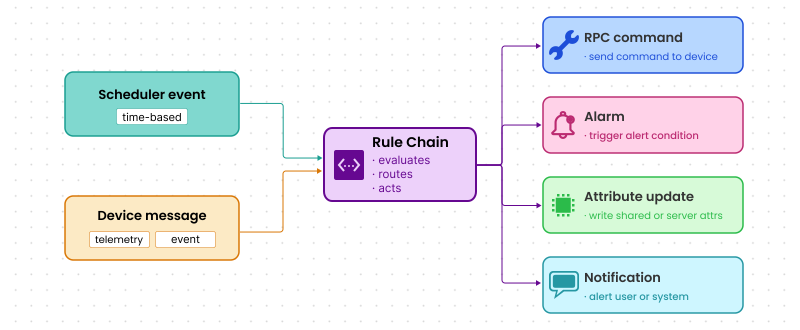
Use case: pump shutdown with delayed status check
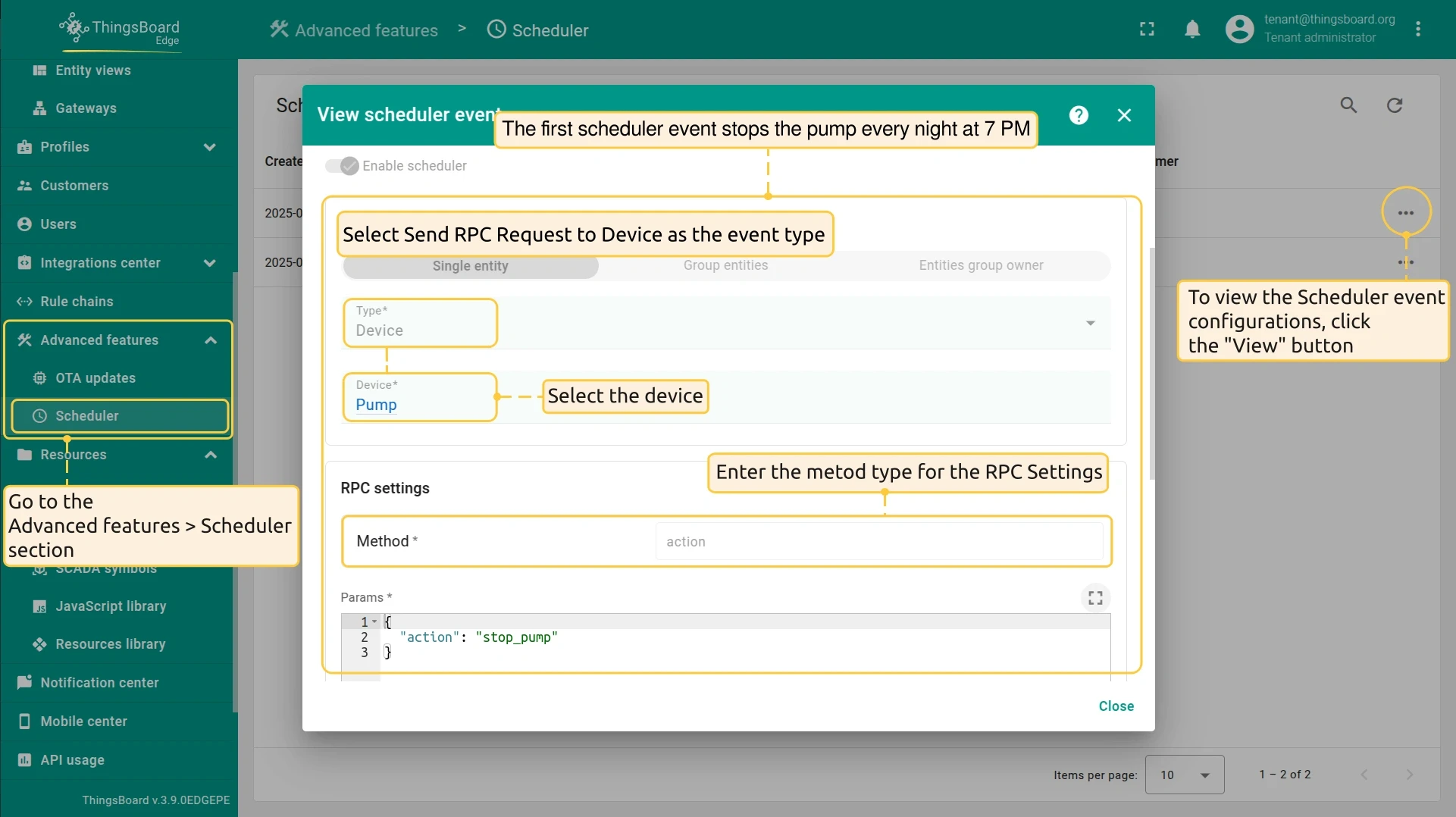
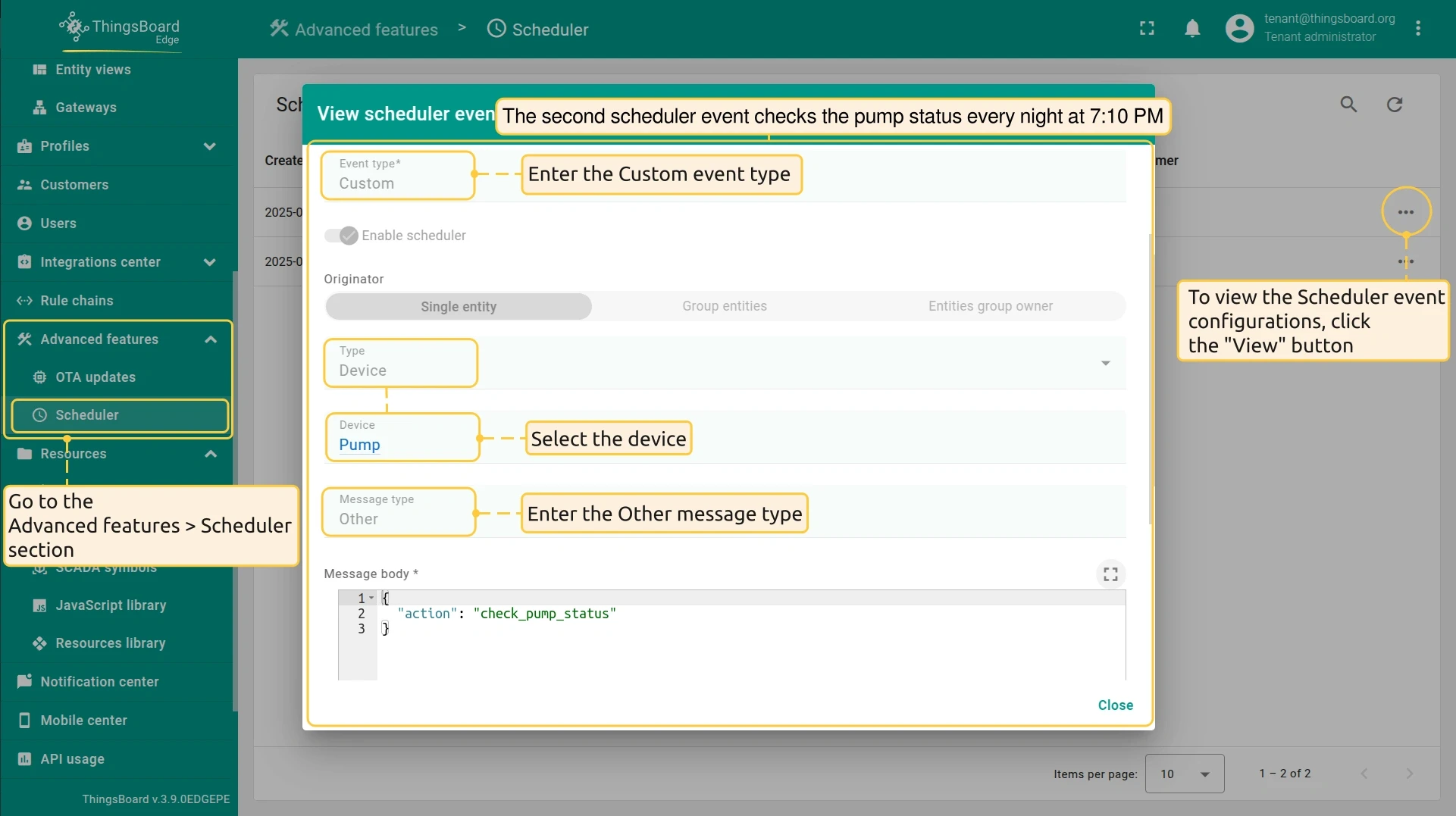
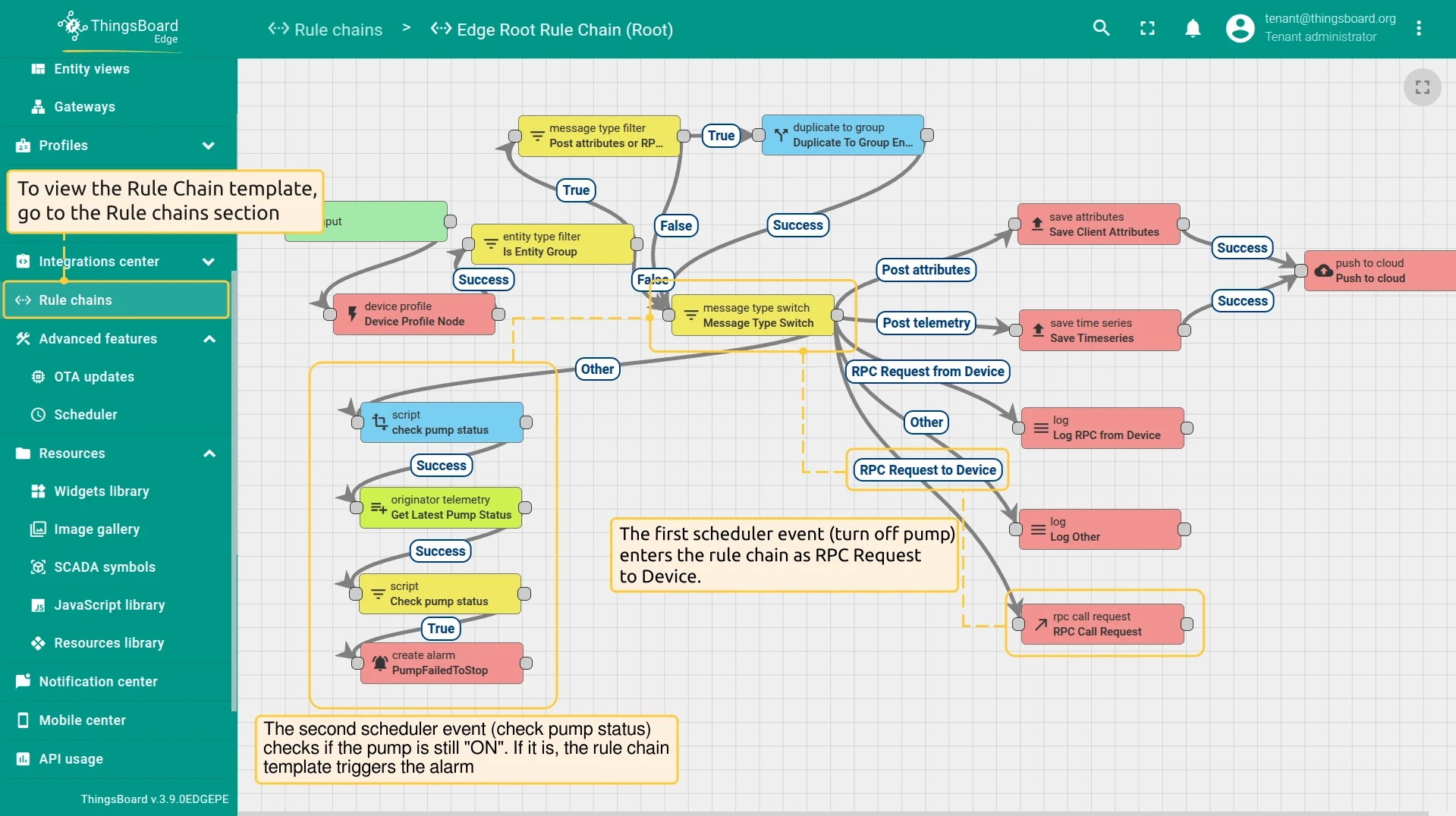
Section titled “Use case: pump shutdown with delayed status check”To turn off pumps every night at 7 PM and raise an alarm if a pump is still running 10 minutes later, configure two Scheduler events and a Rule Chain template.
-
First Scheduler event (7:00 PM). Send
{"action": "stop_pump"}as an RPC command to the pump device. The Rule Chain receives this message and forwards it to an RPC call node, which issues the shutdown command. -
Second Scheduler event (7:10 PM). Send
{"action": "check_pump_status"}as a custom message to the same Rule Chain. This gives the pump 10 minutes to stop before the check runs. -
Rule Chain template. Route each incoming message by its
actionvalue. Forstop_pump, call the RPC node. Forcheck_pump_status, read thepumpStatustelemetry attribute from the device and raise an alarm if the value is stillON.
Was this helpful?