Scheduler
The ThingsBoard Scheduler automates periodic tasks on the Edge — telemetry and attribute updates, RPC commands, and rule chain triggers — running locally to ensure uninterrupted operation even without a cloud connection.
Configure scheduler events
Section titled “Configure scheduler events”-
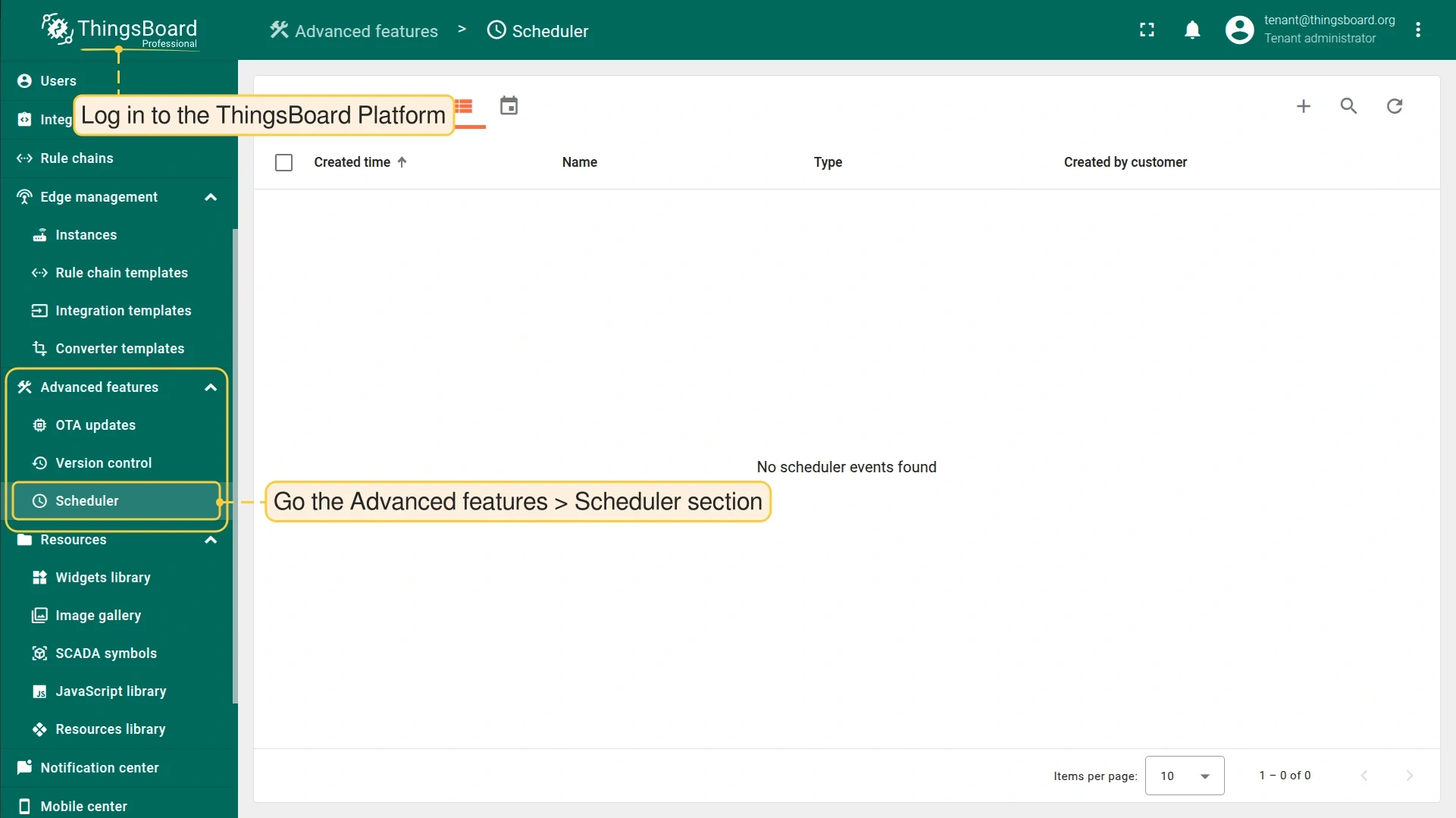
Log in to the ThingsBoard Platform and go to Advanced features > Scheduler.
-
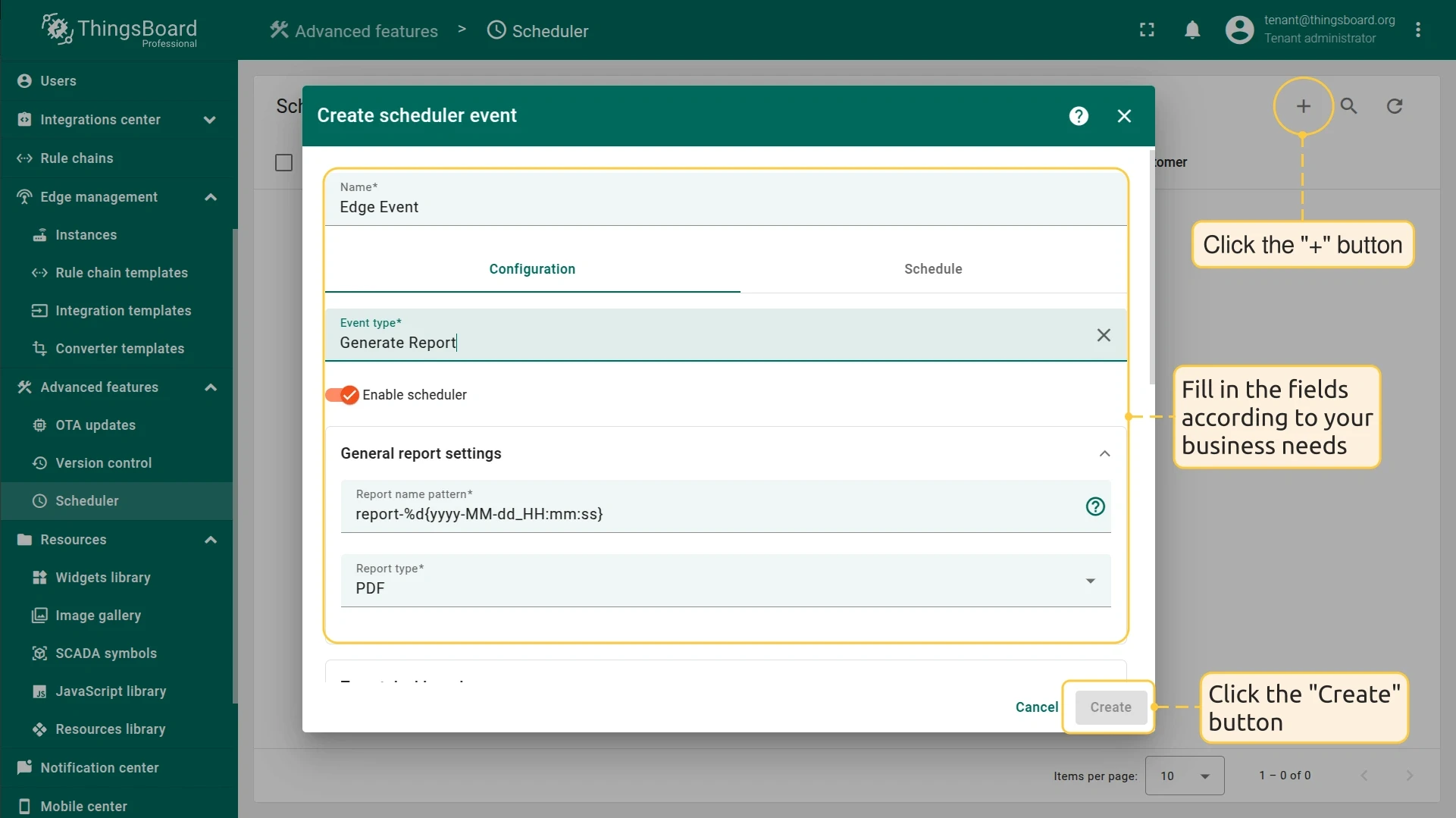
Click + and fill in the fields in the pop-up window. For detailed instructions, see the Scheduler Event dialog documentation.
-
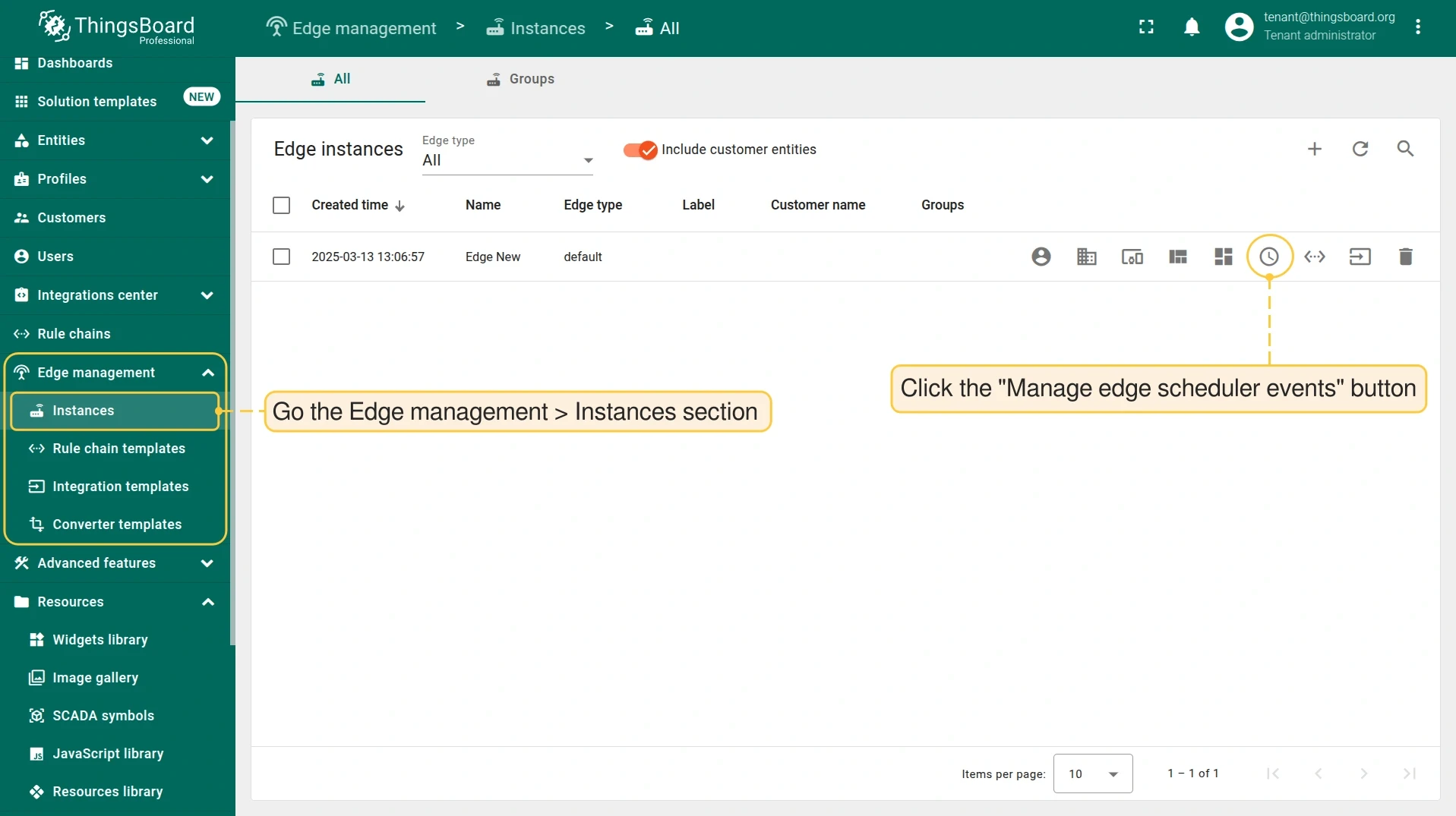
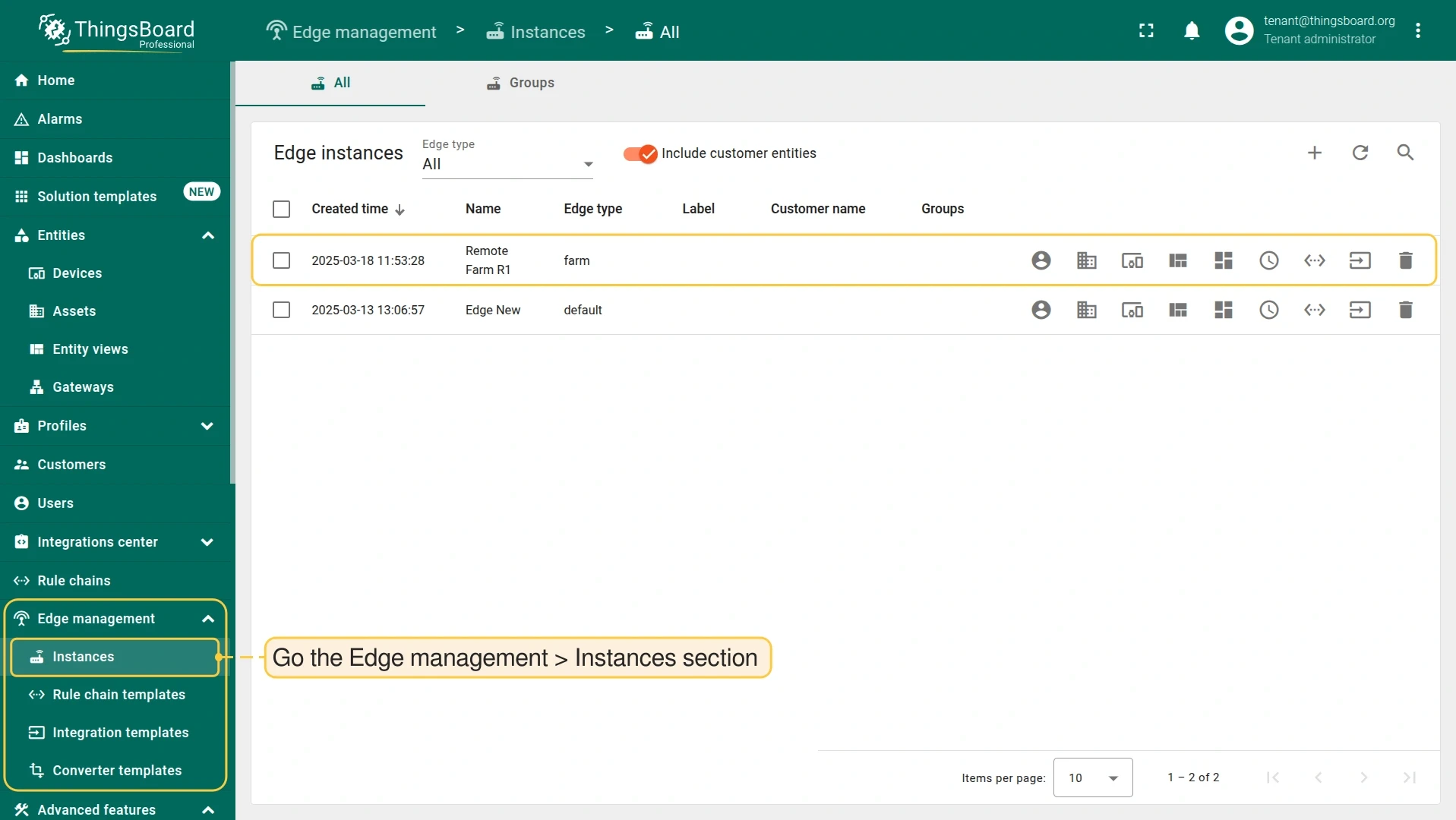
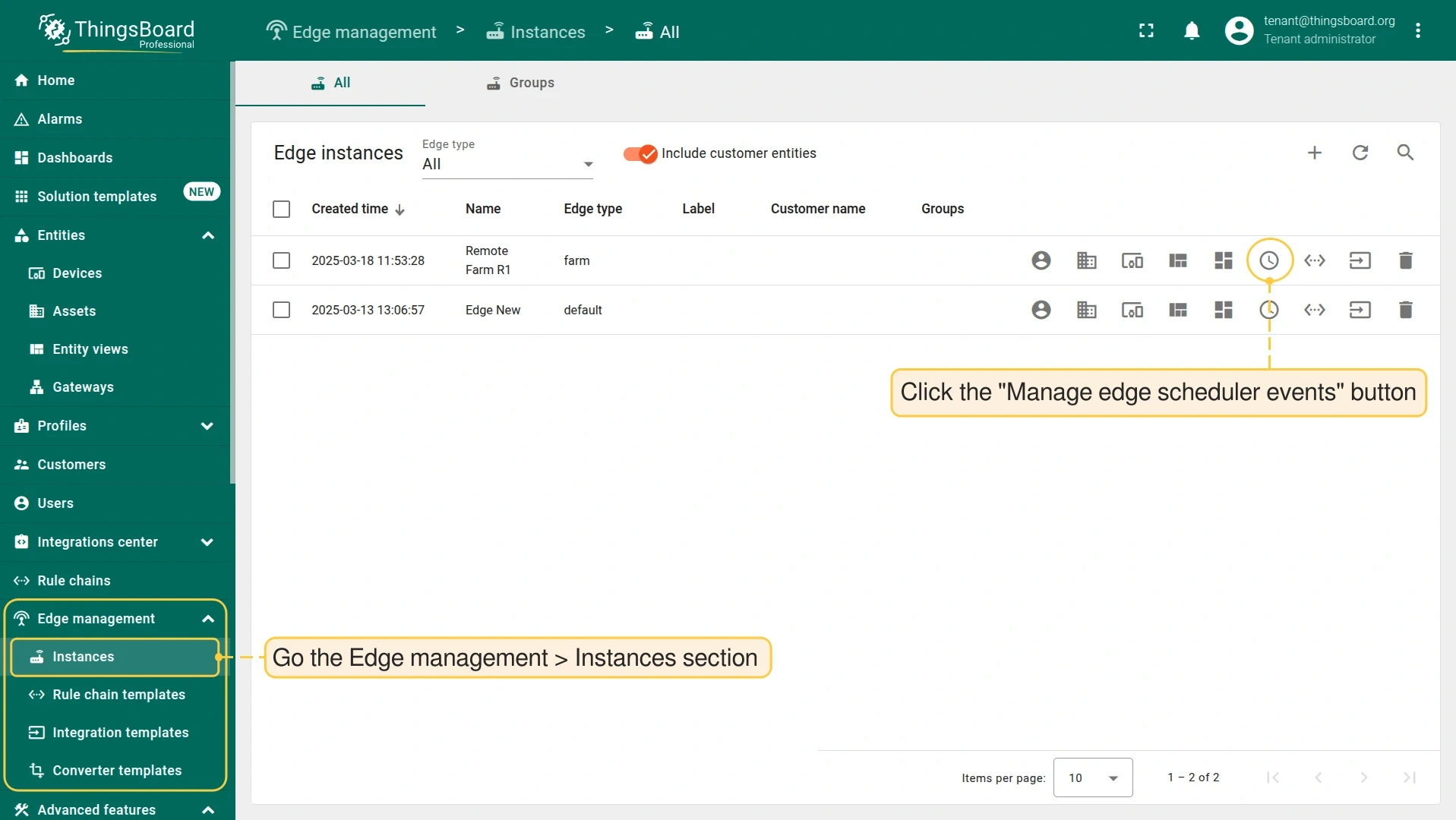
Go to Edge management > Instances and click Manage edge scheduler events on the target Edge instance.
-
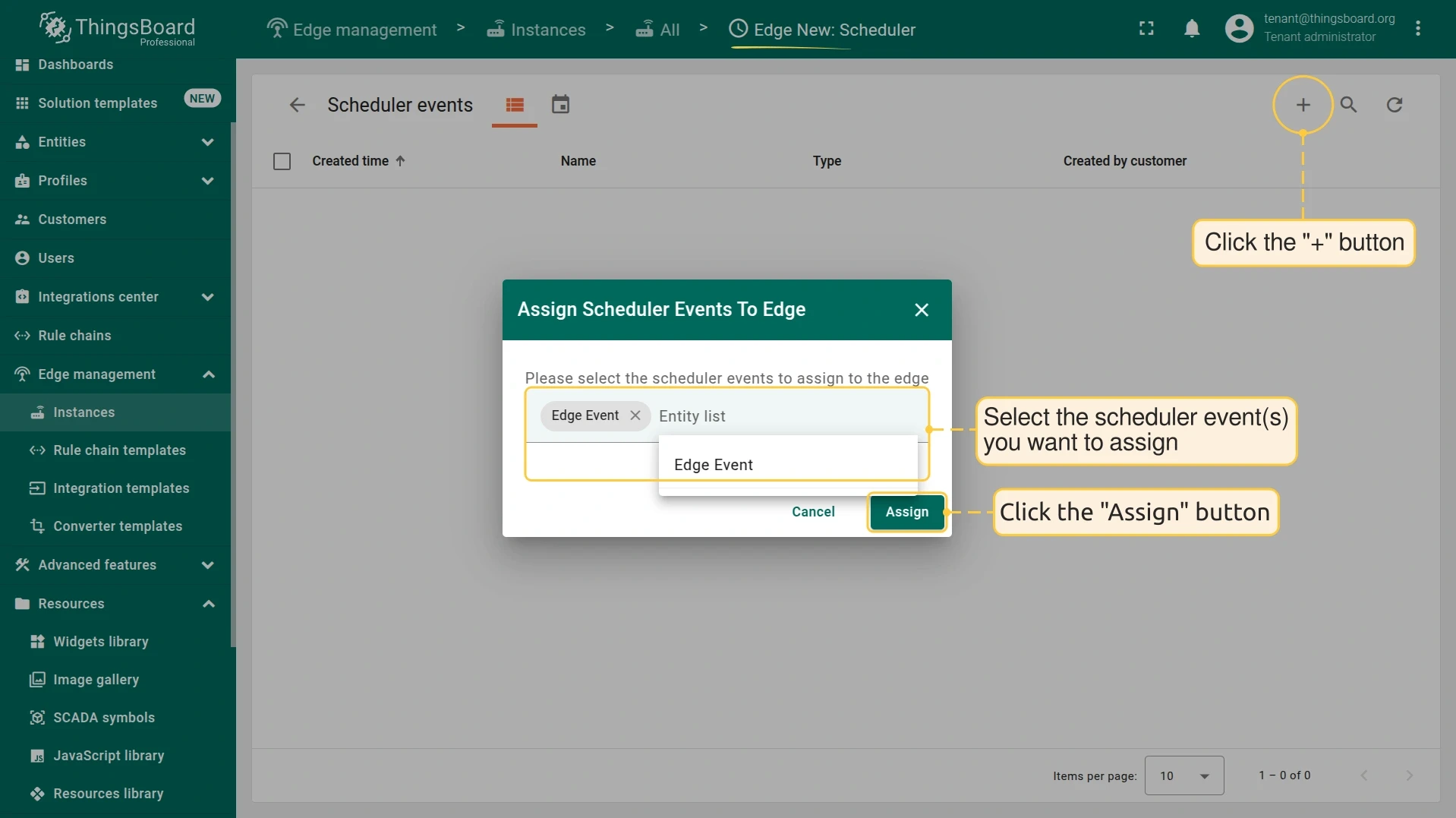
On the Edge Scheduler Events page, click + and assign the event to the Edge instance.
-
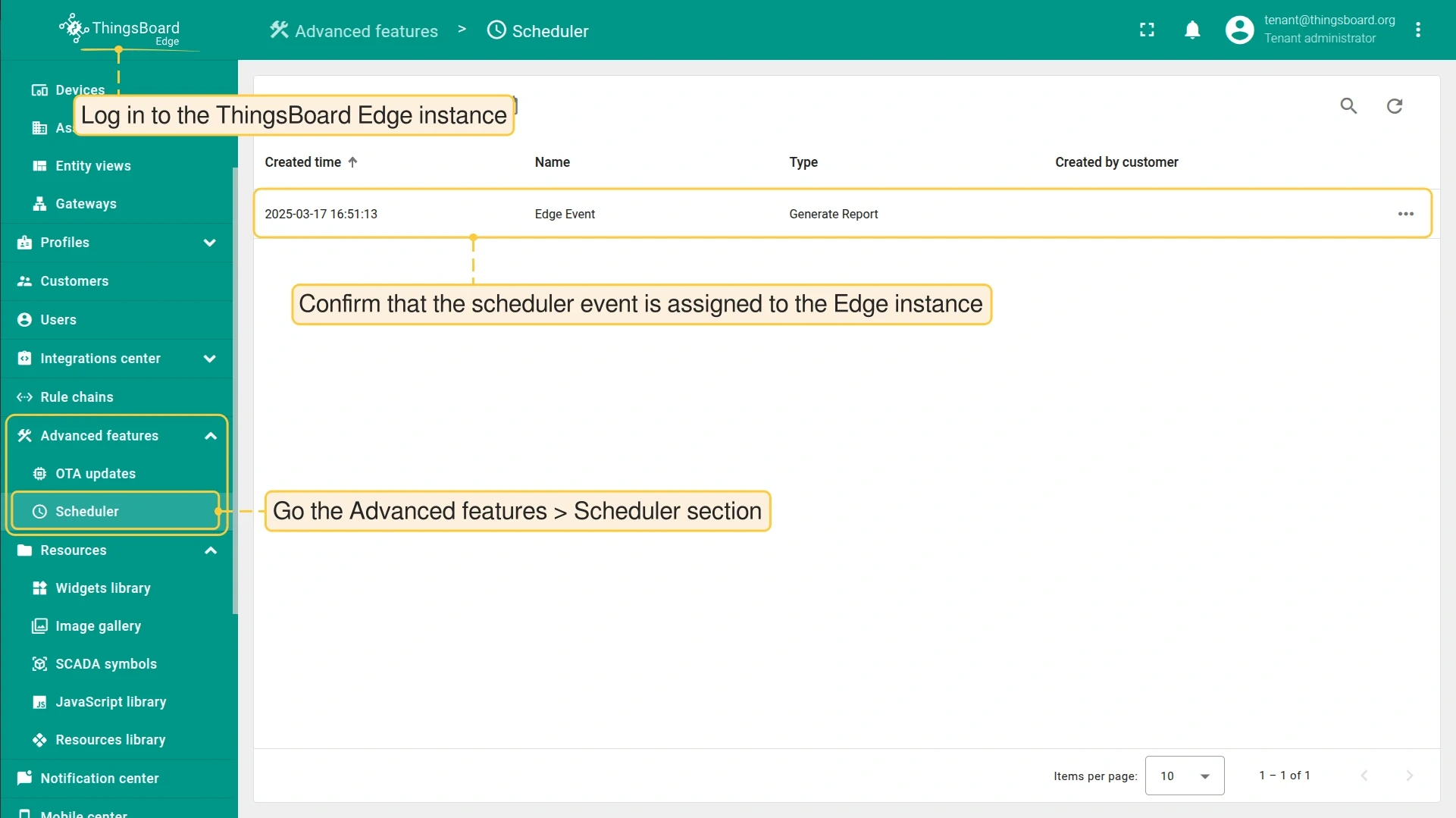
Log in to ThingsBoard Edge and go to Advanced features > Scheduler to confirm the event was assigned.
Use case: Smart Irrigation on ThingsBoard Edge
Section titled “Use case: Smart Irrigation on ThingsBoard Edge”The Smart Irrigation solution template demonstrates the Scheduler in a practical remote deployment. It automates irrigation based on soil moisture sensor readings and predefined schedules, with ThingsBoard Edge running locally to ensure operation during network outages.
The solution:
- Irrigates fields twice a day at predefined times.
- Monitors soil moisture, daily water consumption, and irrigation duration in real-time.
- Operates locally on ThingsBoard Edge, independent of internet connectivity.
Install the solution template
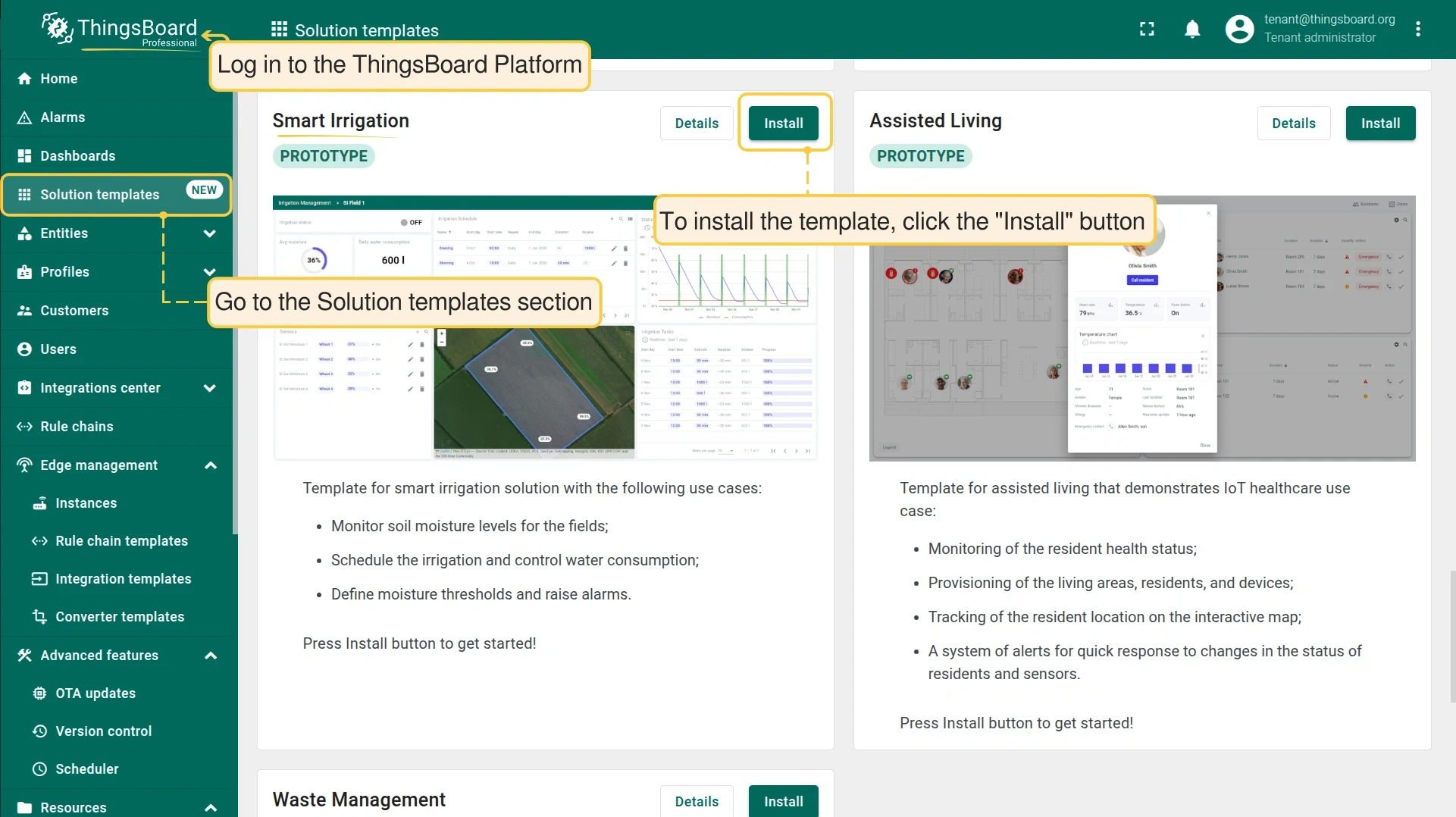
Section titled “Install the solution template”Log in to the ThingsBoard Platform, go to Solution templates, scroll to the Smart Irrigation block, and click Install.
The template automatically creates an Edge instance and assigns all required configurations.
Scheduler configuration
Section titled “Scheduler configuration”-
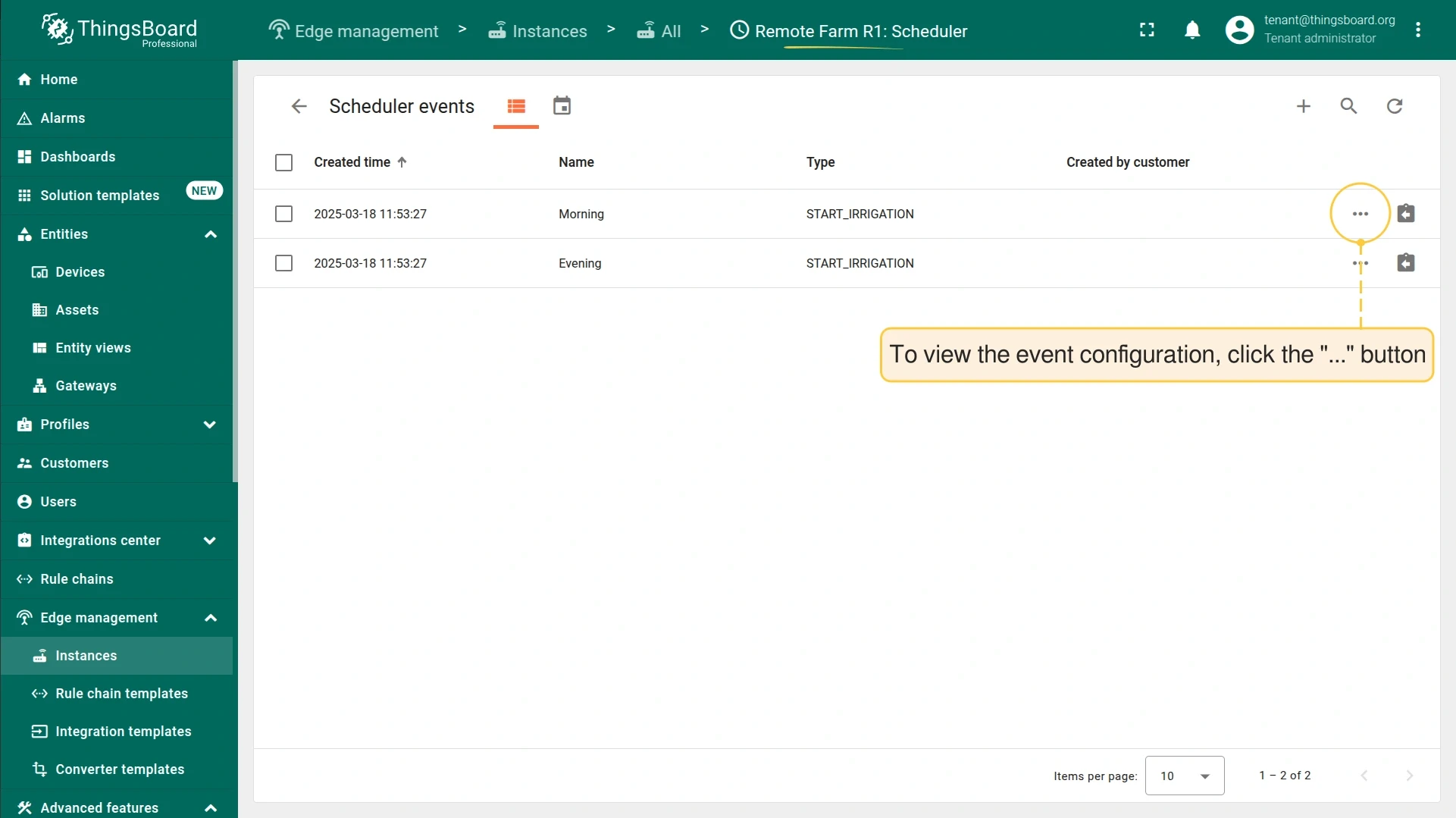
Click Manage edge scheduler events to view the assigned events.
-
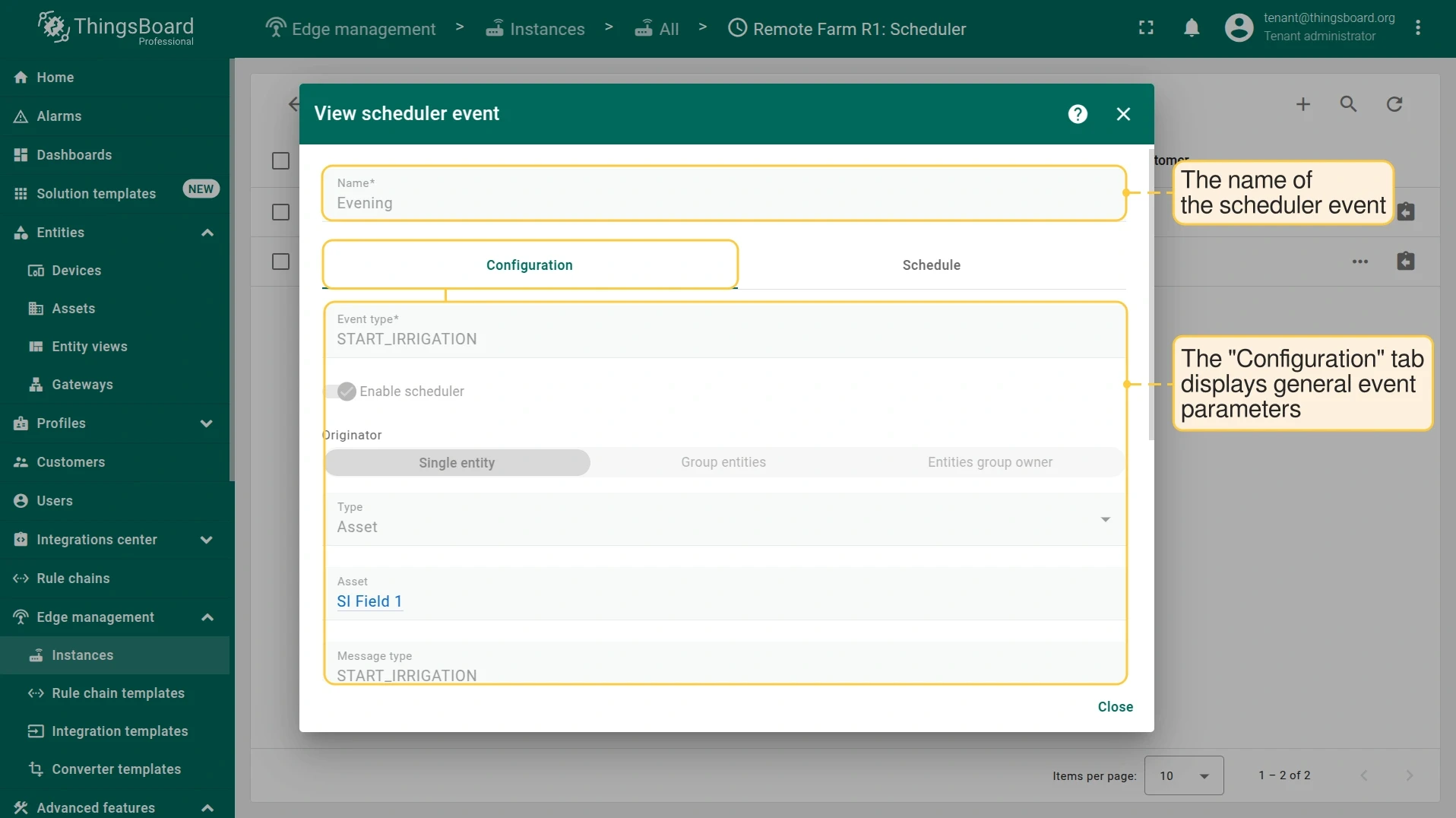
Click on a scheduler event to view its configuration.
-
The Configuration tab shows general event parameters: event type, message type, and body.
-
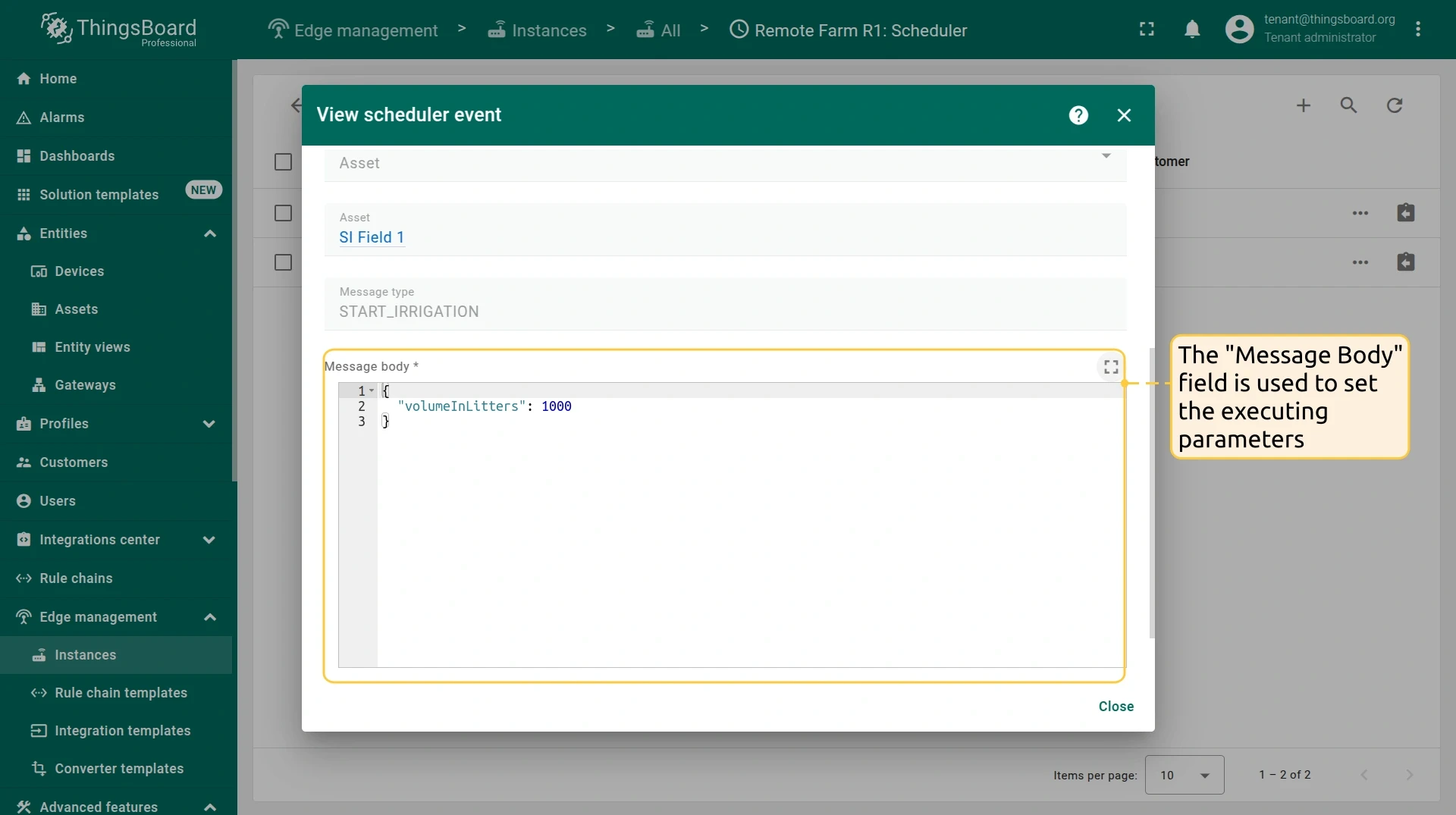
The Message body field defines the executing parameters.
-
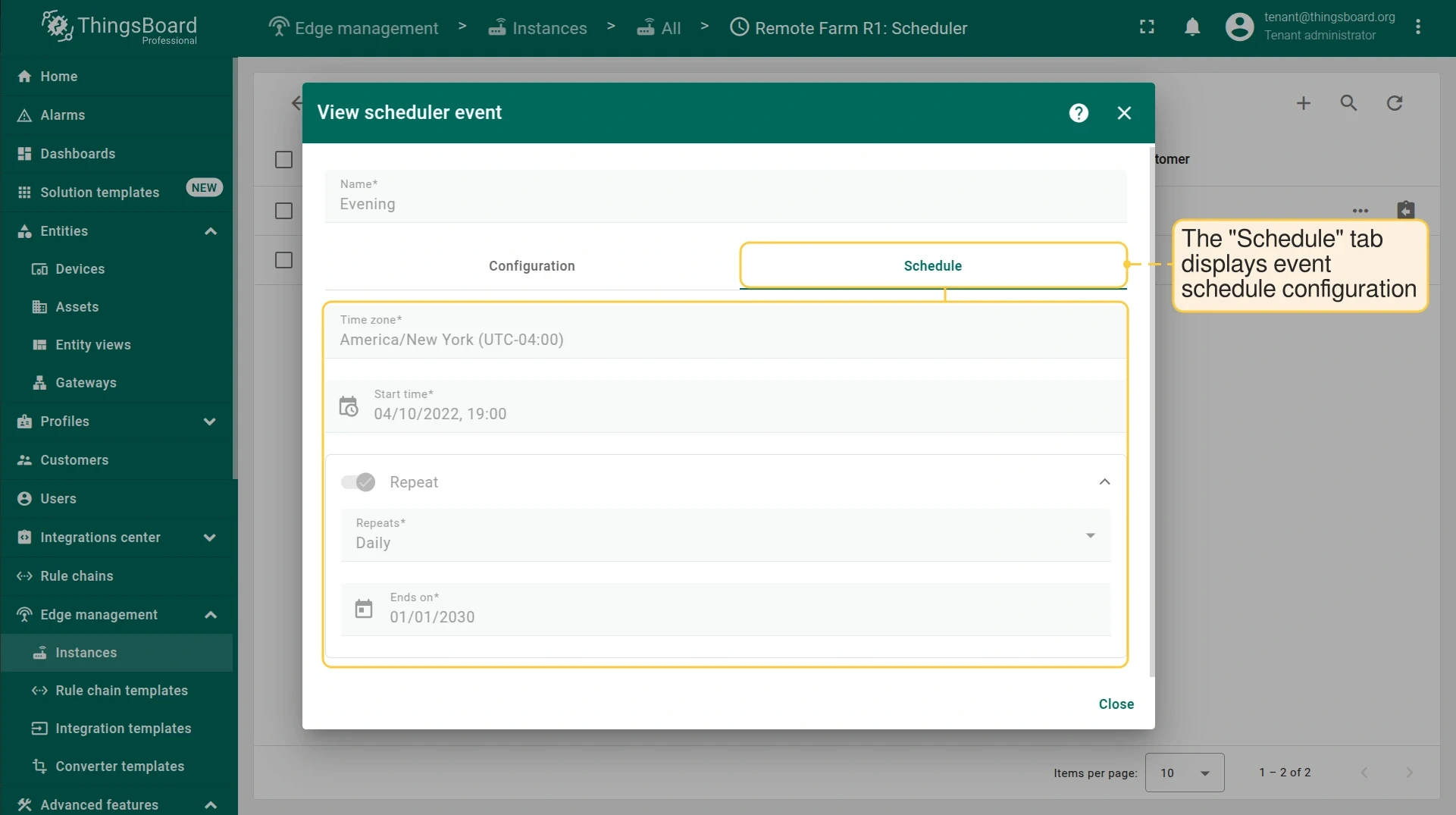
The Schedule tab shows the recurrence configuration.
-
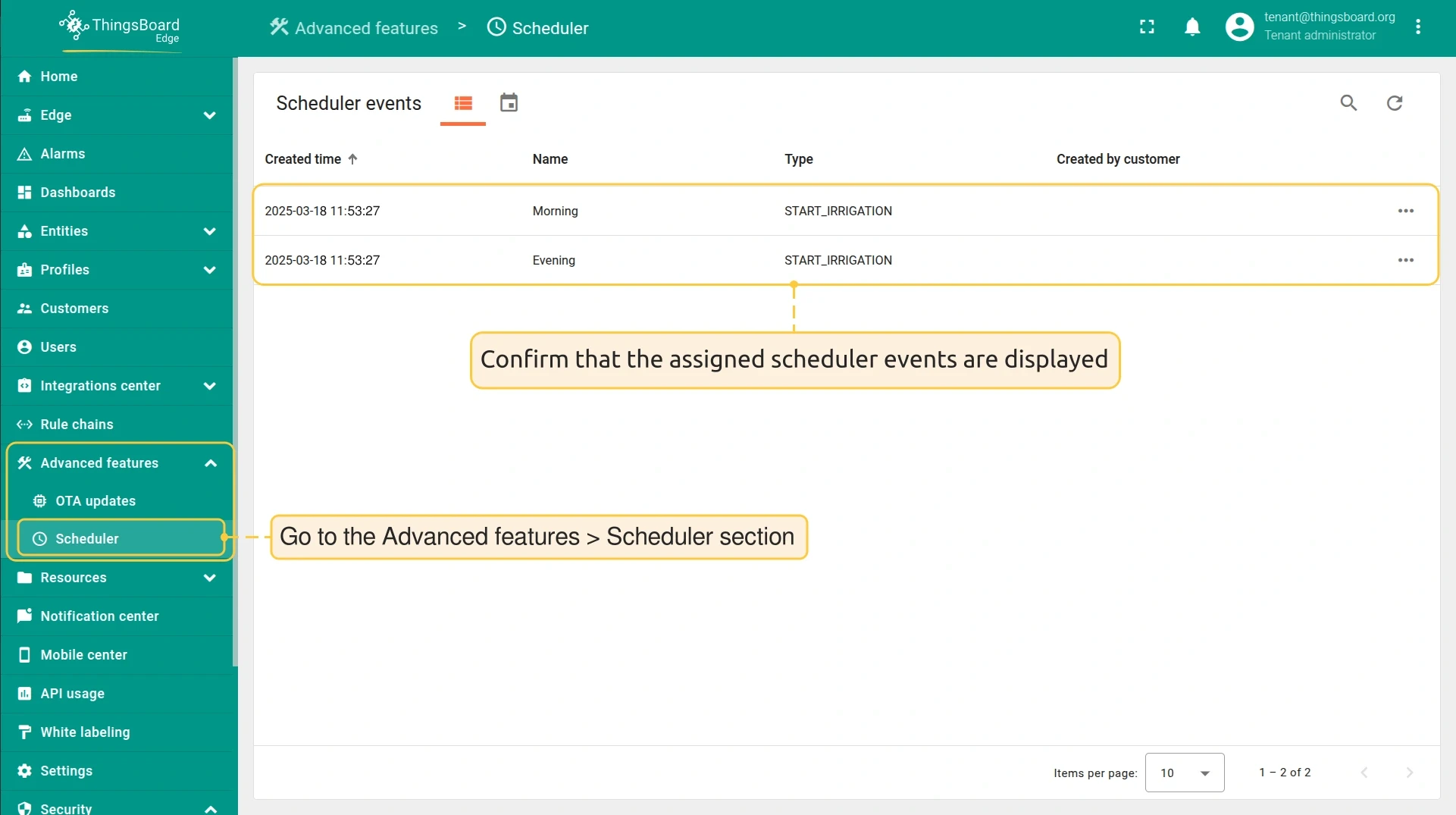
Log in to ThingsBoard Edge and go to Advanced features > Scheduler to confirm the events are assigned.
Rule chain configuration
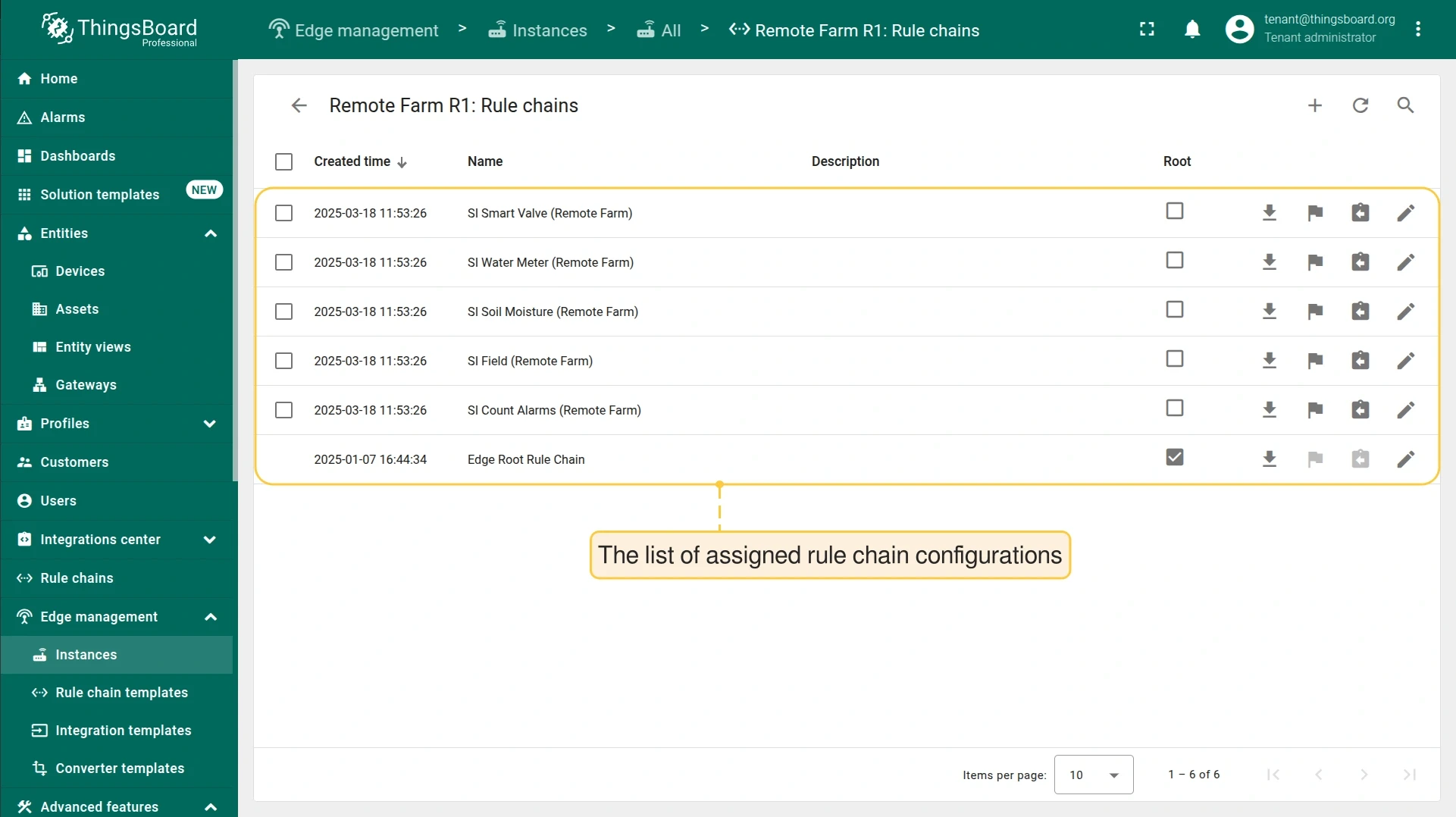
Section titled “Rule chain configuration”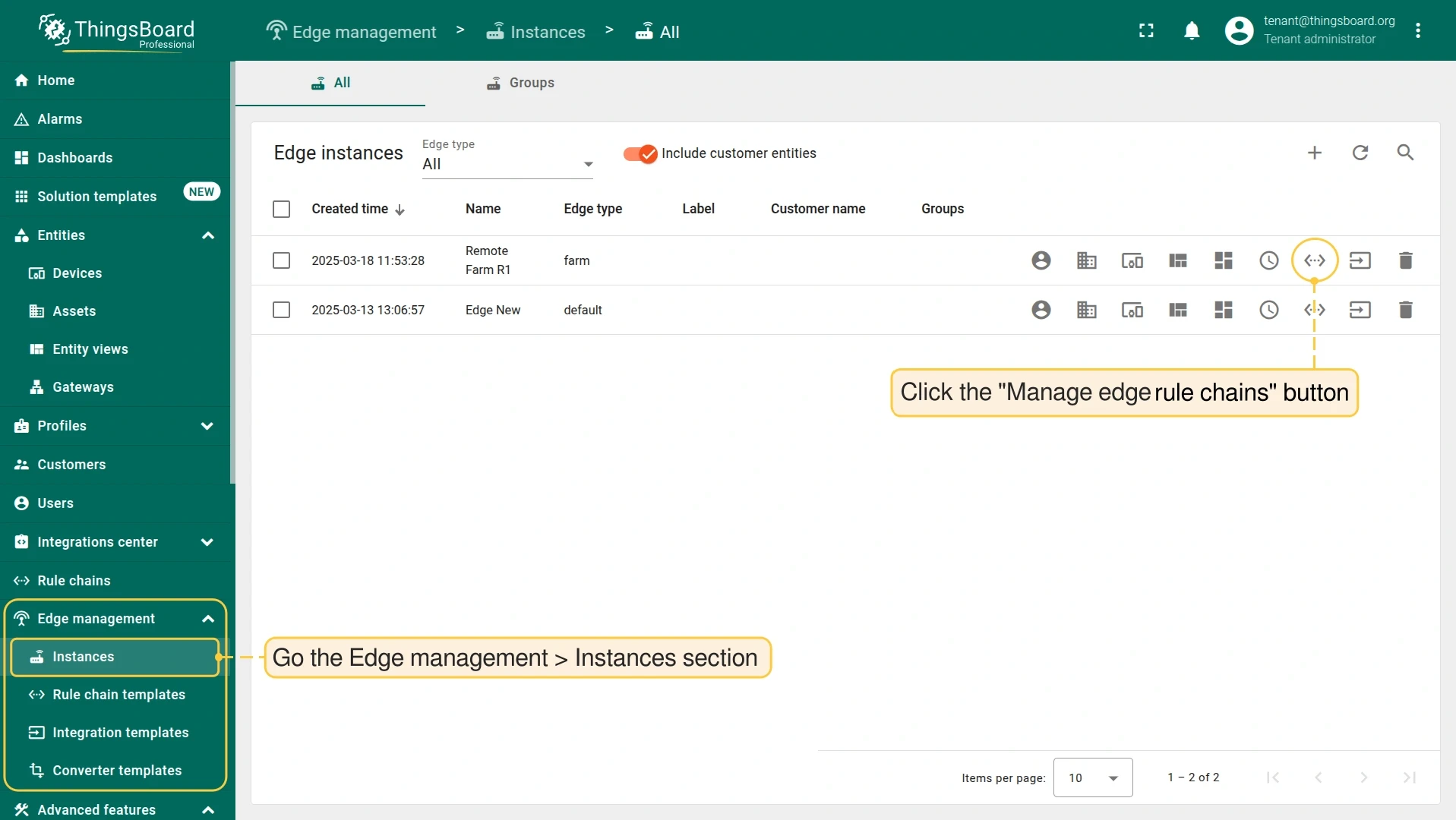
Dashboard
Section titled “Dashboard”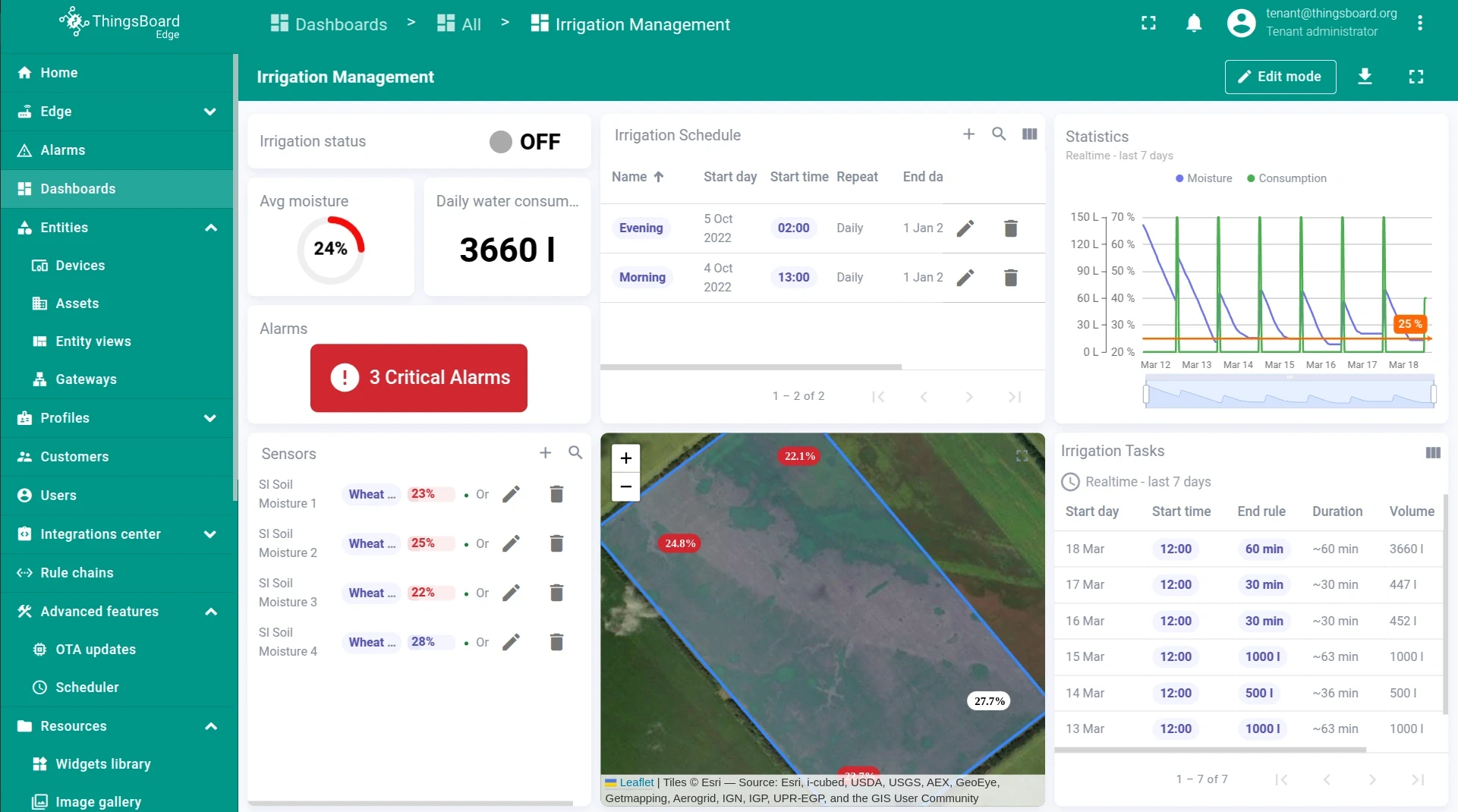
Benefits
Section titled “Benefits”Running the Scheduler on ThingsBoard Edge:
- Ensures autonomous irrigation in remote locations, independent of cloud connectivity.
- Optimizes water usage by running irrigation on a fixed schedule.
- Reduces manual intervention through automated event execution.
- Provides real-time soil moisture telemetry even when offline.
Was this helpful?