Telemetry synchronization
ThingsBoard Edge stores all telemetry locally and pushes it to the server through rule chains. You control which data is synchronized, in which direction, and how it is stored on each side — giving you precise control over bandwidth and server-side data retention.
For an overview of how telemetry synchronization works, see Telemetry synchronization.
Configuring attribute sync — Edge → Cloud
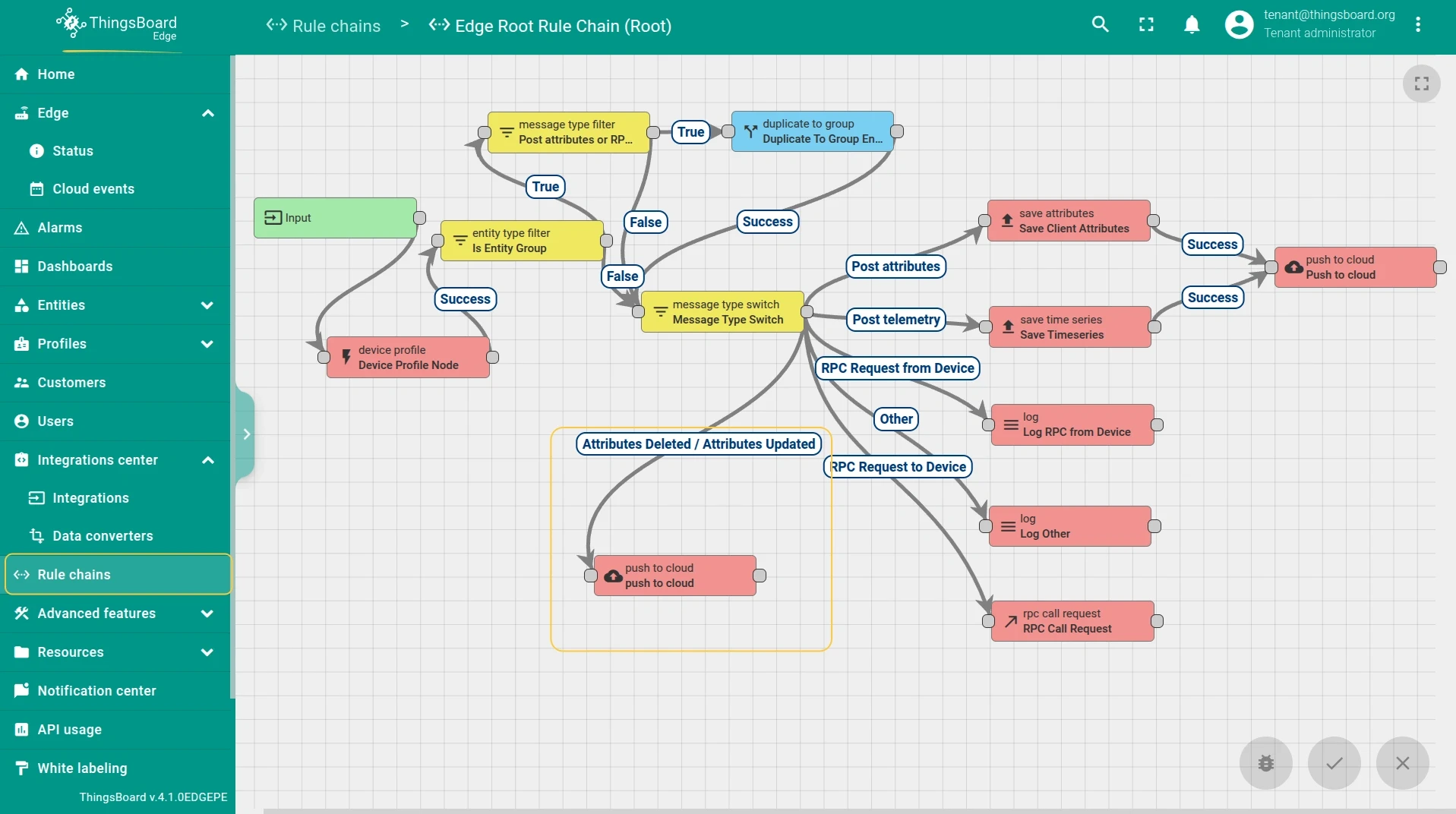
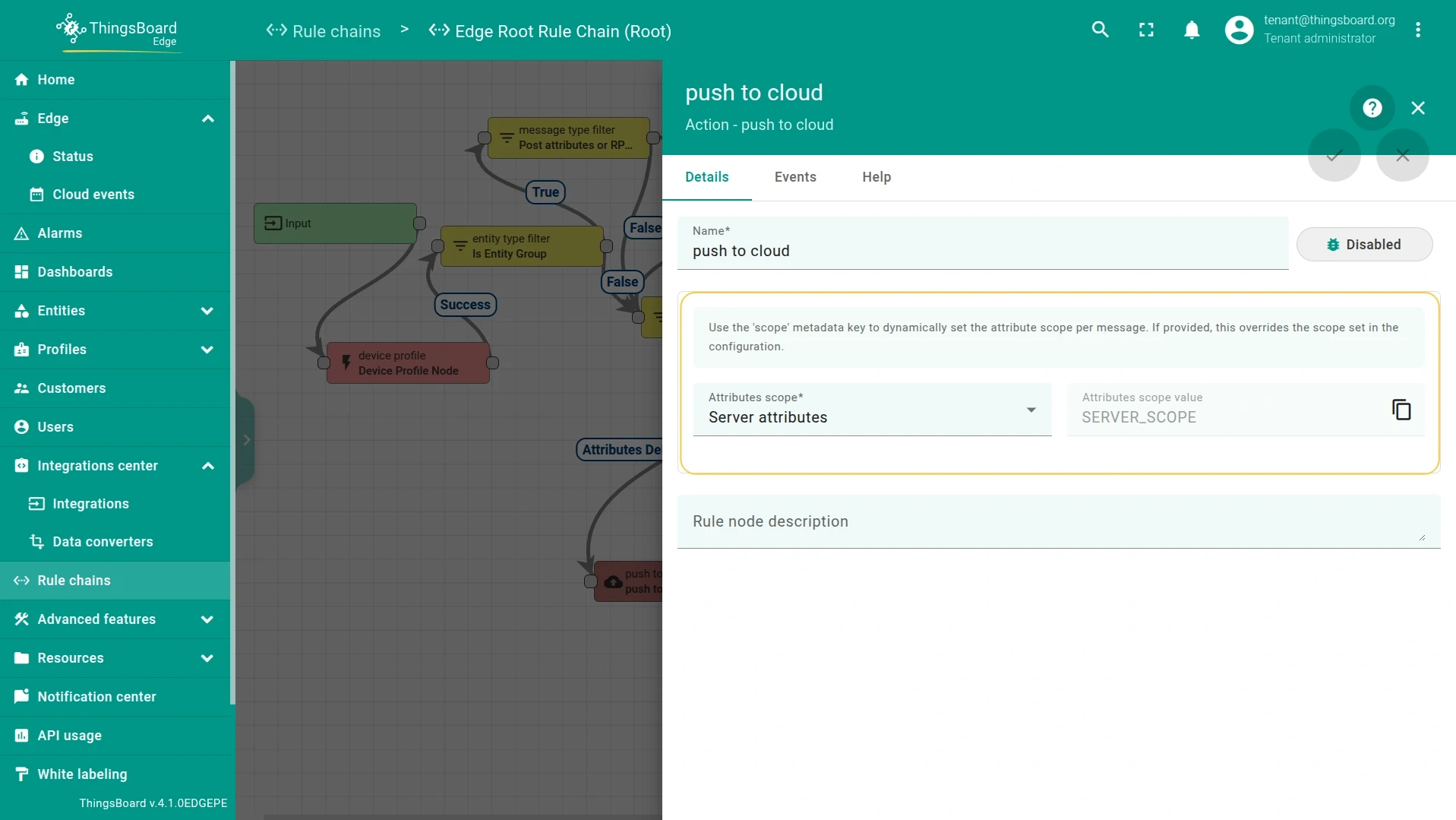
Section titled “Configuring attribute sync — Edge → Cloud”To propagate attribute changes from Edge to the server, connect the Attributes updated and Attributes deleted output relations to the push to cloud node in the Edge rule chain. The attribute scope type — Server, Shared, or Client — is also configured within the push to cloud node.
Data storage on the server
Section titled “Data storage on the server”The database tables updated on the server depend on the server-side rule chain configuration. Choose based on what the server needs:
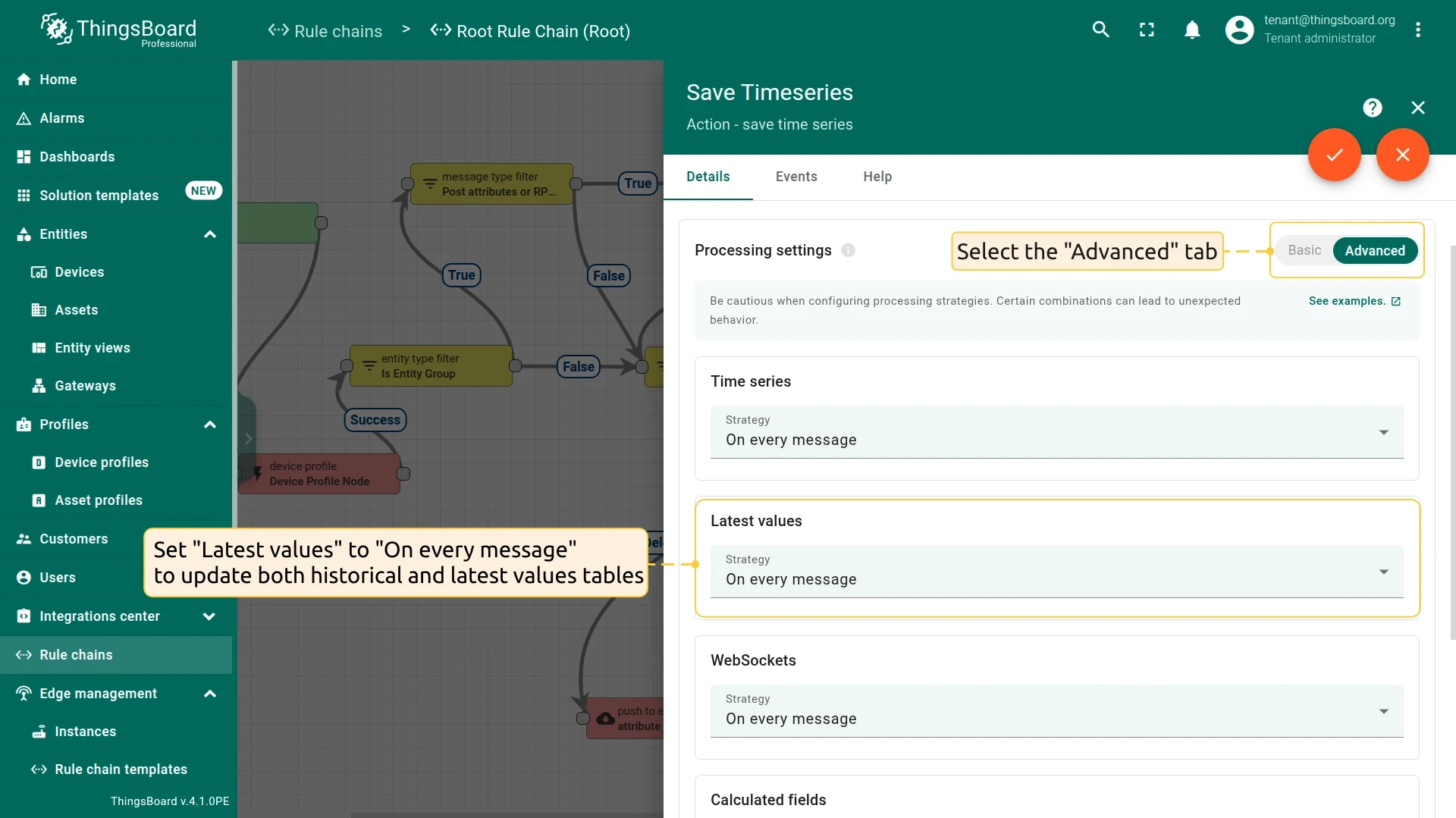
- To store both the latest and historical telemetry: Route telemetry to the save timeseries node and set Latest values to On every message. This writes to both the
timeseriesandlatest_valuestables. Use this when you need dashboards on the server to show the current device state alongside historical charts.
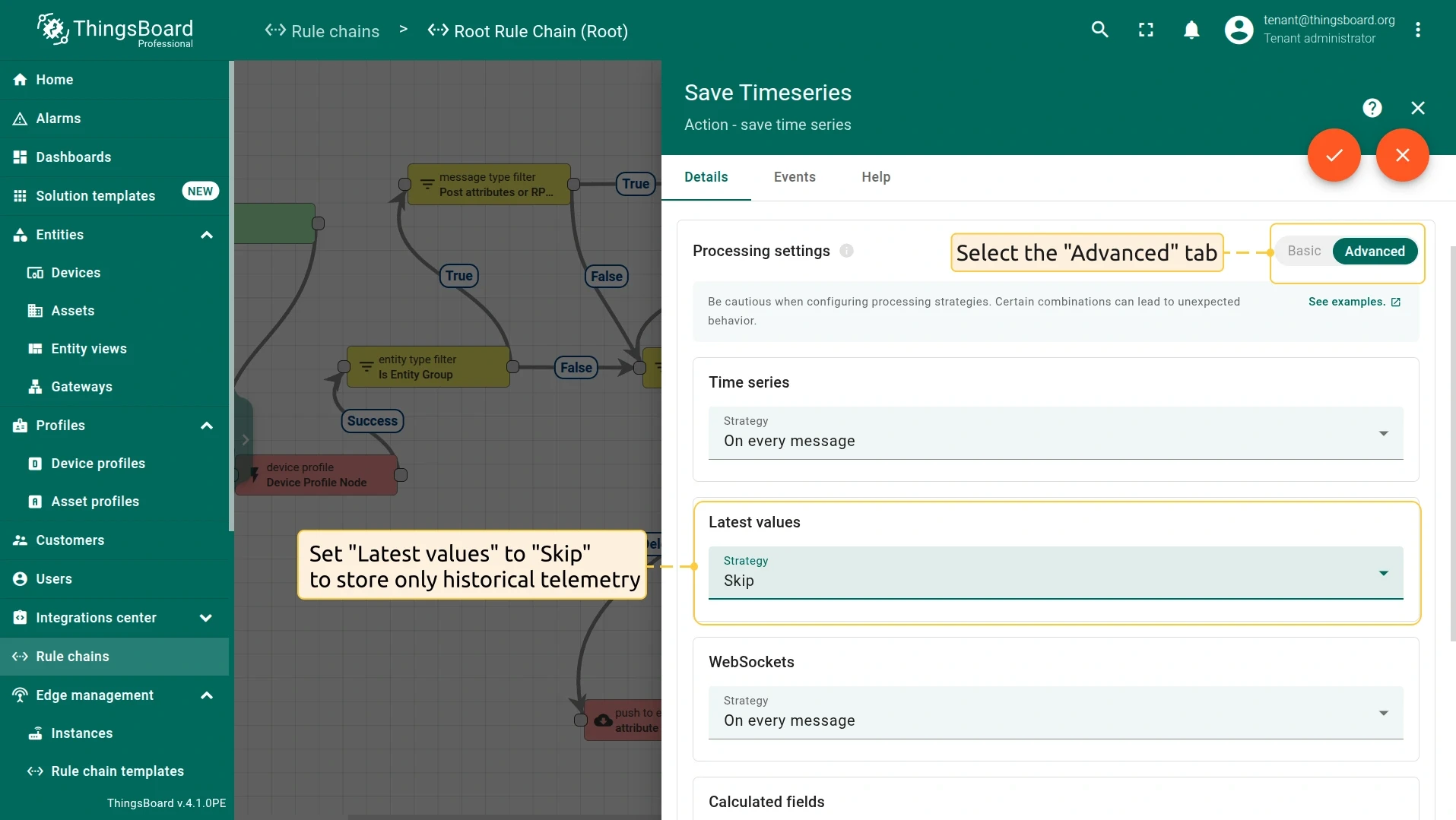
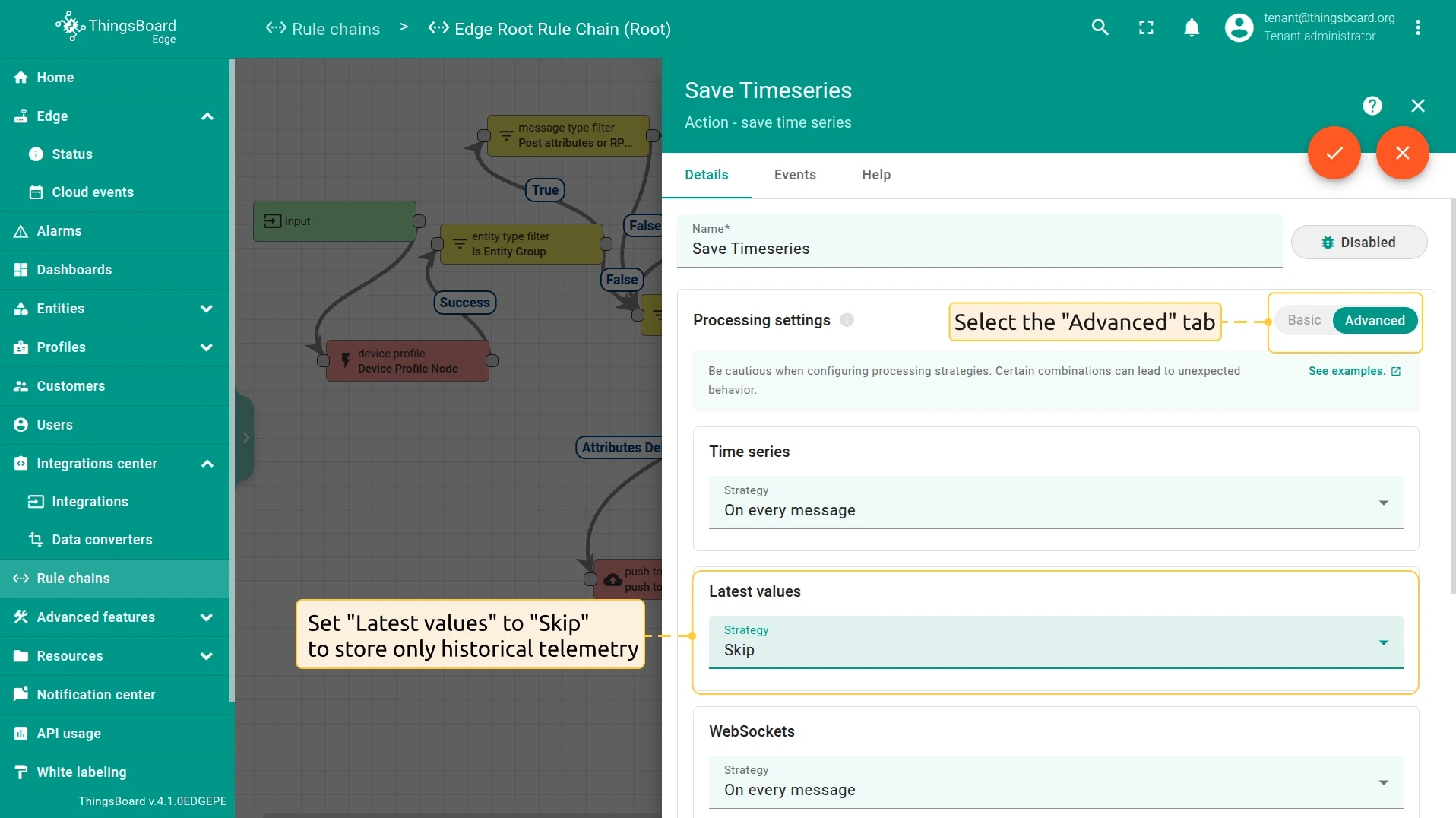
- To store only historical telemetry: Route telemetry to the save timeseries node and set Latest values to Skip. This updates only the
timeseriestable. Thelatest_valuestable remains unchanged. Use this when the server is used only for historical analysis or reporting, and the current device state is monitored locally on Edge.
Configuring attribute sync — Cloud → Edge
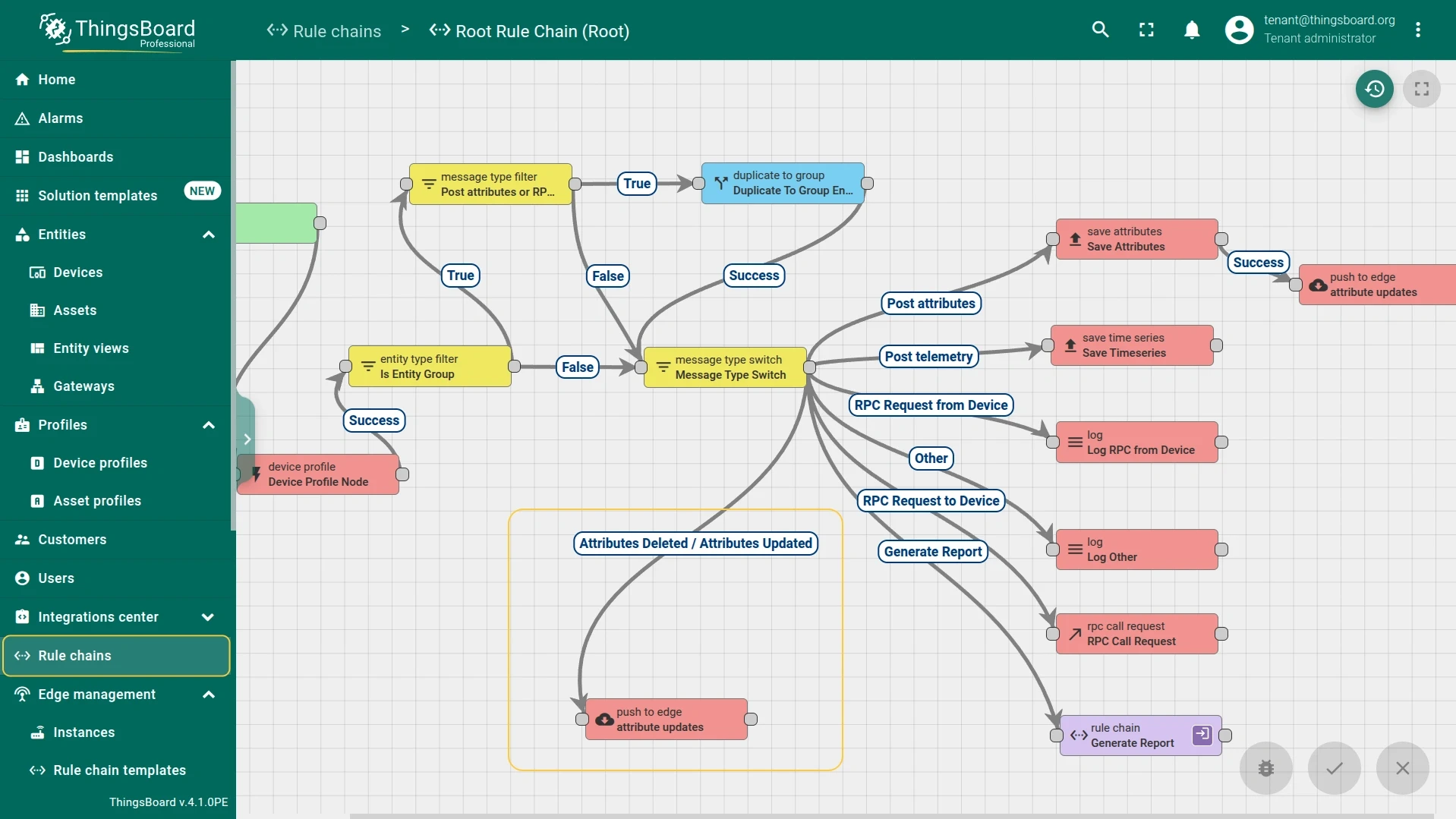
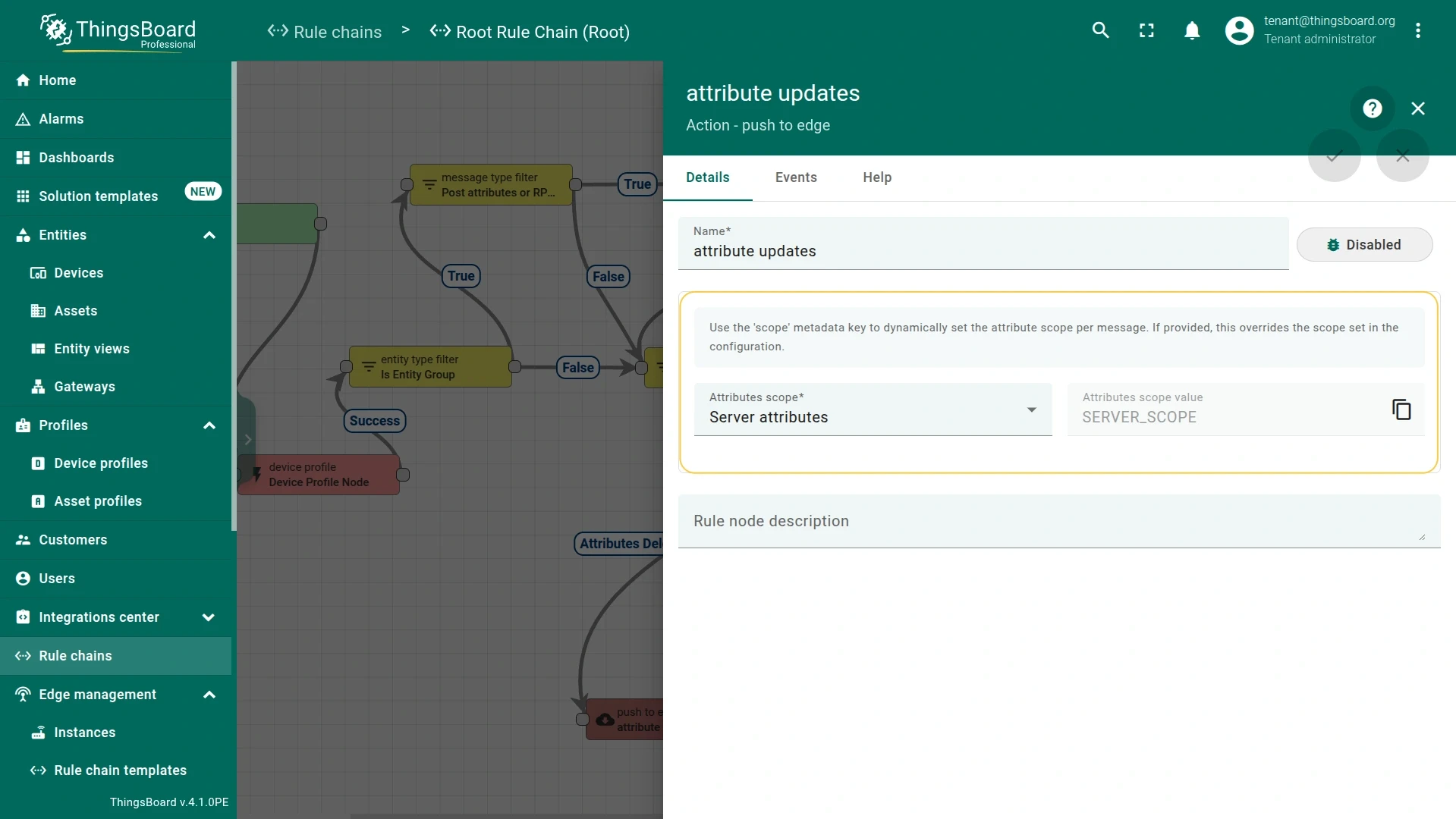
Section titled “Configuring attribute sync — Cloud → Edge”To propagate attribute changes from the server to Edge, connect the Attributes updated and Attributes deleted output relations to the push to edge node in the server-side rule chain. The attribute scope type is also configured within the push to edge node.
Data storage on Edge
Section titled “Data storage on Edge”Edge always keeps a local copy of the data it ingests or receives from the server. This enables offline operation and local data processing.
When a device sends data to Edge: Edge writes telemetry to the local database first, then the rule chain decides whether to push it to the server.
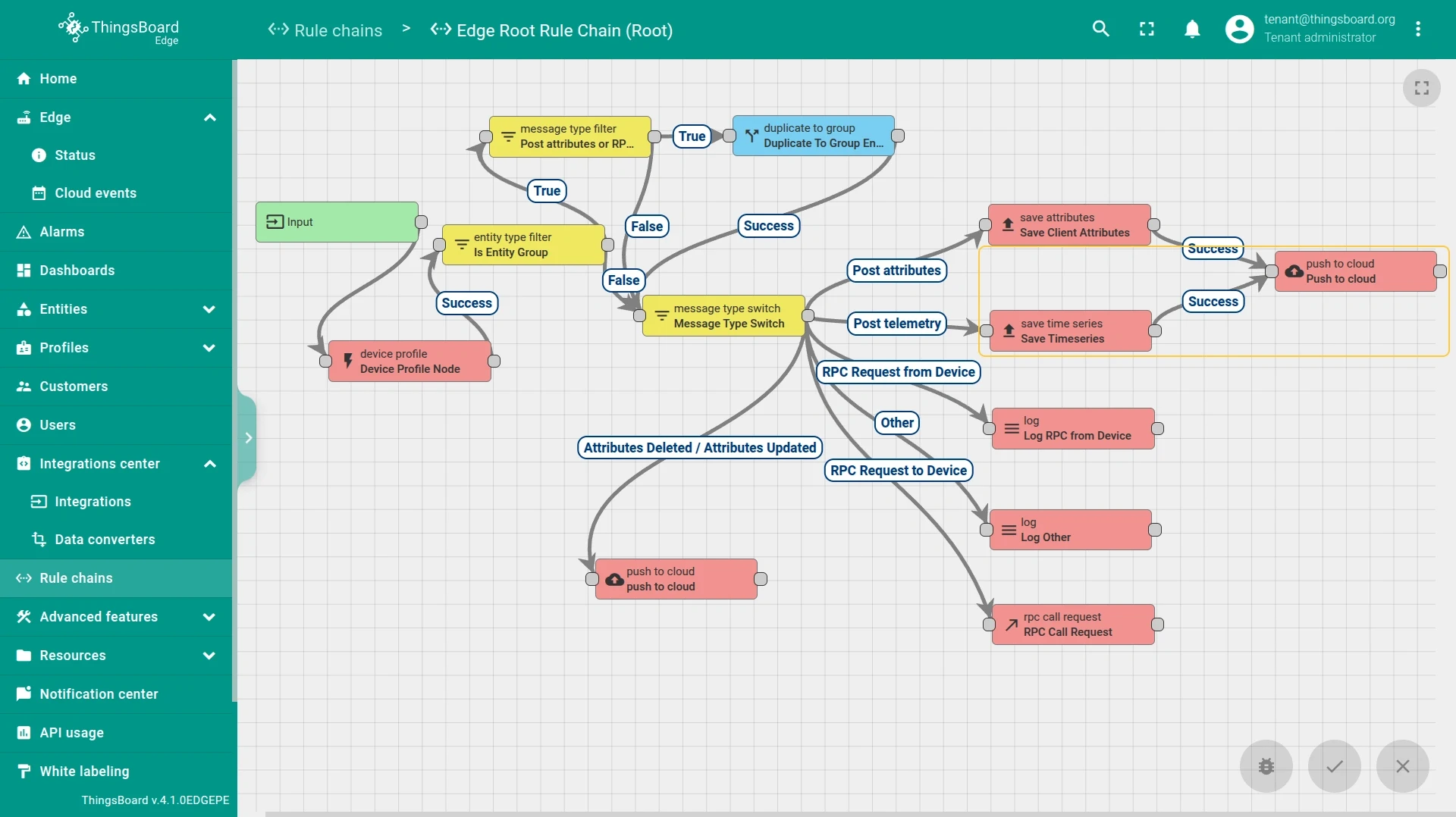
When an Edge Event arrives from the server: The Edge rule chain processes the incoming event and stores it according to the rule chain configuration.
- To store both the latest and historical telemetry: Route telemetry to the save timeseries node and set Latest values to On every message. This writes to both the
timeseriesandlatest_valuestables. Use this when Edge dashboards need to display the current value alongside historical data.
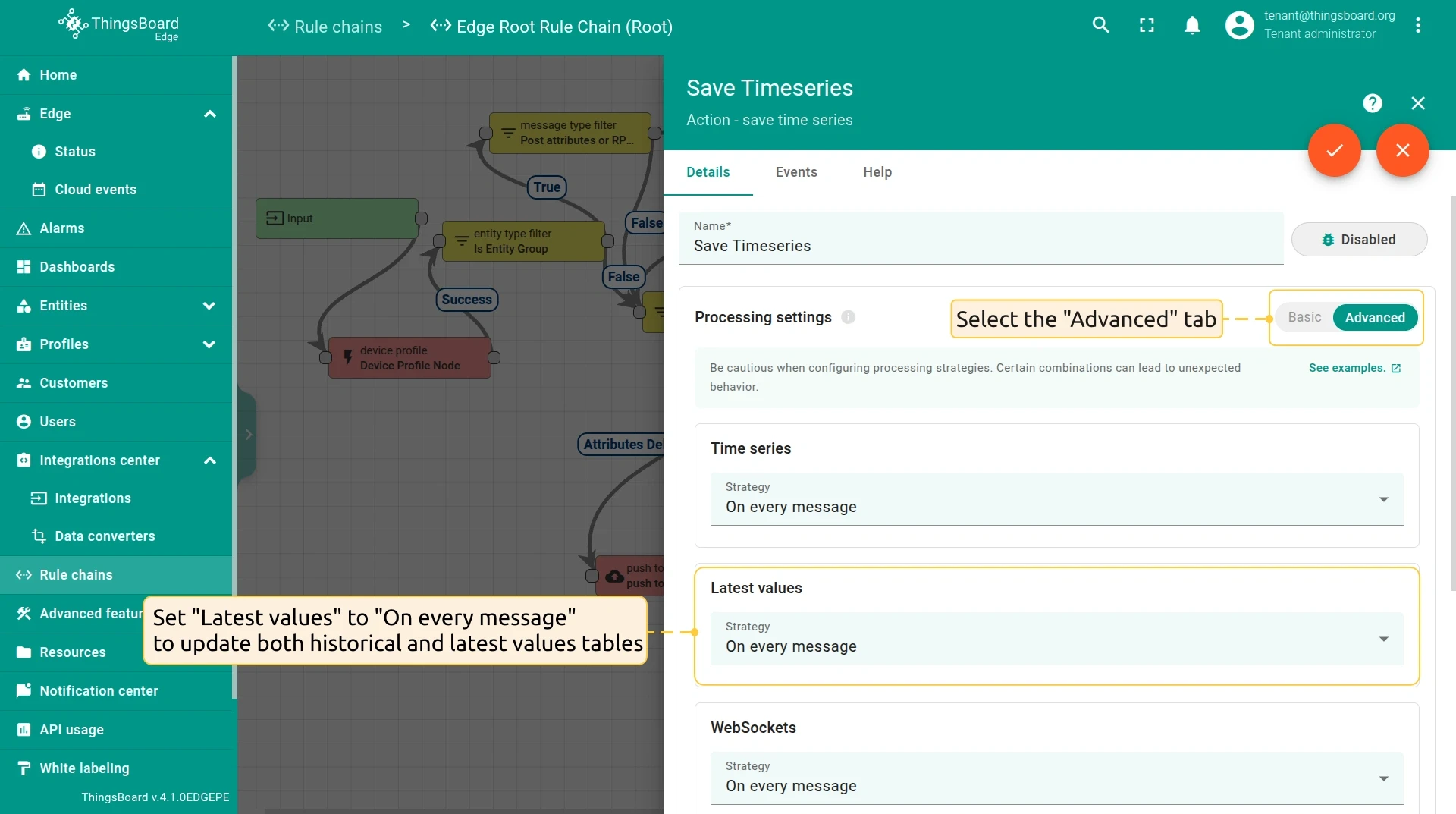
- To store only historical telemetry: Route telemetry to the save timeseries node and set Latest values to Skip. This updates only the
timeseriestable. Thelatest_valuestable remains unchanged. Use this for audit or logging scenarios where the current state is not needed locally.
Was this helpful?