Rule chain templates
A rule chain template is a rule chain created on the server under Edge management → Rule chain templates. It does not run on the server — it is a blueprint that gets pushed to one or more Edge instances when assigned. On Edge 4.0 and later, you can also create and edit rule chains directly on the Edge instance.
Create a template on the server
Section titled “Create a template on the server”Use this approach when you want to deploy the same rule chain logic to multiple Edge instances from one place.
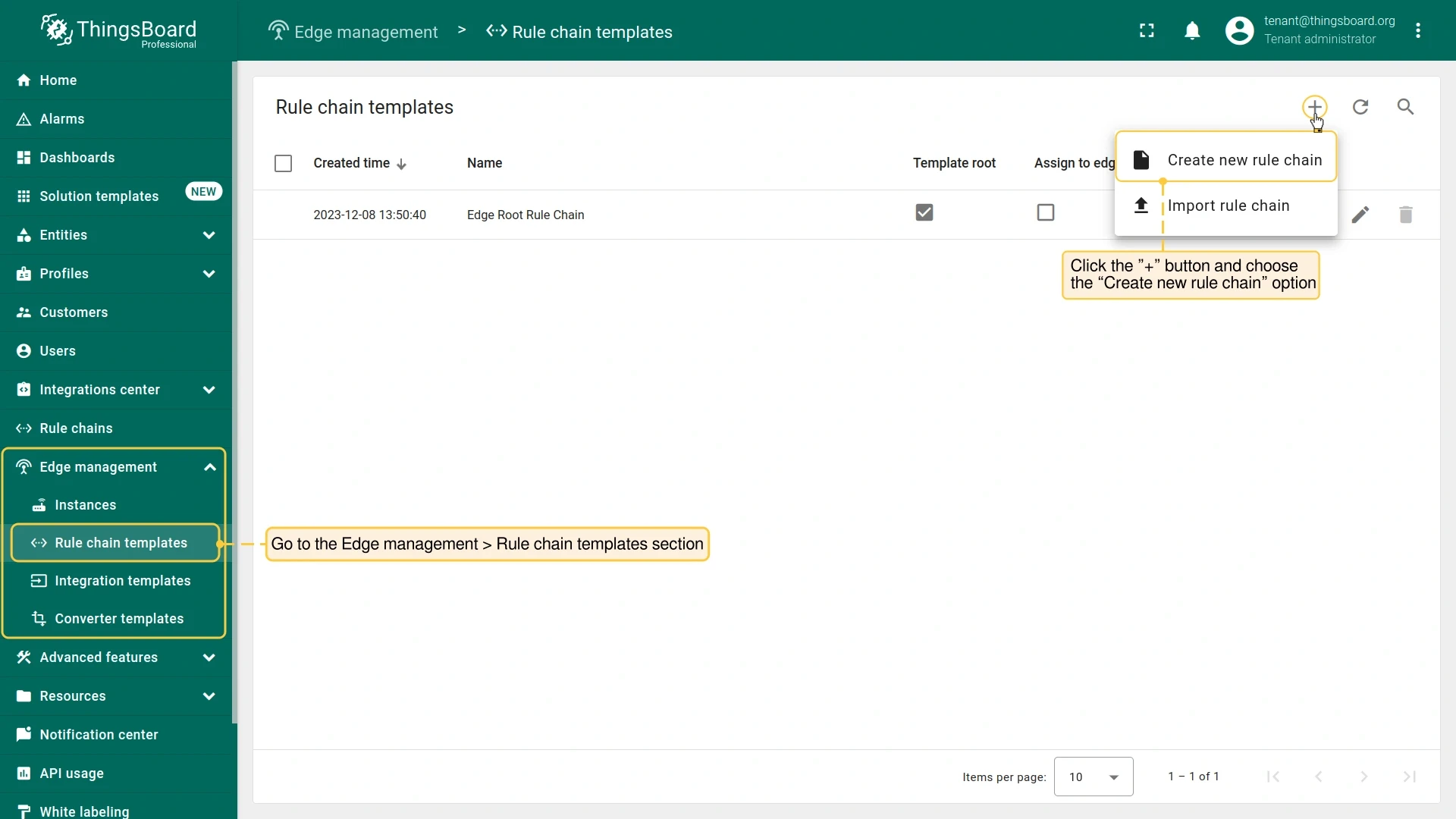
- On the server, go to Edge management → Rule chain templates and click Add (+).
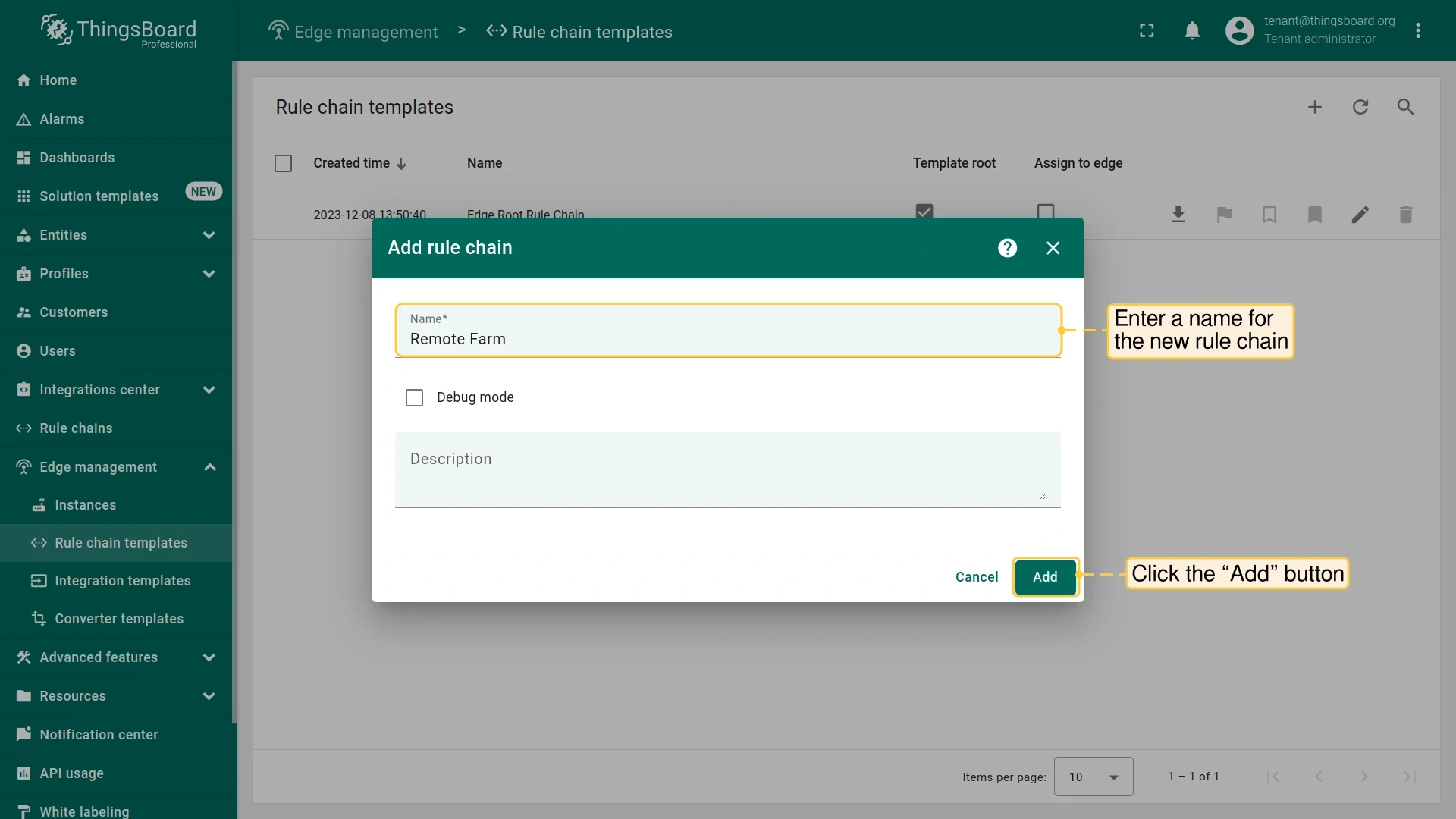
- Enter a name and click Add.
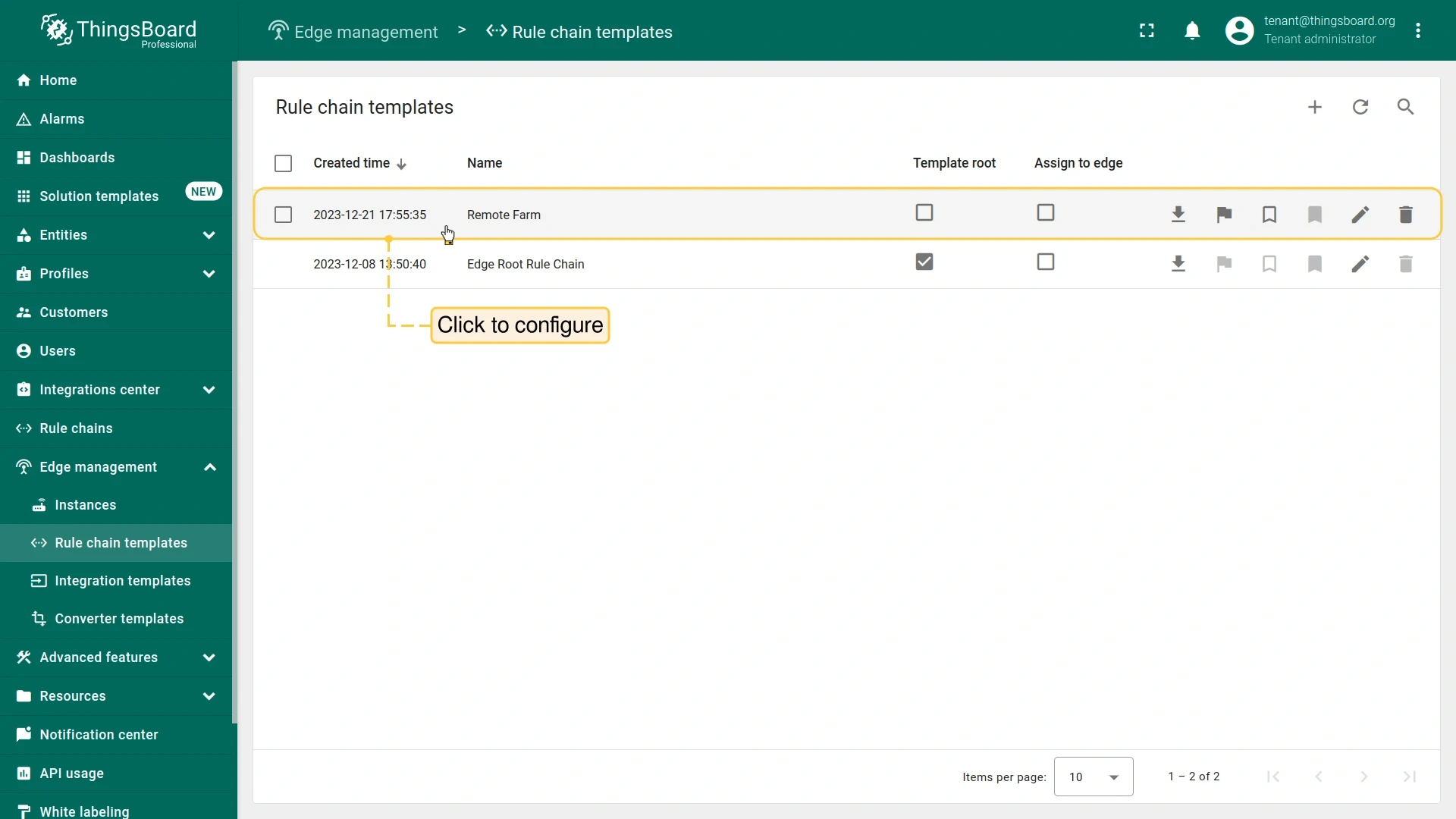
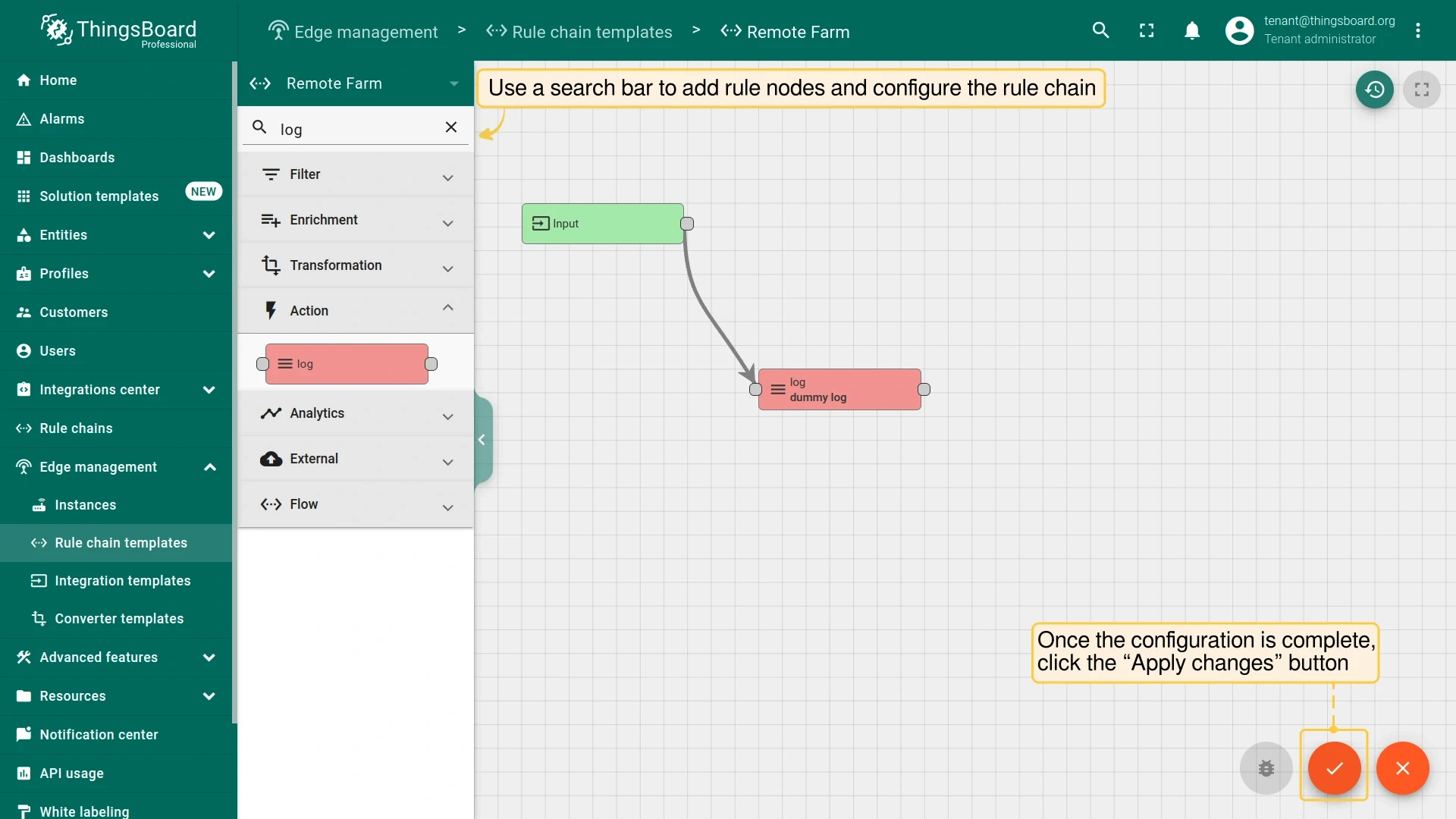
- Open the new template, configure your rule nodes and connections, and click Apply changes.
The template is not active on any Edge until you assign it.
Assign a template to an Edge instance
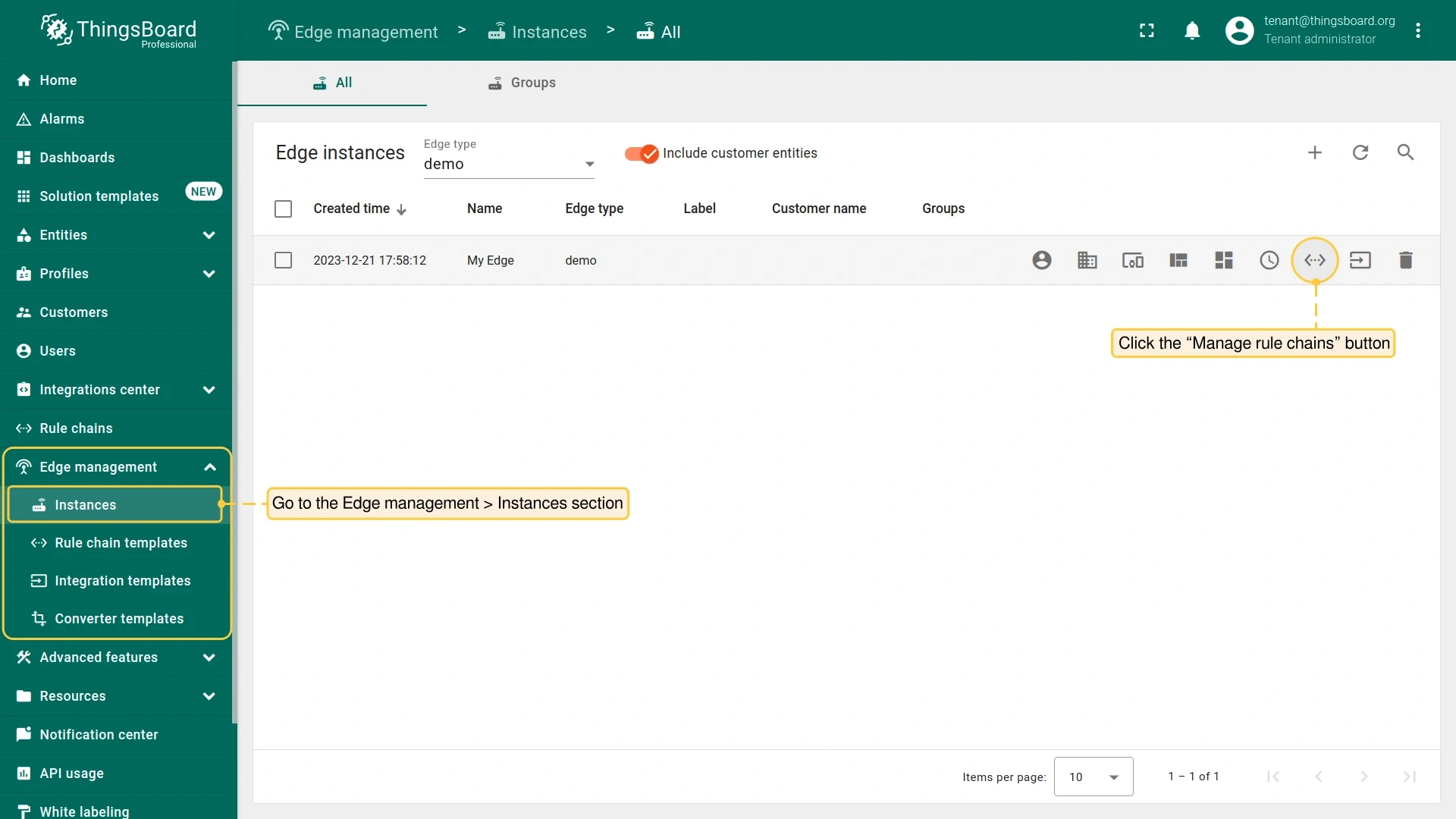
Section titled “Assign a template to an Edge instance”- On the server, go to Edge management → Instances and open the target Edge instance context menu. Select Manage rule chains.
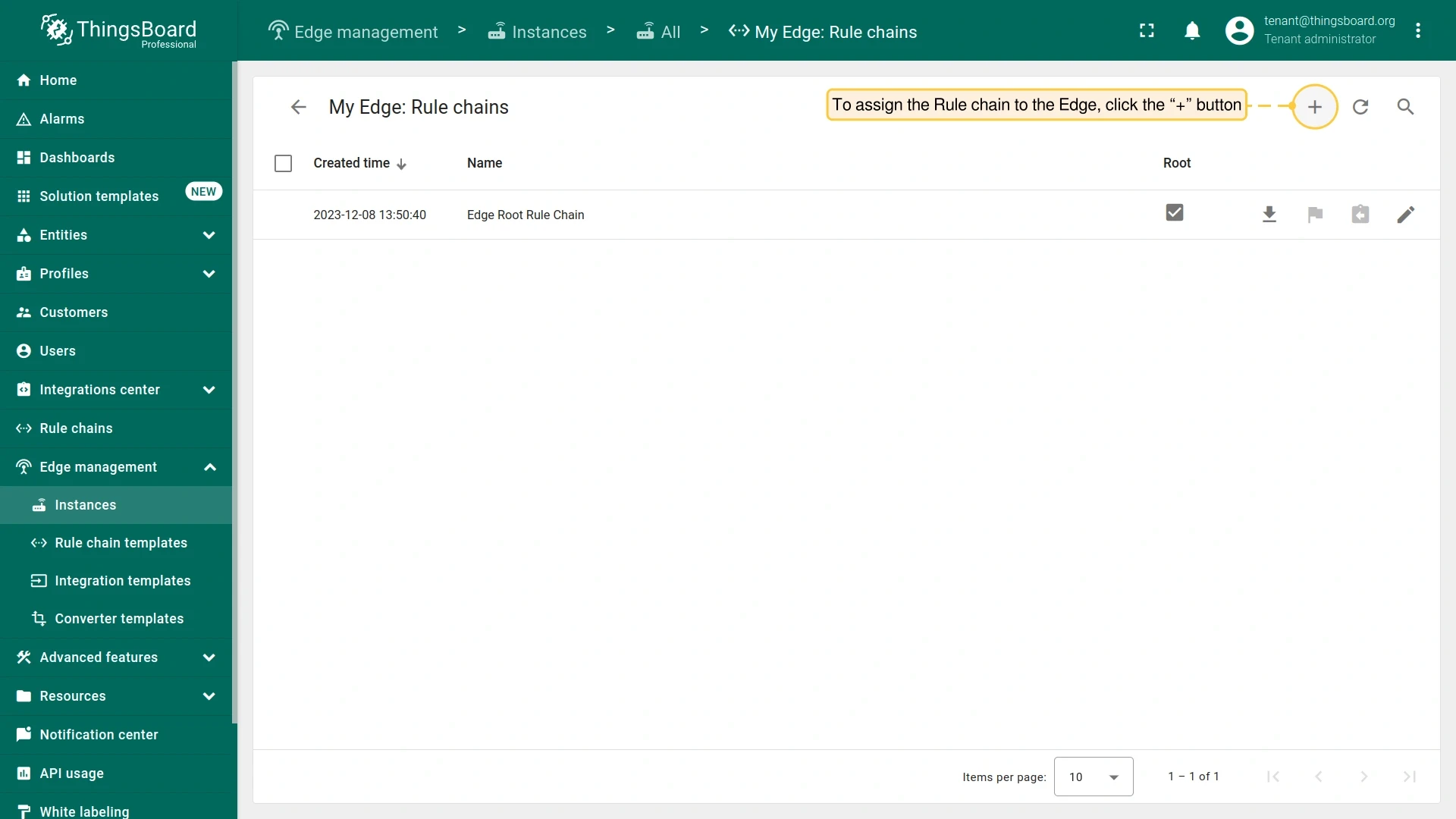
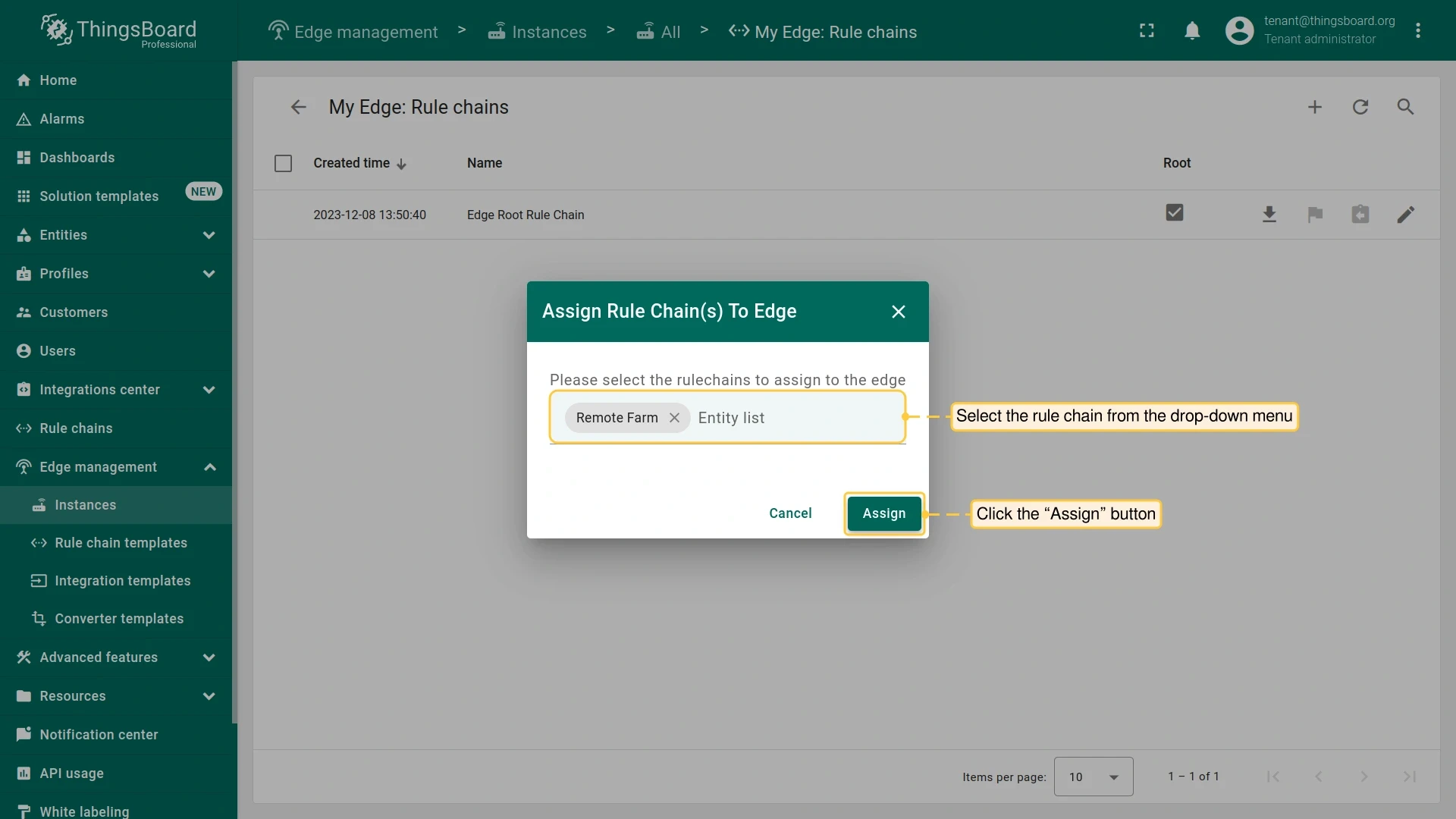
- Click Add (+), select the template from the list, and click Assign.
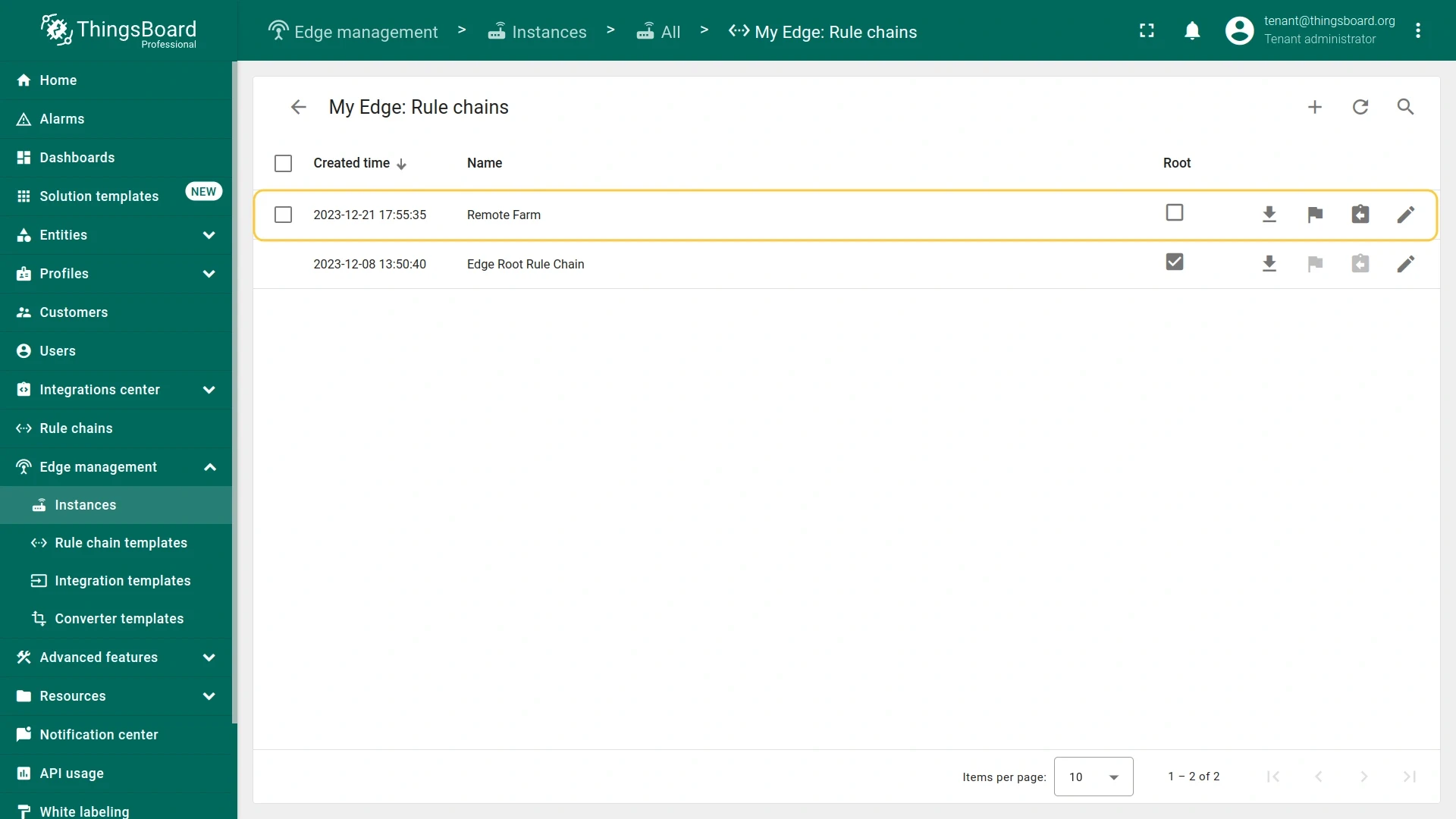
The template is pushed to the Edge instance and becomes active on the next synchronization.
Create a rule chain directly on Edge
Section titled “Create a rule chain directly on Edge”Available from Edge 4.0. Rule chains created on Edge are automatically propagated to the server when the connection is available. Use this approach for Edge-specific logic that does not need to be shared across multiple instances.
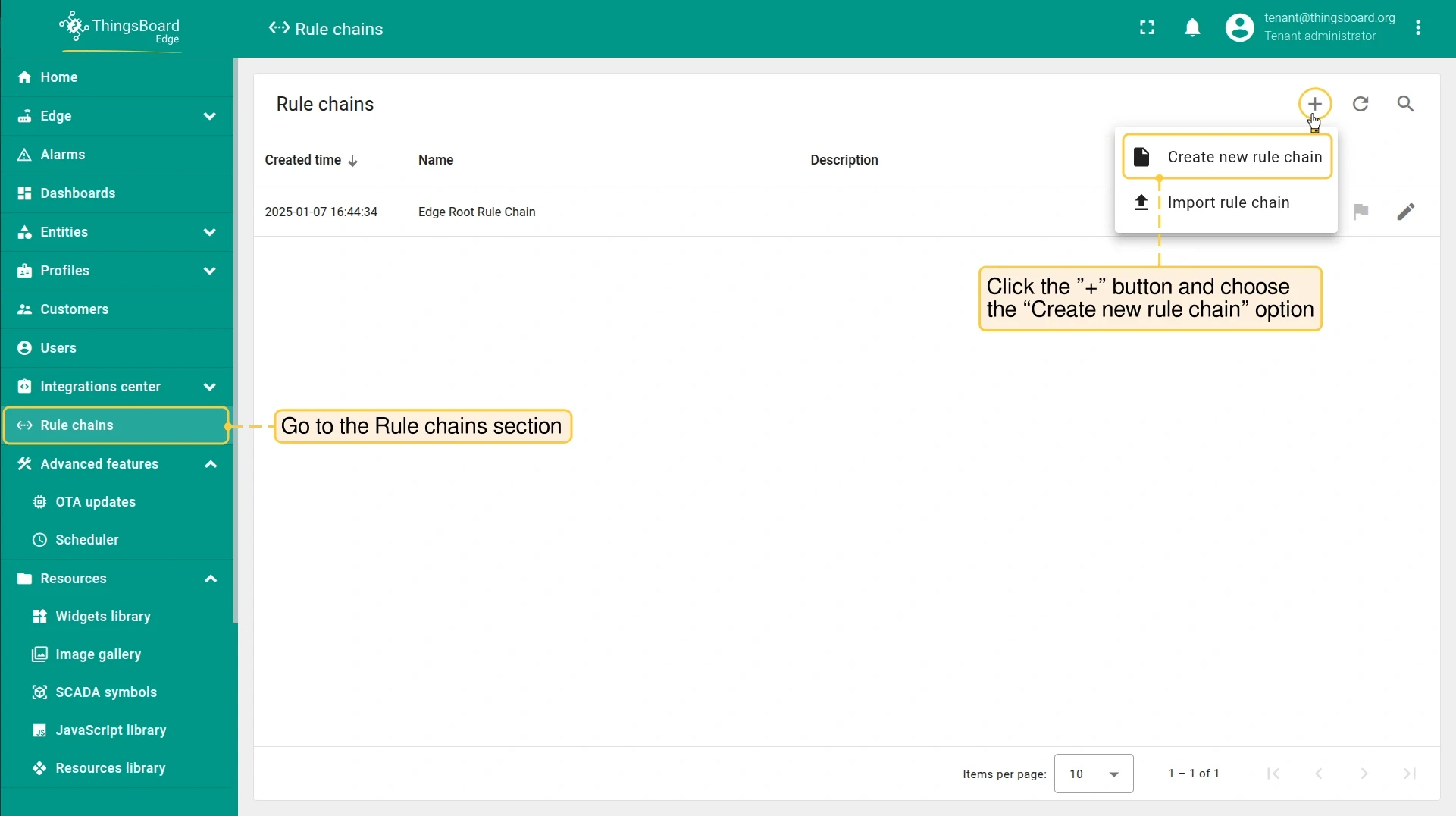
- On the Edge instance, go to Rule chains and click Add (+).
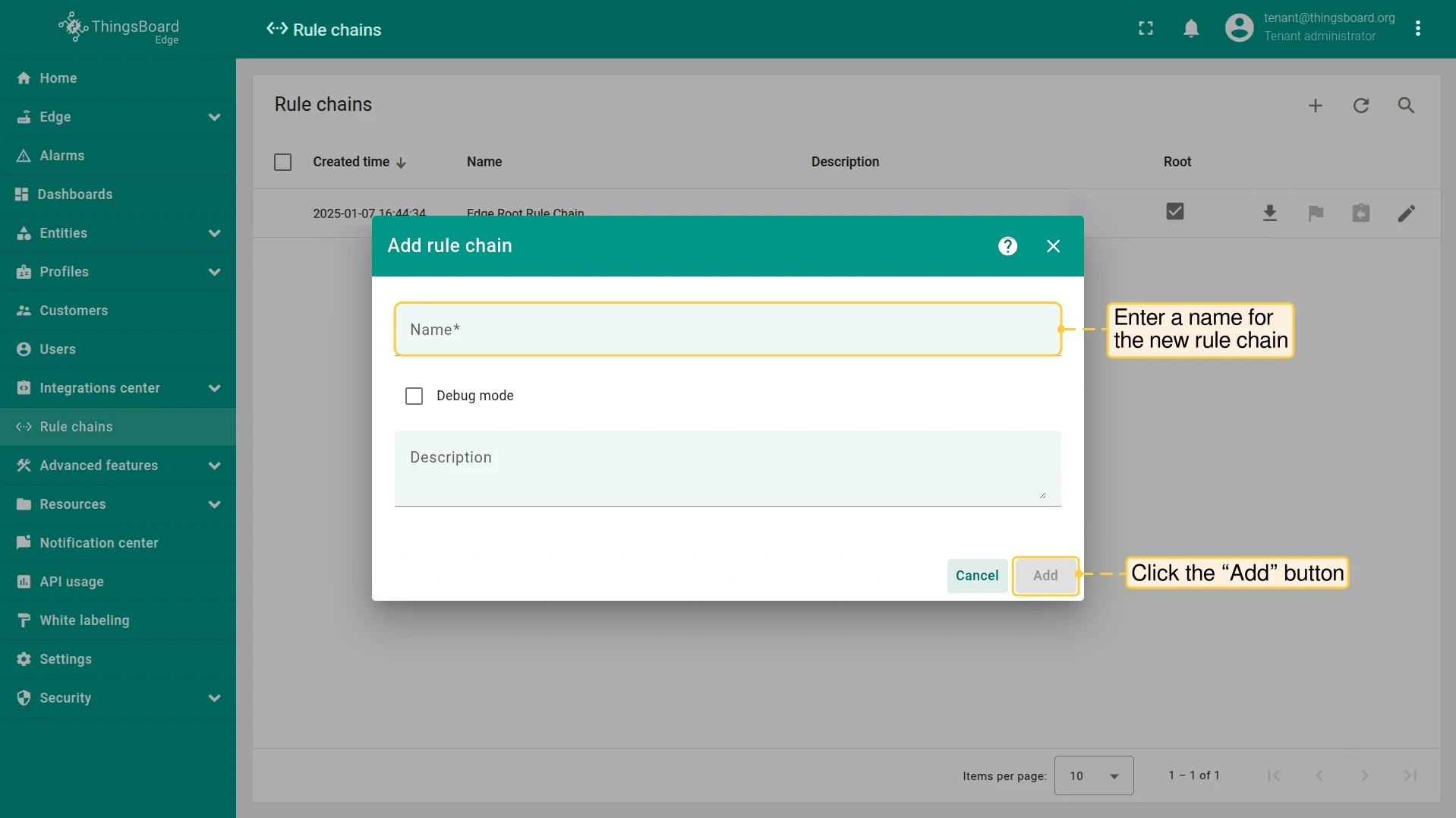
- Select Create new rule chain, enter a name, and click Add.
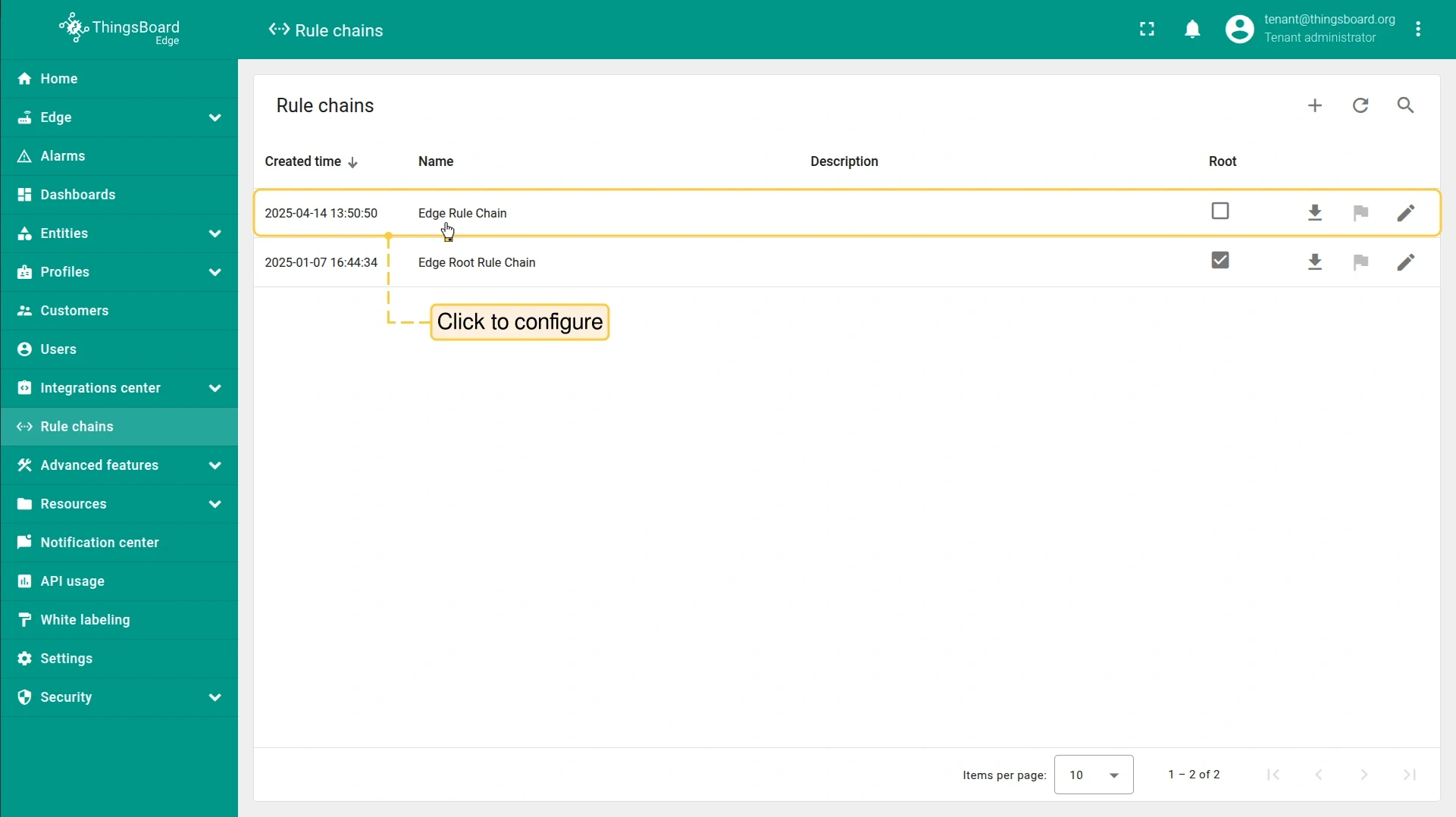
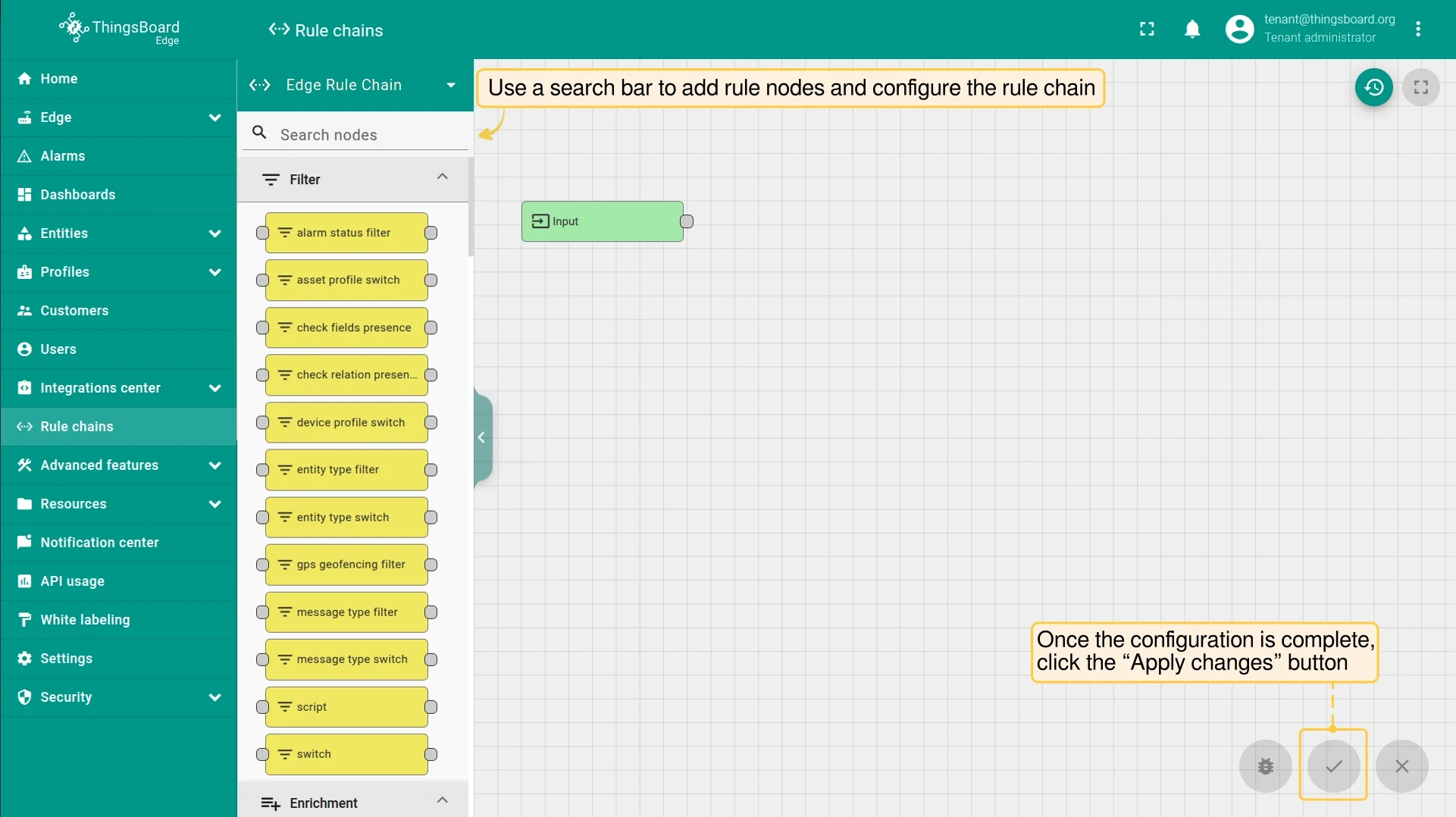
- Configure your rule nodes and click Apply changes.
Verify a rule chain on Edge
Section titled “Verify a rule chain on Edge”After assigning a template or creating a rule chain on Edge, confirm it is active and configured correctly.
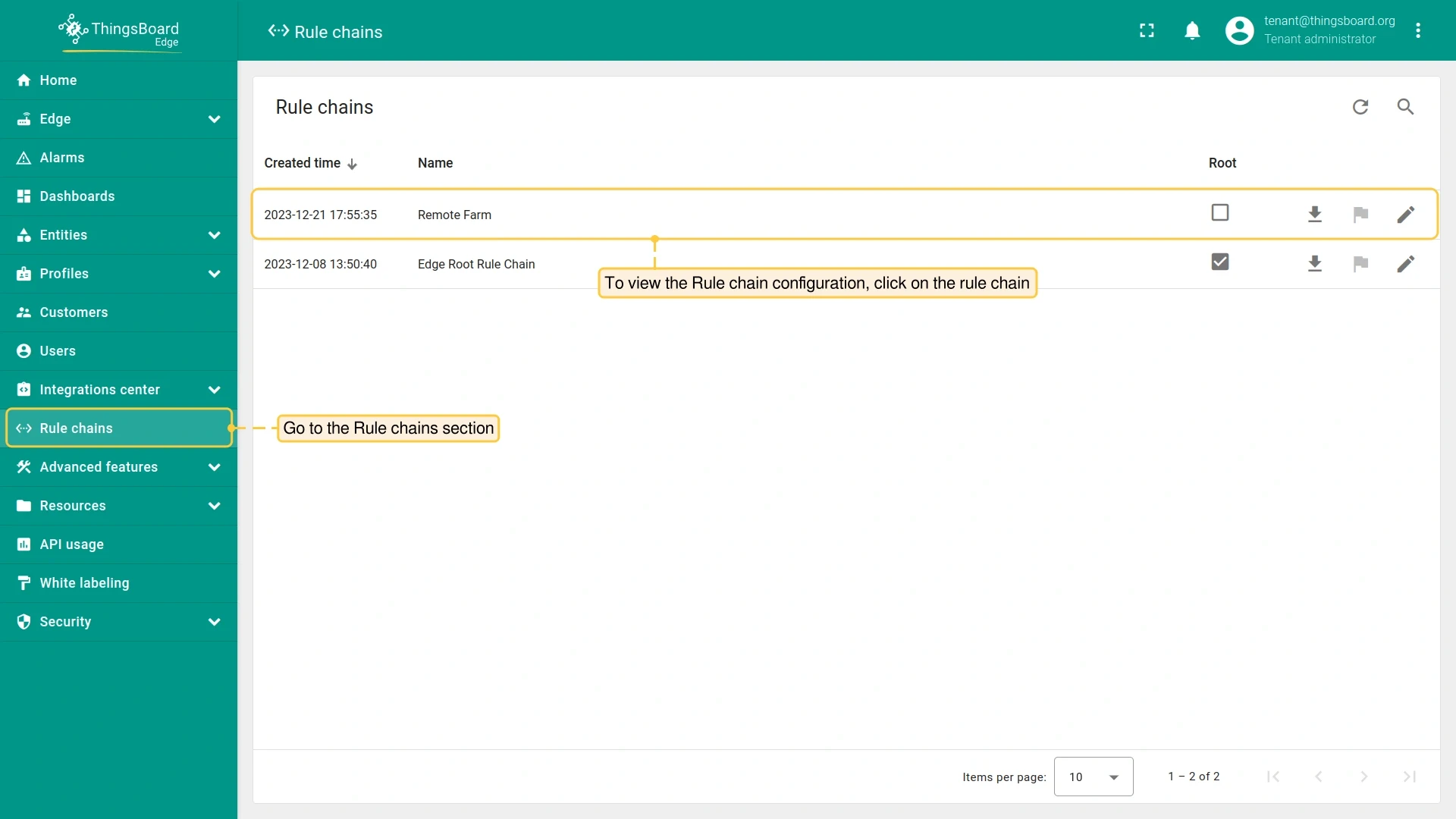
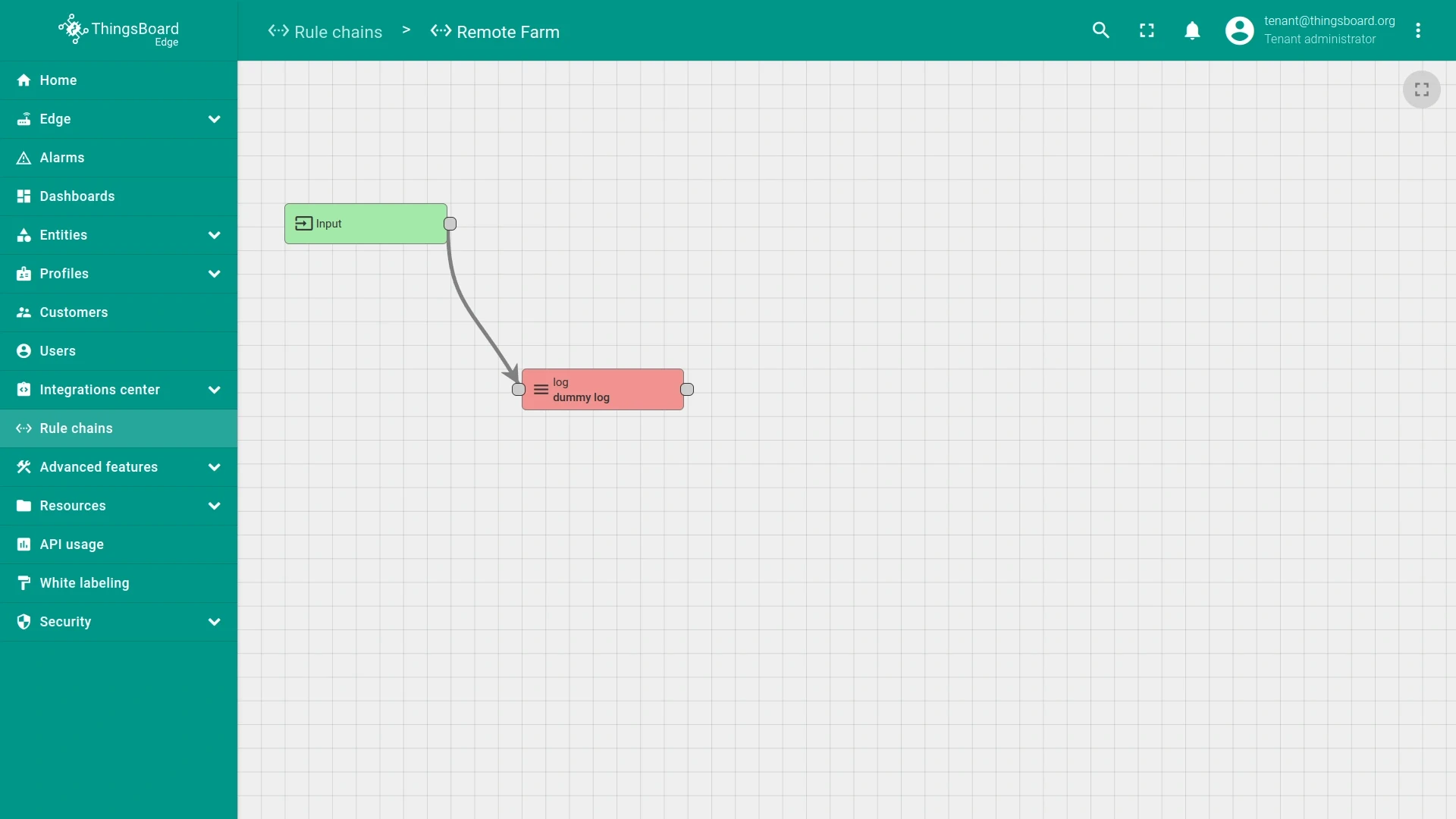
- Log in to the Edge instance and go to Rule chains.
- Open the rule chain and verify the node configuration matches what you defined.
Was this helpful?