White Labeling
White labeling lets businesses customize the ThingsBoard Edge interface — logo, colors, and branding — to match their own corporate identity. Settings propagate to Edge instances through an ownership hierarchy.
Hierarchy
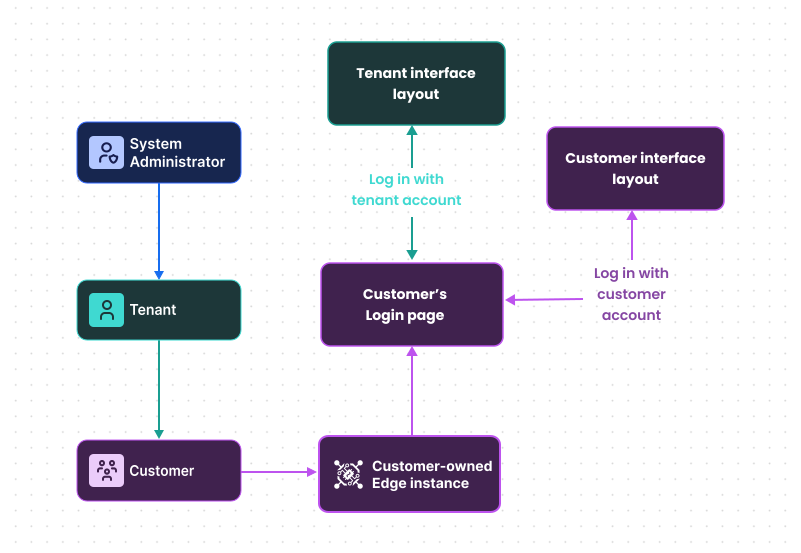
Section titled “Hierarchy”White-labeling settings follow an ownership hierarchy: system administrator settings can be overridden by the tenant, which can be overridden by the customer, and so on.
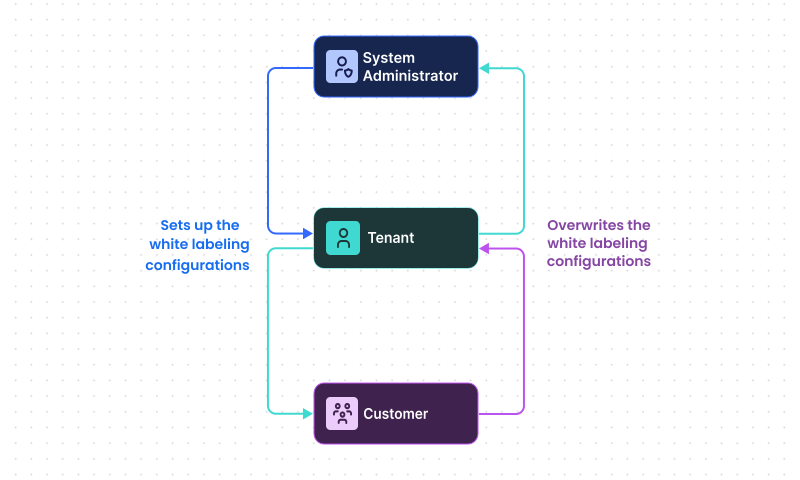
This hierarchy extends to Edge instances:
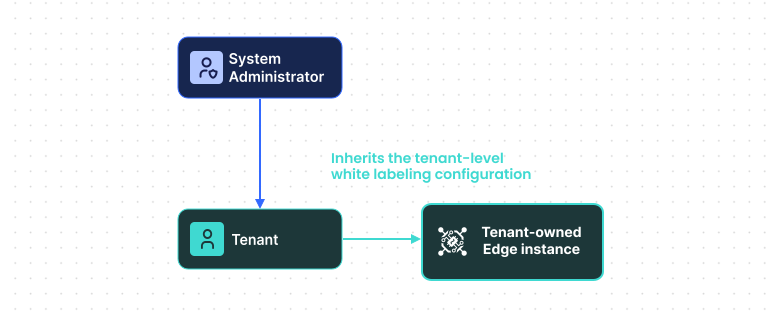
- Tenant-owned Edge — white-labeling settings are taken from the tenant level, merged with those from the system administrator.
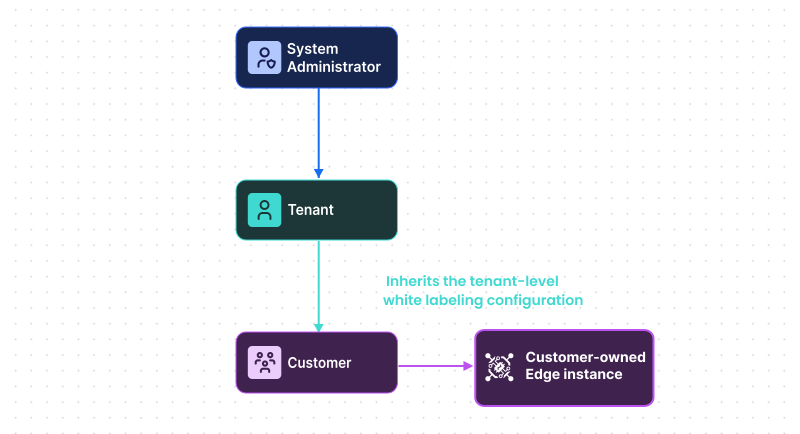
- Customer-owned Edge — white-labeling settings are taken from the customer, merged with those from the tenant and system administrator.
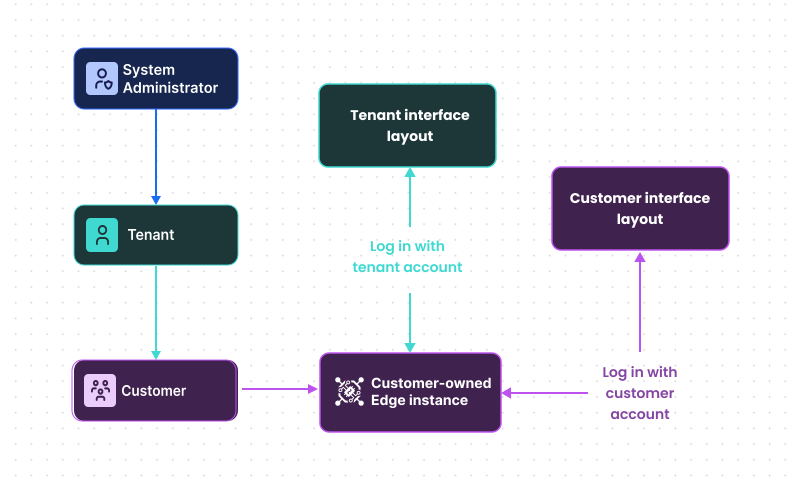
The displayed interface depends on the account used to log in. For example, if a user logs in to a customer-owned Edge with a tenant account, they will see the tenant’s interface.
Edge login page
Section titled “Edge login page”On the Edge, domain-based branding is not used. The appearance of the Edge login page depends on ownership only.
For example, when a user navigates to a customer-owned Edge, the customer’s white-labeling login configuration is applied.
Other configurations
Section titled “Other configurations”White-labeling configuration for Edge follows the same approach as for the Platform. See the Platform documentation for detailed instructions:
Was this helpful?