Prediction Monitoring, Telemetry & Alarms
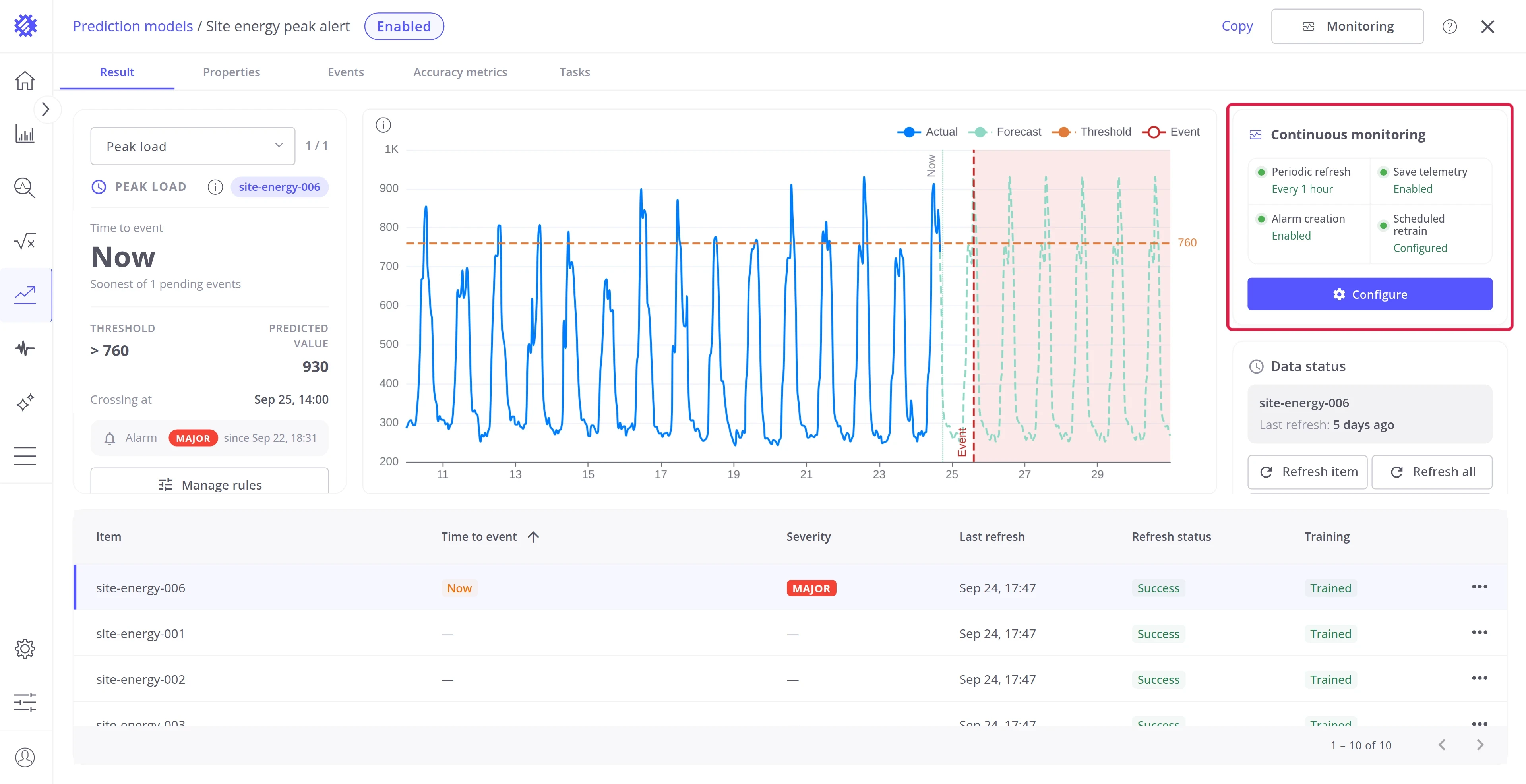
A trained prediction model is a snapshot. Monitoring keeps it current: Trendz refreshes the forecasts on a schedule, writes them to ThingsBoard as telemetry, and raises alarms from event rules and targets.
What continuous monitoring does
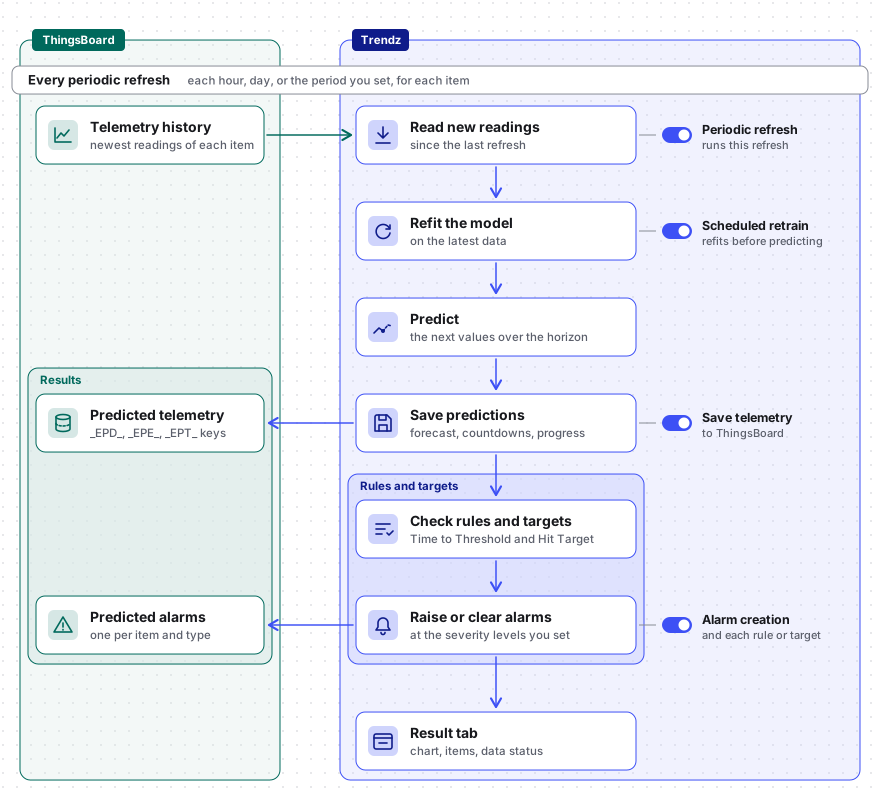
Section titled “What continuous monitoring does”Every periodic refresh runs the same steps for each item of the model. Four switches decide which steps run:
| Switch | What the model does with each refresh |
|---|---|
| Periodic refresh | Runs the refresh itself, every hour, day, or whatever period you set |
| Scheduled retrain | Refits the model on the latest data before it predicts |
| Save telemetry | Writes the forecast, event countdowns, and target progress to ThingsBoard |
| Alarm creation | Lets event rules and targets raise ThingsBoard alarms |
Set up continuous monitoring
Section titled “Set up continuous monitoring”Step 1. Open the monitoring settings
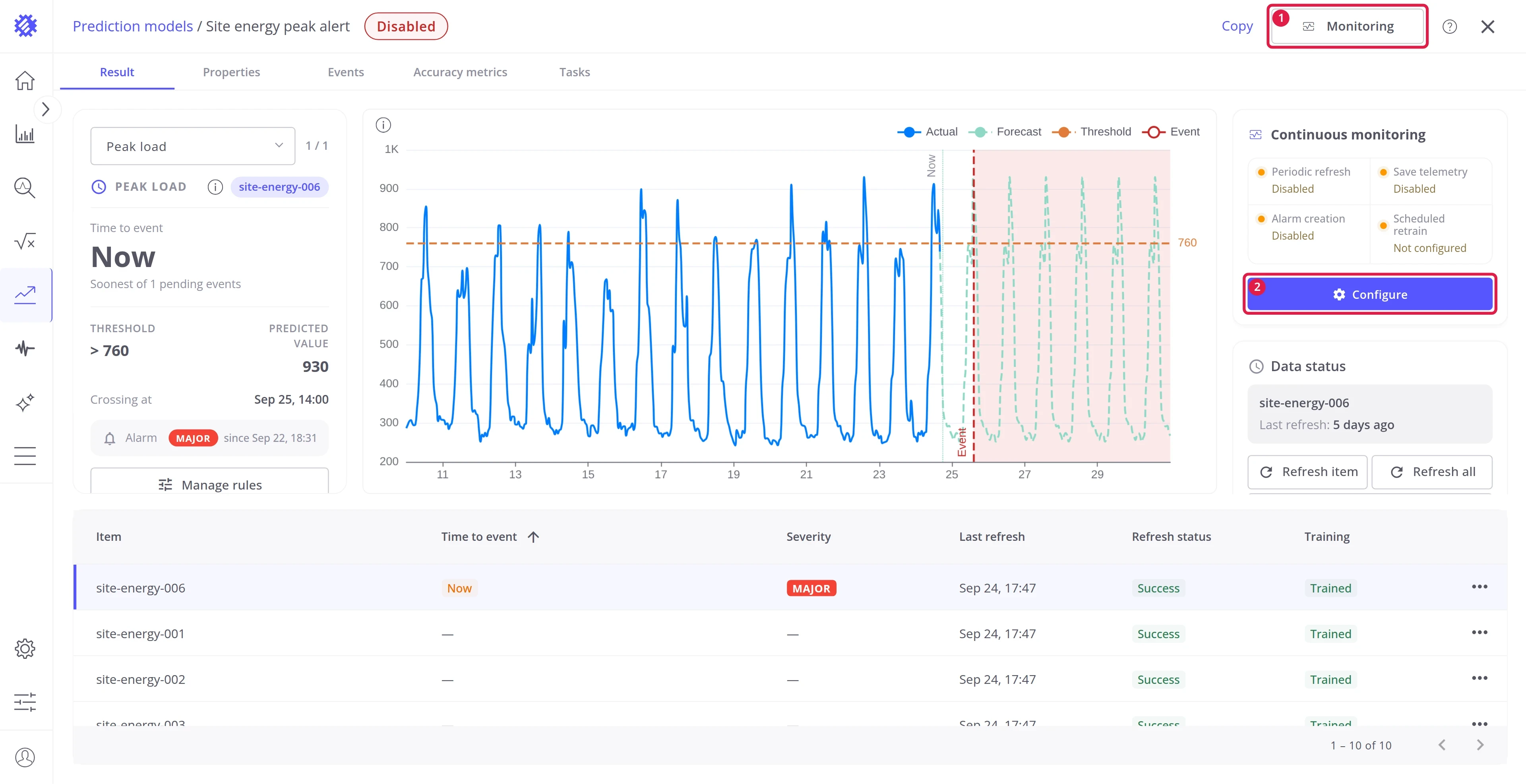
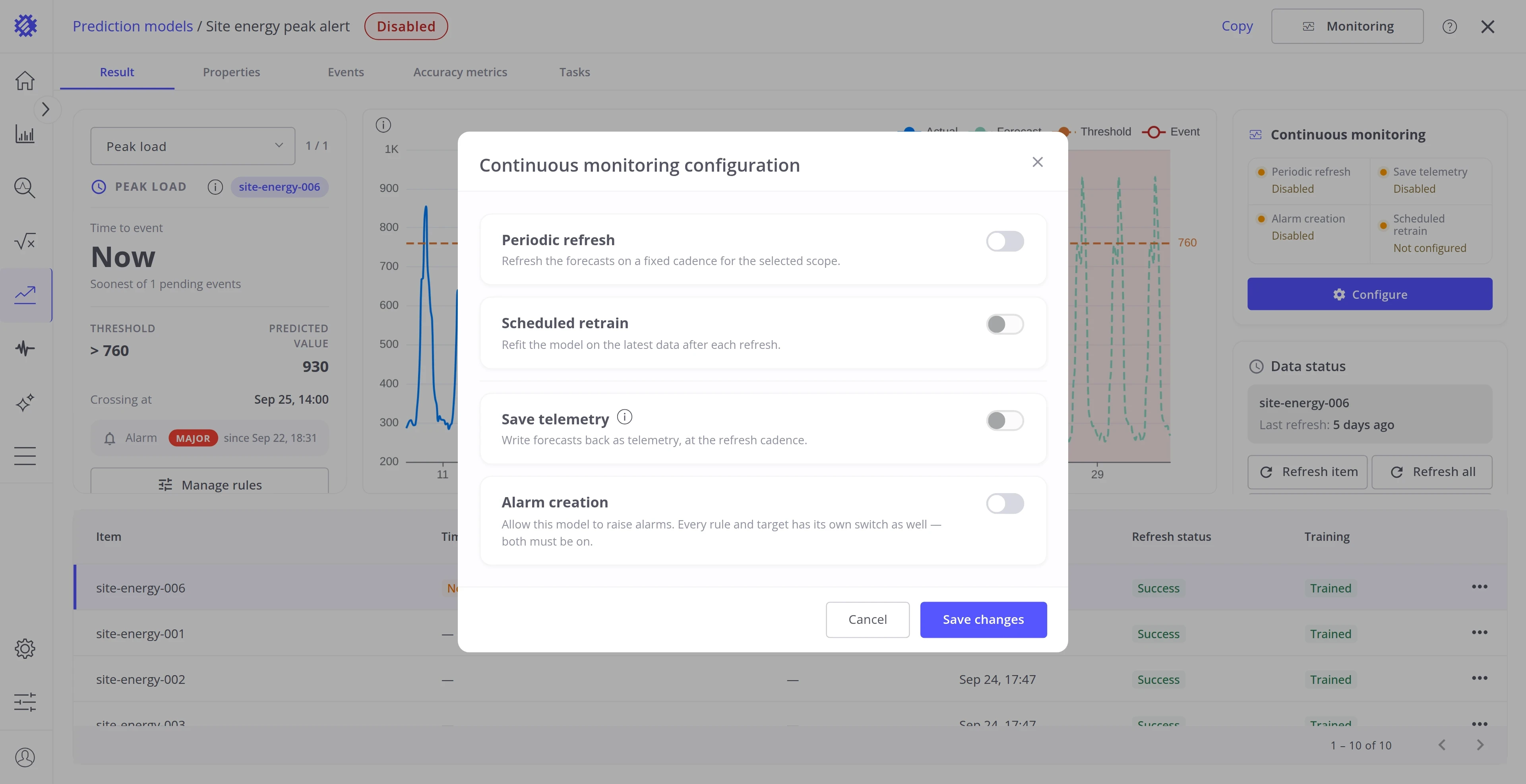
Section titled “Step 1. Open the monitoring settings”Click Monitoring in the page header (1), or Configure on the Continuous monitoring card (2). Both open the same dialog with the four switches.
Step 2. Turn on Periodic refresh
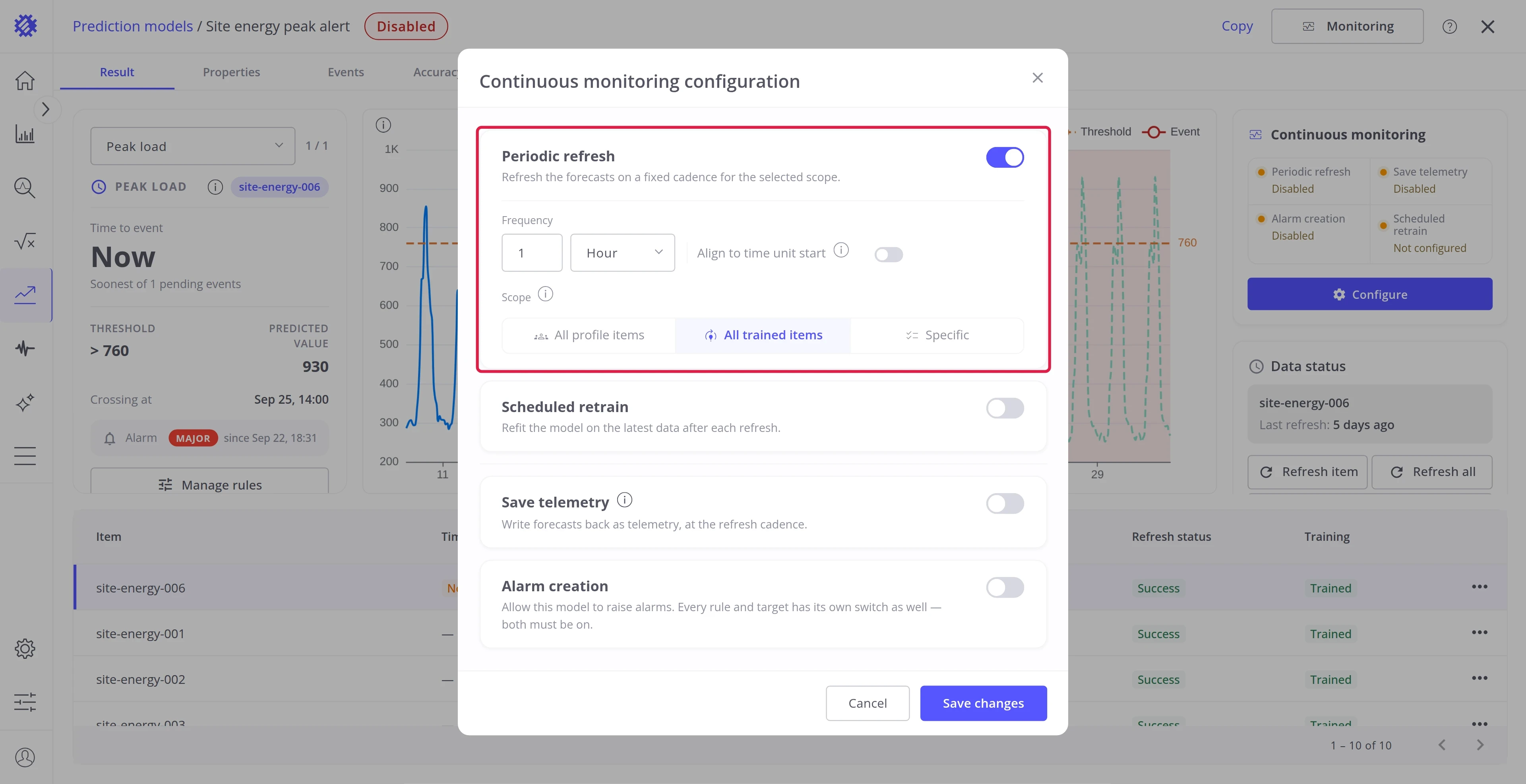
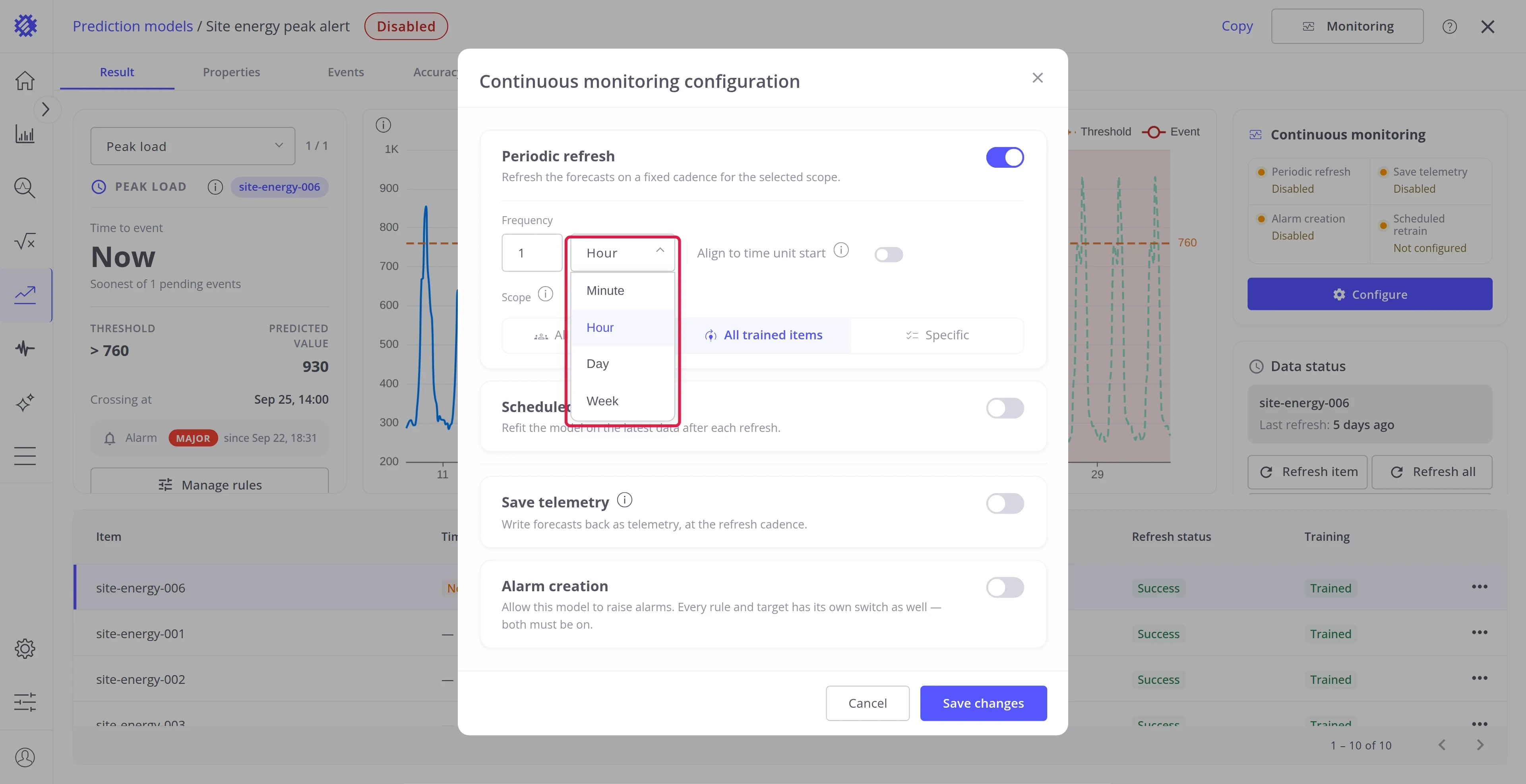
Section titled “Step 2. Turn on Periodic refresh”Switch Periodic refresh on and set how often it runs and for which items.
| Field | Description |
|---|---|
| Frequency | How often the refresh runs: a count and a unit, Minute, Hour, Day, or Week |
| Align to time unit start | Starts each window on a whole unit: a 6-hour refresh at 00:00, 06:00, 12:00, and 18:00 |
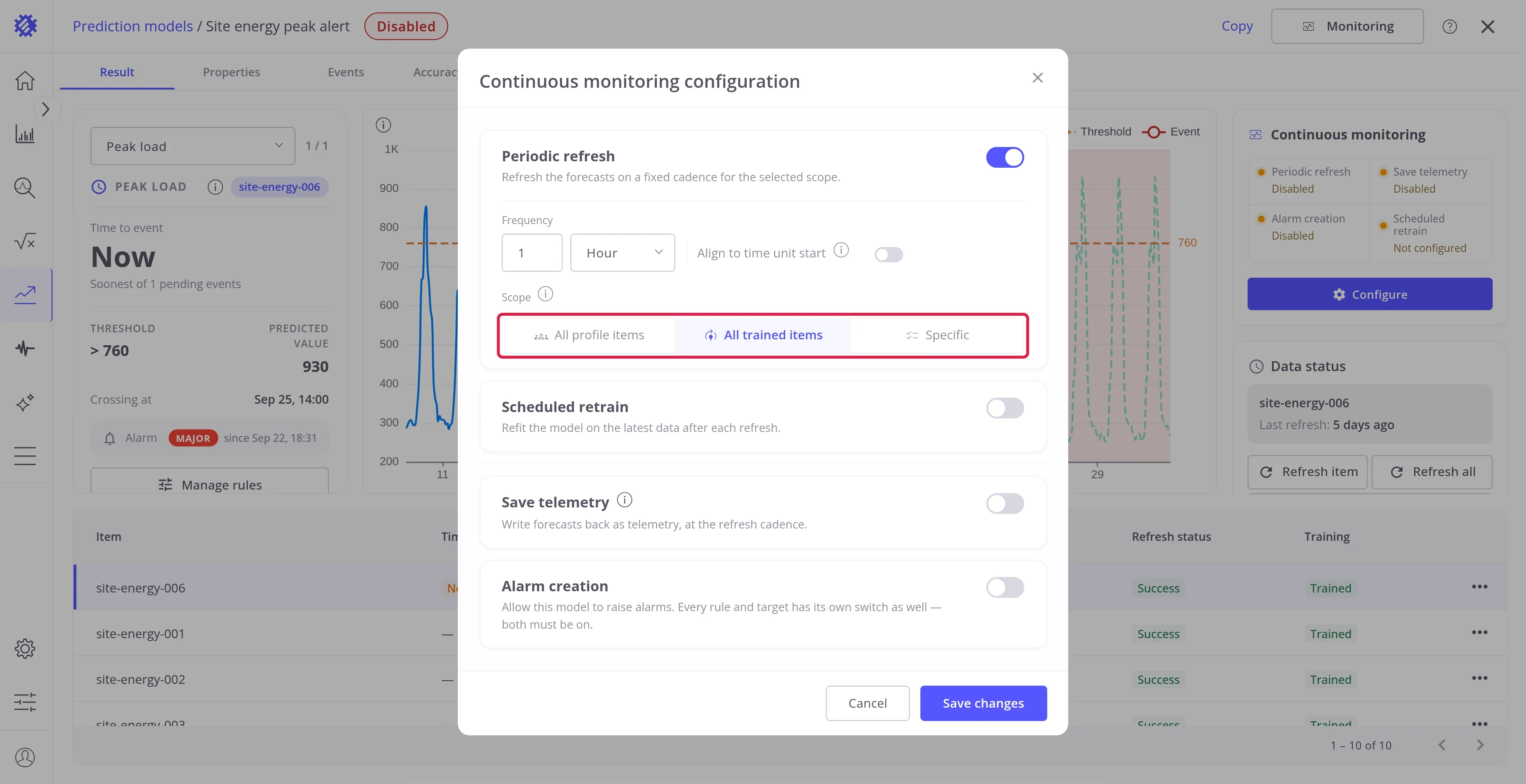
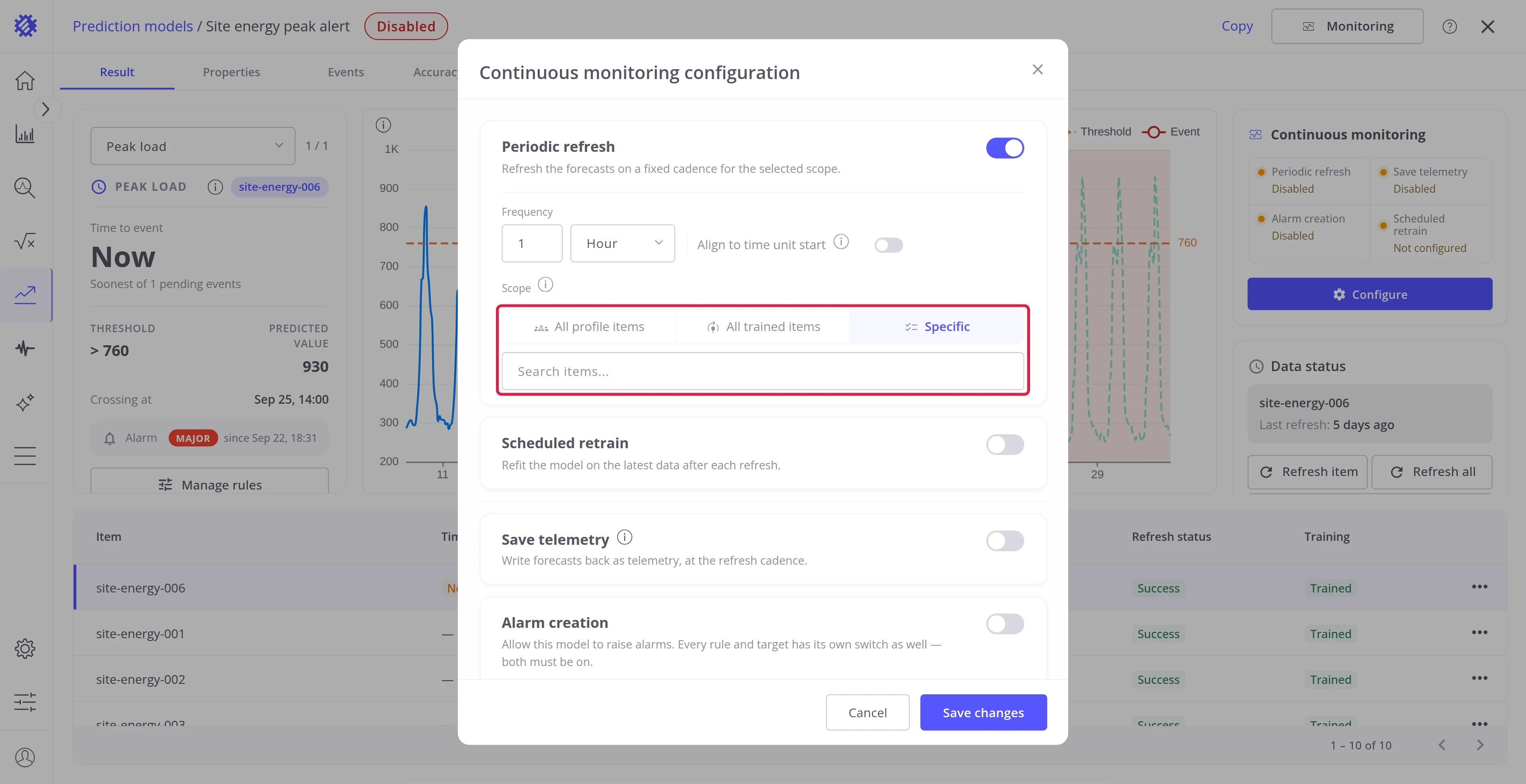
| Scope | All profile items covers every item of the profile, All trained items only the trained ones, Specific the items you pick |
A refresh that finds no new data for an item skips it.
Step 3. Turn on Scheduled retrain
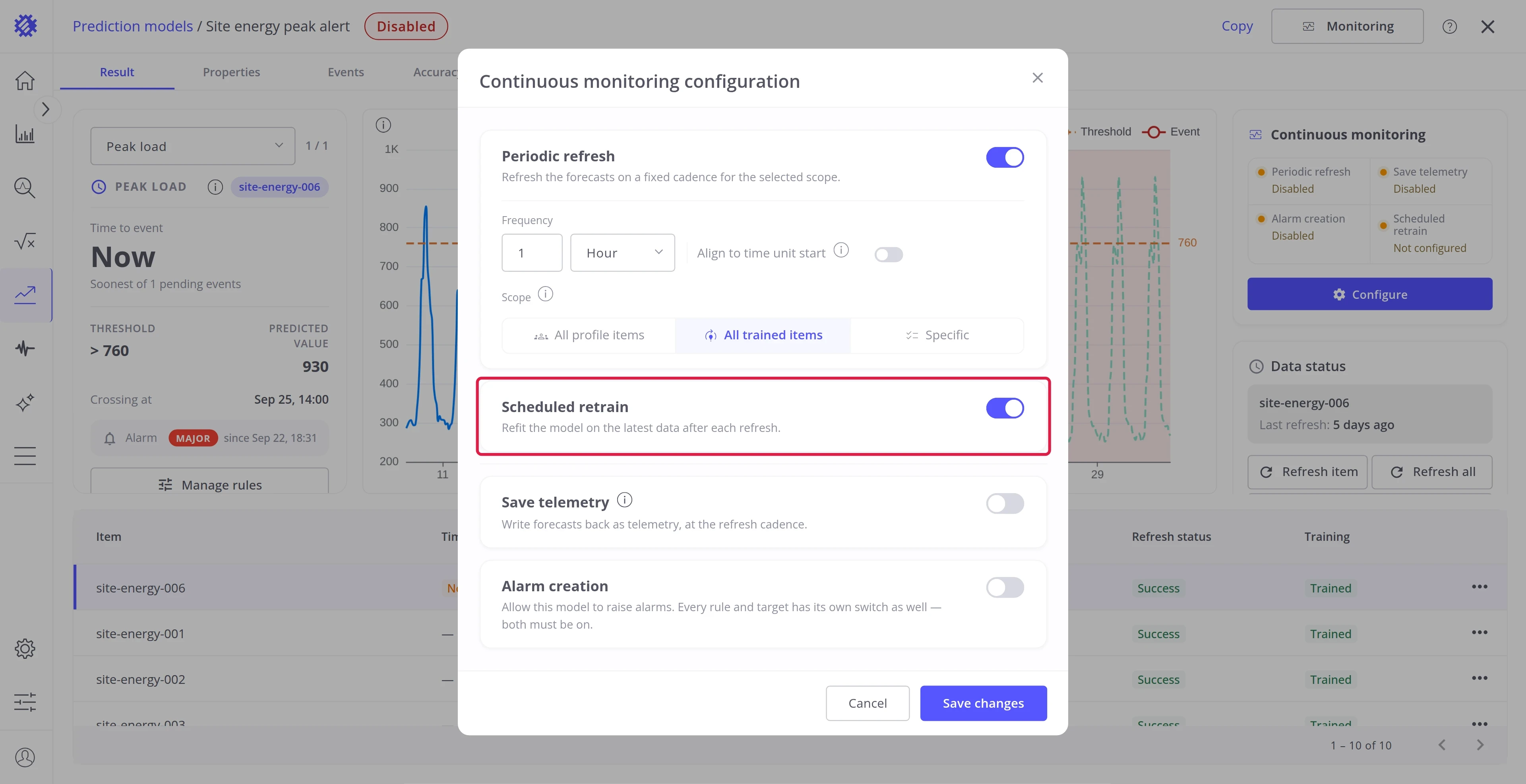
Section titled “Step 3. Turn on Scheduled retrain”Switch Scheduled retrain on. Each refresh then first learns from the newest readings, and only then predicts.
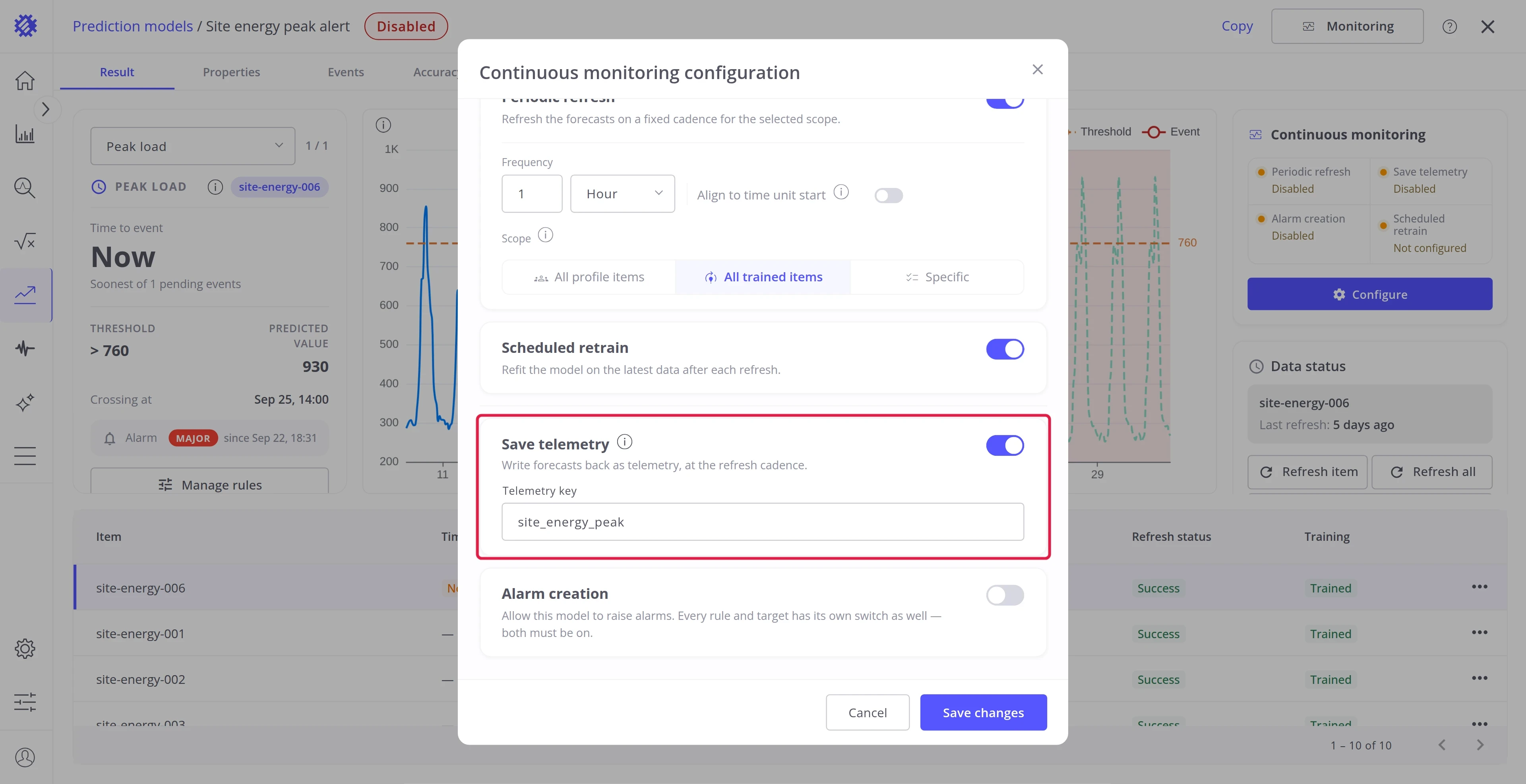
Step 4. Turn on Save telemetry
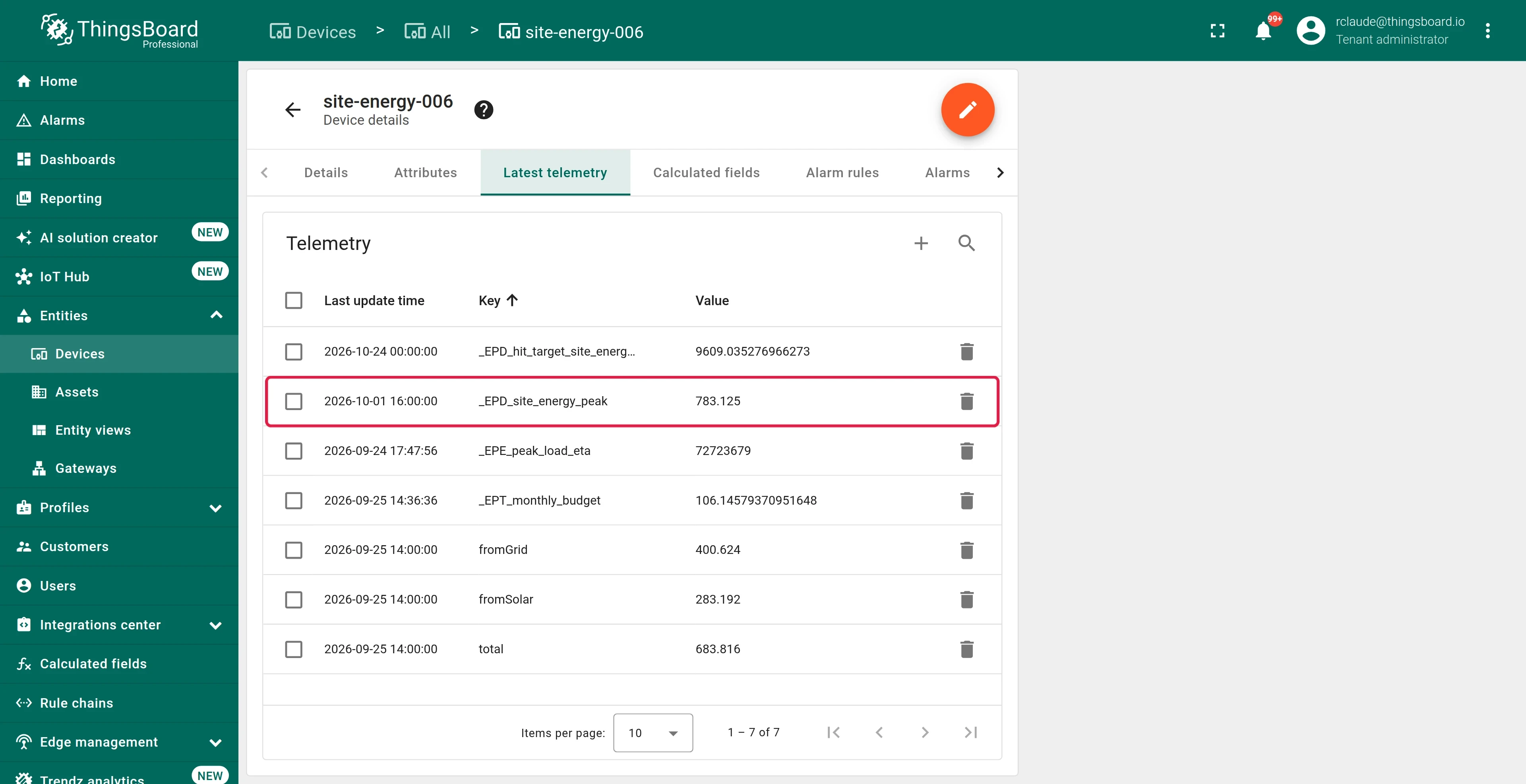
Section titled “Step 4. Turn on Save telemetry”Switch Save telemetry on and enter a Telemetry key. Trendz writes the forecast to each device in
ThingsBoard under that key with an _EPD_ prefix, and updates it at every refresh. You can then show it on
dashboards or use it in rule chains.
This switch is also the master switch for the telemetry of event rules and targets. To learn what those write, see Time to Threshold and Hit Target.
Step 5. Turn on Alarm creation
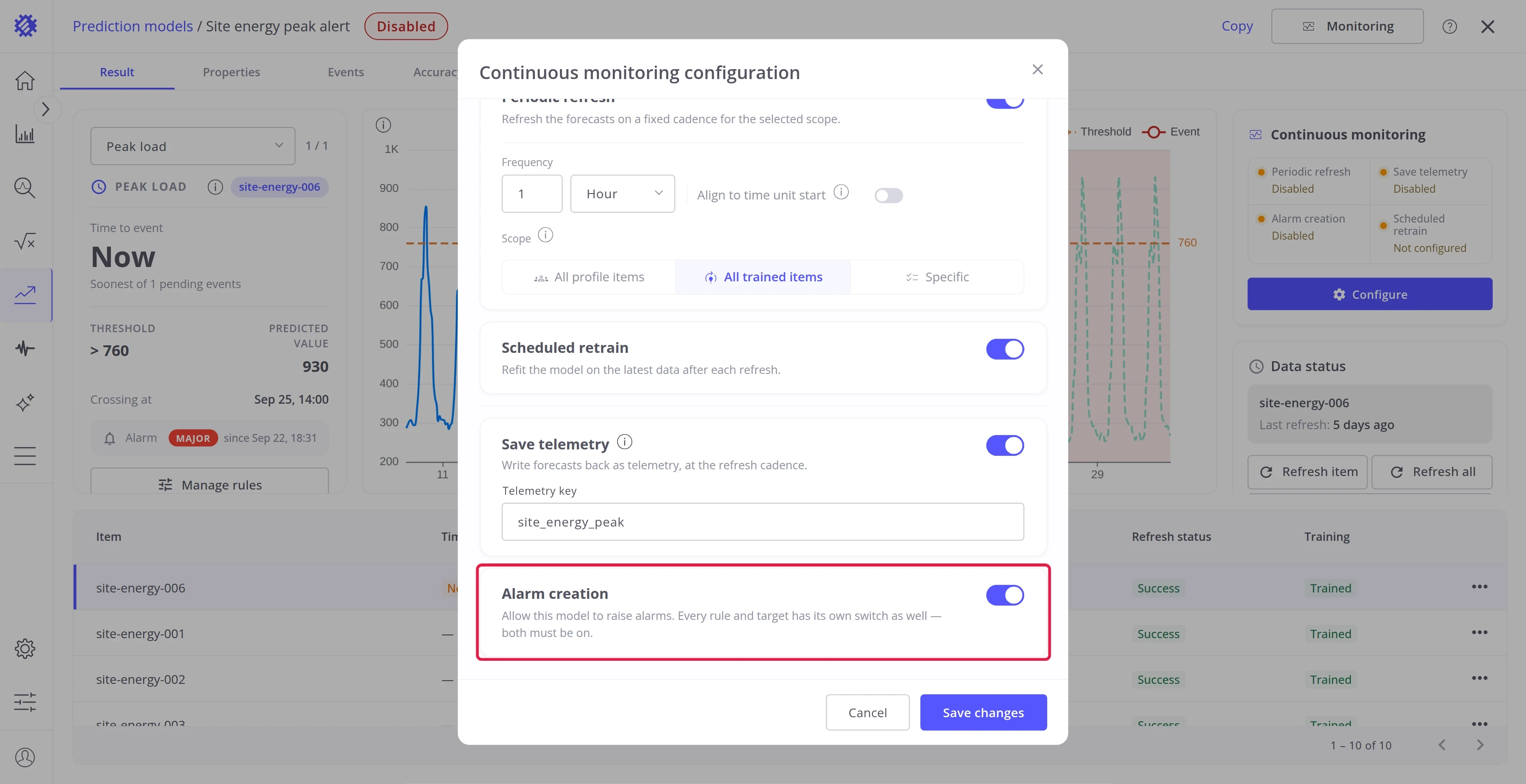
Section titled “Step 5. Turn on Alarm creation”Switch Alarm creation on to let the model raise alarms. This switch is shown only for Time to Threshold and Hit Target models, the two intents that raise alarms. It is the master switch for every event rule and target of the model: with it off, no alarm is raised, whatever the rules and targets say.
Step 6. Save
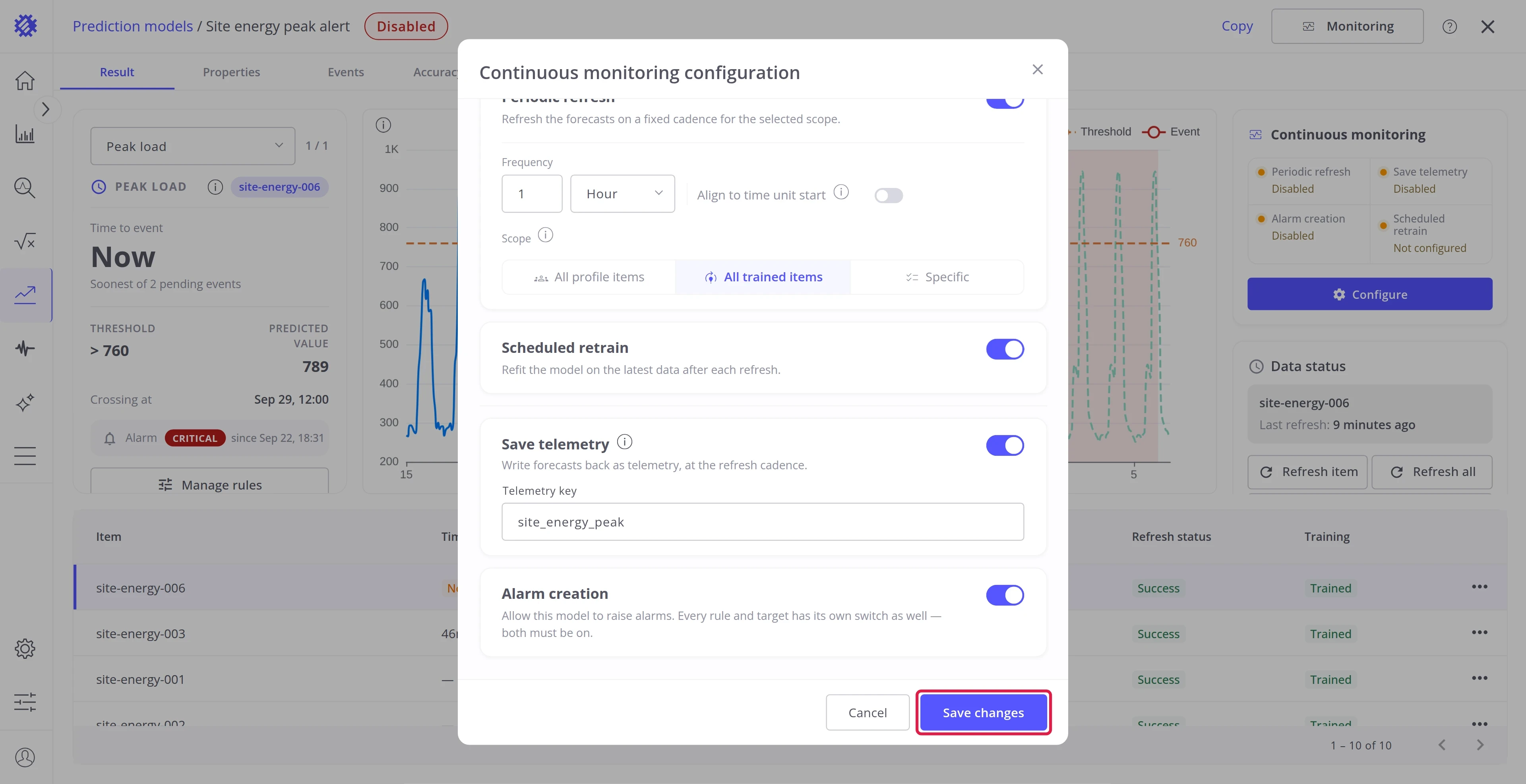
Section titled “Step 6. Save”Click Save changes. The header badge turns to Enabled, and the Continuous monitoring card shows the new settings.
Alarms
Section titled “Alarms”Alarms come from the rules and targets of a model, and each intent sets them up on its own page:
-
Time to Threshold: event rules
Raise an alarm before a metric crosses a limit, with the severity rising as the moment gets closer.
-
Hit Target: targets
Raise an alarm while a period is heading to miss its goal, with the severity following the risk.
Where to go next
Section titled “Where to go next”Explore intents
Section titled “Explore intents”-
Forecast
Predict the next values of a metric, like the energy of the next 7 days.
-
Time to Threshold
Predict when a metric crosses a limit, and raise an alarm before it happens.
-
Period Total
Predict the total, peak, or average of a period, such as the energy of this month.
-
Hit Target
Predict whether a goal is reached by the end of a period, and how far off it is.
Explore more
Section titled “Explore more”Was this helpful?