IoT Time Series Forecasting Models
A prediction model in Trendz is a no-code time series forecasting model for IoT telemetry. It learns from the history of every device or asset in a profile and predicts what comes next: future values, limit crossings, period totals, or target progress. Trendz picks the forecasting method for each item, so no machine learning expertise is needed, and you can bring your own Python model when you want to. Predictions return to ThingsBoard as telemetry and alarms, so dashboards and rule chains use them like any other reading.
What you can predict
Section titled “What you can predict”A prediction model is built for one question. Trendz calls this question the intent, and it decides what the model shows, what it writes to ThingsBoard, and which alarms it can raise. The four intents read the same history in four ways, and cover uses such as energy consumption forecasting, fuel and tank levels, battery discharge, filter clogging, occupancy, and production output. Pick one to see how it works.
-
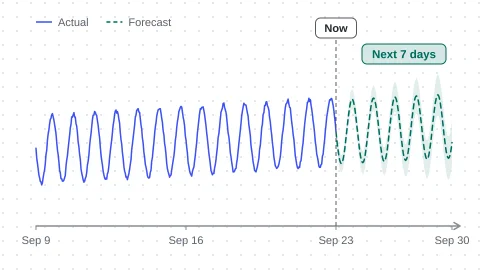
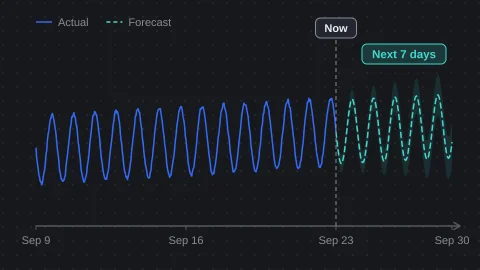
Forecast
What will the value be? Predict the future trajectory of a metric over a horizon, like tomorrow's energy consumption per device.
-
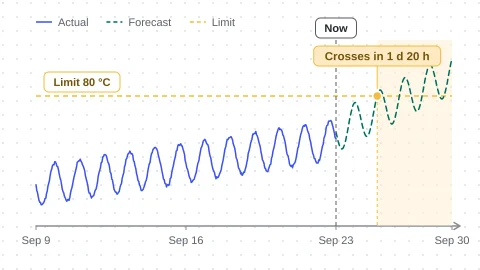
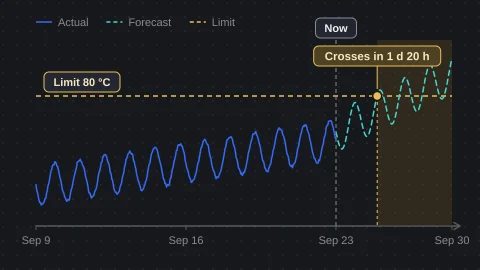
Time to Threshold
When will it cross a limit? Estimate when a metric will cross a condition, like the moment a tank temperature exceeds 80 °C, and count down to it.
-
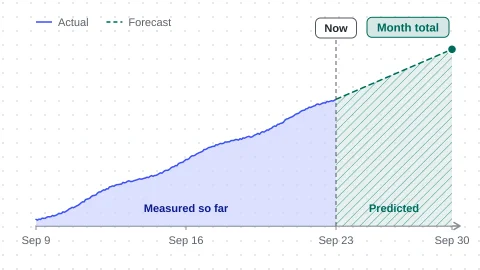
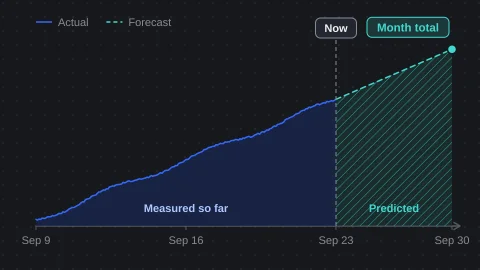
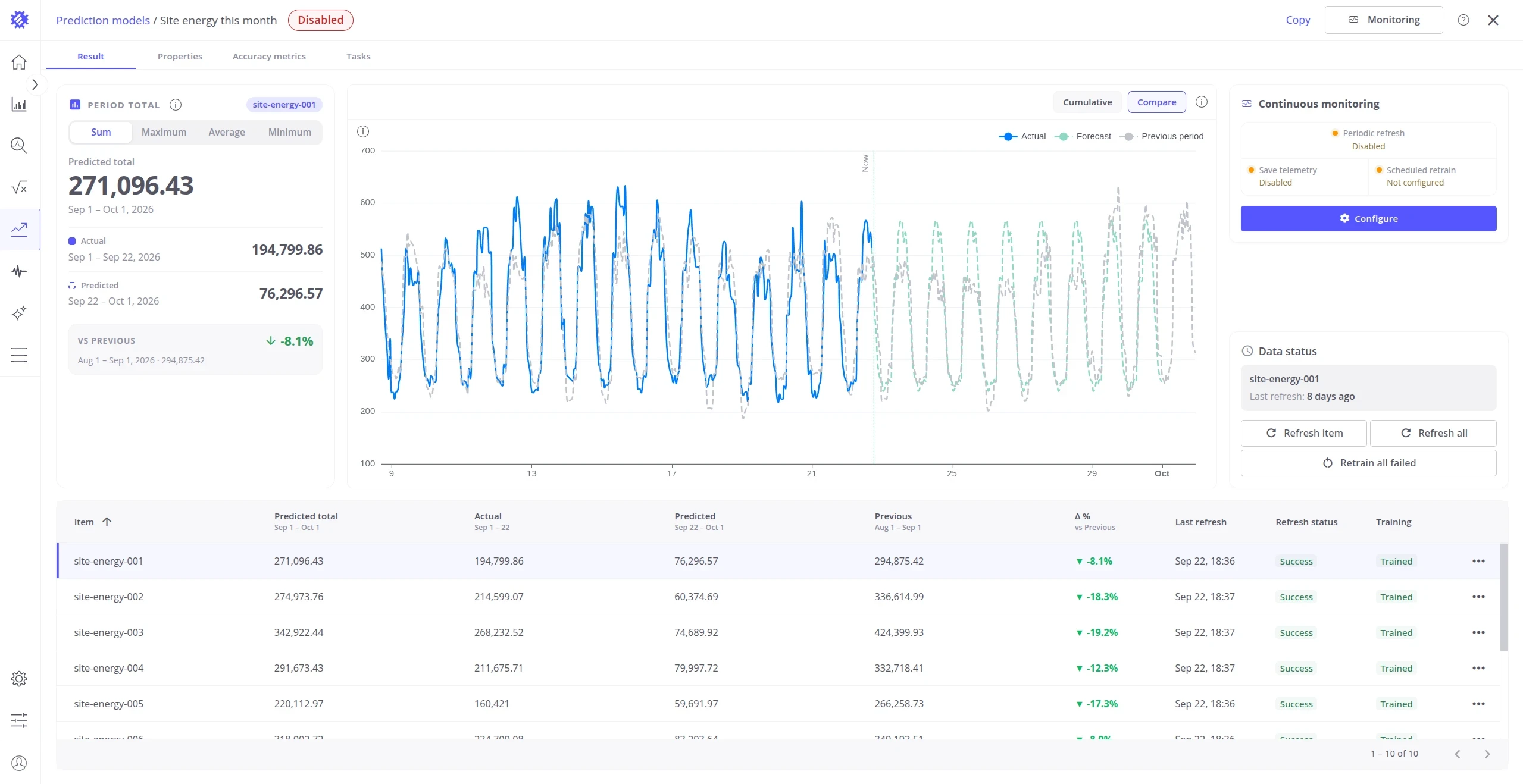
Period Total
How much by the end of the period? Predict the total, peak, average, or minimum over a period, like how much energy a site consumes by the end of the month.
-
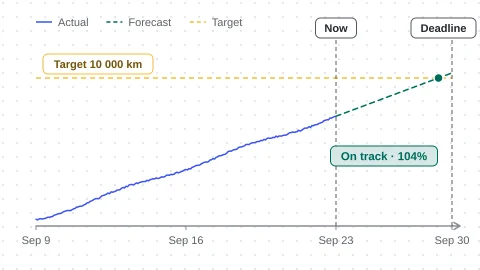
Hit Target
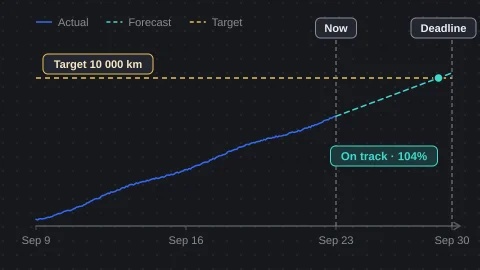
Will it reach the target? Track whether a metric reaches a target by a deadline, like a fleet hitting its 10,000 km milestone before the quarter ends.
How it works in Trendz
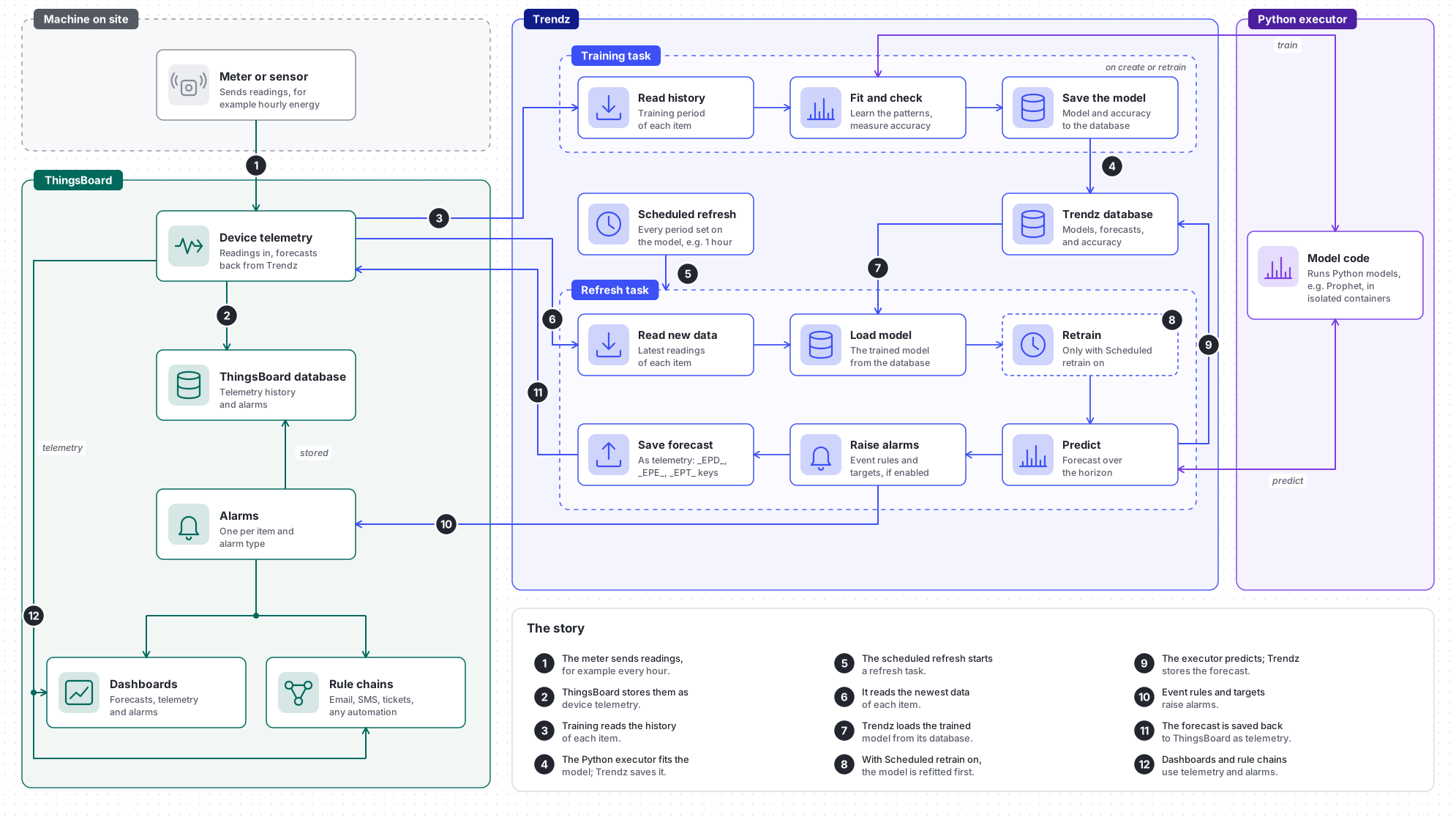
Section titled “How it works in Trendz”A model is trained once from the history. After that, every scheduled refresh updates its forecasts and alarms. The forecasting methods and accuracy page explains how the method is chosen, from Prophet and ARIMA to linear regression, and how accuracy is measured.
What you get in ThingsBoard:
- Forecast: saved on each device or asset as telemetry. Show it on a dashboard next to the real readings.
- Alarms: listed with the other alarms of the device or asset. Send them by email or SMS with a rule chain.
Where to start
Section titled “Where to start”Was this helpful?