White labeling
White labeling lets businesses customize the ThingsBoard Edge interface — logo, colors, and branding — to match their own corporate identity. Settings propagate to Edge instances through an ownership hierarchy.
Hierarchy
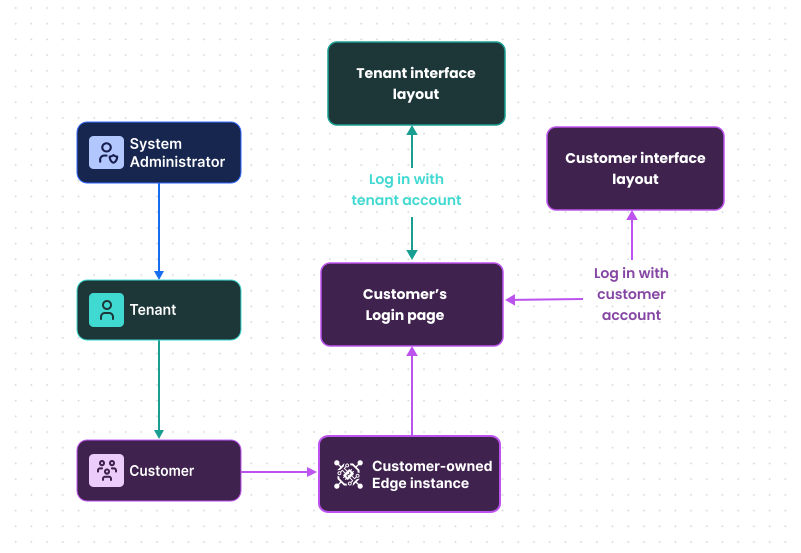
Section titled “Hierarchy”White labeling settings follow an ownership hierarchy: system administrator settings can be overridden by the tenant, which can be overridden by the customer, and so on.
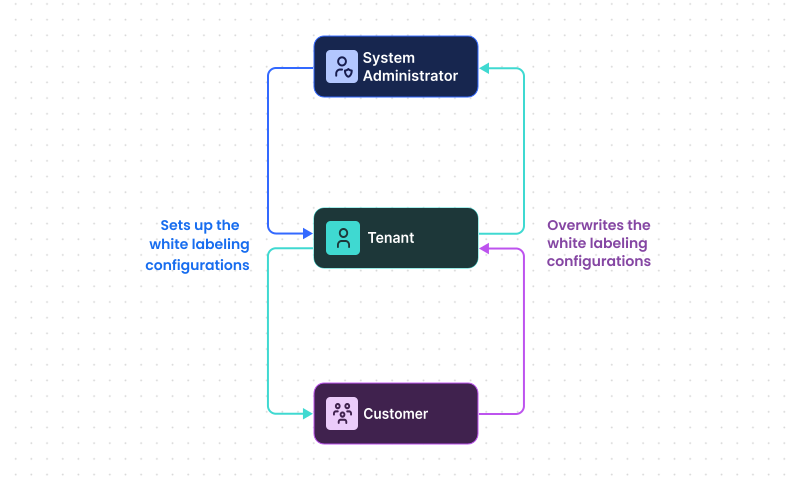
This hierarchy extends to Edge instances:
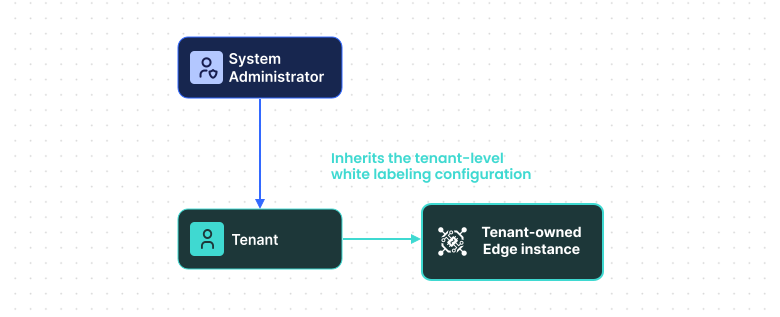
- Tenant-owned Edge — white labeling settings are taken from the tenant level, merged with those from the system administrator.
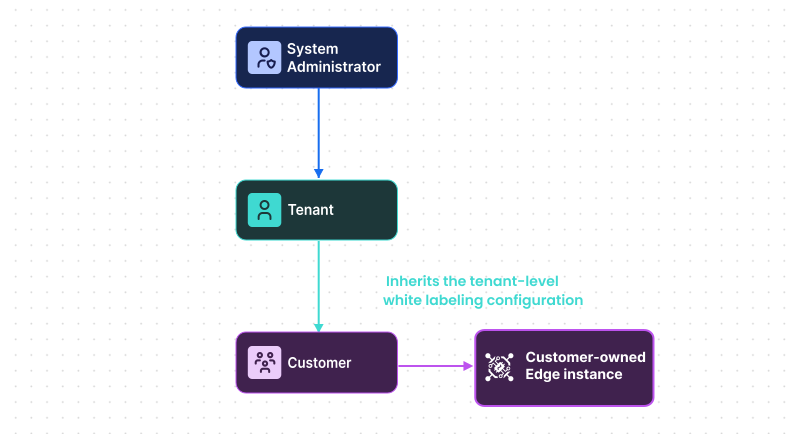
- Customer-owned Edge — white labeling settings are taken from the customer, merged with those from the tenant and system administrator.
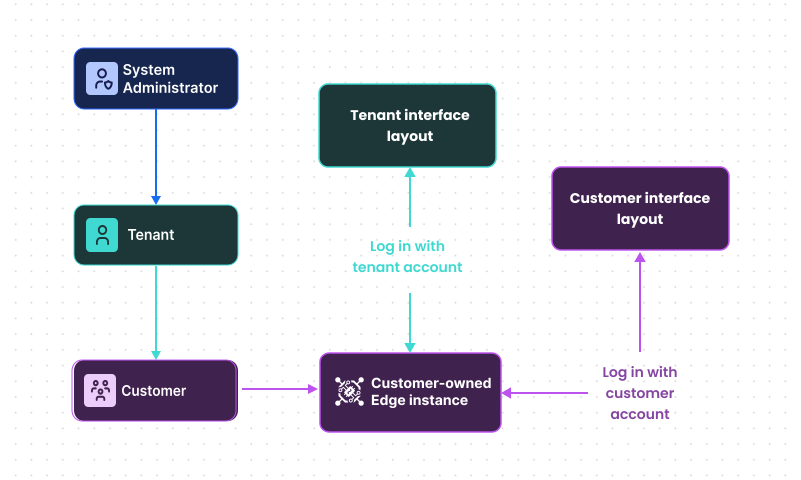
The displayed interface depends on the account used to log in. For example, if a user logs in to a customer-owned Edge with a tenant account, they will see the tenant’s interface.
Edge login page
Section titled “Edge login page”On the Edge, domain-based branding is not used. The appearance of the Edge login page depends on ownership only.
For example, when a user navigates to a customer-owned Edge, the customer’s white labeling login configuration is applied.
Other configurations
Section titled “Other configurations”White labeling configuration for Edge follows the same approach as for the Platform. See the Platform documentation for detailed instructions:
Was this helpful?