Set up ThingsBoard Edge Professional Edition
In this step, you will create an Edge instance record in your ThingsBoard account, install the instance, and access the Edge UI.
Provision Edge
Section titled “Provision Edge”Before installing Edge software, create an Edge instance record in your ThingsBoard account. This generates the credentials Edge uses to authenticate.
-
Log in to your ThingsBoard account as a Tenant Administrator. Use your own credentials or the defaults (
tenant@thingsboard.org/tenant). -
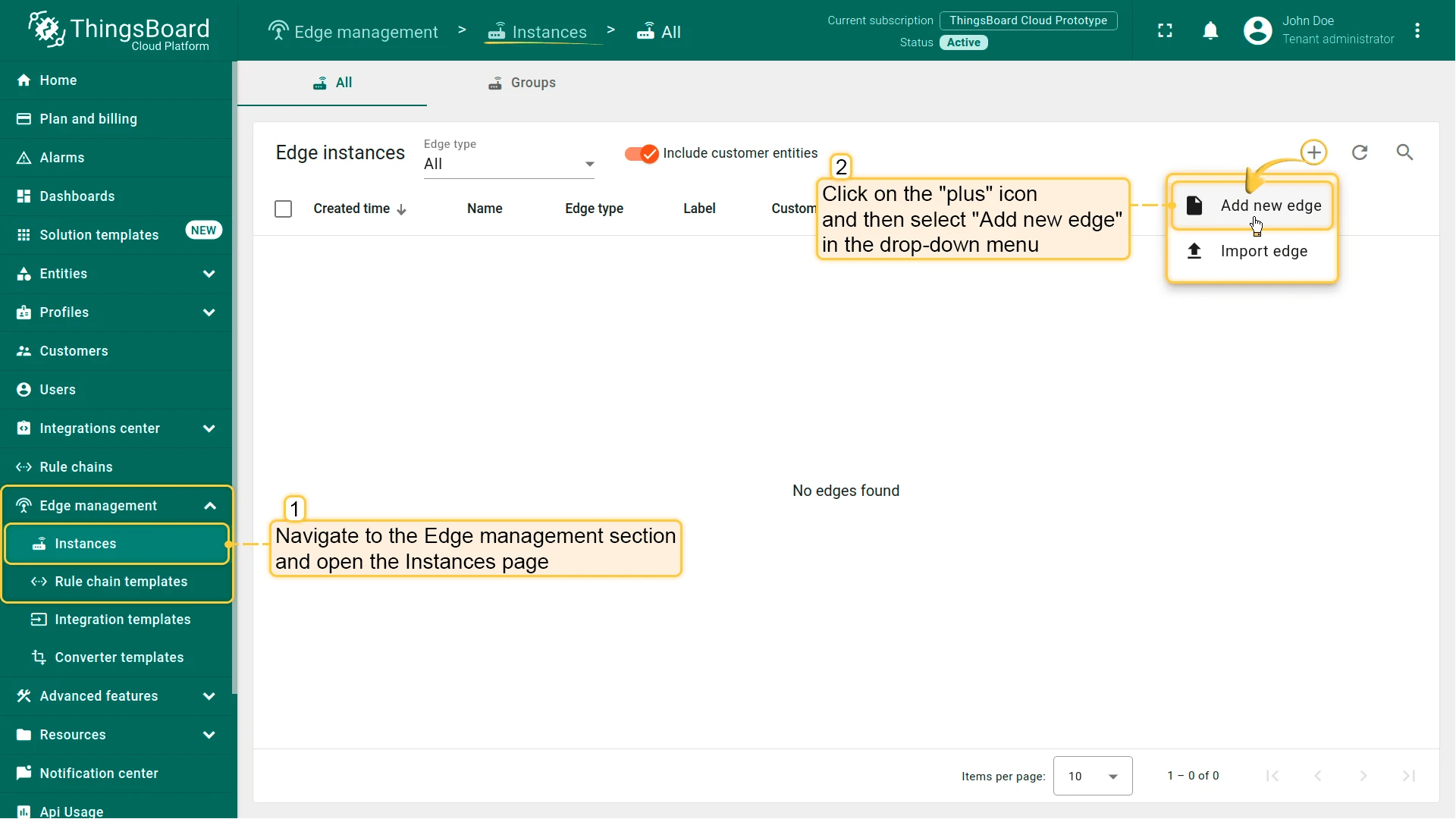
Go to Edge Management → Instances and click Add edge (+).
-
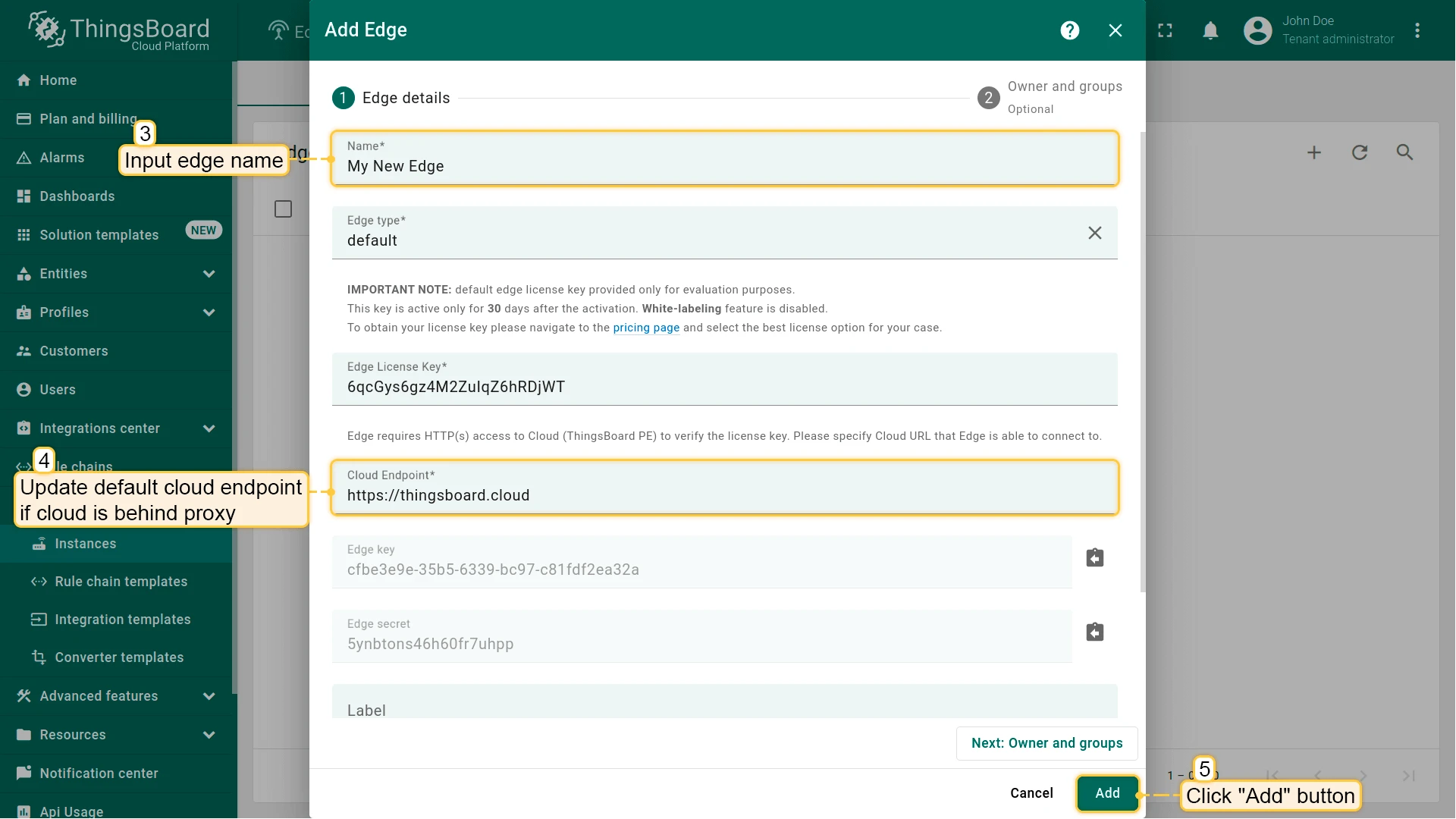
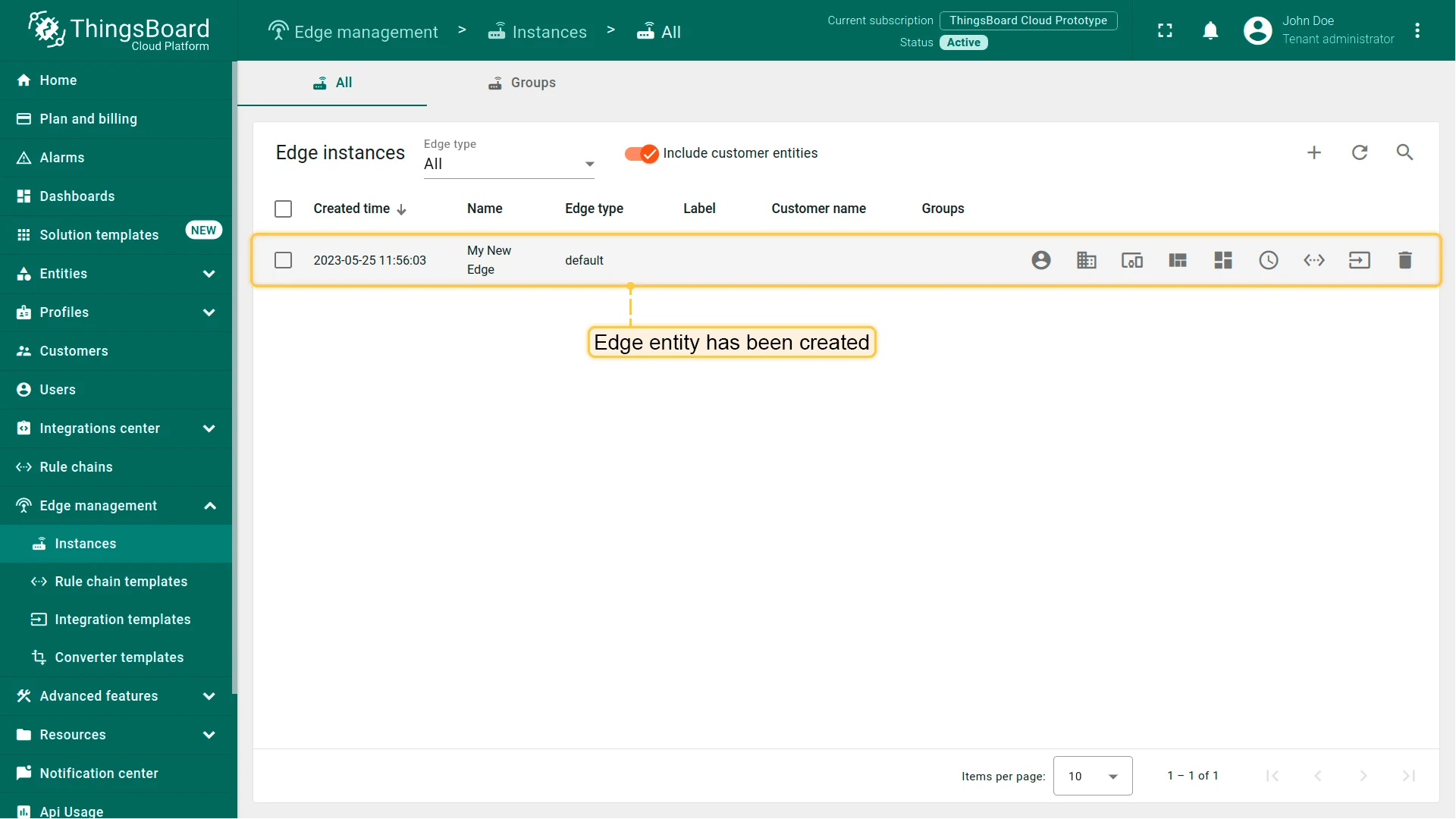
Enter a name for the Edge instance and click Add.
Install ThingsBoard Edge
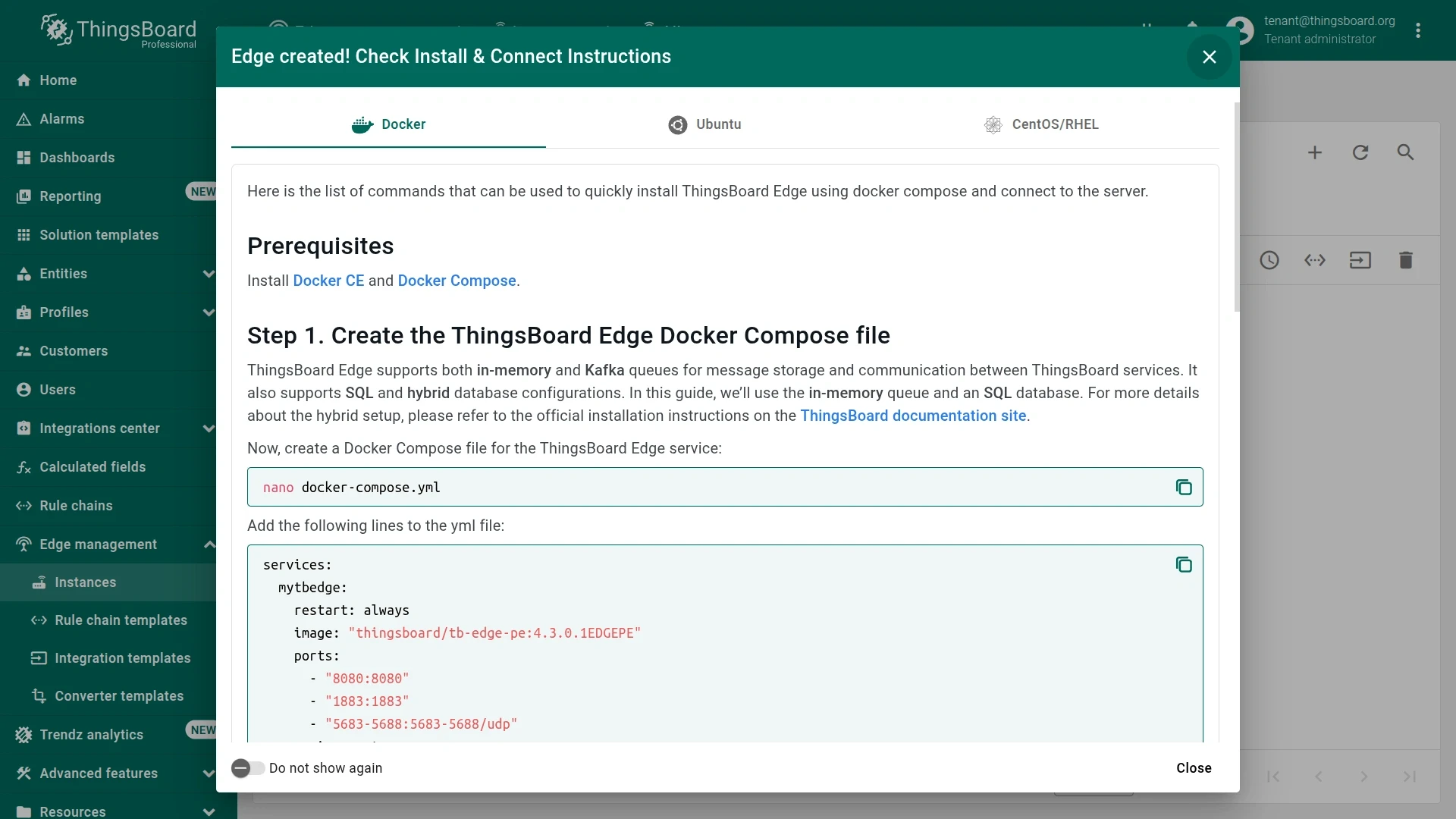
Section titled “Install ThingsBoard Edge”After you create the Edge instance, the installation instructions appear in a dialog. Each Edge has preset configurations that contain important credentials, such as Edge Secret, Edge Key, etc.
-
In the Edge created dialog, select your installation method — Docker, Ubuntu, or CentOS — and follow the displayed commands to install and start ThingsBoard Edge.
-
Once Edge starts (this may take a few seconds), open http://localhost:8080 in a browser and log in with your Tenant Administrator credentials.
If you are unable to access or use the preset configurations, see the manual installation instructions.
Checklist for moving on
Section titled “Checklist for moving on”Was this helpful?