Control widgets
Control widgets are various interactive ThingsBoard widgets designed to control the behavior and state of IoT devices. They enable sending RPC commands, updating attributes, toggling switches, adjusting sliders, and monitoring GPIO states directly from dashboards.
-
Single Switch
Allows users to toggle in order to send commands to devices or update attributes/time series data. Configurable settings let users define how to retrieve the initial state and specify actions for the on/off toggle.
-
Command button
Allows single-click commands to devices or updates to attributes/time series. Allows the definition of the on-click action and condition when the button is disabled. Supports multiple layouts and offers custom styles for different states.
-
Toggle button
Sends the command to the device or updates attribute/time series data. Widget settings will enable you to configure behavior how to fetch the initial state and what to trigger when button checked/unchecked states.
-
Two-segment button
Facilitates navigation to other dashboards, states, or custom actions. Supports multiple inputs and custom styling options for different states.
-
Value stepper
Allows users to click the buttons to send commands to devices or update attributes/time series data. Configurable settings let users define how to retrieve the initial state and specify actions for each button.
-
Power button
Sends the command to the device when the user toggles the button. Widget settings will enable you to configure behavior how to fetch the initial state and what to trigger when power on/off states.
-
Slider
Allows users to move the thumb of a slider to send commands to devices or update attribute/time series. Configurable settings let users define the value to retrieve and specify actions for the value change.
-
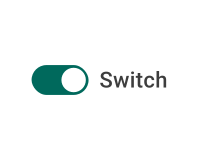
Switch ControlSends the RPC call to the device when the user toggles the switch. Appearance and conditions for button activation allows you to configure how to fetch the initial value of the switch.
-
Round switchSends the RPC call to the device when the user toggles the switch. Appearance settings will enable you to configure how to fetch the initial state of the device.
-
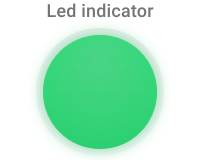
Led indicatorVisualize the state of the device. Fetches the value from the device from the attribute or using RPC.
-
RPC ButtonAllows to send RPC command when the user presses the button.
-
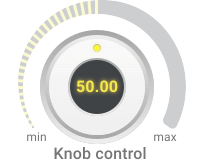
Knob ControlSends the command to the device when user changes the value. Uses 'setValue' and 'getValue' RPC calls by default. The name of the RPC calls is configurable in Advanced settings.
-
Update device attributeAllows to send shared attribute update when user press the button.
-
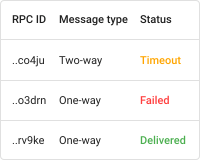
Persistent RPC tableDisplays Persistent RPC requests based on entity alias and optional filter with the ability of pagination. It also allows to resend or delete selected RPC requests.
-
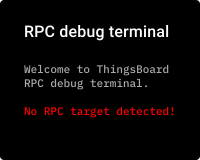
RPC debug terminalAllows to send any RPC command using its name and parameters to the device. Useful for debugging.
-
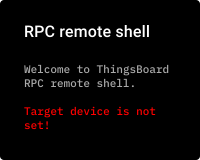
RPC remote shellAllows to emulate remote shell. Requires custom implementation on the target device to work correctly.
-
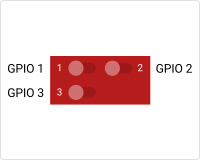
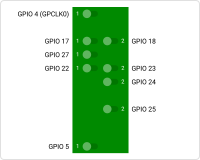
Basic GPIO ControlAllows to change state of the GPIO for target device using RPC commands. Requires handling of the RPC commands in the device firmware. Uses 'getGpioStatus' and 'setGpioStatus' RPC calls.
-
Raspberry Pi GPIO ControlAllows to display the state of the GPIO for the target Raspberry Pi device using the latest attribute values. You should set the label of the selected data key to the GPIO PIN (e.g., '1') and use boolean values for the widget to display the data.