OTA Updates
ThingsBoard OTA (Over-the-Air) updates let you push firmware and software packages to devices remotely. You upload a package once, assign it to a device profile or individual device, and ThingsBoard notifies all affected devices and tracks each one’s update progress.
Firmware vs. Software
Section titled “Firmware vs. Software”ThingsBoard supports two package types — Firmware (FOTA) and Software (SOTA). The distinction matters mainly for LwM2M devices, which handle the two types through different protocol objects. For MQTT, HTTP, and CoAP devices the update flow is identical regardless of type.
Uploading a Package
Section titled “Uploading a Package”Navigate to Devices & assets ⇾ OTA updates and click + Add package.
Required fields:
| Field | Description |
|---|---|
| Title | Package name. Title + version must be unique per tenant. |
| Version | Package version string. |
| Device Profile | Limits this package to compatible devices only. |
| Type | Firmware or Software. |
| Checksum | Optional. Defaults to SHA-256 if omitted. |
Assigning Updates
Section titled “Assigning Updates”To a Device Profile
Section titled “To a Device Profile”To an Individual Device
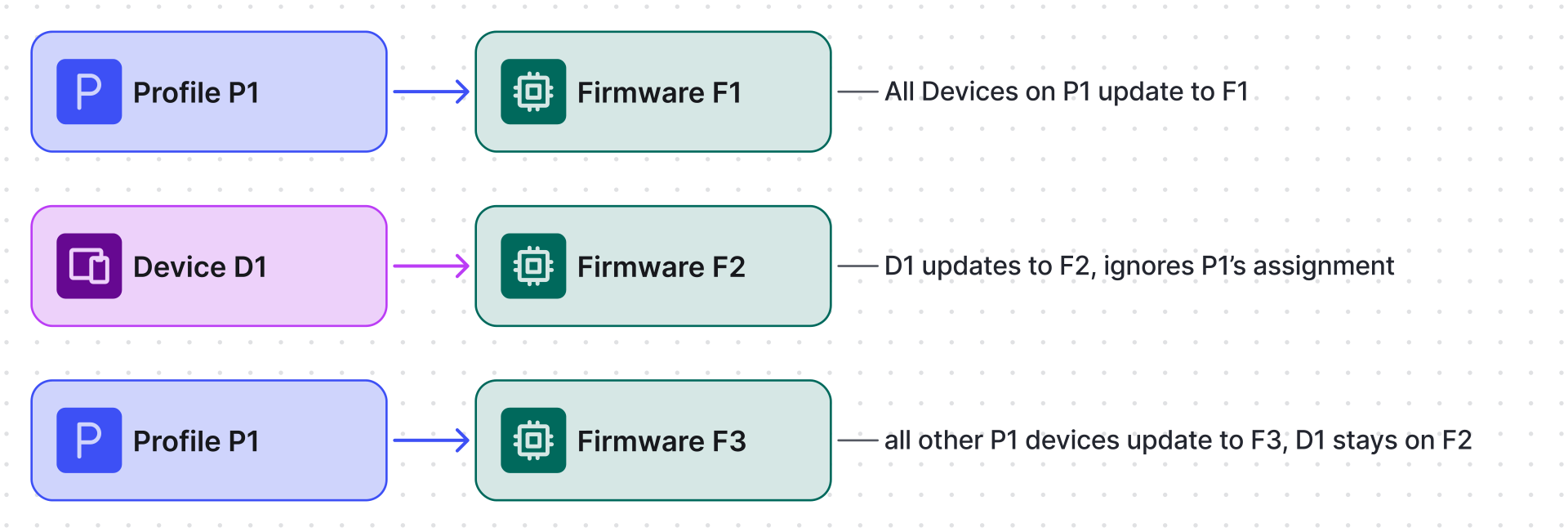
Section titled “To an Individual Device”A per-device assignment overrides the profile assignment for that device only.
Update Flow
Section titled “Update Flow”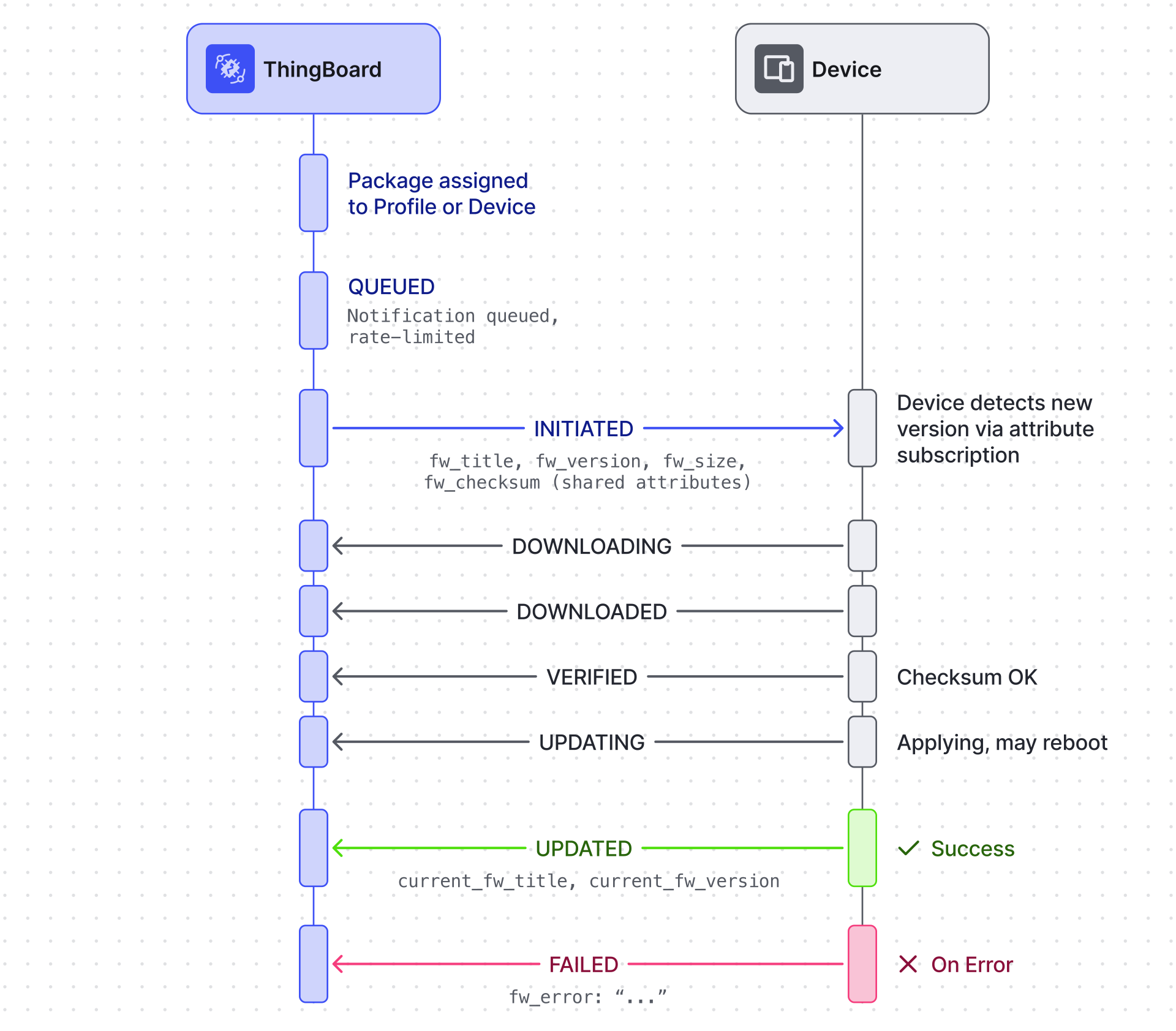
States up to INITIATED are set by ThingsBoard. All subsequent states are reported by the device firmware.
Update States
Section titled “Update States”| State | Set by | Meaning |
|---|---|---|
QUEUED |
ThingsBoard | Notification waiting to be pushed |
INITIATED |
ThingsBoard | Shared attributes updated; device notified |
DOWNLOADING |
Device | Download started |
DOWNLOADED |
Device | Download complete |
VERIFIED |
Device | Checksum passed |
UPDATING |
Device | Applying update (device may reboot) |
UPDATED |
Device | Update successful |
FAILED |
Device | Download, checksum, or apply error |
Monitoring
Section titled “Monitoring”ThingsBoard includes built-in Firmware and Software dashboards (auto-created for new tenants; importable from GitHub for existing ones). They show the update status of every device, historical records, and failure details.
Protocol References
Section titled “Protocol References”Devices receive the update notification via shared attribute subscription and download the package over their transport. See the transport-specific guides for attribute topics, chunk download endpoints, and example client implementations:
- MQTT OTA client
- HTTP OTA client
- CoAP OTA client
- LwM2M OTA
Package size limits
Section titled “Package size limits”- Upload size — a single OTA package upload is limited to 50 MB.
- Per-tenant total — the combined size of all uploaded OTA packages is limited by your subscription plan, from 512 MB on the Free plan up to 4 GB on the Business plan. See Subscription Plans, File storage limits for the quota on each plan.
Was this helpful?