
Fuel level monitoring
The Fuel Level Monitoring solution template provides a complete, ready-to-use system for monitoring liquid levels in stationary tanks. It enables real-time visualization of fuel levels, automatic volume calculation based on tank geometry, consumption and refilling tracking, and proactive alarm management.
With a single installation action, the solution deploys a fully functional dashboard, device profiles, rule chains, alarms, and demo devices. No custom rule chains, widgets, or backend configuration are required.
The template is suitable for industrial, agricultural, construction, and fleet depot scenarios where accurate fuel inventory tracking and early detection of critical conditions are required.
Key application areas
Section titled “Key application areas”This solution template can be used as a blueprint for:
- Agriculture and farming: Monitoring remote fuel or fertilizer tanks to keep machinery running during harvest
- Construction and mining: Keeping generators and heavy equipment fueled to avoid project delays
- Fleet depots: Tracking bulk fuel storage to validate deliveries and detect consumption anomalies
Install solution template
Section titled “Install solution template”To understand how the Fuel level monitoring solution works, start by installing the solution template.
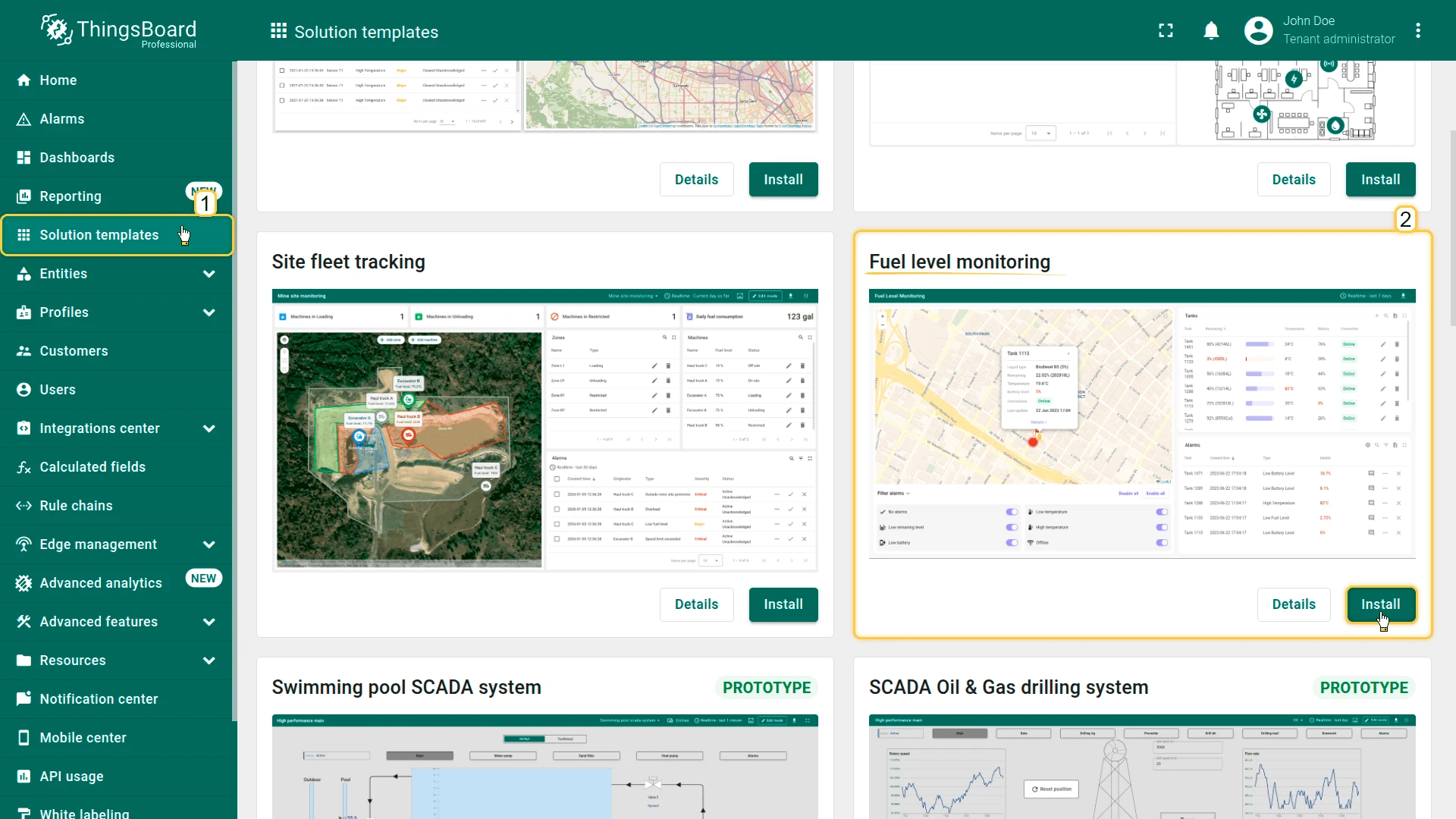
- Go to Solution templates in the main menu.
- Find Fuel level monitoring and click Install.
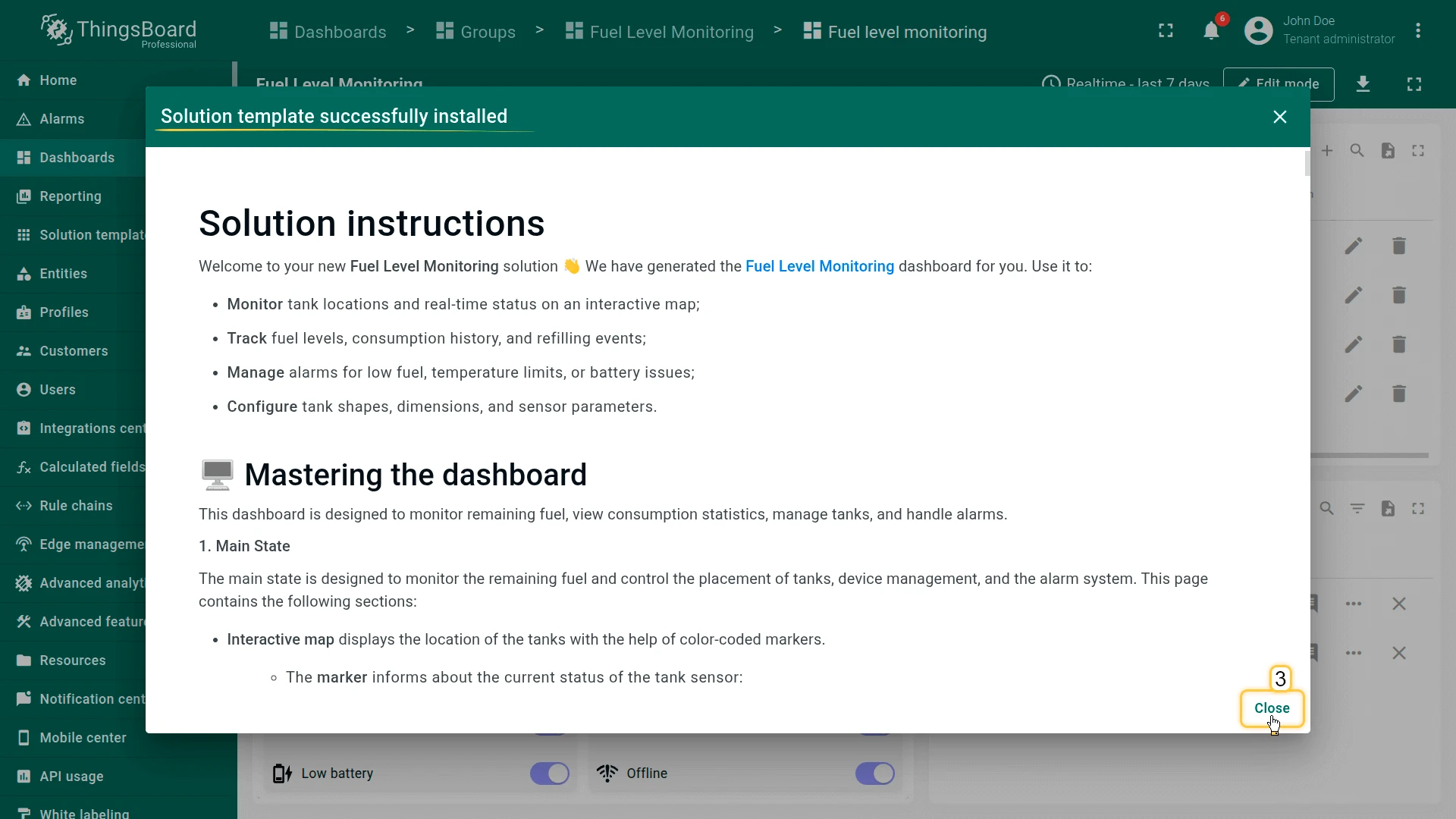
- Follow the provided configuration instructions and click Close.
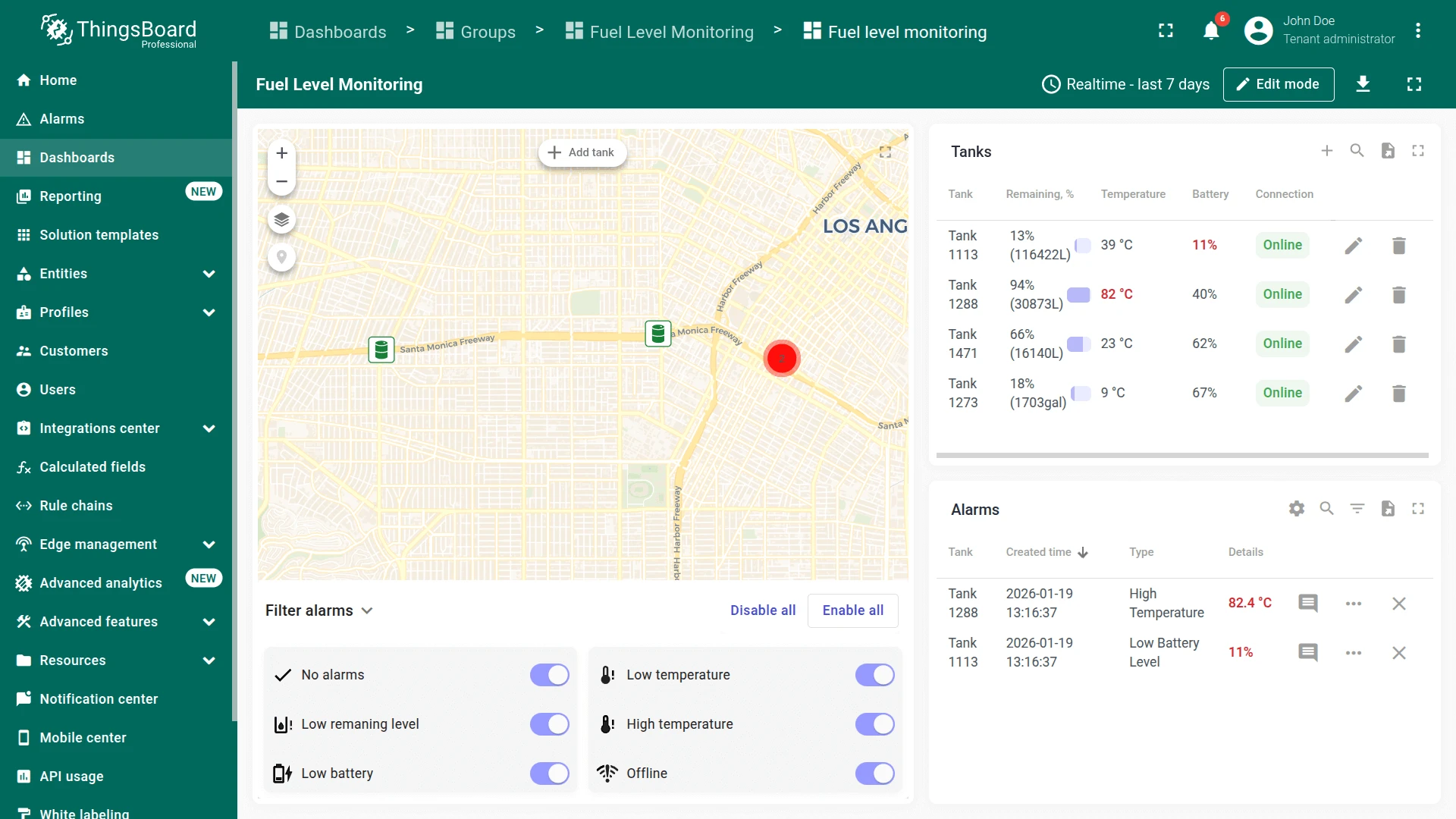
- The Fuel level monitoring dashboard opens automatically.
After installation, a fully functional simulation for monitoring liquid levels in stationary tanks is created automatically. No devices, integrations, or custom code are required to start exploring the solution.
System components
Section titled “System components”The Fuel Level Monitoring template includes:
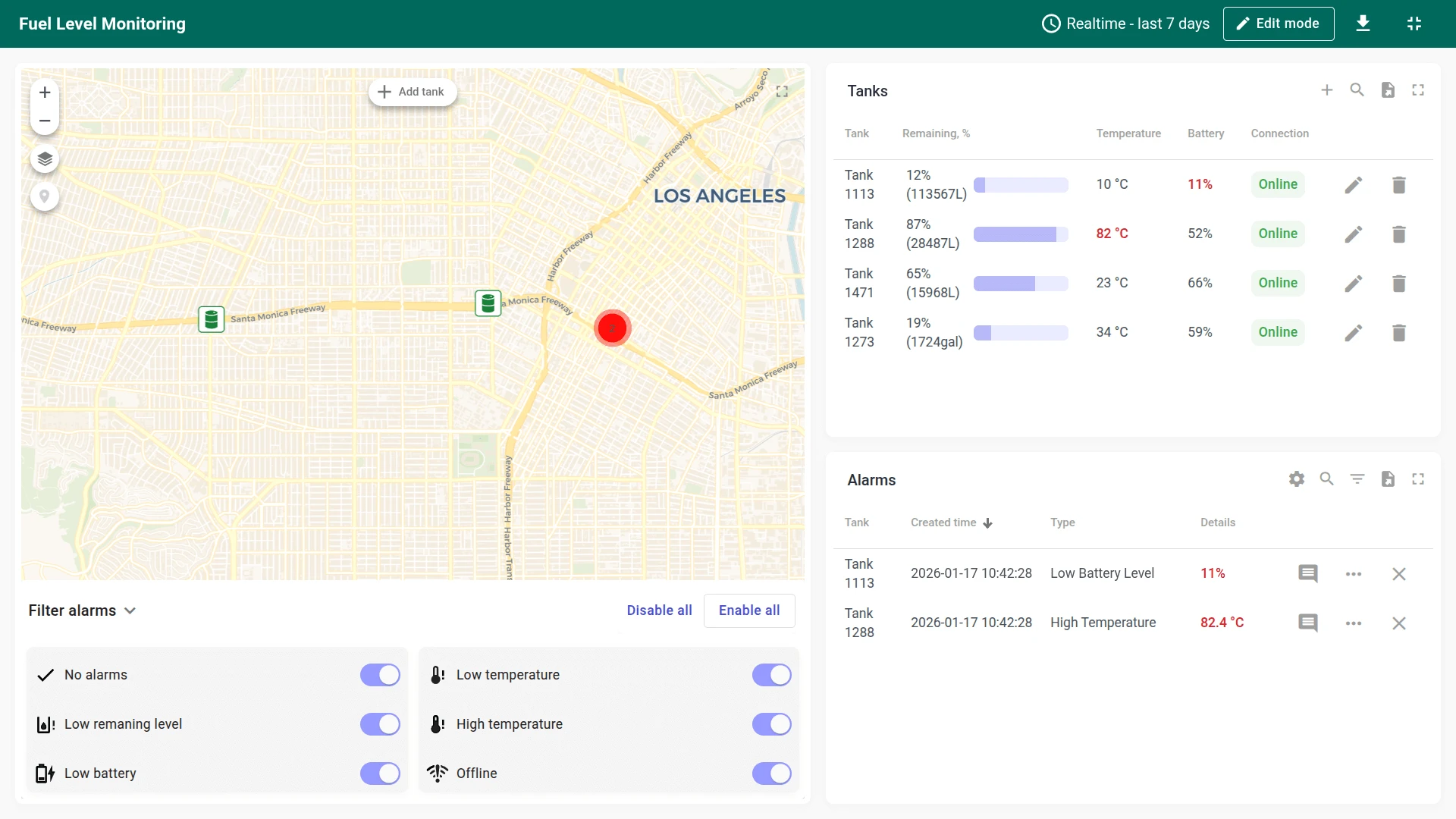
- Dashboard: The Fuel Level Monitoring dashboard provides an interactive map with color-coded tank status markers, centralized alarm management, tools for tank creation and configuration, and historical analytics for fuel consumption and refilling events
- Devices: Four pre-provisioned tank sensor devices that are already connected and provide demo telemetry data
- Device profile: A dedicated Tank device profile with preconfigured alarm rules for fuel level, battery, and temperature conditions. A Fuel Monitoring rule chain handles alarm counting, sensor status updates, and connectivity management
- Volume calculation: The dashboard supports 9 predefined tank shapes and automatically converts sensor height measurements into volume values, with support for both fill-height and remaining-space sensor types
Dashboard
Section titled “Dashboard”The Fuel Level Monitoring dashboard provides real-time visibility into tank status, fuel levels, and consumption trends.
You can use the dashboard to:
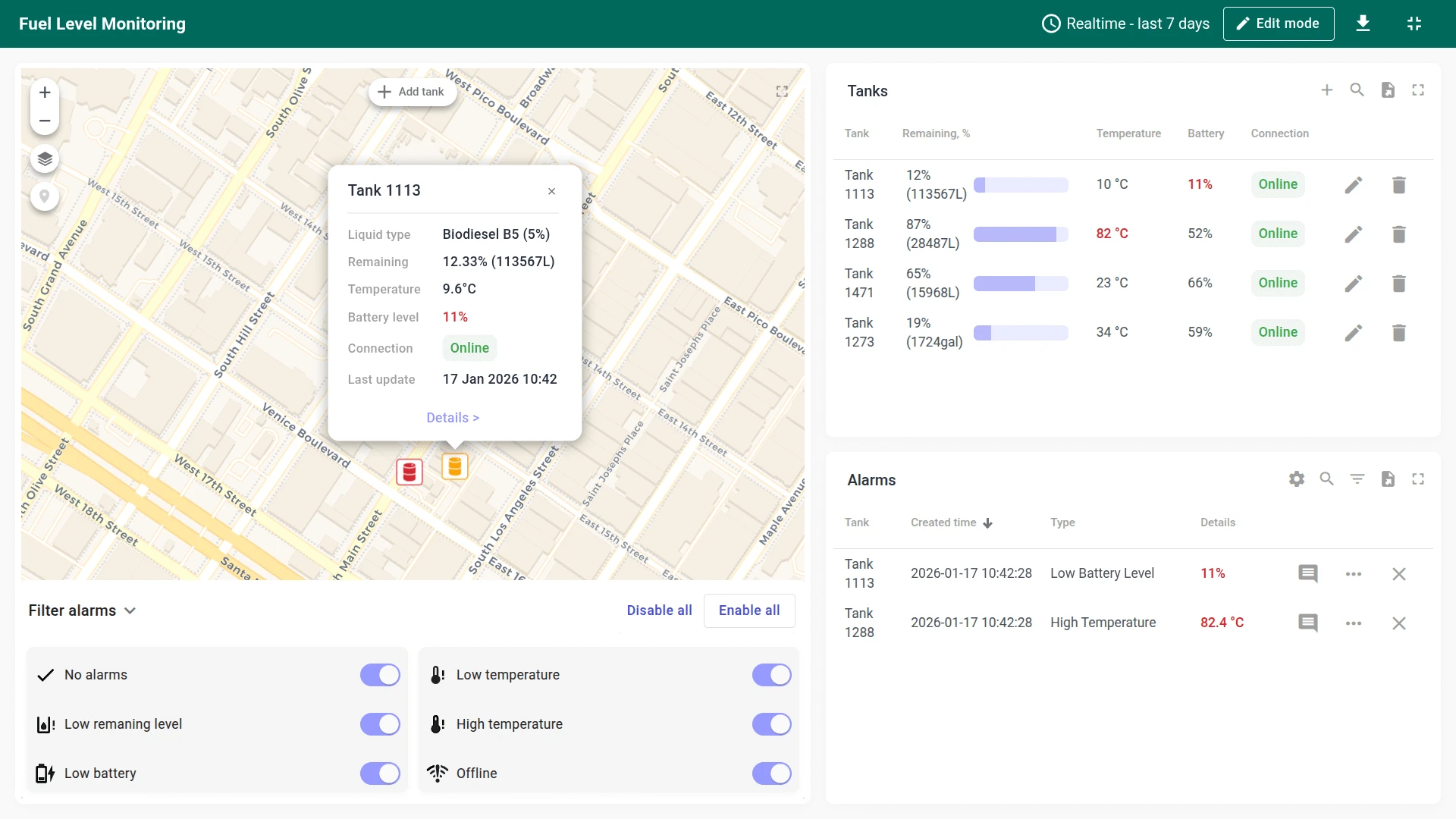
- View tank locations on an interactive map with color-coded status markers
- Filter tanks by status (normal, low battery, alarm, offline)
- Add, edit, or delete tanks
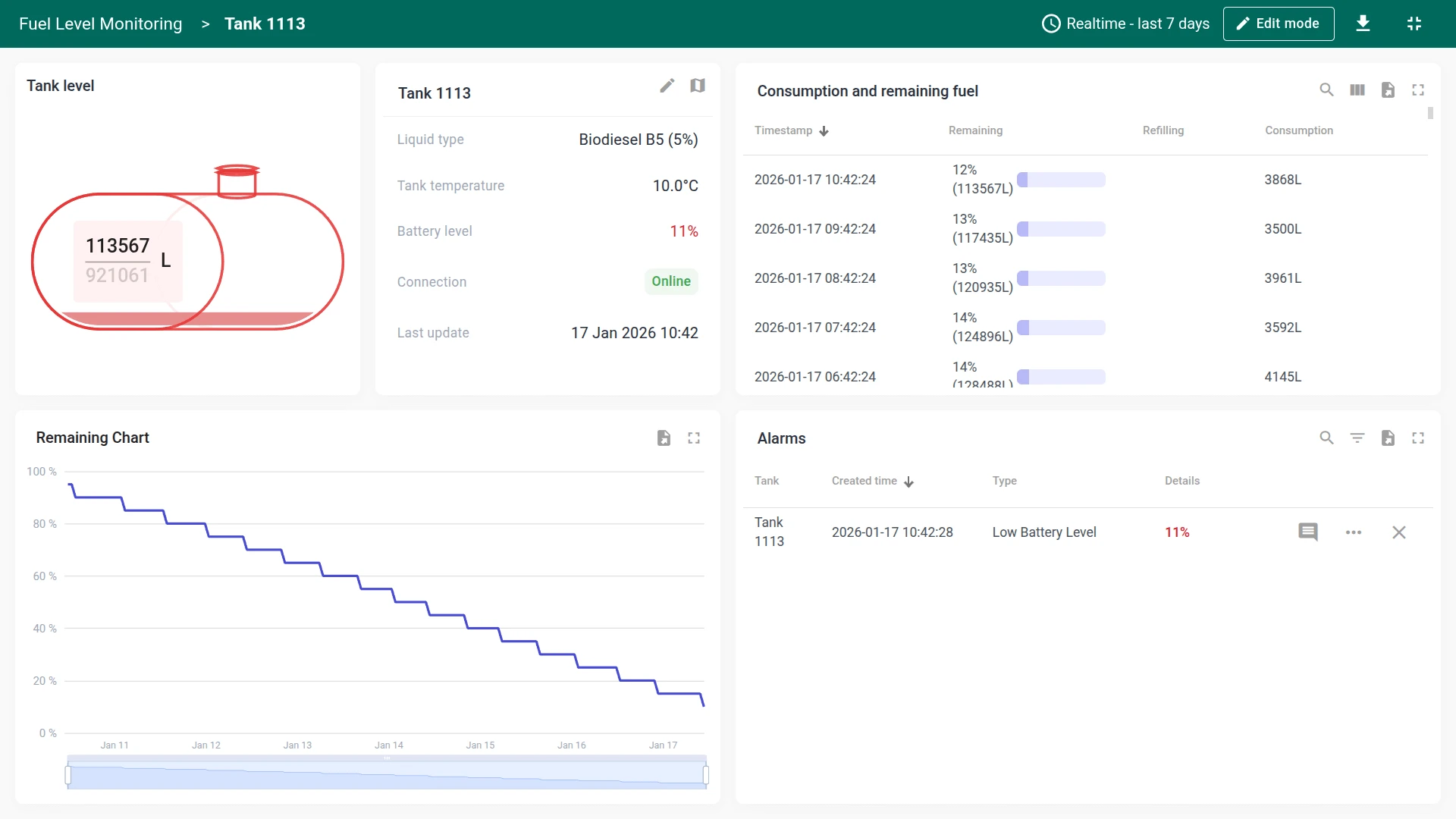
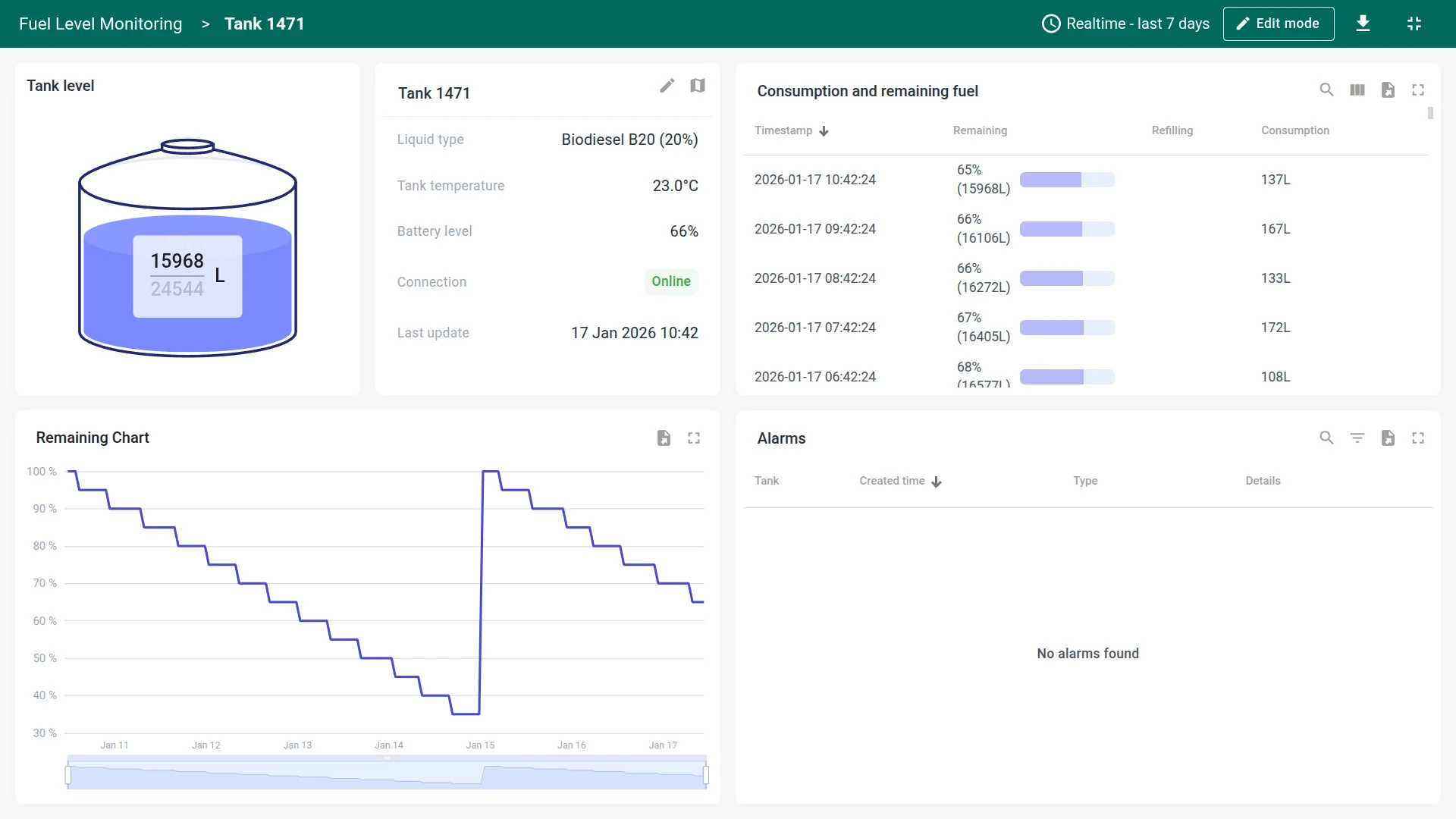
- Browse historical fuel consumption and refilling data
- Monitor and configure alarm thresholds
Dashboard states
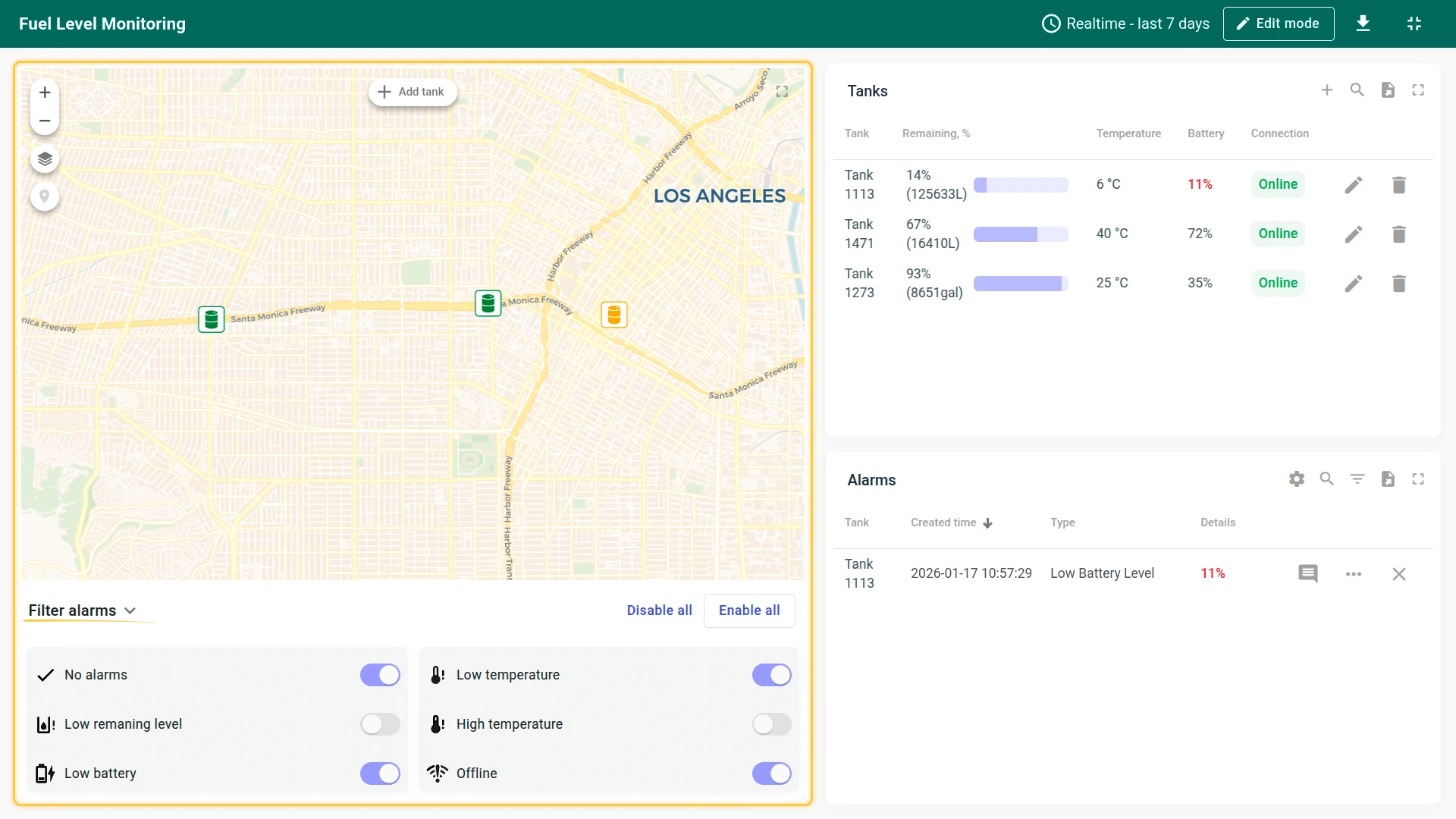
Section titled “Dashboard states”The dashboard consists of two states:
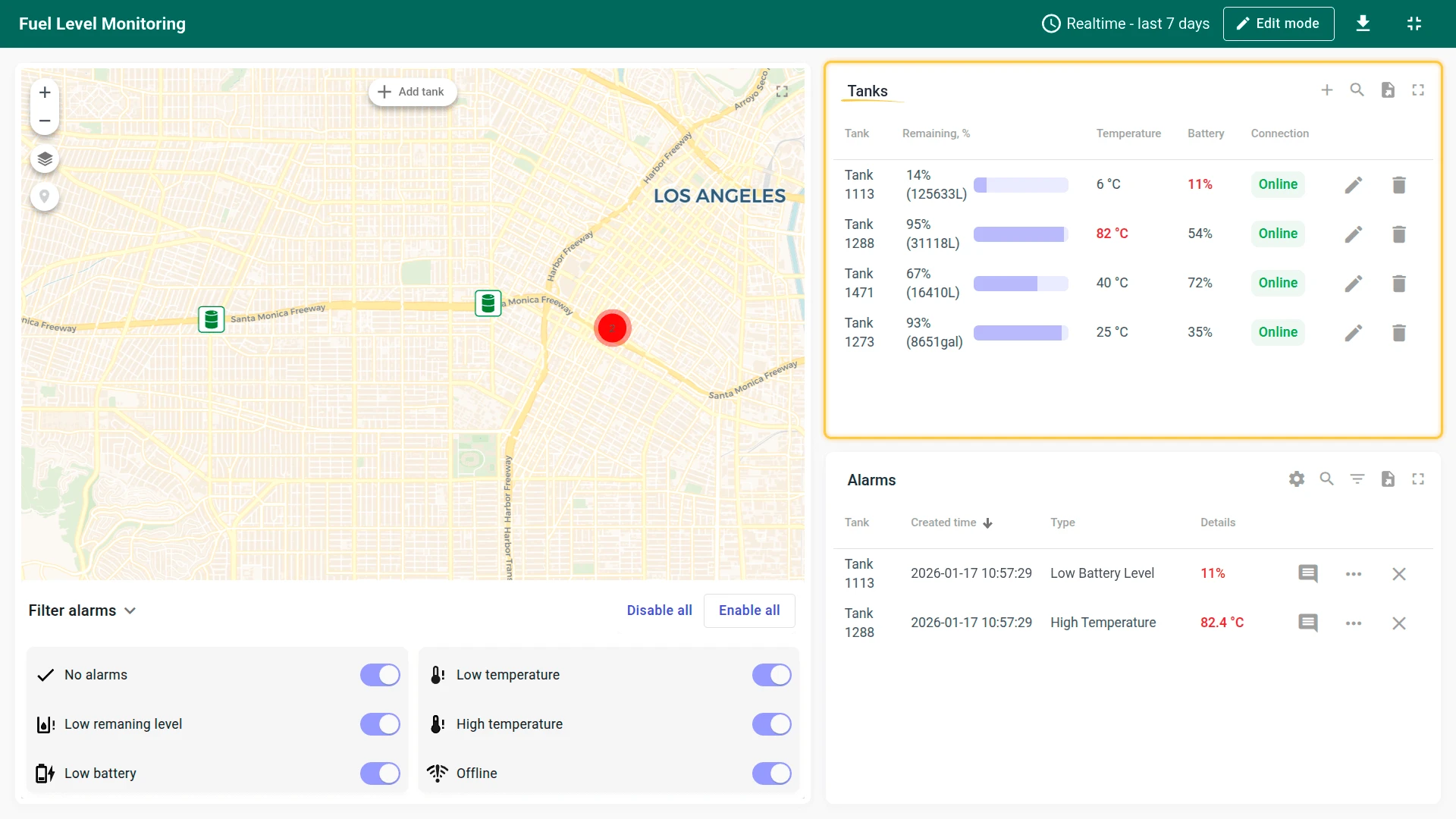
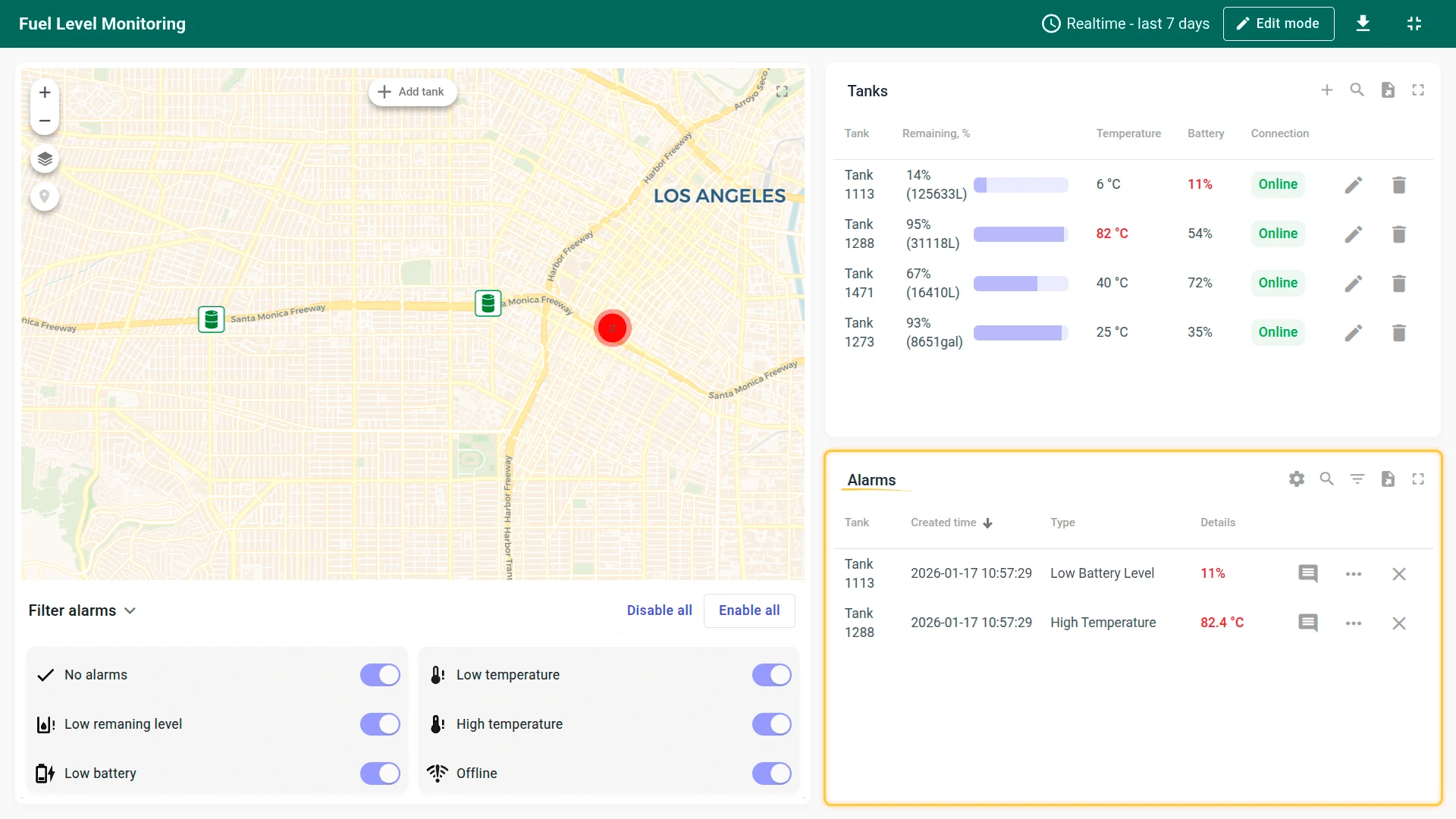
- Main state: Displays tank locations on an interactive map with color-coded markers (green = normal, yellow = low battery, red = low fuel or extreme temperature, gray = offline). The alarm filter allows you to show or hide tanks by status. The tanks list shows remaining fuel %, temperature, battery, and connection status. Click + to create a new tank using a wizard (General info → Tank info) that supports 9 predefined tank shapes with automatic volume calculation. After creating the tank, use the place marker button on the map to set its location
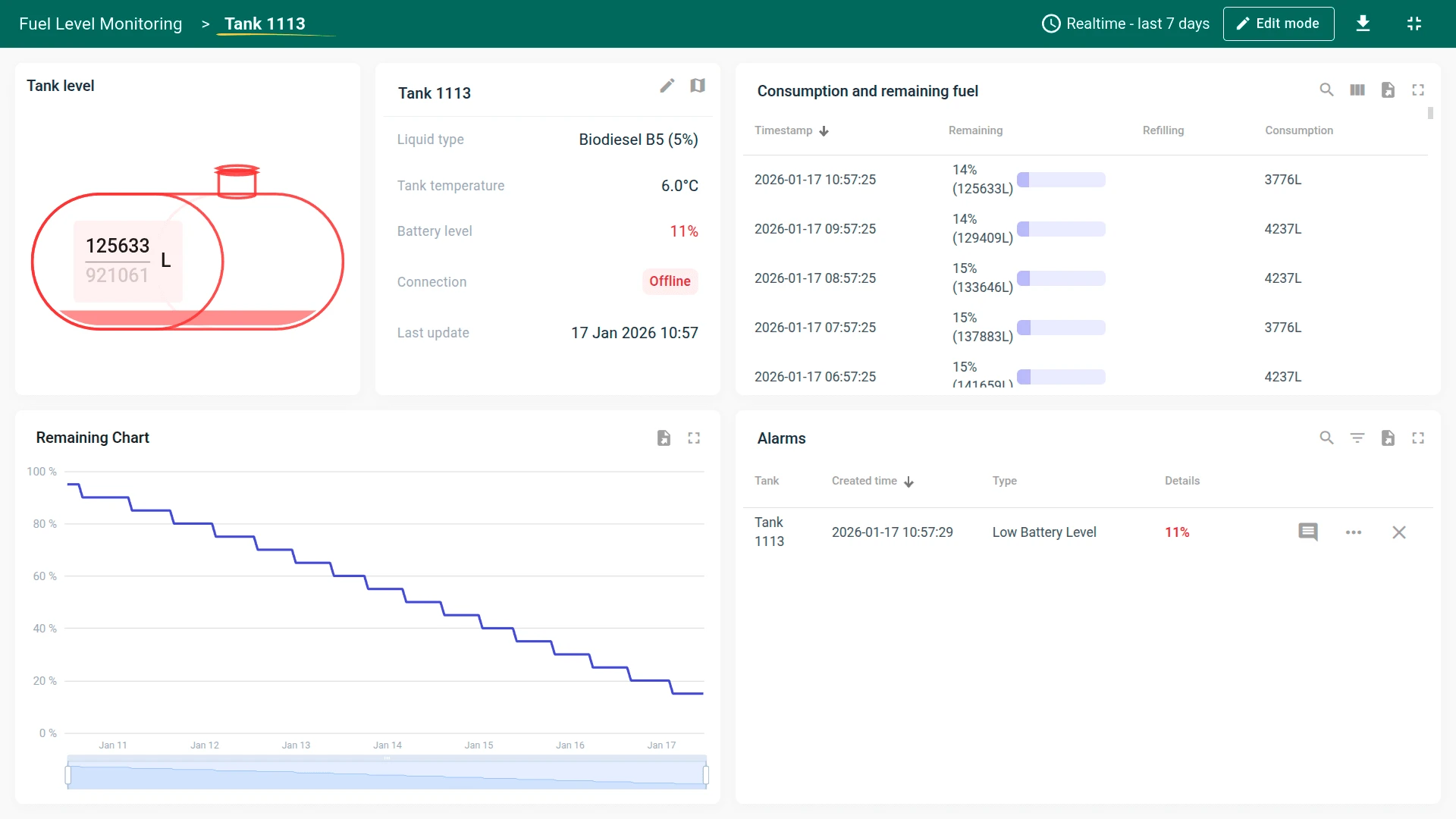
- Tank details state: Opens when a tank row is selected or via the Details button in the map popup. Displays a fuel level gauge (volume and fill percentage), tank information card (liquid type, temperature, battery, connection status, last update), a consumption table logging timestamps, remaining fuel, refilling amounts, and consumption per interval, a remaining fuel chart showing level trends over time, and a filtered list of alarms for this specific tank
The dashboard can be fully customized using the dashboard development tools.
Devices
Section titled “Devices”Four demo tank sensor devices are created automatically with demonstration data. The solution expects devices to publish telemetry data in JSON format using the following keys:
{"battery": 77, "fuelLevel": 91, "fuelHeight": 125, "temperature": 32}To send telemetry on behalf of a device, use the following command. Replace $ACCESS_TOKEN with the actual access token of the device you want to send data to:
curl -v -X POST \-d '{"battery": 77, "fuelLevel": 91, "fuelHeight": 125, "temperature": 32}' \http://eu.thingsboard.cloud/api/v1/$ACCESS_TOKEN/telemetry \--header "Content-Type:application/json"The example uses the HTTP API. Other connectivity options (MQTT, CoAP, LwM2M, etc.) are supported as well. See connecting devices for details.
Volume calculation
Section titled “Volume calculation”The dashboard calculates liquid volume based on tank shape and sensor height readings. During tank creation, you select one of 9 predefined geometric shapes (cylinders, capsules, ovals), choose a measurement system (metric or imperial), and enter the tank dimensions. The system automatically computes the tank capacity.
Two sensor modes are supported:
- Fill height (float sensor): Measures the height of the liquid from the bottom. The system calculates the corresponding volume based on tank geometry
- Remaining space (ultrasonic sensor): Measures the distance from the top of the liquid to the sensor. A configurable “sensor gap” field excludes technical offsets like the tank neck from the calculation
Alarms
Section titled “Alarms”Alarm generation is handled by alarm rules configured in the Tank device profile. The solution monitors low fuel level, low battery, high temperature, and low temperature conditions. All alarms use Critical severity.
Alarm thresholds are dynamic — they reference device attributes rather than static values. You can adjust the limits directly from the Alarm Rules form on the dashboard without editing the device profile. Default thresholds are configured during installation (like 10% for fuel level, 20% for battery, 80 °C for high temperature, 0 °C for low temperature).
Conclusion
Section titled “Conclusion”The Fuel Level Monitoring solution template delivers a tank monitoring system with real-time visualization, automatic volume calculation, consumption tracking, and configurable alarms. It enables fast onboarding and serves as a foundation for both demonstrations and production fuel inventory monitoring use cases.
Was this helpful?