
Temperature & Humidity sensors
The Temperature & Humidity sensors solution template provides a ready-to-use monitoring system for tracking environmental conditions. With a single installation action, the template deploys a fully functional solution that includes dashboards, devices, alarms, users, and access control.
This template allows you to evaluate and demonstrate the solution from an end-user perspective immediately, without configuring rule chains, dashboards, or device profiles manually.
The solution is suitable for proof-of-concept deployments as well as a foundation for production IoT applications like smart buildings, offices, retail, and cold chain monitoring.
Key application areas
Section titled “Key application areas”This solution template can be used as a baseline for:
- Smart home: Monitoring indoor climate conditions and automating HVAC systems
- Smart office: Improving comfort and productivity by maintaining optimal temperature and humidity levels
- Retail and cold chain: Monitoring refrigerators and storage units to detect temperature violations and prevent product spoilage
Install solution template
Section titled “Install solution template”To understand how the Temperature & Humidity sensors solution works, start by installing the solution template.
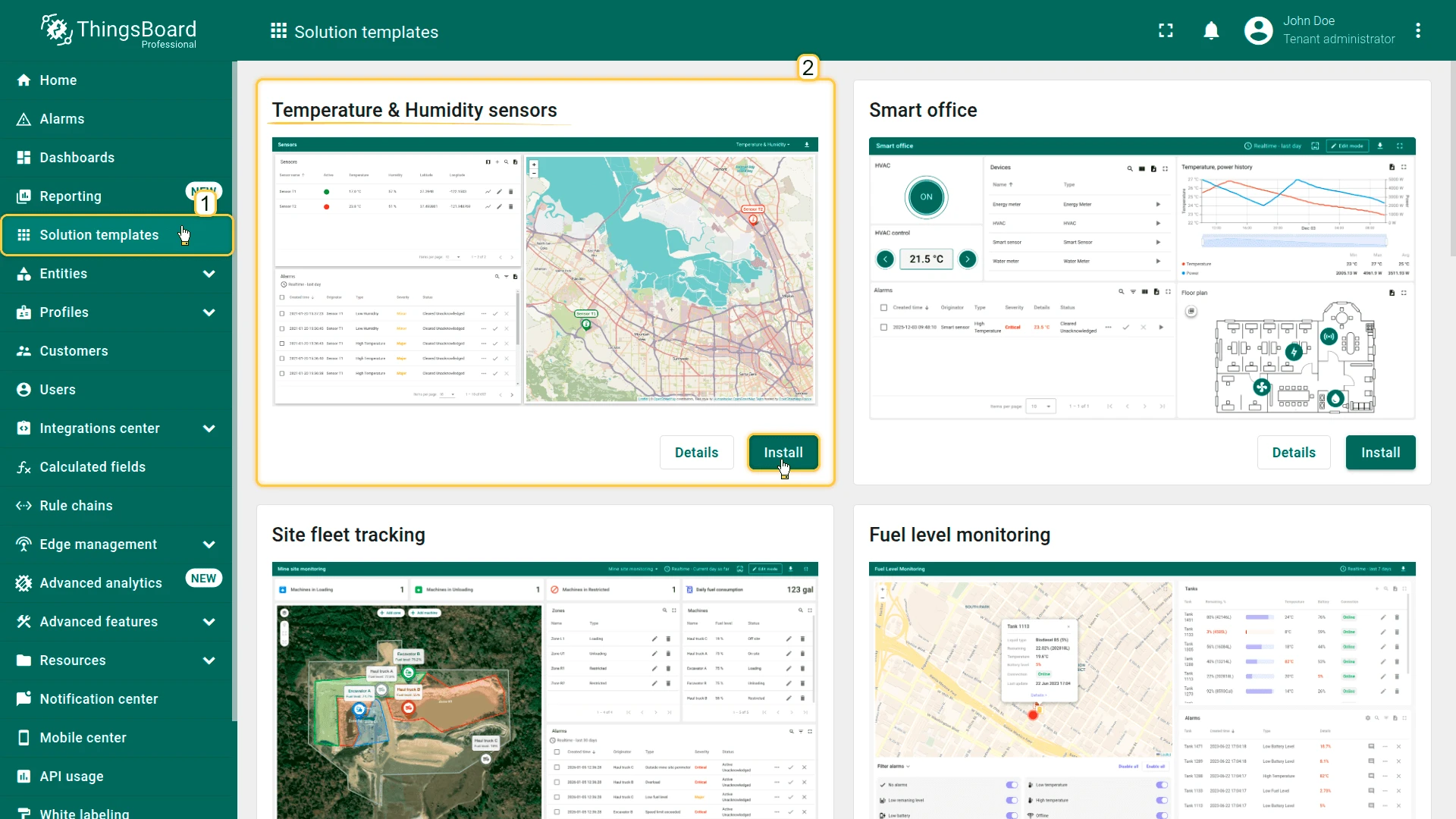
- Go to Solution templates in the main menu.
- Find Temperature & Humidity sensors and click Install.
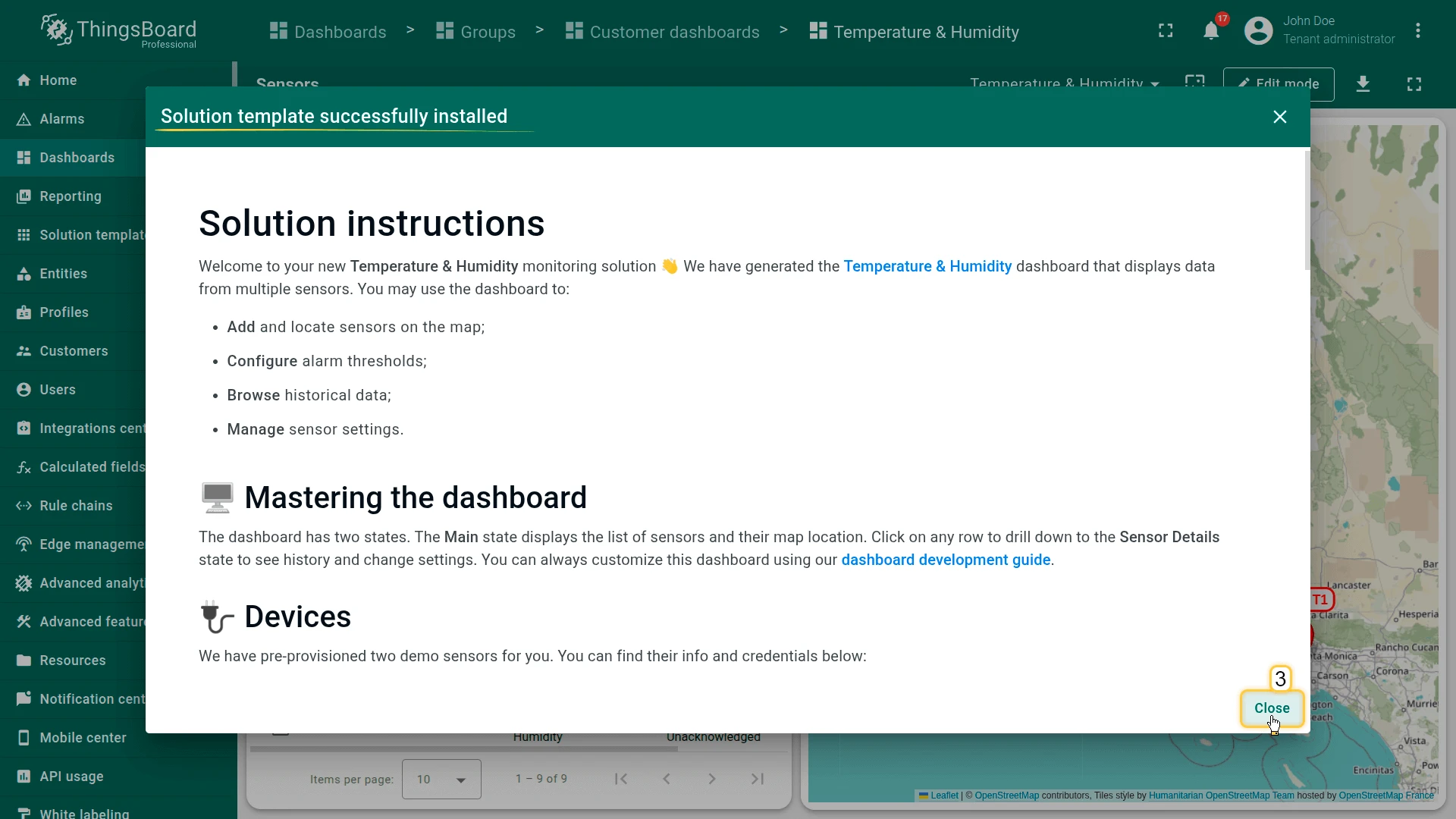
- Follow the provided configuration instructions and click Close.
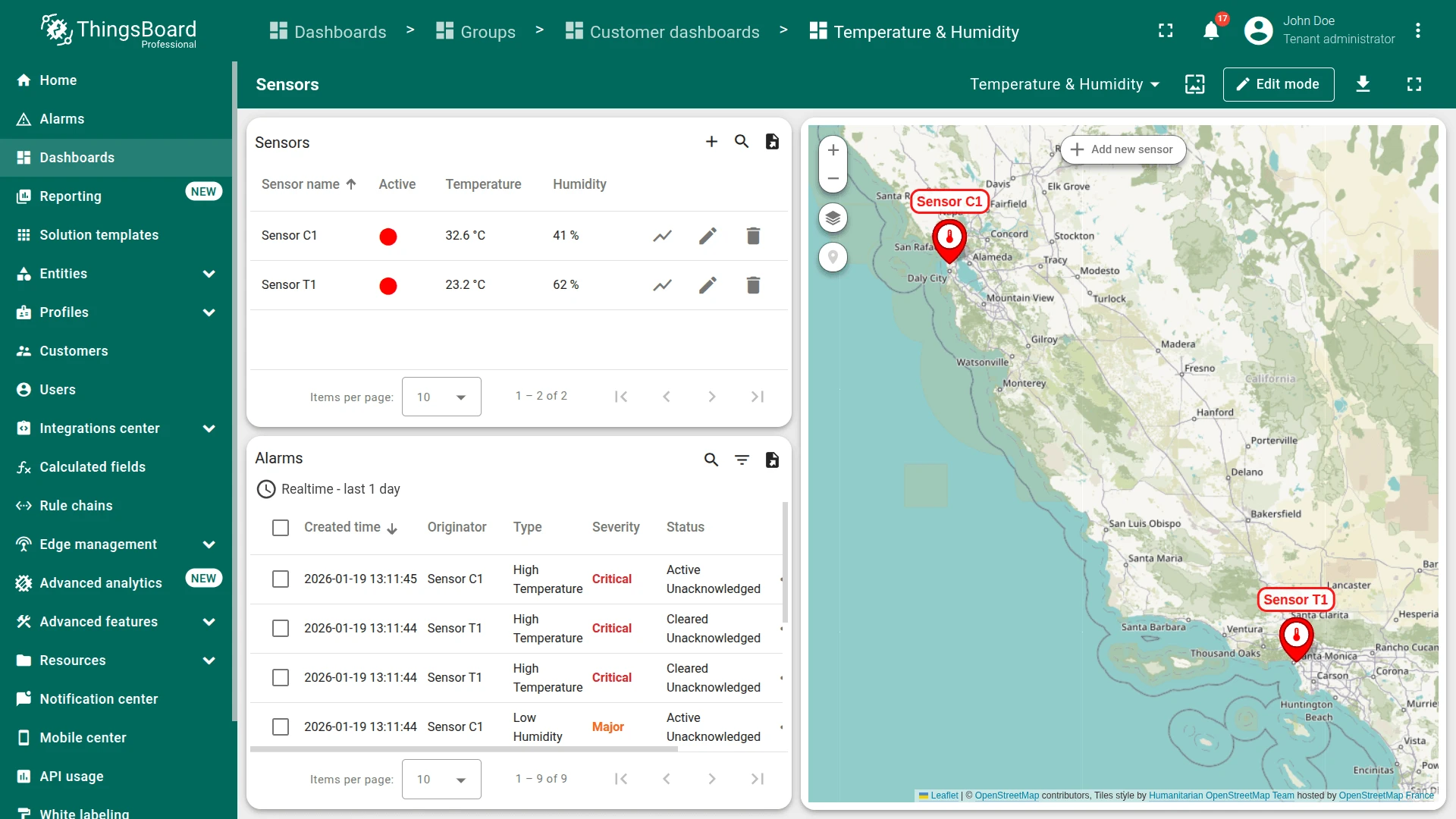
- The Temperature & Humidity dashboard opens automatically.
After installation, a fully functional simulation for monitoring environmental conditions is created automatically. No devices, integrations, or custom code are required to start exploring the solution.
System components
Section titled “System components”The Temperature & Humidity sensors template includes:
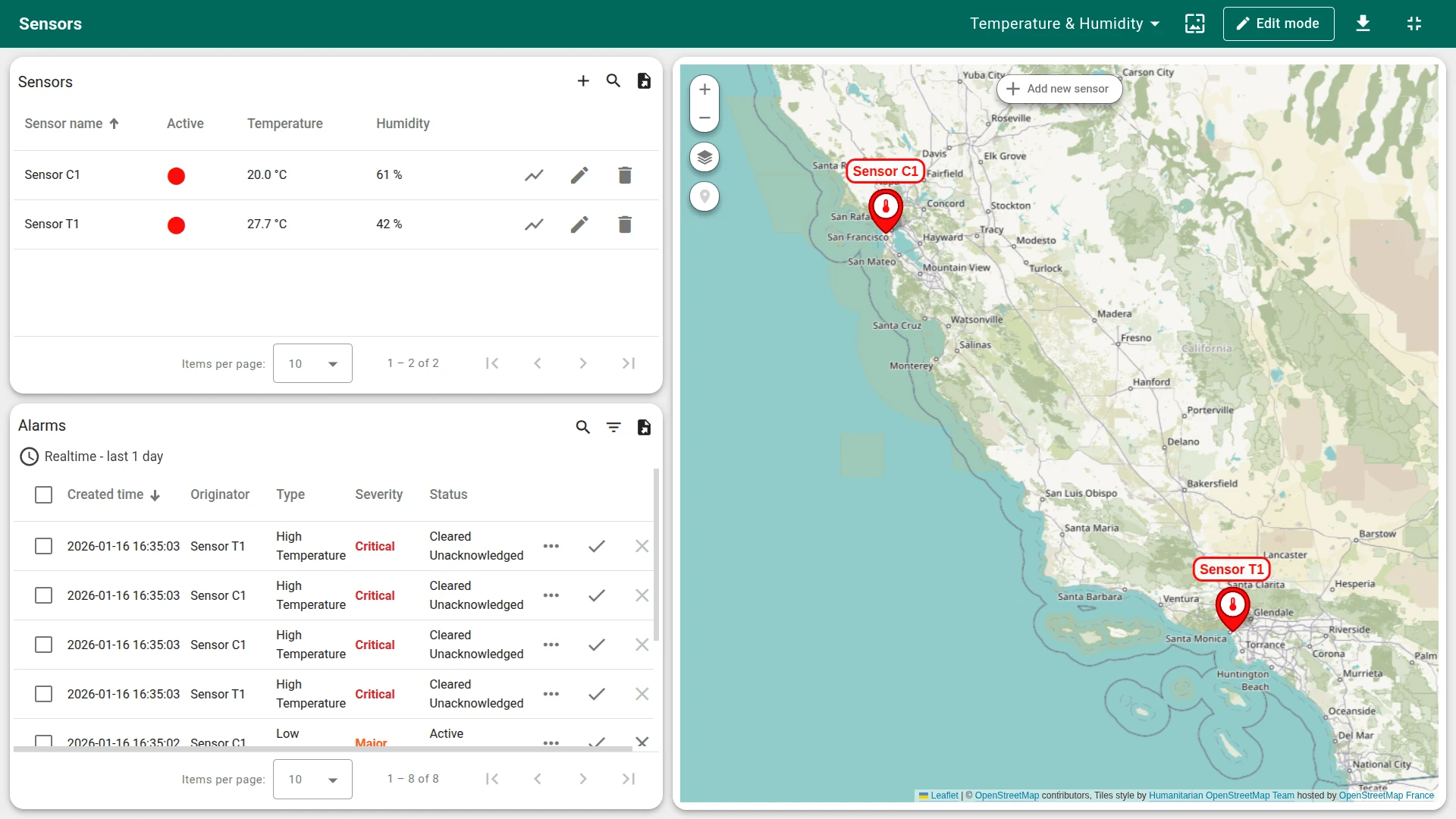
- Dashboard: The Temperature & Humidity dashboard provides real-time visualization of sensor telemetry, alarm management, sensor configuration, and an interactive map with device locations
- Devices: Two pre-provisioned demo temperature sensor devices that are already connected and provide demo telemetry data
- Device profile and logic: A predefined Temperature Sensor device profile with built-in logic and pre-configured alarms for high temperature and low humidity conditions
- Customers and users: One demo customer (Customer D) and two read-only customer users with predefined role-based access control
Edge support. The solution can optionally be deployed to ThingsBoard Edge for local data processing and reduced latency. Edge is available as an add-on for your license or subscription. The edge computing instructions appear in the solution instructions dialog when the Edge add-on is active.
Dashboard
Section titled “Dashboard”The Temperature & Humidity dashboard displays telemetry data from multiple sensors and provides tools for alarm management and device configuration.
You can use the dashboard to:
- Add new sensors via the table or the map
- Place sensors on the map
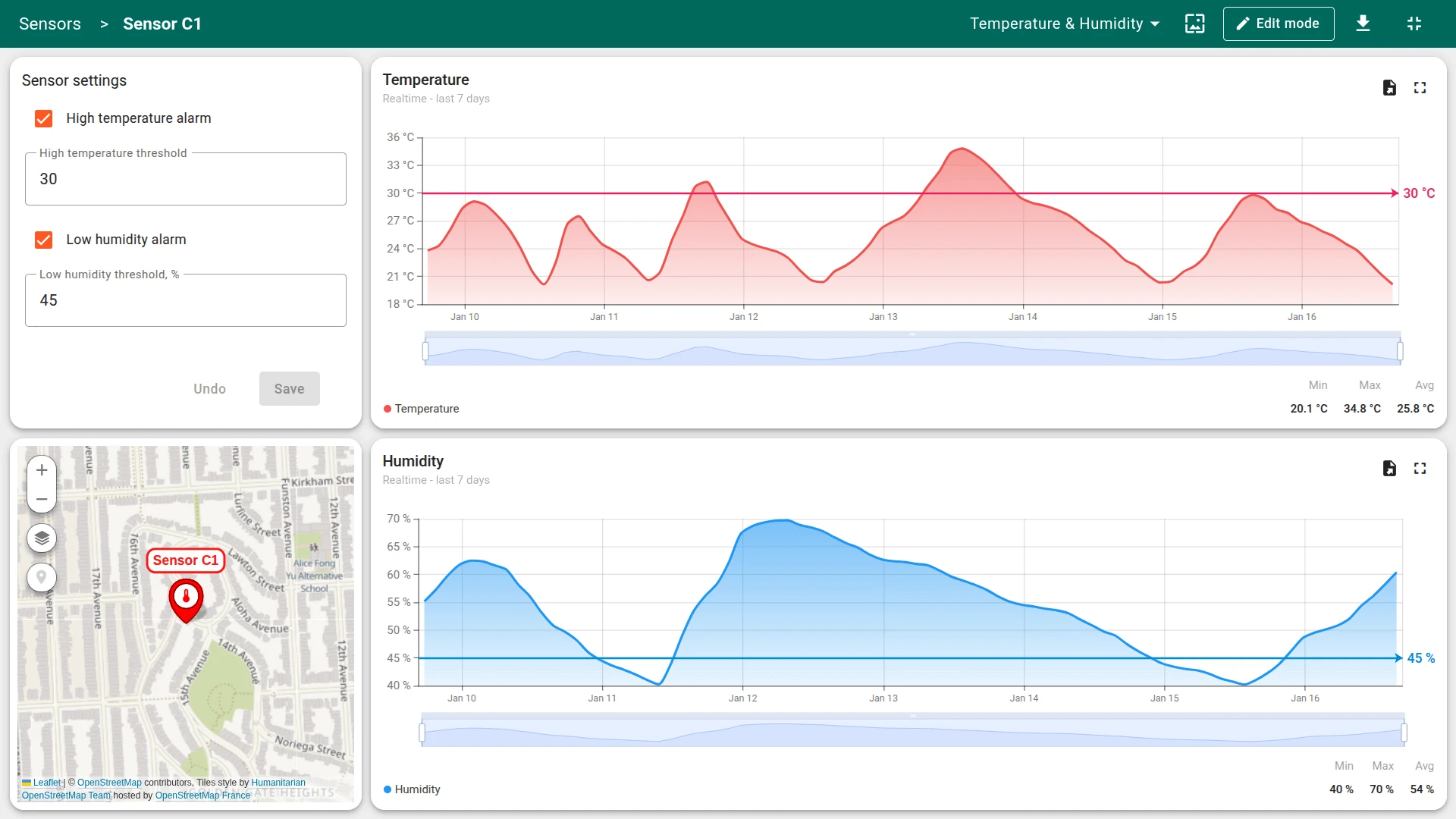
- Configure alarm thresholds
- Browse historical telemetry data
- Manage sensor settings
Dashboard states
Section titled “Dashboard states”The dashboard consists of two states:
- Main state: Displays a table of all sensors and their locations on the map
- Sensor details state: Opens when a sensor row is selected. Allows viewing historical temperature and humidity data, editing sensor parameters, and changing location
The dashboard can be fully customized using the dashboard development tools.
Devices
Section titled “Devices”Two demo devices are created automatically:
- Sensor T1 (owned by Tenant)
- Sensor C1 (owned by Customer D)
The solution expects devices to publish telemetry data in JSON format using the following keys:
{ "temperature": 42, "humidity": 73}To send telemetry on behalf of a device, use the following command. Replace $ACCESS_TOKEN with the actual access token of the device you want to send data to:
curl -v -X POST \-d '{"temperature": 42, "humidity": 73}' \http://eu.thingsboard.cloud/api/v1/$ACCESS_TOKEN/telemetry \--header "Content-Type:application/json"The example uses the HTTP API. Other connectivity options (MQTT, CoAP, LwM2M, etc.) are supported as well. See connecting devices for details.
Alarms
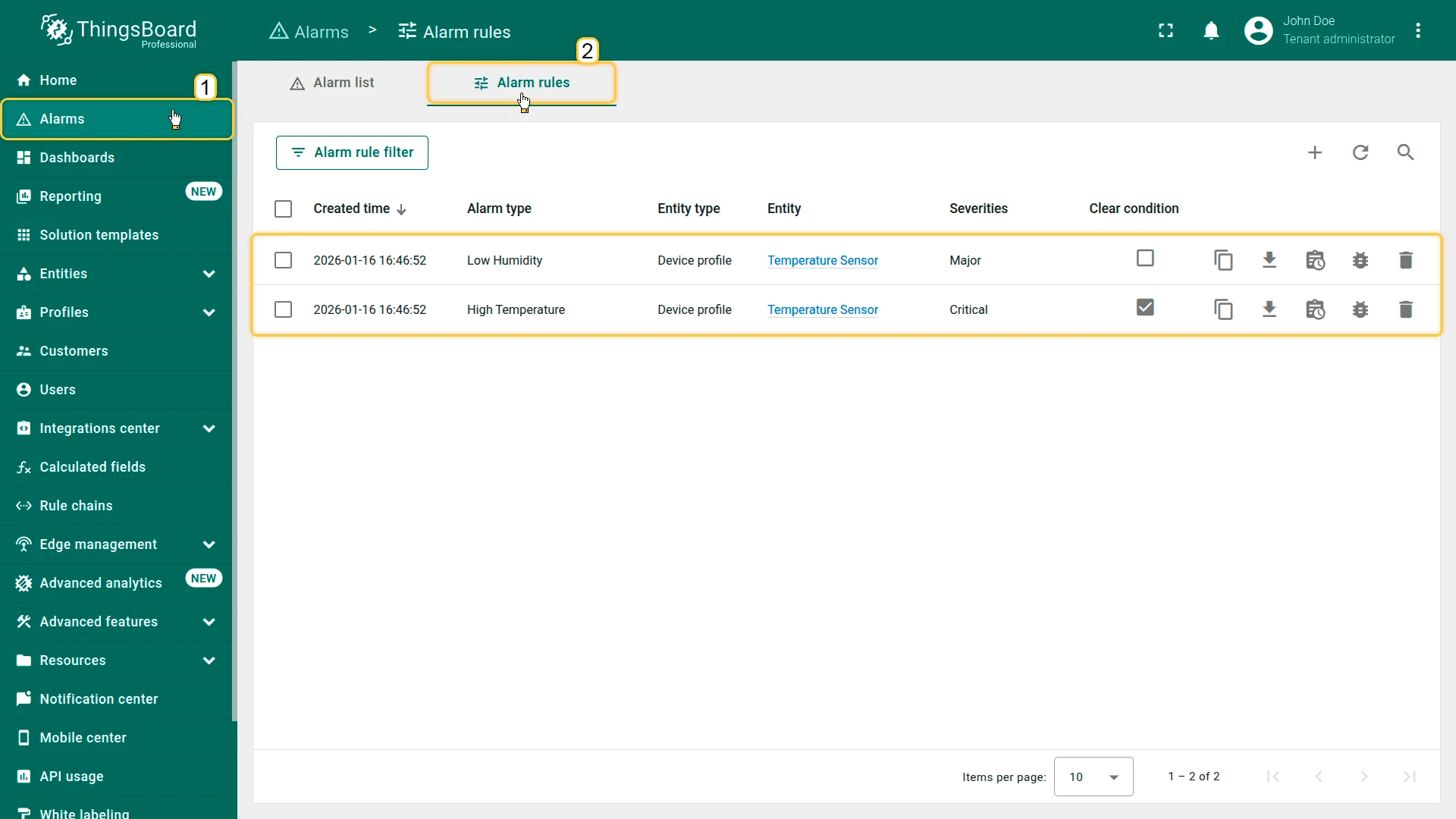
Section titled “Alarms”Alarm generation is handled by alarm rules configured in the Temperature Sensor device profile. The solution monitors high temperature and low humidity conditions.
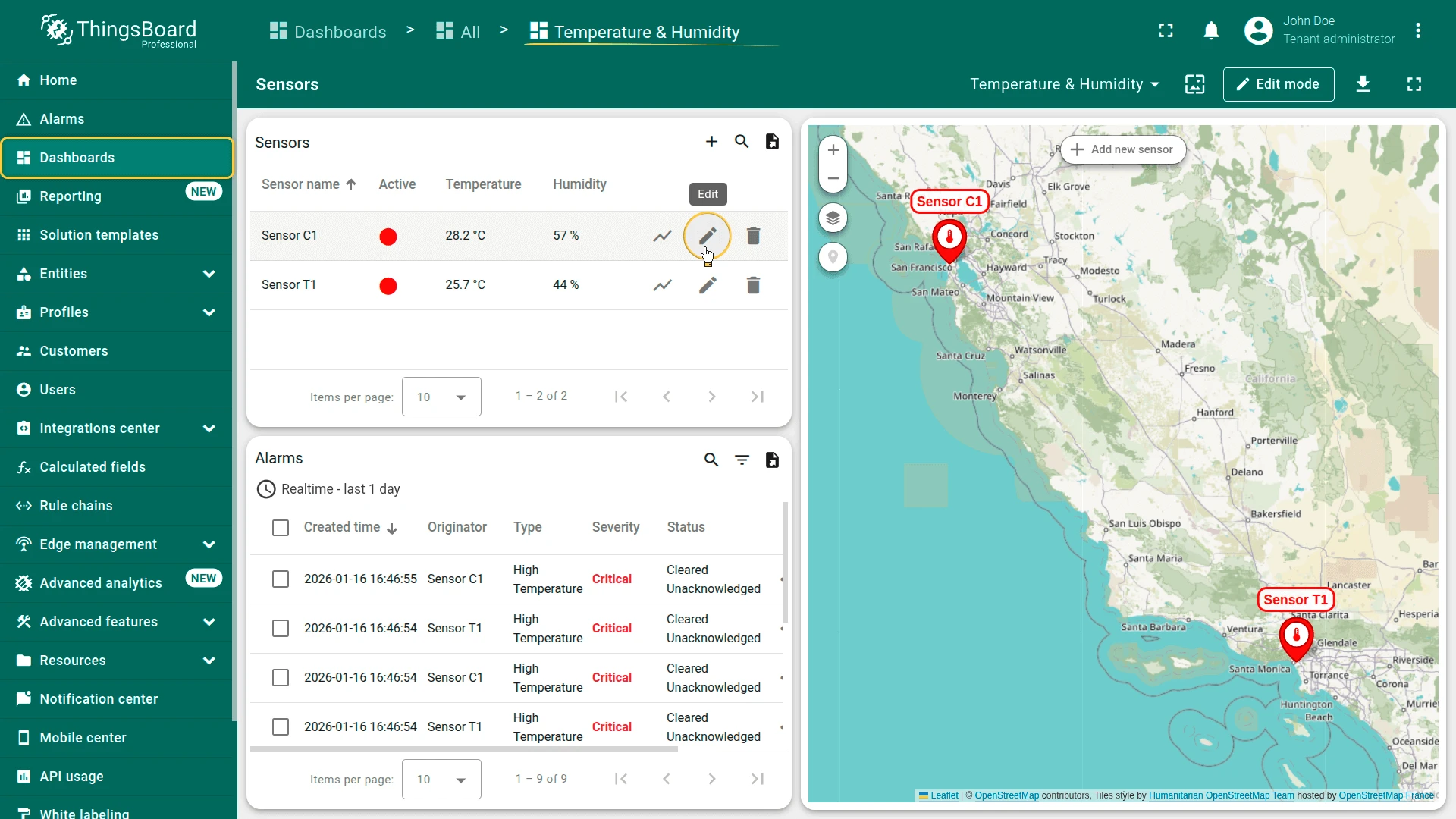
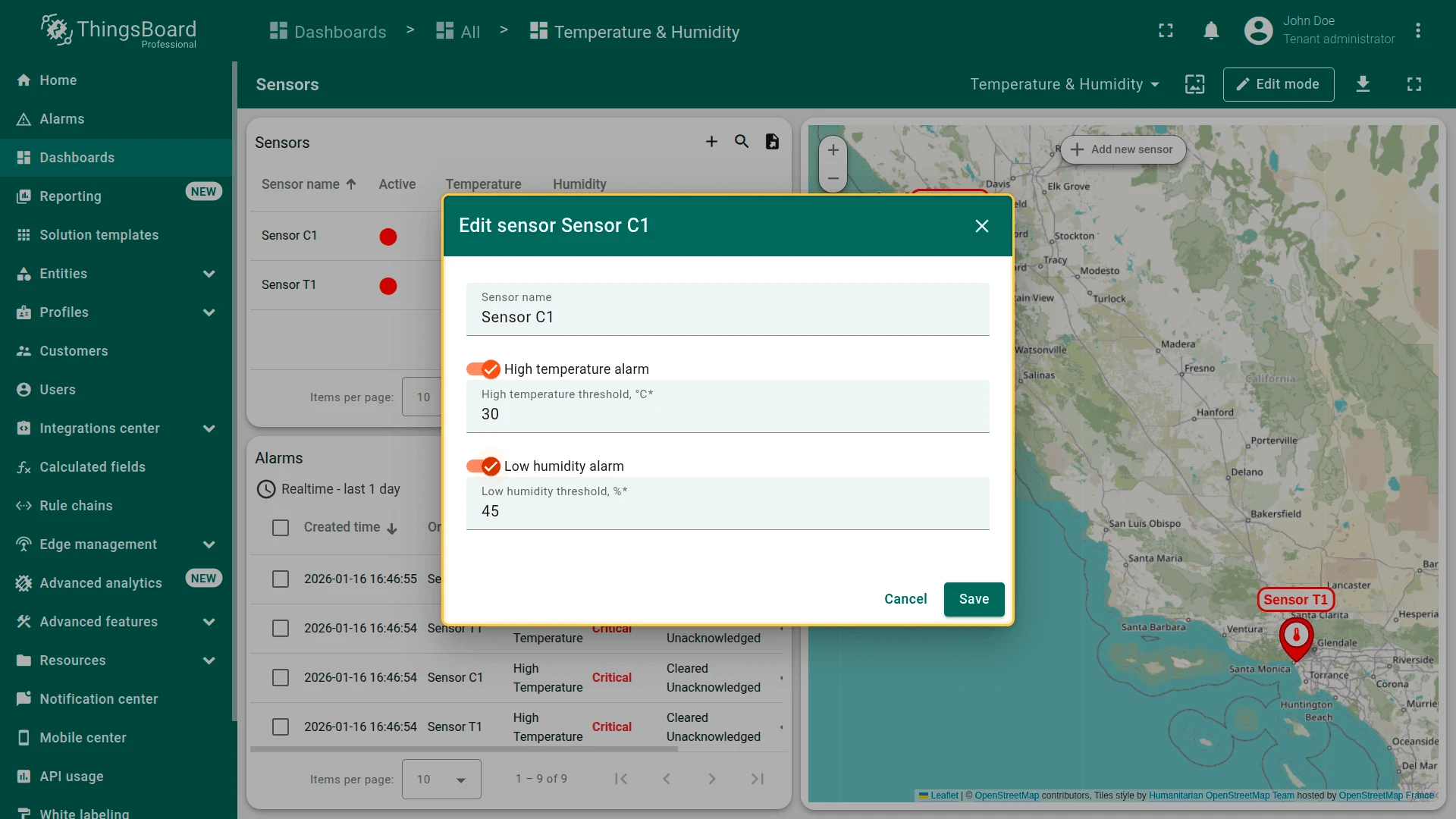
Alarm thresholds are dynamic — they reference device attributes rather than static values. You can enable or disable each alarm and adjust its threshold directly from the dashboard using the Edit Sensor action.
Customers
Section titled “Customers”To demonstrate multi-tenancy and data isolation, the solution creates a sample customer:
- Customer name: Customer D
- Assigned device: Sensor C1
Two customer users are automatically generated with random names and email addresses and assigned to Customer D. These users have read-only access to the dashboard and can only see devices owned by Customer D. You can find the generated user credentials in the solution instructions.
Additional customers and users can be created via the administration UI. As a Tenant Administrator, you can change the owner of Sensor T1 to Customer D to make it visible to the demo customer users.
Conclusion
Section titled “Conclusion”The Temperature & Humidity sensors solution template delivers a monitoring system with real-time visualization, configurable alarms, and built-in access control. It enables fast onboarding and serves as a foundation for both demonstrations and production environmental monitoring use cases.
Was this helpful?