Agent self-upgrade
Remote Agent can upgrade itself. On command from ThingsBoard, the agent pulls a new agent image, starts a replacement container from it, hands the host over, and removes the container it was running in. You never open an SSH session or run a Docker command on the host, and the applications the agent manages keep running: a self-upgrade replaces the agent container only.
When an upgrade is available
Section titled “When an upgrade is available”On every connection, the agent reports the image reference it runs. ThingsBoard looks that tag up among the published agent images and follows the upgrade chain to the newest one. The list of published images is refreshed hourly from the ThingsBoard update server, so a new agent release becomes available for upgrade without a platform update.
Two places show that a newer image exists:
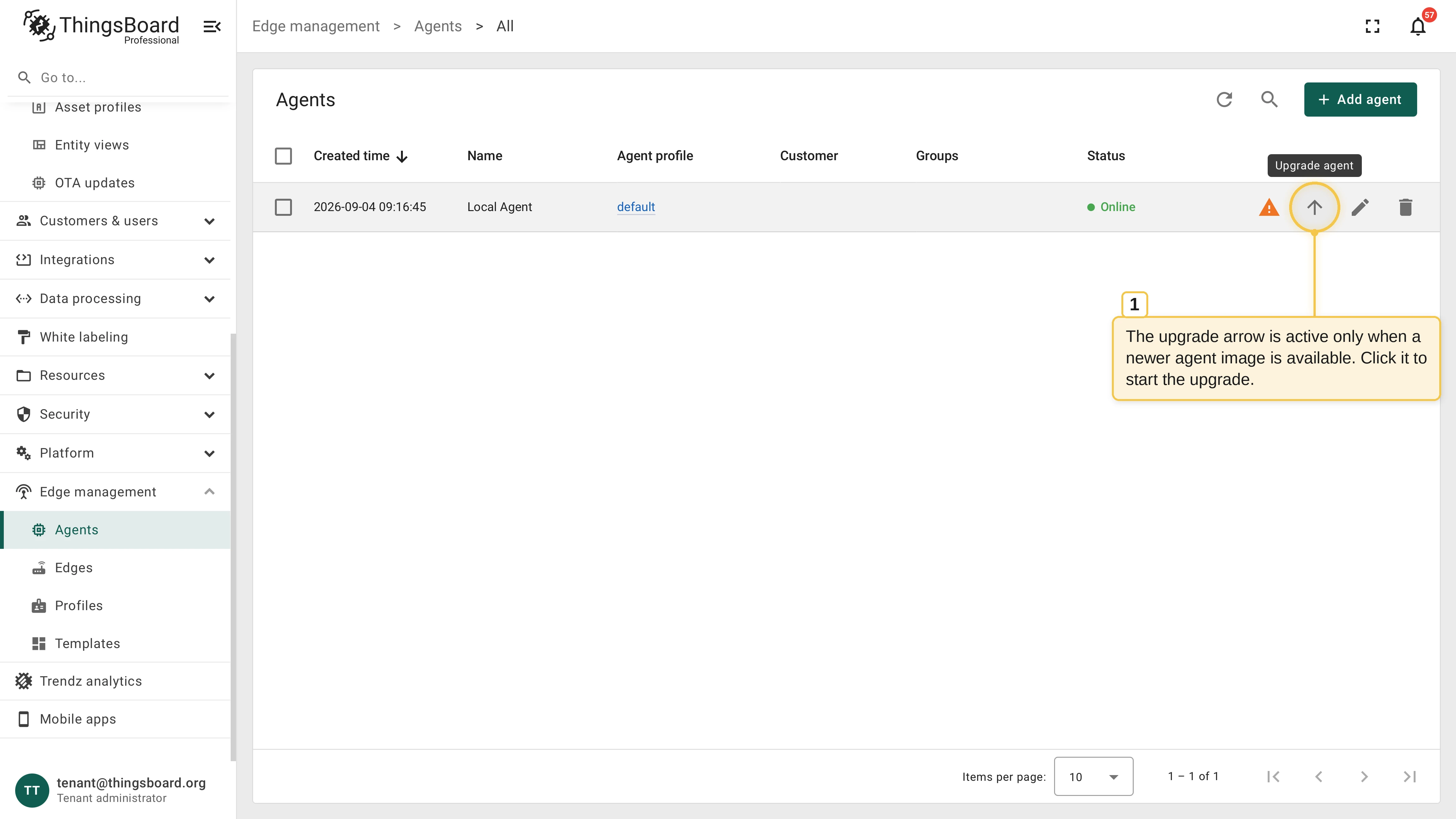
- Edge management > Agents: The Upgrade agent row action becomes active. It stays disabled while the agent already runs the newest known image.
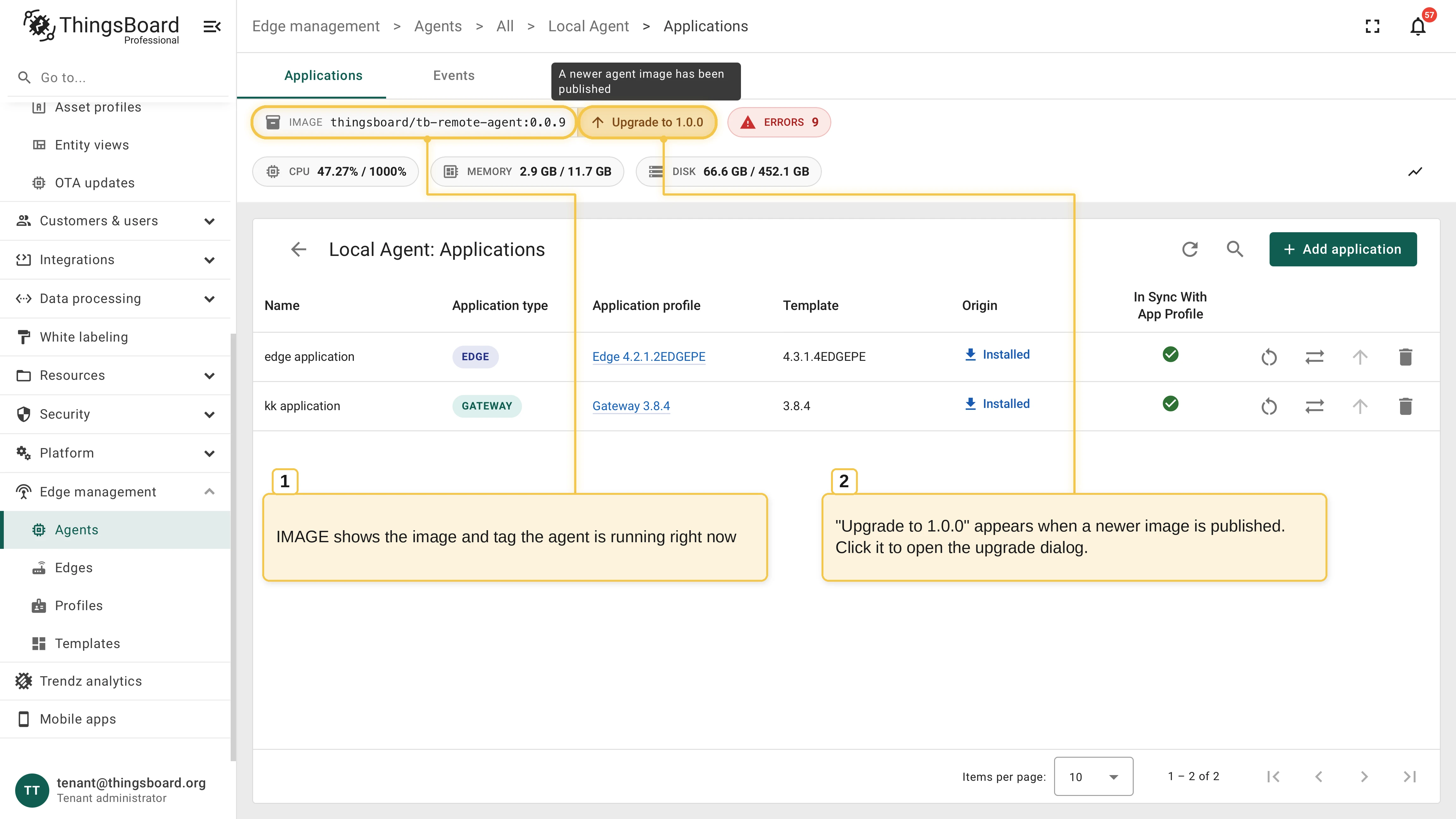
- The agent’s Applications page: the IMAGE chip shows the image and tag the agent runs right now, and an Upgrade to chip appears next to it.
Start the upgrade
Section titled “Start the upgrade”Click Upgrade agent in the Agents table, or the Upgrade to chip on the agent’s Applications page. The Upgrade agent dialog opens.
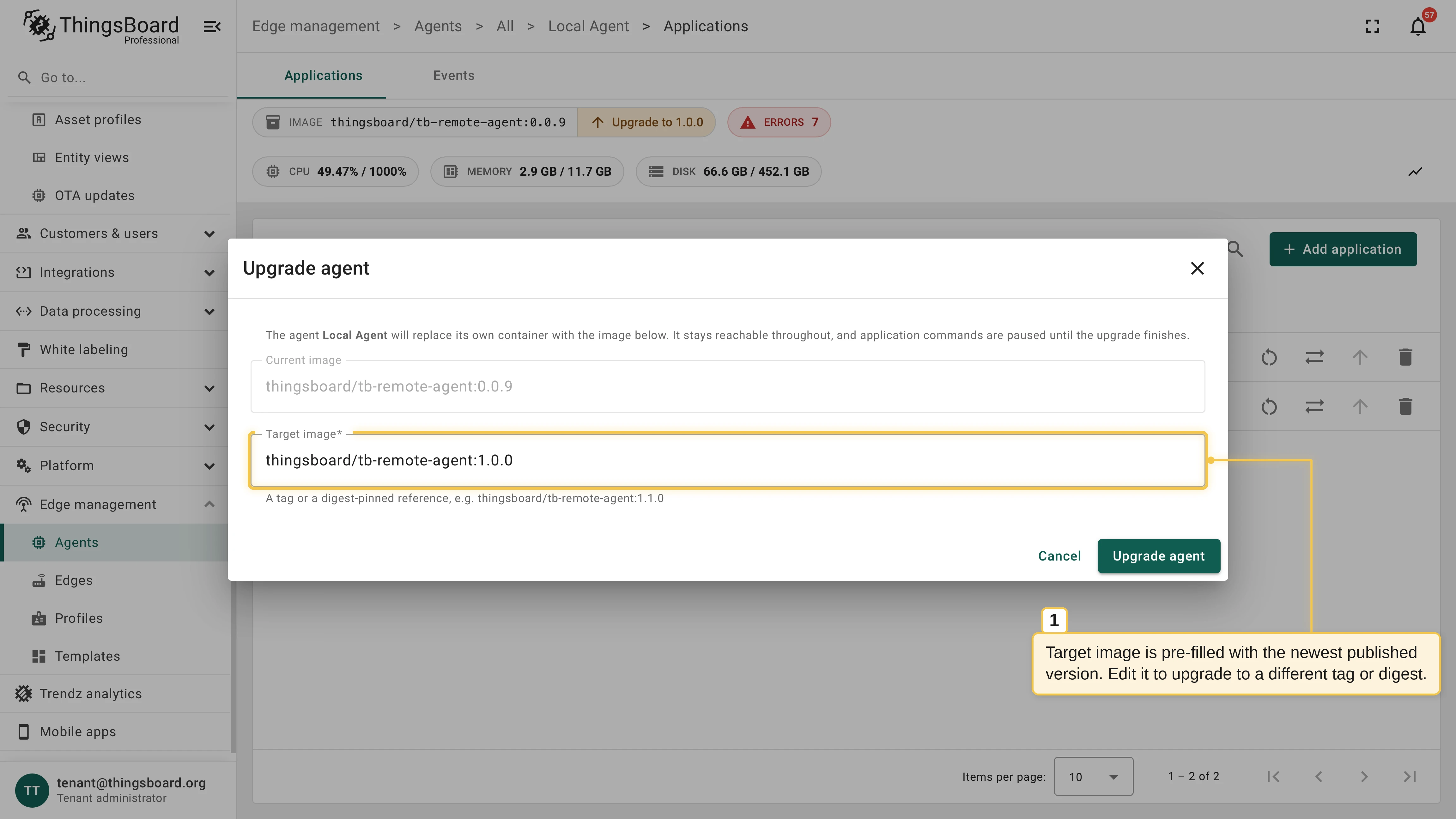
Check Target image. It is pre-filled with the newest published image; replace it with another tag or a digest-pinned reference to upgrade to a different version. Current image is read-only.
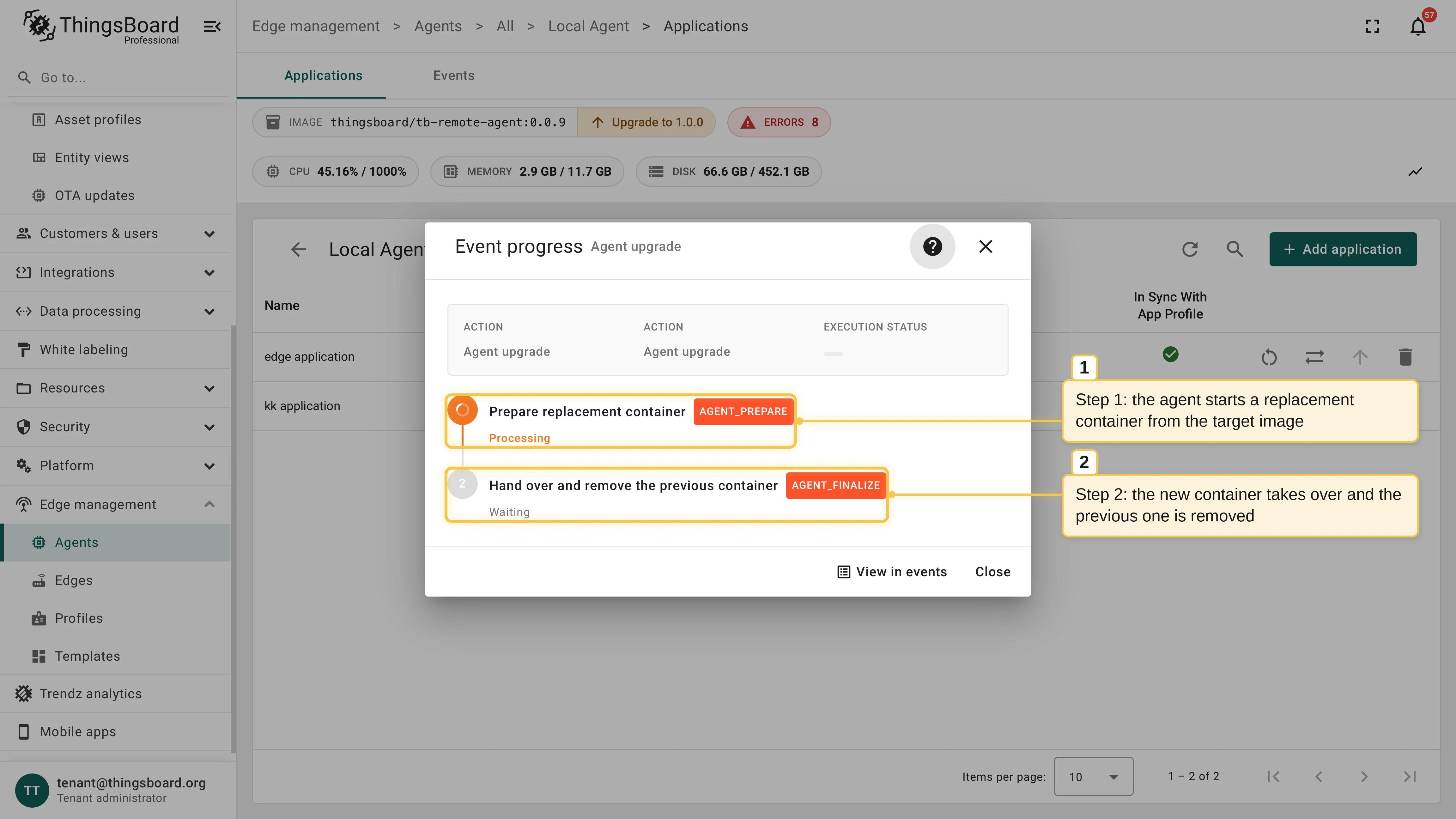
Click Upgrade agent. The Event progress dialog opens and tracks both upgrade steps. Reopen it later from the Events tab.
How the upgrade runs
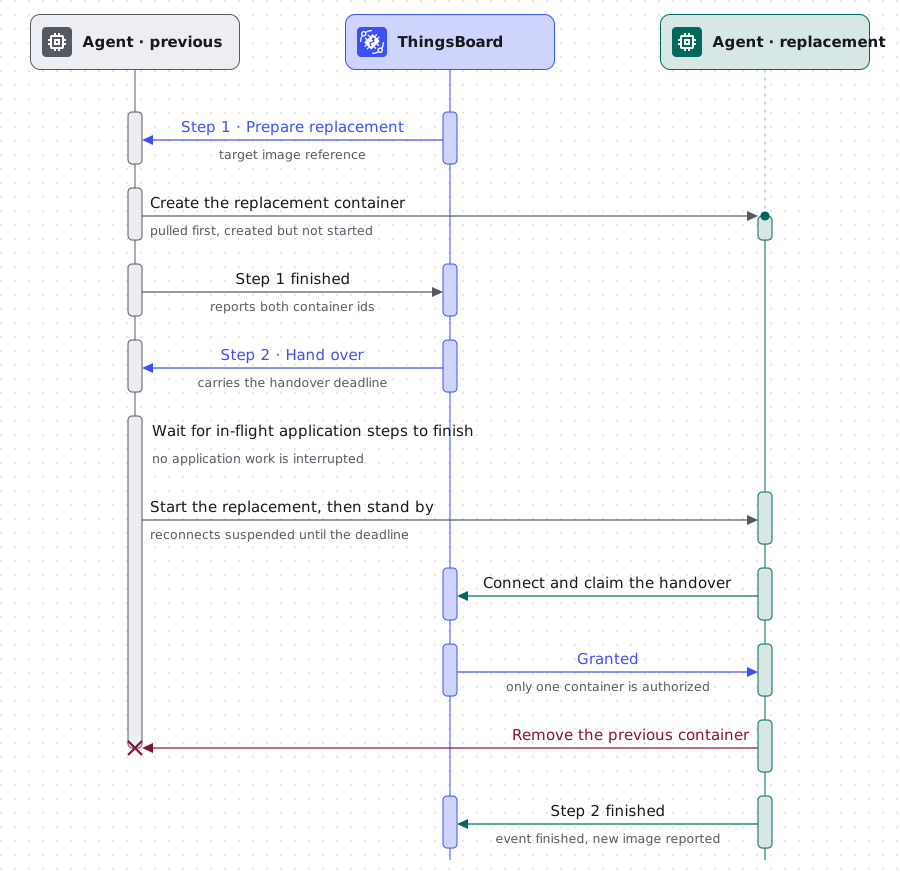
Section titled “How the upgrade runs”The upgrade is a single event with two steps, both shown in the Event progress dialog:
| Step | What the agent does |
|---|---|
| Prepare replacement container | Pulls the target image and clones the running container: the same environment variables, volume mounts, and networks, with only the image replaced. The clone is created but not started, and ThingsBoard records both container IDs. |
| Hand over and remove the previous container | The running agent starts the clone and stands by. The clone connects, claims the handover, removes the container it replaced, and takes over its name. |
Both containers receive the same second step and tell themselves apart by their own container ID. ThingsBoard grants the handover to exactly one of them, and the winner is the only container authorized to remove the other, so the host never ends up running two agents or none. The replacement container is created with the no restart policy and switches to always only after it wins the handover, before it removes the previous container.
The previous agent suspends its reconnects while it stands by, so the two containers never compete for the session, and it waits for in-flight application steps to finish before it hands the host over. Nothing about the agent entity changes: the routing key, the agent state volume, and the managed applications carry over untouched.
After the upgrade
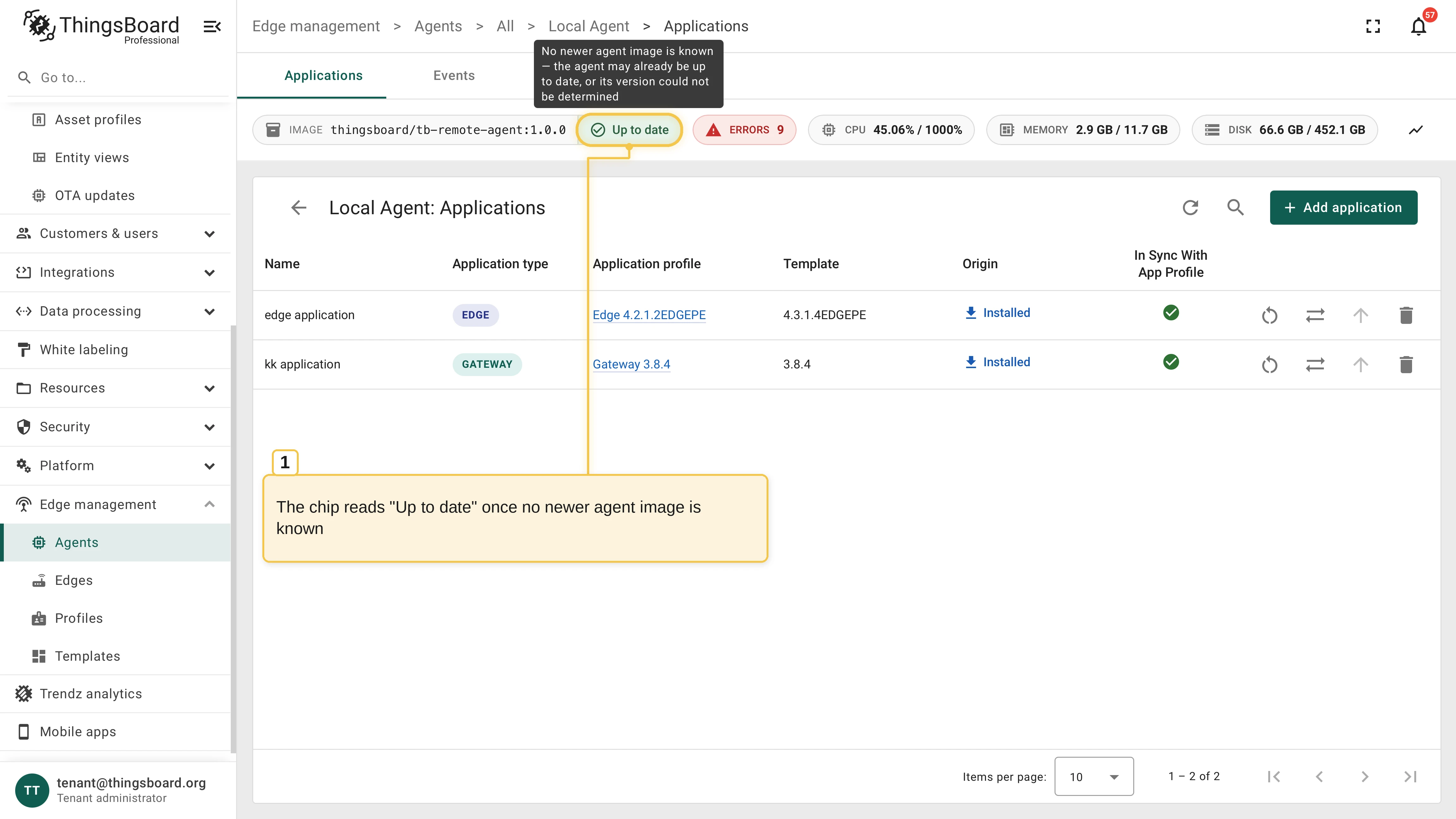
Section titled “After the upgrade”The replacement container keeps the name of the container it replaced, so the host looks exactly as it did before, on the new image. The IMAGE chip shows the new tag, and the chip next to it reads Up to date until a newer image is published. The Events tab keeps the record of the upgrade.
When the handover does not complete
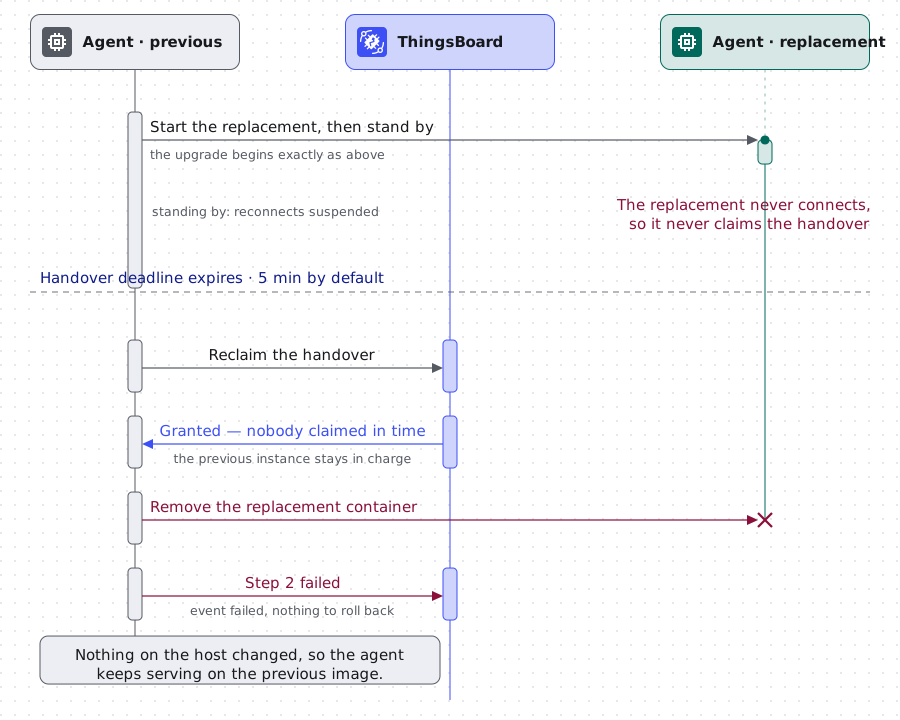
Section titled “When the handover does not complete”Nothing on the host changes until the previous container is removed, so a failed upgrade needs no rollback: the agent keeps serving on the image it already runs. An upgrade stops short in one of these ways:
- The first step fails. A pull or create error marks the event as failed, and nothing on the host has changed.
- The replacement never takes over. If it does not claim the handover before the deadline, five minutes by default, the running agent reclaims the upgrade, removes the replacement container, and reports the step as failed.
- Both containers lose the connection. ThingsBoard ends the event a grace period after the deadline, so the agent is never left blocked. If the handover did complete while the connection was down, the surviving container reports its image on the next connection and ThingsBoard reconciles the event.
Was this helpful?