Custom Translation in Data Post-Processing
This recipe shows how to use custom translation keys in a data post-processing function of an Entities table widget. The i18n keys returned by the function are resolved to the user’s interface language.
Prerequisites
Section titled “Prerequisites”- A ThingsBoard instance with custom translation configured
- A device sending temperature telemetry
Add Translation Keys
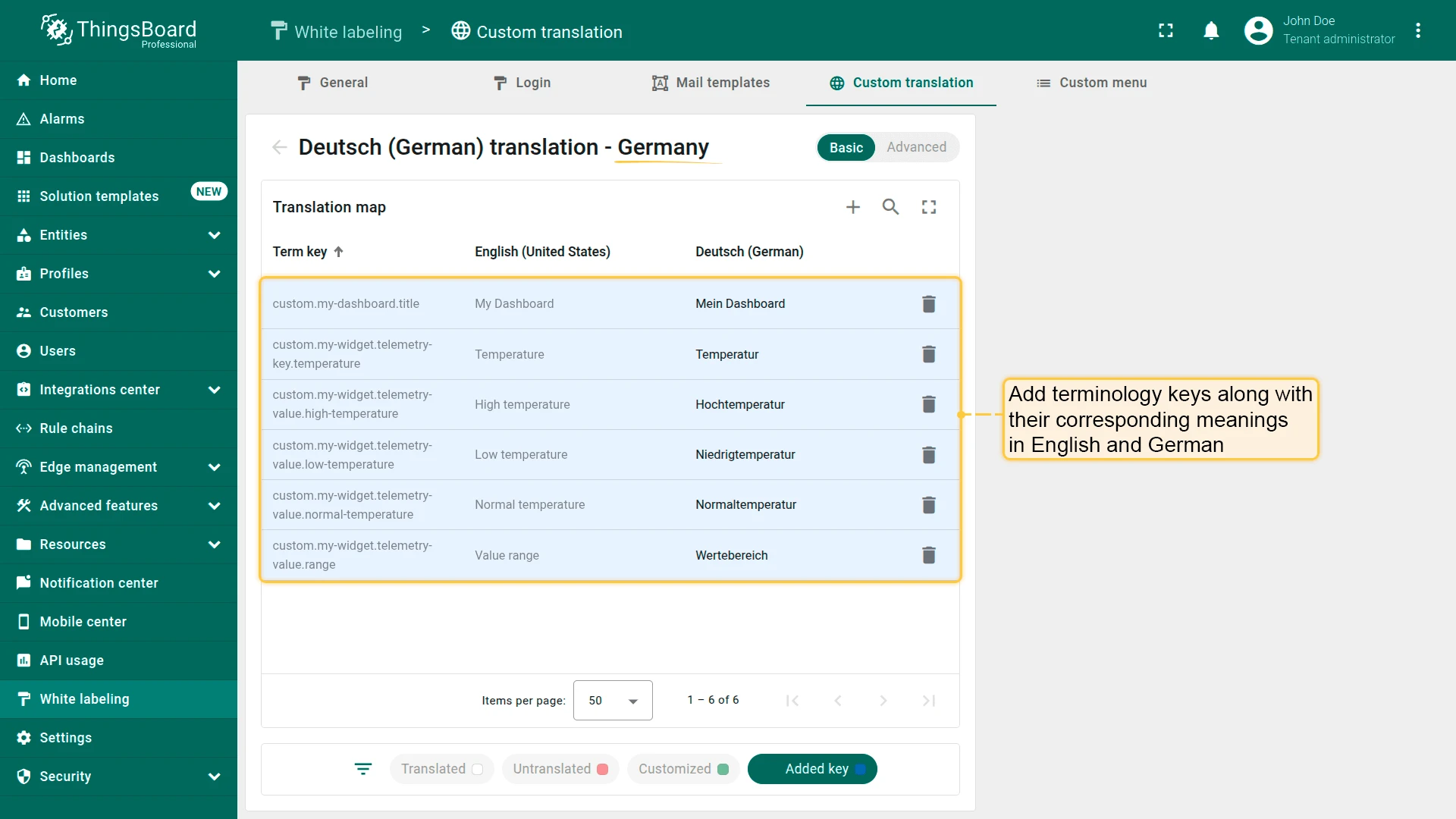
Section titled “Add Translation Keys”Navigate to White labeling ⇾ Custom translation and add the following keys for the target language (e.g., German):
| Term key | English | German | Description |
|---|---|---|---|
custom.my-dashboard.title |
My Dashboard | Mein Dashboard | Dashboard title |
custom.my-widget.telemetry-key.temperature |
Temperature | Temperatur | Telemetry key label |
custom.my-widget.telemetry-value.range |
Value range | Wertebereich | Column header |
custom.my-widget.telemetry-value.low-temperature |
Low temperature | Niedrigtemperatur | Low temperature |
custom.my-widget.telemetry-value.high-temperature |
High temperature | Hochtemperatur | High temperature |
custom.my-widget.telemetry-value.normal-temperature |
Normal temperature | Normaltemperatur | Normal temperature |
Add an Entities Table Widget
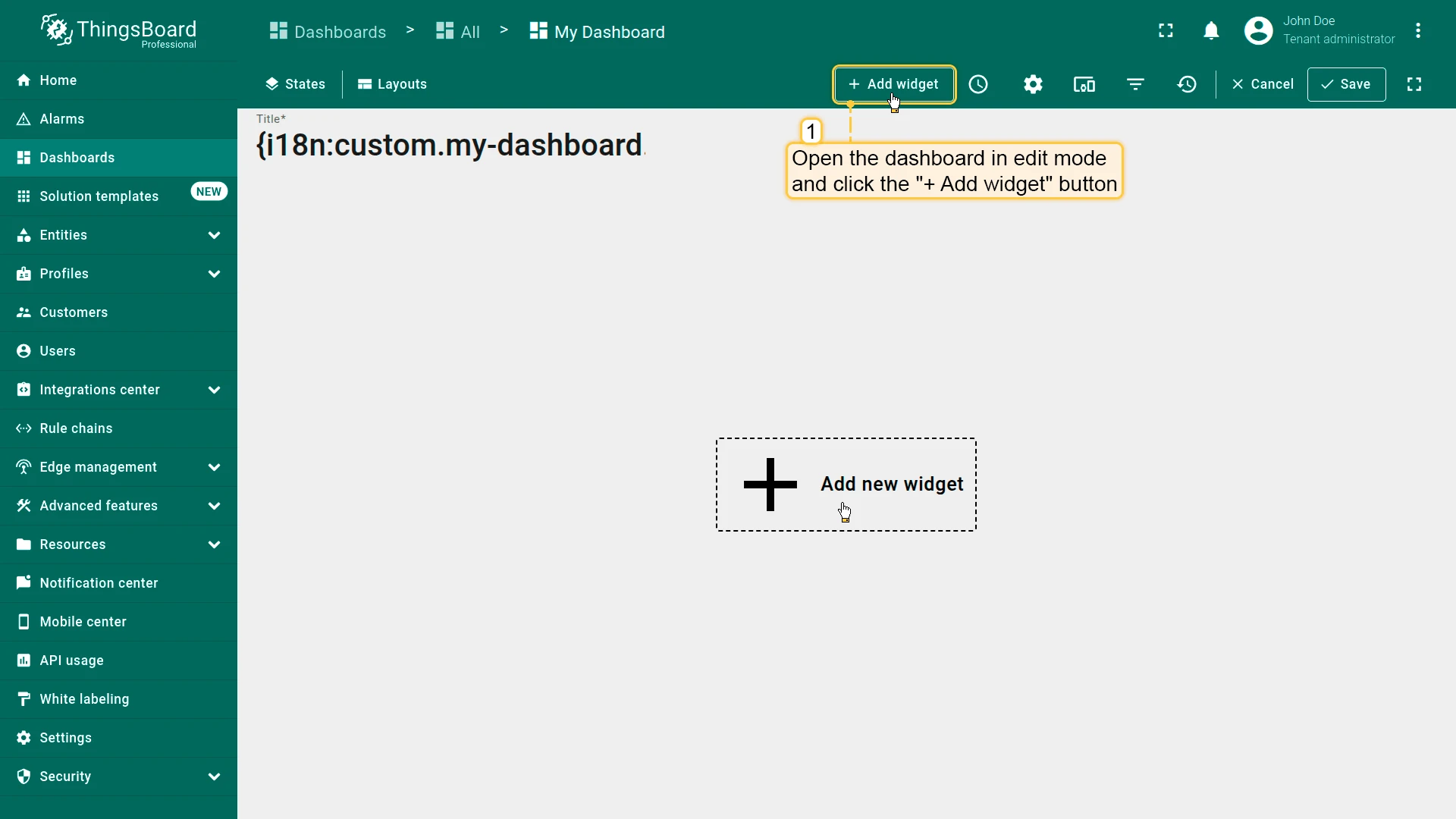
Section titled “Add an Entities Table Widget”- Open the dashboard in edit mode and click Add widget.
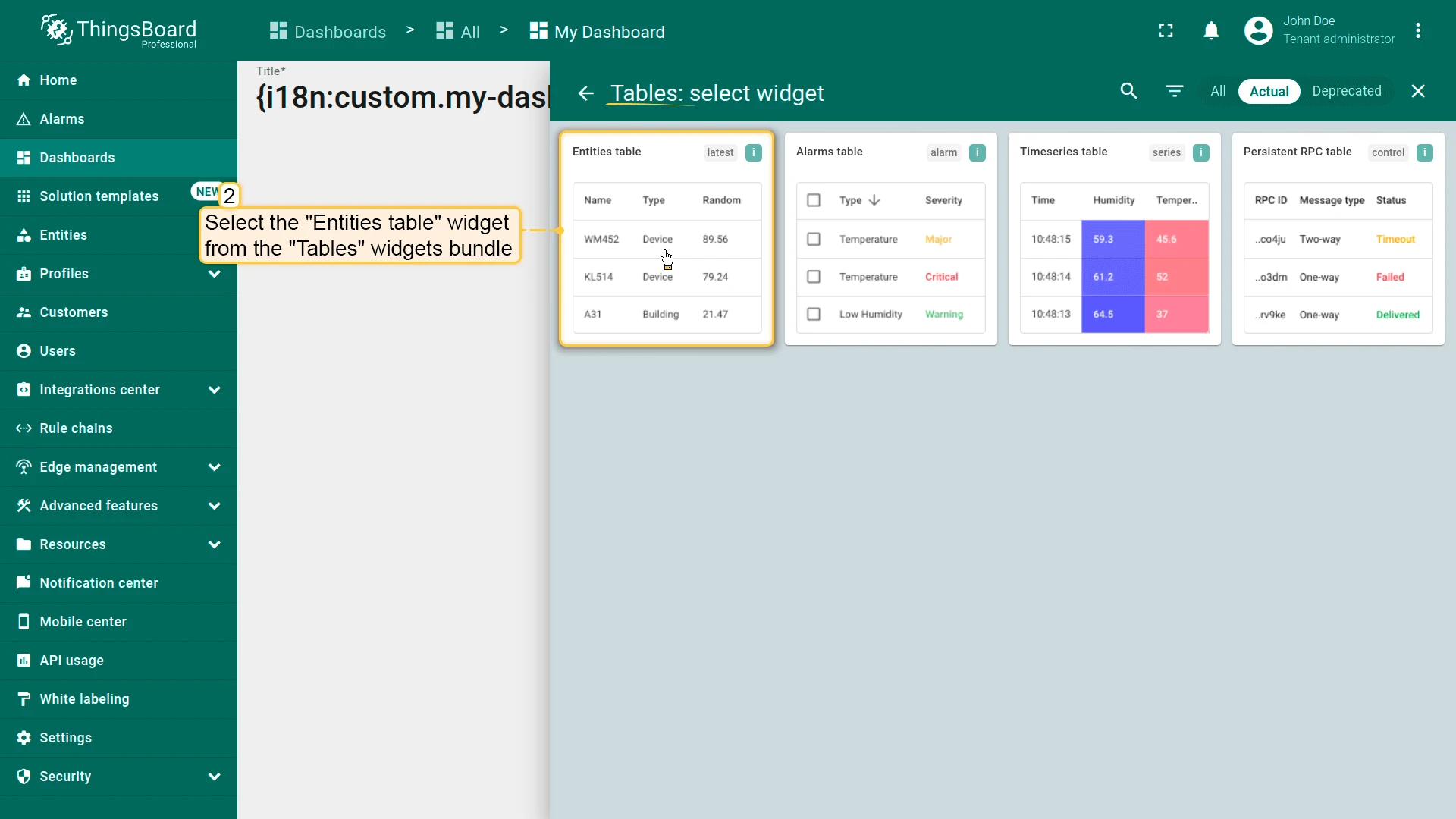
- Select the Entities table widget from the Tables widgets bundle.
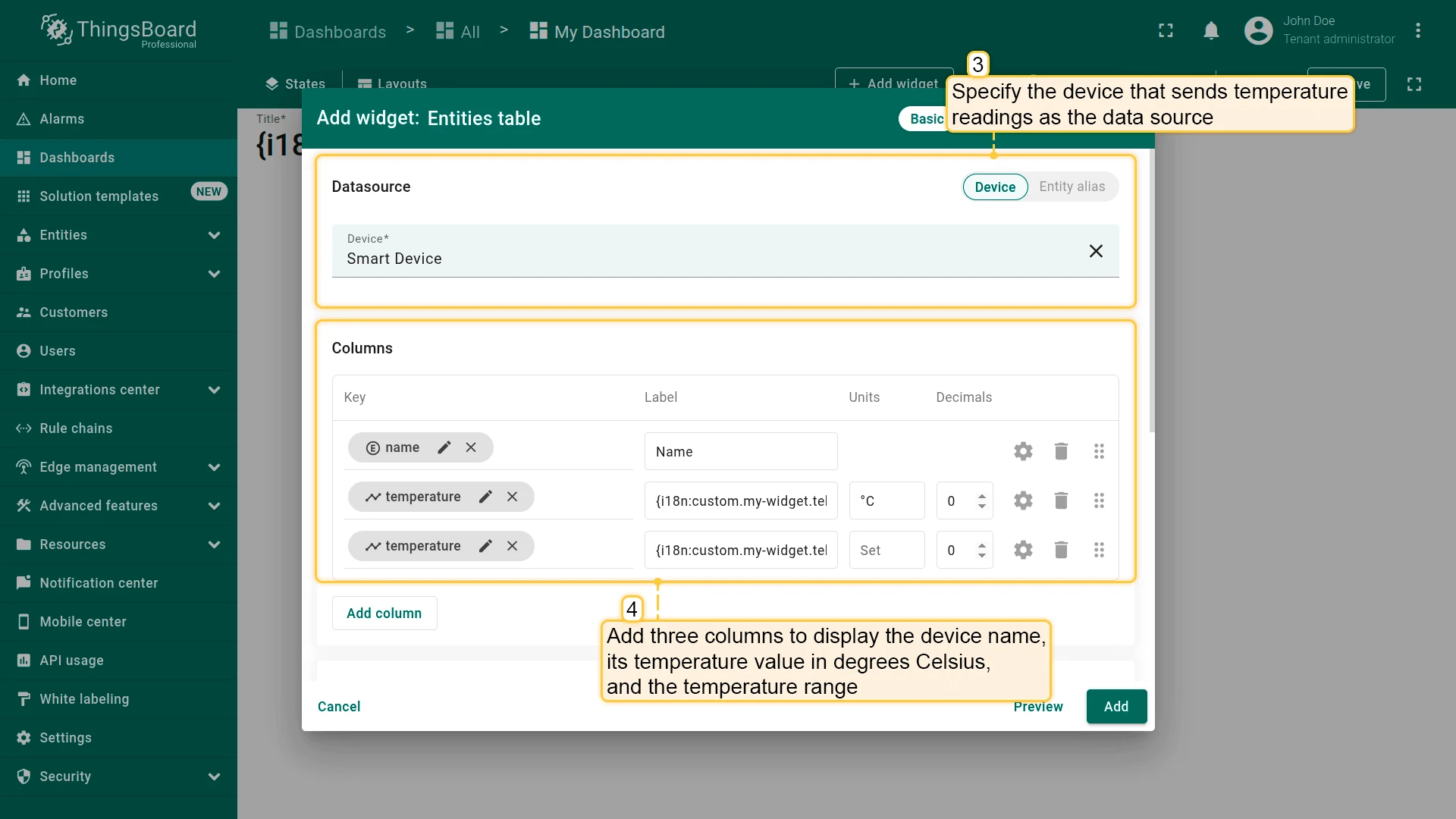
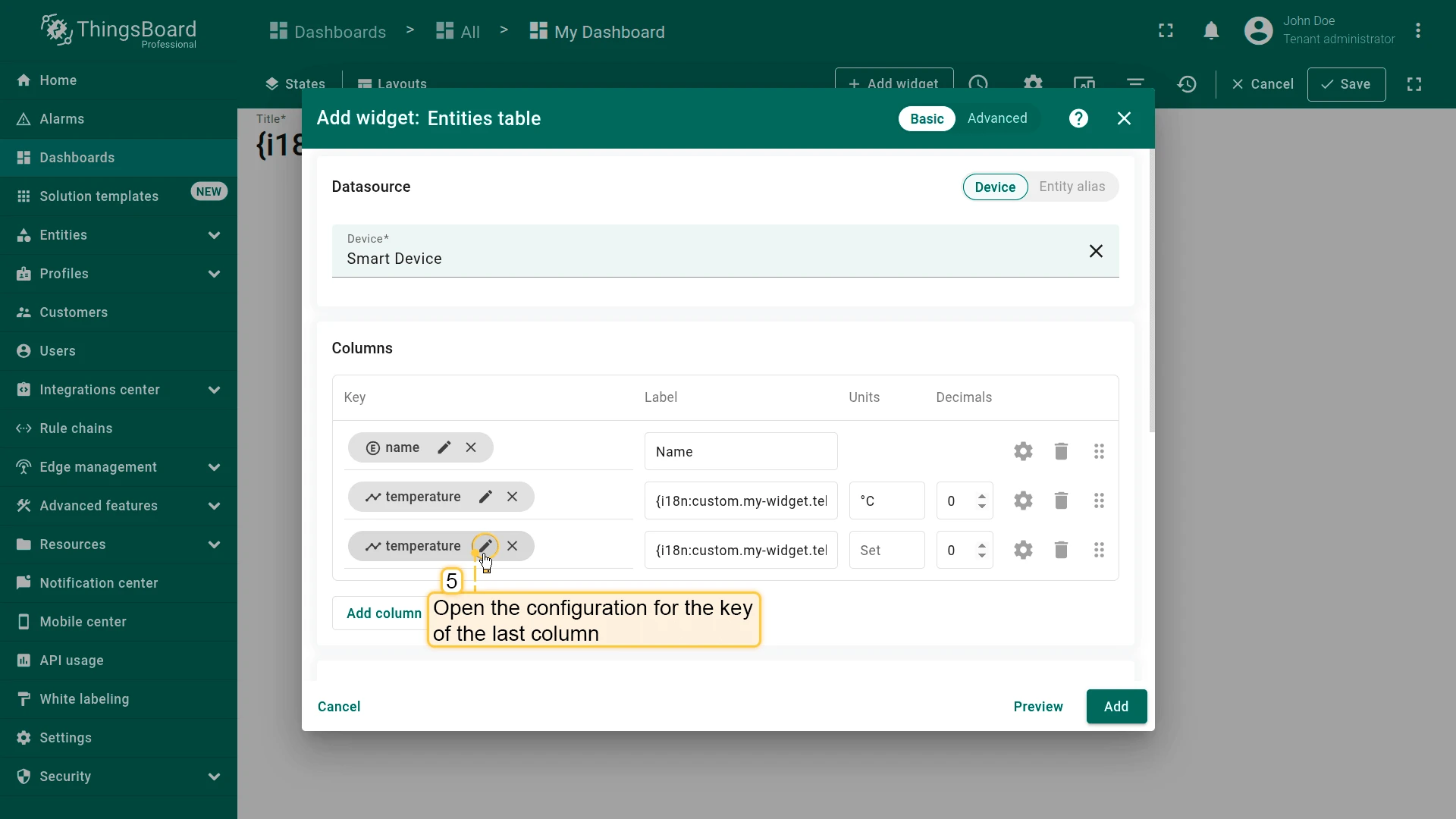
- Specify the device as the data source. Add three columns:
- Name (default entity name column)
- Temperature — telemetry key
temperature, label:{i18n:custom.my-widget.telemetry-key.temperature} - Temperature range — telemetry key
temperature, label:{i18n:custom.my-widget.telemetry-value.range}
Configure the Post-Processing Function
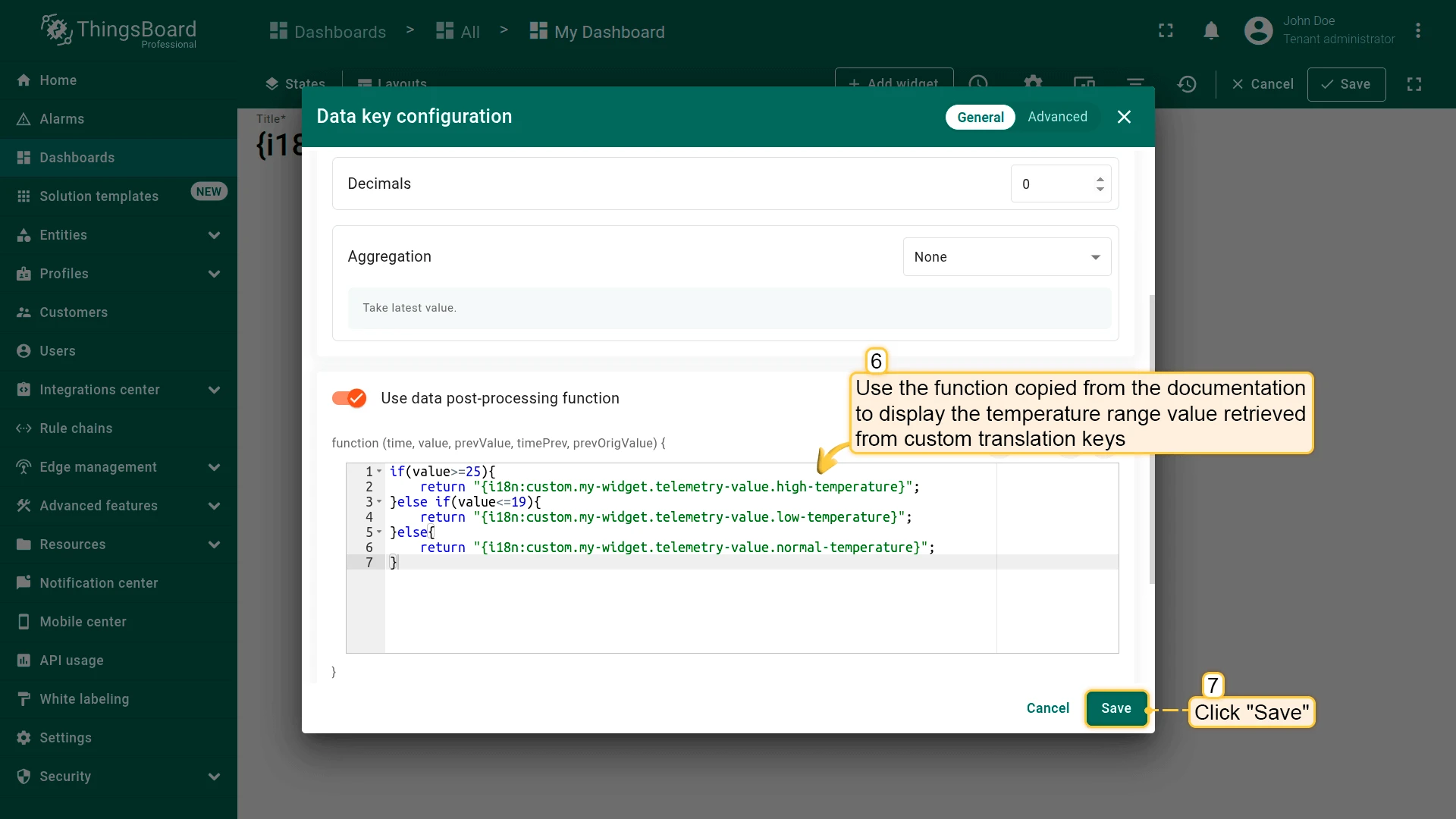
Section titled “Configure the Post-Processing Function”- Open the configuration for the last column’s telemetry key.
- In the data post-processing function field, paste the following code:
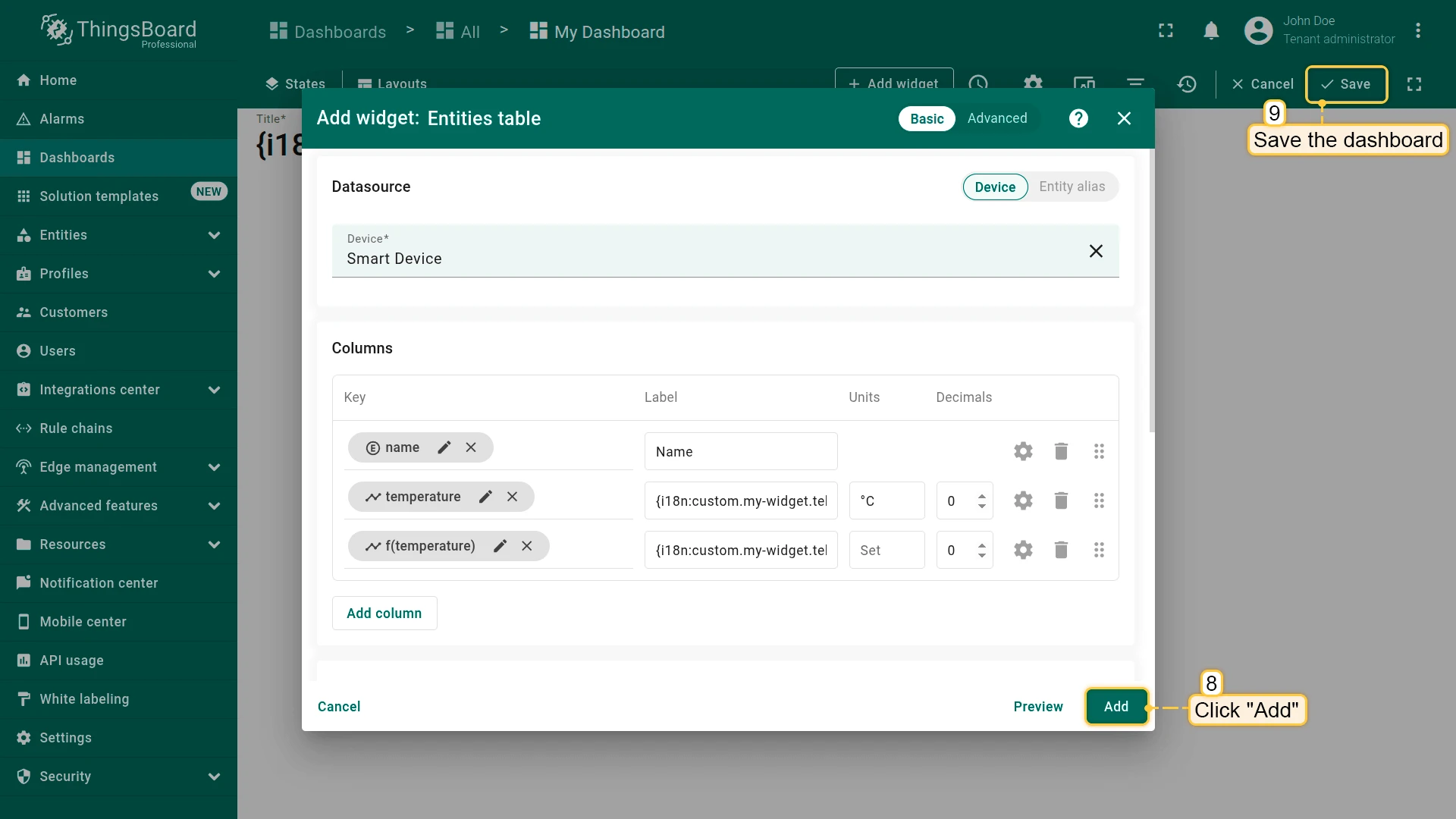
if(value>=25){ return "{i18n:custom.my-widget.telemetry-value.high-temperature}";}else if(value<=19){ return "{i18n:custom.my-widget.telemetry-value.low-temperature}";}else{ return "{i18n:custom.my-widget.telemetry-value.normal-temperature}";}- Click Save, then Add the widget to the dashboard. Save the dashboard.
Verify the Result
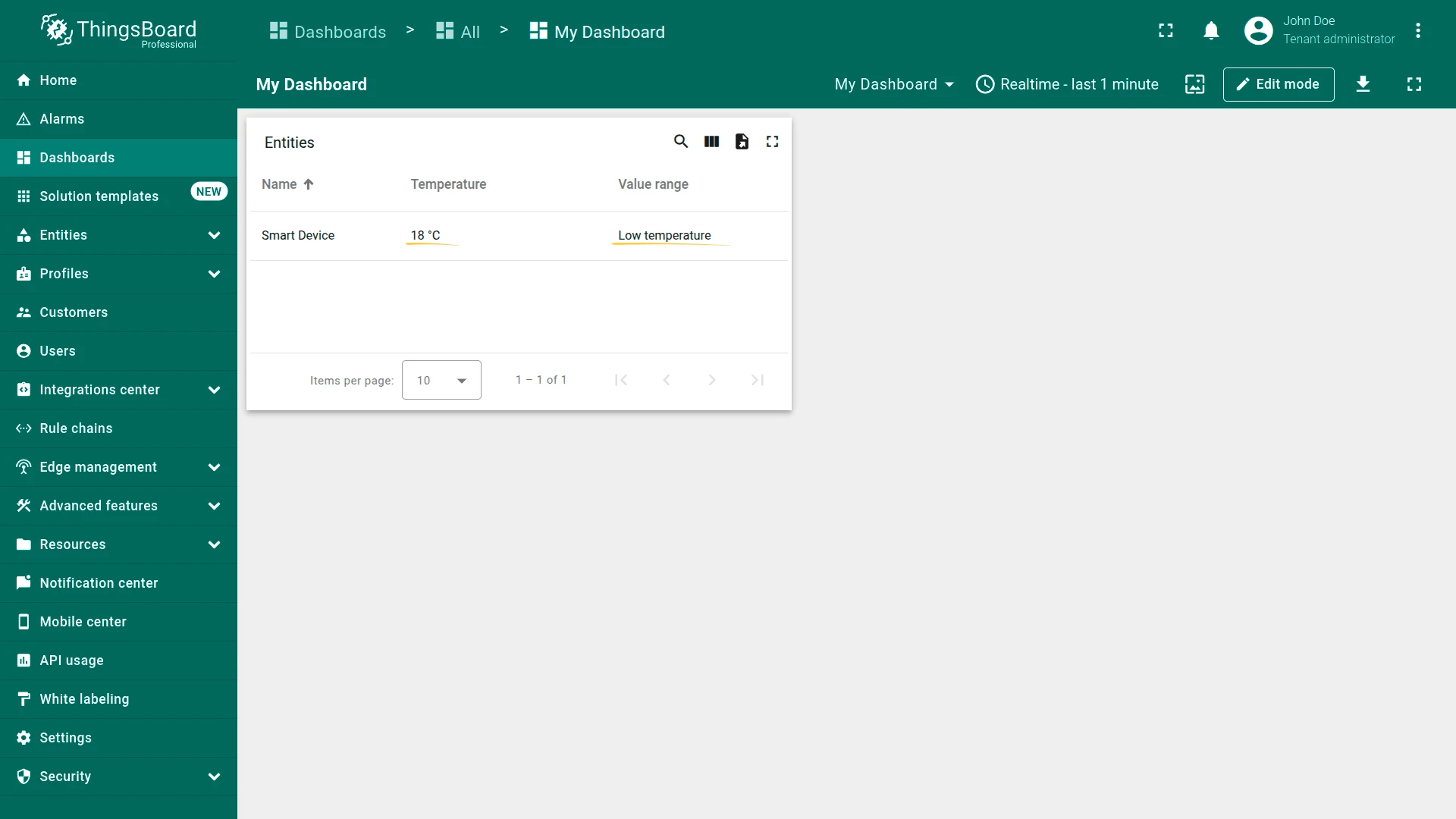
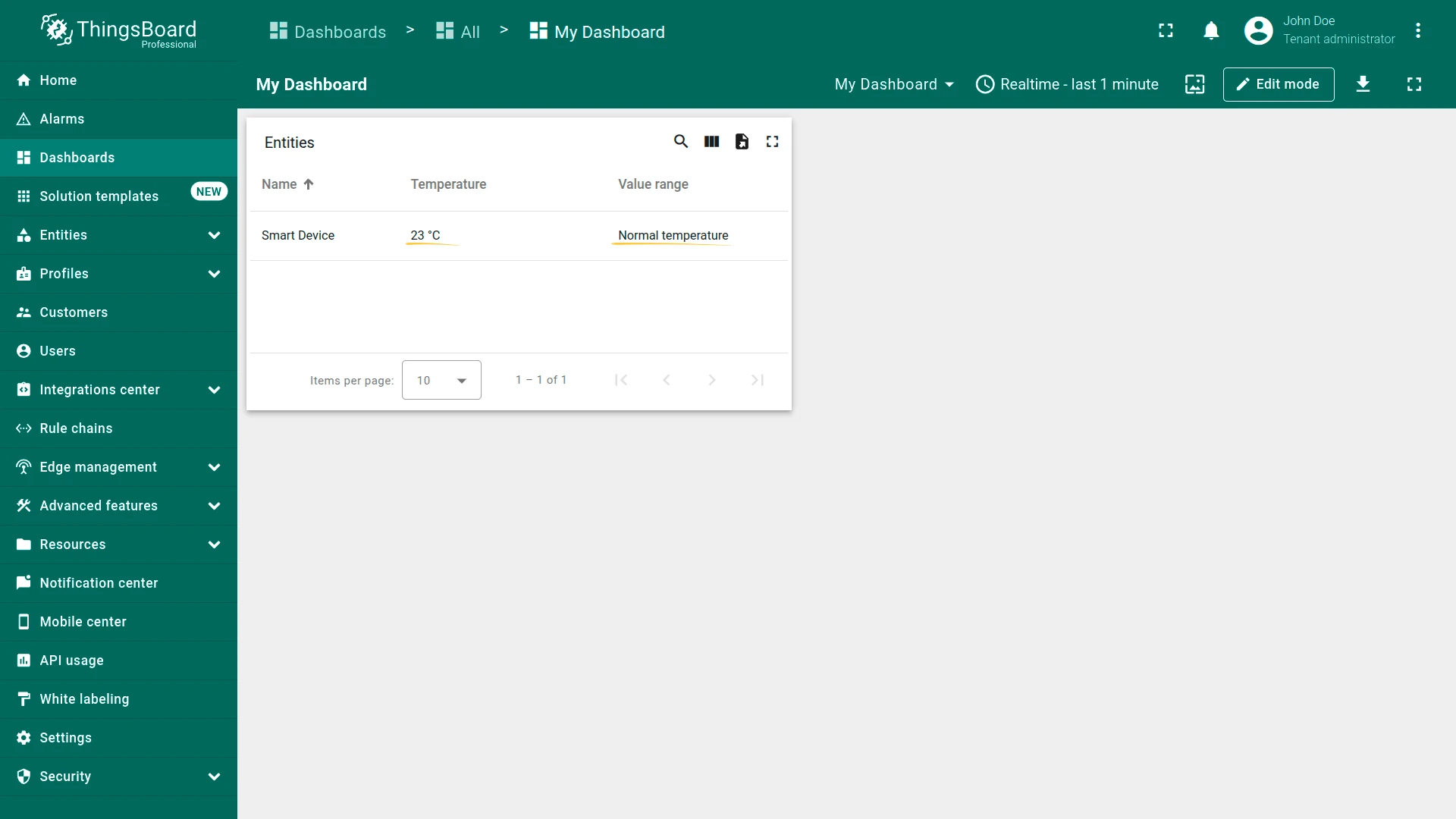
Section titled “Verify the Result”The “Temperature range” column value updates dynamically based on the incoming telemetry:
Was this helpful?
Thank you for your feedback!