Control Generic Role Scope: Tenant vs. Customer Level
The same Generic role grants different access depending on where it is assigned. Assigned at Tenant level it covers all entities in the tenant tree; assigned at Customer level it covers only that customer and its sub-customers.
Prerequisites: Basic familiarity with Roles and RBAC.
Scenario
Section titled “Scenario”Users
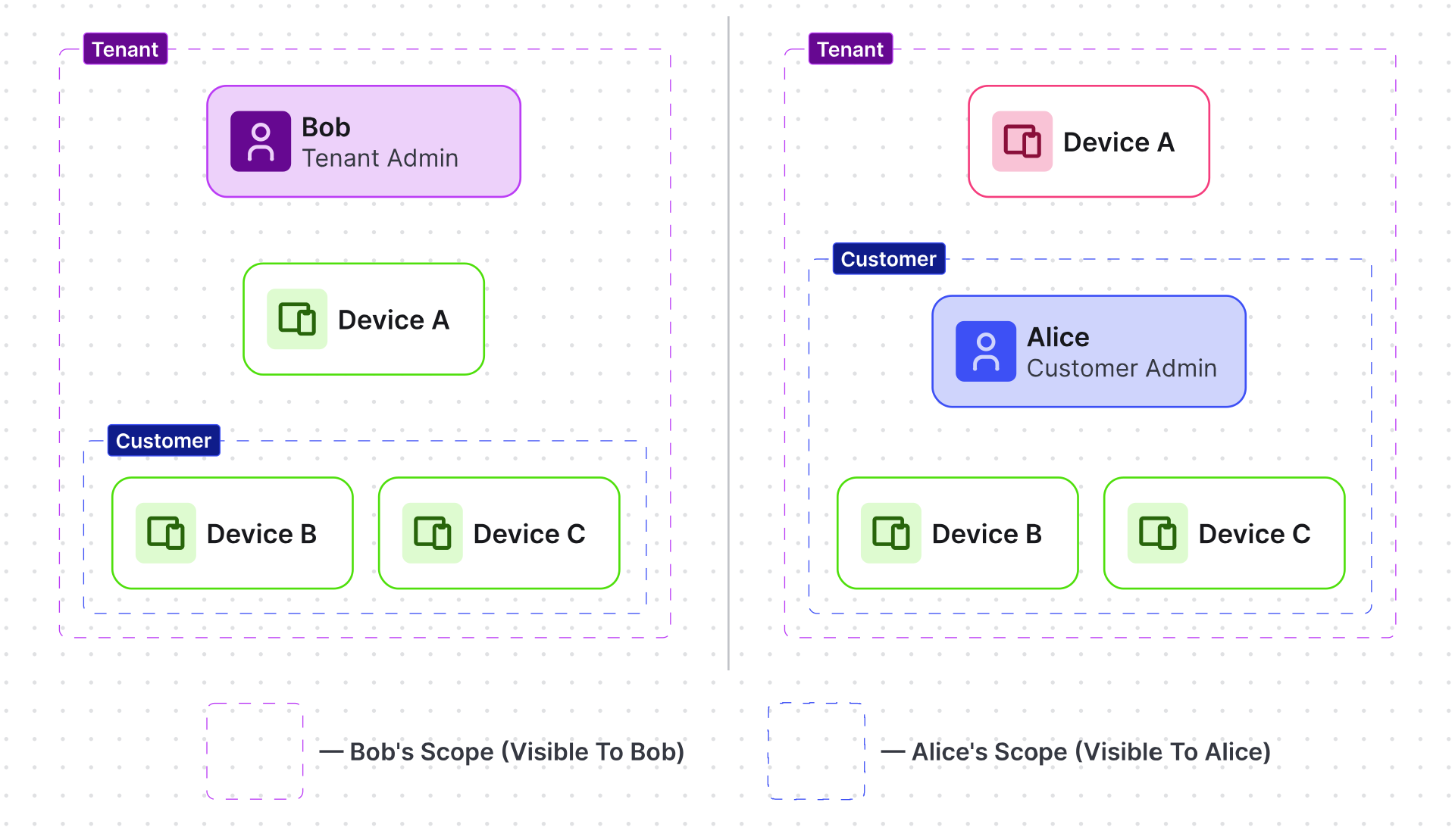
- Bob — member of Tenant Admins group (Tenant level)
- Alice — member of Customer Admins group (Customer B level)
Devices
- Device A1 — owned by Tenant A
- Device B1 — owned by Customer B
Objective
- Bob: full access to all entities within Tenant A, including all customers and sub-customers.
- Alice: full access only within Customer B and its sub-customers.
Step 1. Create the role
Section titled “Step 1. Create the role”Create one role used by both assignments:
- Navigate to Customers & users ⇾ Roles.
- Click + Add role.
- Name: Full Access — Role type: Generic.
- Add one permission entry: Resource All, Operations All.
- Click Add.
Step 2. Assign at Tenant level (Bob)
Section titled “Step 2. Assign at Tenant level (Bob)”- Navigate to Customers & users ⇾ Users ⇾ Groups.
- Open Tenant Admins group details ⇾ Roles tab.
- Click Add — select Role type Generic, Role Full Access.
- Click Add.
Bob can now perform any operation on all entities in Tenant A, including entities under all customers and sub-customers.
Step 3. Assign at Customer level (Alice)
Section titled “Step 3. Assign at Customer level (Alice)”- Navigate to Customers & users ⇾ Customers ⇾ click Manage customer users for Customer B.
- Open the Groups tab ⇾ open Customer Admins details ⇾ Roles tab.
- Click Add — select Role type Generic, Role Full Access.
- Click Add.
Alice can now perform any operation on entities that belong to Customer B and its sub-customers only.
Result
Section titled “Result”- Bob sees Device A1 and Device B1.
- Alice sees Device B1 only.
- Both have the same role — scope is determined by assignment level, not role definition.
Was this helpful?
Thank you for your feedback!