Two-way RPC over MQTT
This recipe extends the One-way RPC over MQTT setup with a device acknowledgement: ThingsBoard sends a command via the downlink converter, the device processes it and publishes a response back, and the uplink converter stores that response as telemetry.
Modify the converters to use a dedicated topic pair for two-way RPC:
- Downlink: publish to
tb/mqtt-integration-tutorial/fridge/+/rx/twoway - Uplink: subscribe to
tb/mqtt-integration-tutorial/fridge/+/rx/responsefor device responses
Prerequisites
Section titled “Prerequisites”- Complete the One-way RPC over MQTT recipe — this tutorial modifies the converters and integration created there.
- The device simulator (Python 3) — handles the subscribe/respond cycle automatically.
Step 1. Update Uplink Data Converter
Section titled “Step 1. Update Uplink Data Converter”Update the uplink converter to store both incoming temperature readings and device RPC responses as telemetry:
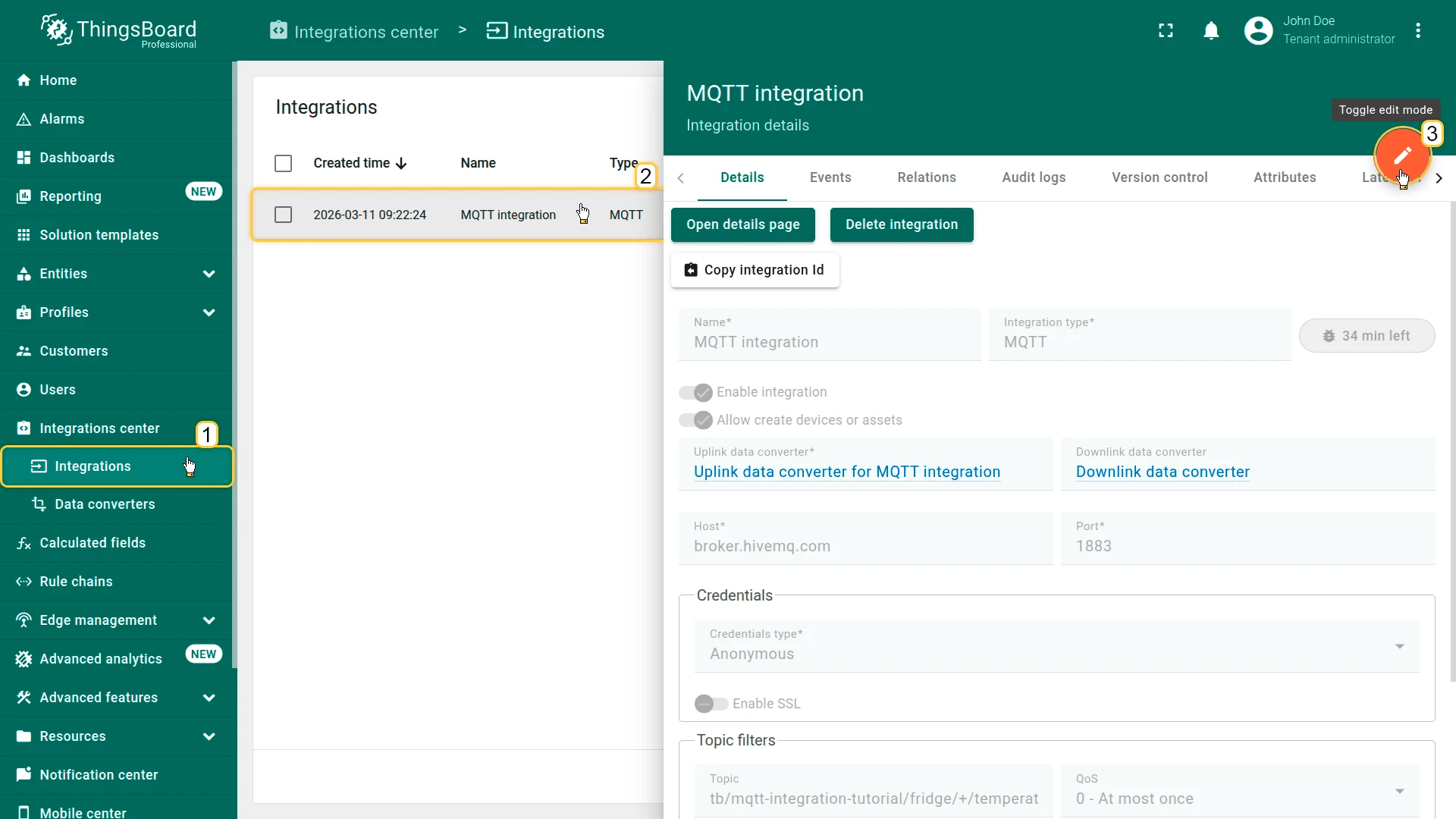
- Go to Integrations ⇾ Integrations and open the MQTT integration.
- Click Toggle edit mode.
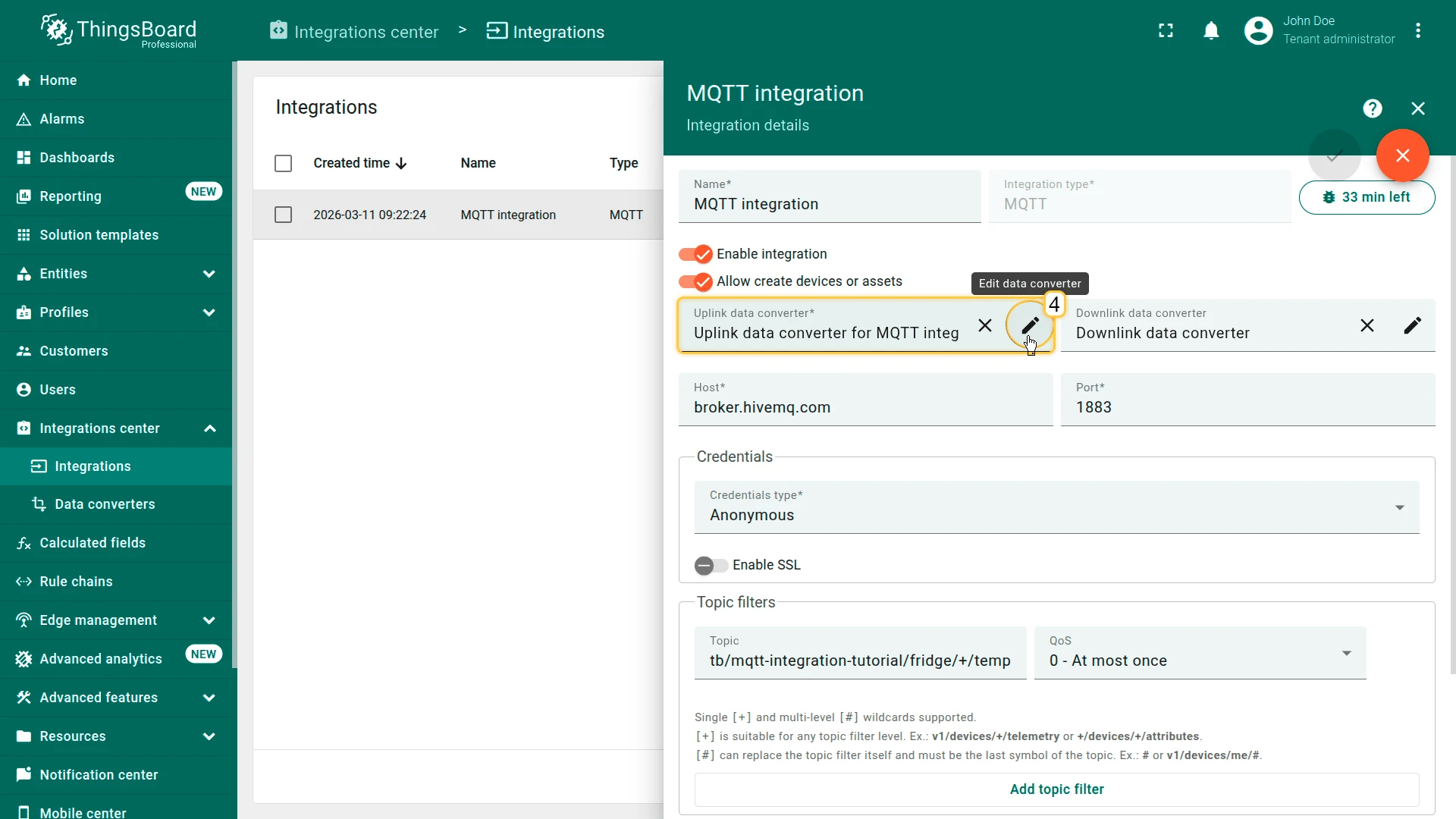
- In the Uplink data converter field, click Edit data converter.
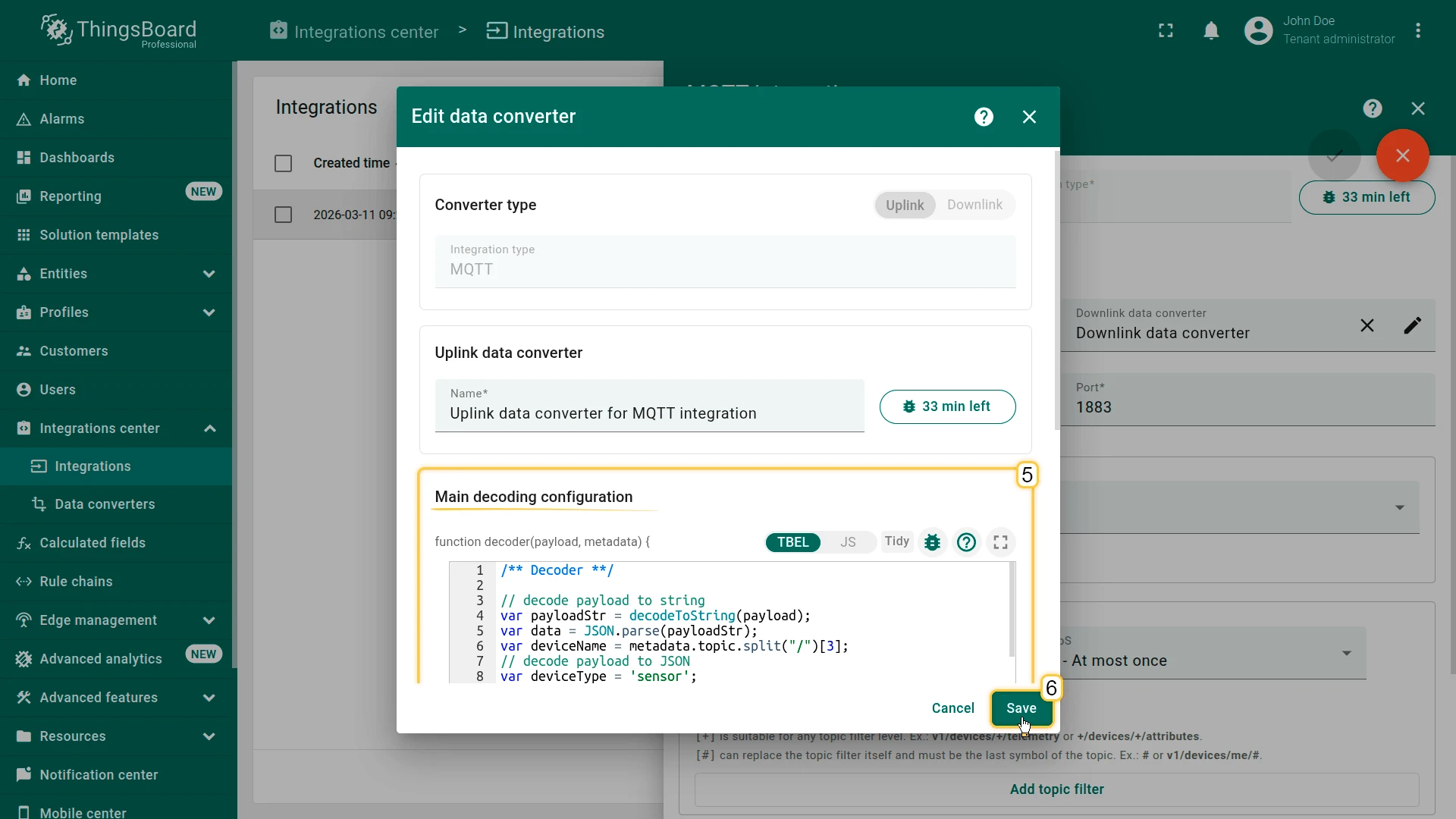
Update the decoder script.
/** Decoder **/// decode payload to stringvar payloadStr = decodeToString(payload);var data = JSON.parse(payloadStr);var deviceName = metadata.topic.split("/")[3];// decode payload to JSONvar deviceType = 'sensor';// Result object with device attributes/telemetry datavar telemetry = data;var result = {deviceName: deviceName,deviceType: deviceType,attributes: {integrationName: metadata['integrationName'],},telemetry: telemetry};/** Helper functions 'decodeToString' and 'decodeToJson' are already built-in **/return result;/** Decoder **/// decode payload to stringvar payloadStr = decodeToString(payload);var data = JSON.parse(payloadStr);var deviceName = metadata.topic.split("/")[3];// decode payload to JSONvar deviceType = 'sensor';// Result object with device attributes/telemetry datavar telemetry = data;var result = {deviceName: deviceName,deviceType: deviceType,attributes: {integrationName: metadata['integrationName'],},telemetry: telemetry};/** Helper functions **/function decodeToString(payload) {return String.fromCharCode.apply(String, payload);}function decodeToJson(payload) {var str = decodeToString(payload);var data = JSON.parse(str);return data;}return result;- Click Save.
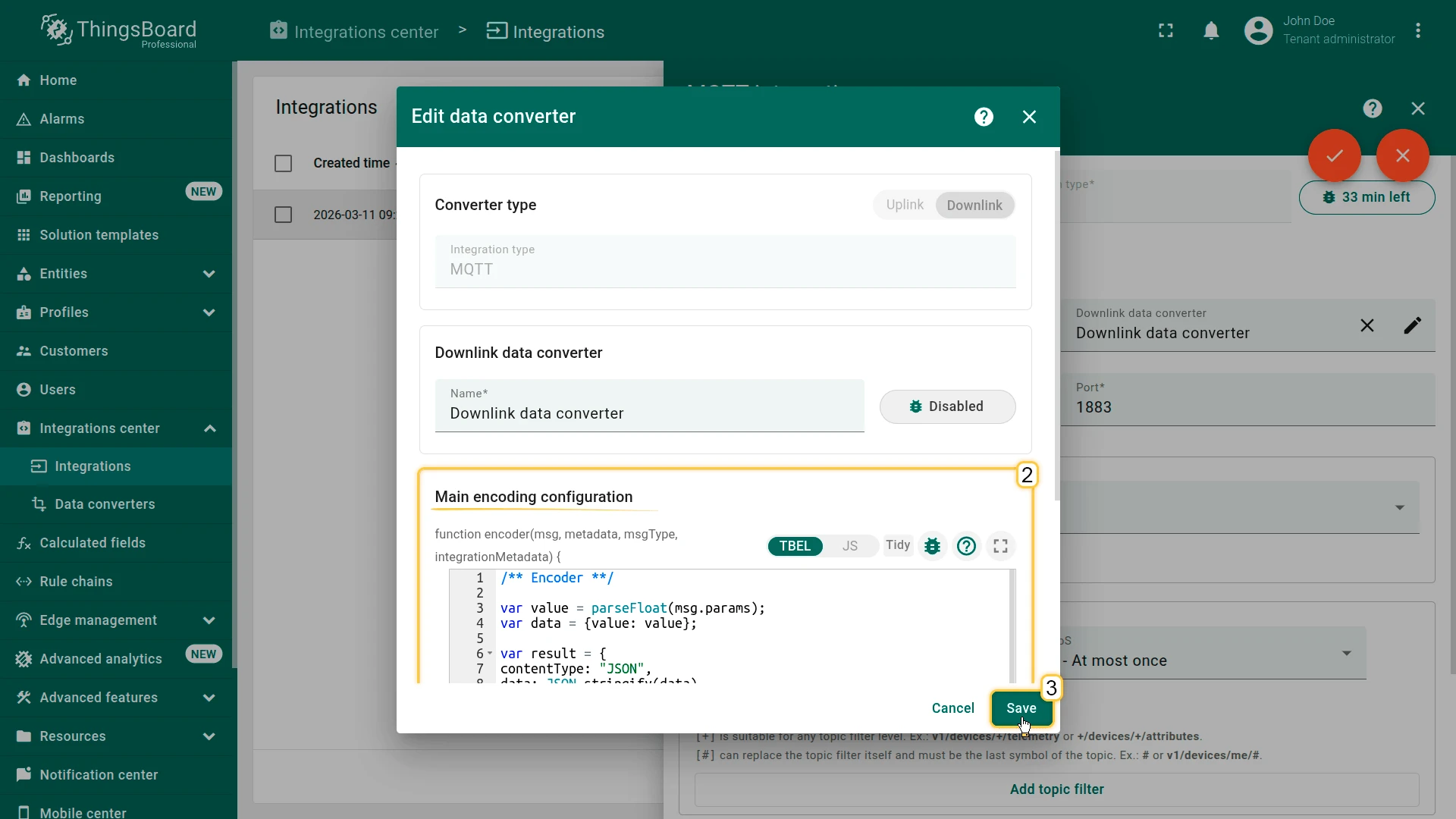
Step 2. Update Downlink Data Converter
Section titled “Step 2. Update Downlink Data Converter”Update the downlink converter to publish RPC commands to the /rx/twoway topic:
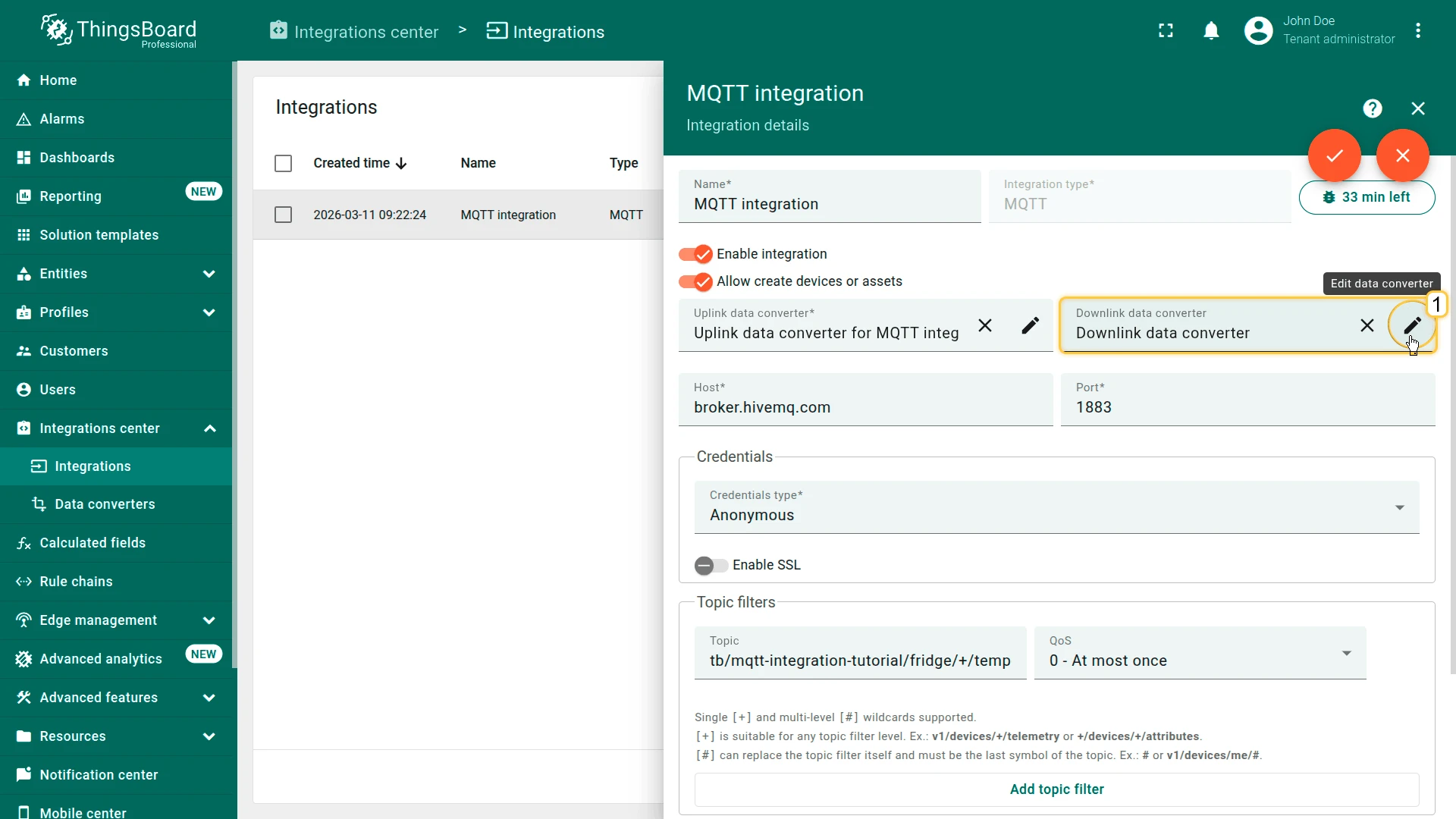
- In the Downlink data converter field, click Edit data converter.
Update the encoder script.
/** Encoder **/var value = parseFloat(msg.params);var data = {value: value};var result = {contentType: "JSON",data: JSON.stringify(data),metadata: {topic: 'tb/mqtt-integration-tutorial/fridge/' + metadata['deviceName'] + '/rx/twoway'}};return result;/** Encoder **/var value = parseFloat(msg.params);var data = {value: value};var result = {contentType: "JSON",data: JSON.stringify(data),metadata: {topic: 'tb/mqtt-integration-tutorial/fridge/' + metadata['deviceName'] + '/rx/twoway'}};return result;- Click Save.
Step 3. Add the Response Topic Filter
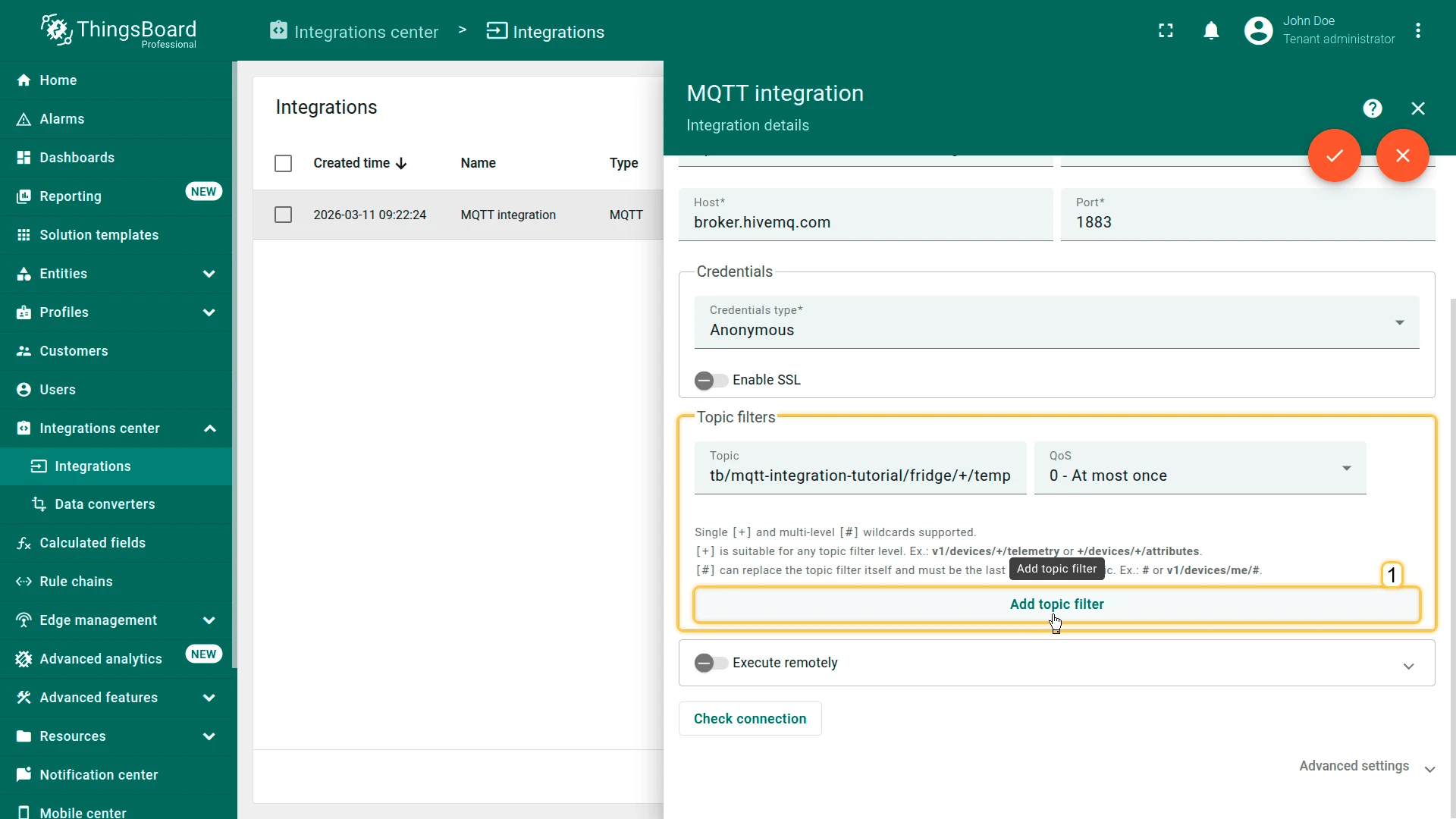
Section titled “Step 3. Add the Response Topic Filter”The integration must subscribe to the device response topic so that replies are processed by the uplink converter:
-
In the Topic filters section, click Add topic filter.
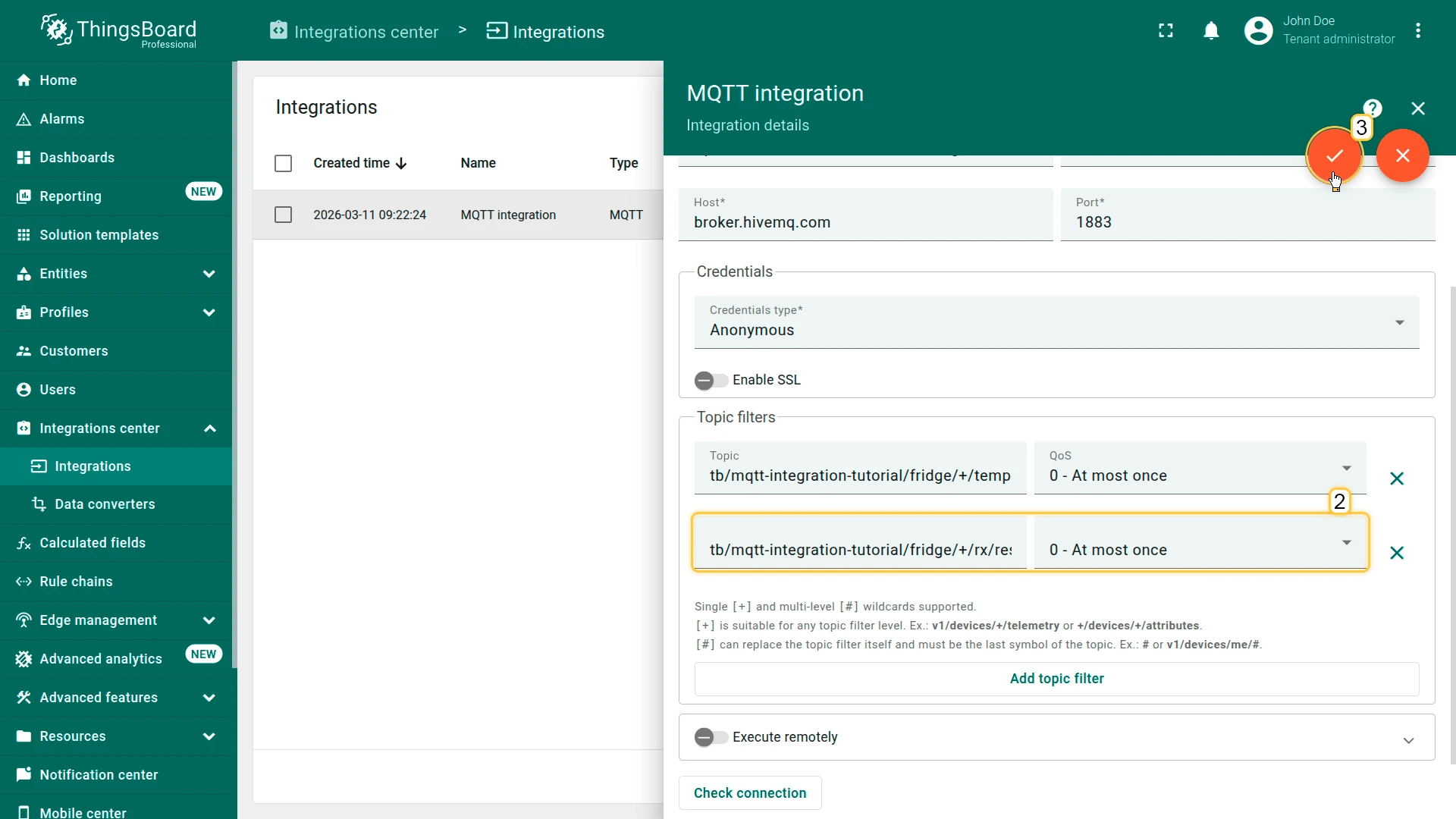
-
Enter the response topic filter:
Terminal window tb/mqtt-integration-tutorial/fridge/+/rx/response -
Apply all changes.
Step 4. Run Device Emulator
Section titled “Step 4. Run Device Emulator”mosquitto_pub/mosquitto_sub cannot handle the subscribe-then-respond pattern required for two-way RPC. Use the Python device emulator instead — it subscribes to the twoway topic, processes each incoming command, and automatically publishes a response back to the response topic.
- Download the device simulator.
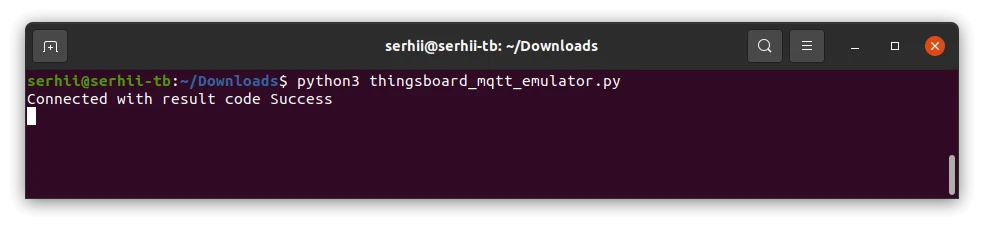
Run the emulator:
Terminal window python3 thingsboard_mqtt_emulator.py
Step 5. Verify the Two-Way Flow
Section titled “Step 5. Verify the Two-Way Flow”Open the MQTT RPC dashboard and turn the knob. The emulator terminal will output:
Topic: tb/mqtt-integration-tutorial/fridge/SN-001/rx/twowayMessage: {"value":-6.0}This is a Two-way RPC call. Going to reply now!Sending a response message: {"targetTemperature": -6.0}Sent a response message: {"targetTemperature": -6.0}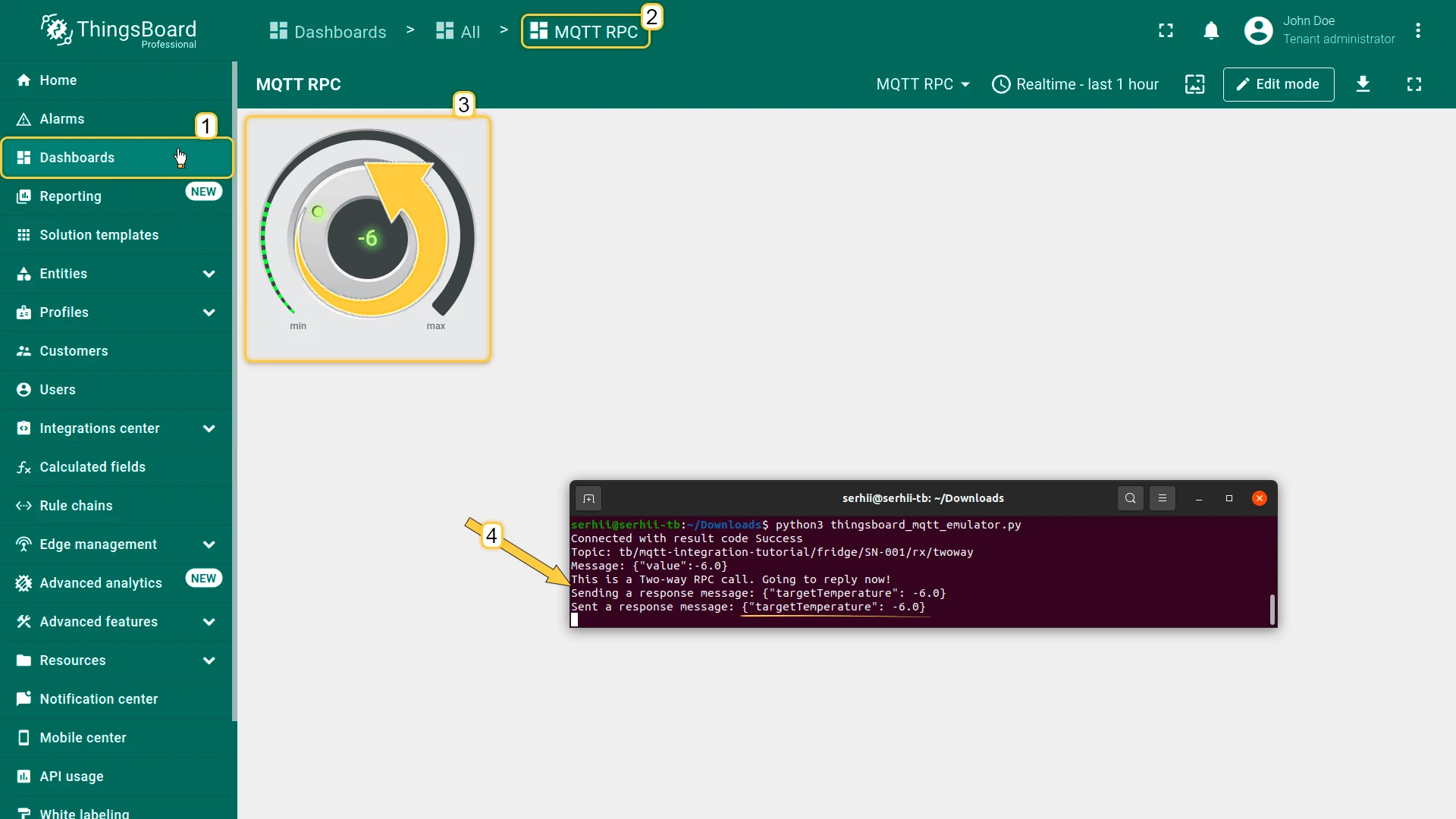
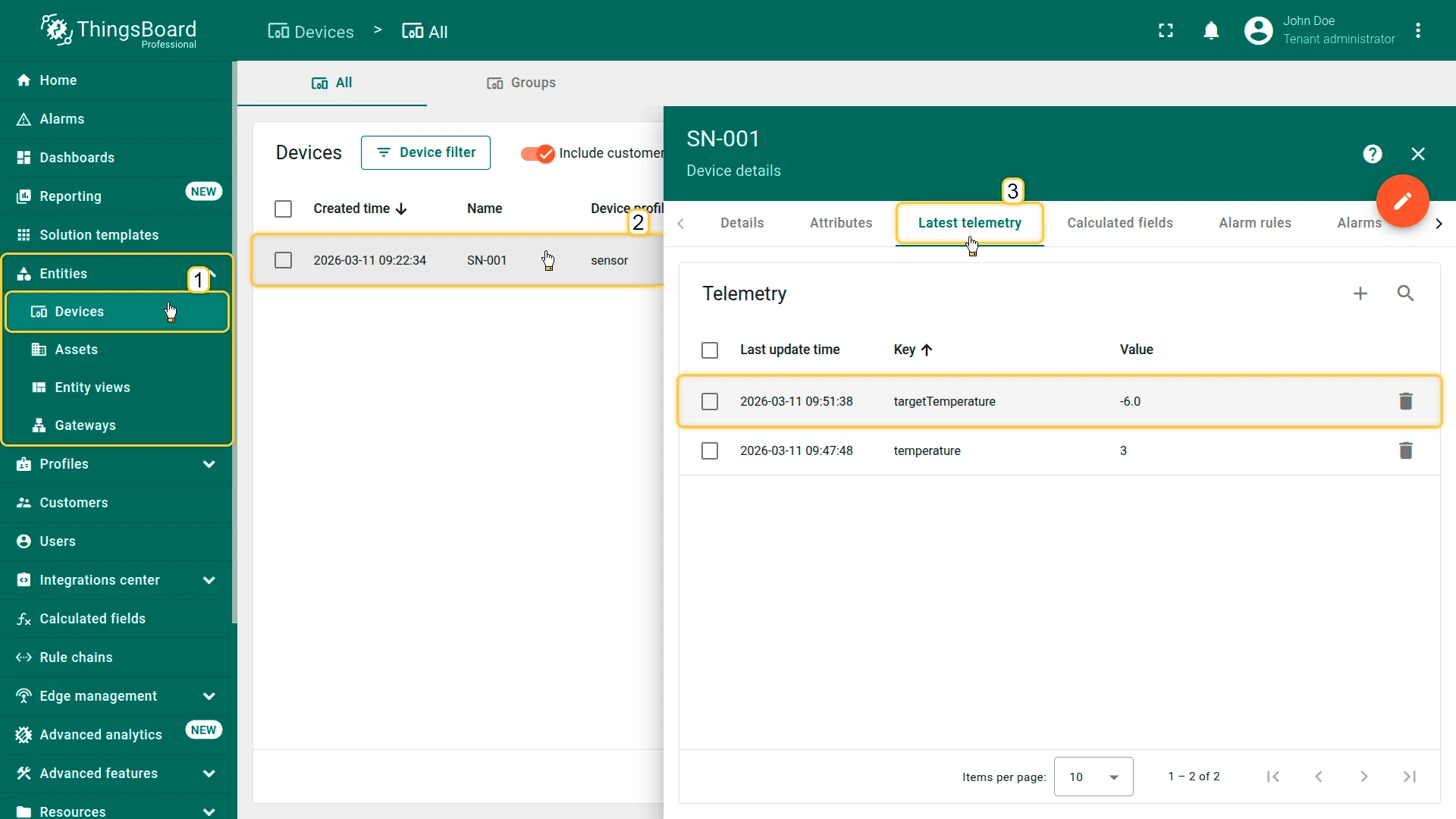
Go to Devices & assets ⇾ Devices, open SN-001, and check the Latest telemetry tab. The device response is stored as targetTemperature telemetry alongside the regular temperature readings.
How It Works
Section titled “How It Works”This pattern implements an application-level two-way RPC using separate topics — it is distinct from ThingsBoard’s native device request-response mechanism. At the Rule Engine level the message still carries oneway: true (set automatically by the Knob Control widget); ThingsBoard does not block waiting for a reply.
The full cycle:
- Knob turn ⇾
RPC_CALL_FROM_SERVER_TO_DEVICE⇾ Rule Engine ⇾ Integration Downlink node ⇾ downlink converter ⇾ MQTT PUBLISH to.../rx/twoway - The device emulator receives the command, extracts the value, and publishes
{"targetTemperature": <value>}to.../rx/response - The MQTT integration (subscribed to
/rx/responsevia the topic filter added in Step 3) receives the response as a new uplink ⇾ uplink converter stores the full JSON payload as device telemetry
The /rx/response topic is kept separate from the command topic so the uplink converter can store device acknowledgements independently of regular sensor telemetry. Any key-value pair in the response payload (e.g. targetTemperature) becomes a telemetry entry on the SN-001 device.
Unlike native ThingsBoard two-way RPC (used with the MQTT Device API), this approach requires no request ID correlation — the device echoes back the applied value directly, and the response is simply stored as telemetry.
Was this helpful?