Isolate Device Access by Group
Give each user group exclusive read/write access to their own device group, with no cross-access between groups. This uses Group roles — each role applies strictly to a specific entity group.
Prerequisites: Basic familiarity with Roles and RBAC.
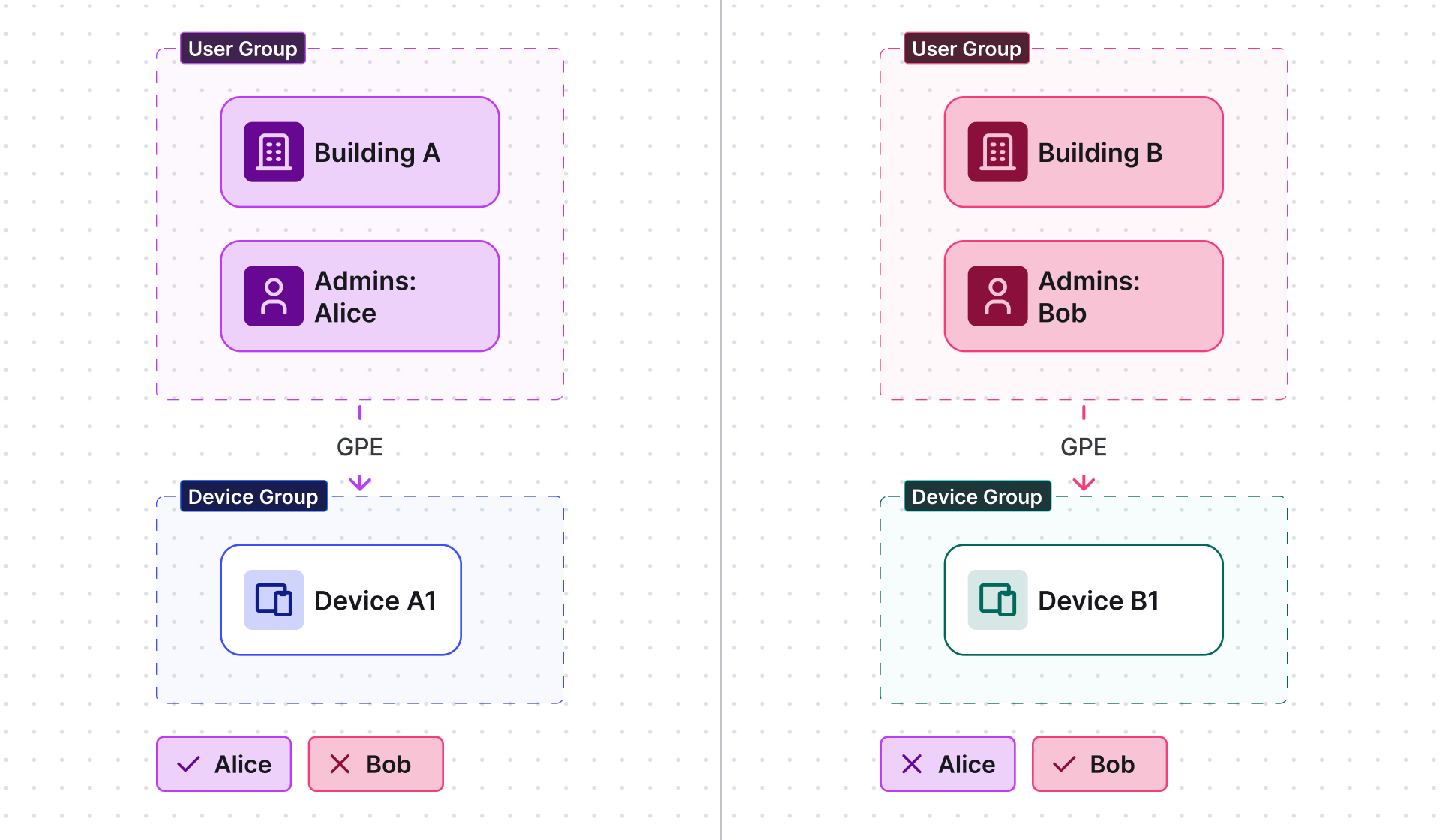
Scenario
Section titled “Scenario”User groups
- Building A Admins (includes Alice)
- Building B Admins (includes Bob)
Device groups
- Building A (contains Device A1)
- Building B (contains Device B1)
Objective
- Alice: read/write access to devices in Building A only.
- Bob: read/write access to devices in Building B only.
Step 1. Create the Group role
Section titled “Step 1. Create the Group role”- Navigate to Customers & users ⇾ Roles.
- Click + Add role.
- Name: Building Device Access — Role type: Group.
- Under Permissions, add: Operations Read, Write.
- Click Add.
Step 2. Assign to the “Building A” device group
Section titled “Step 2. Assign to the “Building A” device group”- Navigate to Devices & assets ⇾ Devices ⇾ Groups.
- Open Building A device group details ⇾ Permissions tab.
- Click Add.
- Select: Role Building Device Access, Owner Tenant, User group Building A Admins.
- Click Add.
Step 3. Assign to the “Building B” device group
Section titled “Step 3. Assign to the “Building B” device group”- Open Building B device group details ⇾ Permissions tab.
- Click Add.
- Select: Role Building Device Access, Owner Tenant, User group Building B Admins.
- Click Add.
Result
Section titled “Result”- Alice sees only device group Building A and Device A1.
- Bob sees only device group Building B and Device B1.
- Neither can access devices outside their assigned group.
Was this helpful?
Thank you for your feedback!