Reply to RPC call with related device telemetry
This recipe shows how to handle a client-side RPC call from a device by fetching telemetry from a related device and returning it as the RPC response.
Use Case
Section titled “Use Case”A Controller sends a client-side RPC call with method getCurrentTemperature.
ThingsBoard:
- routes the request to a dedicated rule chain
- fetches the latest
temperaturefrom a related Thermostat device - returns the temperature value as the RPC response
Architecture
Section titled “Architecture”Devices
- Thermostat A with type thermostat
- Controller A with type controller
Relation
- Controller A -- Thermostat --> Thermostat A
Rule chains
- modified Root Rule Chain
- new Related thermostat temperature rule chain
Step 1. Create Devices
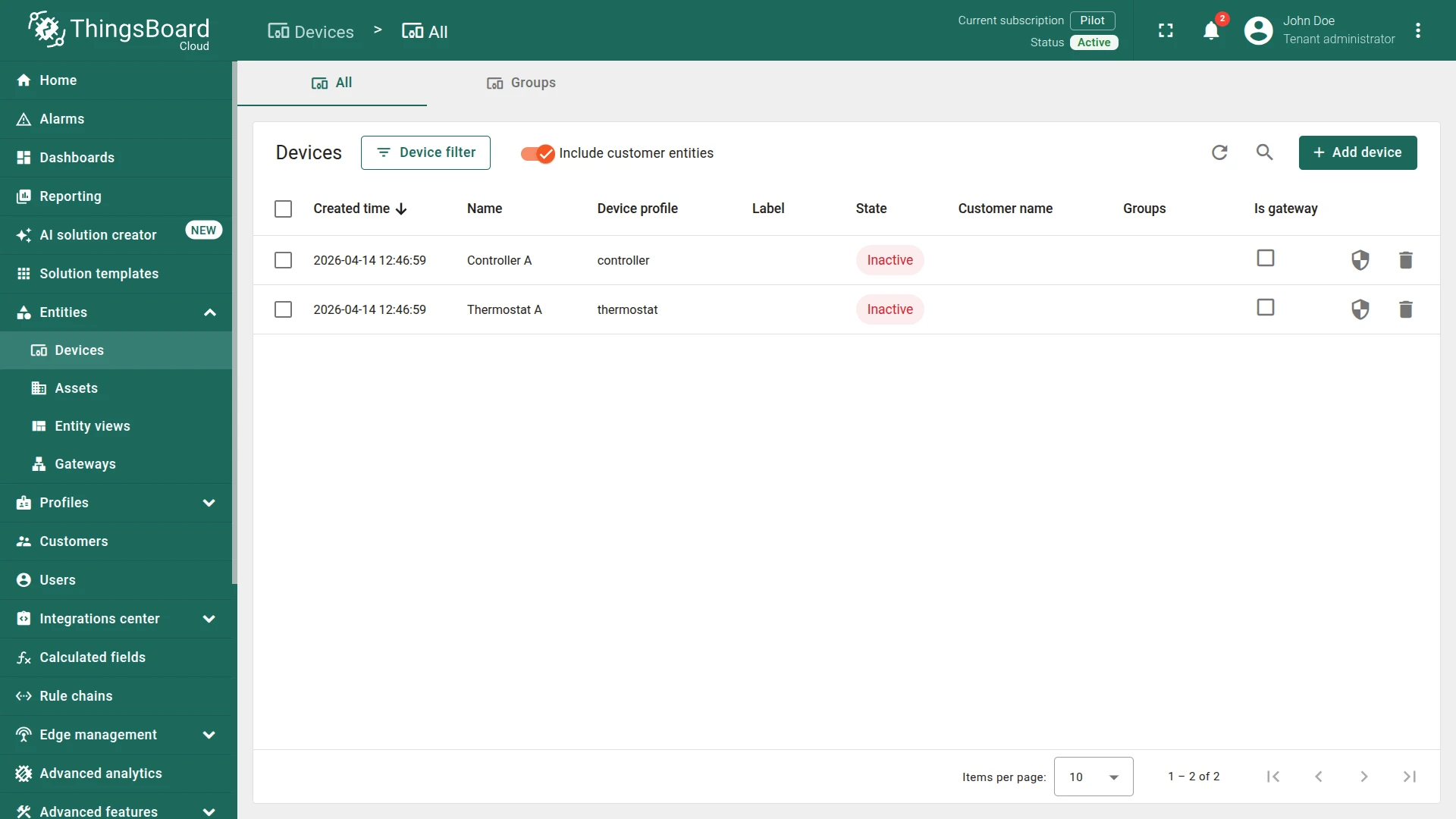
Section titled “Step 1. Create Devices”Create two devices:
Device 1
- Name:
Thermostat A - Type:
thermostat
Device 2
- Name:
Controller A - Type:
controller
Step 2. Create Relation
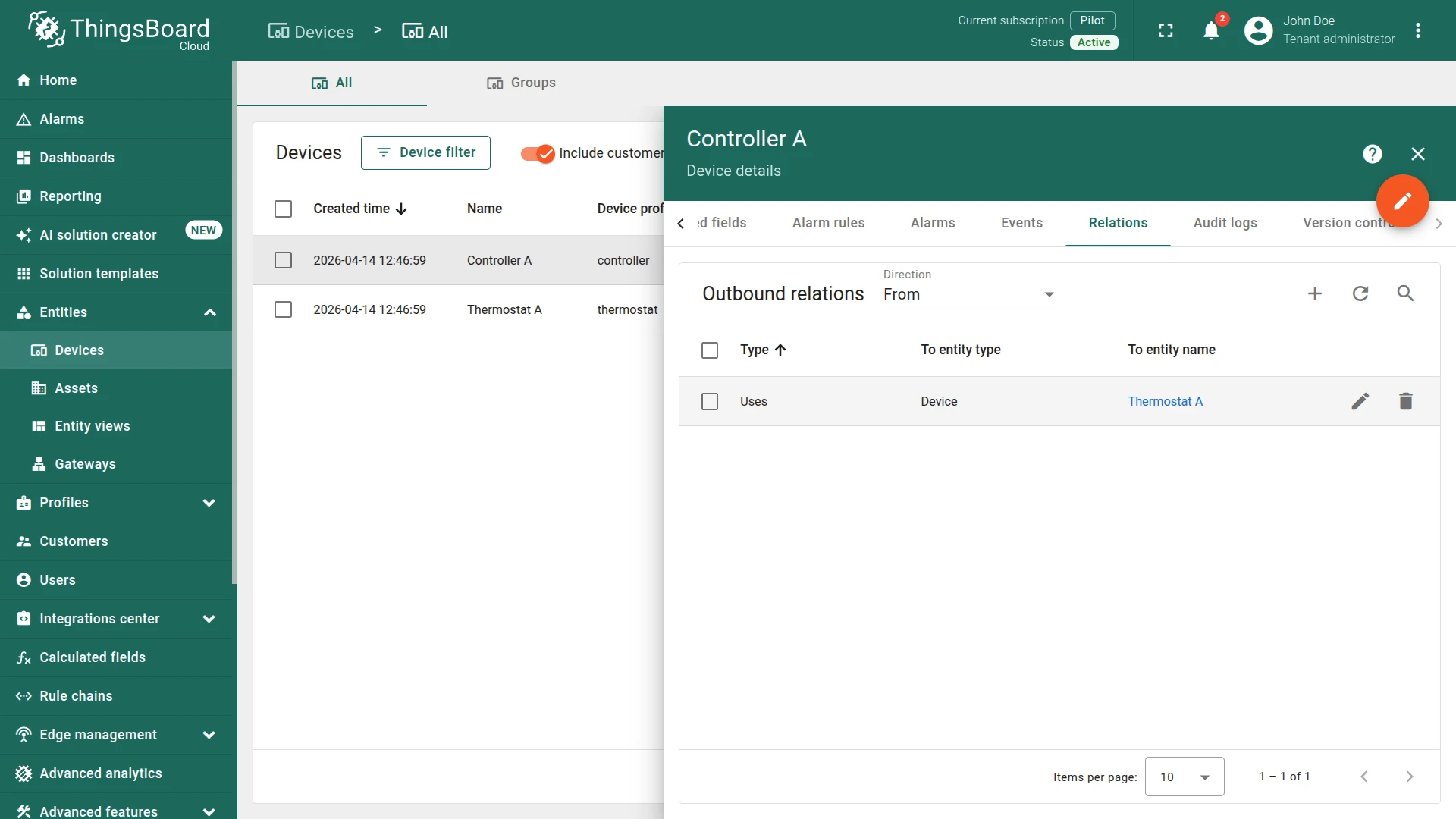
Section titled “Step 2. Create Relation”Create a relation:
- From:
Controller A - To:
Thermostat A - Relation type:
Uses
Step 3. Create Rule Chain
Section titled “Step 3. Create Rule Chain”You can import a ready-made rule chain or build it manually.
Option 1. Import rule chain
- Download the Related Thermostat Temperature rule chain as a JSON file and import it into your instance.
Option 2. Create manually
- Create a new rule chain named
Related Thermostat Temperature, open it, and add the following nodes:
Step 3.1 Related Entity Data Node
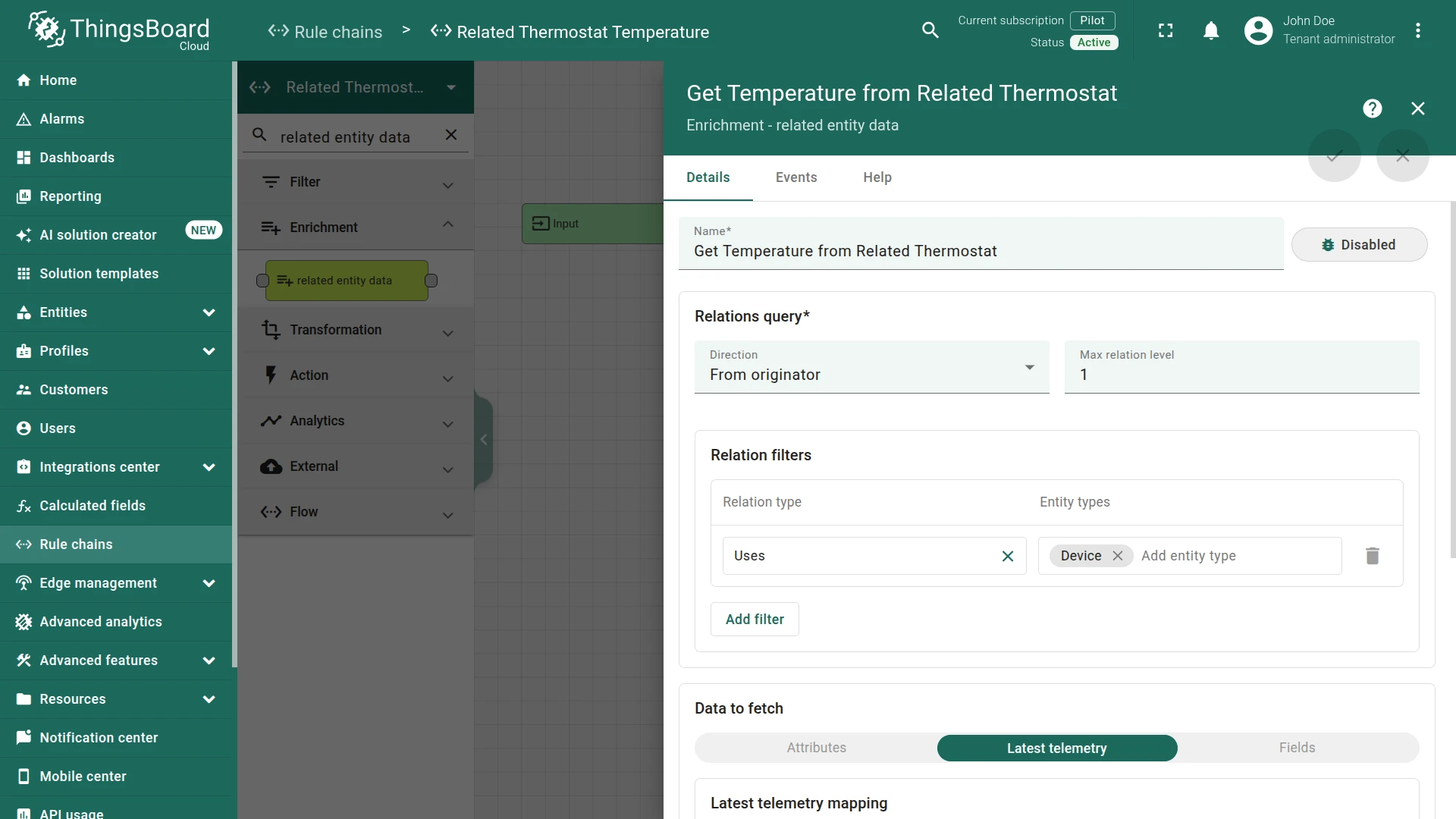
Section titled “Step 3.1 Related Entity Data Node”Add the Related Entity Data node and connect it to the Input node.
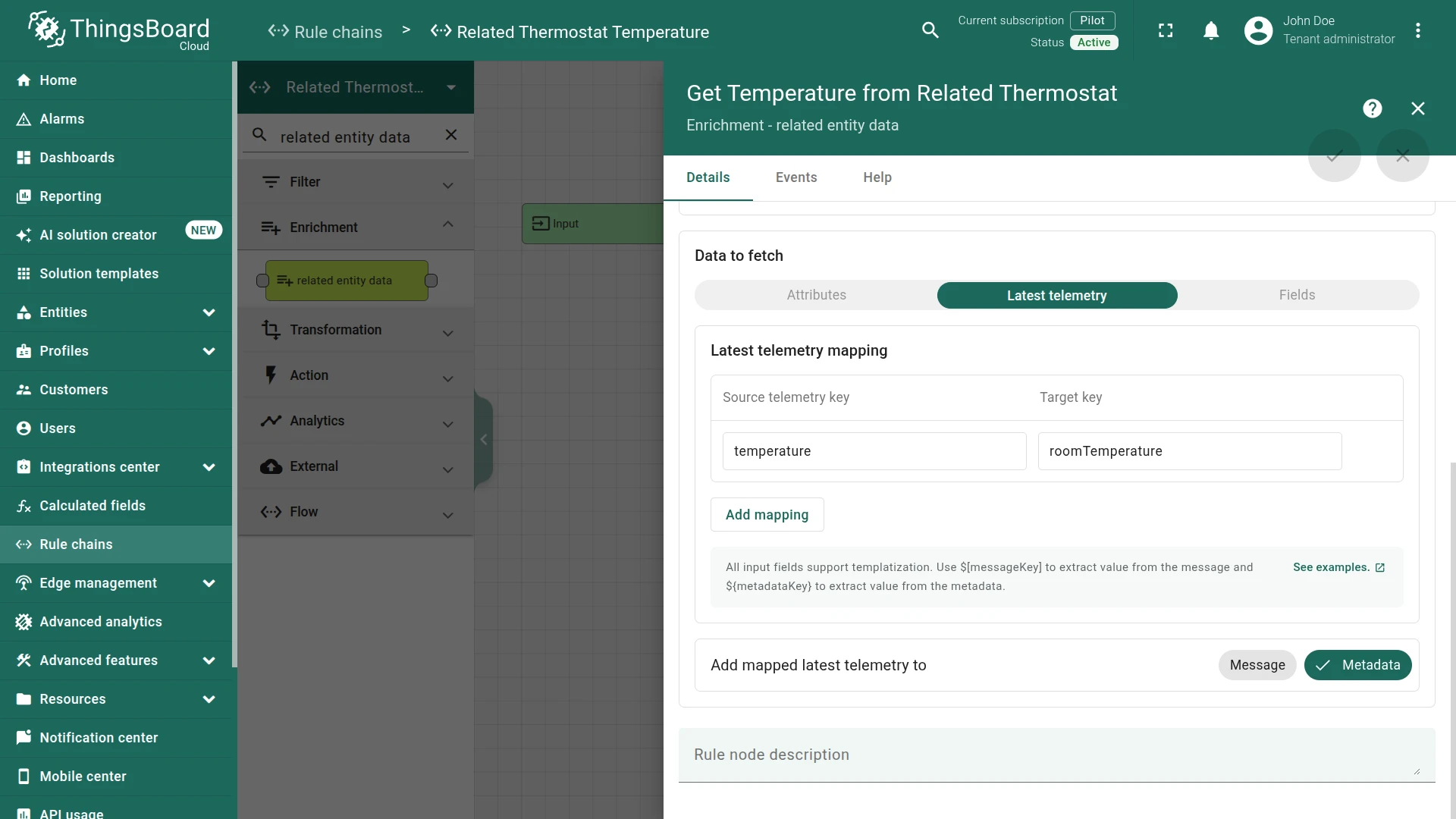
This node fetches the latest temperature from Thermostat A and saves it in message metadata as roomTemperature.
Fill in the fields:
- Name:
Get Temperature from Related Thermostat - Direction:
From originator - Max relation level:
1 - Relation filters:
- Relation type:
Uses - Entity type:
Device
- Relation type:
- Data to fetch:
Latest telemetry - Latest telemetry mapping:
- Source attribute key:
temperature - Target key:
roomTemperature
- Source attribute key:
Step 3.2 Script Transformation Node
Section titled “Step 3.2 Script Transformation Node”Add the Transformation Script node and connect it to the Related Entity Data node with relation type Success.
This node builds the RPC reply payload. The RPC call reply node sends the message payload as the response, so the payload must contain the temperature value.
Fill in the fields:
- Name:
Build Response
Script:
return {msg: {temperature: metadata.roomTemperature}, metadata: metadata, msgType: msgType};return {msg: {temperature: metadata.roomTemperature}, metadata: metadata, msgType: msgType};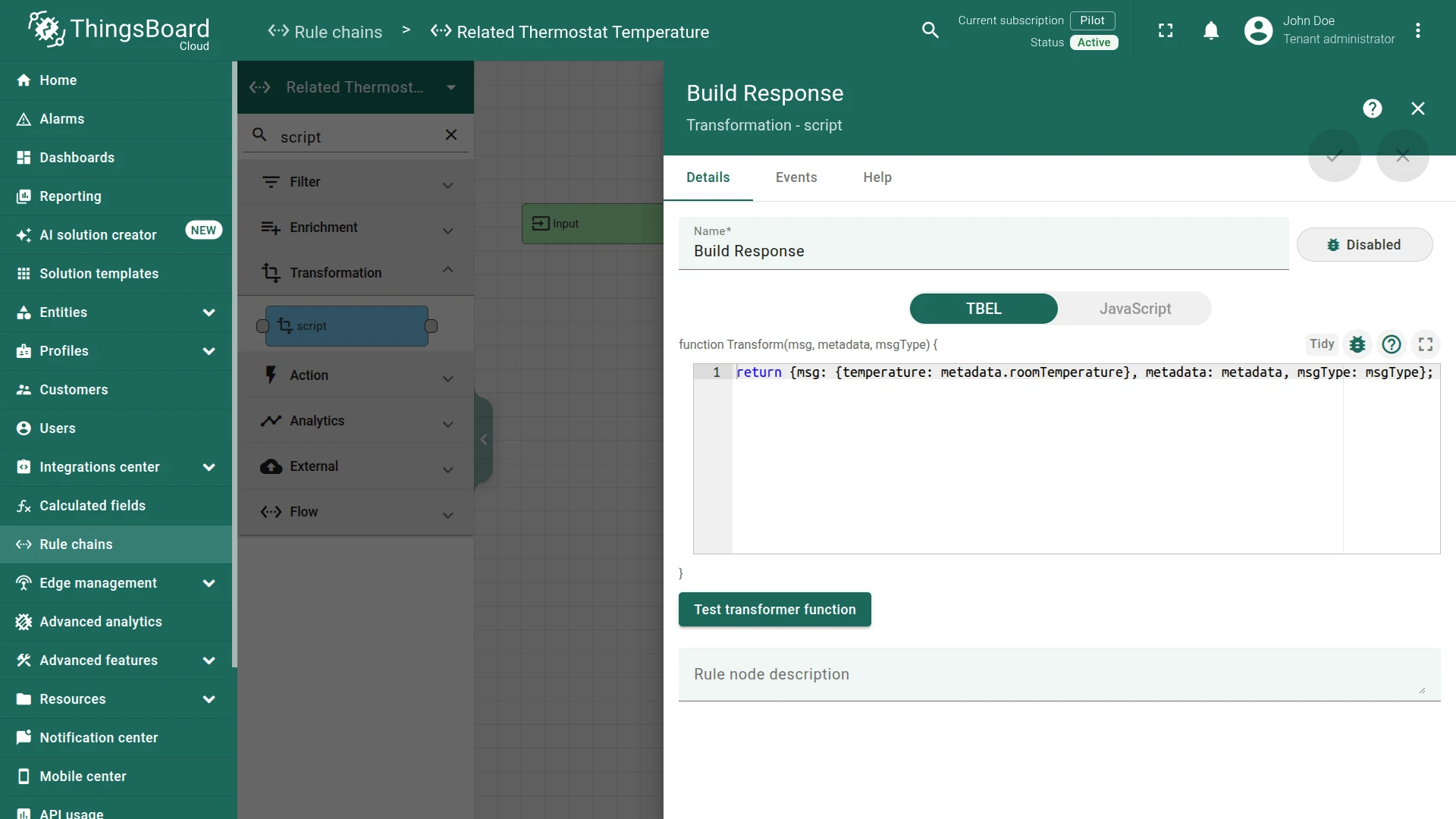
Step 3.3 RPC Call Reply Node
Section titled “Step 3.3 RPC Call Reply Node”Add the RPC call reply node and connect it to the Transformation Script node with relation type Success.
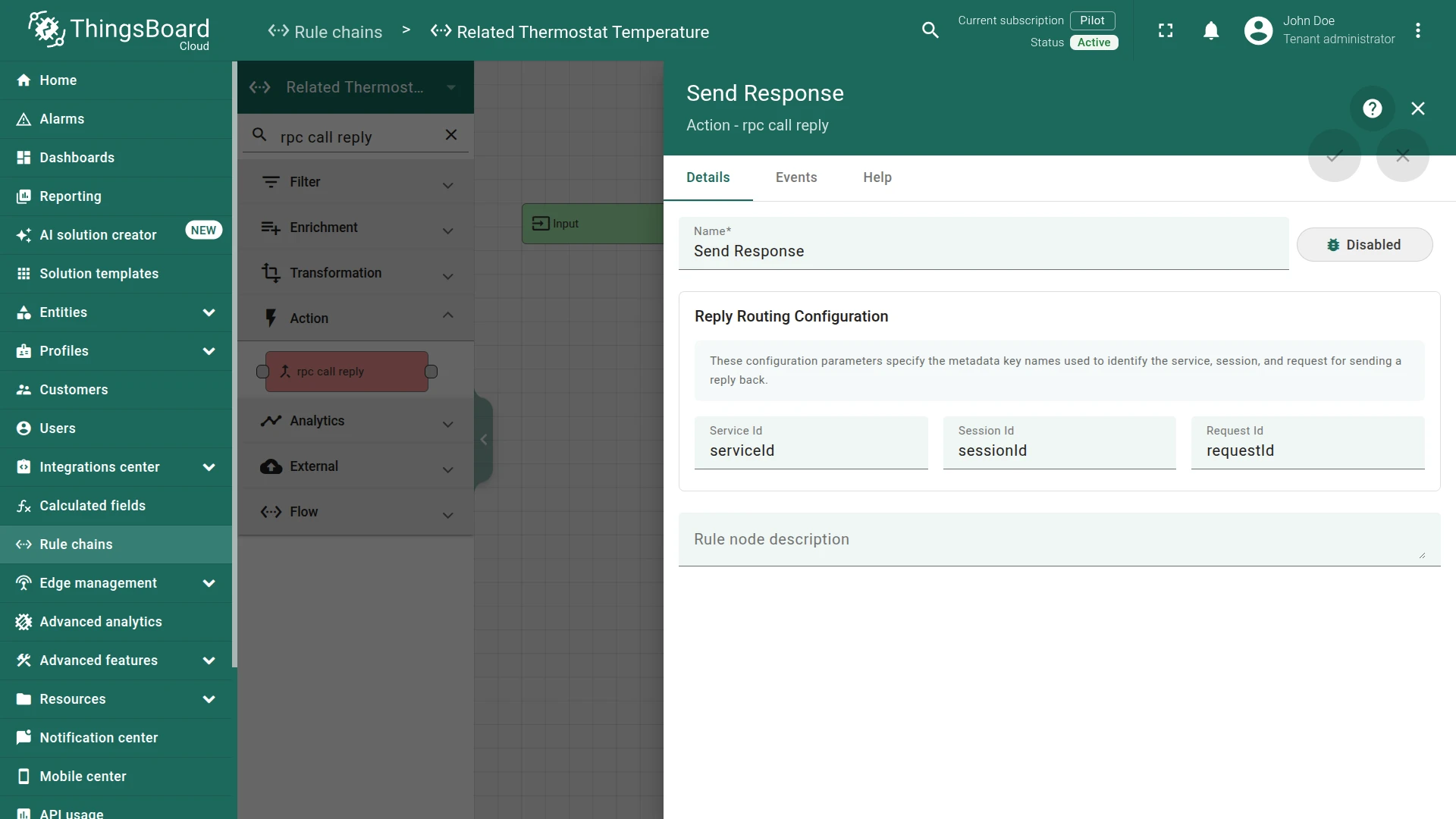
This node reads requestId from message metadata and sends the message payload as the RPC response to the originator.
Fill in the fields:
- Name:
Send Response - Request ID:
requestId
Step 3.4 Check the Node Connections
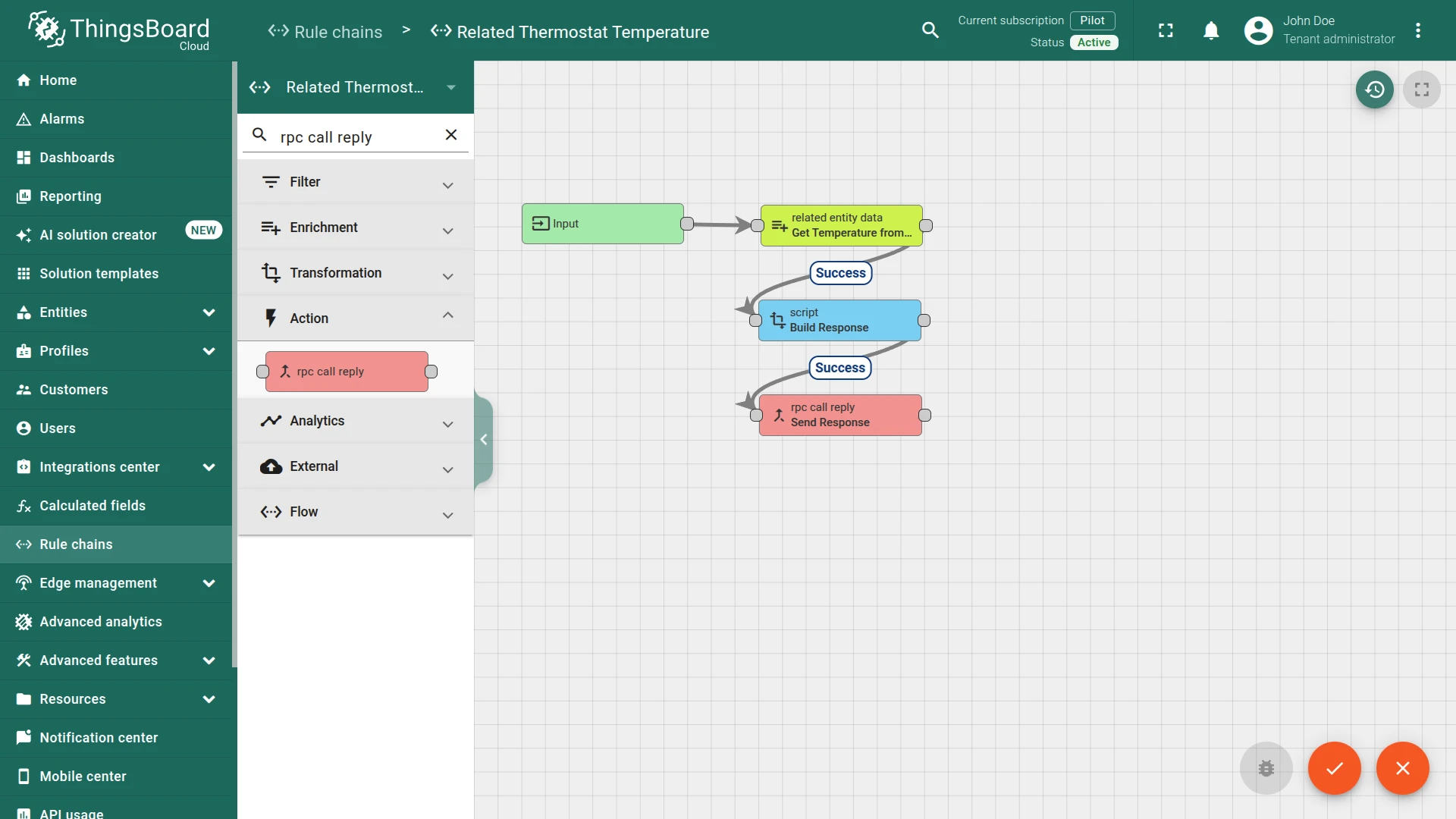
Section titled “Step 3.4 Check the Node Connections”- Input ⇾ Get Temperature from Related Thermostat
- Get Temperature from Related Thermostat ⇾
Success⇾ Build Response - Build Response ⇾
Success⇾ Send Response
Save the rule chain.
Step 4. Modify the Root Rule Chain
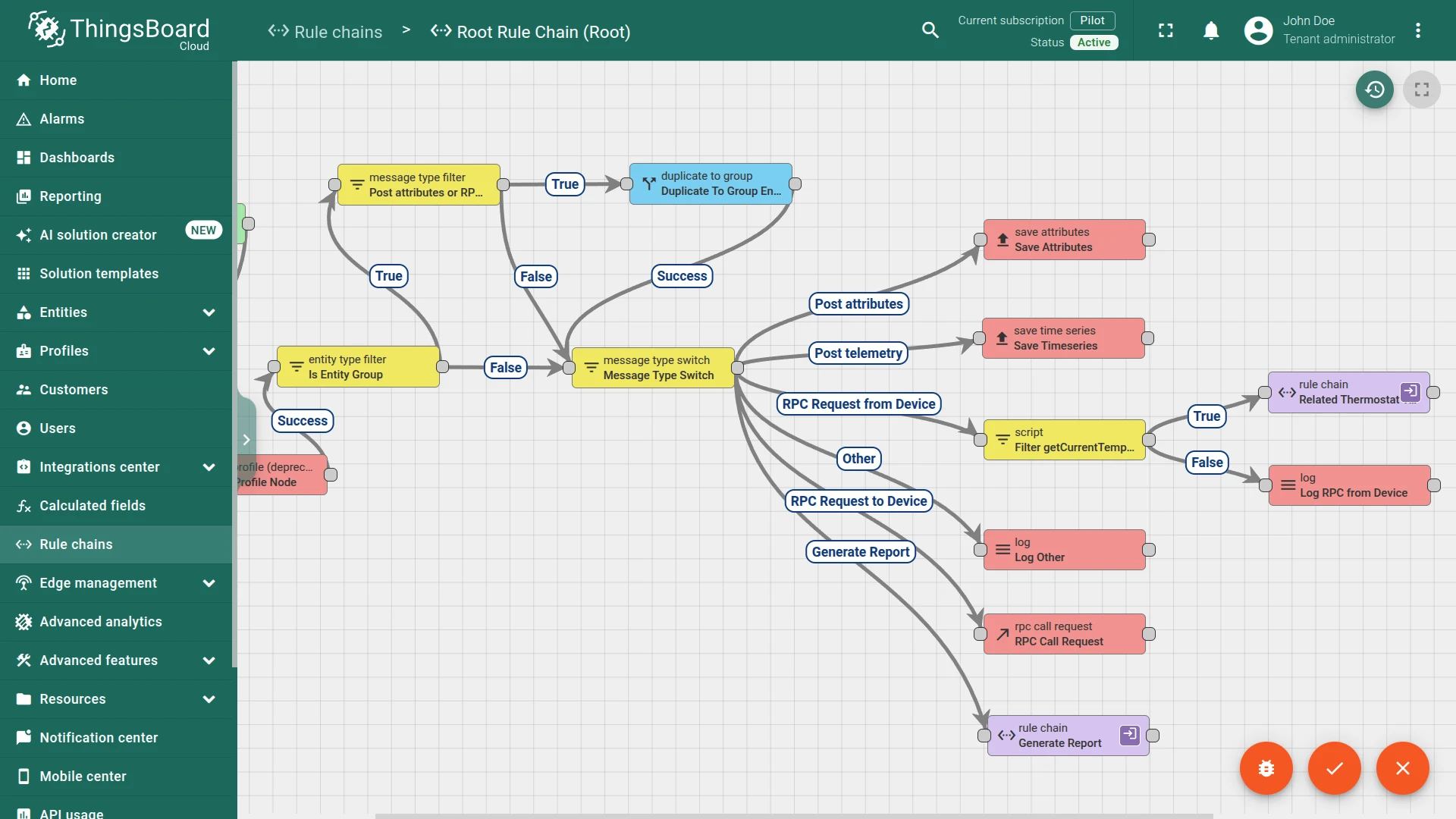
Section titled “Step 4. Modify the Root Rule Chain”Open the Root Rule Chain. By default, the Message Type Switch node routes RPC Request from Device messages to a Log node named Log RPC from Device.
Add the following nodes after Message Type Switch:
Step 4.1 Filter Script Node
Section titled “Step 4.1 Filter Script Node”Add the Filter Script node and connect it to the Message Type Switch node with relation type RPC Request from Device, replacing the existing connection to Log RPC from Device.
This node passes only requests with method getCurrentTemperature.
Fill in the fields:
- Name:
Filter getCurrentTemperature RPC
Script:
return msg.method == 'getCurrentTemperature';return msg.method == 'getCurrentTemperature';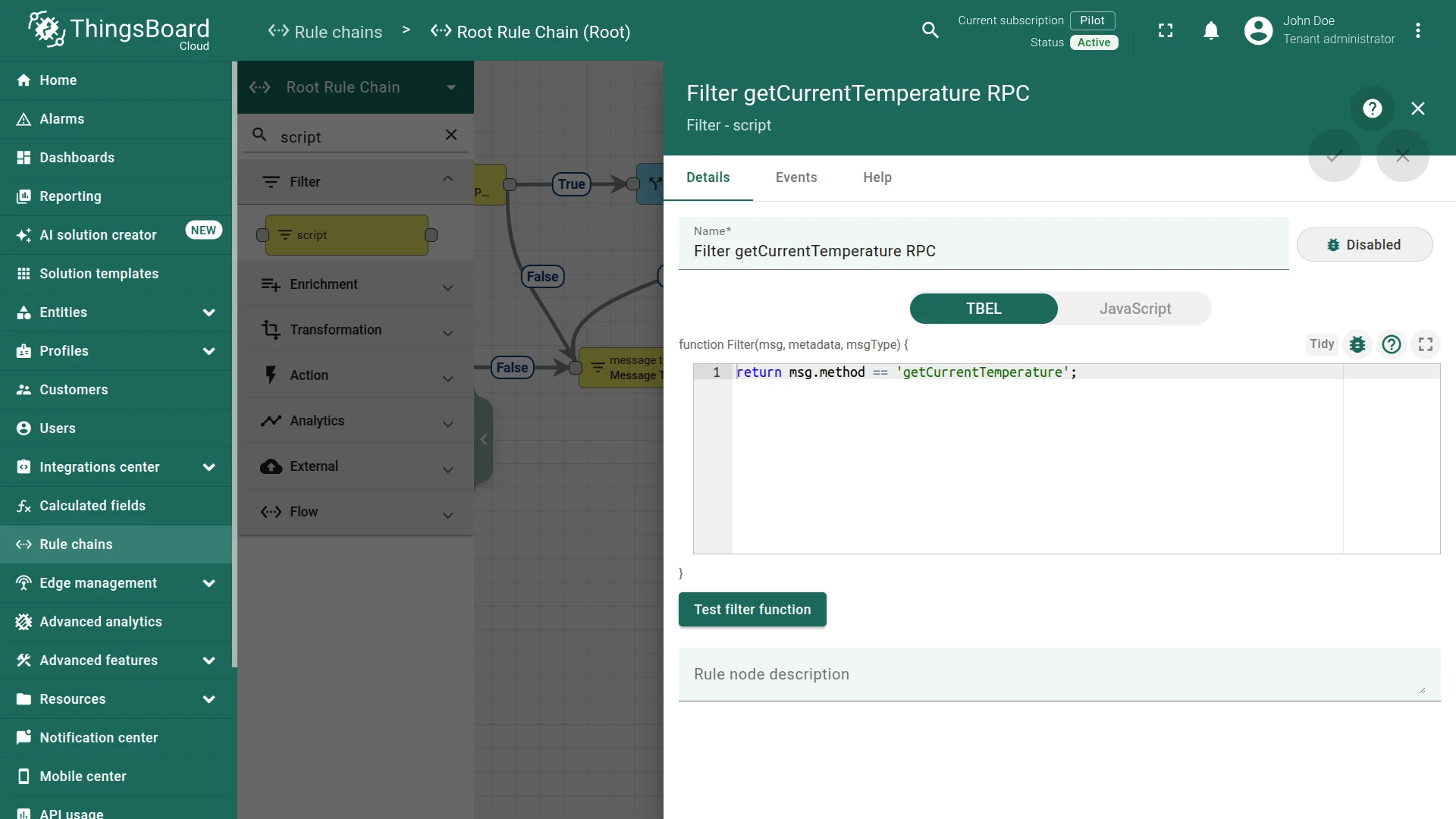
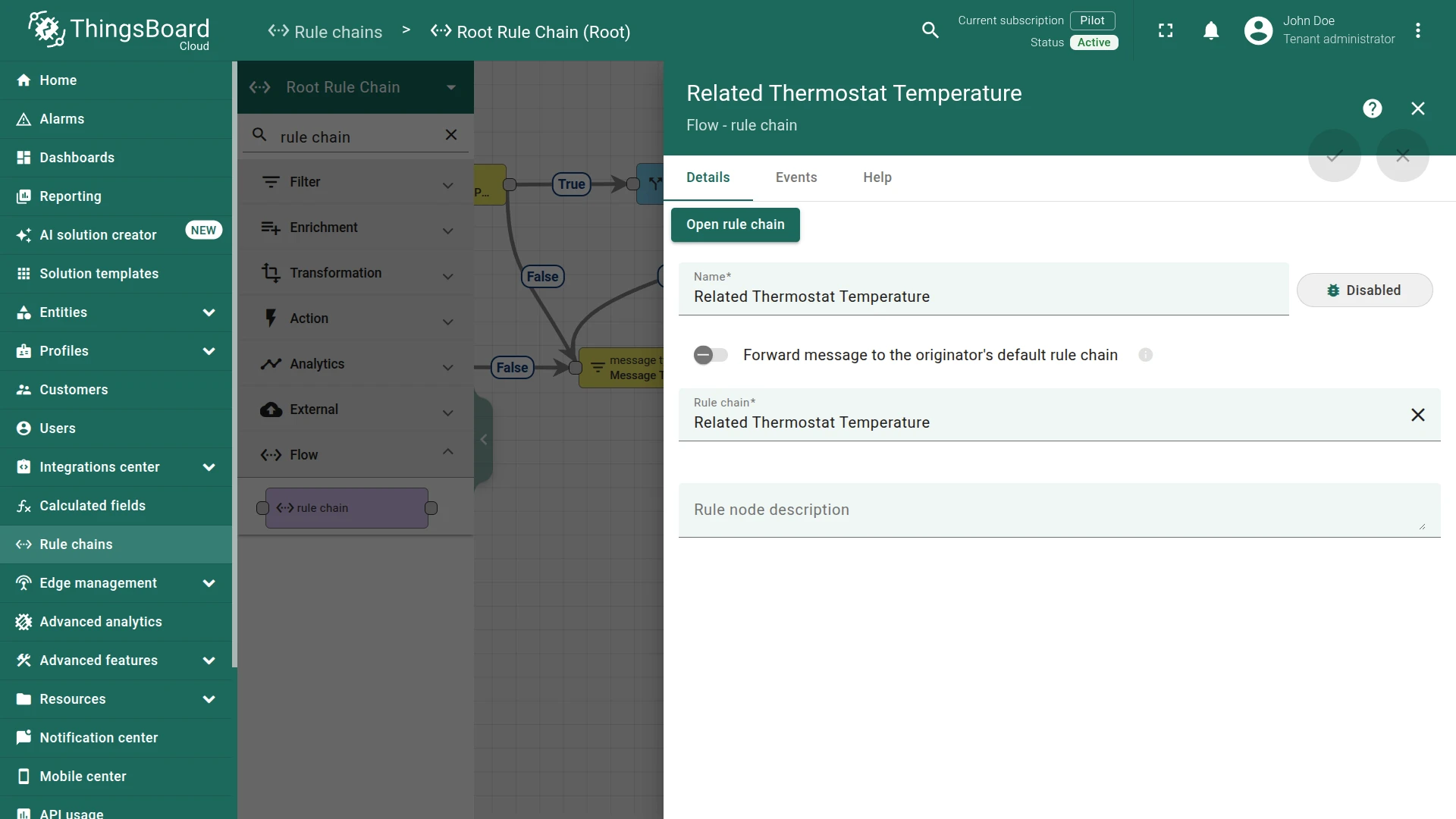
Step 4.2 Rule Chain Node
Section titled “Step 4.2 Rule Chain Node”Add the Rule Chain node and connect it to the Filter Script node with relation type True.
This node forwards matched requests to the Related thermostat temperature rule chain.
Fill in the fields:
- Name:
To Related Thermostat Temperature - Rule Chain:
Related Thermostat Temperature
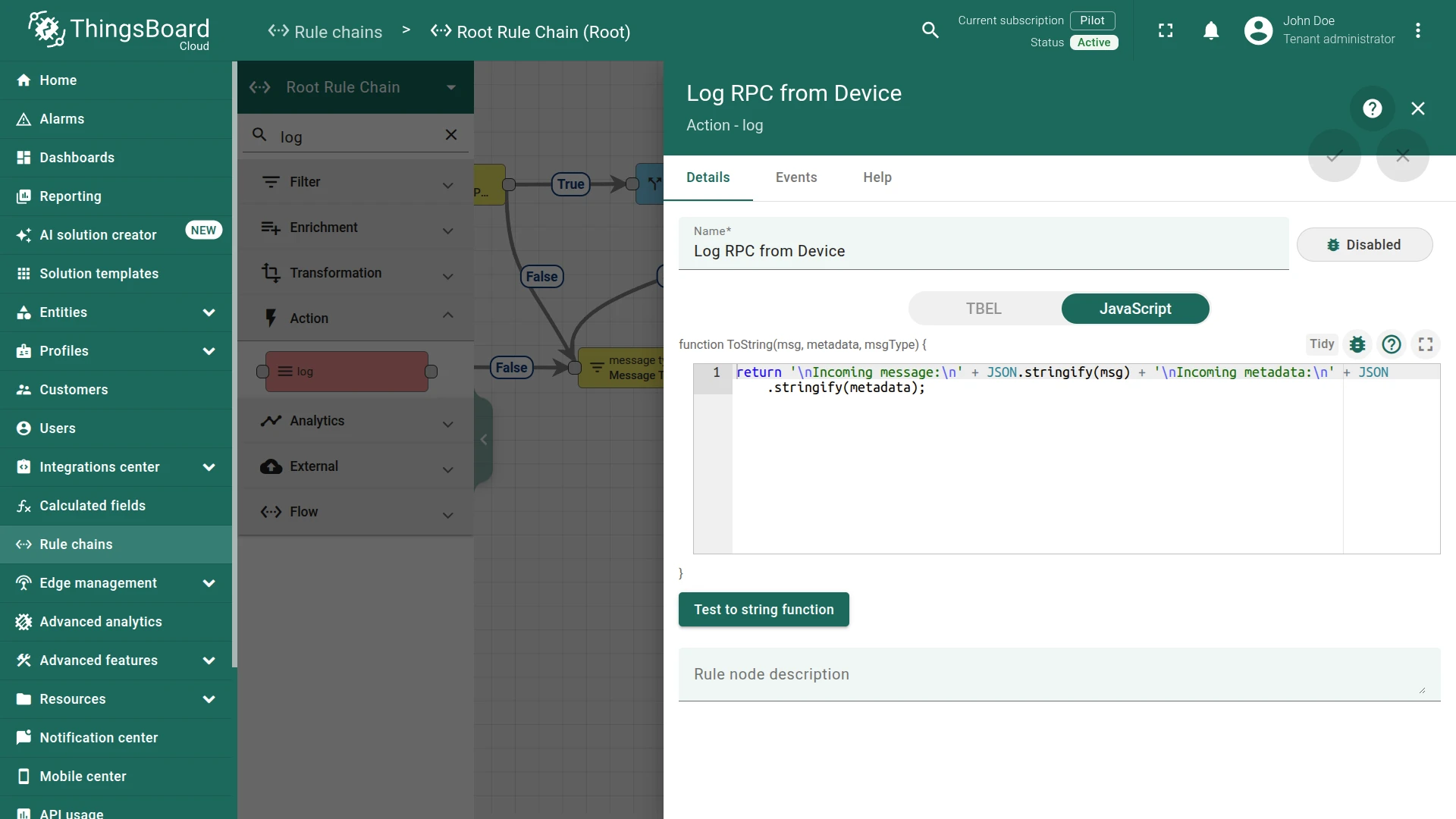
Step 4.3 Log Node
Section titled “Step 4.3 Log Node”Connect the existing Log RPC from Device node to the Filter Script node with relation type False.
Requests with an unrecognized method are logged instead of dropped.
Step 4.4 Check the Node Connections
Section titled “Step 4.4 Check the Node Connections”- Message Type Switch →
RPC Request from Device→ Filter getCurrentTemperature RPC - Filter getCurrentTemperature RPC →
True→ To Related thermostat temperature - Filter getCurrentTemperature RPC →
False→ Log RPC from Device
Save the Root Rule Chain.
Step 5. Test the Setup
Section titled “Step 5. Test the Setup”-
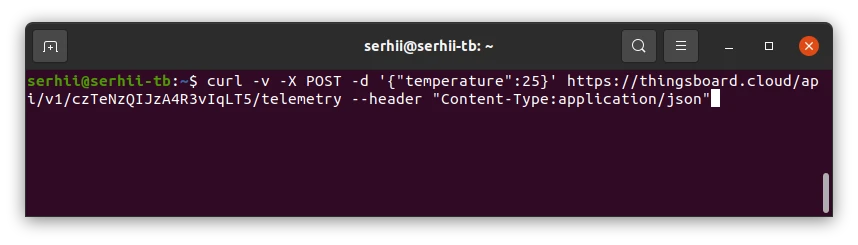
Publish
temperaturetelemetry for Thermostat A. Go to the device Check connectivity tab, copy thecurlcommand and execute it, or run:Terminal window curl -v -X POST -d '{"temperature":25}' https://thingsboard.cloud/api/v1/$ACCESS_TOKEN/telemetry --header "Content-Type:application/json"Replace
$ACCESS_TOKENwith the access token of Thermostat A.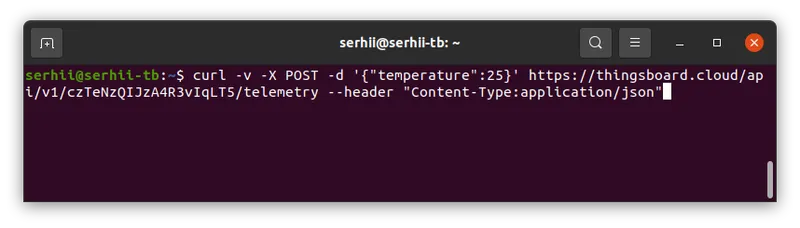
-
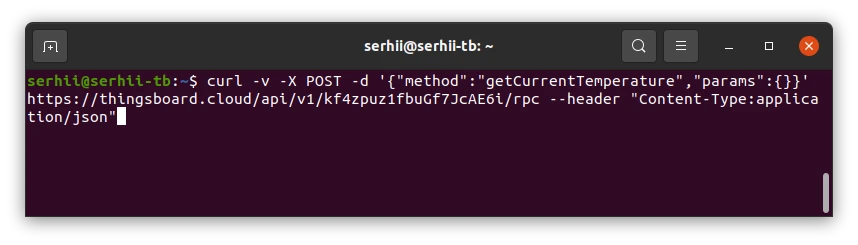
Send an RPC request from Controller A. Go to the device Check connectivity tab and copy the
curlcommand. Replacetelemetrywithrpcin the URL and use this payload:Terminal window curl -v -X POST -d '{"method":"getCurrentTemperature","params":{}}' https://thingsboard.cloud/api/v1/$ACCESS_TOKEN/rpc --header "Content-Type:application/json"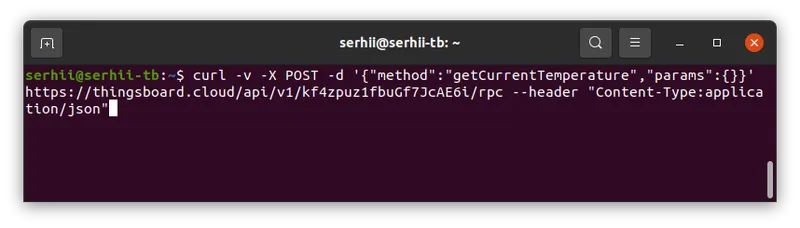
Replace
$ACCESS_TOKENwith the access token of Controller A.
Expected result:
The response contains the temperature reported by Thermostat A:
{"temperature":"25"}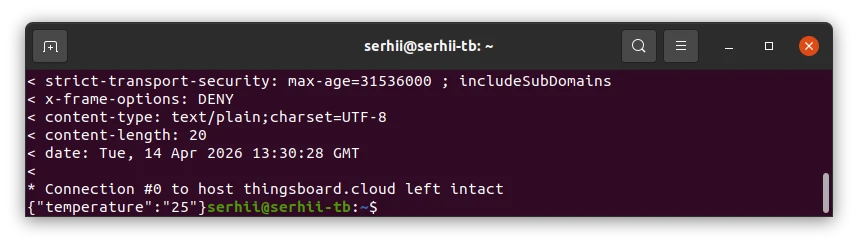
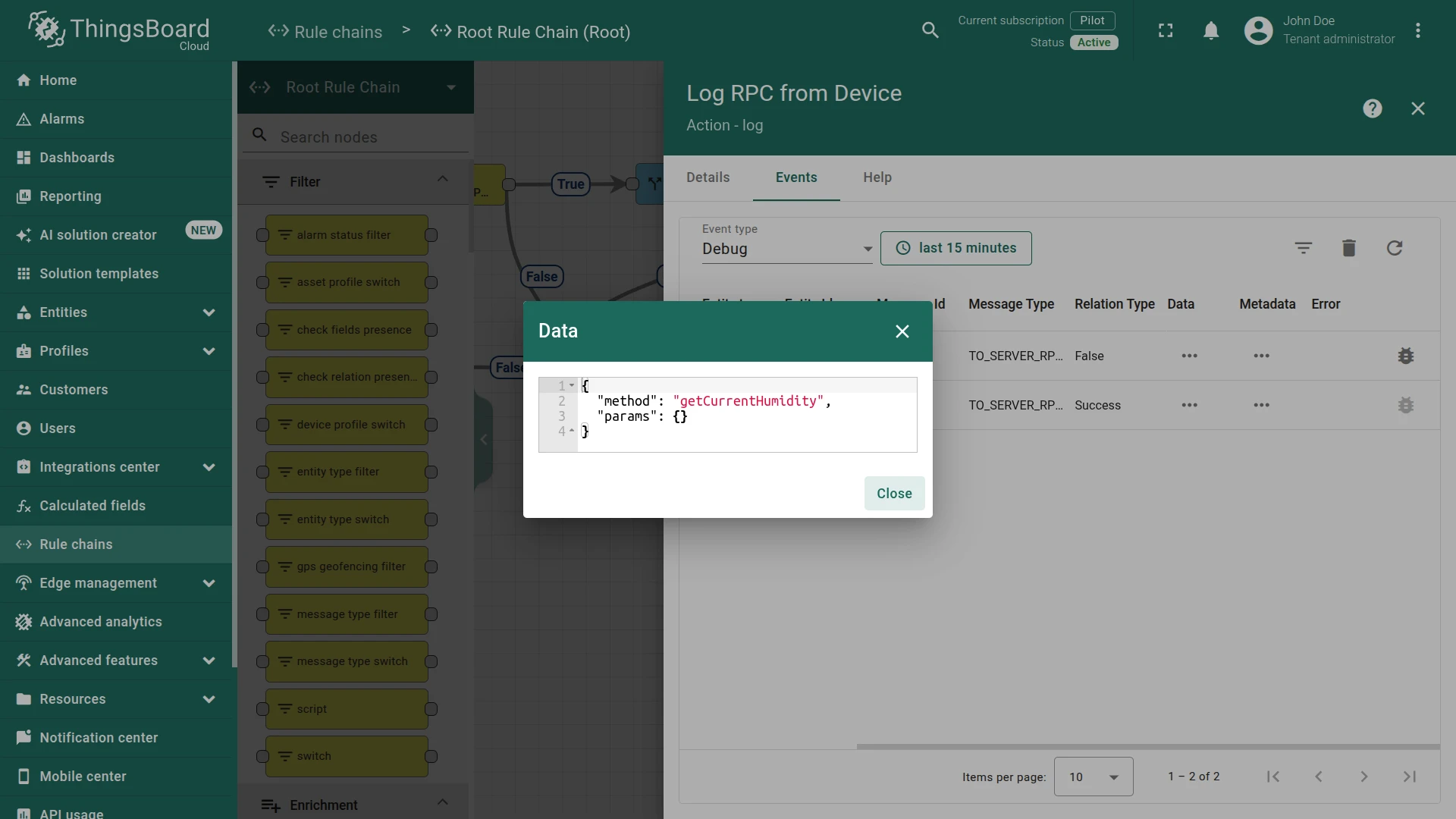
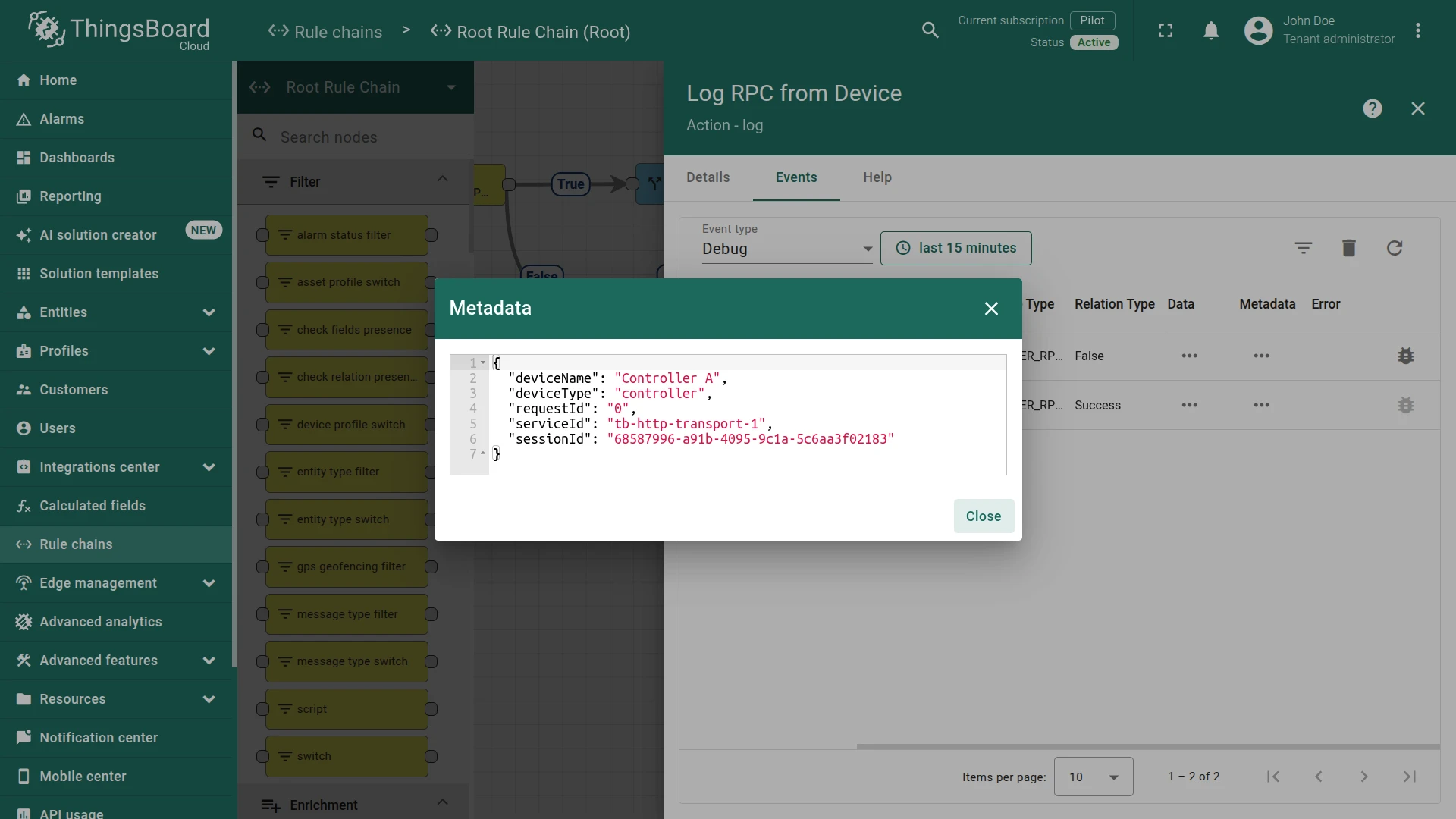
If an RPC call with an unknown method is sent, the Log RPC from Device node logs the request:
Incoming message:
{ "method": "getCurrentHumidity", "params": {} }Incoming metadata:
{ "deviceName": "Controller A", "deviceType": "controller", "requestId": "0", "serviceId": "tb-http-transport-1", "sessionId": "68587996-a91b-4095-9c1a-5c6aa3f02183" }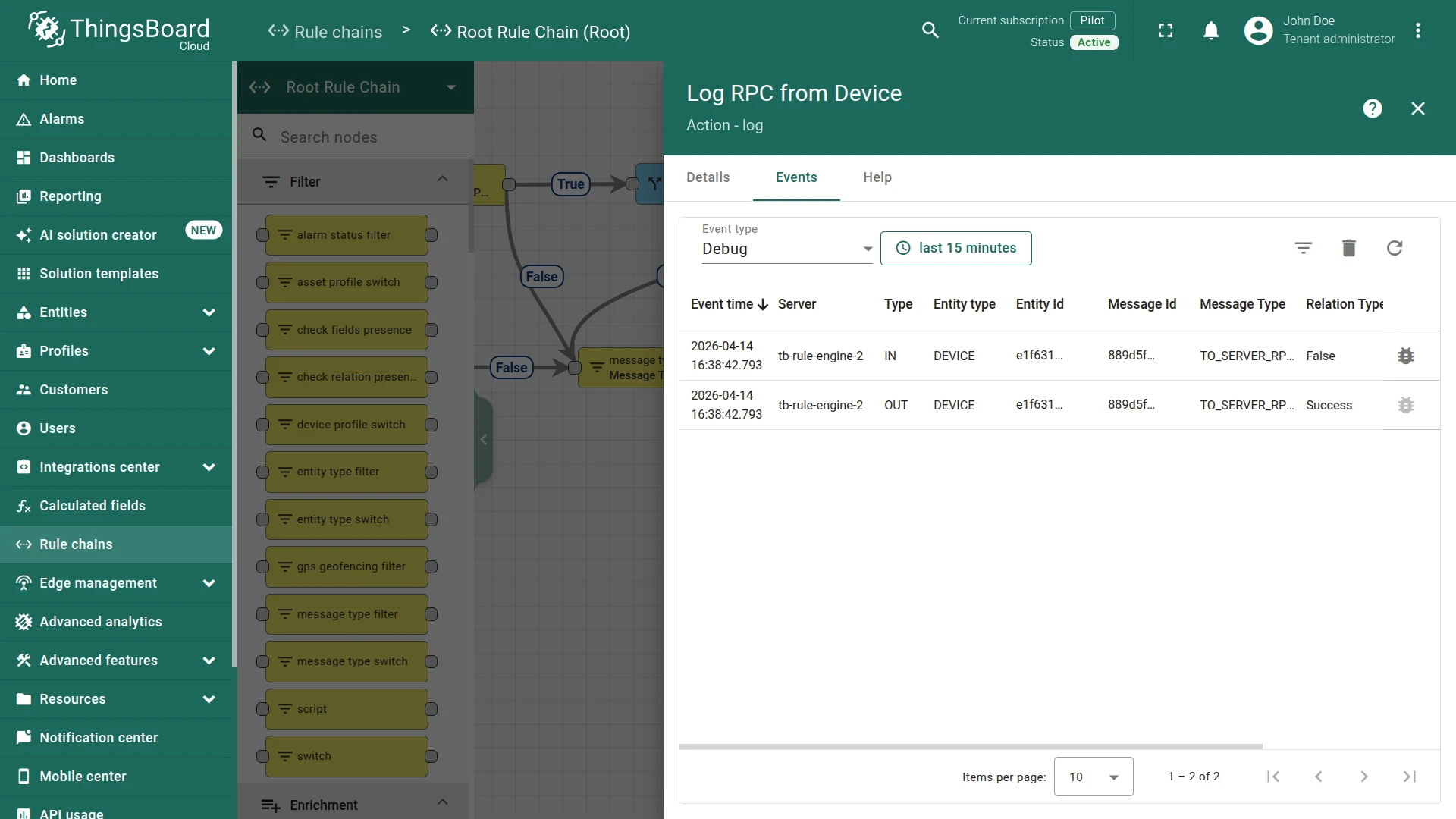
See Also
Section titled “See Also”- RPC capabilities — for more information about how RPC works in ThingsBoard.
- Trigger related entities via relation — a related recipe using relations to trigger actions on another device.
- Related Entity Data node — node reference for fetching data from related entities.
Was this helpful?