Add & Remove Devices from Group Dynamically
Automatically add or remove a device from an entity group based on incoming telemetry, using the Rule Engine. The group is created on the fly when the first matching device is added.
Example: Place devices that report temperature > 30 into a High temperature group and remove them
when temperature drops back to ≤ 30.
Prerequisites
Section titled “Prerequisites”- A device publishing temperature telemetry — see Devices
- Familiarity with Rule Engine and Entity Groups
Step 1. Create the Rule Chain
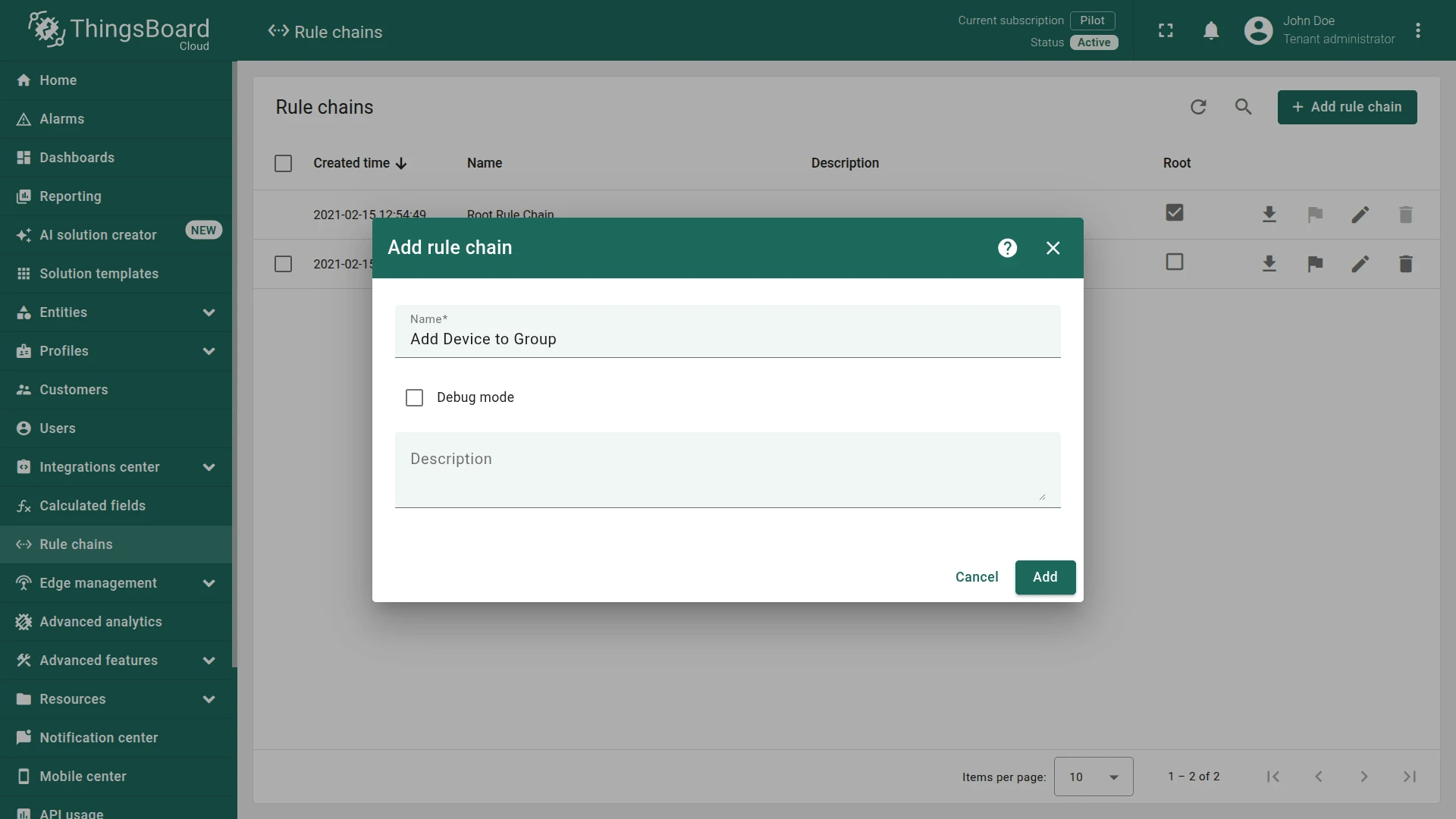
Section titled “Step 1. Create the Rule Chain”- Go to Data processing ⇾ Rule chains and click + Add rule chain ⇾ Create new rule chain.
- Name it
Add Device to Group - Click Add and open it.
- Name it
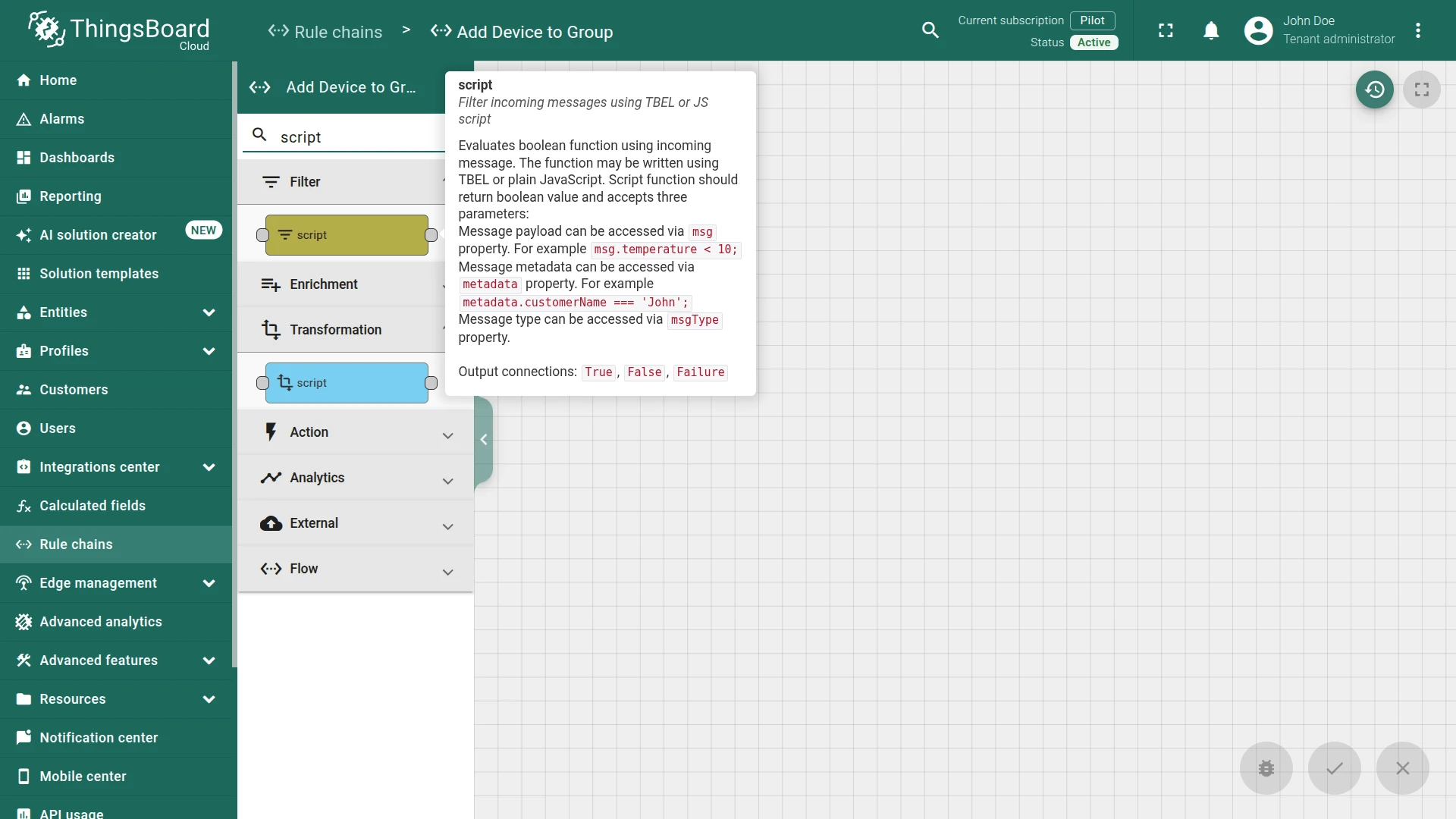
- Add a script filter node:
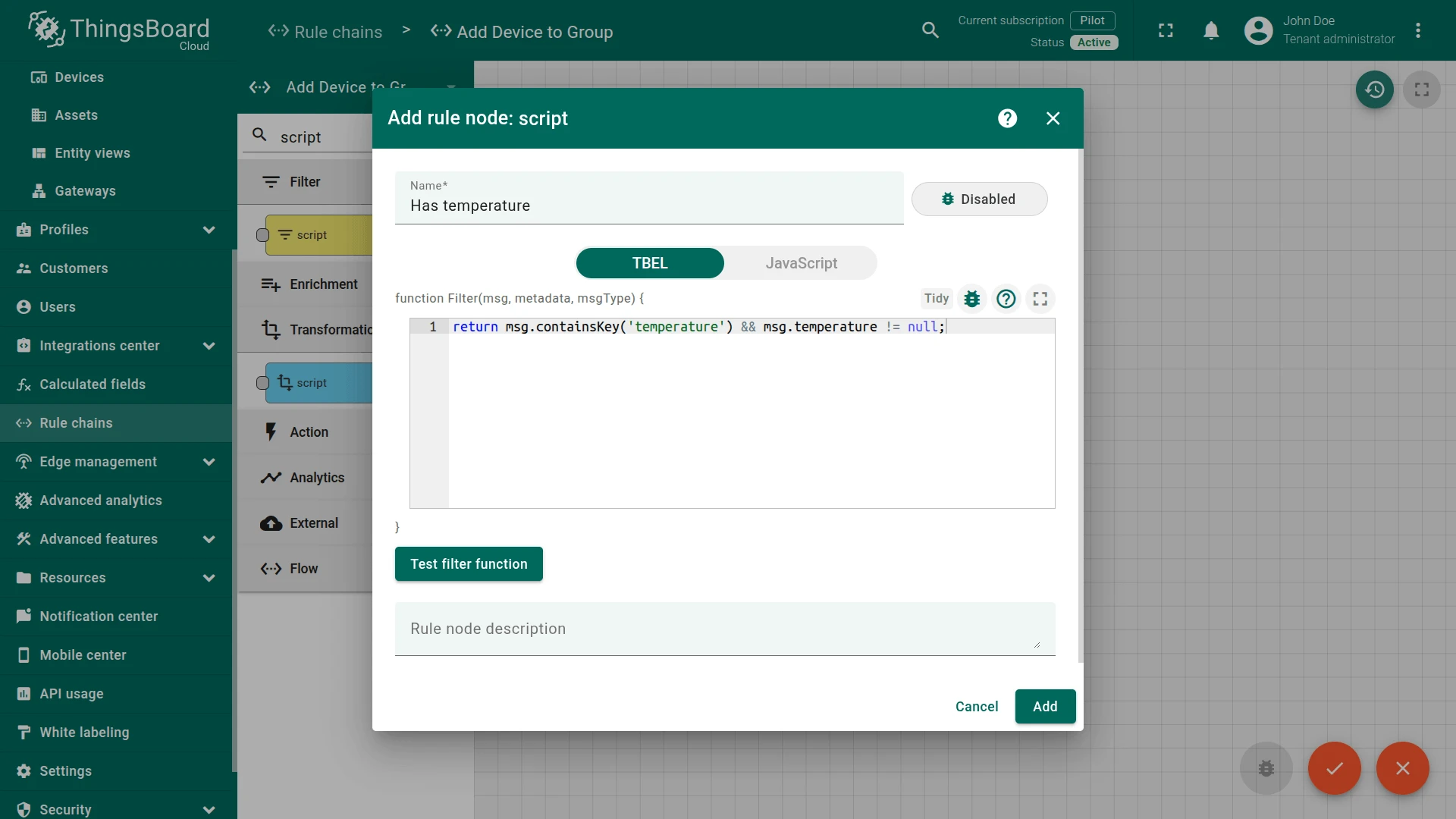
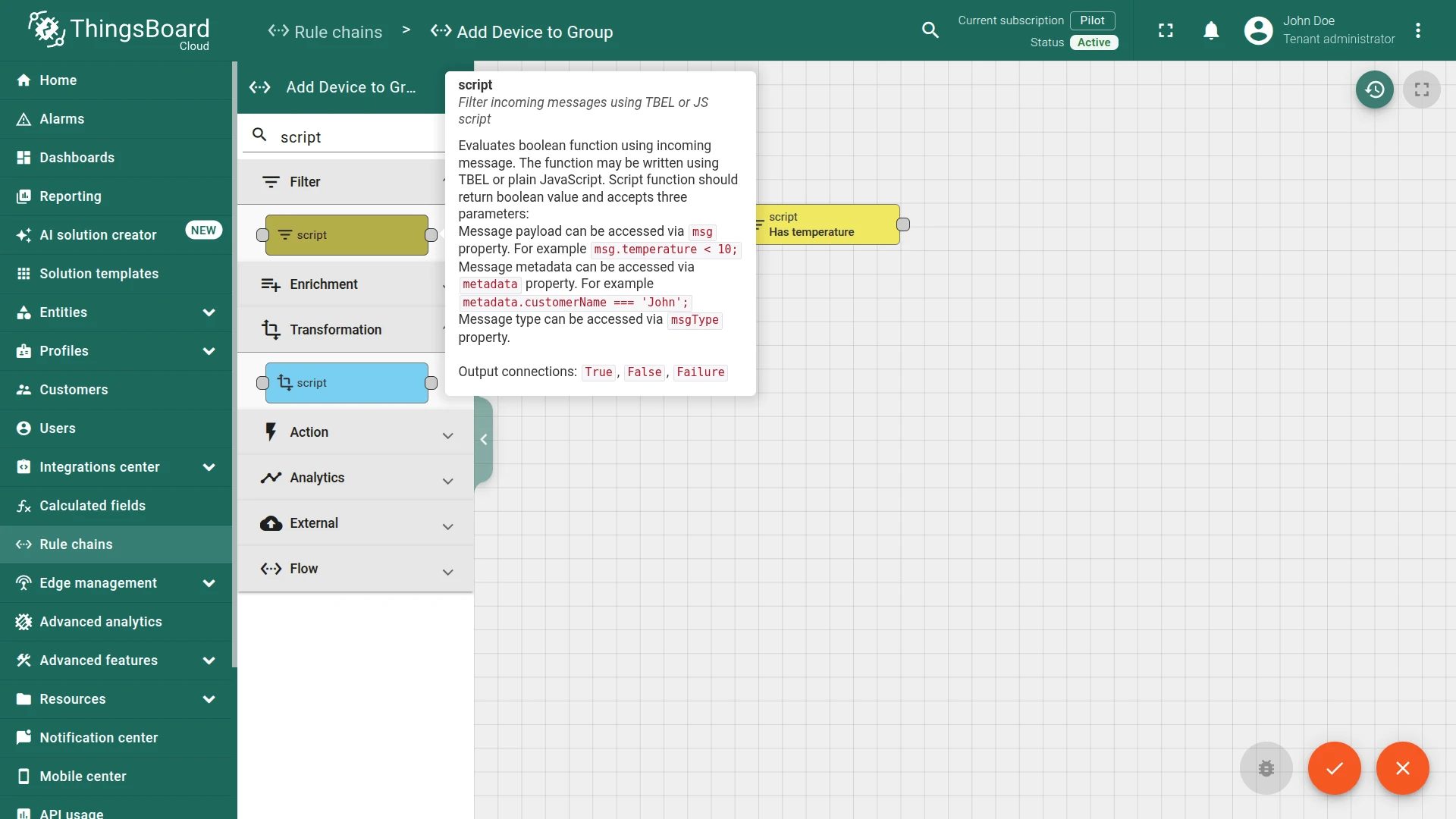
- Name it
Has temperature Set the script to:
return msg.containsKey('temperature') && msg.temperature != null;- Click Add.
This expression returns
trueifmsgcontains thetemperaturefield and its value is notnull; otherwise, it returnsfalse. - Name it
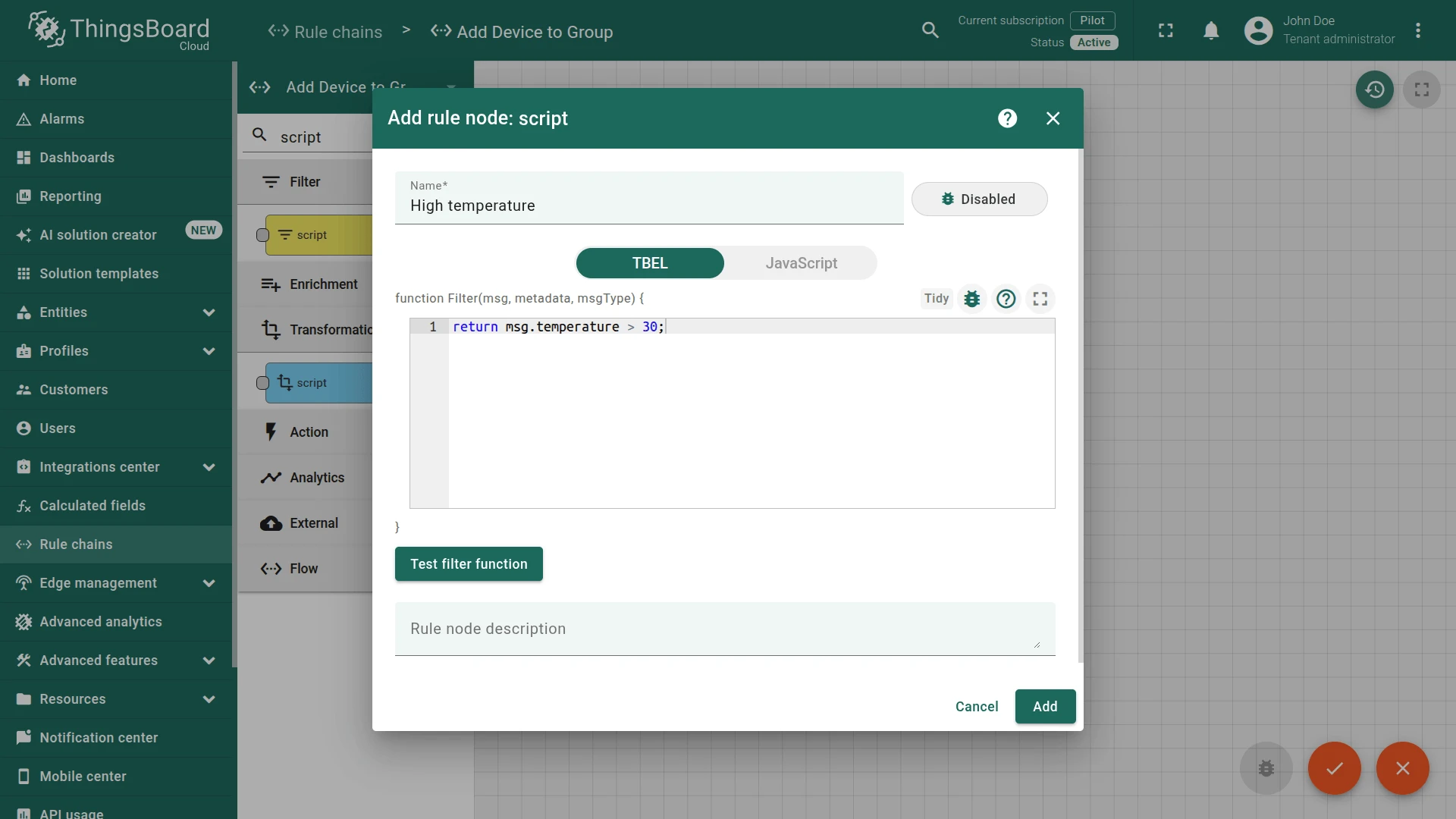
- Add a second script filter node:
- Name it
High temperature Set the script to:
return msg.temperature > 30;- Click Add.
This expression returns
trueif thetemperaturevalue is greater than30; otherwise, returnsfalse. - Name it
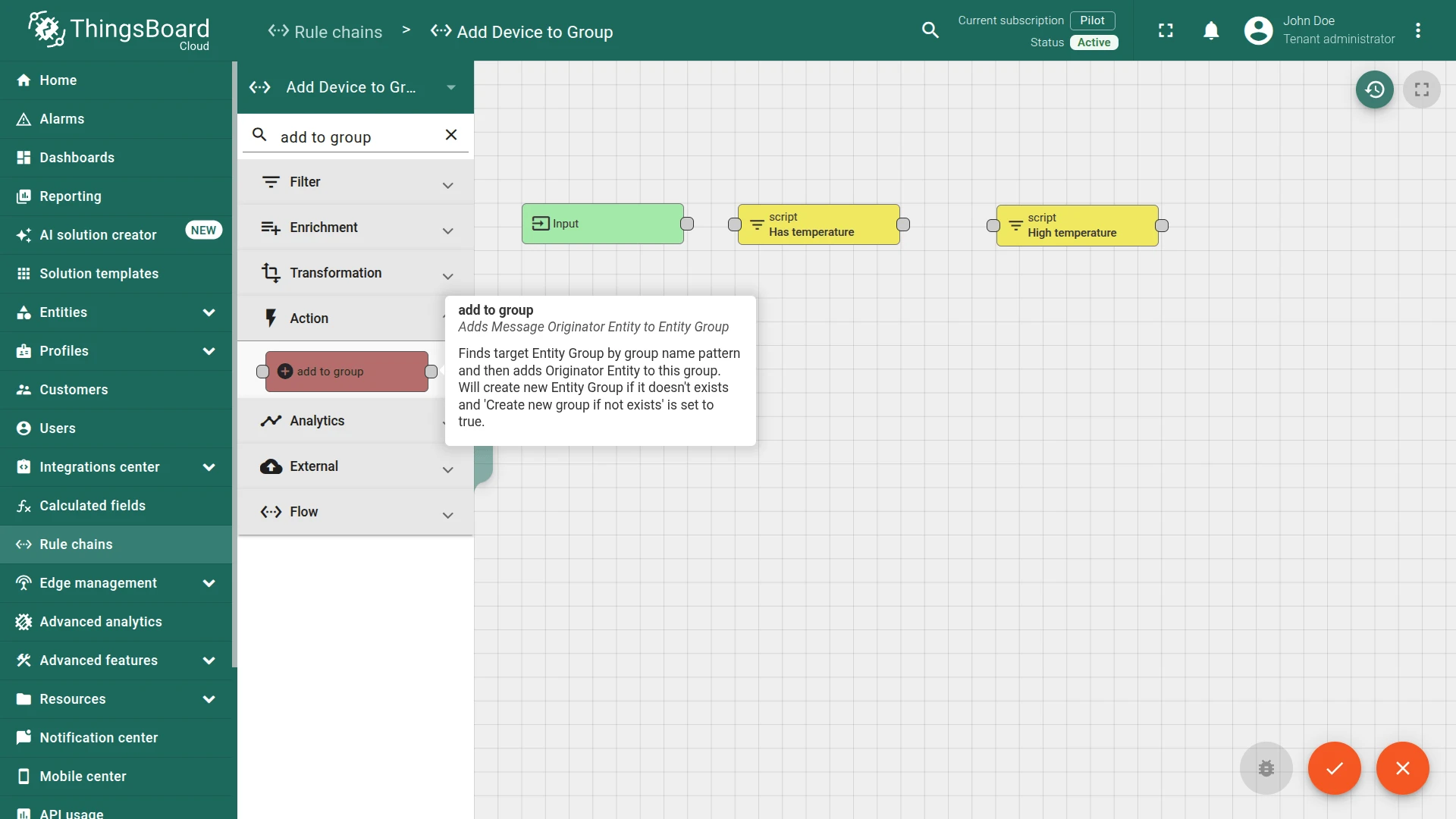
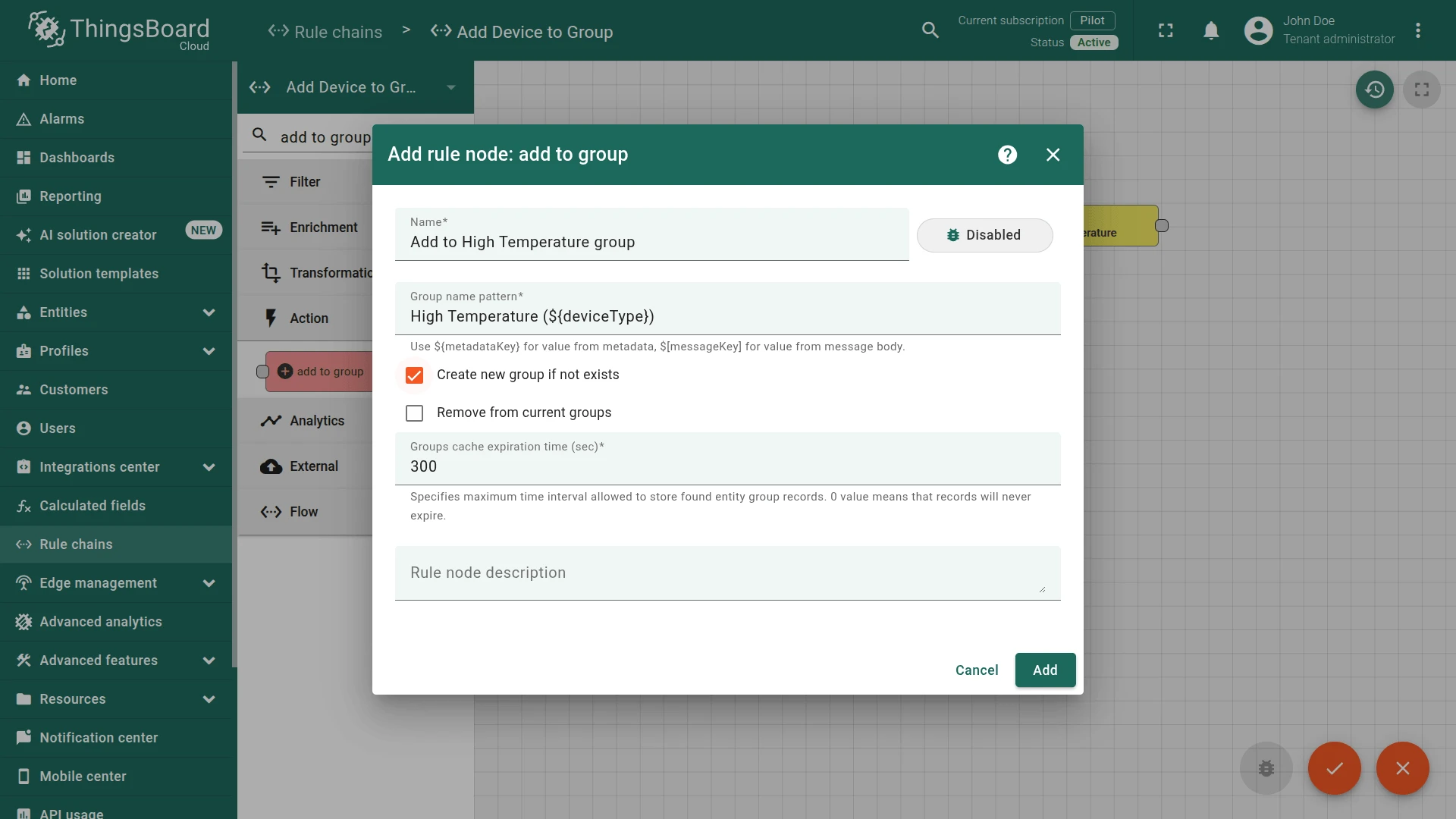
- Add an add to group action node:
- Name it
Add to High Temperature group Specify group name pattern:
High Temperature (${deviceType})- Enable Create new group if not exists
- Click Add.
- Name it
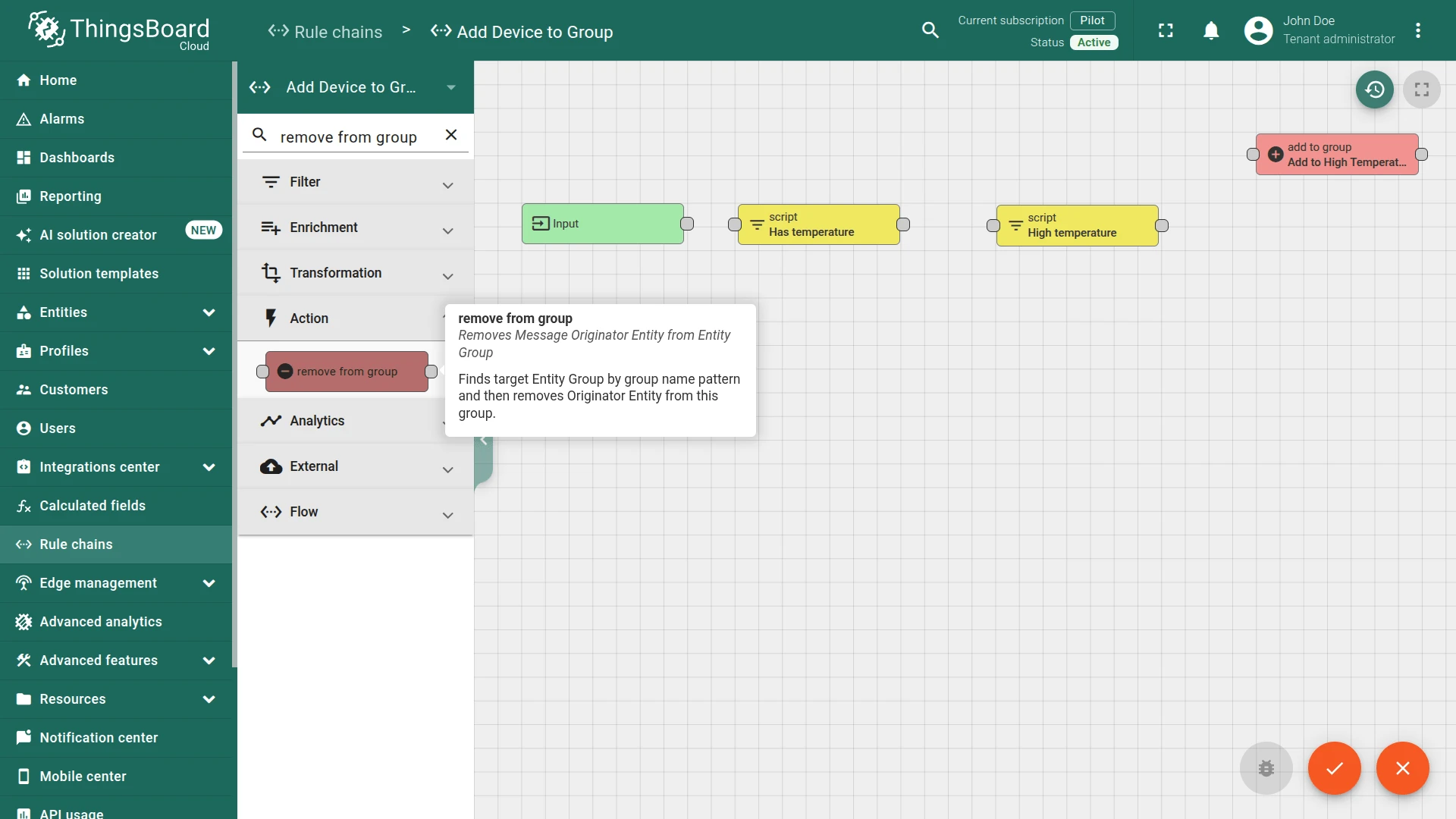
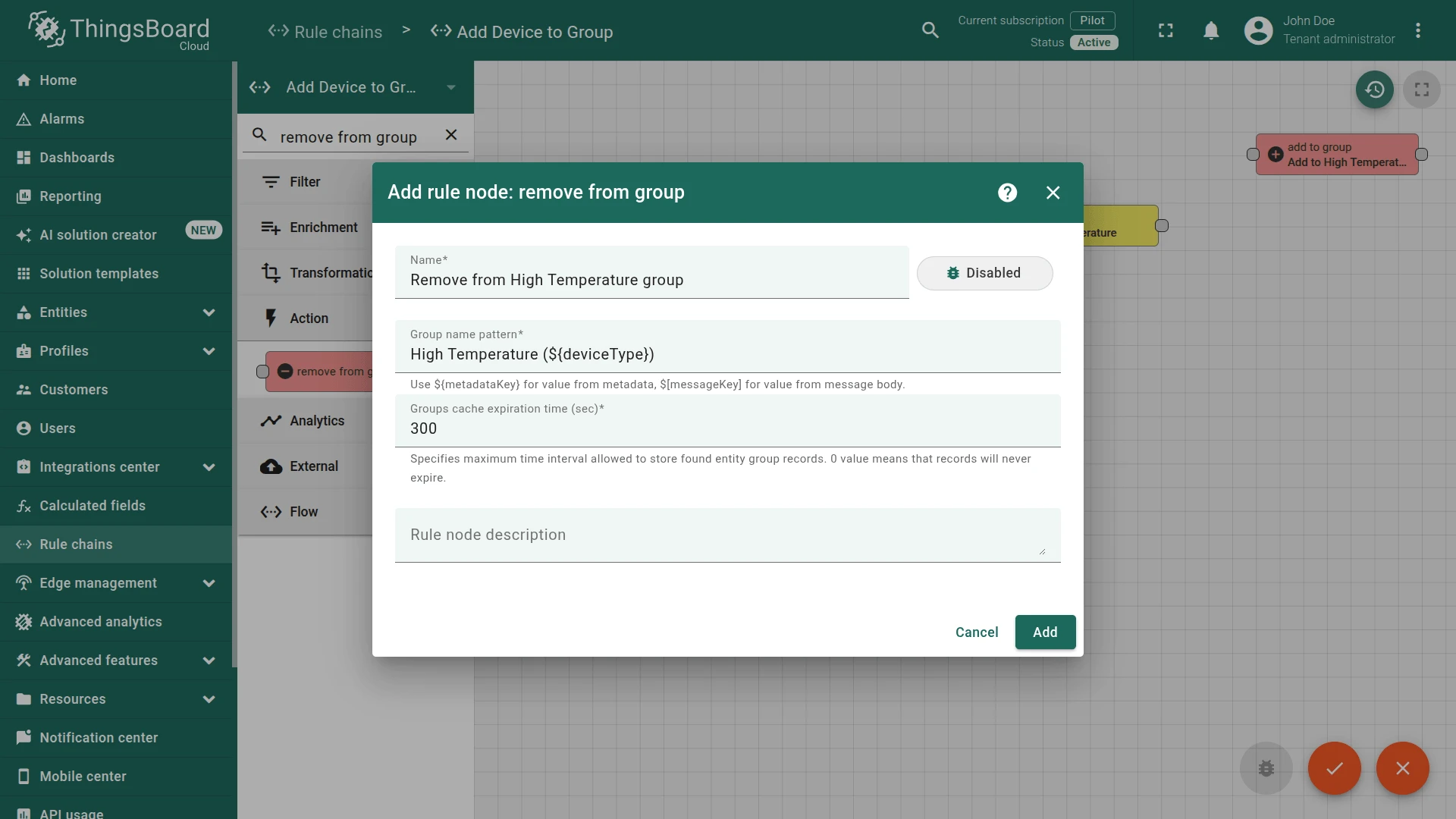
- Add a remove from group action node:
- Name it
Remove from High Temperature group Specify group name pattern:
High Temperature (${deviceType})- Click Add.
- Name it
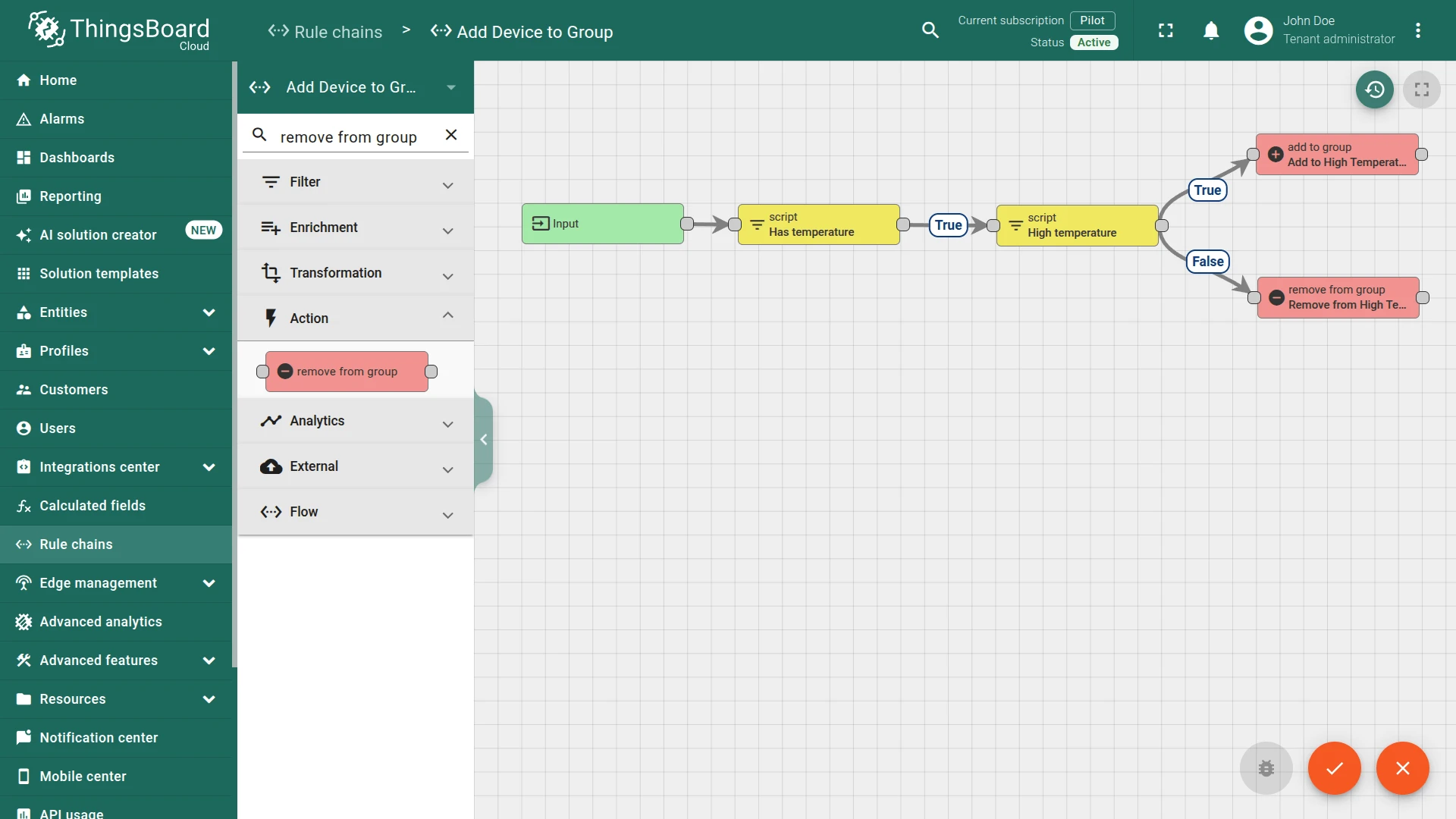
- Connect the nodes:
- Has temperature ⇾
True⇾ High temperature - High temperature ⇾
True⇾ Add to High temperature group - High temperature ⇾
False⇾ Remove from High Temperature group
- Has temperature ⇾
- Save the rule chain.
Alternatively, you can skip the manual setup and import the ready-made configuration: add_device_to_group_rule_chain.json
Step 2. Route Telemetry to the New Rule Chain
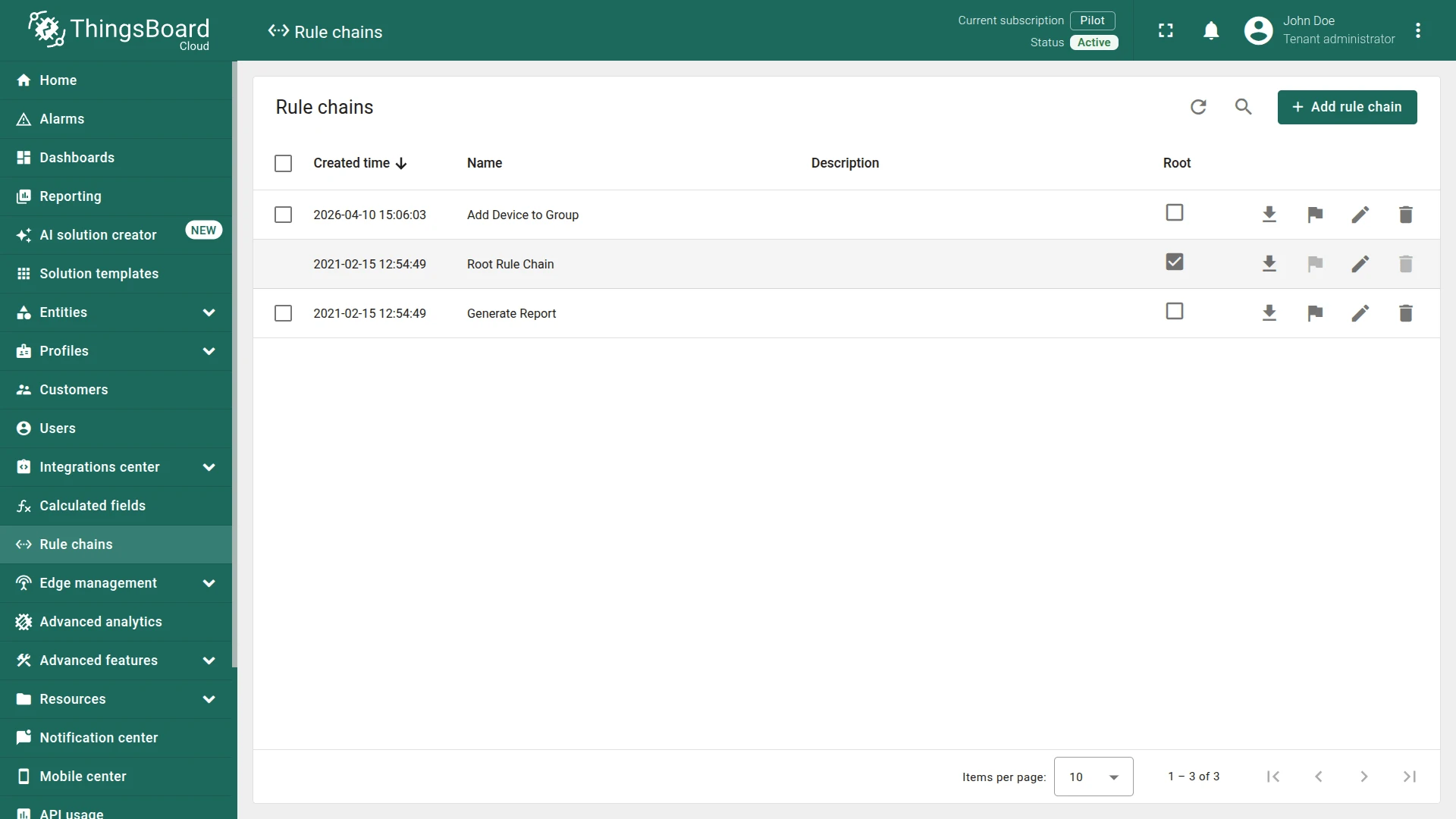
Section titled “Step 2. Route Telemetry to the New Rule Chain”- Open the Root Rule Chain.
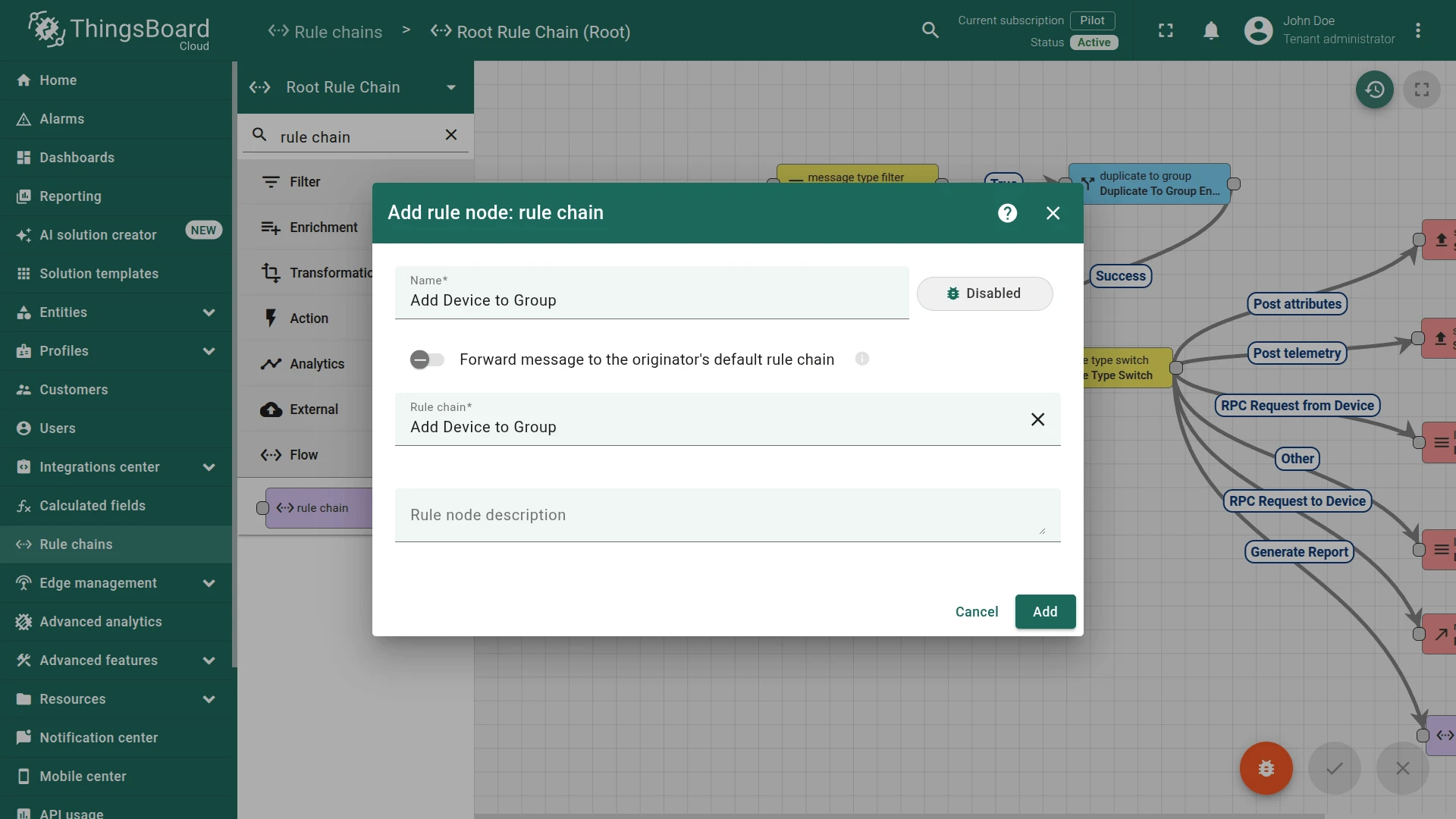
- Add a Rule Chain node:
- Name it
Add Device to Group - Select
Add Device to Grouprule chain as the target.
- Name it
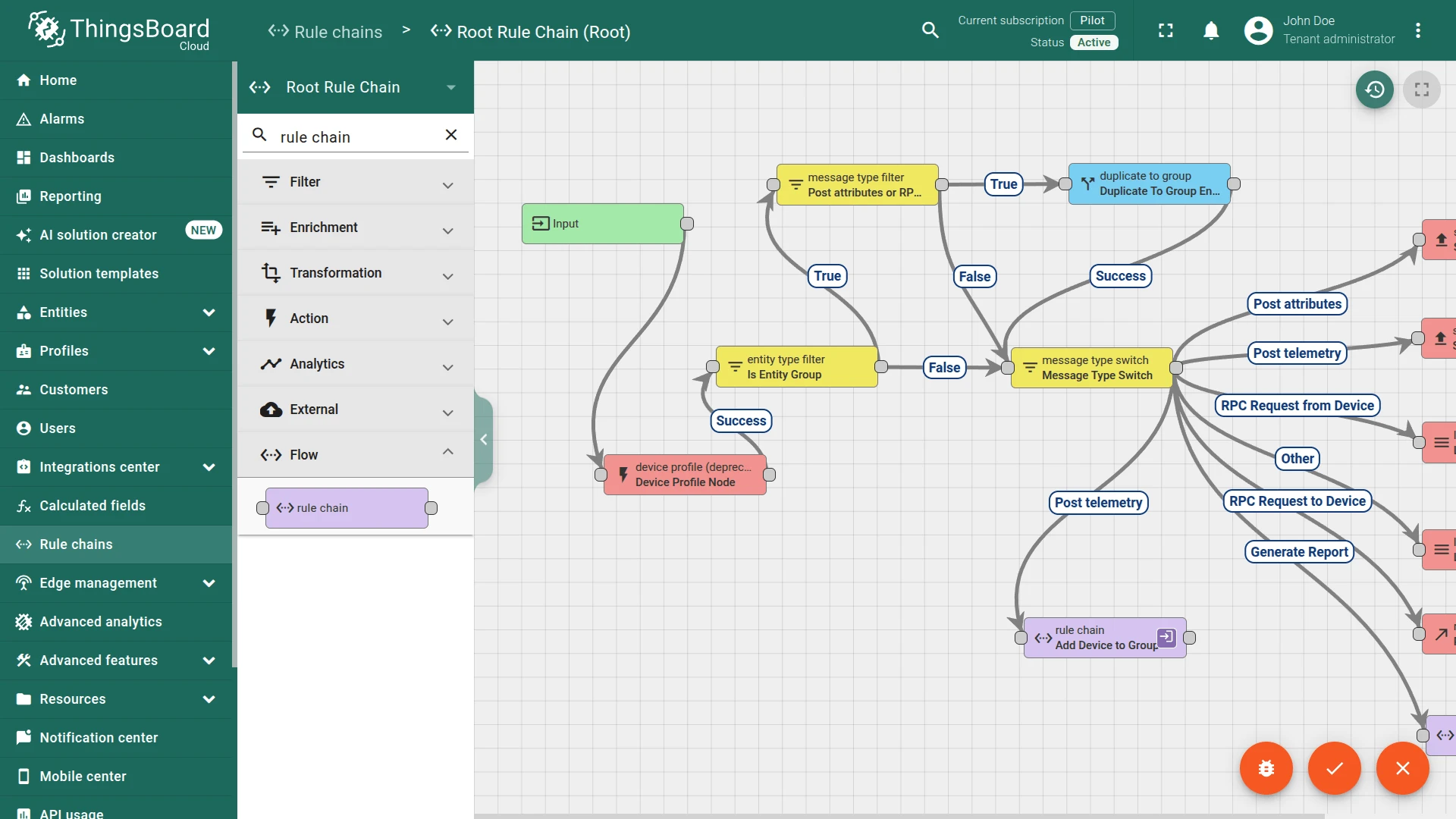
- Connect the existing telemetry path (e.g. the Save Timeseries node output, or a Message Type Switch
Post telemetrybranch) to this rule chain node. - Apply changes.
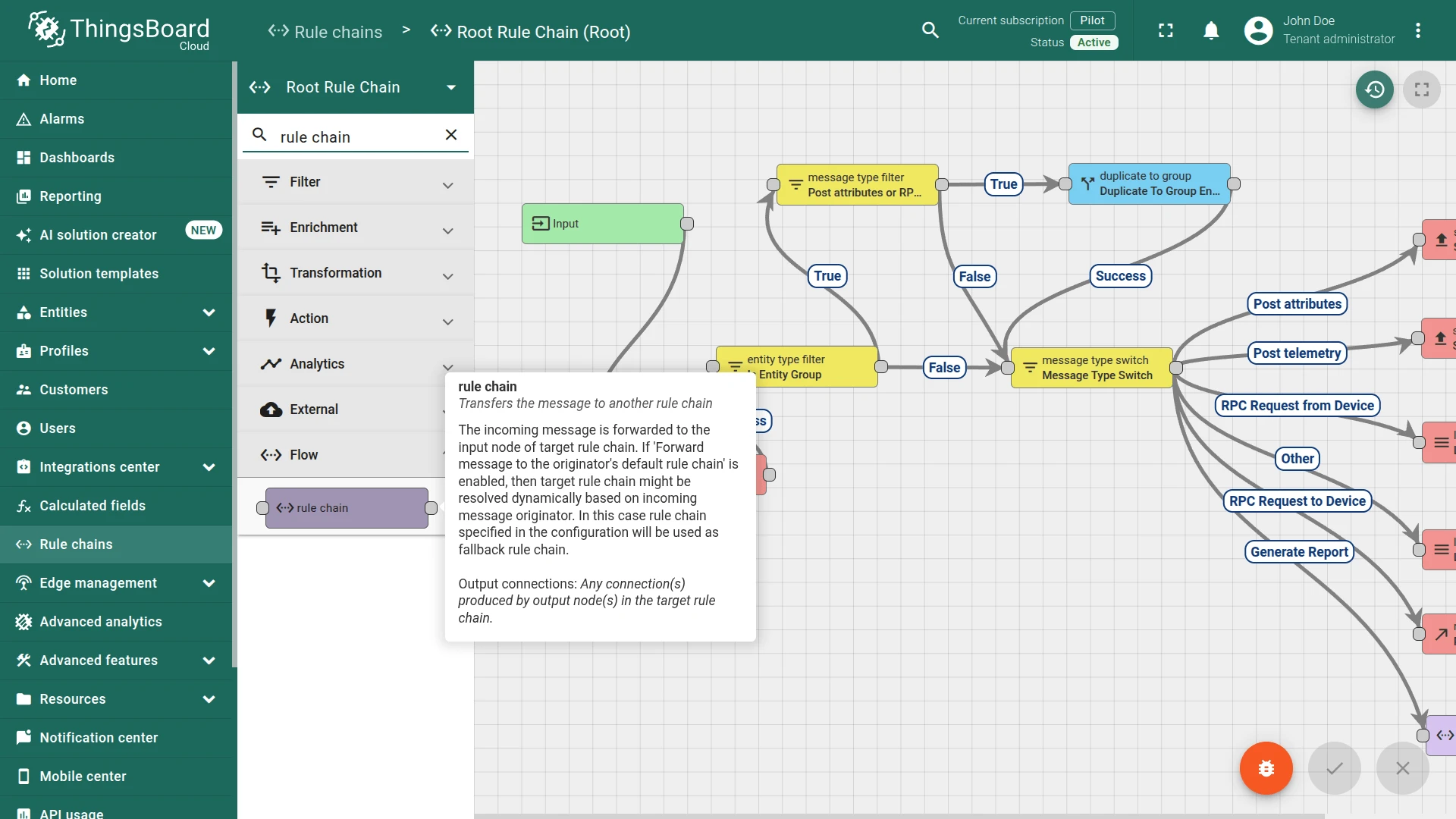
Result
Section titled “Result”When a device publishes telemetry:
| Condition | Outcome |
|---|---|
temperature > 30 |
Device added to High temperature {deviceType} group (created automatically if needed) |
temperature ≤ 30 |
Device removed from that group |
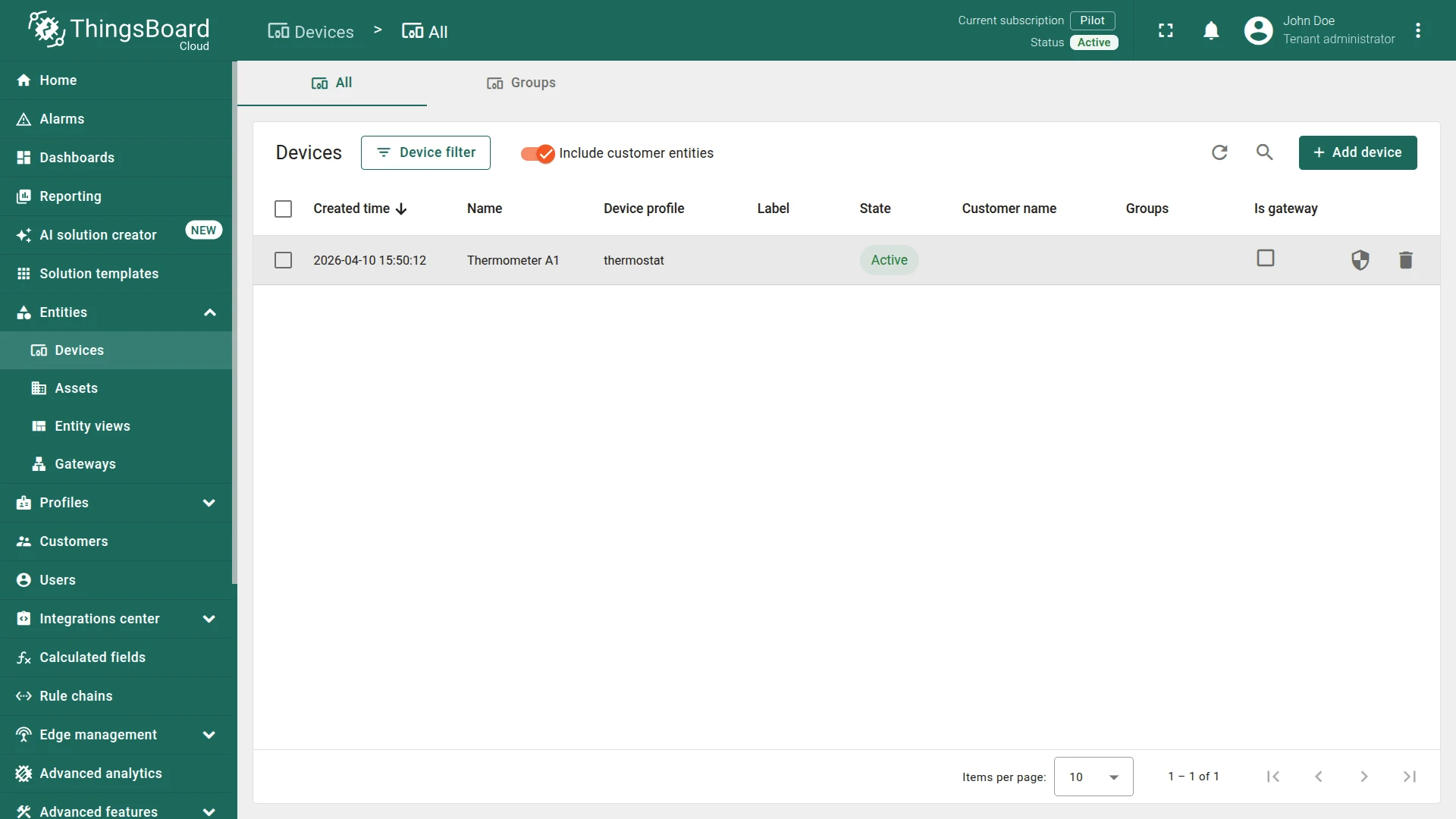
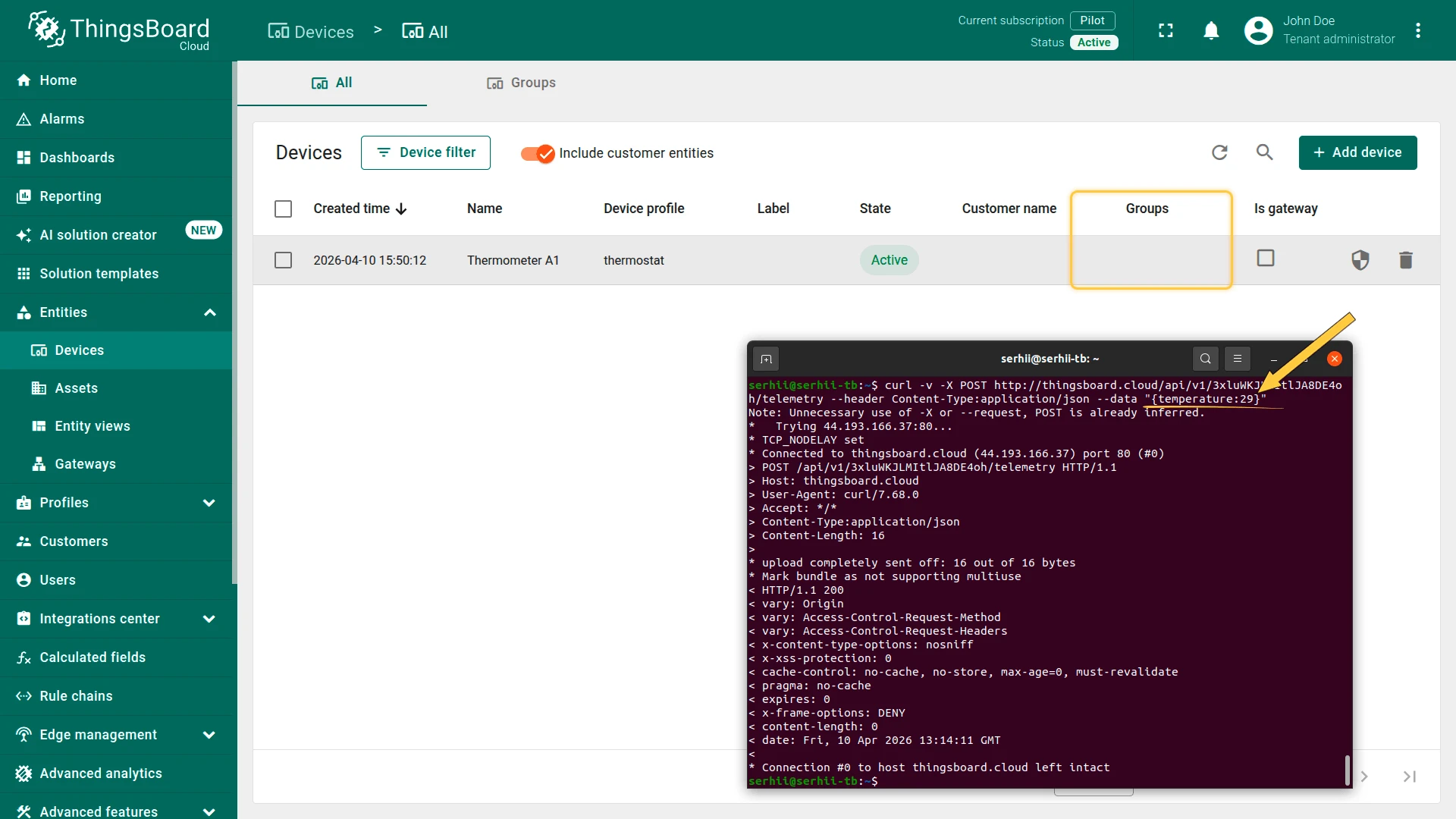
Open the Devices & assets ⇾ Devices page and verify that the device is not assigned to any group (the Groups column is empty).
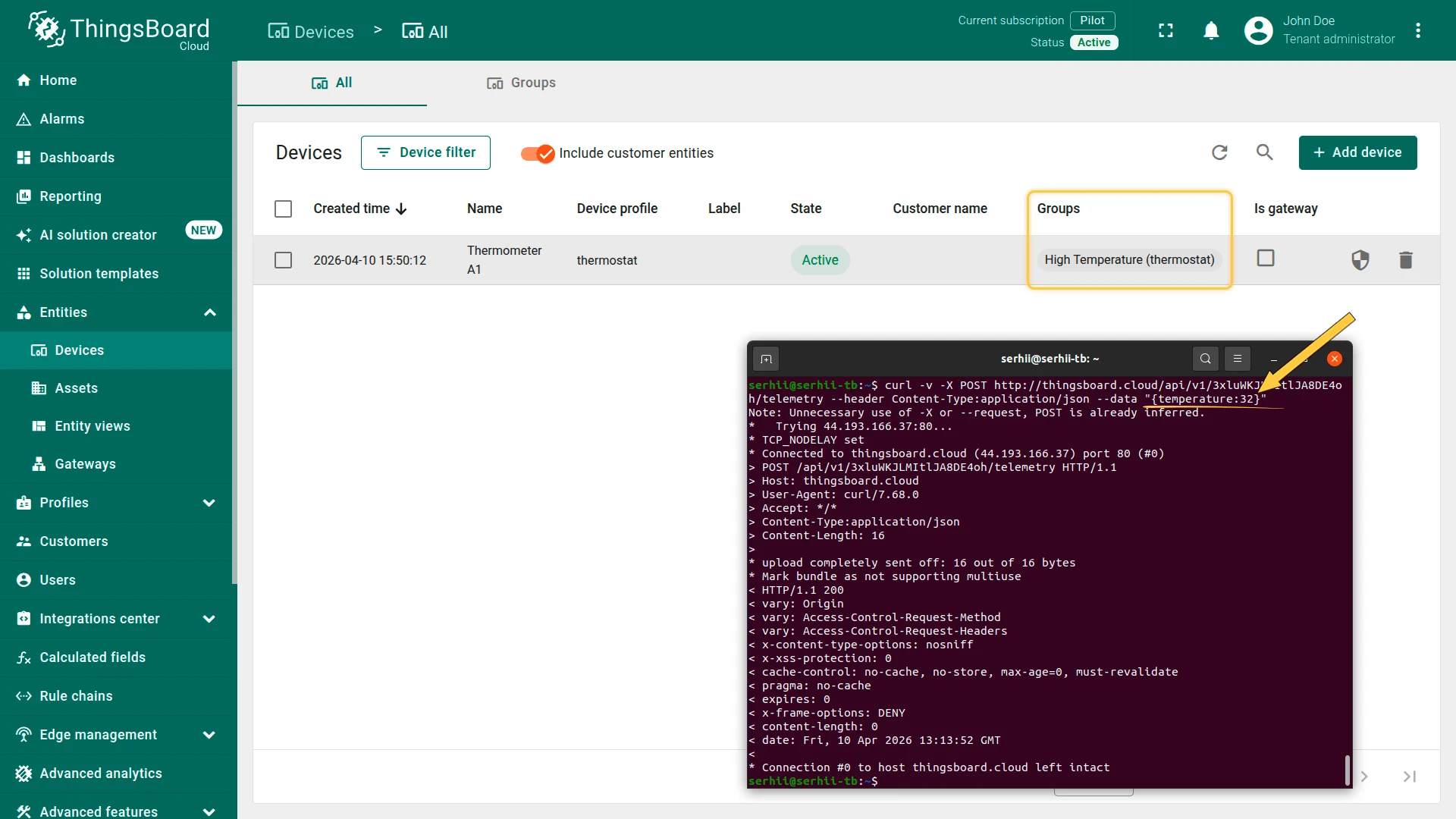
- When a device publishes telemetry
temperature > 30⇾ the device is automatically added to the High Temperature (thermostat) group. - When a device publishes telemetry
temperature ≤ 30⇾ the device is automatically removed from the High Temperature group.
Was this helpful?